Recruitment & Hiring Reviews Website Template
The Hardhat Verified Trades Staffing Platform landing page template is built for construction HR software products that match general contractors with certified tradespeople. It features a multi-step dispatch board assessment, an animated comparison table, a regional network map, and testimonial cards. Every design step moves visitors from their current pain toward a clear staffing solution.
by Rocket studio
Quick summary
This is a single-page, conversion-focused landing page template for a construction workforce platform. It guides staffing coordinators and safety directors through a three-step assessment, then reflects their answers back as personalized data. The design borrows from the dispatch board aesthetic, organized, dense, and purposeful.
Who this template is for
This template fits teams operating in the skilled trades and construction industry. It speaks to coordinators juggling multiple jobsites and directors who need every credential confirmed before workers arrive on-site.
- Staffing coordinators at mid-size general contractors managing three or more active jobsites
- Safety directors who need OSHA-30 verification before any job begins
- Prevailing wage compliance officers who handle regulatory requirements across crews
What problem this template solves
Finding and verifying qualified workers fast is the hardest part of construction hiring. Manual callboards, spreadsheets, and disconnected cert records slow down every step of the staffing process.
- Contractors waste time cross-referencing certs, availability, and pay rates across separate systems
- Recruiters struggle to fill job slots quickly when workers are unverified or unreachable
- Compliance gaps go undetected until they become costly on-site problems
What you get with this template
You get a fully structured landing page that demonstrates the platform's value before visitors even reach a form field. Each section builds on the last, walking clients from problem recognition through social proof to a ready call to action.
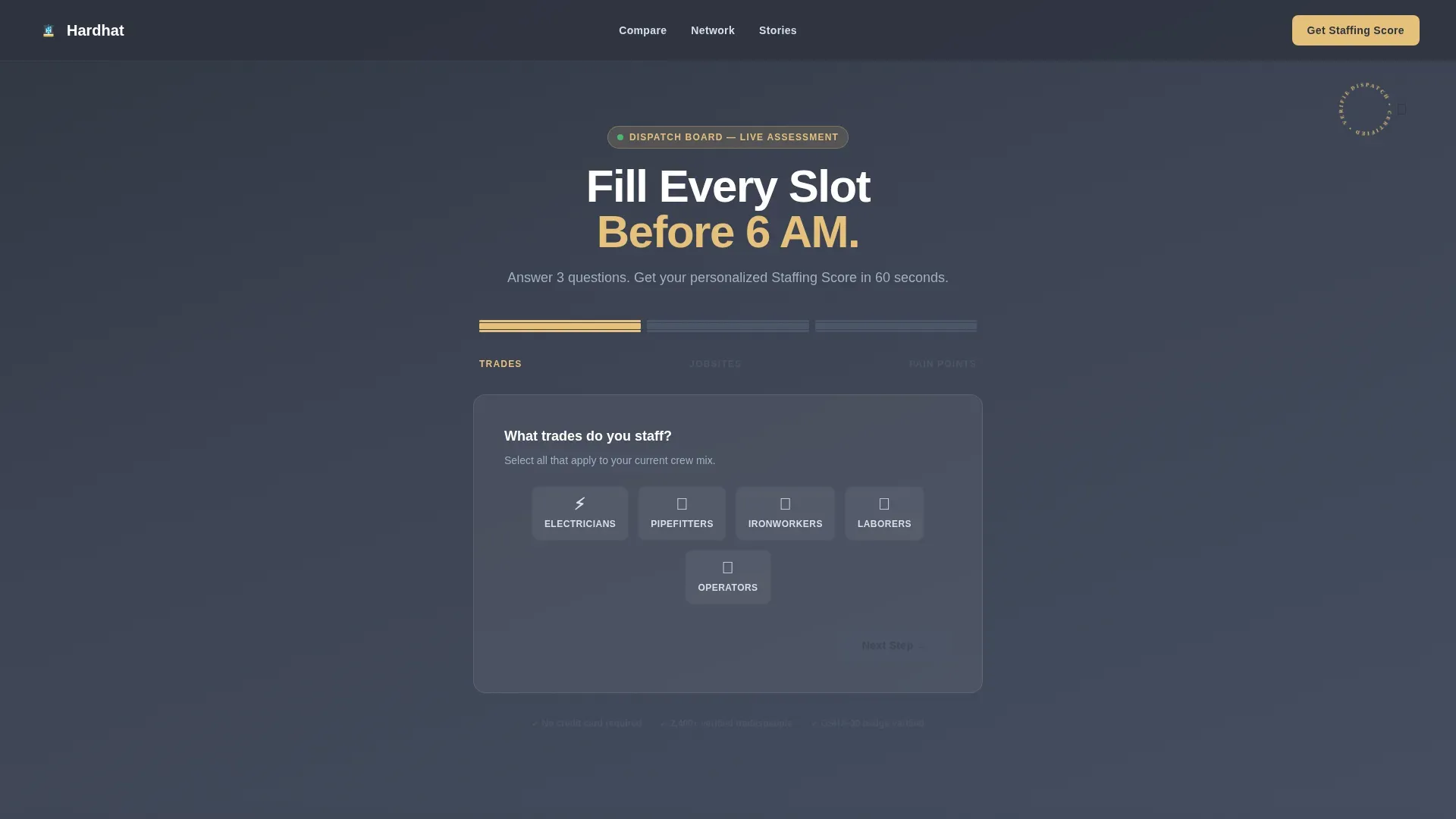
- A three-step dispatch board assessment form with animated I-beam progress bar
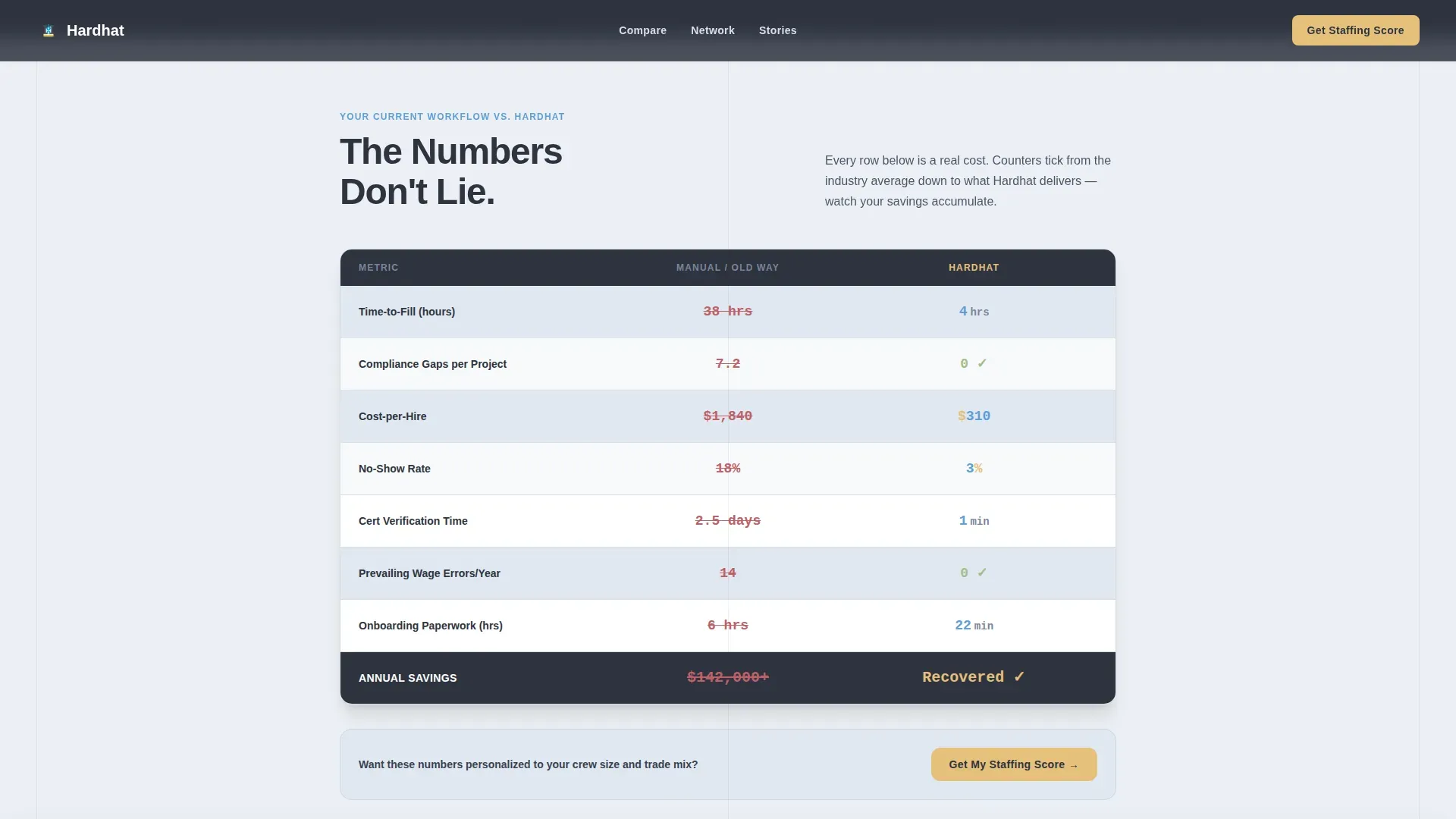
- An animated comparison table showing manual workflow versus automated pipeline
- A regional network map, testimonial cards, and a sticky bottom-bar call-to-action
Feature list
This template includes six purpose-built sections, each with a distinct design role and conversion job.
Three-Step Assessment Header
The header is a multi-step form styled as a digital dispatch board. Step one captures trade types via icon-toggle chips. Step two uses a slider for active jobsite count. Step three asks about the visitor's biggest staffing headache. Each step advances an I-beam progress bar and shifts the background from slate to sky, so the form itself demonstrates the product experience.
Animated Comparison Table
The comparison table places the visitor's current manual workflow beside the platform's automated pipeline. Rows cover time-to-fill, compliance gaps, and cost-per-hire. Each row animates a counter ticking from the industry average down to the platform benchmark. This is a fast, visual way to make the value proposition concrete for busy contractors and their team.
Regional Network Map
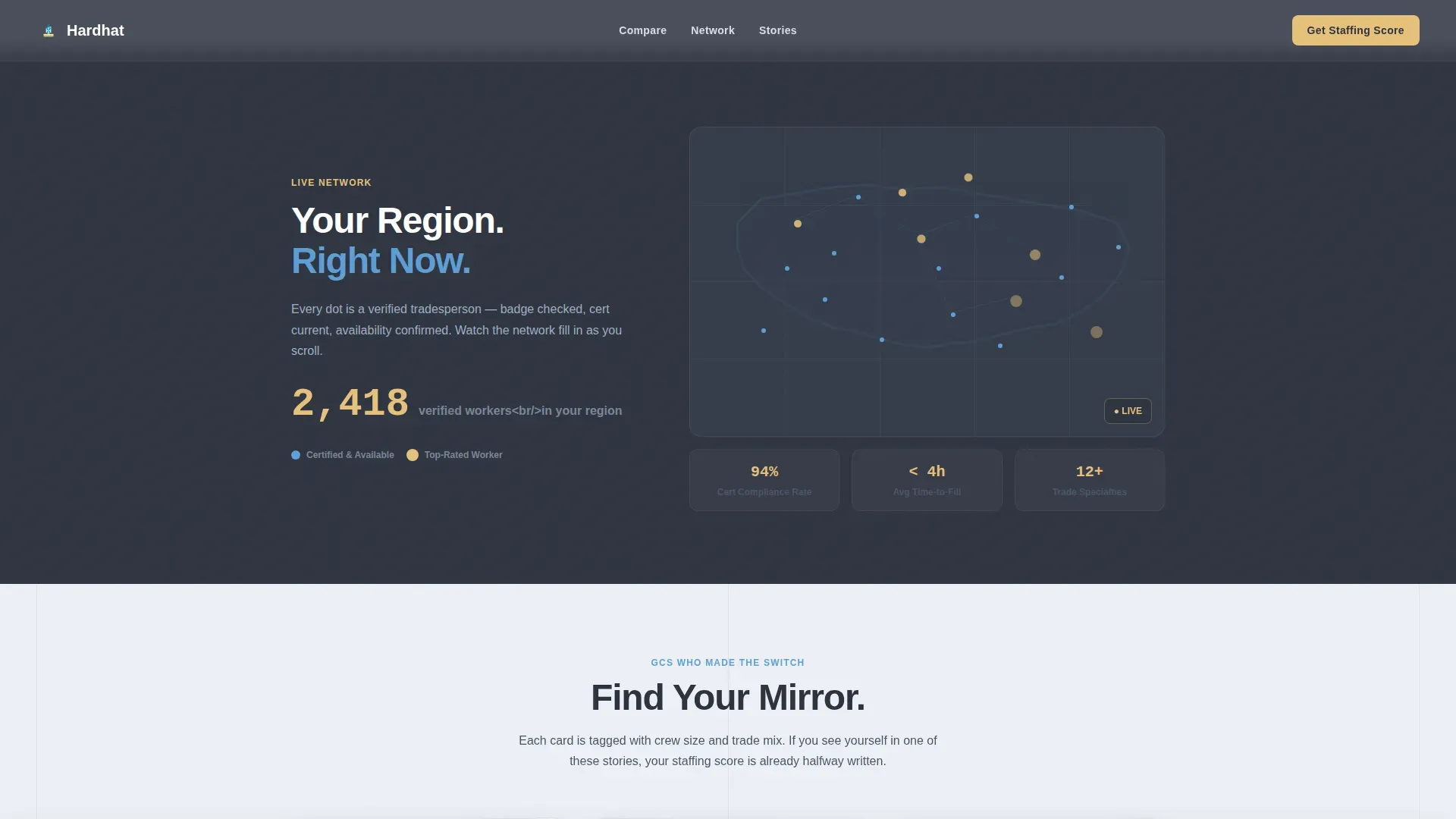
A live-updating dot visualization shows how many verified workers exist in the visitor's region. Dots multiply as the user scrolls, proving the network is real and ready. This builds trust that job slots can be filled quickly across the country.
Testimonial Cards
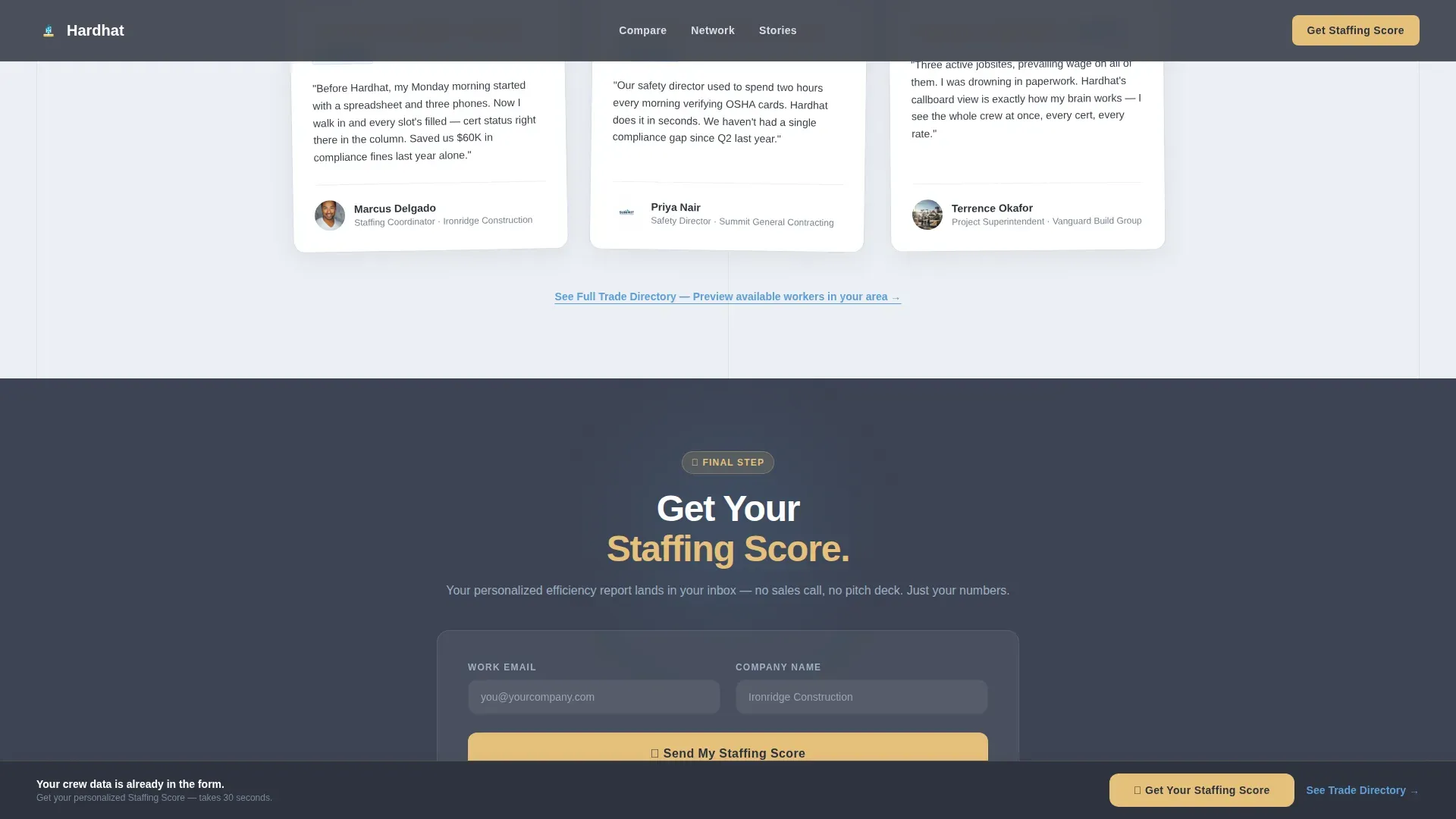
Testimonial cards are tagged with crew size and trade mix, so contractors find their professional mirror. Each card serves as social proof that real clients have achieved successful outcomes using the platform. Displaying these signals addresses the trust needs of skeptical hiring decision-makers.
Staffing Score call to action System
The primary call-to-action, "Get Your Staffing Score," appears twice. First inside the header form's final step, then again in a sticky bottom bar after the comparison table. The call to action collects only work email and company name, keeping lead capture easy and conversion friction low.
Sticky Bottom Bar
A persistent bottom bar keeps the primary call to action visible throughout the scroll. It appears after the comparison table and stays fixed, so visitors never have to search for the next step. High-contrast design makes it stand out at every section.
Page sections overview
| Section | Purpose |
|---|---|
| Dispatch Board Assessment | Captures trade type, jobsite count, and pain point in three steps |
| Animated Comparison Table | Shows manual versus automated workflow with live counters |
| Regional Network Map | Visualizes verified worker density by region |
| GC Testimonial Cards | Provides peer-level social proof with crew and trade tags |
| Staffing Score call to action | Delivers personalized report; requires only email and company name |
| Sticky Bottom Bar | Keeps primary call to action accessible throughout the full page scroll |
Design & branding system
The design system follows a Directory and Discovery theme using a Slate and Sky color palette. Every color choice has a specific job: grays ground the layout, blue guides the eye, and yellow demands action.
- Structural slate (#3B4252) and rebar charcoal (#2E3440) form the primary backgrounds and table bases
- Open-sky blue (#5E9ED6) handles row highlights, links, and active state indicators across the page
- High-vis accent (#E5C07B) appears only on calls-to-action, badges, and active indicators to preserve its urgency
Mobile & speed optimization
The template is designed desktop-first to match the dispatch window metaphor, with full mobile support built in. Animations use CSS transforms only, keeping visual performance clean across all devices.
- Intersection Observer triggers counter animations only when elements enter the viewport
- The multi-step form, toggle chips, and slider are all touch-friendly for mobile users
- Alternating near-white (#ECEFF4) and slate backgrounds help maintain readability at any screen size
How this template helps you convert
The page is structured as a Quiz and Assessment funnel, where each step earns the next click by giving something personal back to the visitor.
- The three-step header form captures job-specific pain before asking for any contact information, building trust through relevance and reducing drop-off at the form step.
- The comparison table and network map then surface the visitor's data reflected back as proof, so by the time the staffing score call to action appears, the visitor already sees their own workforce problem partially solved.
Other information about this template
This template is purpose-built for the construction industry and the specialized workforce solutions space. It can support flexible staffing narratives across electricians, pipefitters, ironworkers, laborers, and operators.
- The hardhat verified trades staffing platform landing page template is designed to address both employer and worker audiences through dual-path navigation cues
- Trust signals such as "100% Vetted and Certified" fit naturally into the badge and header design elements
- Performance metrics like "5,000+ Verified Tradespeople" or "98% Client Retention" can populate the network map and comparison table rows
- The form minimizes fields to work email and company name, following simplified lead capture best practices for higher conversion rates
- Authentic on-site visuals and OSHA certification indicators can be placed in the testimonial and comparison sections to strengthen credibility
- Recruiters and staffing professionals across the country can use the template to find and present qualified workers to clients fast
Theme
Directory & Discovery
Creative direction
Network Effect
Color system
Slate & Sky
Style
Comparison Table
Direction
Quiz/Assessment
Page Sections
Three-step Dispatch Board Assessment
Animated Comparison Table
Regional Network Map Visualization
Tagged Testimonial Cards
Staffing Score Call to Action System
Slate and Sky Design System
Related questions
Who is the primary audience for this landing page template?
What makes the header form different from a standard lead form?
Can I customize the comparison table rows for different trade types?
How does the staffing score call-to-action work?
Does the template work for both employers and workers seeking job opportunities?



