Aircraft MRO Landing Page Template | Data Grid
Hangar is a dashboard-style landing page template built for aircraft maintenance, repair, and overhaul facilities. It uses an industrial navy-and-amber visual system, an isometric airframe header, and a data-grid layout to present capability tiers, certification badges, and a scrollable case study timeline. The primary call to action drives slot availability requests from fleet managers, lessors, and MRO brokers.
by Rocket studio
Quick summary
Hangar is a single-page, data-grid landing page template designed for aircraft maintenance, repair, and overhaul operations. It combines an isometric technical header, capability data cards, regulatory certification badges, and a horizontal-scroll case study timeline. Every section builds operational credibility before presenting the slot-request form, making the page work for high-stakes business-to-business procurement conversations.
Who this template is for
This template is built for MRO facilities that need to communicate complex technical capability to serious aviation buyers. The layout matches how procurement decisions actually happen in this industry: evidence first, conversation second.
- Airline fleet managers handling AOG (Aircraft on Ground) situations and scheduled heavy-check planning
- Aircraft lessors repositioning assets between operators on tight induction windows
- MRO brokers sourcing C-check and D-check slots across multiple facilities with long lead times
What problem this template solves
Most aviation service pages fail procurement buyers because they lead with marketing language instead of operational data. Fleet managers and lessors need proof before they will engage, and a generic services page does not deliver it.
- Buyers arrive with specific questions: which airframe types are covered, which regulatory authorities have approved the facility, and what turnaround time is realistic
- Without structured data presentation, those questions go unanswered and the visitor leaves
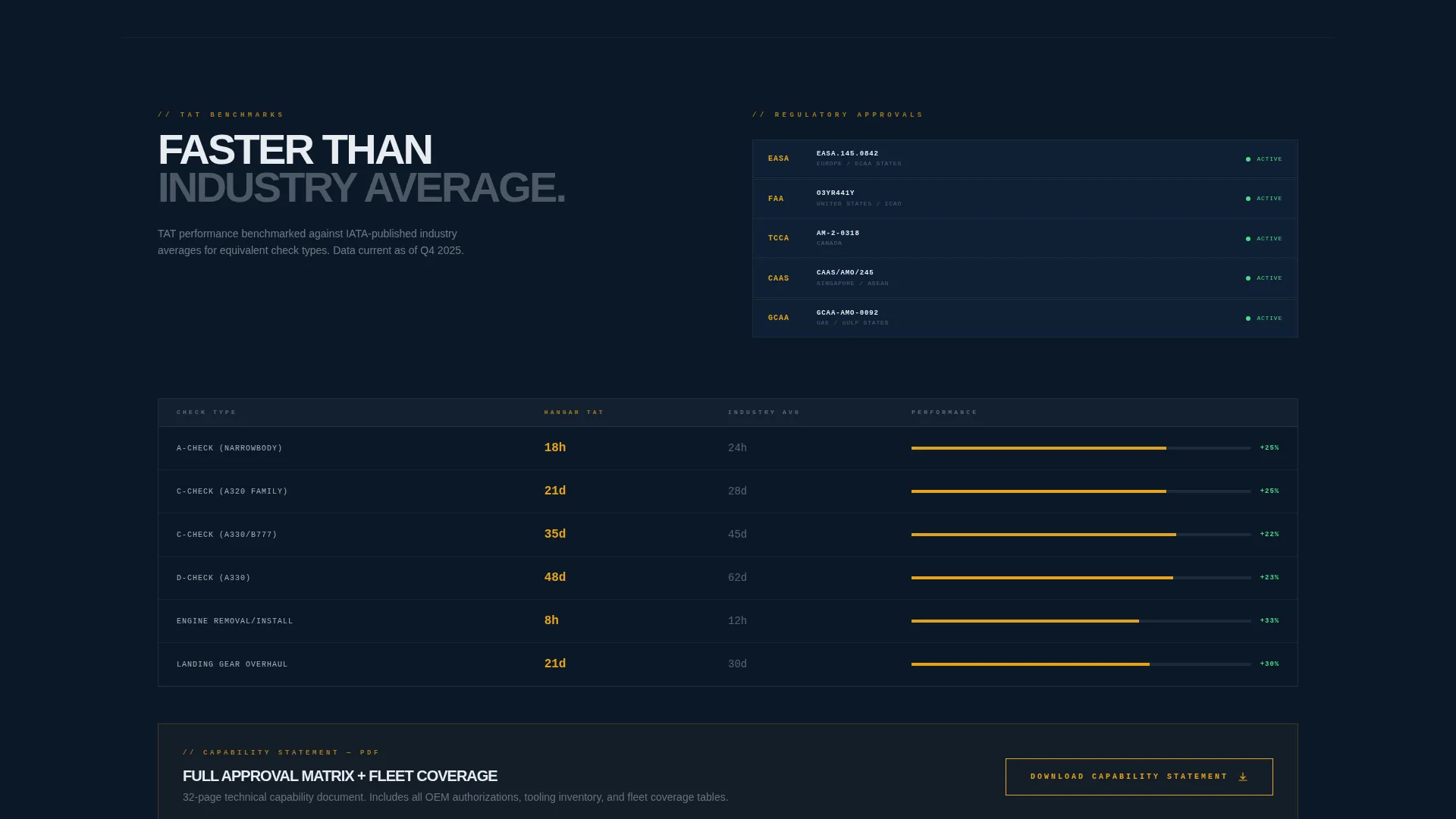
- The template solves this by organizing every section as a data layer, from TAT benchmarks and man-hour metrics in the header to certification badges and workscope case studies deeper in the page
What you get with this template
You get a fully structured landing page that functions like an operational briefing document. The layout guides a procurement buyer from first impression through to form submission, presenting proof at each stage before asking for anything in return.
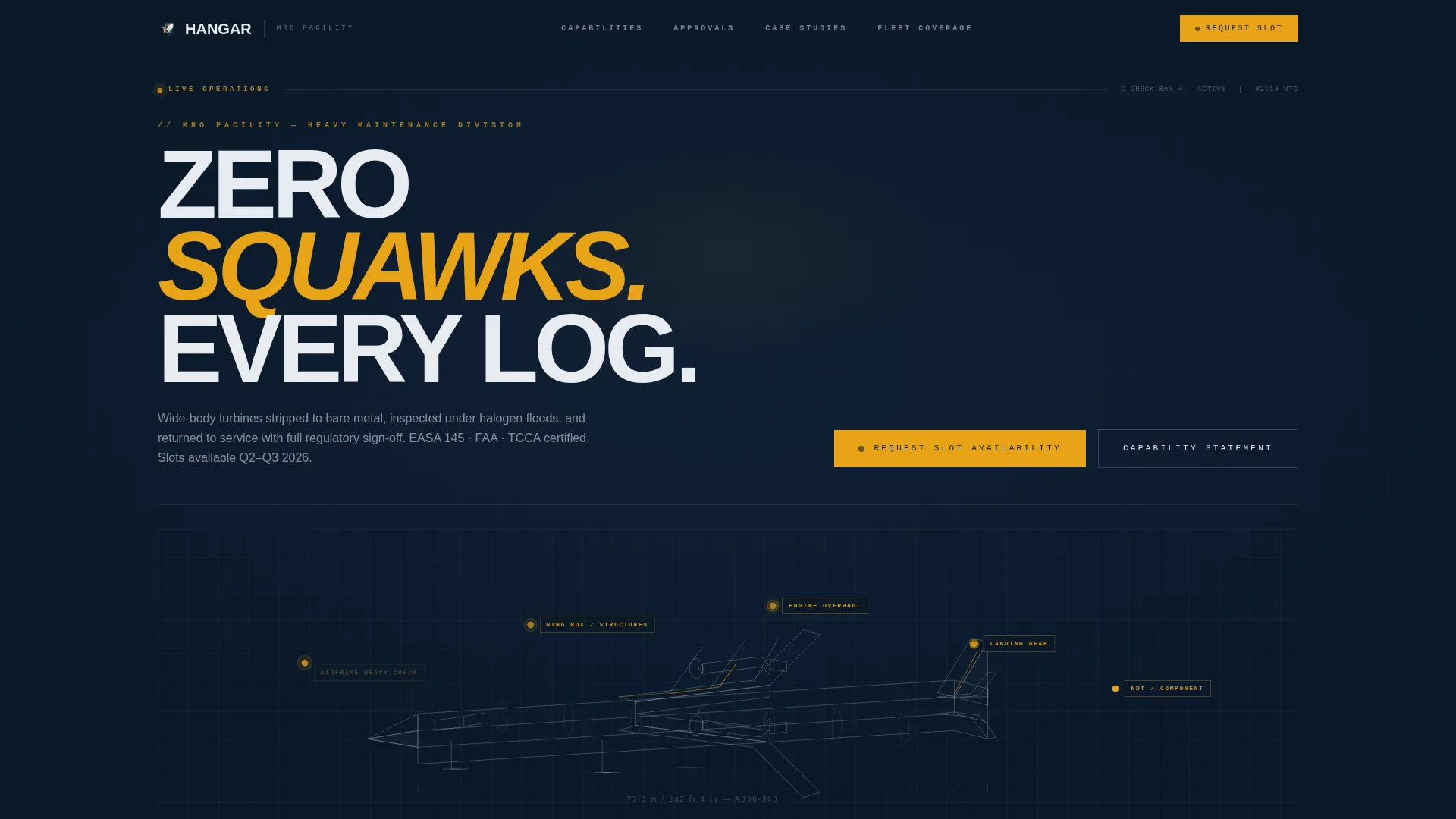
- An isometric airframe header with floating capability labels, a live-metric stat line, and an embedded slot-request call to action
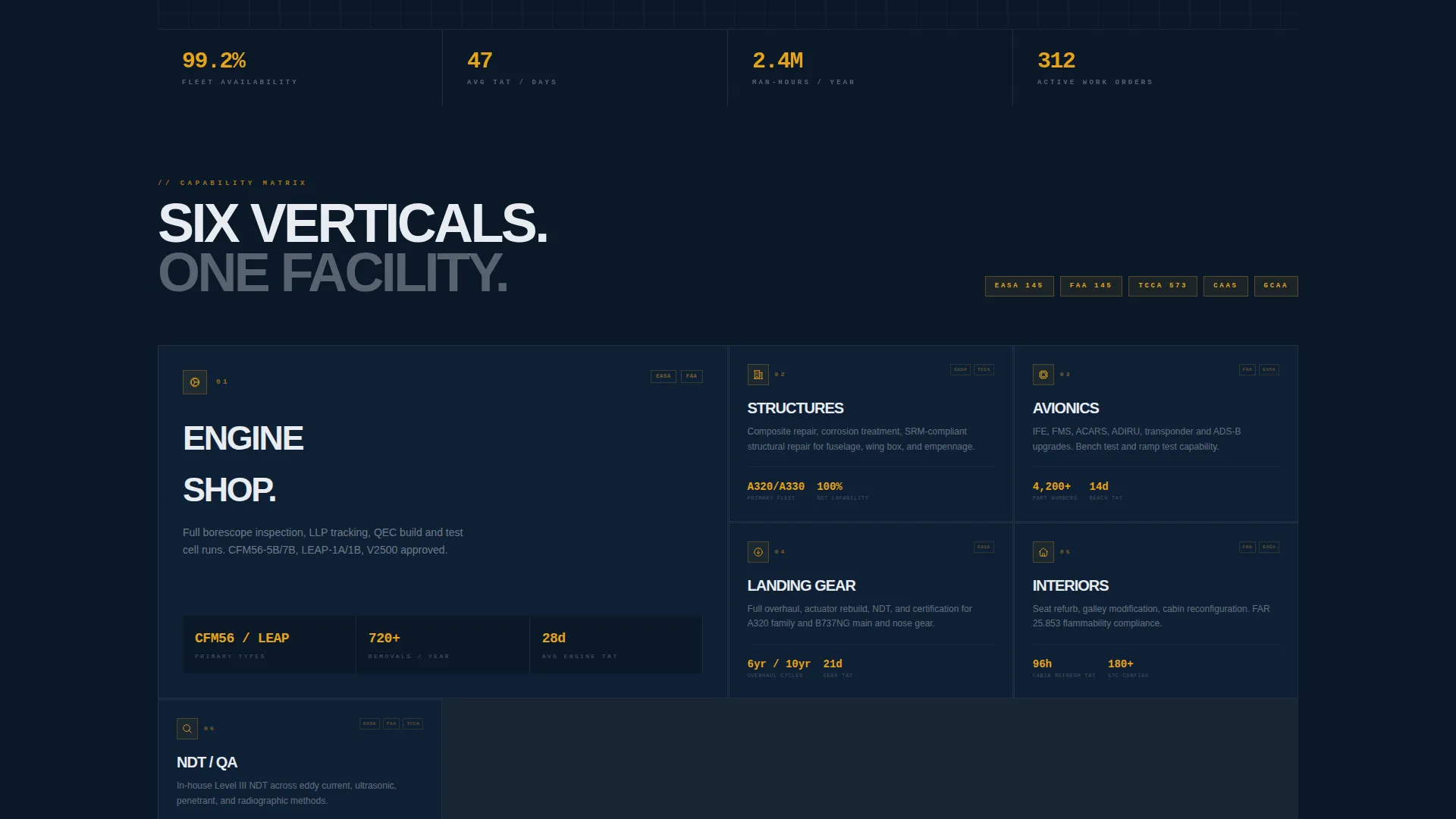
- A capability data-grid with individual cards for engine shop, structures, avionics, and interiors, each carrying inspection interval data, part number coverage depth, and regulatory approval badges
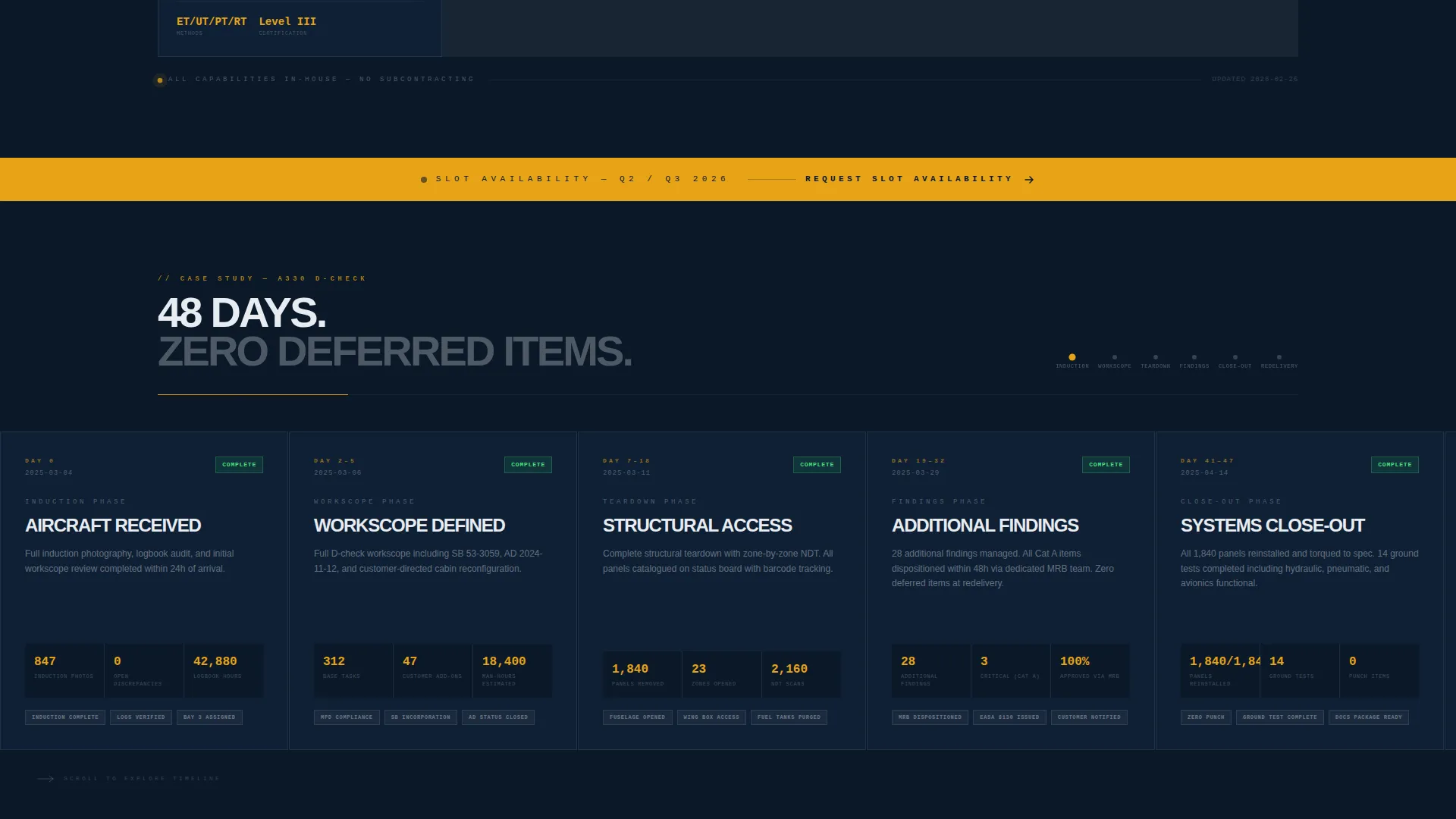
- A horizontal-scroll A330 D-check case study timeline, a persistent amber call to action bar, and a gated capability statement download form
Feature list
This template includes purpose-built components drawn directly from the operational brief. Each one serves a specific function in the procurement conversation.
Isometric Airframe Header
The header renders a narrowbody airframe as a technical line-art cutaway against the deep navy background. Nose section, wing box, and empennage zones are each labeled with floating data chips identifying capability areas. A stat line fades in below carrying fleet availability percentage, average turnaround time in days, and annual man-hours delivered. The primary "Request Slot Availability" call to action is embedded directly inside this data layer.
Capability Data-Grid Layout
The scroll is structured as a grid of data cards, one per capability vertical. Engine overhaul, airframe structures, avionics, and interiors each appear as a card surface in gunmetal steel. Each card carries real operational metrics: inspection intervals supported, part number coverage depth, and the relevant regulatory approval badges for EASA Part 145, FAA, and TCCA (Transport Canada Civil Aviation).
Horizontal-Scroll Case Study Timeline
Midway through the page, a horizontal timeline walks through an actual Airbus A330 D-check. The timeline is milestone-driven: induction photography, workscope discovery, additional findings, and redelivery. Each stage is communicated through metrics and status tags rather than prose, matching the way experienced MRO buyers prefer to consume operational evidence.
Dual Conversion Path Forms
The template includes two separate conversion paths. The primary form captures fleet type via dropdown (narrowbody, widebody, regional), check level (A, B, C, or D check), preferred induction quarter, and a free-text workscope notes field. A secondary path offers a gated capability statement download, requiring only company name and work email, which separates procurement leads from early-stage researchers.
Persistent Amber call to action Bar
After the second grid section, a full-width amber bar locks into the page and follows the visitor through the remainder of the scroll. It repeats the "Request Slot Availability" call to action, keeping the primary conversion path visible without interrupting the data-reading experience.
Certification Badge Display
Regulatory approvals are rendered as visual certification badges within the capability cards. EASA Part 145, FAA, and TCCA approvals are shown as distinct badge elements, giving procurement buyers an immediate visual audit of the facility's authority coverage without requiring them to navigate away from the page.
Page sections overview
| Section | Purpose |
|---|---|
| Isometric Airframe Header | Establishes technical credibility and presents fleet metrics with the primary call to action |
| Capability Data Grid | Presents each service vertical as a data card with metrics and approval badges |
| Persistent Amber call to action Bar | Keeps the slot-request action visible after the second grid section |
| A330 D-Check Timeline | Delivers an evidence-based case study through milestones and status tags |
| Slot Request Form | Captures fleet type, check level, induction window, and workscope notes |
| Capability Statement Gate | Qualifies leads through a gated document download requiring work email |
Design & branding system
The visual identity follows an Industrial Raw theme built around a Navy Authority color system. Every color in the palette earns its place through function, not decoration, mirroring the instrument logic of a cockpit at cruise altitude.
- Deep operational navy (#0B1929) covers all primary backgrounds; gunmetal steel (#3A4553) defines card surfaces and data containers; signal white (#E8ECF1) is used exclusively for typography and grid lines
- Caution amber (#E8A317) is reserved for live status indicators, hover states, and all call-to-action elements, making interactive elements immediately identifiable
- The header uses technical line-art illustration with no stock photography, keeping the visual language consistent with engineering documentation rather than marketing materials
Mobile & speed optimization
The template is structured as a responsive single-page layout. The dense data-grid format is adapted so that capability cards stack cleanly on smaller screens without losing their metric content.
- The isometric header illustration and floating data chips are proportioned to remain legible on tablet and mobile viewports
- The horizontal-scroll case study timeline is designed with touch-friendly scroll behavior in mind, so mobile visitors can move through the A330 D-check milestones without friction
How this template helps you convert
The page is designed around a principle of earning trust before asking for action. Every section adds a layer of operational proof that makes the final form submission feel like a natural next step rather than a cold request.
- The header delivers three hard metrics (fleet availability, average TAT, and annual man-hours) immediately, establishing credibility before the visitor has scrolled at all
- The capability data grid and certification badge display answer the specific technical questions a procurement buyer brings to the page, reducing the need for follow-up calls before initial engagement
- The dual conversion path separates serious slot inquiries from early-stage researchers, helping the facility prioritize responses to the highest-intent visitors first
Other information about this template
This template is part of a broader library of aerospace and defense landing page templates built for niche business-to-business use cases. A few additional details are worth noting for teams evaluating it.
- The template is categorized under Aircraft and Aviation within the Aerospace and Defense category, with a specific focus on the Aircraft MRO (Maintenance, Repair, and Overhaul) niche
- The Industry Report creative direction means the scroll narrative escalates deliberately: routine line maintenance appears early, and full teardown heavy-check capability is presented later, matching how a quarterly fleet briefing builds its case
- The Dashboard and Data Grid template style means layout decisions prioritize scannable metrics and structured data over long-form prose, which matches how fleet managers and lessors actually read vendor capability materials
Theme
Industrial Raw
Creative direction
Industry Report
Color system
Navy Authority
Style
Dashboard/Data Grid
Direction
Partnership/B2B
Page Sections
Isometric Airframe Header with Live Metrics
Capability Data-grid with Certification Badges
Horizontal-scroll A330 D-check Timeline
Dual Conversion Path Forms
Persistent Amber Call to Action Bar
Related questions
Who is this landing page template designed for?
What conversion actions does the template support?
Can I update the data cards and metrics with my own facility information?
Does the template include the A330 case study content?
What makes this template different from a standard aviation services page?



