Reinforcement Learning Landing Page Template
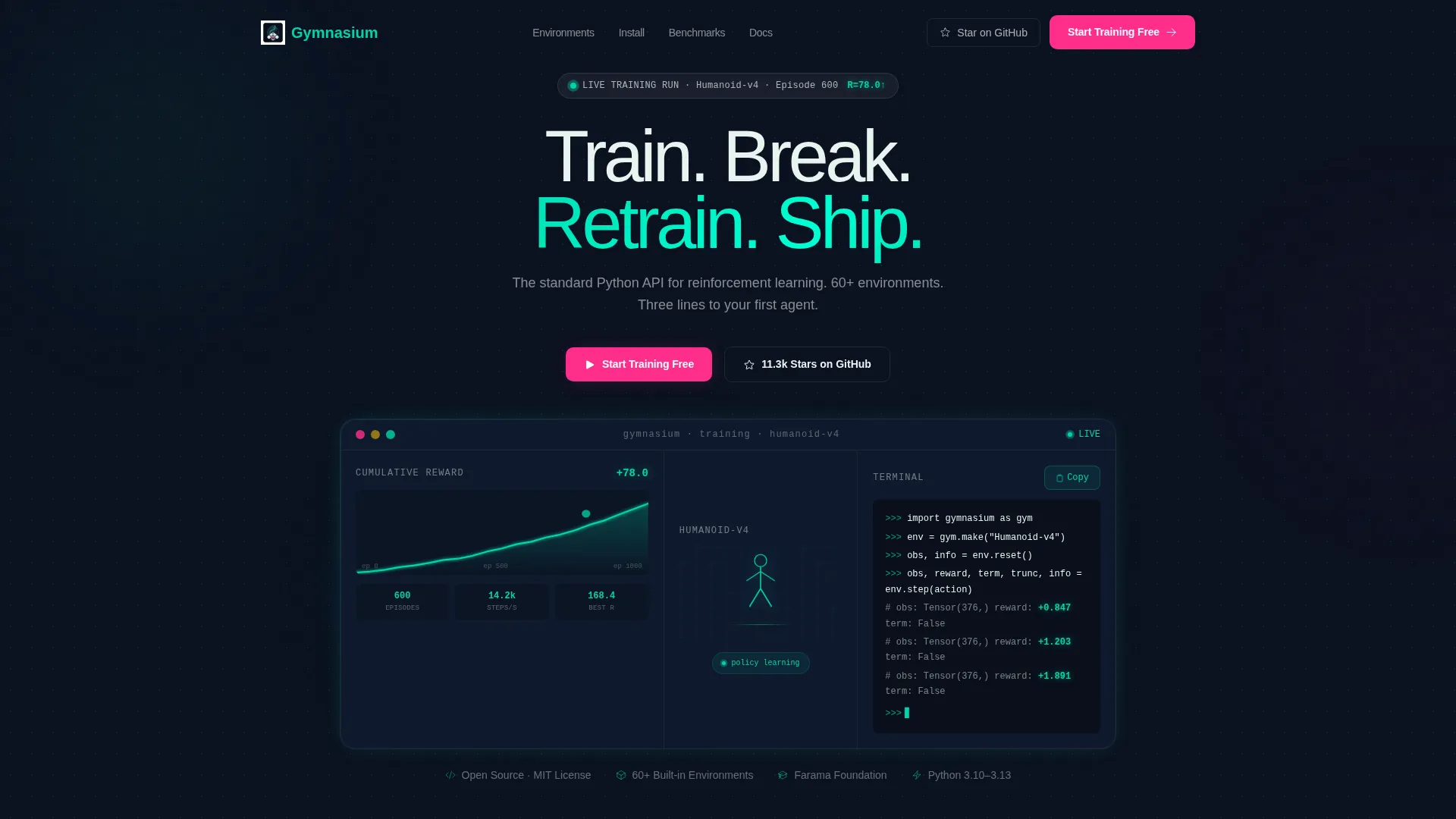
Gymnasium is a bento grid landing page template built for an open-source reinforcement learning library. It combines a live Dashboard Preview header, environment showcase tiles, benchmark comparison cards, and a frictionless open-source conversion funnel. The Tech Glass visual identity and Teal Catalyst color system make every section feel like a reward curve mid-climb.
by Rocket studio
Quick summary
Gymnasium is a single-page bento grid template designed for an open-source reinforcement learning project. It opens with a live training dashboard header, flows through environment cards and install snippets, and closes with a gated pro-environments offer. The design runs on a deep terminal black base with reactive teal highlights and frosted glass panels throughout.
Who this template is for
This template is built for teams and individuals publishing an open-source reinforcement learning library to a technical audience. It speaks directly to people who read code before they read marketing copy.
- Machine learning researchers who benchmark novel algorithms against standard environments
- Robotics students and practitioners training locomotion policies on tight timelines
- Hobbyist developers exploring reinforcement learning for the first time with simple environments like CartPole
What problem this template solves
Most open-source project pages bury the proof. Visitors land, see a wall of text, and leave before understanding what the library actually does. This template puts a working agent on screen before a single word is read.
- Eliminates the cold-start trust gap by showing a live training run in the header itself
- Replaces abstract library descriptions with visual environment previews and real benchmark numbers
- Reduces signup friction by linking the primary call to action directly to a hosted notebook, not a sign-up wall
What you get with this template
You get a fully structured bento grid landing page with every section pre-built to guide a technical visitor from curiosity to action. Nothing is placeholder logic; every tile has a defined role in the conversion flow.
- A Dashboard Preview header card with a reward curve, a rendered environment panel, and a live terminal snippet
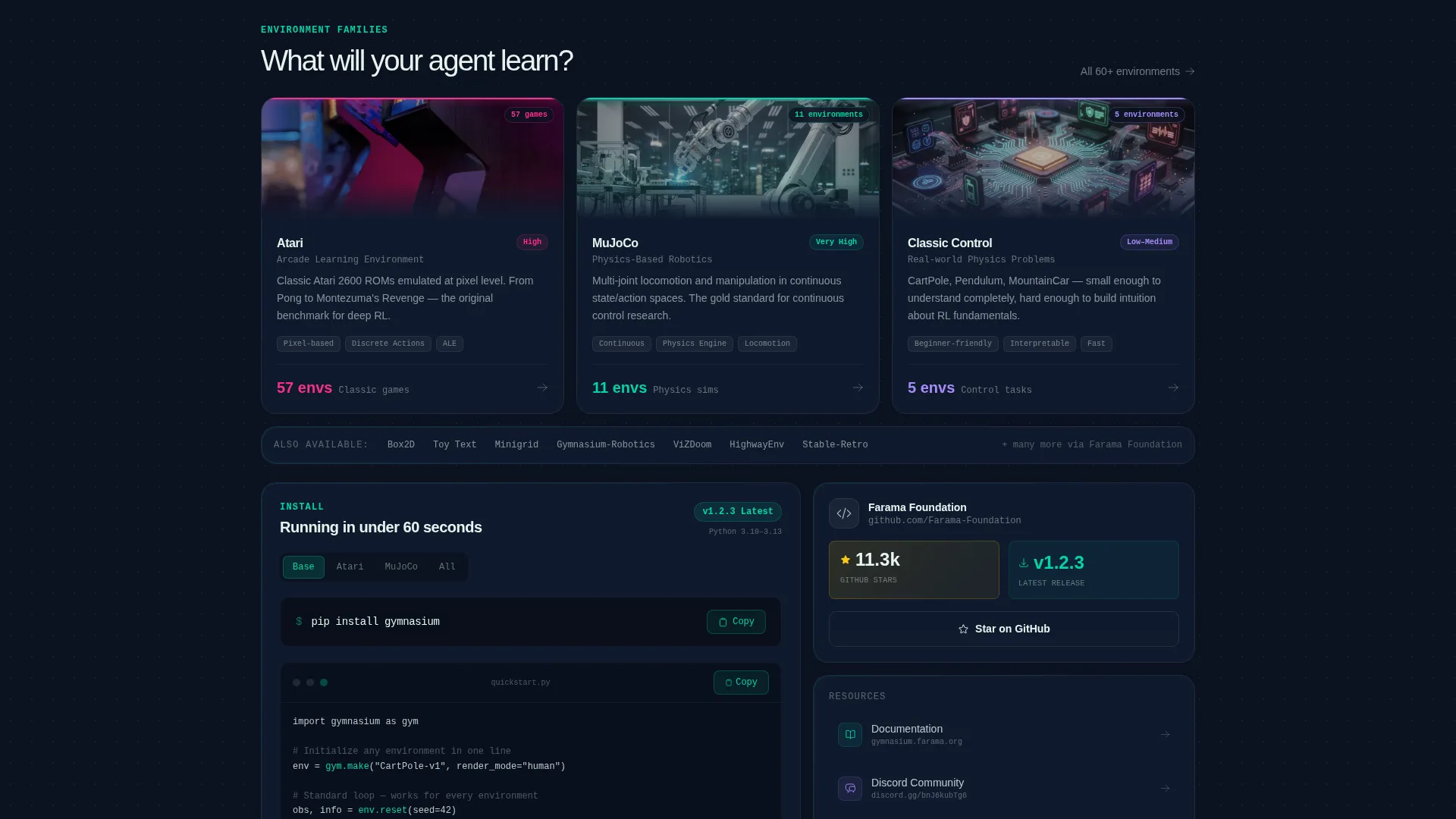
- Three environment showcase cards with hover-to-play previews and a pip install tile with a copy button
- Benchmark comparison cards and a bottom bento tile for a gated pro-environments email capture form
Feature list
This template ships with six purpose-built sections that work as a coordinated proof sequence. Each bento tile is self-contained and answers a specific visitor objection before the next row loads.
Live Dashboard Preview Header
The header is a frosted glass bento card showing a reward curve climbing across episodes, a rendered environment mid-stride on the right, and a terminal snippet streaming env.step(action) returns with teal-highlighted tensors. The headline fades in over the glass once the visitor's eye has already caught the reward ticking upward.
Environment Showcase Row
Three bento cards cover distinct environment families. Each card includes a hover-to-play preview so visitors experience the library's range instantly without reading documentation first.
One-Line Install Tile
A wide bento tile displays the pip install command alongside a copy button, a live GitHub stars counter, and the latest release tag. It answers the "how do I start?" objection in under five seconds.
Benchmark Comparison Cards
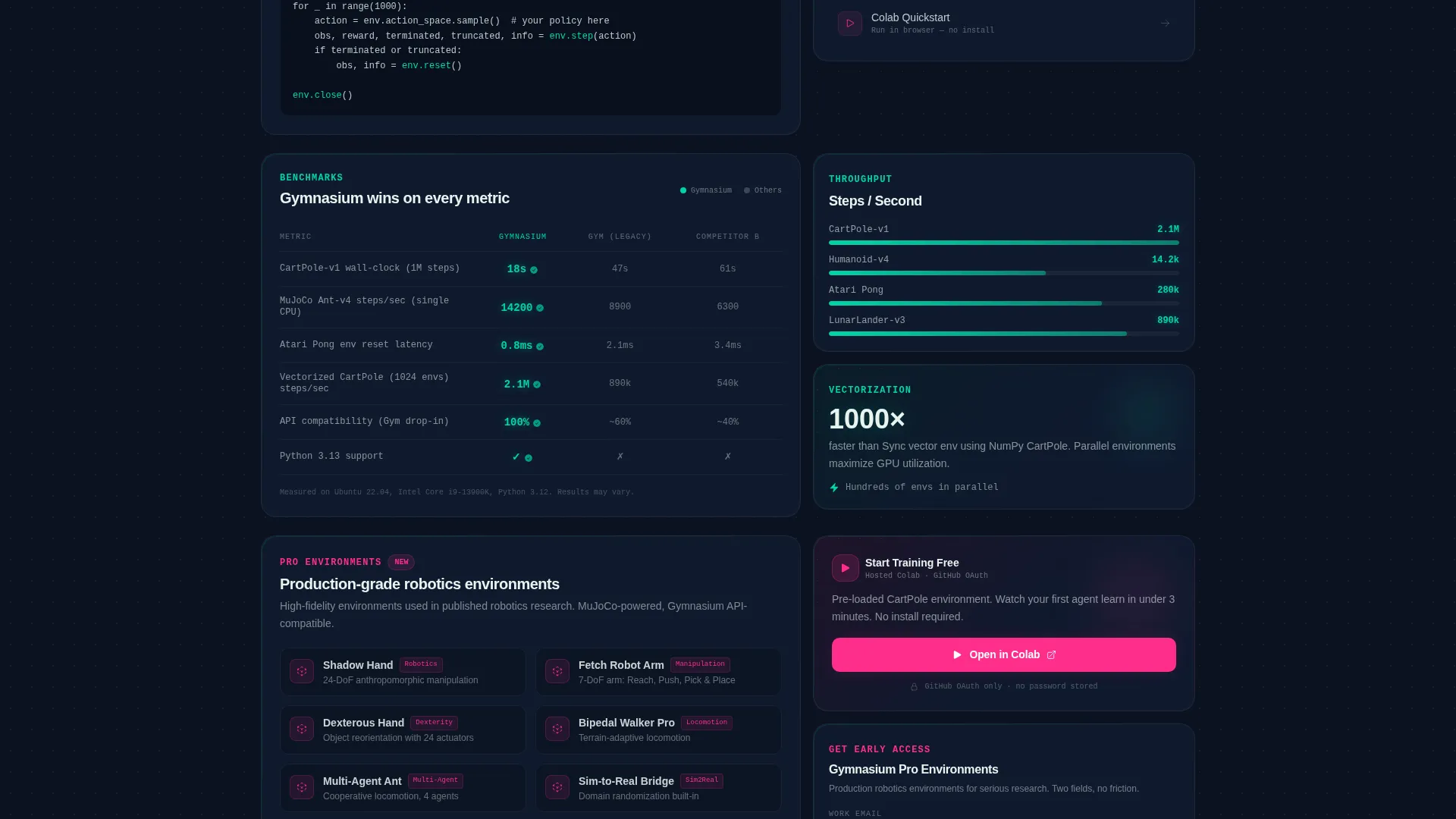
Wall-clock training time comparisons are displayed as data-rich cards. Numbers glow in reactive teal when the library leads, making the performance story readable at a glance without requiring a separate docs page.
Dual Call-to-Action Block
The primary call to action links to a hosted Colab notebook with a pre-loaded environment behind a single GitHub OAuth click. A ghost-outlined secondary button sits beside it for the GitHub star path, serving two different visitor intents without competing visually.
Pro Environments Capture Tile
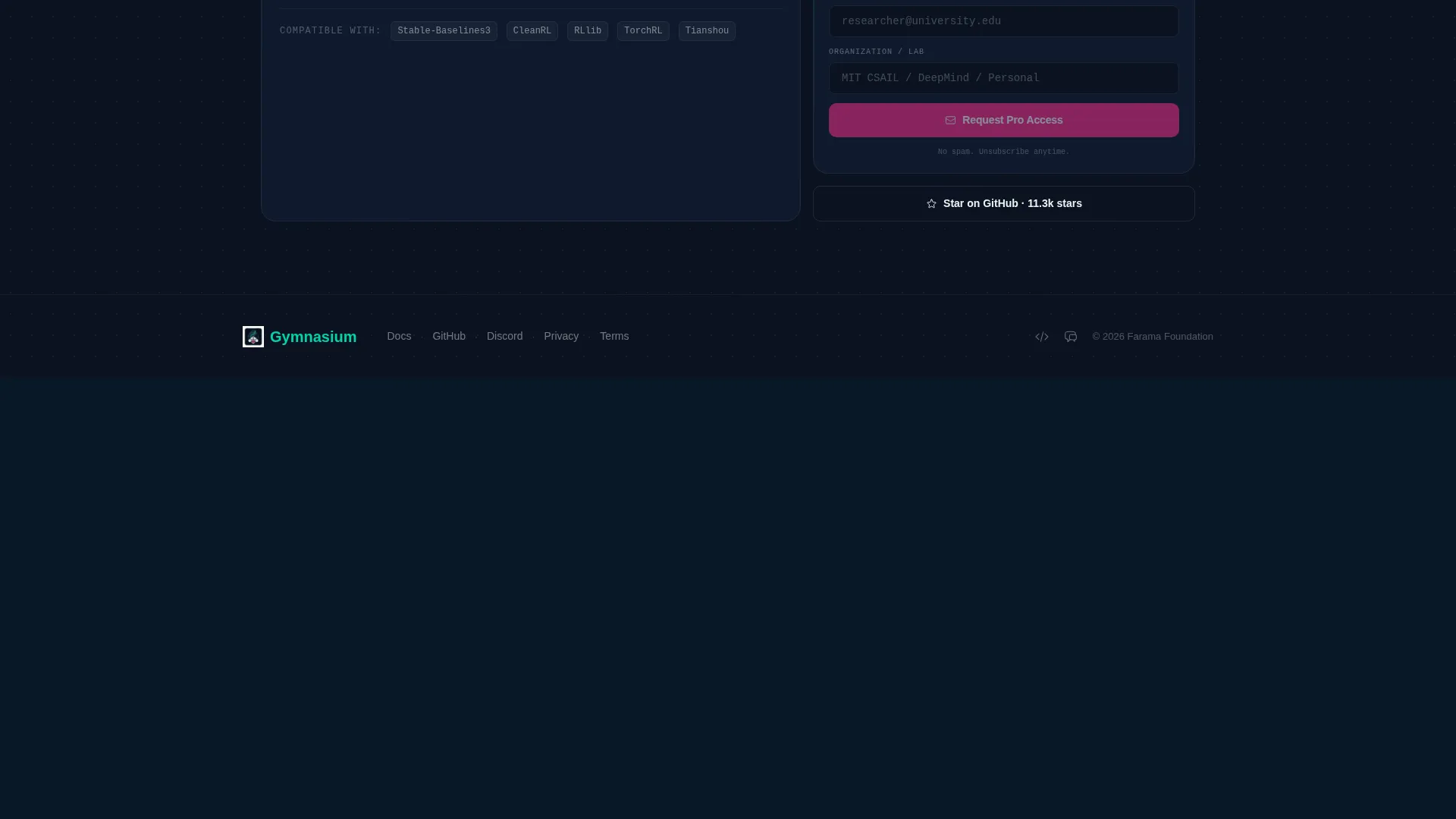
A bottom bento tile presents a gated collection of production-grade robotics environments. The email capture form uses exactly two fields, email address and organization name, keeping friction as low as possible for high-intent visitors.
Page sections overview
| Section | Purpose |
|---|---|
| Dashboard Preview Header | Shows a live training run with reward curve, environment render, and terminal output before any headline is read |
| Environment Showcase Row | Three cards covering Atari, physics simulation, and classic control families with hover-to-play previews |
| Install and Stars Tile | pip install command with copy button, GitHub stars counter, and latest release tag in one wide tile |
| Benchmark Comparison Cards | Wall-clock time comparisons with teal highlights for wins, answering the "why switch" objection |
| Dual call to action Block | Primary hosted notebook link and secondary GitHub star button serving two distinct visitor paths |
| Pro Environments Tile | Two-field email capture form gating a collection of production-grade robotics environments |
Design & branding system
The visual identity runs on the Tech Glass theme powered by a Teal Catalyst color system. Every panel is designed to feel like a dark IDE at midnight where only the meaningful tokens emit light.
- Deep terminal black (#0B1120) as the page base, frosted glass panel white (#E8F4F0) at 12% opacity over dark surfaces, and reactive teal (#00D4AA) for reward signals and interactive highlights
- Catalyst magenta (#FF2E8B) reserved exclusively for breaking-change alerts and primary call-to-action elements, keeping its visual weight high
- Cold glass panels float over a void background with edges catching teal light, styled to resemble a heads-up display rendering in real time
Mobile & speed optimization
The bento grid layout is structured to reflow cleanly on smaller screens. Dense data tiles that stack horizontally on desktop reorganize into readable vertical sequences on mobile without losing their informational hierarchy.
- Bento tiles are self-contained units, so each card scales independently without breaking the surrounding layout
- Hover-to-play environment previews degrade gracefully on touch devices to static thumbnails, keeping the page functional across input types
How this template helps you convert
The page is structured as a proof sequence. Each row answers a progressively harder visitor objection, compounding trust before any action is requested.
- The Dashboard Preview header shows a working agent immediately, building credibility before the visitor reads anything, which lowers the first psychological barrier to engagement.
- The install tile and benchmark cards answer the "is this production-ready?" question with concrete data and a one-command start, moving technically skeptical visitors toward the primary call to action.
- The two-field pro environments form at the bottom captures high-intent visitors who have already committed enough scroll time to want more than the free tier offers.
Other information about this template
This template is built specifically for the reinforcement learning open-source project niche, where the audience is deeply technical and resistant to traditional marketing copy. The Launch Energy creative direction drives scroll momentum by making each bento row denser and more data-rich than the one above it.
- The template style is Bento Grid, suited to projects that need to communicate multiple proof points without a linear narrative
- The header concept is Dashboard Preview, a design pattern that treats the product demonstration as the opening visual rather than a decorative hero image
- The conversion model is structured around a Freemium and Trial framing reinterpreted for open source: the free path is a hosted notebook, and the paid path is a gated pro environment collection
- The template is designed to serve the Gymnasium open-source reinforcement learning library project context and its specific user base of researchers, PhD students, and hobbyist developers
Theme
Tech Glass
Creative direction
Launch Energy
Color system
Teal Catalyst
Style
Bento Grid
Direction
Freemium/Trial
Page Sections
Live Dashboard Preview Header
Environment Showcase Cards
One-command Install Tile
Benchmark Comparison Cards
Dual Conversion Call to Action
Pro Environments Capture Tile
Related questions
Who is this landing page template designed for?
Can I replace the environment previews with my own content?
What does the pro environments capture form include?
How does the primary call to action work?
Is this template a single page or a multi-page site?



