Agriculture Vertical SaaS Professional Website Template
Cultivate is a modular card-grid landing page template built for agriculture CRM platforms. It uses a Tech Glass visual identity with a glassmorphic dark color system to guide ag sales reps through a Problem-to-Solution scroll arc. The template is designed to convert visitors by naming real field-sales frustrations and resolving them with a direct comparison layout before a focused two-field call to action.
by Rocket studio
Quick summary
Cultivate is a single-page, card-grid landing page template for an agriculture CRM platform. It follows a Problem-to-Solution scroll arc, uses a glassmorphic dark visual system, and drives conversions through a built-in comparison section. The goal is to show ag sales teams exactly how a purpose-built tool replaces the spreadsheet-and-guesswork approach common in field sales.
Who this template is for
This template is built for agriculture technology companies selling CRM or pipeline tools to field sales teams. It speaks directly to the people managing grower relationships from a truck cab, not a corporate office.
- Regional seed company representatives managing large books of grower accounts
- Precision agriculture dealers tracking equipment demos across wide multi-state territories
- Crop input distributors whose current CRM was designed for software sales, not seasonal field cycles
What problem this template solves
Ag sales teams lose deals between planting and harvest because their tools were never built for them. Generic CRM platforms force field reps into quarterly stages and flat contact lists that ignore soil zones, dealer networks, and rural dead zones with no connectivity.
- Field visit notes get lost between farm stops and end-of-day sync
- Pipeline reporting demands arrive at inconvenient times with no quick answer ready
- Off-the-shelf CRM layouts misrepresent seasonal sales cycles and grower relationship structures
What you get with this template
You get a fully structured landing page layout that takes visitors from a recognized pain point to a clear solution in one linear scroll. Every section is designed as an independent module so you can swap content without rebuilding the layout.
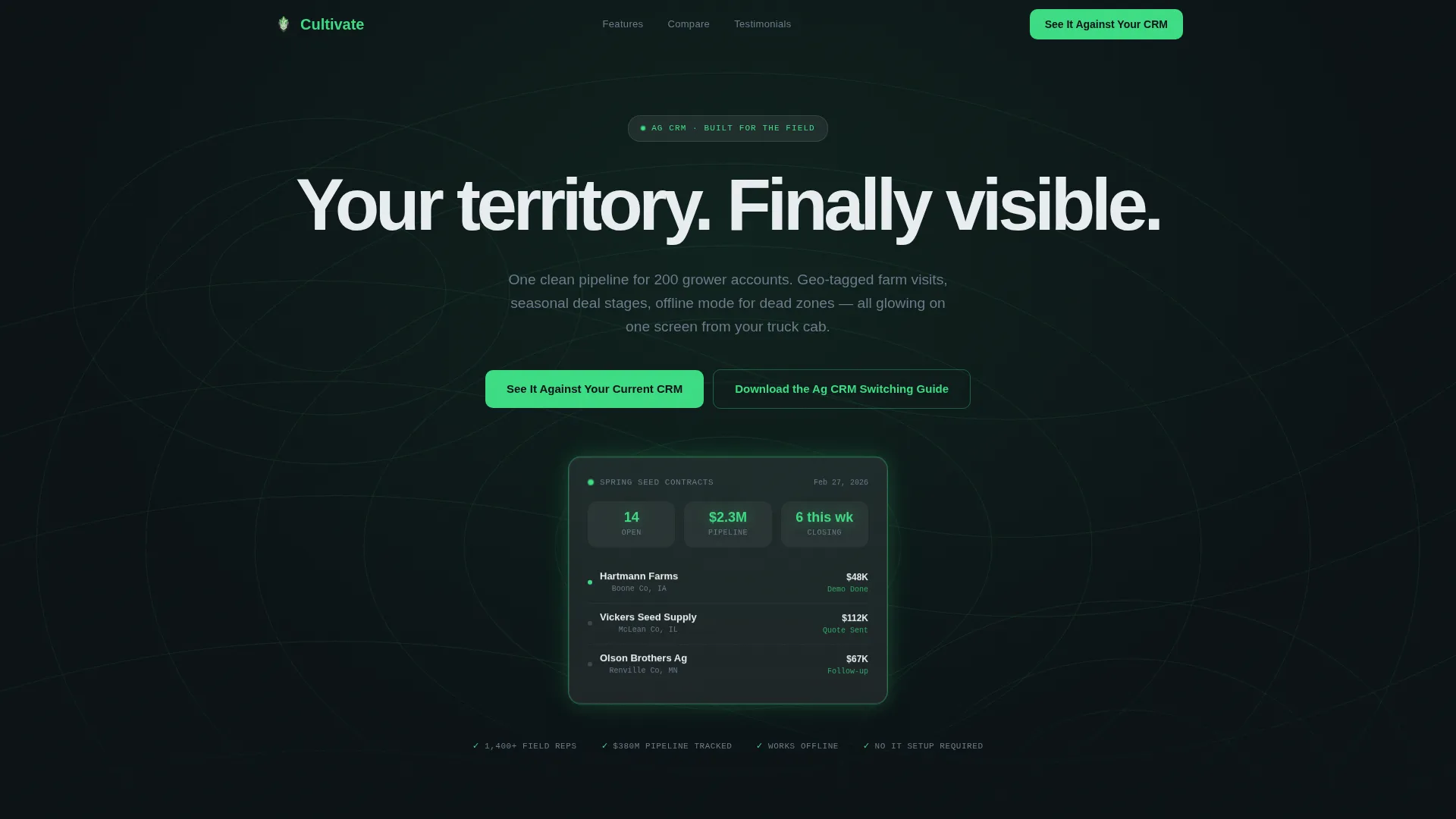
- A dark full-bleed header with a glowing frosted-glass pipeline preview card and a typed headline
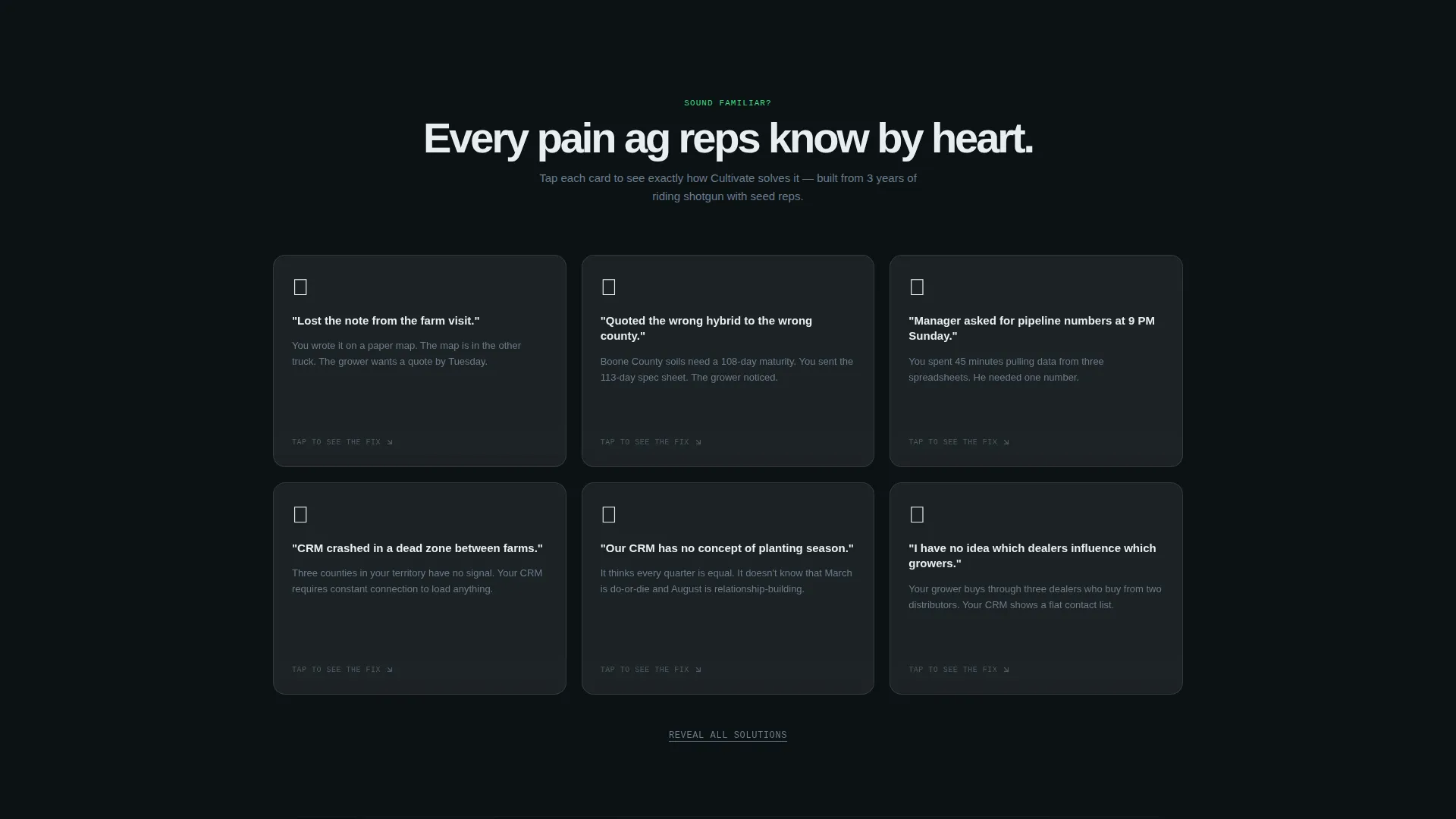
- A scroll-activated problem-and-solution card grid where each card names a frustration and reveals its fix
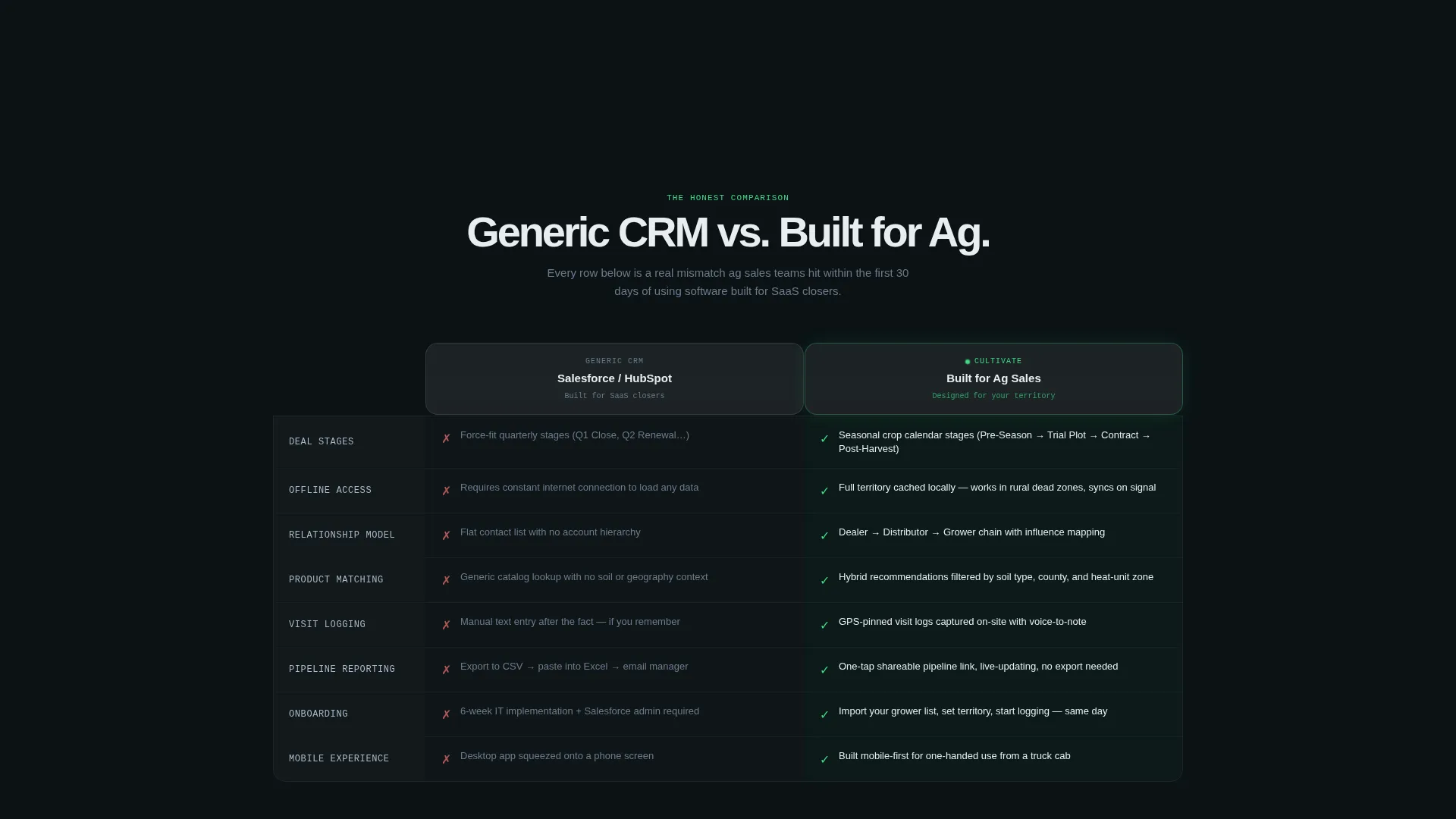
- A side-by-side comparison section and a two-field call to action form with a secondary content download path
Feature list
This section covers the core layout and interaction features included in the Cultivate template.
Dark Full-Bleed Header with Glow Effect
The header uses a pitch-black background with a faint topographic contour map rendered at low opacity. A frosted-glass user interface card floats at center with a soft chlorophyll-green edge glow showing a mock pipeline view. The headline animates in above the card to set the tone immediately.
Problem-to-Solution Card Grid
A modular grid of frosted cards opens the scroll experience. Each card names a specific ag sales pain point that field reps recognize instantly. On scroll, each card flips or dissolves to reveal the platform's direct answer, creating a rhythm of tension and relief.
Generic CRM versus Built-for-Ag Comparison Section
A mid-page section places two translucent columns side by side. Every row contrasts a generic CRM behavior with the agriculture-specific alternative. Comparisons include offline mode for rural dead zones, crop-season custom objects, and dealer-grower relationship mapping.
Two-Field Conversion Form
The primary call to action presents a focused form with two fields: current CRM tool selected from a dropdown and number of field reps. This low-friction entry point is designed for visitors already warmed by the comparison section above it.
Secondary Content Download Path
A parallel conversion option sits alongside the primary form. Visitors not ready to speak with sales can download an Ag CRM Switching Guide instead. This captures intent at an earlier stage without removing the primary call to action from view.
Parallax Depth and Layered Glass Cards
Cards stack with parallax depth so each glass panel sits visually above the last. The layered effect reinforces the glassmorphic identity and gives the page a sense of dimensionality without relying on photography.
Page sections overview
| Section | Purpose |
|---|---|
| Dark Header | Establishes platform identity with glowing pipeline preview |
| Problem Card Grid | Names ag-specific pain points field reps recognize immediately |
| Solution Reveal Cards | Dissolves each problem card into its direct platform answer |
| Comparison Section | Contrasts generic CRM rows against agriculture-specific features |
| Primary call to action Form | Captures leads with a two-field comparison-entry form |
| Secondary Download | Offers a switching guide for visitors not ready to convert |
Design & branding system
The visual identity follows a Tech Glass theme built on a glassmorphic color system. Every surface is designed to feel like a tablet screen glowing softly in a dark tractor cab before dawn.
- Deep field black (#0B1215) as the base background, with translucent panel overlays at 12% white opacity for frosted card surfaces
- Living chlorophyll green (#3DDC84) used for glowing accents, active states, and edge highlights on key user interface cards
- Muted tillage gray (#6B7B8D) for secondary text, dividers, and supporting interface labels throughout the layout
Mobile & speed optimization
The card-grid module structure means each section is self-contained and can reflow for smaller viewports without layout breaks. The template avoids heavy background imagery in favor of CSS-driven glass and glow effects.
- Modular card layout reflows cleanly across tablet and mobile screen sizes
- Glow and glassmorphic effects are layer-based, keeping the visual system lightweight relative to full-bleed photography
How this template helps you convert
The Cultivate template is built around a single conversion logic: by the time a visitor reaches the call-to-action form, they have already seen their frustrations named and solved repeatedly. The click feels like relief rather than a commitment.
- The problem-and-solution card arc names twelve recognizable pain points and resolves each one, so visitors feel understood before they ever see a form
- The comparison section removes doubt by showing row-by-row how an agriculture-specific platform outperforms a generic tool for field sales use cases
- The two-path call to action serves both high-intent visitors ready to compare tools and lower-intent visitors who want to read the switching guide first
Other information about this template
Cultivate is designed for a Comparison/Versus conversion strategy and is best suited for agriculture technology companies running direct-response campaigns to field sales audiences.
- The template style is Card Grid (Modular), making it straightforward to update individual pain-point cards or comparison rows without redesigning the full layout
- The header concept is a Dark Full-Bleed with Glow, which avoids stock farm photography and lets the platform interface be the visual hero
- The creative direction follows a Problem-to-Solution Arc that mirrors the emotional journey of an ag sales rep who has been underserved by generic sales tools
- The call to action dropdown includes options for Salesforce, HubSpot, spreadsheets, and nothing, acknowledging the full range of tools ag sales teams currently use

Theme
Tech Glass
Creative direction
Problem→Solution Arc
Color system
Glassmorphic
Style
Card Grid (Modular)
Direction
Comparison/Versus
Page Sections
Dark Full-bleed Header with Glow
Problem-to-solution Card Grid
Built-for-ag Comparison Section
Two-field Conversion Form
Secondary Content Download Path
Layered Glass Cards with Parallax Depth
Related questions
Who is the Cultivate template designed for?
What makes the comparison section effective for conversion?
Can I update this template without coding experience?
Does the template support a secondary conversion path?
What visual style does this template use?



