Wedding Venue Booking Website Template
Gather is a landing page template built for an industrial loft venue. It uses a layered, overlap scroll layout with custom watercolor illustrations, a warm terracotta and plaster-white palette, and a booking-focused flow. Visitors can request a date, set guest count, choose an event type, and book a walkthrough, all from a single, beautifully paced page.
by Rocket studio
Quick summary
Gather is a single-page venue template designed for industrial loft spaces that host weddings, corporate launches, and private events. The overlap scroll layout layers illustrated sections over one another as visitors scroll, transforming the space from daytime to evening gala. A pinned booking form keeps the reservation path always within reach.
Who this template is for
This template is built for venue owners and managers who want their space to speak before anyone picks up a phone. The design does the work of a site visit, helping the right clients self-qualify and book faster.
- Independent venue owners running an industrial loft, converted warehouse, or character-rich event space
- Wedding venue managers attracting couples who want a reception with texture and atmosphere
- Event and production professionals offering the space for corporate launches, brand shoots, and private dinners
What problem this template solves
A raw, character-driven venue is hard to sell with a generic website. Visitors can't feel exposed brick or thirty-foot ceilings through flat photography and a contact form buried at the bottom. The fear that a raw space means more work, not less, keeps potential clients from committing.
- No visual storytelling to show the venue already dressed and ready for different event types
- No clear booking path that captures intent before the visitor loses momentum
- No way to convey atmosphere and warmth when the design itself feels cold or corporate
What you get with this template
You get a fully structured, single-page layout built around immersive illustration and a direct booking flow. Every section is designed to earn trust and reduce hesitation before presenting the reservation form.
- A layered overlap scroll layout where sections slide over one another as the page is explored
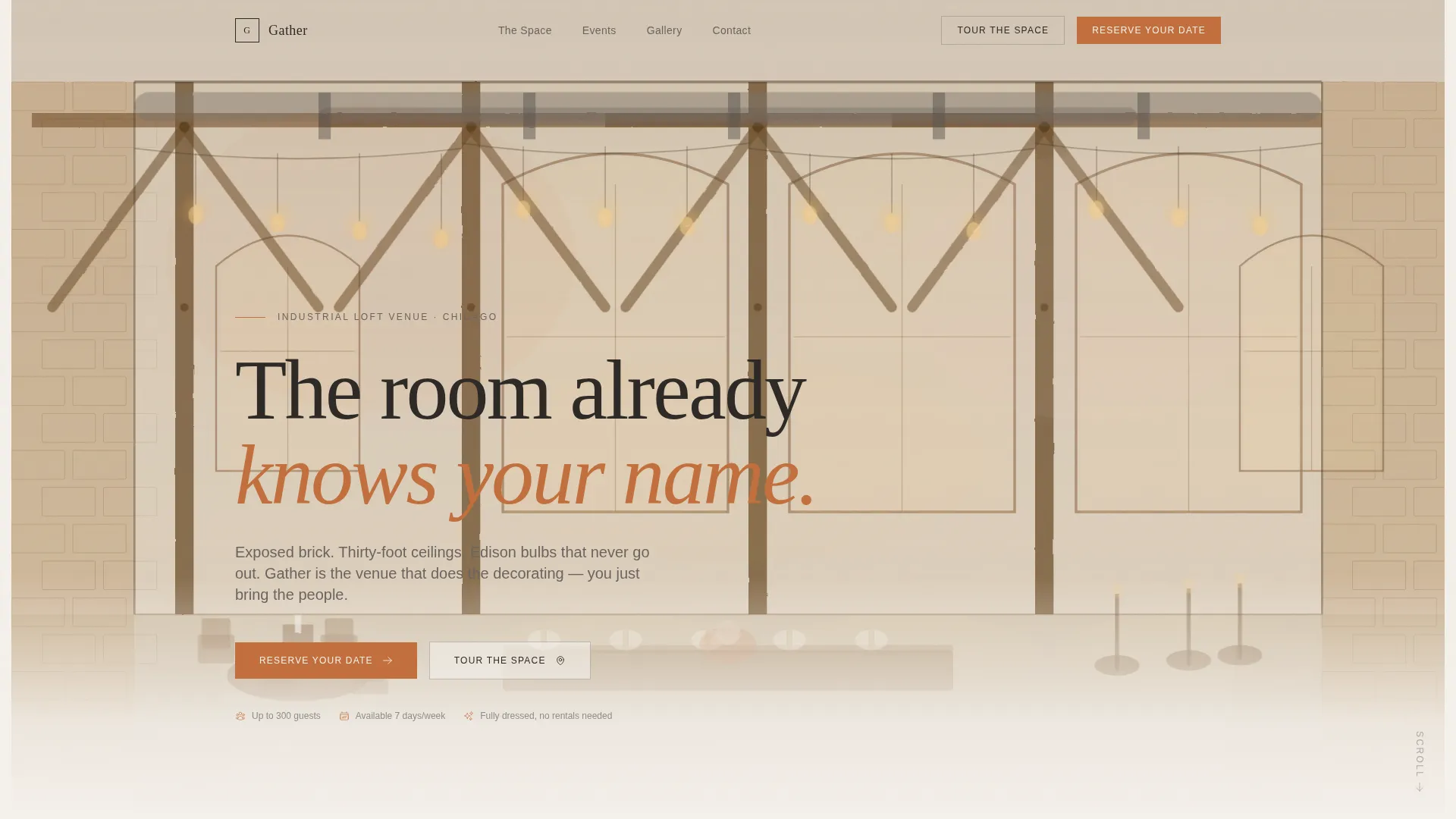
- A custom hand-drawn illustration header that captures the loft interior in warm ink and watercolor
- A pinned "Reserve Your Date" call to action that appears after the second section and stays fixed to the viewport
- A booking overlay with a date picker, guest count slider (20 to 300 guests), event type selector, and contact fields
- A secondary "Tour the Space" path that books a thirty-minute in-person walkthrough
Feature list
This template packages visual depth, venue storytelling, and a conversion-ready booking flow into one cohesive layout.
Overlap Layered Scroll Architecture
Each section slides over the previous one like cards being placed on a table. The depth effect gives the page a tactile, physical quality that flat layouts cannot replicate.
Parallax Illustrated Venue Scenes
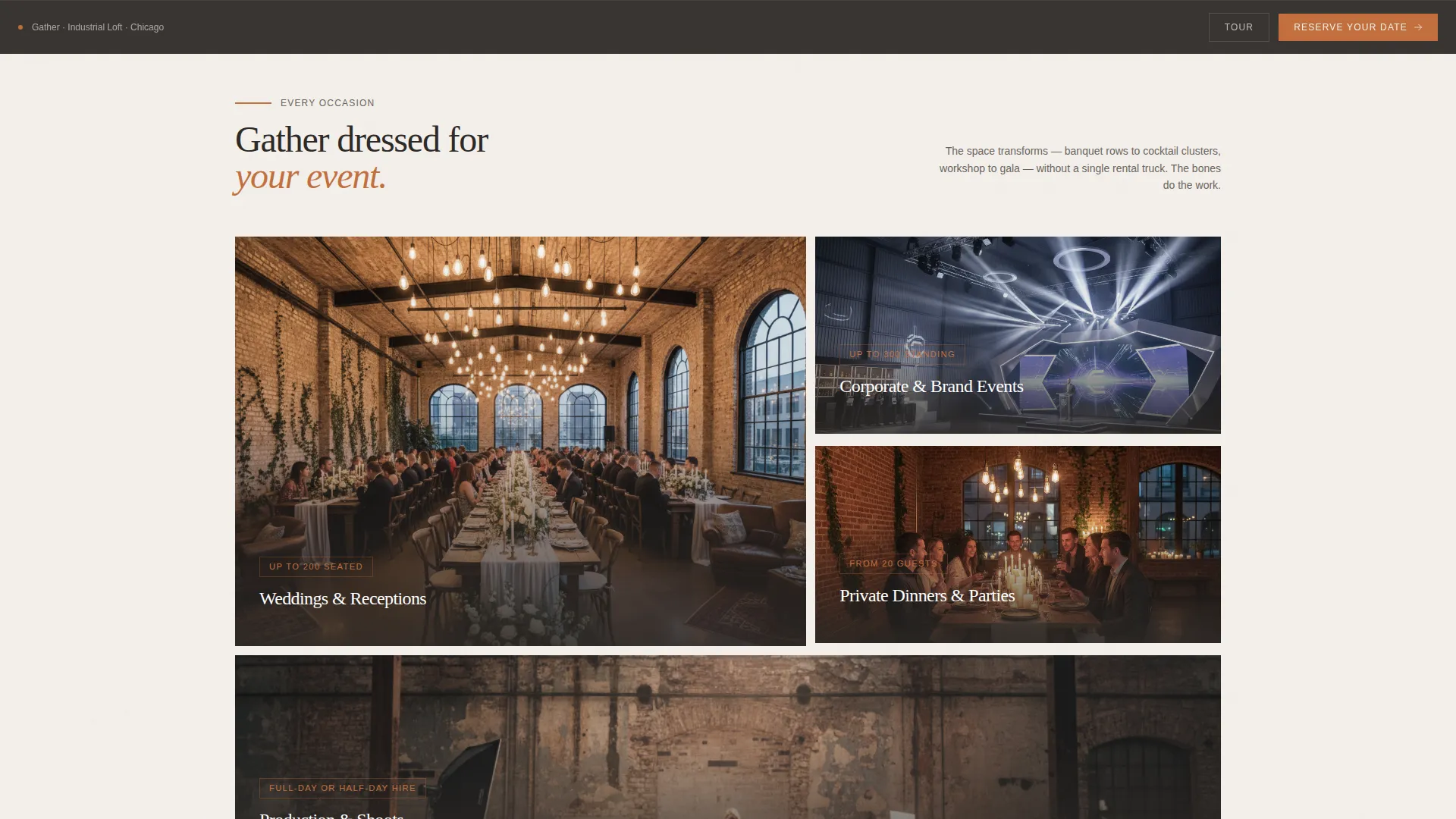
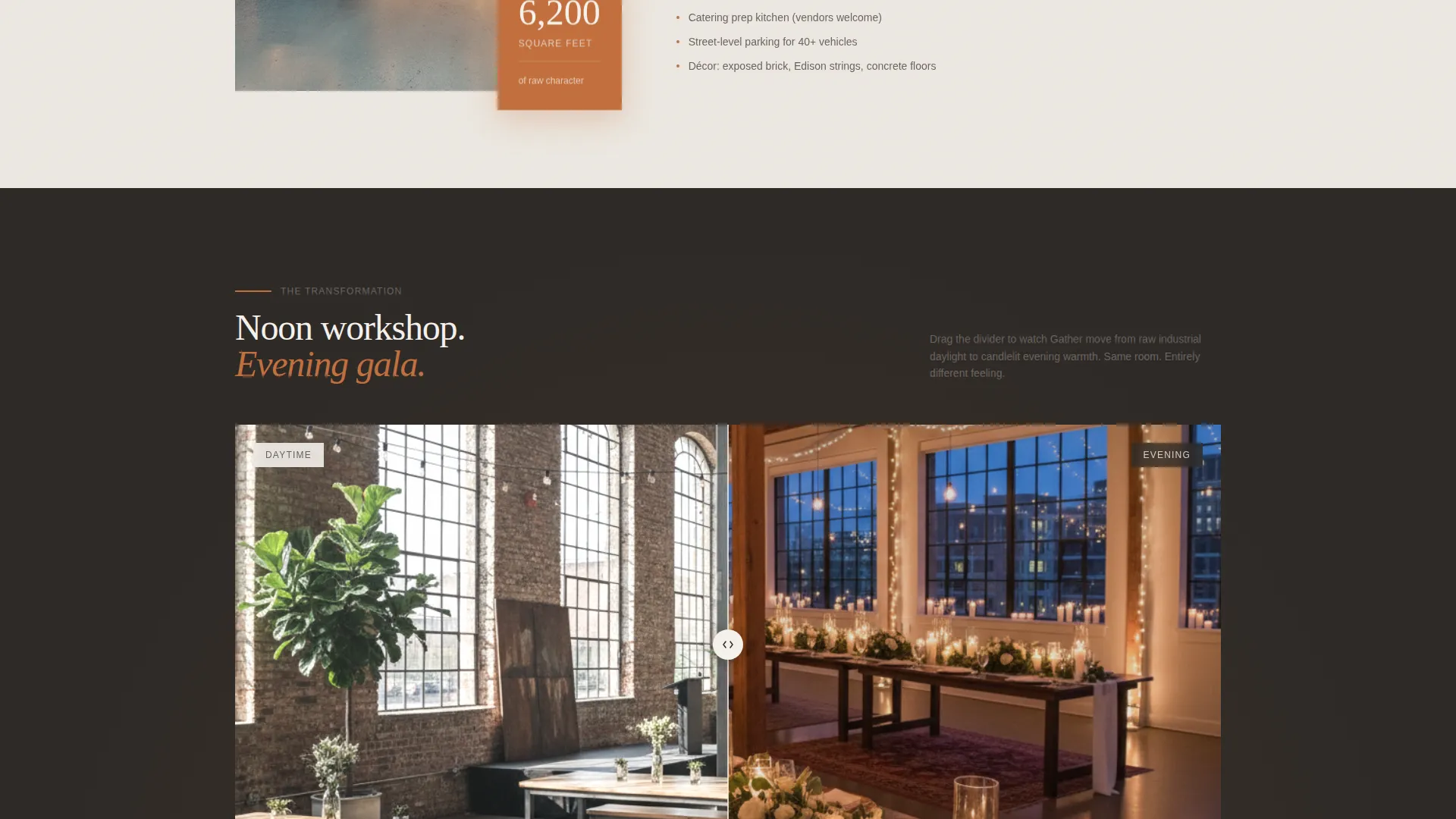
As visitors scroll, the loft transforms across illustrated configurations: banquet rows, cocktail clusters, and a spotlight podium. The scenes grow warmer and more candlelit, building atmosphere with every section.
Custom Watercolor Illustration Header
The header features a hand-drawn, watercolor-wash rendering of the loft interior. Timber trusses, polished concrete floors, and arched factory windows are rendered in warm ink lines with terracotta and blush fills.
Pinned Booking Call to Action
After the second section, a "Reserve Your Date" button pins to the bottom of the viewport. It stays visible throughout the scroll, so the booking path is always one tap away without interrupting the visual story.
Inquiry Form with Guest Slider and Event Type Selector
The booking overlay collects event date, guest count via a slider ranging from 20 to 300, event type from four categories, and a name and email. The flow is minimal and purposeful.
Secondary Walkthrough Booking Path
A "Tour the Space" option sits alongside the primary call to action. It books a thirty-minute in-person walkthrough, giving hesitant visitors a low-commitment next step.
Page sections overview
| Section | Purpose |
|---|---|
| Illustration Header | Establish atmosphere and loft character immediately |
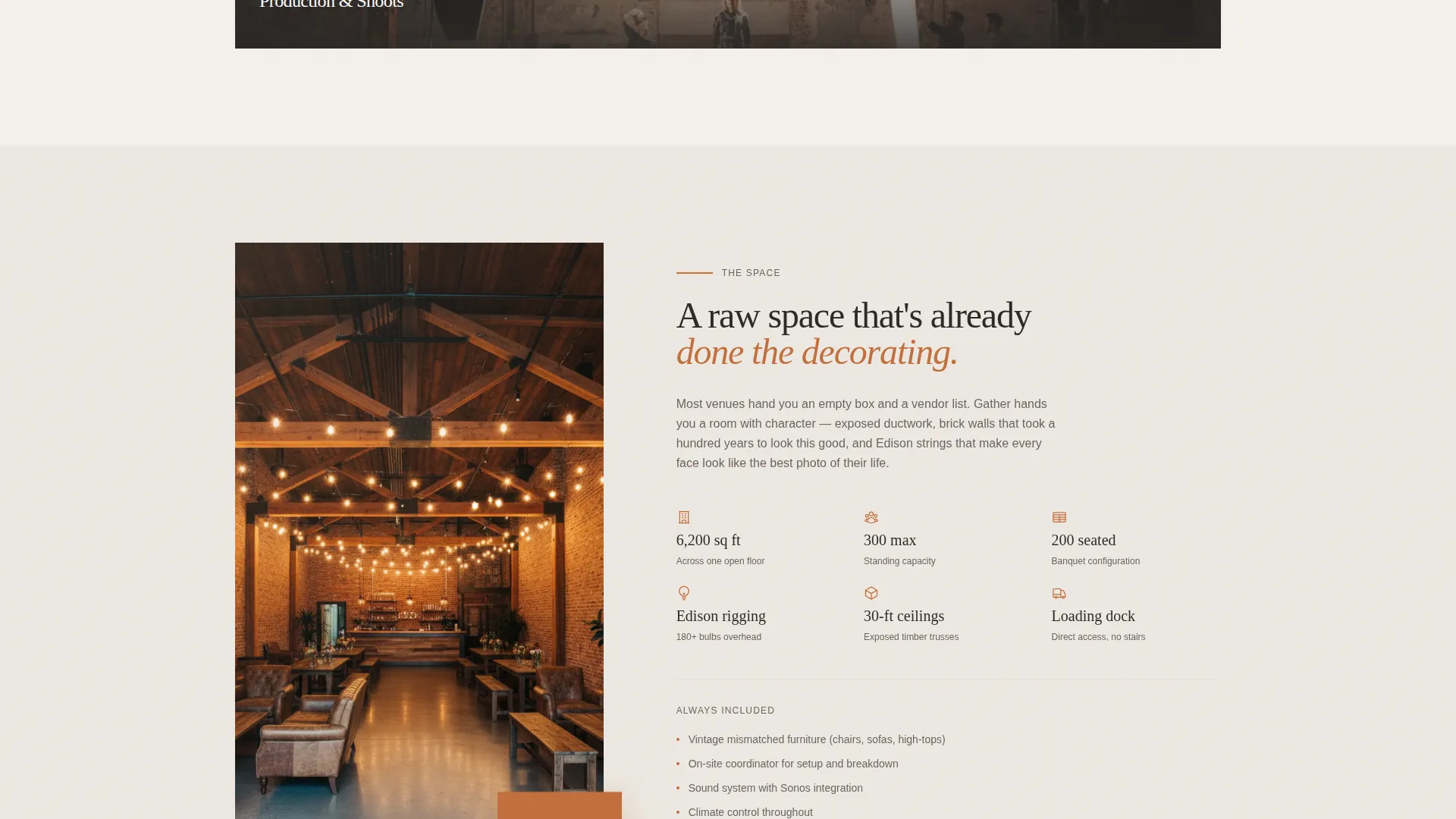
| Venue Story | Describe the space, its scale, and its character |
| Event Type Showcase | Show the loft configured for weddings, launches, and dinners |
| Parallax Scene Scroll | Transform the space visually from daytime to evening |
| Capacity and Details | Communicate guest range, layout options, and included features |
| Social Proof | Build trust through testimonials or past event highlights |
| Pinned Booking Section | Present the primary reservation call to action |
| Booking Overlay Form | Capture event date, guest count, event type, and contact details |
| Walkthrough Booking | Offer the secondary thirty-minute tour path |
Design & branding system
The Warm Artisan theme uses the Cloud Canvas color system to create a palette that feels tactile and unhurried. Every color choice references natural materials: plaster, kiln-fired clay, wrought iron, and worn linen.
- Soft plaster white (#F4F0EB) as the primary background, kiln-fired terracotta (#C2703E) for accents and hover states, wrought-iron charcoal (#2E2A27) for headlines and navigation, and muted blush (#E3CFC2) behind overlapping content cards
- The custom illustration style uses thin ink lines and soft watercolor washes, breathing life into the architecture without locking the visitor into a single photographic interpretation
- Typography and spacing follow the unhurried rhythm of the palette, giving each section room to settle before the next one arrives
Mobile & speed optimization
The overlap layout and illustrated assets are structured to translate well across screen sizes. The pinned call to action and booking overlay are designed to remain functional and easy to use on smaller viewports.
- The layered scroll and parallax illustrations are built to adapt gracefully across mobile and desktop screen widths
- The pinned booking button stays accessible at the bottom of the viewport on all device sizes, keeping the reservation path within reach throughout the scroll
How this template helps you convert
The page is built around one insight: showing the space already dressed removes the visitor's biggest hesitation. By the time they reach the booking form, they have already imagined their own event inside the loft.
- The illustrated scroll sequence walks visitors through the venue in multiple configurations, from an empty daytime floor to a candlelit evening gala, so they arrive at the booking form already emotionally invested in the space.
- The pinned "Reserve Your Date" call to action remains visible after the second section, capturing intent at the moment it peaks rather than asking visitors to scroll back up to find a form.
- The secondary "Tour the Space" path offers a lower-commitment option for visitors who need one more step before committing, keeping them in the funnel rather than losing them entirely.
Other information about this template
This template sits at the intersection of the Wedding and Events category, the Wedding Venue subcategory, and the Industrial Loft Venue niche. It is designed for spaces that lead with character rather than configuration.
- The Immersive Visual creative direction and Overlap/Layered template style are defined by the matched intersection context for this niche
- The header concept is a Custom Illustration, making this template visually distinct from venue sites that rely entirely on photography
- The Booking and Scheduling landing page direction means the layout is structured to move visitors toward a reservation or walkthrough booking, not simply to inform
- The Cloud Canvas color system and Warm Artisan theme are purpose-built for venues that want their digital presence to feel as considered as their physical space
- This template is well suited for venues that host a mix of event types, including receptions, product launches, private dinners, and production shoots, because the illustrated scenes show each configuration rather than describing it in text alone
Theme
Warm Artisan
Creative direction
Immersive Visual
Color system
Cloud Canvas
Style
Overlap/Layered
Direction
Booking/Scheduling
Page Sections
Overlap Layered Scroll Architecture
Parallax Illustrated Venue Scenes
Custom Watercolor Illustration Header
Pinned Reservation Call to Action
Inquiry Form with Slider and Event Type Selector
Secondary Walkthrough Booking Path
Related questions
Can this template show the venue configured for different event types?
How does the booking form work?
Is there a way for visitors to book a tour instead of committing to a reservation?
Does the template work for venues that host both weddings and corporate events?
Can I use this template if my venue relies more on photography than illustration?



