Gather — Curated Event Landing Page Template
Livefloor is a gallery-and-detail landing page built for trade show live streaming crews. It walks visitors through the full arc of a live event production, from pre-show planning to post-event analytics, using a warm artisan visual style and a seasonal scroll narrative. The primary call to action drives production date reservations directly from the page.
by Rocket studio
Quick summary
Livefloor is a single landing page designed for trade show live streaming services. It follows the lifecycle of a live event production through four seasonal content sections. A full-screen video header opens the story, a viewer-count gallery builds credibility, and a focused four-field registration form closes the loop on every serious inquiry.
Who this template is for
This template is built for professional live production teams who serve the trade show and convention market. If your crew transforms exhibit hall floors into broadcast-quality streams for remote audiences, this page speaks your language.
- Camera operators and signal engineers offering live event broadcast services to trade show organizers
- Marketing directors who need to prove global audience reach to leadership and sponsors
- Association event planners looking to justify sponsorship packages with viewer counts and replay metrics
What problem this template solves
Most live streaming service providers rely on generic video agency templates that fail to communicate the specific stakes of trade show production. Potential clients arrive unsure whether a crew can handle keynote stages, multi-camera booth demos, and simultaneous remote audiences.
- Visitors need proof of production scale before they will commit to a booking conversation
- Event organizers juggle exhibitor expectations and need a vendor page that mirrors their own sense of urgency
- The gap between "impressive reel" and "are they available for my dates" has no clear bridge on most service pages
What you get with this template
This template delivers a complete, conversion-focused landing page structured around the emotional arc of a live event. Every section serves a purpose, from establishing credibility to collecting qualified leads.
- A full-screen video background header with a cinematic, documentary-style opening sequence and a headline that appears on cue
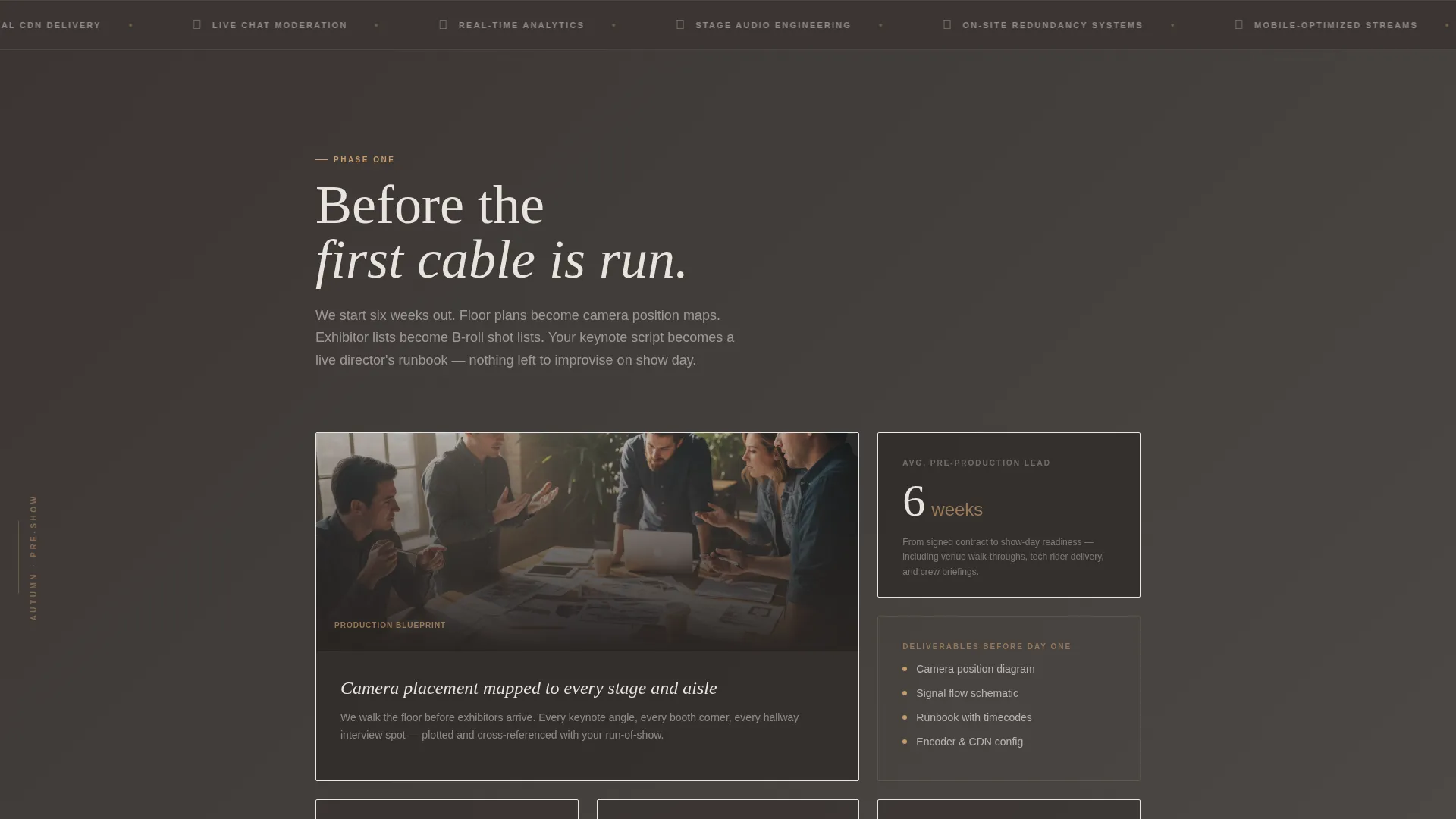
- Four thematic content sections that move through pre-show planning, build-out, live day production, and post-event analytics in a seasonal scroll narrative
- A compact four-field registration form paired with a secondary "Watch a Past Broadcast" path for prospects who need more convincing before booking
Feature list
This template was designed around the specific needs of trade show live streaming services. Each feature reflects a deliberate creative and structural decision from the source brief.
Full-Screen Video Background Header
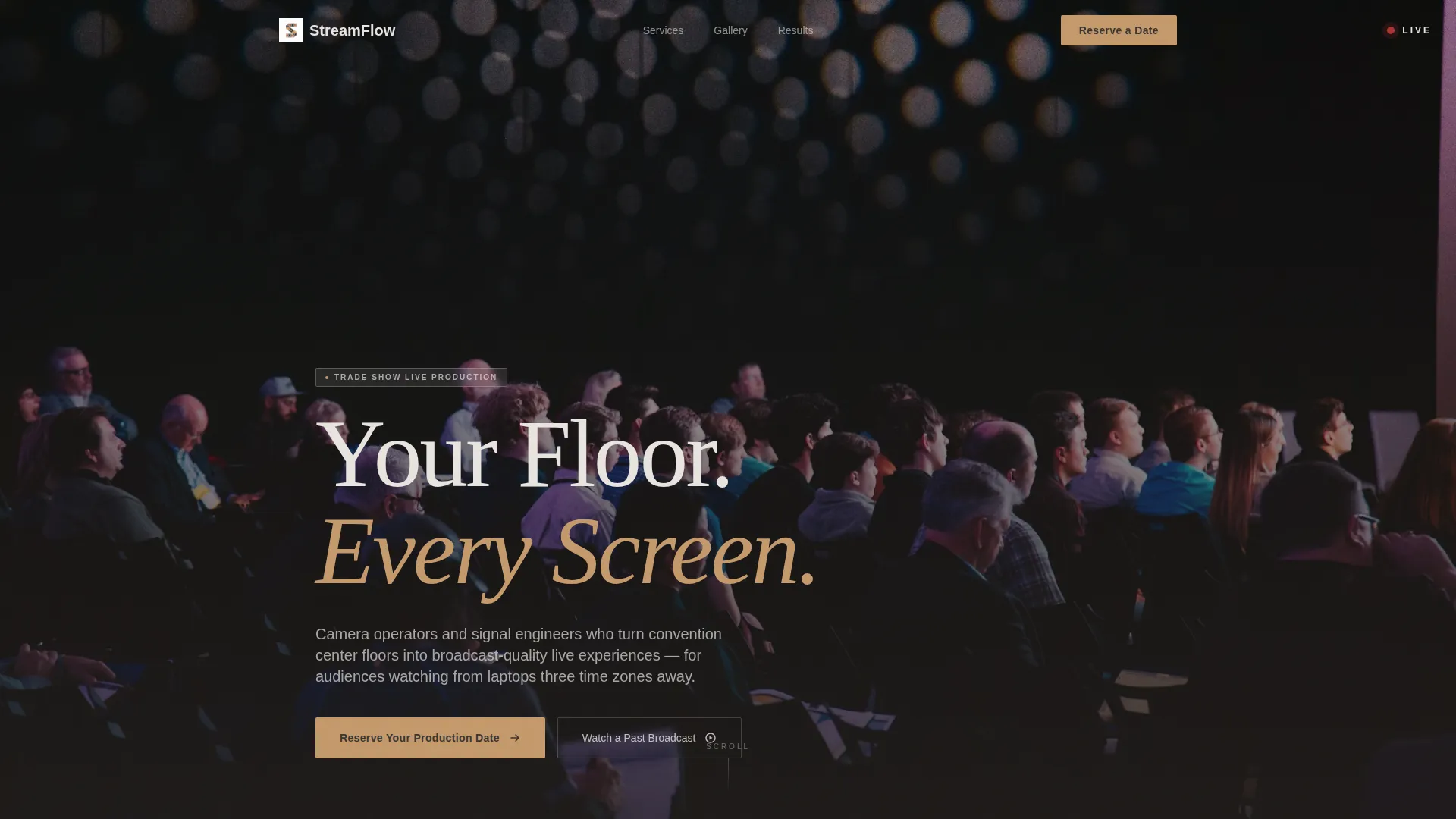
The header opens on a camera gimbal being adjusted, pulls back through a rigged trade show floor, and rises as screens light up with a pulsing red LIVE indicator. The headline "Your Floor. Every Screen." appears only after the LIVE light blinks on, making the reveal feel earned rather than immediate.
Seasonal Scroll Narrative
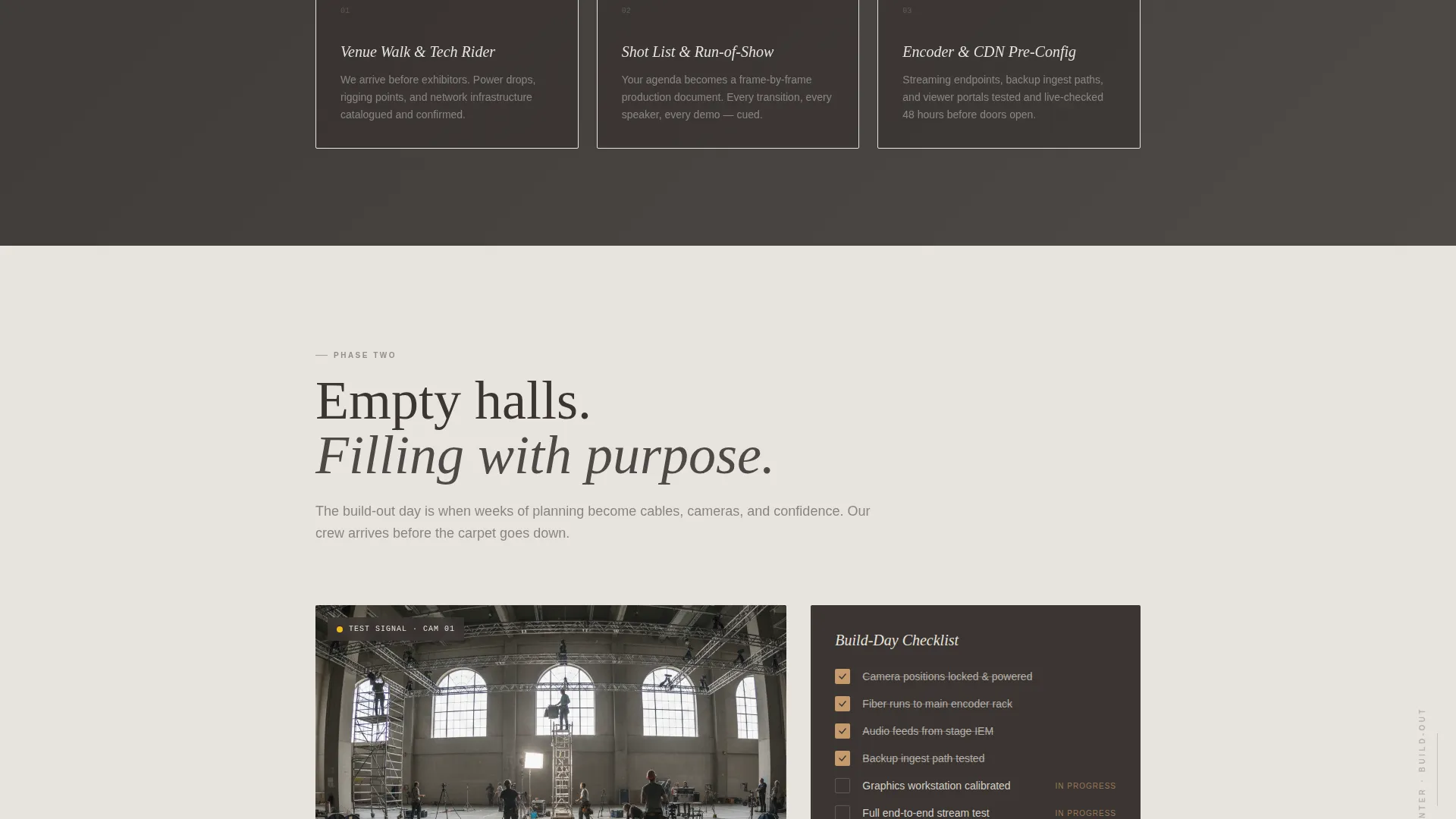
The page moves through four distinct content seasons. Autumn tones carry pre-show planning; winter stillness covers the build-out phase; spring energy drives the live-day gallery; summer warmth closes on post-event analytics. Background temperature shifts subtly from cool gray to amber as the visitor scrolls, creating a sense of time passing.
Live-Day Gallery Section
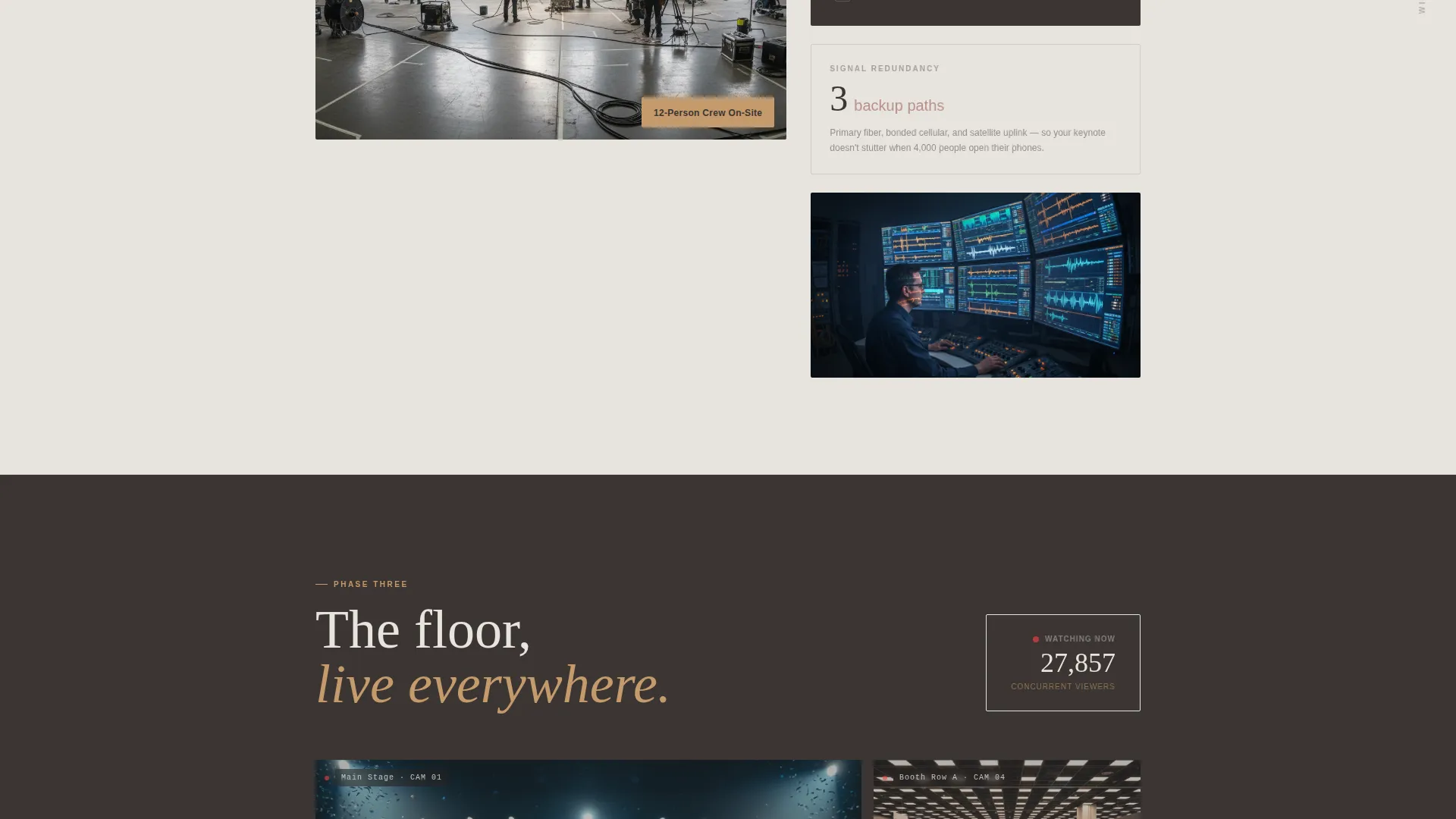
A split-screen gallery displays simultaneous camera angles alongside chat overlays and viewer count tickers. Real numbers from real events appear before the registration form, so the question in the visitor's mind shifts from capability to availability.
Four-Field Registration Form
The primary call to action form collects event name, venue city, expected attendance, and preferred dates. Nothing more. The form appears immediately after the live-day gallery section, when visitor excitement is highest, and again as a sticky bar on the final scroll.
Secondary Broadcast Preview Path
A "Watch a Past Broadcast" link provides a direct route to a full archived stream. This secondary path lets skeptical visitors evaluate production quality on their own terms before engaging the registration form.
Sticky Call-to-Action Bar
A "Reserve Your Production Date" sticky bar persists through the final scroll section. It catches visitors who browsed the full page but paused before committing, giving them a low-effort re-entry point to the form.
Page sections overview
| Section | Purpose |
|---|---|
| Video Header | Opens with cinematic live-production footage and reveals the headline on cue |
| Pre-Show Planning | Introduces the service story in autumn tones with storyboard and cable-diagram imagery |
| Build-Out Phase | Covers venue rigging and test-pattern setup in cooler winter-toned visuals |
| Live-Day Gallery | Displays multi-angle splits, viewer count tickers, and chat overlays at peak energy |
| Registration Form | Collects four-field event inquiries right after the gallery excitement peaks |
| Post-Event Analytics | Highlights highlight reels and engagement dashboards in warm amber tones |
| Sticky call to action Bar | Persists "Reserve Your Production Date" as a final scroll re-engagement prompt |
Design & branding system
The visual identity follows a Warm Artisan theme expressed through a Soft Mist color palette. The overall feeling is tactile and deliberate, like a hand-thrown ceramic piece, which offsets the high-stakes nature of live broadcast work without undermining it.
- Core palette: linen fog (#E8E4DF) and warm charcoal (#3B3532) alternate as section backgrounds, honeyed amber (#C49A6C) drives accent buttons and hover states, and muted rose (#B8908A) surfaces in testimonial cards and secondary highlights
- Typography uses a clean serif typeface for headlines, chosen to feel editorial rather than corporate, and it appears with intentional timing in the video header sequence
- Color temperature shifts across the four seasonal sections, moving from cooler grays in the build-out phase toward full amber warmth in the post-event analytics section
Mobile & speed optimization
The template is structured with mobile viewing in mind across all four seasonal sections. Gallery tiles and split-screen layouts are built to reflow cleanly on smaller screens without losing the visual rhythm of the scroll narrative.
- The sticky call-to-action bar is designed to remain functional and visible on mobile viewports throughout the final scroll
- The four-field registration form uses a minimal field set intentionally, reducing friction for visitors completing the form on a phone or tablet
How this template helps you convert
This template earns the registration click before it asks for it. The page sequence is designed so that trust is built progressively and the form appears only when visitor confidence is at its peak.
- The viewer-count gallery section displays real numbers from real events before the registration form appears, replacing doubt about capability with urgency about availability
- The "Watch a Past Broadcast" secondary path keeps skeptical visitors on the page longer, giving them a self-directed proof experience that a static portfolio cannot match
- The sticky "Reserve Your Production Date" bar on the final scroll recaptures visitors who read the full page but needed one more moment before acting
Other information about this template
This landing page fits naturally within the broader Wedding and Events category, with a specific focus on the trade show event live streaming niche. It is built for service providers whose work lives at the intersection of high-stakes broadcast production and face-to-face event culture.
- The template style is Gallery and Detail, meaning it combines visual proof through the gallery sections with structured detail through the seasonal narrative and form flow
- The creative direction is Seasonal and Moment-driven, a less common approach in the events space that creates a stronger emotional connection than a standard feature list page
- The header concept is a Full-Screen Video Background, which sets a cinematic tone from the first second and communicates production quality before a single word is read
- This template is well suited for crews producing streams for multi-day conventions, product launch events staged inside trade shows, and hybrid events where in-person attendance is smaller than the remote audience
Theme
Warm Artisan
Creative direction
Seasonal/Moment
Color system
Soft Mist
Style
Gallery + Detail
Direction
Event Registration
Page Sections
Full-screen Video Background Header
Seasonal Scroll Narrative
Live-day Split-screen Gallery
Four-field Registration Form
Secondary Broadcast Preview Path
Sticky Reserve Call to Action Bar
Related questions
Can I use this template for live streaming services beyond trade shows?
Does the template include the video footage used in the header?
How does the four-field registration form connect to a booking system?
Can the seasonal section colors be changed to match a different brand palette?
Is the Watch a Past Broadcast link ready to use out of the box?



