Tanzania Travel Professional Website Template
Shutter is a storybook-style landing page built for a small-group Tanzania photography tour. It guides visitors through the Serengeti, Ngorongoro Crater, and Lake Manyara using full-bleed imagery and mood-driven sections. Two clear paths move visitors forward: a seat reservation form and a downloadable shot list for those still deciding.
by Rocket studio
Quick summary
Shutter is a single-page, atmosphere-first landing page for a Tanzania photography expedition. It uses full-viewport visuals and color temperature shifts to carry visitors through an immersive itinerary. A registration form qualifies serious applicants, and a secondary email capture nurtures those not yet ready to book.
Who this template is for
This template is built for photography tour operators and expedition guides who run small-group trips. It speaks directly to serious amateur photographers who want expert guidance in the field, not just a scenic holiday.
- Tour operators offering photography-focused travel in East Africa
- Independent guides leading small-group wildlife and landscape expeditions
- Travel creators selling curated, skill-building photography experiences
What problem this template solves
Most tour landing pages list destinations like a brochure. They fail to convey the emotional pull of being in the right place at the right light. Photographers shopping for a guided expedition need to feel the trip before they can commit to it.
- Generic travel pages cannot capture the sensory experience of golden-hour shooting
- Photographers need to trust that a guide understands their craft, not just the terrain
- Operators lose qualified leads when there is no nurture path for undecided visitors
What you get with this template
You get a fully designed, single-page layout built around atmospheric storytelling and dual-path conversion. Every section serves a purpose, from first impression to final call to action.
- A full-bleed hero section with cinematic framing and softly animated headline reveal
- Mood-driven itinerary sections that shift color temperature as visitors scroll
- A registration form with departure date, experience level, and camera system fields
- A secondary lead-capture path offering a downloadable shot list PDF in exchange for an email
Feature list
This template was designed so every visual and structural decision supports the expedition story. Here is what makes it work.
Full-Bleed Hero with Cinematic Framing
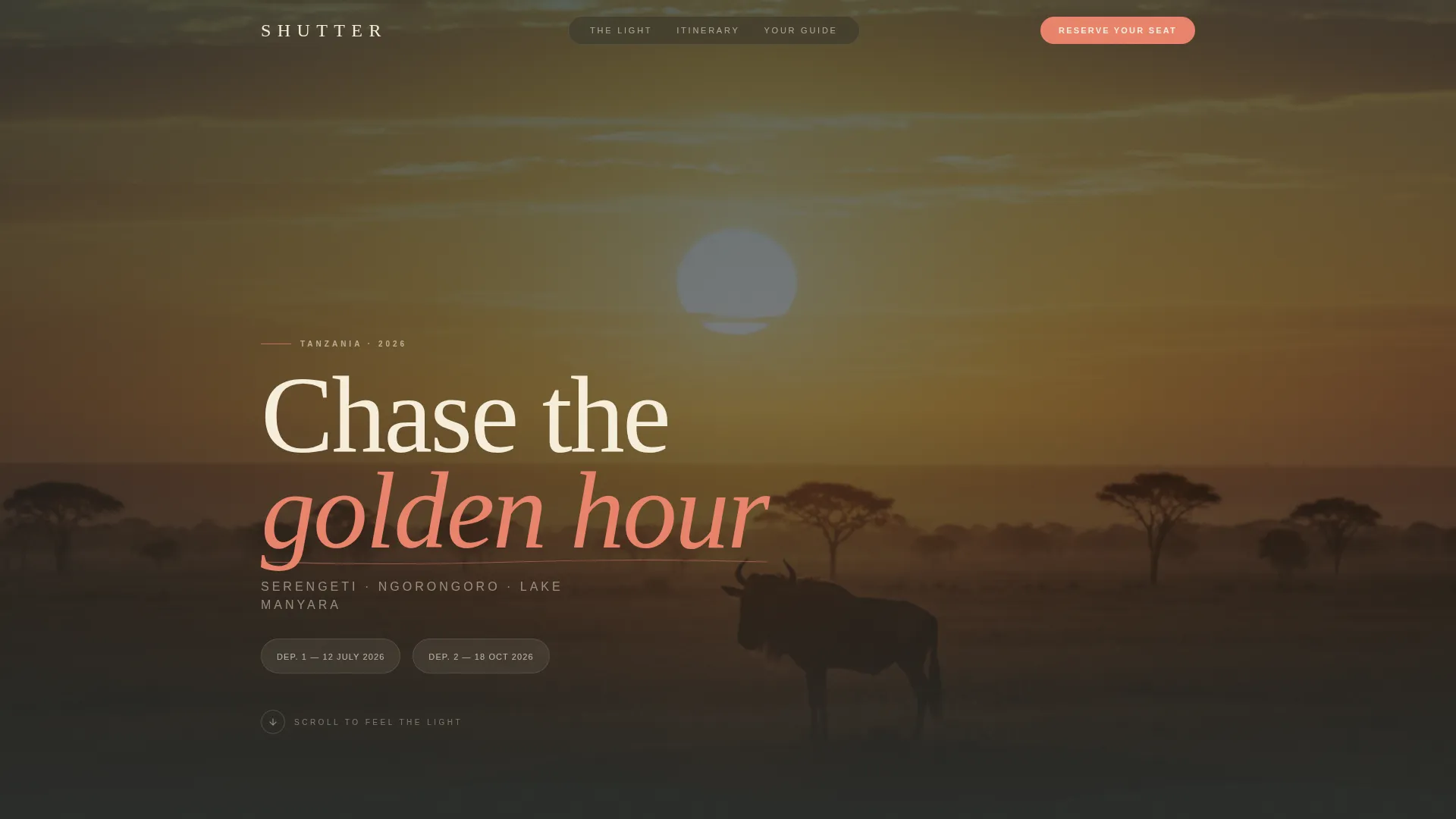
The header fills the entire viewport with a lone wildebeest silhouetted against a Serengeti sunrise. The horizon sits on the lower third of the frame. After a held-breath pause, the tour name and dates rise in cream type with wide letterspacing, giving the landscape room to breathe first.
Scroll-Driven Color Temperature Journey
Each full-page section represents one moment from the itinerary. Color temperature shifts from cool dawn blues through harsh midday contrast to warm dusk amber as visitors scroll. The mood moves across the trip before a single detail is read.
Dual-Path Conversion Design
The primary call to action reads "Reserve Your Seat on the Truck" and appears immediately after the itinerary unfolds. A secondary path offers a downloadable shot list PDF to capture email addresses from visitors who are not yet ready to commit.
Qualifying Registration Form
The registration form asks three targeted questions: preferred departure date from two fixed options, experience level from beginner through advanced, and primary camera system. This qualifies each applicant and helps the operator manage group composition.
Field Journal Atmosphere Sections
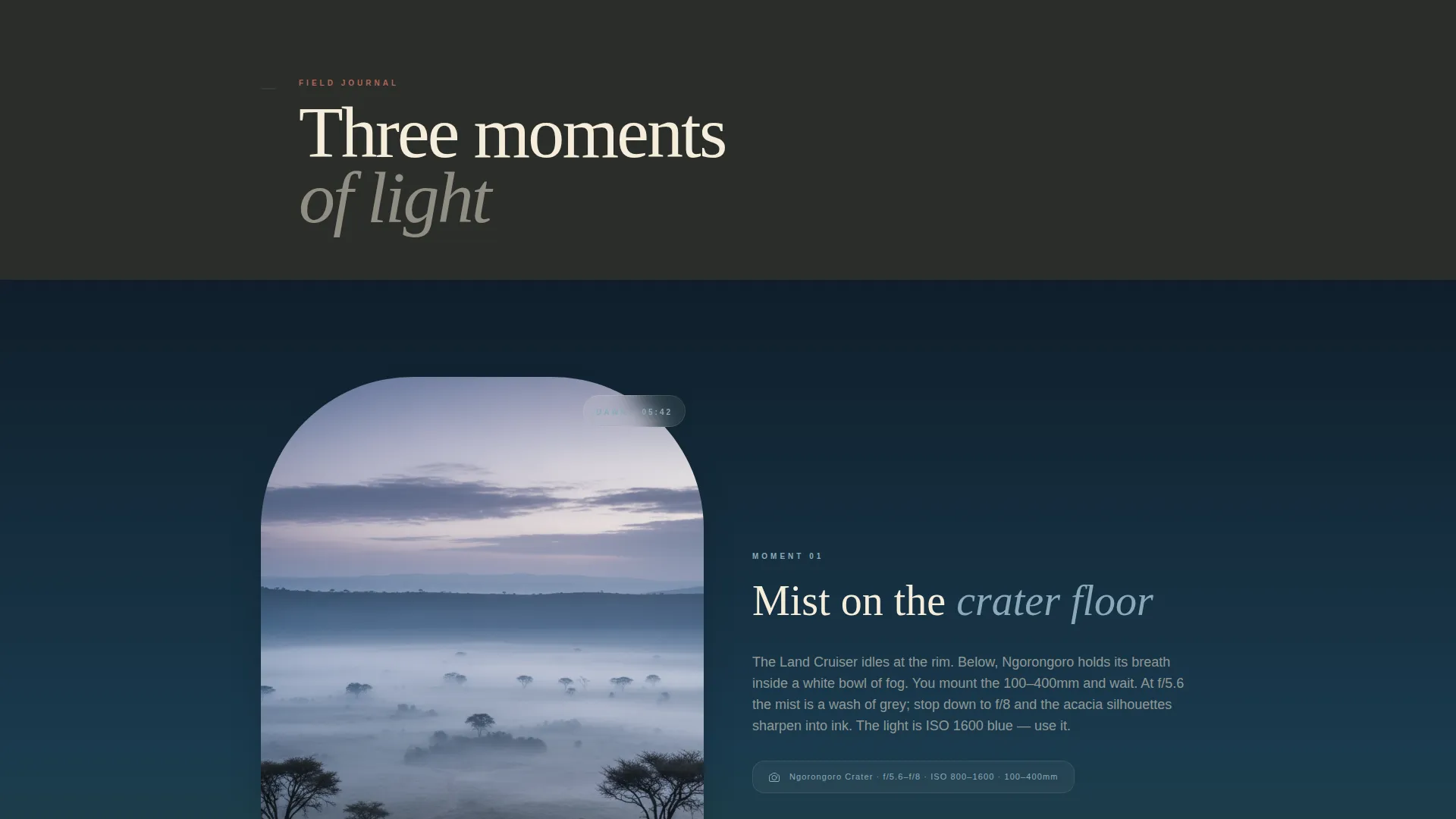
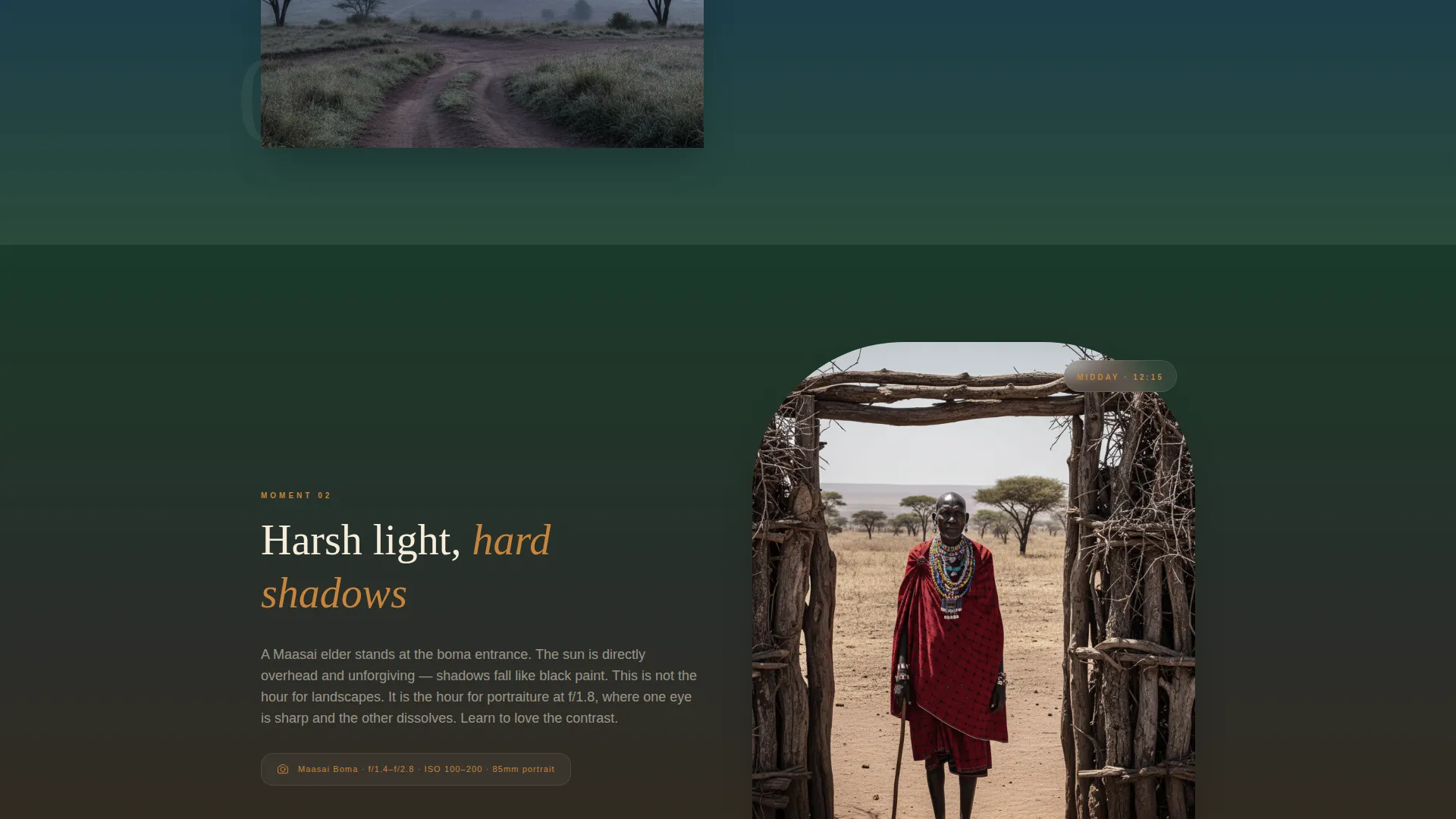
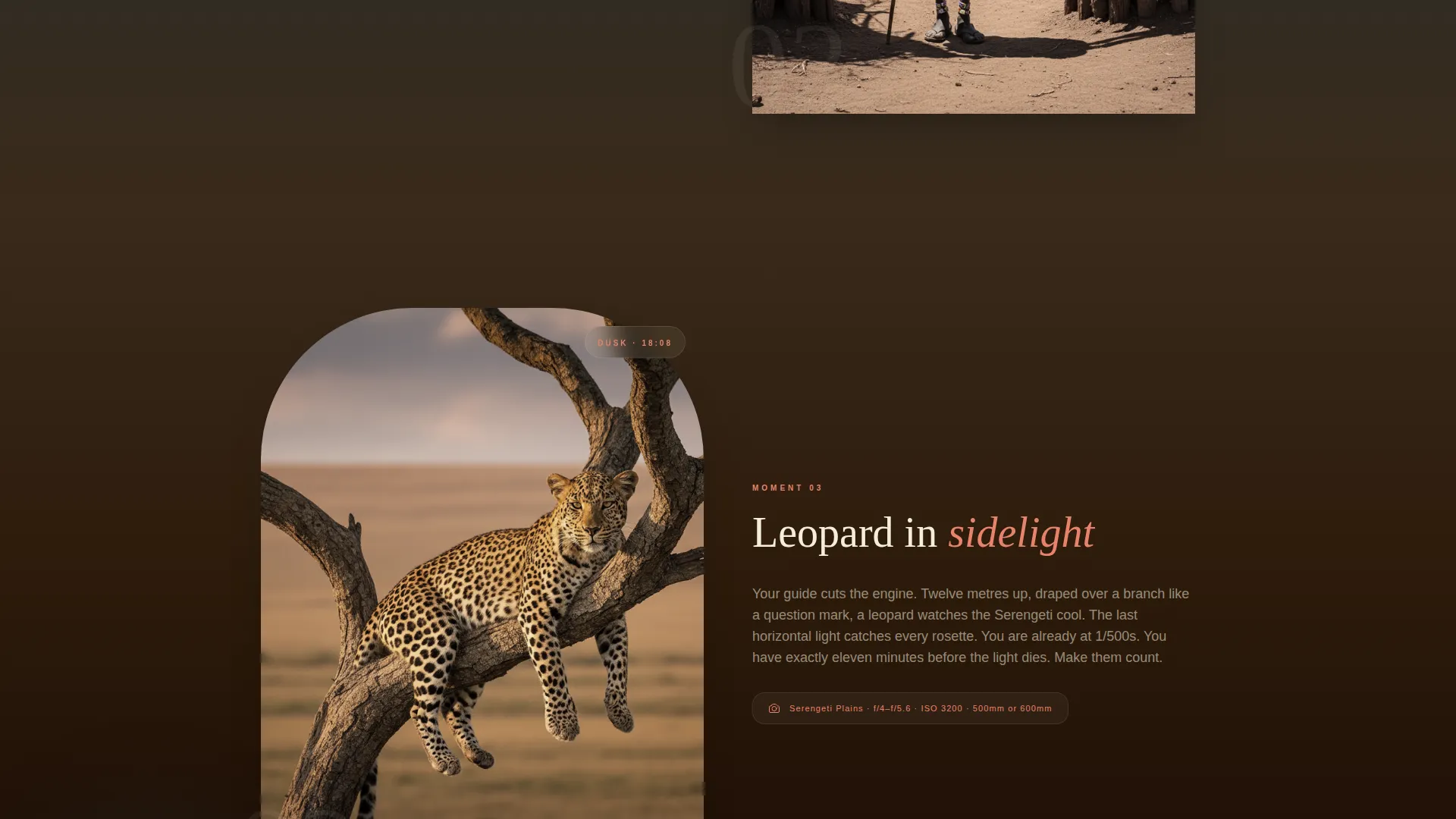
Each section reads like a page from a field journal. Morning mist on the crater floor gives way to the side-lit contrast of a Maasai boma, then to a leopard draped over an acacia branch at dusk. The writing and visuals work together to place visitors inside the trip.
Organic Flow Visual Identity
The layout uses an Ocean Calm color palette: deep watering-hole teal, sun-bleached savanna cream, acacia shadow charcoal, and flamingo coral reserved for calls to action and hover states. The result feels like a photograph taken in the final fifteen minutes before sunset.
Page sections overview
| Section | Purpose |
|---|---|
| Full-Bleed Hero | Opens with a cinematic wildebeest silhouette and animated headline reveal |
| Tour Name Reveal | Surfaces trip name and dates in wide-letterspaced cream type |
| Itinerary Immersion | Guides visitors through location moments using shifting color temperature |
| Morning Crater Mist | Evokes cool dawn light on the Ngorongoro Crater floor |
| Midday Boma Contrast | Shifts mood to harsh midday light at a Maasai boma |
| Dusk Leopard Section | Closes the itinerary arc with warm side-light and acacia branch scene |
| Registration Form | Captures departure preference, experience level, and camera system |
| Shot List Capture | Offers a PDF download in exchange for an email address |
| Closing call to action Anchor | Repeats the primary reservation call to action at the page footer |
Design & branding system
The visual identity follows an Organic Flow theme interpreted through an Ocean Calm color system. Every color choice references something real in the landscape, so the palette feels earned rather than decorative.
- Deep watering-hole teal (#1A4A5E) anchors backgrounds and creates cool distance
- Sun-bleached savanna cream (#F5EDDA) is used for body type and large headings
- Acacia shadow charcoal (#2B2D2A) handles supporting text and structural elements
- Flamingo coral (#E8836B) is reserved exclusively for calls to action and hover states
Mobile & speed optimization
The template is structured to maintain its cinematic impact across screen sizes. Large hero visuals and full-page sections are composed so key framing survives the shift to smaller viewports.
- Full-bleed hero and section imagery are composed around focal points that remain visible on mobile screens
- The registration form and shot list capture flow stack cleanly into a single-column layout on smaller devices
- Section color temperature transitions are preserved across breakpoints so the scroll journey reads consistently
How this template helps you convert
This template is built around two clear conversion goals: booking a seat and capturing a lead. The page structure guides every visitor toward one of those two outcomes.
- The "Reserve Your Seat on the Truck" call to action appears directly after the itinerary sections, catching visitors at peak emotional investment after the full expedition story has unfolded.
- The shot list download gives undecided visitors a tangible, relevant reason to share their email, keeping them inside the operator's nurture path without pressuring an early commitment.
Other information about this template
This template sits at the intersection of travel storytelling and photography education. A few additional details are worth noting for operators evaluating it.
- The template is designed for a Tanzania photography tour context but the structure adapts to any location-based expedition with strong visual assets
- Two fixed departure dates are shown inside the registration form, keeping the booking flow simple and decision-focused
- The shot list PDF lead magnet is positioned as a secondary path, making it useful for operators who already produce location guides or camera settings resources
- The storybook layout style works especially well when paired with high-quality field photography shot at wide apertures with natural light
Theme
Organic Flow
Creative direction
Atmosphere & Mood
Color system
Ocean Calm
Style
Storybook/Full-Page
Direction
Event Registration
Page Sections
Full-bleed Cinematic Hero Section
Scroll-driven Color Temperature Shifts
Dual-path Conversion Structure
Qualifying Registration Form
Field Journal Atmosphere Sections
Ocean Calm Color System
Related questions
Who is this landing page template designed for?
What does the registration form collect from visitors?
What is the shot list and how does it work?
Can this template work for a photography expedition in a location other than Tanzania?
How many departure date options does the booking form show?