Foundry - Powerful MES Landing Page Template
Foundry is a white-label manufacturing execution system (MES) landing page template built for industrial SaaS companies, systems integrators, and OEM vendors. It uses a dark Dashboard Pro layout with a modular card grid, a scrolling partner logo bar, and a Problem→Solution narrative arc that guides visitors from pain points to a branded live demo, no form, no friction.
by Rocket studio
Quick summary
Foundry is a single-page, card-grid landing page template for white-label MES platforms. It opens with a partner logo strip and a live-styled dashboard mockup, then walks visitors through a Problem→Solution arc using flip cards and compressed timelines. The primary call to action routes directly to a branded demo environment, no gate, just instant momentum.
Who this template is for
This template is built for B2B technology companies that sell or package manufacturing execution capabilities under their own brand. If your go-to-market depends on convincing industrial buyers fast, this layout does the heavy lifting.
- Industrial SaaS companies that need production-grade MES features without a long internal build cycle
- Systems integrators assembling turnkey smart-factory solutions for mid-market manufacturing plants
- OEM equipment vendors who want their machines to ship with embedded shop-floor intelligence
What problem this template solves
Selling white-label enterprise software to industrial buyers is slow and trust-dependent. Prospects want proof before they read a single paragraph, and generic SaaS templates cannot convey the weight of a real shop-floor platform.
- Standard templates cannot frame the "your brand, our engine" value proposition visually or structurally
- Buyers stall when they cannot picture their own logo on the product before committing attention
- Technical evaluators need architecture credibility alongside the business case, and most layouts force a choice between the two
What you get with this template
You get a fully structured, single-page layout purpose-built for MES platform positioning. Every section is modular, so sections can be reordered or swapped without breaking the visual system.
- A scrolling logo bar, a live-dashboard header mockup with a blinking cursor placeholder, and a sticky bottom call-to-action bar
- Three problem cards that flip on scroll to reveal the Foundry answer, a pricing slider module, an API topology map section, and an animated timeline that compresses from 18 months to 6 weeks
- A primary "See It With Your Logo" call to action that routes to a guided demo environment, plus a secondary "Read the Integration Docs" text link for technical evaluators
Feature list
This template is built around a set of deliberate, purpose-matched components drawn directly from the brief.
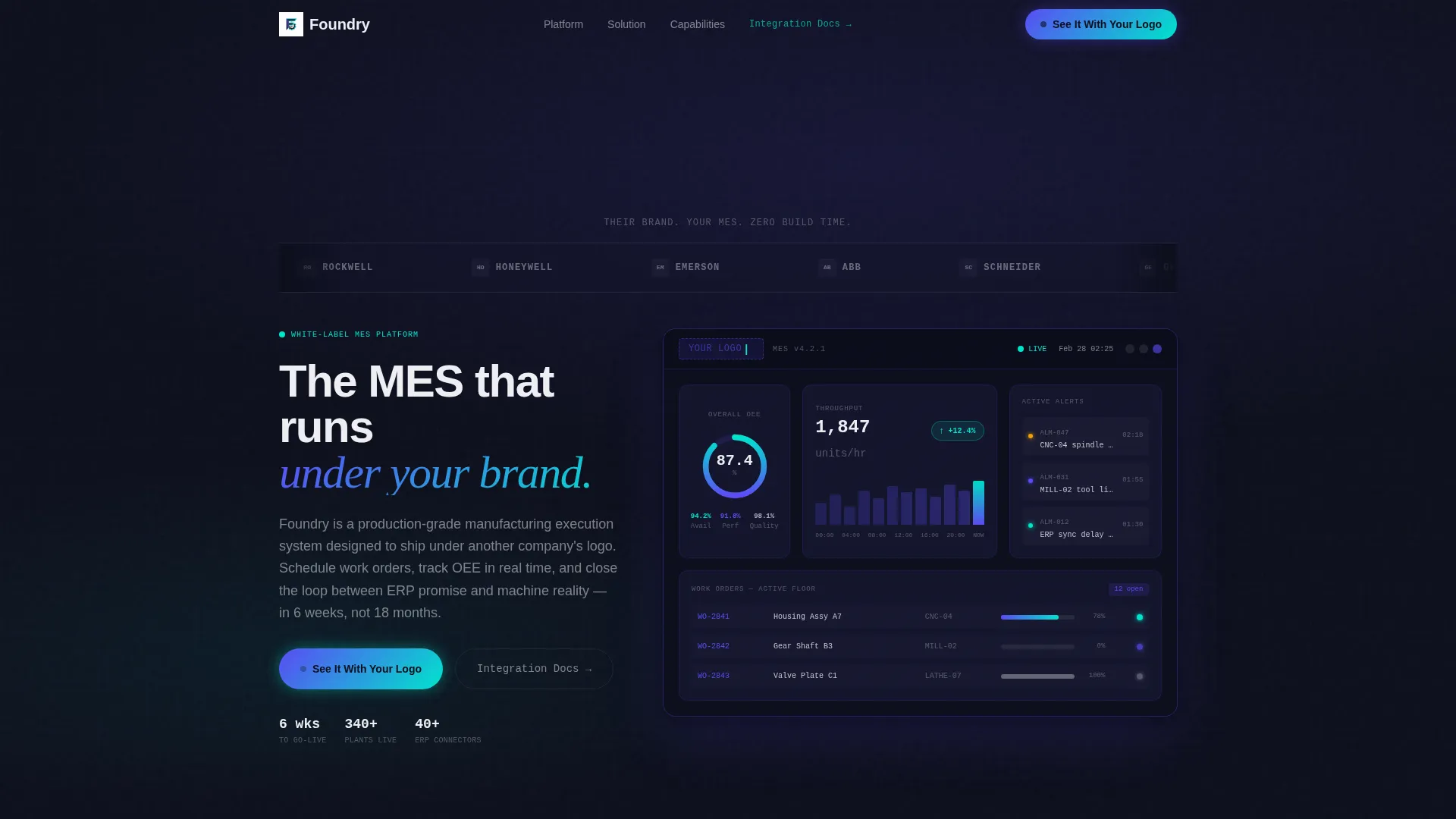
Scrolling Partner Logo Bar
Eight industrial and SaaS partner logos rendered in monochrome white auto-scroll against the deep panel black header. The strip communicates ecosystem credibility before any body copy is read.
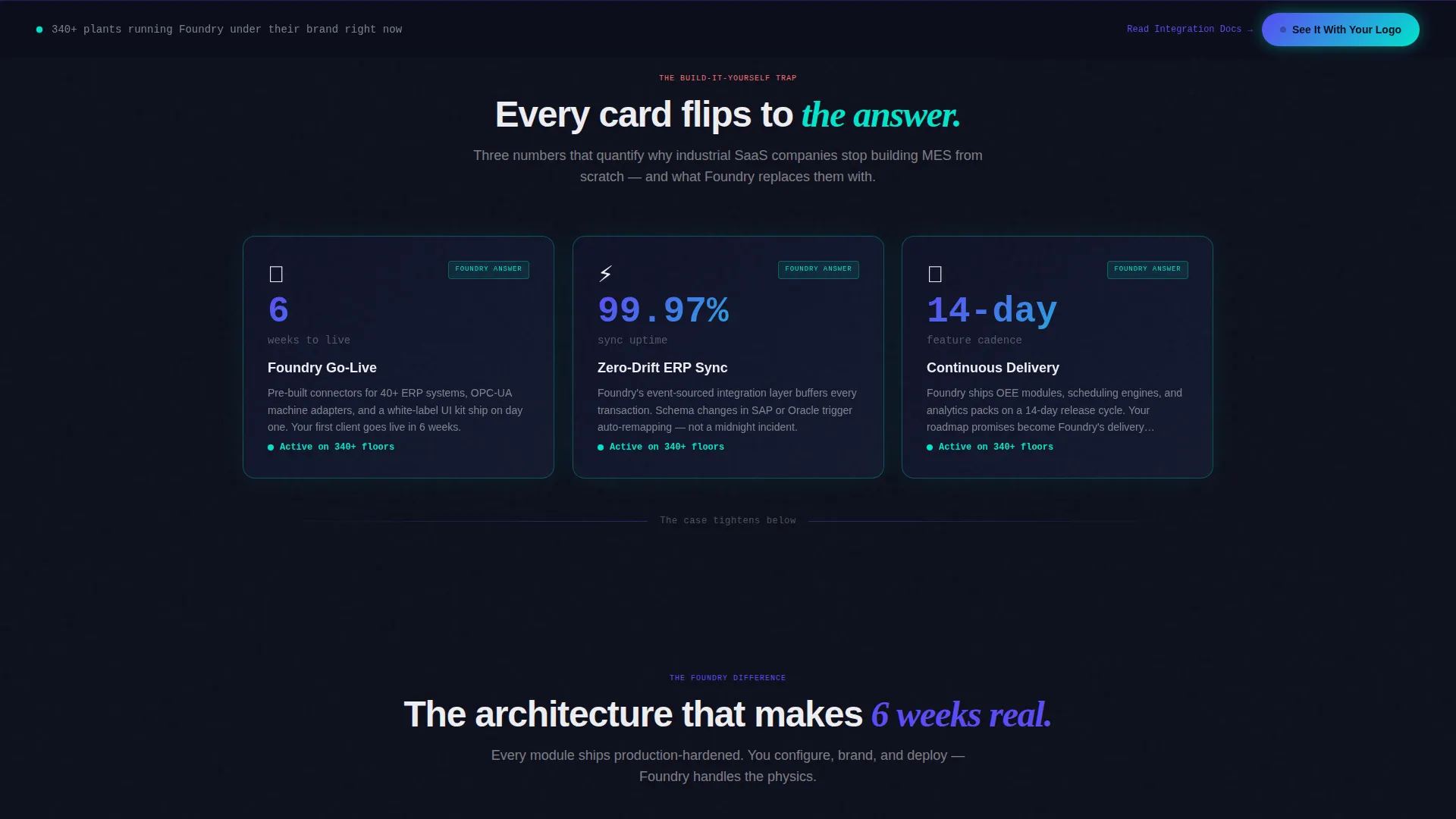
Flip Card Problem Arc
Three stark stat cards quantify real MES pain points, build time, integration failure rates, and churn risk. Each card flips on scroll to reveal the platform answer, creating a tension-and-release rhythm that pulls visitors forward.
Live Dashboard Header Mockup
A dark-panel dashboard mockup fades in below the logo bar with a deliberately blank top-left corner and a blinking cursor placeholder. The empty logo slot signals white-label customization instantly and wordlessly.
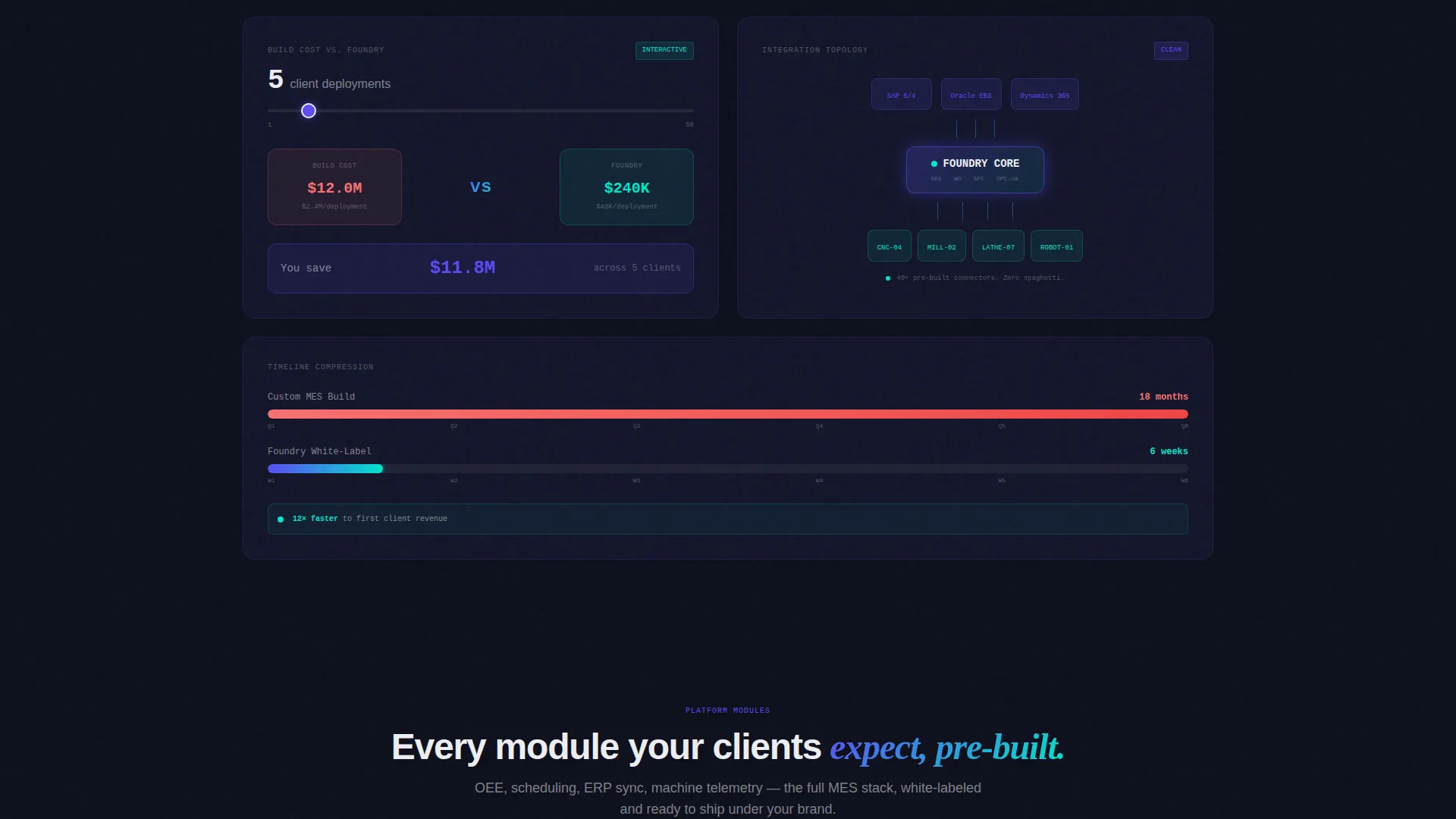
Interactive Pricing and Timeline Modules
A pricing slider dissolves the build-cost pain point into a concrete comparison. An animated timeline bar compresses visually from "18 months" to "6 weeks," making the speed advantage tangible rather than stated.
Frictionless Demo Call to Action
The primary call to action, "See It With Your Logo," appears first below the header mockup and repeats on a sticky bottom bar after the third card row. Clicking routes directly to a guided demo environment, no form gate blocks the first click.
Secondary Technical Evaluator Path
A "Read the Integration Docs" text link sits alongside the primary call to action. It catches architecture-first buyers without diluting the conversion path for decision-makers.
Page sections overview
| Section | Purpose |
|---|---|
| Logo Bar Strip | Establish partner credibility instantly |
| Dashboard Header Mockup | Show white-label customization visually |
| Problem Card Row | Quantify MES build pain with data |
| Flip Card Reveals | Contrast pain with platform answers |
| Pricing Slider Module | Dissolve build-cost objection visually |
| API Topology Map | Prove clean integration architecture |
| Timeline Compression Bar | Show speed advantage concretely |
| Sticky Bottom Bar | Repeat primary call to action persistently |
| Demo Entry Environment | Capture lead after brand investment |
Design & branding system
The visual identity follows a Dashboard Pro theme built around the Electric Indigo color system. Every color in the palette is earned by a data state, not used decoratively.
- Core palette: deep panel black (#0D0F1C) for backgrounds, live-data indigo (#5B4CF5) for primary user interface elements, signal-active cyan (#00E5CC) for success states and primary actions, and interface white (#EDEEF2) for card surfaces and typography
- Card backgrounds sit at #13152A with a 1px indigo border stroke that activates on hover; cyan appears exclusively on success indicators and primary action elements, keeping every color meaningful
Mobile & speed optimization
The card grid layout is modular by design, which means each section scales independently across screen sizes. The dark ambient palette and contained card surfaces adapt well to smaller viewports without losing the control-room atmosphere.
- Each card module is self-contained, so the layout reflows cleanly without breaking the Problem→Solution narrative sequence
- The sticky bottom call-to-action bar remains visible on mobile scroll, keeping the primary action within reach at every point in the page
How this template helps you convert
This layout is engineered around a single conversion goal: get the visitor to click "See It With Your Logo" before skepticism has time to form.
- The demo environment captures the lead after the visitor has already seen their own brand on the product, which reverses the standard friction pattern and increases emotional investment before the ask.
- The Problem→Solution arc tightens like a ratchet from the first card row to the midpoint, so by the time the pricing slider appears, the visitor is asking "how fast" rather than "why bother."
Other information about this template
This template is a strong fit for any team positioning a white-label MES platform in a competitive industrial software market. A few additional details worth knowing before you build with it.
- The template style is Card Grid (Modular), making individual sections easy to reorder, replace, or extend as your platform's feature set evolves
- The creative direction follows a strict Problem→Solution Arc, meaning the emotional and logical case builds cumulatively rather than front-loading all value claims at once
- The header concept (Logo Bar) and the live dashboard mockup work together to establish the white-label premise visually within the first viewport, before any scrolling occurs
- The lp direction is Click-Through, optimized to move visitors into the demo environment rather than into a traditional lead-capture form
Theme
Dashboard Pro
Creative direction
Problem→Solution Arc
Color system
Electric Indigo
Style
Card Grid (Modular)
Direction
Click-Through
Page Sections
Scrolling Partner Logo Bar
Flip Card Problem and Solution Arc
Live Dashboard Header Mockup
Pricing Slider and Timeline Modules
Frictionless Demo Call to Action
Secondary Technical Evaluator Path
Related questions
Can I replace the placeholder logos in the logo bar with my own partner logos?
Does the live demo environment come included with the template?
How does lead capture work without a form gate on the first click?
Is this template designed for mid-market manufacturers or enterprise accounts?
Can technical evaluators find what they need without clicking the primary demo button?



