Software & SaaS Professional Website Template
Formulate is a scroll-reveal landing page template built for a drag-and-drop form builder and survey tool. It pairs a glassmorphic visual system with a data-driven narrative structure, guiding visitors from a striking live dashboard preview through six research-backed findings to a confident app download call to action.
by Rocket studio
Quick summary
Formulate is a single-page, scroll-reveal landing page template for an intelligent form builder and survey tool. It opens with an animated dashboard preview, unfolds a research-driven narrative through glassmorphic cards, and closes with a clear app download call to action. Every section earns visitor trust before it asks for anything.
Who this template is for
This template is built for teams and individuals who create forms, surveys, and multi-step data collection flows. It speaks directly to the people who know that a poorly designed form costs real responses.
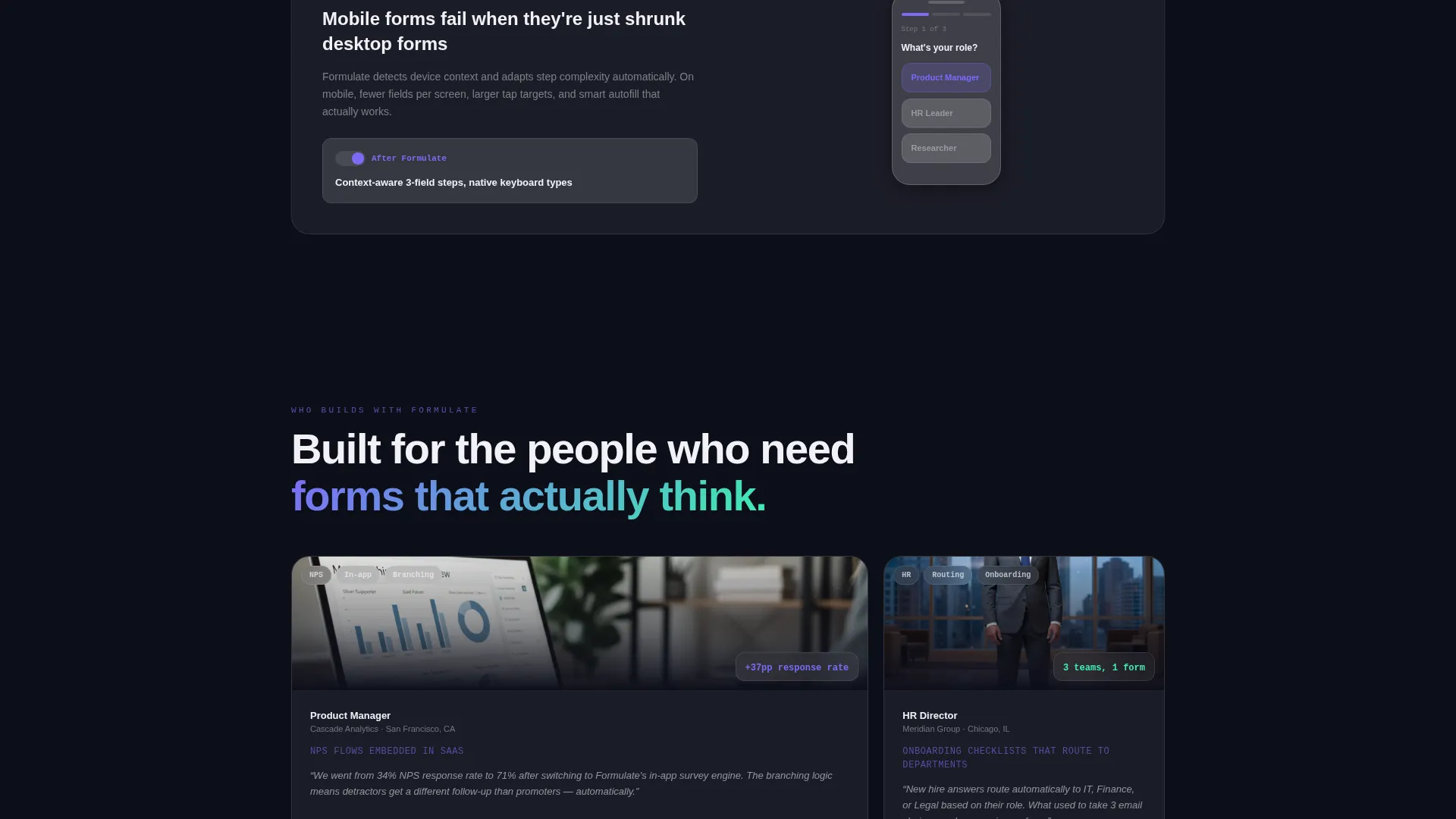
- Product managers embedding Net Promoter Score flows inside SaaS products
- Human resources teams building onboarding checklists that route answers to the right department
- Freelance researchers collecting field data on unreliable connections
What problem this template solves
Most form builder landing pages list features without explaining why those features matter. Visitors leave unconvinced. This template solves that gap by pairing each data point with the product feature that directly addresses it.
- Generic feature lists fail to connect functionality to real completion-rate problems
- Static screenshots give no sense of how a drag-and-drop form builder actually feels to use
- A weak call to action at the bottom of the page loses visitors who were almost ready to download
What you get with this template
You get a fully structured, single-page scroll-reveal layout that builds a persuasive case from top to bottom. The template provides every section, animation cue, and visual component described in the brief.
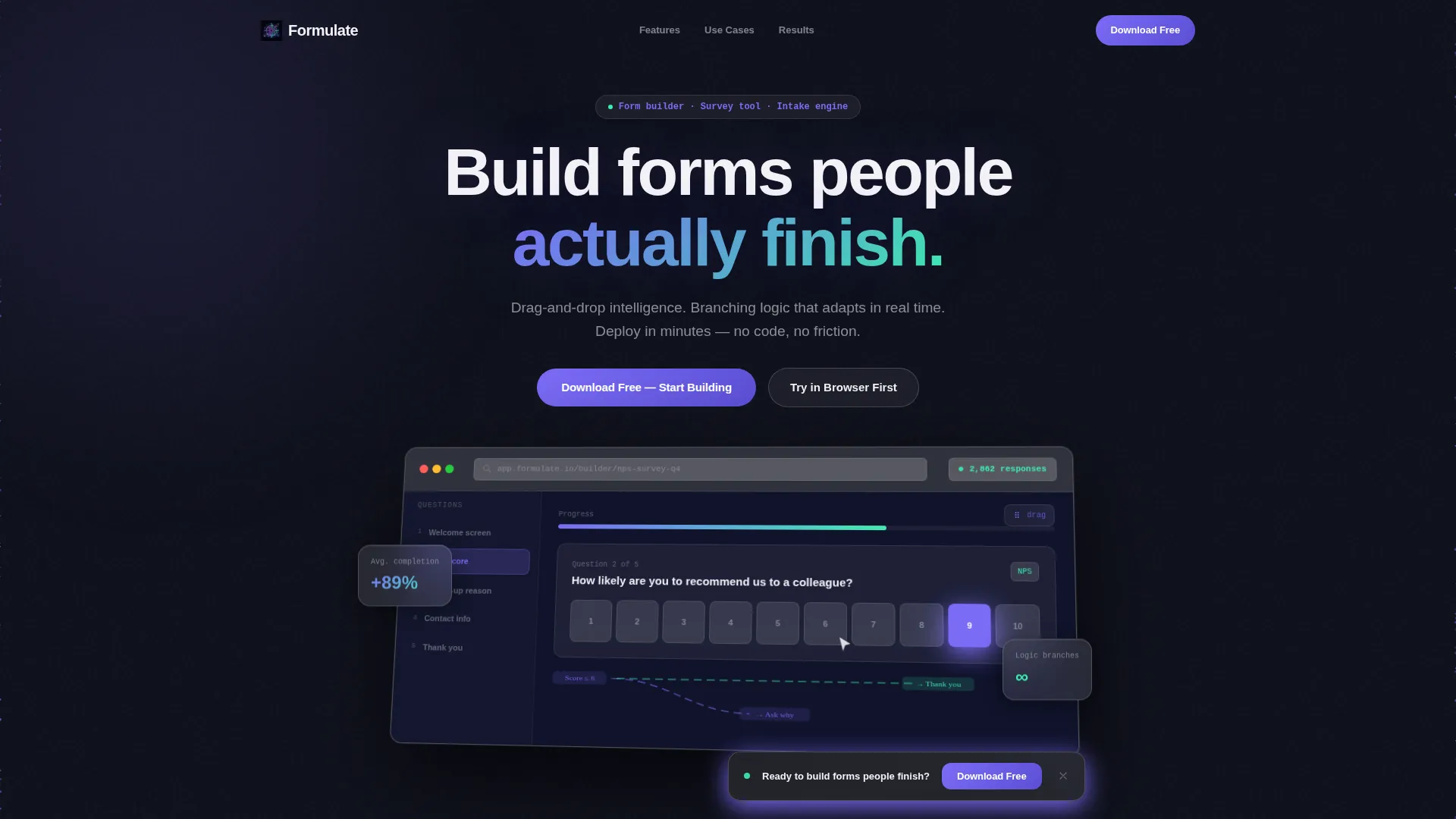
- An animated browser-chrome dashboard header showing a half-built survey in motion
- Six data-point and feature pairing sections that assemble as they enter the viewport
- A persistent floating call-to-action bar that appears after 60 percent scroll depth, paired with App Store and Google Play badge placements
Feature list
This template includes the following built-in design and layout features grounded in the source brief.
Animated Dashboard Header
A browser-chrome-framed app screen floats at a slight three-dimensional tilt in the hero section. Inside it, a drag handle hovers over a rating-scale question, an animated dashed line connects two logic-branch cards, and a real-time response counter ticks upward. A particle background drifts behind the frame like data in transit.
Scroll-Reveal Section Assembly
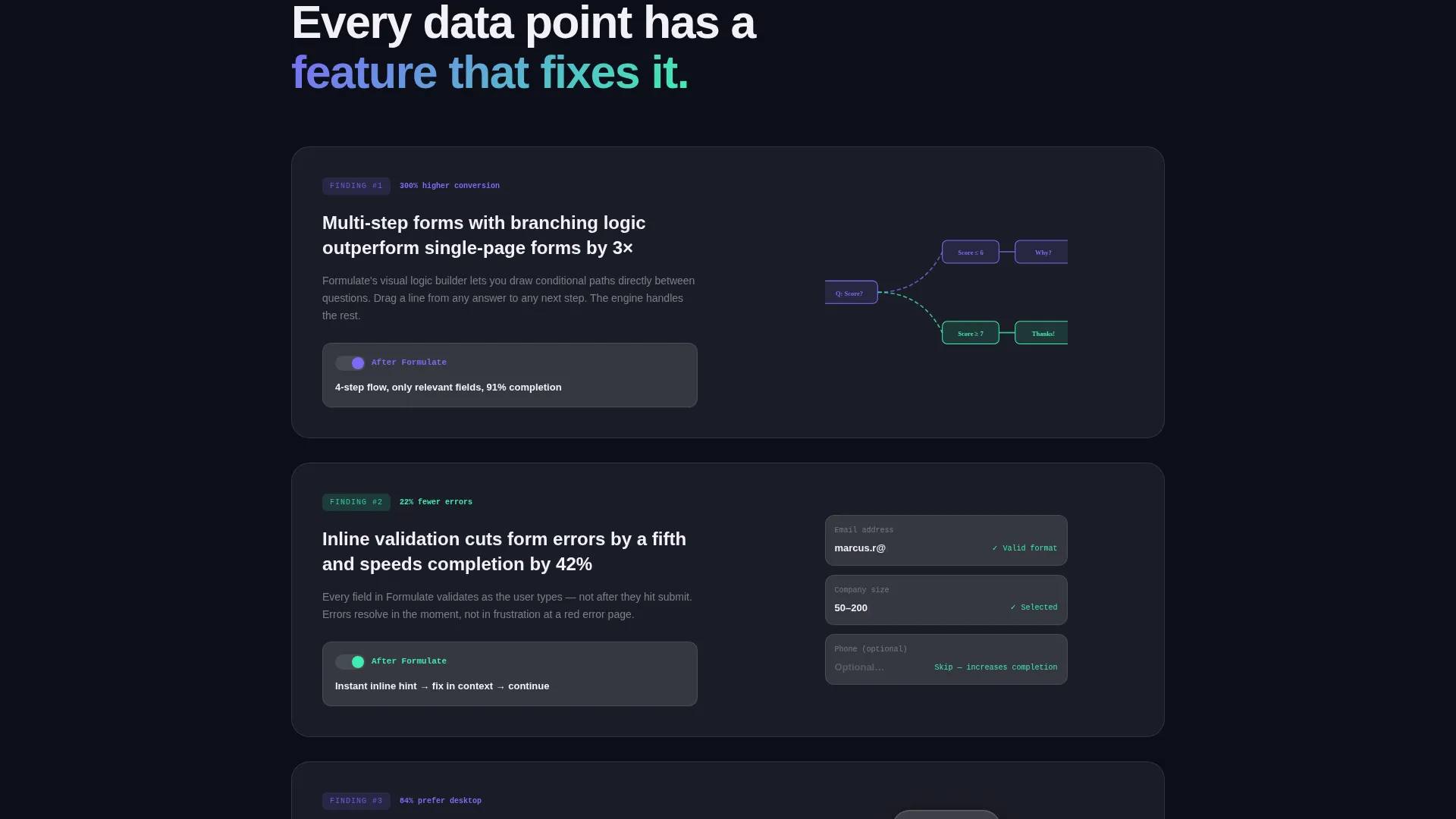
Each content section enters the viewport by assembling itself from staggered origins. Cards slide in, charts draw their lines in real time, and toggle switches flip to demonstrate before-and-after states. Motion is continuous but controlled, never competing with the content it supports.
Industry Report Data Narrative
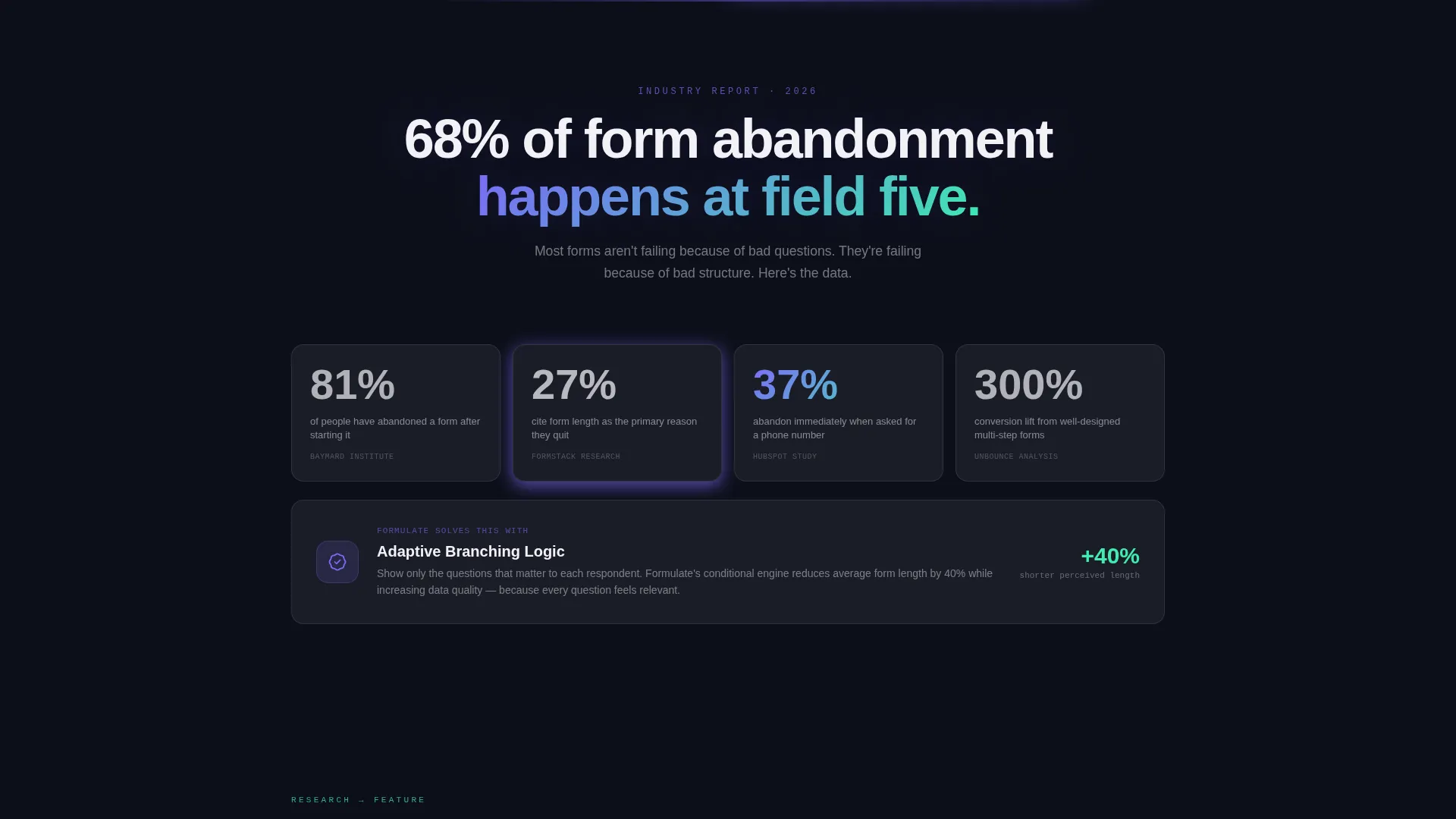
The page opens with a bold thesis stat and follows it with five additional research-style findings. Each finding is immediately paired with a matching product feature inside a glassmorphic card. The result reads like a live research paper where every citation is a working demonstration.
Glassmorphic Card System
Content cards use frosted white panels at 60 percent opacity over near-black gradient backgrounds. Each card has a blurred backdrop and a thin one-pixel border rendered in semi-transparent white. Active states and progress indicators glow in iris purple, and successful submission moments fire in cool mint.
Inline Zero-Auth Form Builder Preview
A secondary call to action labeled "Try in Browser First" opens an embedded form builder experience. Visitors can interact with the product directly on the page without creating an account or downloading anything first.
Persistent Floating Call-to-Action Bar
After a visitor scrolls past 60 percent of the page, a floating bar appears at the bottom of the screen. It carries a single-tap deep link for the app download and remains visible but dismissible, keeping the primary goal accessible without blocking content.
Page sections overview
| Section | Purpose |
|---|---|
| Animated Hero Header | Introduce the product with a live dashboard preview and headline |
| Thesis Stat Break | Open the data narrative with a bold form abandonment statistic |
| Data Point One | Present a finding on average completion rates with a matching feature |
| Data Point Two | Show mobile versus desktop drop-off data paired with a product response |
| Data Point Three | Highlight conditional logic impact on response quality |
| Data Points Four to Six | Complete the six-finding narrative with three further feature pairings |
| App Download call to action | Drive the primary conversion with App Store and Google Play badges |
| Inline Browser Preview | Let visitors try the form builder without leaving the page |
| Floating call to action Bar | Persist the download prompt after 60 percent scroll depth |
Design & branding system
The visual identity follows a Dynamic Motion theme built on a glassmorphic color system. Every surface feels like frosted glass held up to a neon-lit environment, translucent and depth-aware without being visually noisy.
- Core palette: deep void black (#0D0F1A) as the base, frosted white panels at 60 percent opacity (#FFFFFFAA), iris purple (#7B6CF6) on active states, and cool mint (#3FEDB0) for success moments
- Typography uses anti-flash white (#F2F2F7) on dark surfaces and deep void on light panels, keeping text crisp at every contrast level
- Interactive elements use an iris-to-mint gradient that shifts on hover, giving every button and toggle a light-refracting quality
Mobile & speed optimization
The scroll-reveal animation system is designed to feel fluid across screen sizes. Progressive loading means content enters the viewport only as the visitor reaches it, keeping the visual experience intentional rather than overwhelming.
- Staggered card entrance animations are timed to match natural scroll pacing on both mobile and desktop viewports
- The floating call-to-action bar uses a single-tap deep link, reducing friction for visitors arriving on a mobile device
How this template helps you convert
This template earns the download before it asks for it. The structure is deliberate: trust is built through evidence, and the call to action arrives only after the visitor has seen six reasons to believe.
- The animated dashboard header creates immediate product familiarity, showing a real drag-and-drop form builder mid-use rather than a static promotional image.
- The six data-point narrative pairs friction points with solutions, giving technically minded buyers like product managers and researchers a rational case to act on.
- The persistent floating bar and the inline browser preview remove the two most common conversion blockers: hesitation to commit and inability to evaluate the product before downloading.
Other information about this template
This template is categorized under Technology, Software and SaaS, and sits squarely in the form builder and survey tool niche. It is designed as a single landing page with a scroll-reveal progressive structure, meaning each section is revealed in sequence as the visitor moves down the page.
- The template style is Scroll Reveal (Progressive), making it well suited to storytelling-led product launches and app download campaigns
- The header concept is a Dashboard Preview, a pattern that works especially well for no-code tools where showing the interface is more persuasive than describing it
- The creative direction follows an Industry Report format, pairing data points with live feature demonstrations across six paired sections
- The landing page direction is App Download, with both App Store and Google Play badge placements built into the primary call-to-action section
Theme
Dynamic Motion
Creative direction
Industry Report
Color system
Glassmorphic
Style
Scroll Reveal (Progressive)
Direction
App Download
Page Sections
Animated Dashboard Hero Header
Scroll-reveal Progressive Layout
Six-part Data Narrative Structure
Glassmorphic Card and Modal System
Inline Browser Preview Section
Persistent Floating Download Bar
Related questions
Who is this landing page template designed for?
Can I replace the data points and statistics in the Industry Report sections?
Does the template include the inline form builder preview?
What animation style does this template use?
When does the floating call-to-action bar appear?



