Forge - Recruiting Agency Landing page Template
Forge is a zigzag landing page template built for manufacturing recruiting agencies. It opens with an oversized role-search prompt, guides visitors through alternating sections for shop floor, quality, and supervisory roles, and drives conversions through a five-step interactive staffing gap assessment. Clean Corporate Precision styling and a signal-blue accent keep every section focused and action-ready.
by Rocket studio
Quick summary
Forge is a single-page recruiting template designed for manufacturing talent firms. It leads with a cycling role-search header, moves through alternating content sections organized by role level, and closes with a five-step assessment that converts hiring urgency into a qualified lead. The layout speaks directly to operations directors, plant managers, and HR teams managing skilled-labor gaps.
Who this template is for
This template is built for recruiting agencies that specialize in placing skilled manufacturing talent. It fits firms that work with industrial clients across multiple role families, from CNC operators to plant general managers.
- Operations-focused recruiting agencies serving automotive, aerospace, food and beverage, or general manufacturing clients
- Staffing firms that handle both shop floor placements and supervisory or executive-level searches
- HR and talent teams at manufacturing companies who want a self-service intake tool for staffing requests
What problem this template solves
Finding skilled manufacturing talent is urgent and specific. A generic agency website does not communicate that urgency, nor does it signal familiarity with the language of production floors. Hiring managers need to trust an agency quickly and act fast.
- Operations directors and plant managers lose confidence when a recruiting website feels generic or slow to engage
- HR managers at tier-two industrial suppliers need a quick, structured way to communicate exactly what role is stalling their line
- Agencies lose qualified leads because their intake process asks too little too late, before a prospect has committed
What you get with this template
This template delivers a complete single-page layout with structured sections, an interactive assessment flow, and a direct request bypass path. Every visual and interactive element is matched to a manufacturing context.
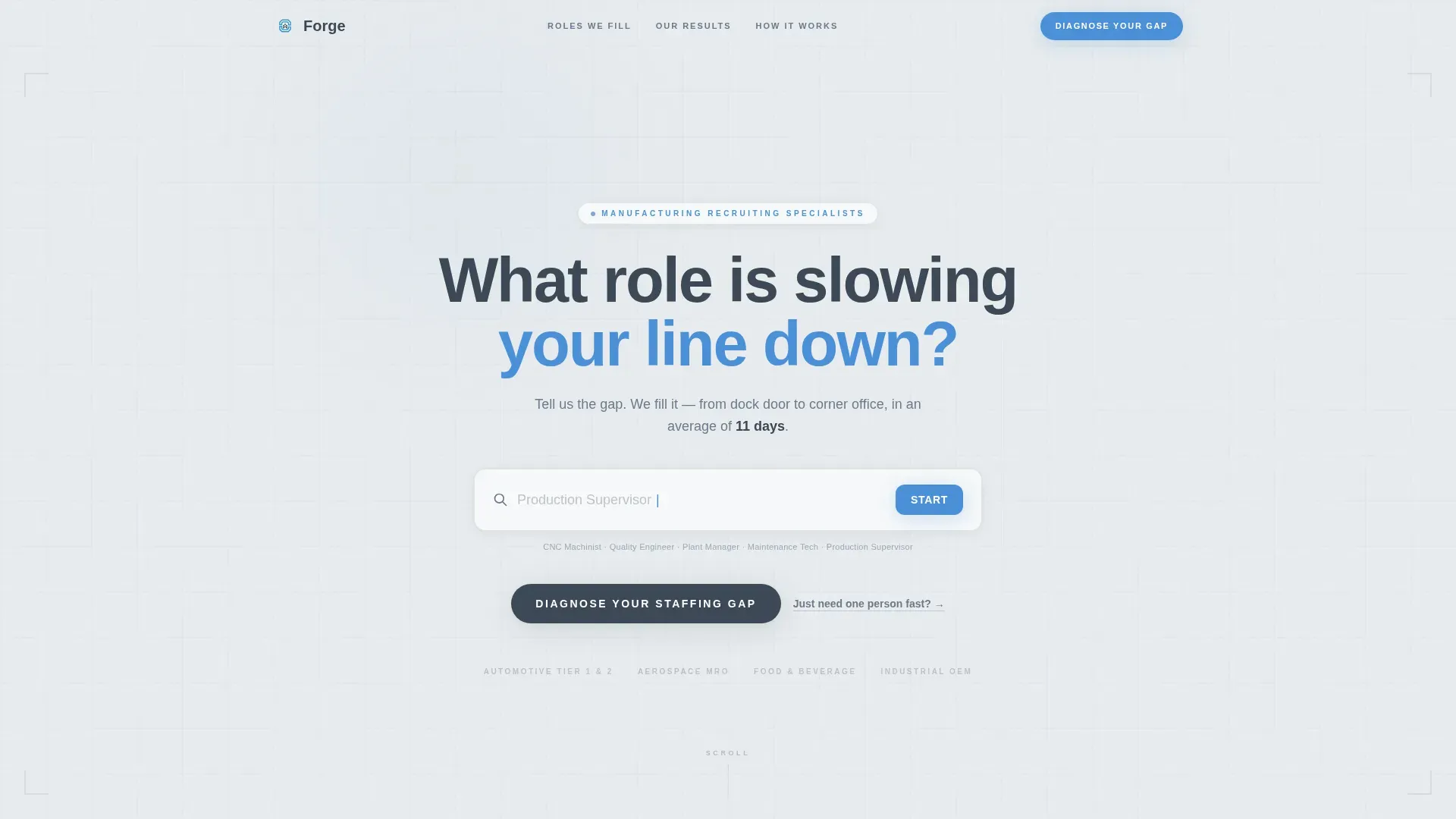
- A hero section with an oversized search input, cycling ghost role titles, and a blinking cursor animation
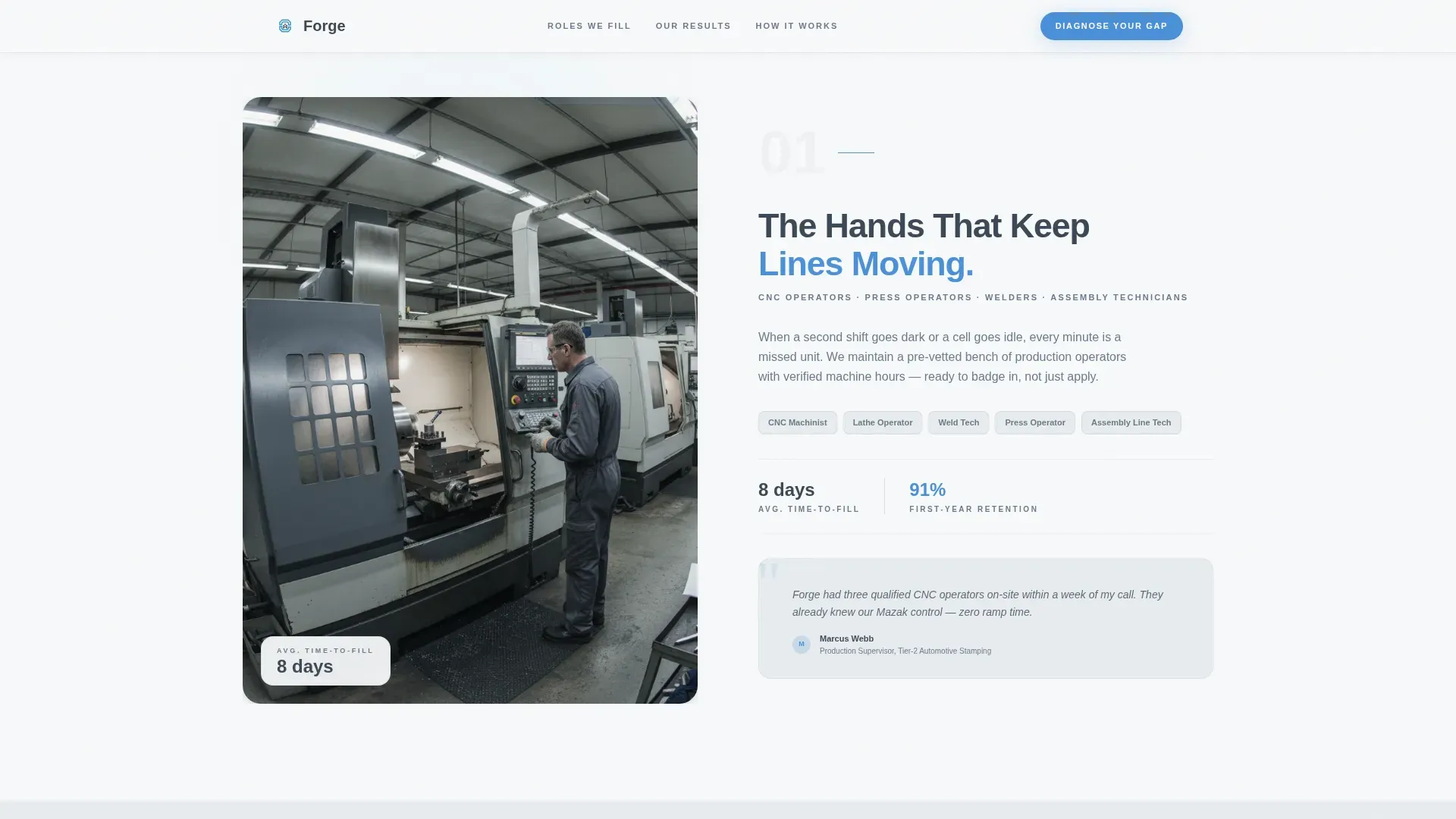
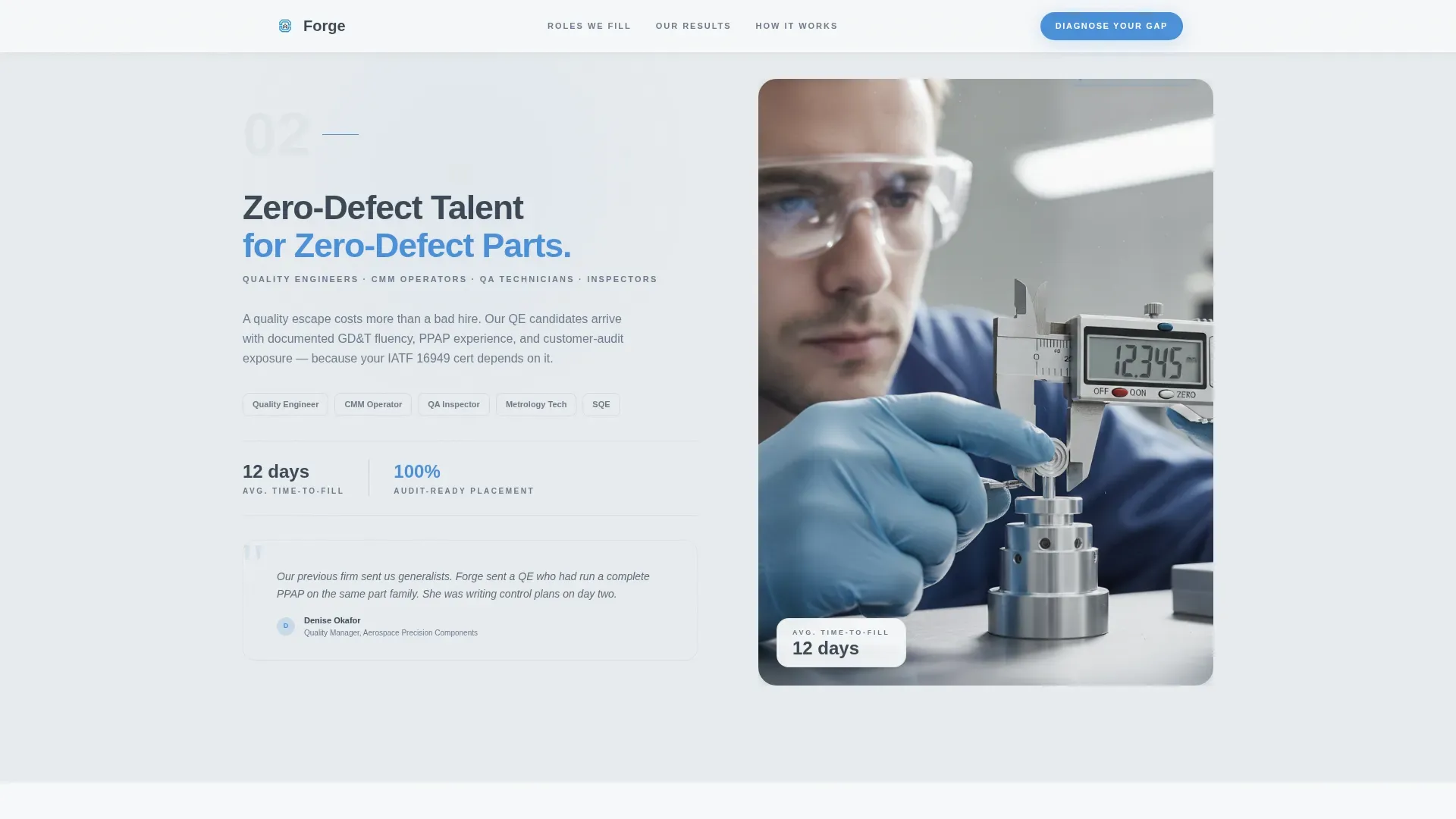
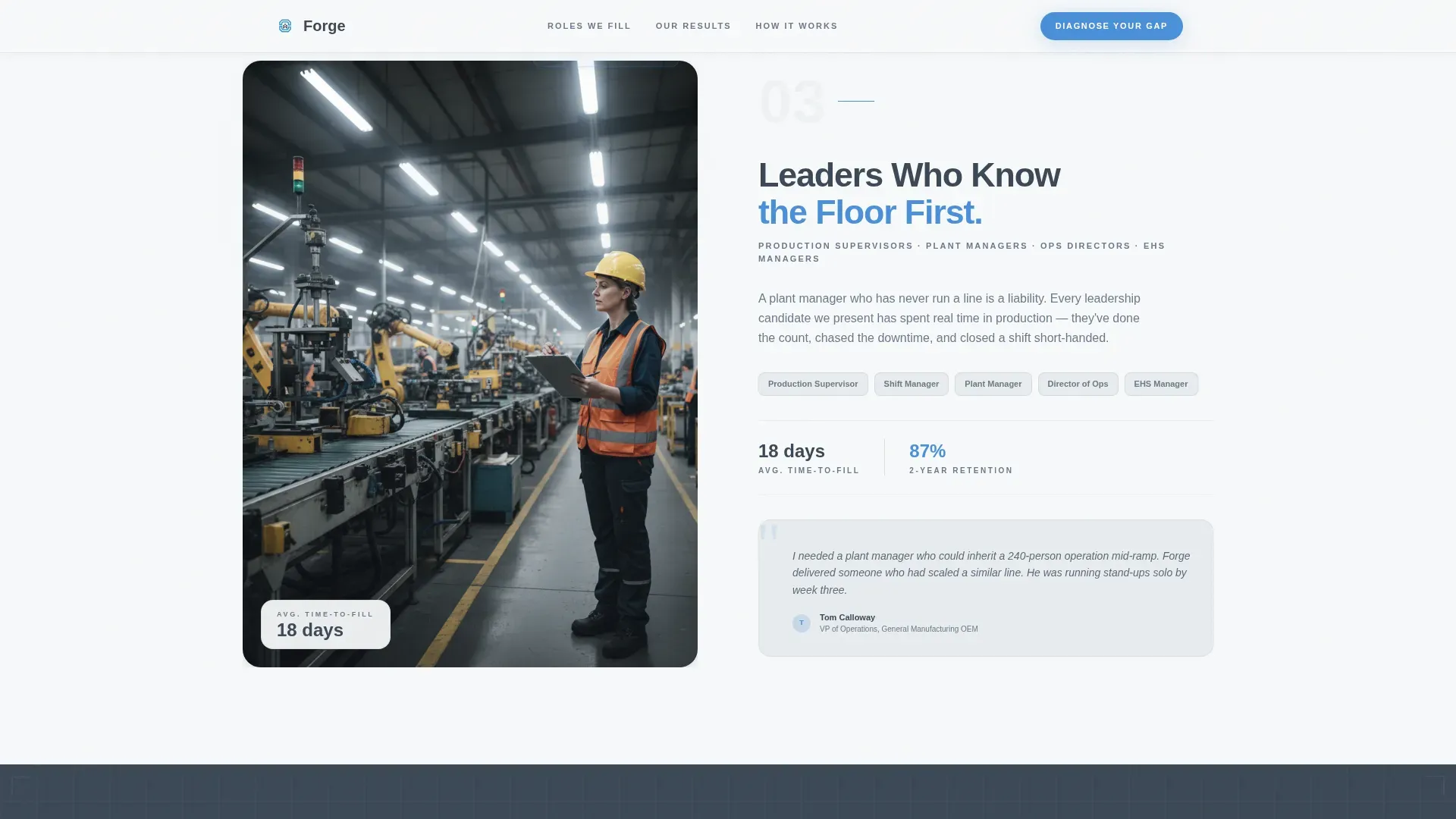
- Three zigzag content sections covering shop floor roles, quality and engineering, and supervisory or management placements, each pairing a contextual photo with role details and a placed-candidate quote
- A five-step staffing gap assessment with a signal-blue progress bar, a visual plant-floor map selector, and a secondary bypass form for urgent single-hire requests
Feature list
This template ships with six purpose-built features that align with the specific needs of manufacturing talent placement.
Cycling Role-Search Header
The hero centers on one oversized input field with the prompt "What role is slowing your line down?" Role titles cycle ghost-like inside the field, dissolving from CNC Machinist to Quality Inspector to Maintenance Technician to Production Supervisor. No hero image, no stock photography. Just immediate language alignment with the hiring manager.
Zigzag Role-Family Sections
Three alternating sections move the visitor from shop floor to supervisory to executive placement. Left and right panels swap position on each row. Each section pairs a portrait-style worker photo in context with a structured content block showing role family details, average time-to-fill, and a short quote from a placed candidate.
Proof Metrics Bar
A dedicated horizontal bar displays four concrete proof statistics. The brief specifies fill time, total placements, retention rate, and active client count. This section anchors credibility between the role sections and the assessment.
Five-Step Staffing Gap Assessment
The primary call to action leads to a sequential five-step quiz. Step one captures facility type. Step two uses a visual plant-floor map to identify understaffed departments. Step three asks urgency level. Step four collects headcount range. Step five captures name, company, and email to deliver a custom Staffing Gap Report. A signal-blue progress bar fills with each completed step.
Direct Job-Request Bypass Form
A secondary path labeled "Just need one person fast?" skips the full assessment. It routes hiring managers who already know their exact requirement to a short direct form. This reduces friction for time-sensitive requests without removing the full assessment flow.
Scroll-Triggered Animation System
The template uses clip-path reveals and scroll-triggered zigzag entries throughout. The assessment progress bar animates in signal-blue. Calls to action carry a magnetic hover effect. These motion details reinforce the precision feel of the Corporate Precision theme without distracting from the content.
Page sections overview
| Section | Purpose |
|---|---|
| Role Search Hero | Opens with cycling ghost role titles inside an oversized input field to establish immediate language match |
| Shop Floor Roles | Zigzag left: worker photo paired with role details and a placed-candidate quote |
| Quality and Engineering | Zigzag right: contextual photo paired with role family details and a time-to-fill stat |
| Supervisory and Management | Zigzag left: photo paired with executive placement details and supporting copy |
| Proof Metrics Bar | Displays four concrete statistics covering fill time, placements, retention, and client count |
| Staffing Gap Assessment | Five-step interactive quiz with plant-floor map selector and signal-blue progress bar |
| Direct Bypass Form | Secondary path for hiring managers who need a single placement immediately |
| Single-Row Footer | Linear footer with agency contact and navigation links |
Design & branding system
The visual identity follows a Corporate Precision theme. Every color and type choice is deliberate, referencing the clean calibrated aesthetic of a professional production environment rather than warm or lifestyle-forward design trends.
- Color system uses cool fog gray (#E8ECEF) for section backgrounds, pressed-slate charcoal (#3B4856) for headlines and body text, machine-white (#F7F9FA) for card surfaces, and signal-blue (#4A90D9) exclusively for buttons, progress indicators, and interactive elements
- Typography pairs Plus Jakarta Sans as the primary typeface with DM Sans as the supporting face, keeping copy weight and hierarchy readable at every section level
- The overall feel is instrument-panel precise: no decorative noise, no photography that is not role-contextual, and every interactive element placed where a hiring manager expects to find it
Mobile & speed optimization
The template is designed desktop-first, which matches the primary user scenario of an operations director reviewing staffing gaps at a workstation. Full mobile support is included so HR managers and plant supervisors can engage on any device.
- Static layout sections use server-side rendering to reduce load overhead, while the assessment flow and hero animation run as interactive client components
- The five-step assessment, the bypass form, and the zigzag content sections each reflow cleanly for smaller screens without losing the alternating visual rhythm
- Scroll-triggered animations are scoped to prevent layout shift, keeping the reading experience stable as sections enter the viewport
How this template helps you convert
Every section in this template is sequenced to move a skeptical hiring manager from recognition to action. The flow mirrors how a production leader thinks: identify the gap, validate the agency, request the solution.
- The cycling role-search header creates instant recognition by naming the exact roles a manufacturing hiring manager is already thinking about, reducing the effort needed to decide whether this agency is relevant
- The zigzag role sections build credibility step by step, moving from shop floor to executive level with candidate quotes and fill-time data, giving the visitor evidence at every scroll depth before they reach the assessment
- The five-step assessment, supported by the bypass form, captures two types of buyer intent at once: the operations director who wants a full staffing analysis and the plant manager who needs one person placed by Friday
Other information about this template
This template is structured for a United States market context. Date formats follow MM/DD/YYYY conventions and copy references an industrial Midwest and Southeast manufacturing geography. Currency references use USD.
- The template is categorized under HR and Hiring, with a specific focus on the manufacturing HR and manufacturing recruiting agency niche
- The Forge template is one of a set of intersection-matched designs that pair a specific header concept, creative direction, color system, template style, and landing page direction into a single coherent product
- Buyer questions about customizing the assessment steps, swapping role-family section content, or updating proof metrics can be addressed through the standard template editing workflow
Theme
Corporate Precision
Creative direction
Team & People
Color system
Soft Mist
Style
Zigzag/Alternating
Direction
Quiz/Assessment
Page Sections
Cycling Role-search Hero
Zigzag Role-family Layout
Proof Metrics Bar
Five-step Staffing Gap Assessment
Direct Job-request Bypass Form
Scroll-triggered Animation System
Related questions
Who is this landing page template designed for?
What does the five-step assessment actually do?
Can hiring managers skip the full assessment?
What role categories do the zigzag sections cover?
Is this template suitable for a niche agency or a broader industrial staffing firm?



