AI for Construction Professional Website Template
Engine is a bento grid landing page template built for construction AI recommendation platforms. It features a live stats wall, an interactive project-type explorer, and a bold brutalist design in a Slate and Sky color system. The template is purpose-built to drive general contractors and estimators toward a demo flow with zero forms and maximum hands-on conviction.
by Rocket studio
Quick summary
Engine is a single-page, bento grid landing page template designed for construction AI recommendation engines. It opens with a live metrics wall, then draws visitors into an interactive explorer where every click reorganizes the grid to mirror a real project scenario. The entire page is built to earn one click: "Run Your First Recommendation."
Who this template is for
This template is built for teams launching or marketing a construction AI recommendation engine in a business-to-business context. It speaks directly to the people who feel the cost of a wrong material call or a late subcontractor at 11 PM.
- General contractors managing ten or more active job sites simultaneously
- Estimators buried in submittals who need faster, code-compliant material decisions
- Project managers who have been burned by supplier substitutions that failed inspection
What problem this template solves
Construction technology products are hard to explain in a static page. A spec sheet does not convey speed. A feature list does not recreate the feeling of watching a Gantt timeline compress by two weeks. This template solves that gap by letting visitors interact with the product before they ever commit to a demo.
- Visitors cannot feel the value of schedule compression from a paragraph alone
- Role-specific buyers like estimators and project managers need proof, not promises
- A generic hero image does not build trust with a superintendent reviewing the page from a job trailer
What you get with this template
You get a fully structured, high-interactivity landing page template ready to represent a construction AI platform. Every section is purposeful, every visual element earns its place, and the conversion path is frictionless.
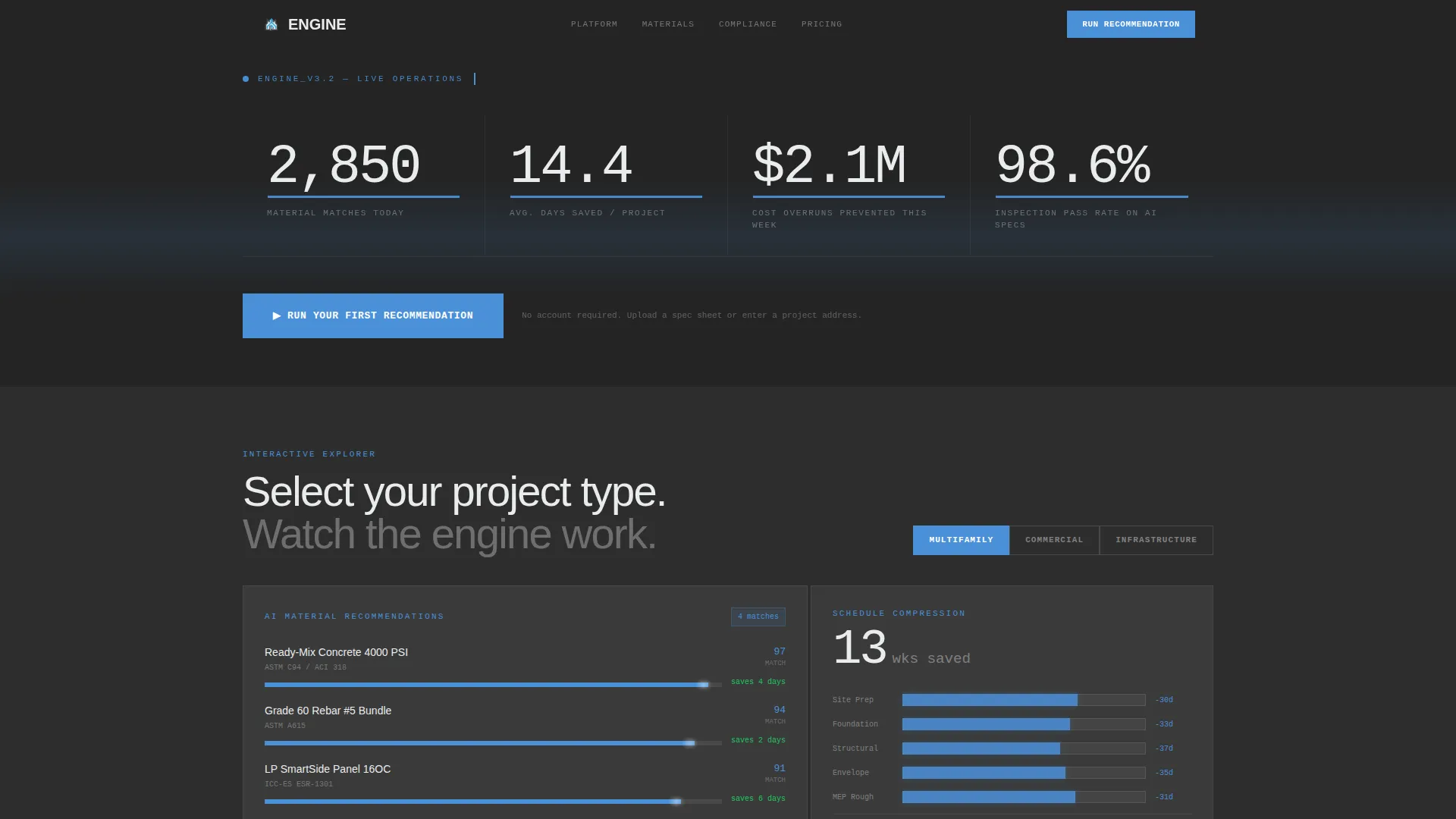
- A live stats wall header with ticking counters and sky-blue pulsing underlines
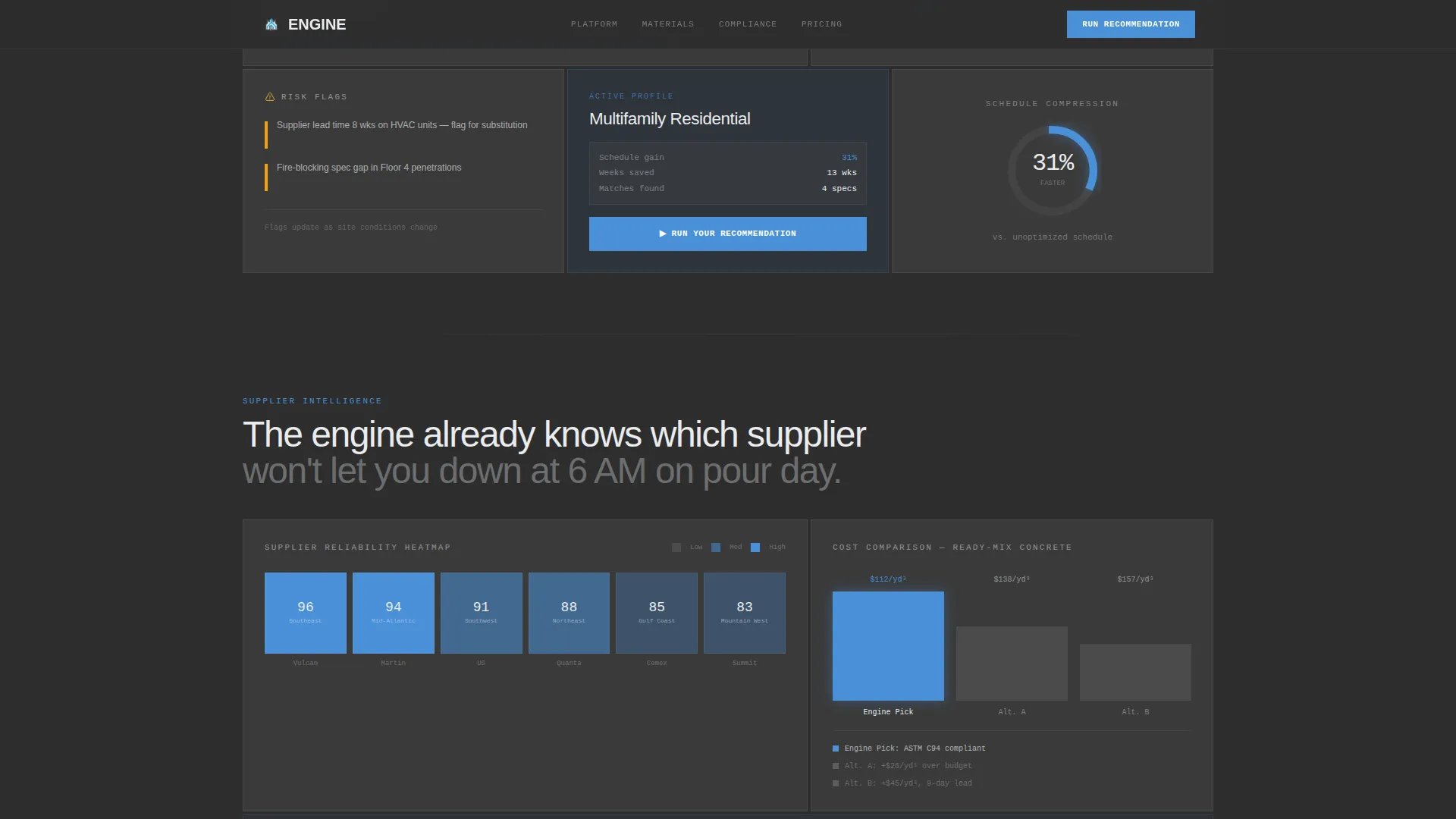
- An interactive bento grid that reorganizes by project type, showing material cards, risk flags, and a compressed Gantt-style timeline
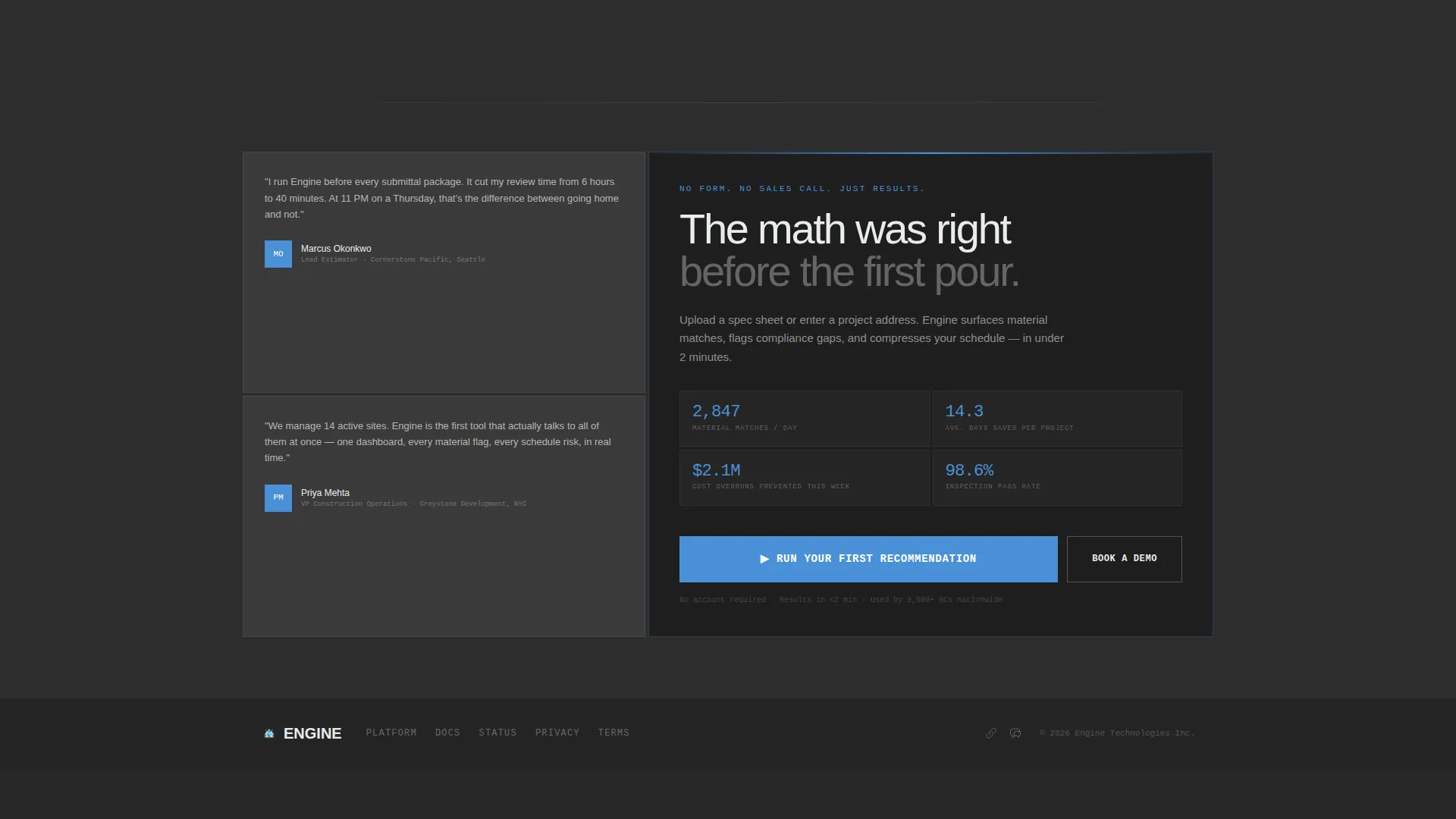
- A full-width closing call-to-action card with the primary "Run Your First Recommendation" button
Feature list
This template is built around six core capabilities drawn directly from the product brief and the bento grid format.
Live Stats Wall Header
The header displays four oversized, monospaced ticking metrics: material matches per day, average days saved per project, cost overruns prevented, and inspection pass rate. Sky-blue underlines pulse beneath each number, creating a control-room atmosphere before the visitor scrolls once.
Interactive Project Type Explorer
A bento card lets visitors select a project type, such as multifamily, commercial, or infrastructure. The grid below responds immediately: material recommendation cards shuffle, risk flags surface, and a Gantt-style timeline compresses to visualize schedule savings.
Material Intelligence Bento Cells
Dedicated cells display a supplier reliability heatmap and a cost-comparison bar chart. The AI-recommended option glows sky blue against two gray alternatives, making the recommendation logic visible and convincing without a single word of explanation.
Compliance Engine Checklist
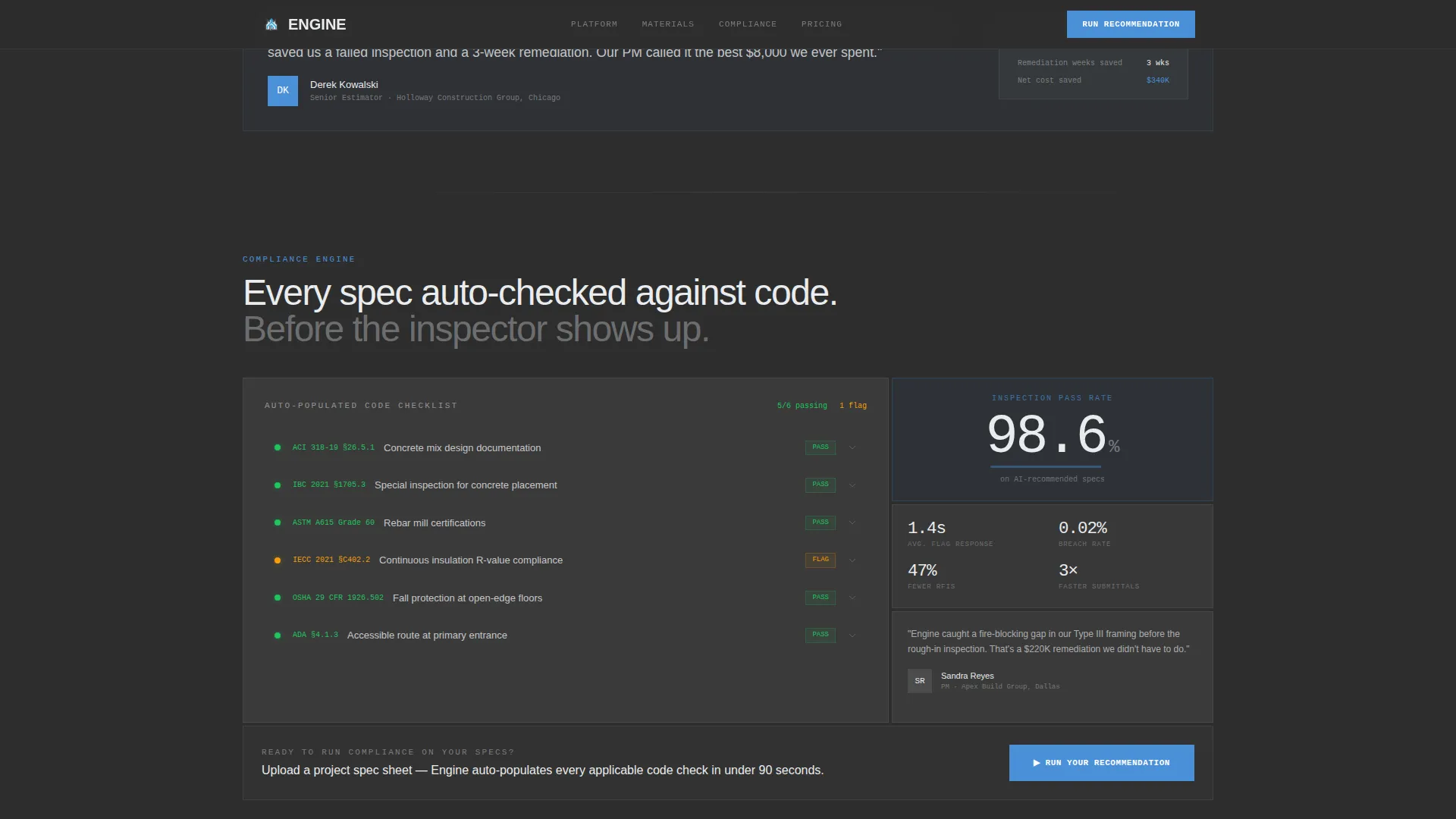
A bento cell auto-populates a code-compliance checklist based on the selected project type. It references US construction code standards, giving estimators and project managers an immediate sense of how the engine handles inspection risk.
Repeating Contextual Call to Action
The "Run Your First Recommendation" button appears three times: anchored below the stats wall, embedded inside interactive bento cells after each interaction, and as a full-width closing card. Each placement feels like a natural next step rather than a hard sell.
Bold Brutalist Bento Grid Layout
Every card sits like a poured concrete panel: hard edges, zero border radius, dark charcoal backgrounds, and formwork-white typography. Sky blue appears only where the system is actively working, keeping the visual hierarchy clean and purposeful.
Page sections overview
| Section | Purpose |
|---|---|
| Hero Stats Wall | Live ticking metrics establish credibility instantly |
| Interactive Project Explorer | Project type selector reorganizes the bento grid live |
| Material Intelligence | Supplier heatmap and cost-comparison bar chart |
| Compliance Engine | Auto-populating code checklist with inspection pass rate |
| Final Call to Action | Full-width brutalist close drives demo click |
| Footer | Linear single-row footer with minimal navigation |
Design & branding system
The visual identity is Bold Brutalist, built to feel like standing on an exposed rooftop deck mid-construction. Backgrounds are unapologetically dark. Cards have hard edges and no border radius. Sky blue appears only where the system is actively working.
- Color palette: poured-concrete charcoal (#2D2D2D) for backgrounds, rebar dark gray (#4A4A4A) for secondary surfaces, open-sky blue (#4A90D9) for interactive accents and data highlights, and formwork white (#EAECEE) for card surfaces and typography
- Typography: JetBrains Mono for all numbers and data displays, Manrope for headings and body copy
- Animation approach: GSAP scroll triggers power the ticking counters, bento grid reorganization, and interactive chart states
Mobile & speed optimization
This template is built desktop-first. General contractors and estimators typically review proposals on large screens in job trailers or office environments, so the bento grid is designed and tested for widescreen layouts first.
- Static sections use server components to keep initial load lean while interactive bento cells load as client components
- The bento grid is structured to remain navigable on smaller screens, even though the primary experience targets desktop viewports
- High-animation elements such as ticking counters and grid shuffle effects are scoped to interactive client components to avoid blocking the static render
How this template helps you convert
The page is built as a click-through funnel. There is no form to fill out. The entire experience is designed to earn the demo click through progressive proof, not persuasion copy.
- Visitors interact with the bento grid before they reach any call to action, so by the time they see "Run Your First Recommendation," clicking feels like continuing something they already started rather than making a commitment.
- Hard metrics in the stats wall (2,847 material matches per day, 14.3 average days saved, 98.6 percent inspection pass rate on AI-recommended specs, and $2.1 million in cost overruns prevented in a week) do the trust work that a testimonial paragraph cannot match in a time-pressured B2B context.
- The repeating call-to-action placement ensures that a visitor who is convinced at any scroll depth can act immediately without searching for the next step.
Other information about this template
This template is categorized under Technology, specifically AI for Construction, and is designed for the construction AI recommendation engine niche. A few additional details are worth noting before you build with it.
- The landing page direction is click-through, meaning no lead-capture form appears on the page itself; the conversion action sends visitors into a guided onboarding flow where they upload a spec sheet or enter a project address
- The template references US construction code standards including the International Building Code (IBC), American Concrete Institute standards (ACI), and ASTM International material standards, making the compliance checklist section feel authentic to the target audience
- Role-specific social proof is built into the design intent, with hard metrics that speak to general contractors, estimators, and project managers by name
- The bento grid format means every cell is a discrete, self-contained module, making it straightforward to customize individual cells without rebuilding the full layout
- The template intersection match score for this category, subcategory, and niche combination is 13, indicating a strong alignment between the template style, creative direction, and the construction AI product category
Theme
Bold Brutalist
Creative direction
Interactive Explorer
Color system
Slate & Sky
Style
Bento Grid
Direction
Click-Through
Page Sections
Live Ticking Stats Wall
Interactive Bento Grid Explorer
Material Intelligence Cells
Auto-populating Compliance Checklist
Repeating Contextual Call to Action
Bold Brutalist Card System
Related questions
Who is this landing page template designed for?
Does this template include a lead capture form?
Can I customize the bento grid cells independently?
What animation approach does the template use?
Can this template work for a non-construction AI product?



