Followup - Powerful Travel Landing Page Template
Followup is a hub-and-spoke landing page template built for a travel follow-up email platform. It guides revenue managers, growth leads, and lifecycle marketers from an uncomfortable look at booking abandonment straight through to a confident trial signup. The page uses a Tech Glass aesthetic with a Void & Violet color system to position the product as a precision recovery tool.
by Rocket studio
Quick summary
Followup is a single-page, anchor-navigated landing page template for a travel follow-up email platform. It walks visitors through a tight Problem-to-Solution arc, from animated revenue-loss counters all the way to a zero-credit-card trial signup. The design runs on void black and electric orchid, built to feel like a live dashboard recovering money while you sleep.
Who this template is for
This template is built for B2B software-as-a-service (SaaS) teams selling re-engagement tools to the travel industry. If your buyers are skeptical, data-driven, and mid-funnel, this page structure meets them where they are.
- Revenue managers at boutique hotel groups who track abandonment losses quarterly
- Growth leads at online travel agency (OTA) startups who need fast trial signups
- Lifecycle marketers at airline loyalty programs watching intent data go cold
What problem this template solves
Travel booking platforms lose significant revenue every time a traveler abandons a cart, downgrades a room, or ignores a saved itinerary. Most landing pages in this space fail to make that loss feel real before pitching a solution. This template fixes that sequence.
- Visitors feel the scale of the abandonment problem before seeing any product claims
- The page earns trust through case-study proof and a feature comparison matrix
- A built-in revenue calculator seeds urgency right before the trial signup ask
What you get with this template
You get a fully structured hub-and-spoke landing page with a persistent anchor navigation bar, four named spoke sections, and two distinct conversion paths. Every visual and structural decision reflects the source brief down to the toast notification copy.
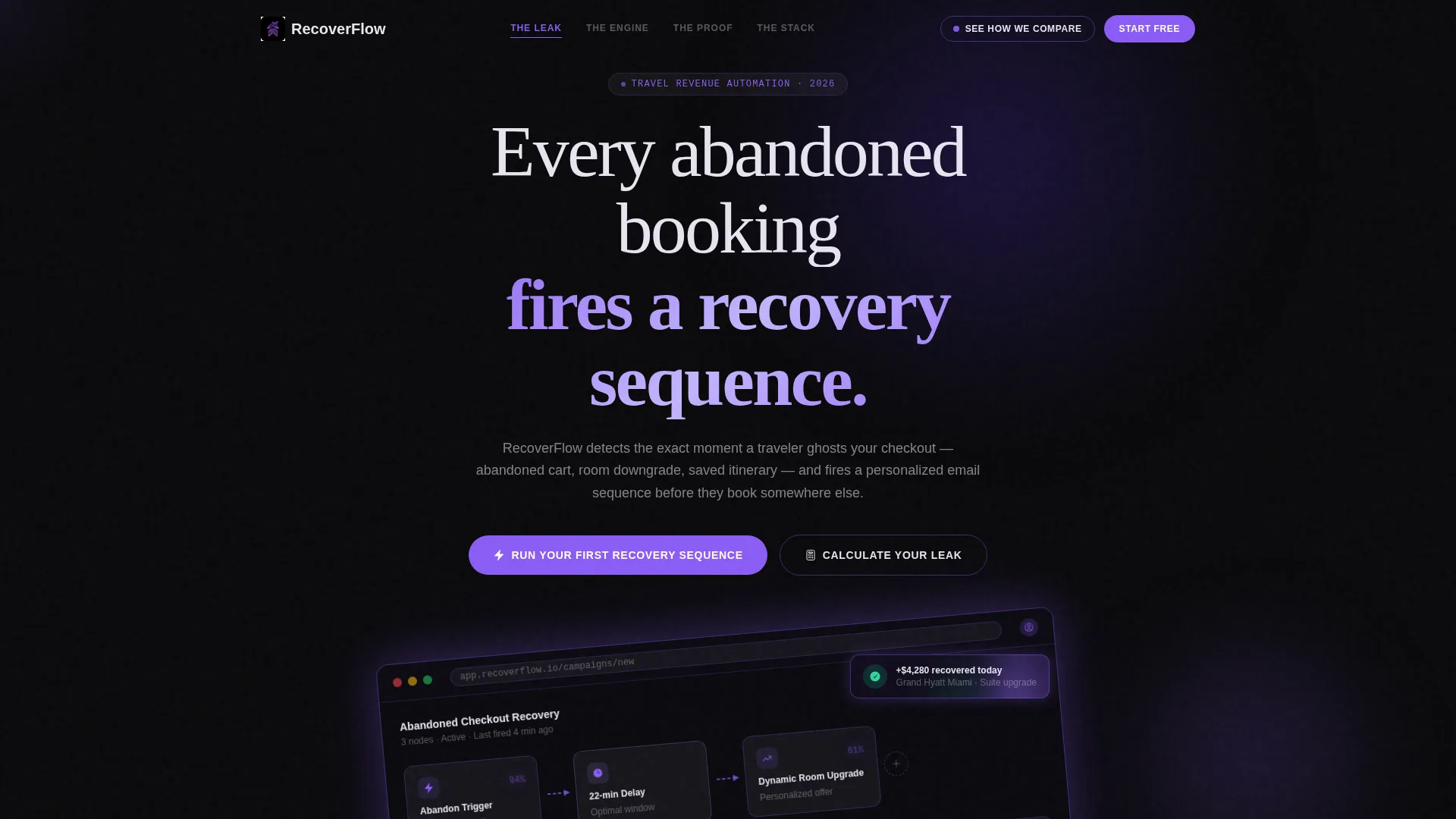
- A product screenshot header showing a live campaign builder mid-flow with recovery stats
- Four spoke sections: "The Leak," "The Engine," "The Proof," and "The Stack"
- A sticky comparison button, an interactive revenue calculator, and a primary trial signup form
Feature list
This template ships with six purpose-built components drawn directly from the brief. Each one moves a comparison-minded buyer one step closer to signing up.
Persistent Anchor Navigation Bar
A sticky top nav links directly to "The Leak," "The Engine," "The Proof," and "The Stack." Buyers who already know what they need can jump straight there without scrolling through sections they have already evaluated.
Animated Revenue-Loss Counters
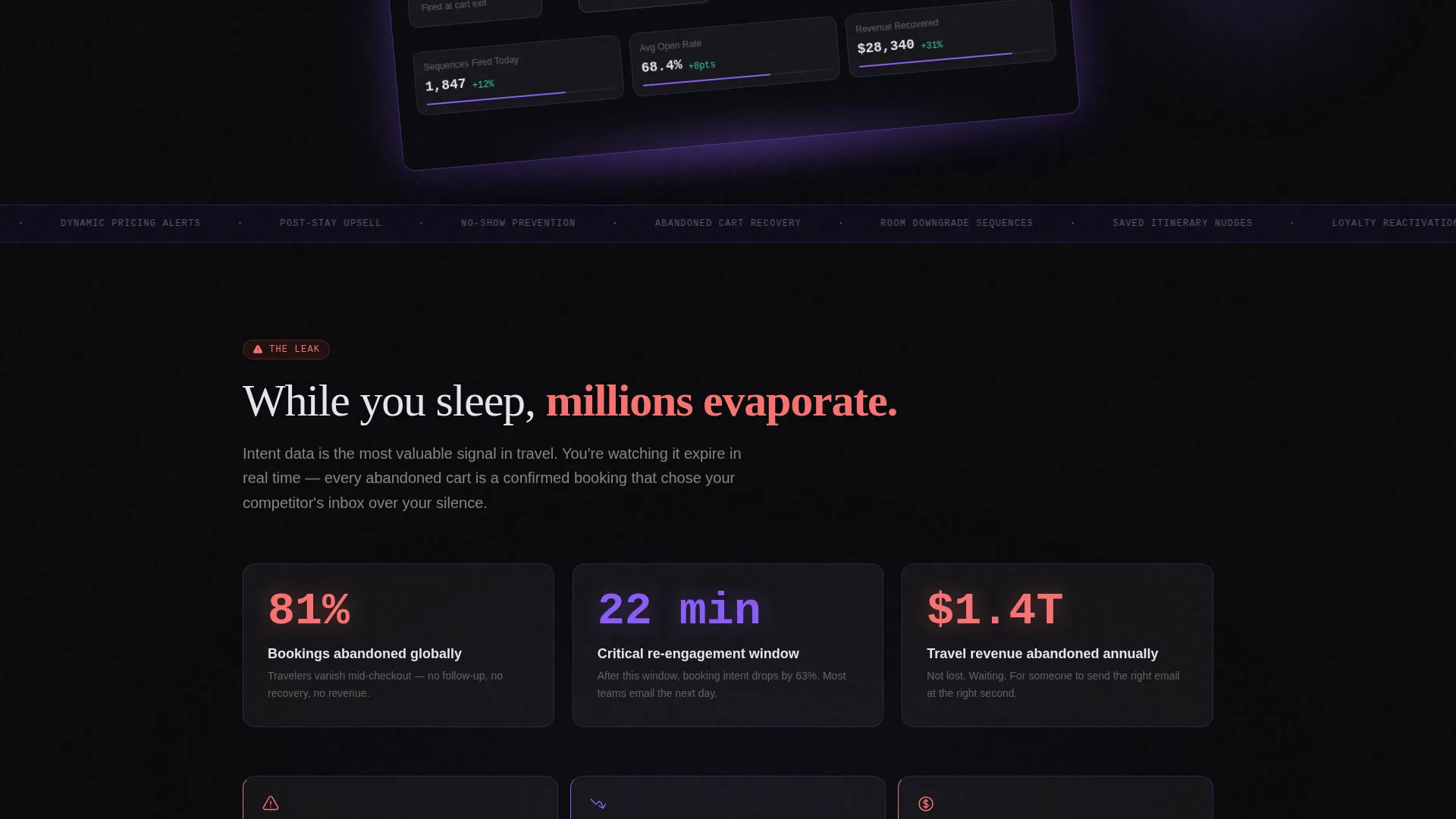
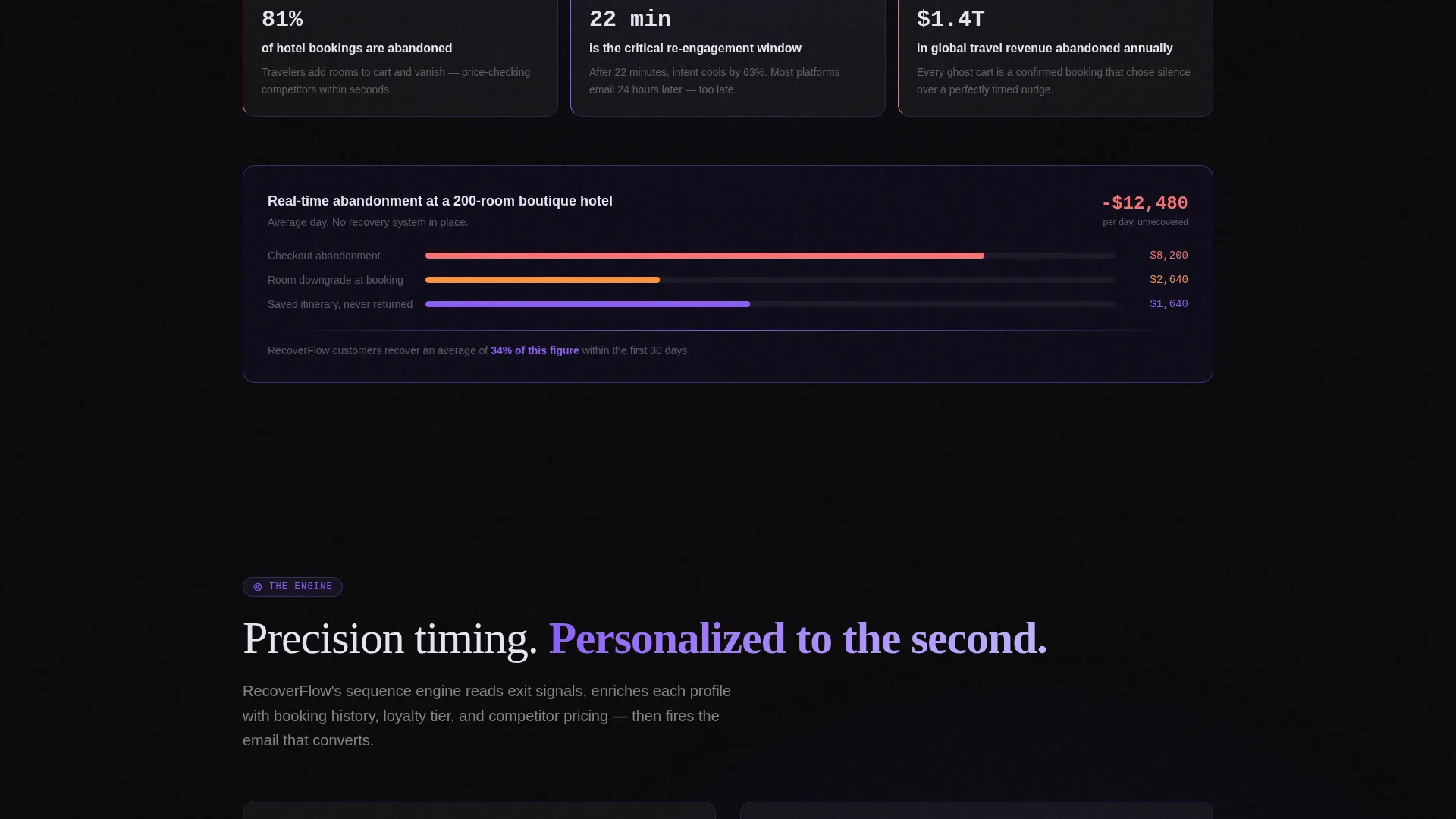
"The Leak" section opens with counters that tick upward in real time, showing abandonment figures that feel uncomfortable. This visceral framing makes the product's recovery angle immediately relevant rather than abstract.
Interactive Email Sequence Previews
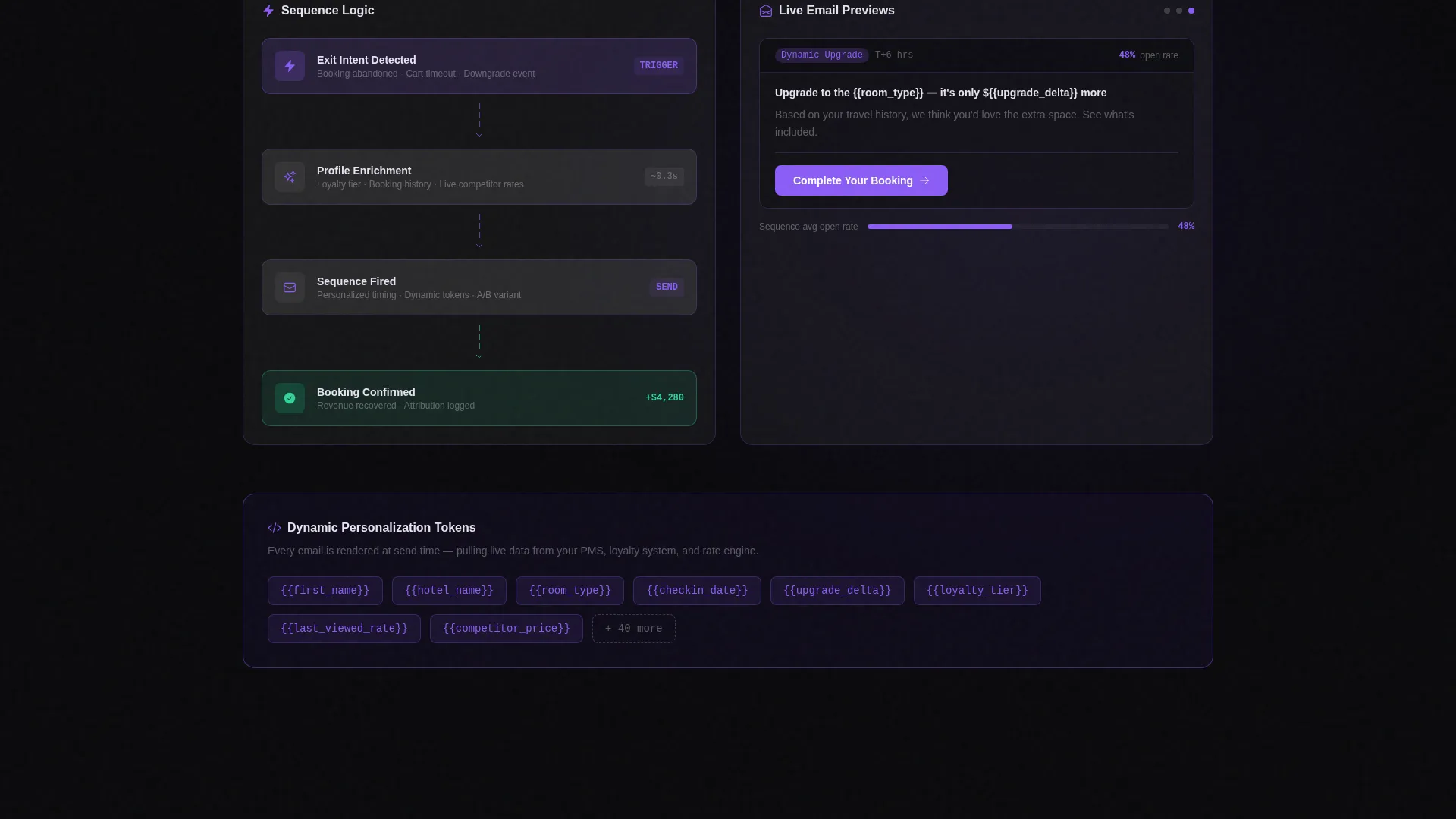
"The Engine" section displays drag-and-drop sequence logic with labeled nodes, live open-rate percentages, and personalization token breakdowns. Visitors see the product in motion before they ever click a call to action.
Case Study Proof Cards
"The Proof" section holds named hotel brand cards with hard recovery percentages. These cards give revenue managers the specific evidence they need to justify a trial to a finance team.
Competitor Feature Comparison Matrix
A sticky orchid button opens a detailed matrix comparing the platform against other email journey tools. The matrix includes travel-specific capability rows highlighted in violet, with clear checkmarks and missing-feature callouts.
Interactive Revenue Recovery Calculator
Visitors enter their abandonment rate and average booking value to see an estimated recovered revenue figure. This calculator runs before the signup ask, converting curiosity into a personalized urgency moment.
Page sections overview
| Section | Purpose |
|---|---|
| Header Screenshot | Shows the campaign builder mid-flow with a recovery toast notification |
| Anchor Nav Bar | Lets buyers jump to the spoke section most relevant to them |
| The Leak | Confronts visitors with animated abandonment loss counters and stats |
| The Engine | Demonstrates the email sequence builder with interactive previews |
| The Proof | Delivers named case-study cards with hotel brand recovery data |
| The Stack | Presents the comparison matrix and technology capability overview |
| Revenue Calculator | Converts abandonment inputs into a personalized recovery estimate |
| Primary call to action Block | Collects work email and monthly booking volume for trial signup |
Design & branding system
The visual identity runs on the Void & Violet color system. Every design decision reinforces the feeling of precision recovery happening in the dark, with just enough luminous violet to signal that the system is alive and working.
- Backgrounds stay in absolute void black (#09090B) with deep phantom violet (#2D1B69) for depth layers
- Cards float on frosted glassmorphism surfaces with violet-tinted borders and frosted glass white (#E8E4F0) text
- Electric orchid (#8B5CF6) drives every interactive element including hover states, the progress bar, and the anchor nav highlights
Mobile & speed optimization
The template is structured for clean rendering across screen sizes. The hub-and-spoke layout keeps navigation accessible on mobile without losing the dark, immersive feel of the desktop experience.
- The sticky anchor nav collapses gracefully on smaller screens so spoke labels stay reachable
- Glassmorphism card layers are scoped to avoid heavy visual stacking on narrow viewports
- The product screenshot header uses a frameless glass device frame that scales without cropping key user interface elements
How this template helps you convert
The page is engineered around two conversion paths that work together. Visitors who are ready sign up immediately; visitors who are skeptical get pulled toward the calculator first, then surface primed for the trial ask.
- The "Calculate Your Leak" calculator personalizes the revenue recovery estimate before the signup form appears, making the primary call to action feel like a logical next step rather than a cold ask.
- The sticky "See How We Compare" button keeps the comparison matrix one tap away at all times, so buyers evaluating alternatives never have to leave the page to get their questions answered.
Other information about this template
This template sits at the intersection of the Technology category and the Travel Email Templates subcategory, built specifically for the travel follow-up email niche. It is a strong fit for teams building comparison-led or pain-first acquisition funnels in the travel software-as-a-service space.
- The primary call to action reads "Run Your First Recovery Sequence" and requires only a work email and monthly booking volume
- The secondary call to action reads "Calculate Your Leak" and opens the interactive recovery calculator
- The page style is Hub and Spoke with Anchor Nav, making it well-suited to buyers who arrive mid-funnel and want to control their own evaluation path
- The header product screenshot includes a visible toast notification reading "+$4,280 recovered today," a drag-and-drop sequence with three labeled nodes, and live open-rate percentages glowing in orchid
Theme
Tech Glass
Creative direction
Problem→Solution Arc
Color system
Void & Violet
Style
Hub & Spoke (Anchor Nav)
Direction
Comparison/Versus
Page Sections
Persistent Anchor Navigation Bar
Animated Revenue-loss Counters
Interactive Email Sequence Builder Preview
Case Study Proof Cards
Competitor Feature Comparison Matrix
Interactive Revenue Recovery Calculator
Related questions
Who is this landing page template designed for?
What are the two conversion paths built into this template?
Can I customize the spoke section names and labels?
Does the comparison matrix come pre-populated with competitor data?
Is the revenue recovery calculator a functional interactive component?



