Aquatic Fitness Center Website Template for Hesitant First-Timers
Flow is a scroll-reveal landing page template built for aquatic fitness centers. It guides hesitant first-timers through a warm, meditative visual experience, from a drone-shot video header to a five-question guided assessment. The Desert Rose color system and progressive section reveals create a page that feels as calm and inviting as lowering into a heated pool.
by Rocket studio
Quick summary
Flow is a single-page, scroll-triggered landing page template for aquatic fitness and rehabilitation centers. It opens with a cinematic video header, walks visitors through a step-by-step guided narrative, and closes with a personalized quiz that matches each visitor to a class, instructor, and session time. Every design choice reflects warmth, trust, and gentle forward motion.
Who this template is for
This template is built for aquatic fitness businesses that serve clients with real physical needs, not just general gym-goers. It works especially well when your audience includes people who have hesitated before, whether from fear, injury, or a bad gym experience.
- Aquatic fitness centers offering rehab, prenatal, and general fitness programming
- Pool-based wellness studios serving post-surgical patients, retirees, and athletes
- Instructors or facility owners who need a landing page that builds trust before asking for a commitment
What problem this template solves
Most fitness landing pages assume the visitor is already motivated. Aquatic fitness clients are often cautious. They have questions, physical concerns, and real hesitations that a generic schedule page cannot address.
- Visitors leave before converting because no page section speaks to their specific concern
- New clients do not know what to expect, so they do not book
- A single generic call to action fails the wide range of people an aquatic center actually serves
What you get with this template
You get a fully structured, scroll-reveal landing page with a clear narrative arc. Each section appears as the visitor scrolls deeper, keeping attention focused and anxiety low.
- A cinematic scroll-triggered video header with overlay text
- Three guided content sections that answer the most common first-timer objections
- A five-question personalized quiz that delivers a class recommendation with an instructor name and next available session
Feature list
This template includes a focused set of purpose-built features, each designed to move a hesitant visitor gently toward commitment.
Scroll-Triggered Video Header
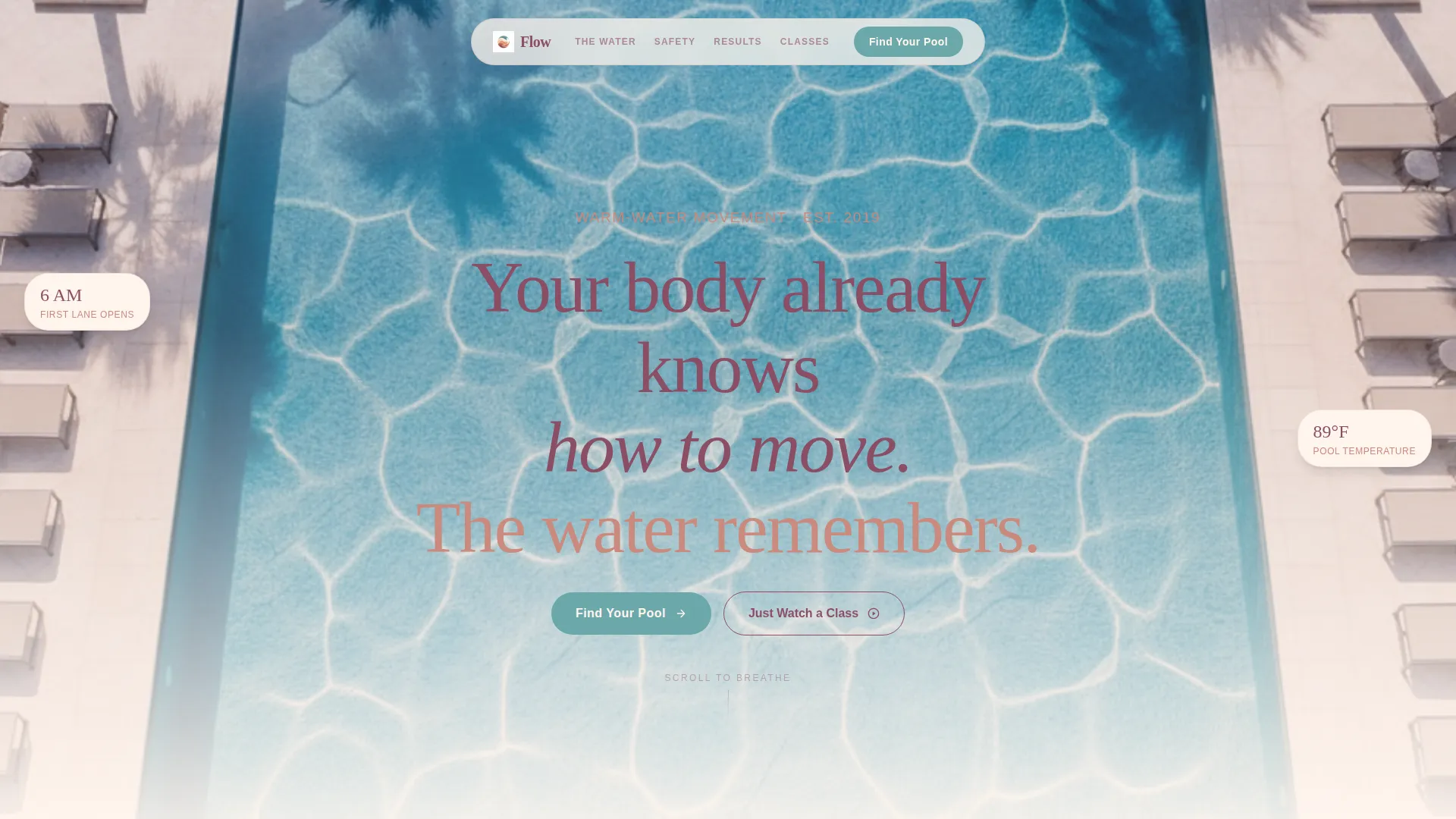
The page opens with a full-viewport drone-shot video of a still pool surface. As the visitor scrolls, a single swimmer enters the frame in slow motion. Silent and unhurried, the video sets a meditative tone before a word is read. Overlay text appears mid-scroll in deep clay type.
Progressive Scroll Reveal Sections
Each content section fades into view only when the visitor reaches it. The reveal rhythm follows an inhale-exhale pattern: a question appears, then its answer. Nothing loads ahead of the visitor's attention, so the page never overwhelms.
Step-by-Step Session Guide
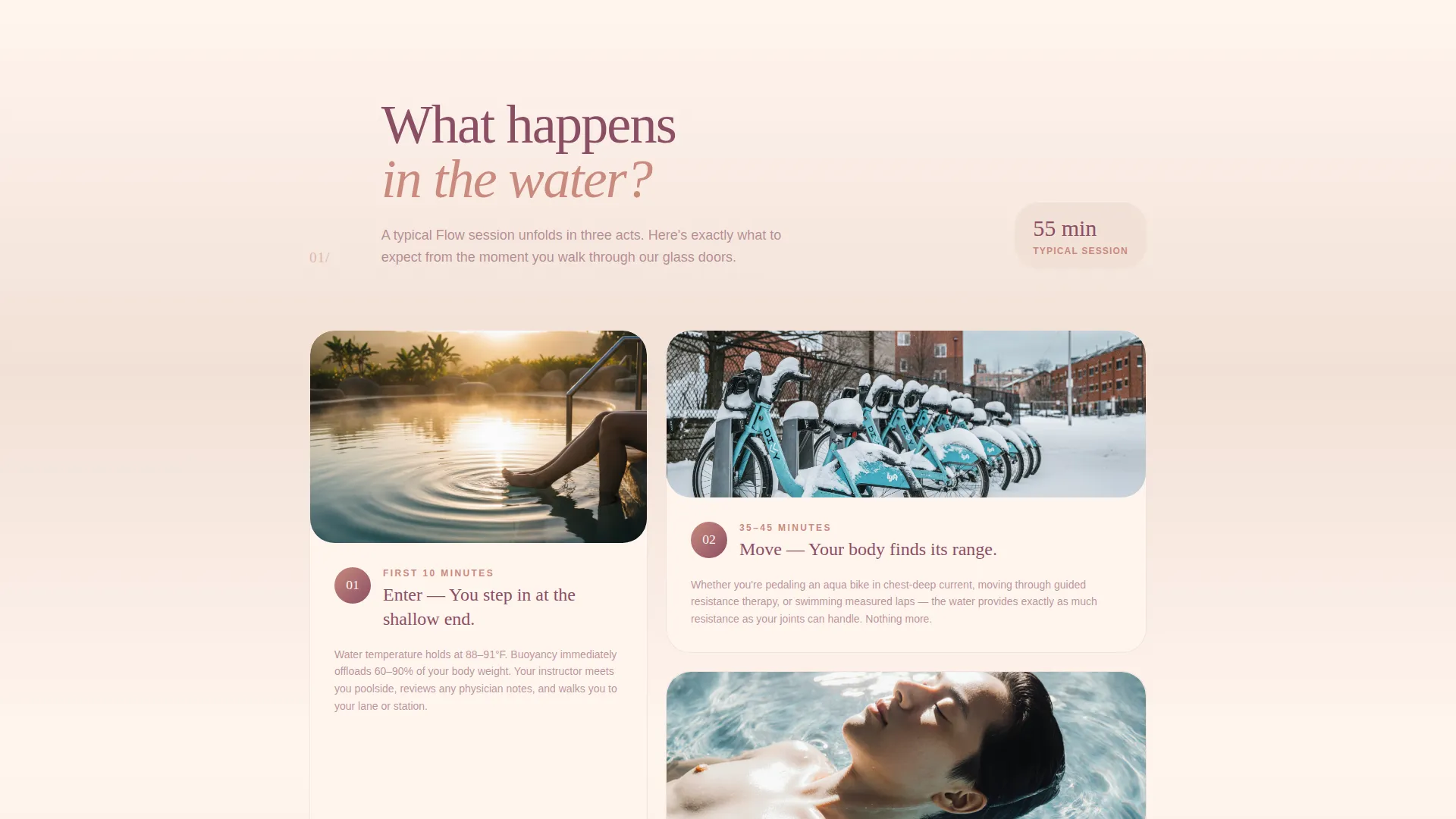
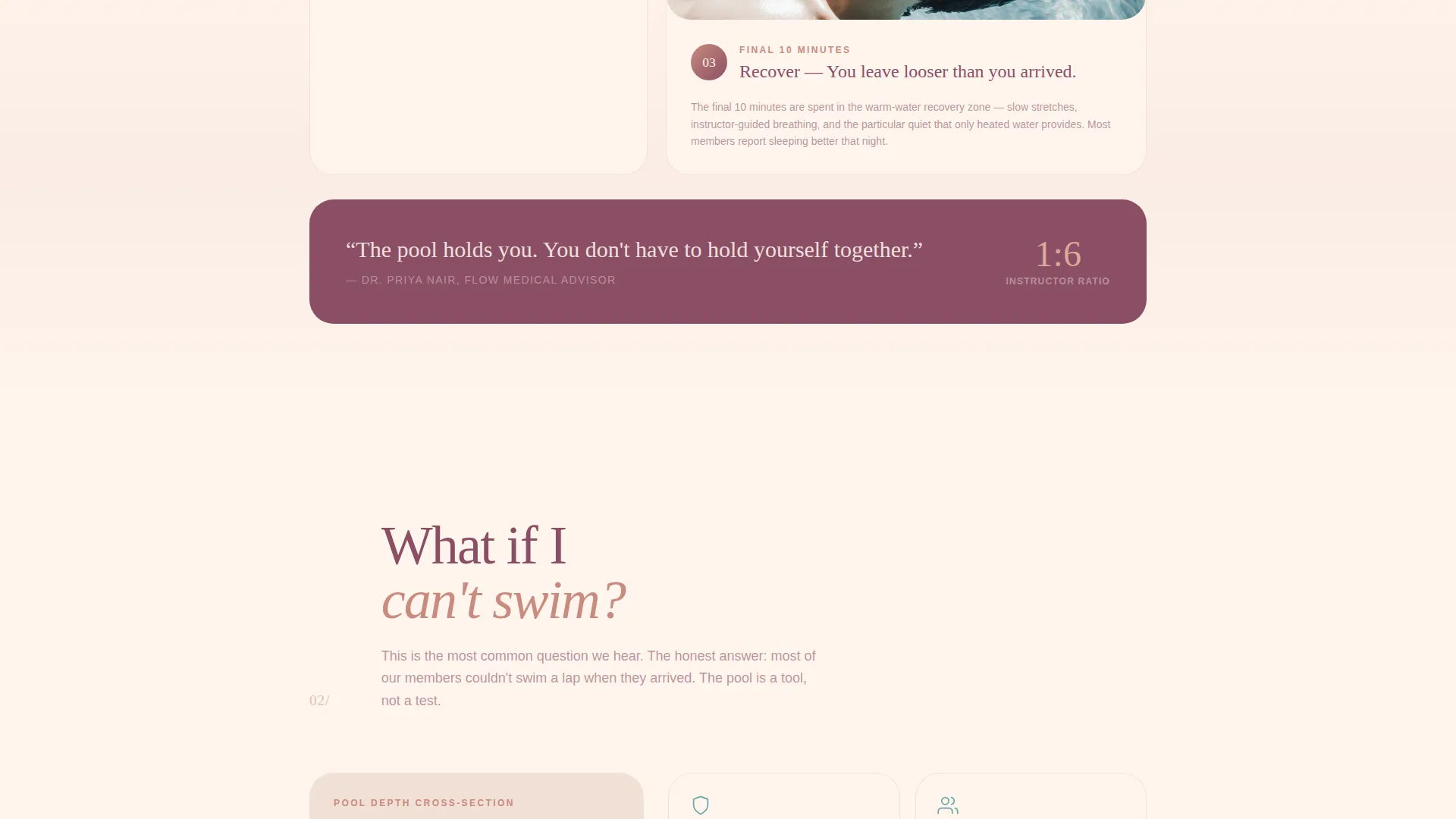
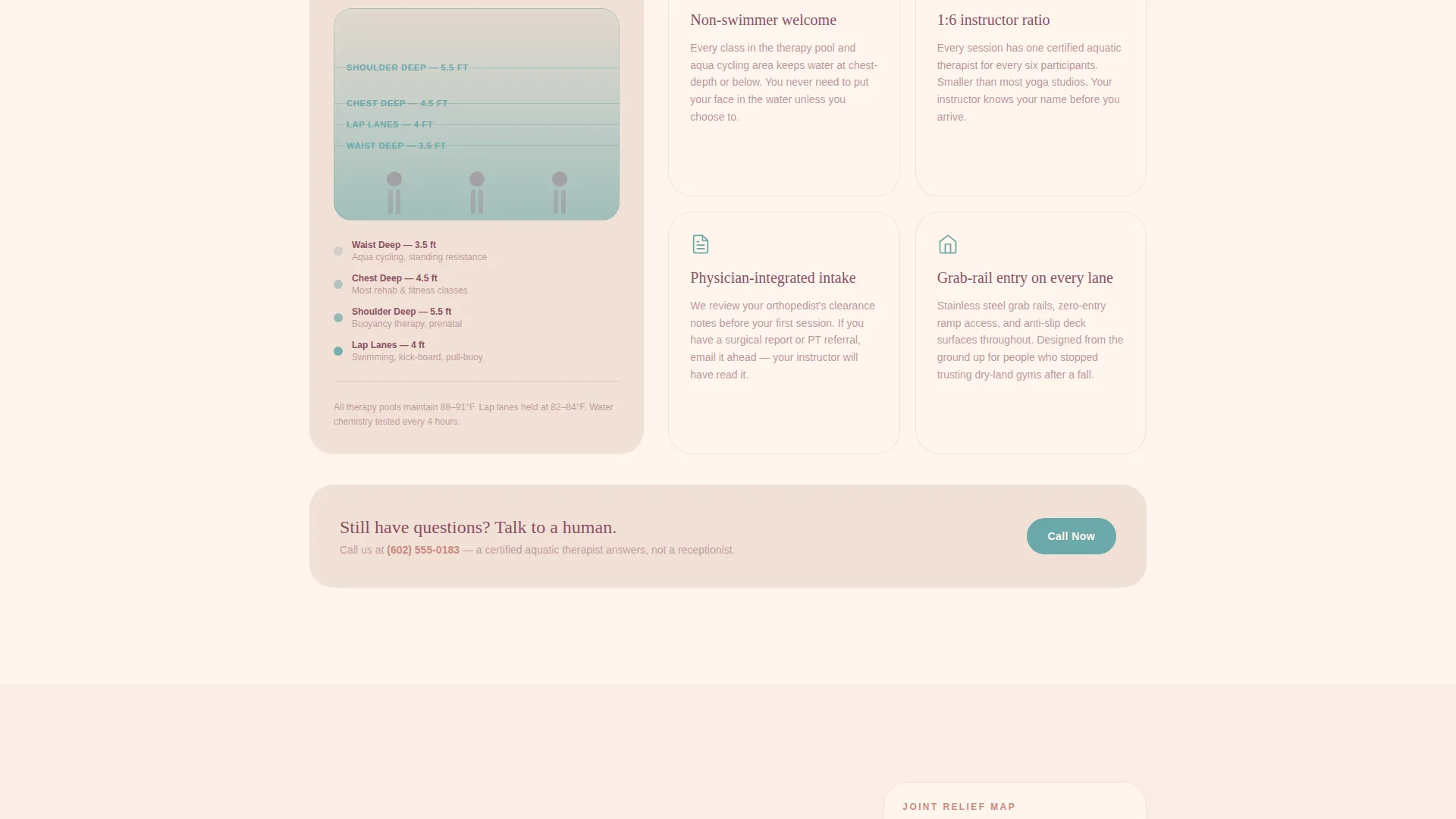
Three illustrated sections walk a first-time visitor through a full aquatic session. Section one covers what happens in the water. Section two addresses the top objection ("What if I can't swim?") with pool-depth diagrams and instructor-to-student ratios. Section three shows what recovery feels like, supported by member testimony and body-diagram animations.
Five-Question Personalized Quiz
The primary call to action, labeled "Find Your Pool," launches a guided five-question assessment. It captures mobility level, primary goal, comfort in water, preferred session time, and any physician referral. Results return a named instructor, a specific class recommendation, and the next available session time.
Dual Conversion Paths
Visitors who are not ready to book can follow a secondary path: "Just Watch a Class." This links to a sixty-second underwater video, giving undecided visitors a low-stakes way to stay engaged without leaving the page.
Desert Rose Visual Identity
The full Desert Rose color system is built into every element. Dusted terracotta, pale sand, deep clay, warm cream, and muted teal are applied consistently across backgrounds, headlines, and interactive states. Gradients move vertically down the page, warming as the visitor scrolls.
Page sections overview
| Section | Purpose |
|---|---|
| Video Hero Header | Opens the page with a cinematic pool surface drone shot and scroll-triggered swimmer reveal |
| Overlay Text Block | Delivers the brand message in deep clay type mid-scroll over the video |
| What Happens in Water | Step one of the session guide: enter, move, recover with illustrated breakdown |
| What If I Can't Swim | Step two: addresses the top objection using pool-depth diagrams and instructor ratios |
| What Will I Feel After | Step three: member testimony paired with joint-loosening body-diagram animations |
| Find Your Pool Quiz | Five-question assessment delivering a personalized class, instructor, and session slot |
| Just Watch a Class | Secondary call to action linking to a sixty-second underwater class video |
Design & branding system
The Desert Rose palette is the emotional core of this template. Every color choice was made to signal warmth, safety, and physical ease rather than performance or intensity.
- Backgrounds use warm cream (#FFF5EE) with vertical gradients dissolving from dusted terracotta (#C98A7D) through pale sand (#F2E0D6) as the visitor scrolls
- Headlines and anchoring elements use deep clay (#8B4F65); interactive states and calls to action use muted teal (#6BA8A9) exclusively
- The soft gradient theme moves the visitor through a visual arc that mirrors the physical sensation of easing into warm water
Mobile & speed optimization
The template is designed with a progressive reveal structure that keeps each section focused and lightweight. Content appears only as the visitor reaches it, which helps maintain a clean, uncluttered experience on smaller screens.
- Scroll-triggered sections stack cleanly on mobile viewports without layout collapse
- The quiz flow is designed as a step-by-step sequence, making it easy to complete on a phone with one hand
How this template helps you convert
The page is structured as a guided conversation, not a brochure. Every section answers a real question before asking the visitor to act.
- The video header and progressive reveals lower anxiety before any service details appear, so visitors stay on the page long enough to trust the offer.
- The five-question quiz replaces a generic schedule with a personalized result, giving each visitor a specific reason to book rather than browse.
Other information about this template
Flow was designed at the intersection of aquatic wellness and thoughtful conversion design. It is a strong fit for any pool-based fitness or rehabilitation offering that serves clients who need reassurance as much as information.
- The template style is Scroll Reveal (Progressive), meaning sections animate into view one at a time as the visitor scrolls
- The header concept is a Scroll-Triggered Video, a full-viewport format that works well for sensory-led wellness brands
- The creative direction follows a Step-by-Step Guide structure, ideal for services where the visitor needs to understand the process before they trust the outcome
- The landing page direction is Quiz and Assessment, which suits high-consideration decisions like therapeutic or rehabilitative fitness
- This template sits within the Wellness and Fitness category, specifically the Gym and Fitness Center subcategory, with a niche focus on aquatic fitness centers
Theme
Soft Gradient
Creative direction
Step-by-Step Guide
Color system
Desert Rose
Style
Scroll Reveal (Progressive)
Direction
Quiz/Assessment
Page Sections
Scroll-triggered Video Header
Progressive Scroll Reveal Layout
Step-by-step Session Guide
Five-question Personalized Quiz
Dual Conversion Path Design
Desert Rose Color System
Related questions
Does this template require a real pool video to work?
Can the quiz questions be customized for my class schedule?
Who is this template best suited for?
Is the secondary 'Just Watch a Class' path required?
What makes this template different from a standard gym landing page?