Yoga Studio vs Competitors Comparison Website Template
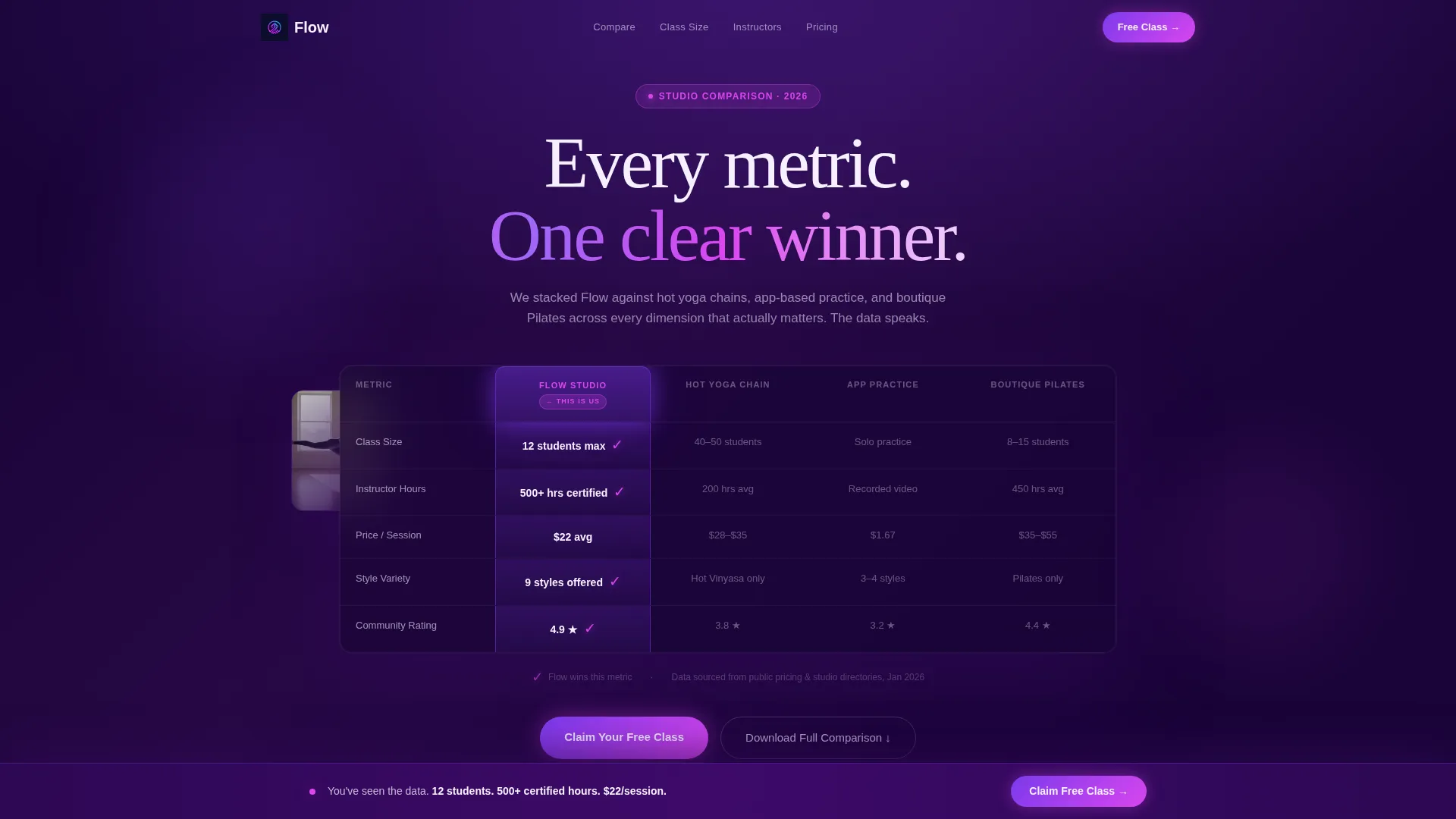
Flow is a single-page yoga studio landing page template built around a live comparison table. It stacks your studio against hot yoga chains, app-based practice, and boutique Pilates across five key metrics. With a floating call-to-action bar, a class-time selector, and a gated PDF download path, it turns undecided visitors into booked leads before they leave the page.
by Rocket studio
Quick summary
Flow is a high-impact yoga studio landing page template designed around one goal: winning the comparison. A pre-loaded dashboard header shows your studio outperforming three competitor formats across five measurable metrics. Every scroll section deepens that case with visual evidence, a pricing slider, and credential displays. The page closes with a pinned "Claim Your Free Class" bar and a secondary PDF download path.
Who this template is for
This template is built for yoga studio owners and wellness entrepreneurs who need to convert research-mode visitors into booked students. It works especially well when your studio competes against lower-cost or more familiar alternatives.
- Studio owners positioning against large hot yoga chains or app-based home practice
- Independent instructors or boutique studios that want to show depth of credentials and community
- Wellness brands launching a lead generation push for new-student intake campaigns
What problem this template solves
Most yoga studio pages rely on mood and aesthetics to attract students. That works for browsers, but it stalls decision-makers who are actively comparing options. Burned-out professionals, postpartum mothers returning to movement, and recreational athletes with tight schedules all need a reason, not just a vibe.
- Visitors arrive already comparing you to competitors, but your page gives them no structured answer
- Credential depth, class size, and pricing are buried or missing entirely
- There is no clear conversion path for visitors who are still in research mode
What you get with this template
You get a fully structured, single-page comparison landing page ready to customize. Every section is built to serve a specific persuasion function, from the opening data dashboard to the closing form.
- A stylized comparison table header showing your studio against three competitor formats across five metrics
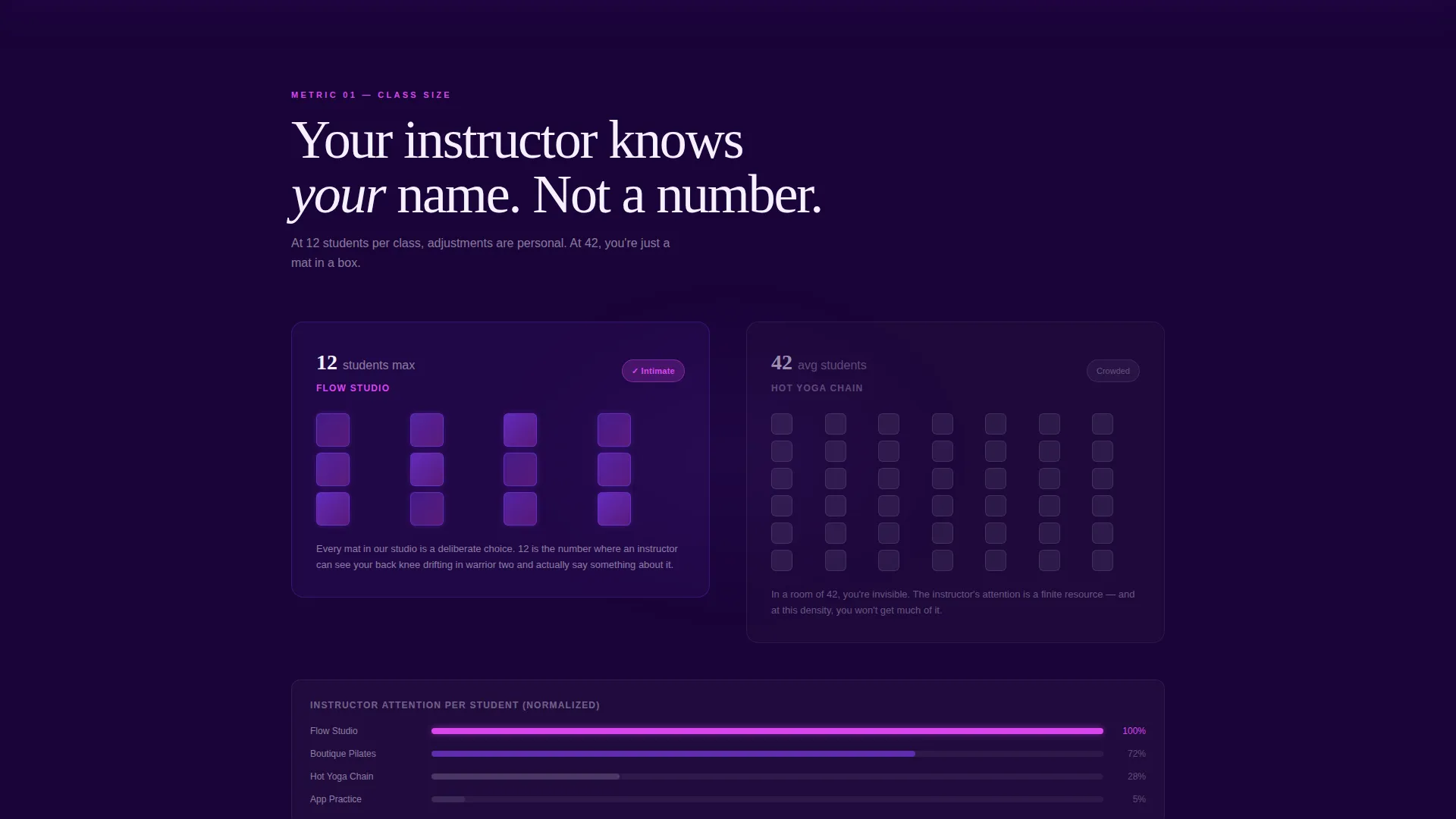
- Scroll-triggered evidence sections that isolate class size, instructor credentials, pricing, style variety, and community rating
- A floating "Claim Your Free Class" call-to-action bar with a three-field form and tap-to-select class time buttons
- A secondary "Download the Full Studio Comparison" path that captures email from visitors still in research mode
Feature list
This template delivers its conversion argument through a set of purpose-built components. Each one is described below.
Live Comparison Dashboard Header
The header renders a class-comparison interface pre-loaded with data. Your studio column pulses subtly in violet, with every winning metric bolded and every checkmark rendered in kinetic magenta. Visitors read the outcome before they scroll a single pixel.
Scroll-Triggered Metric Sections
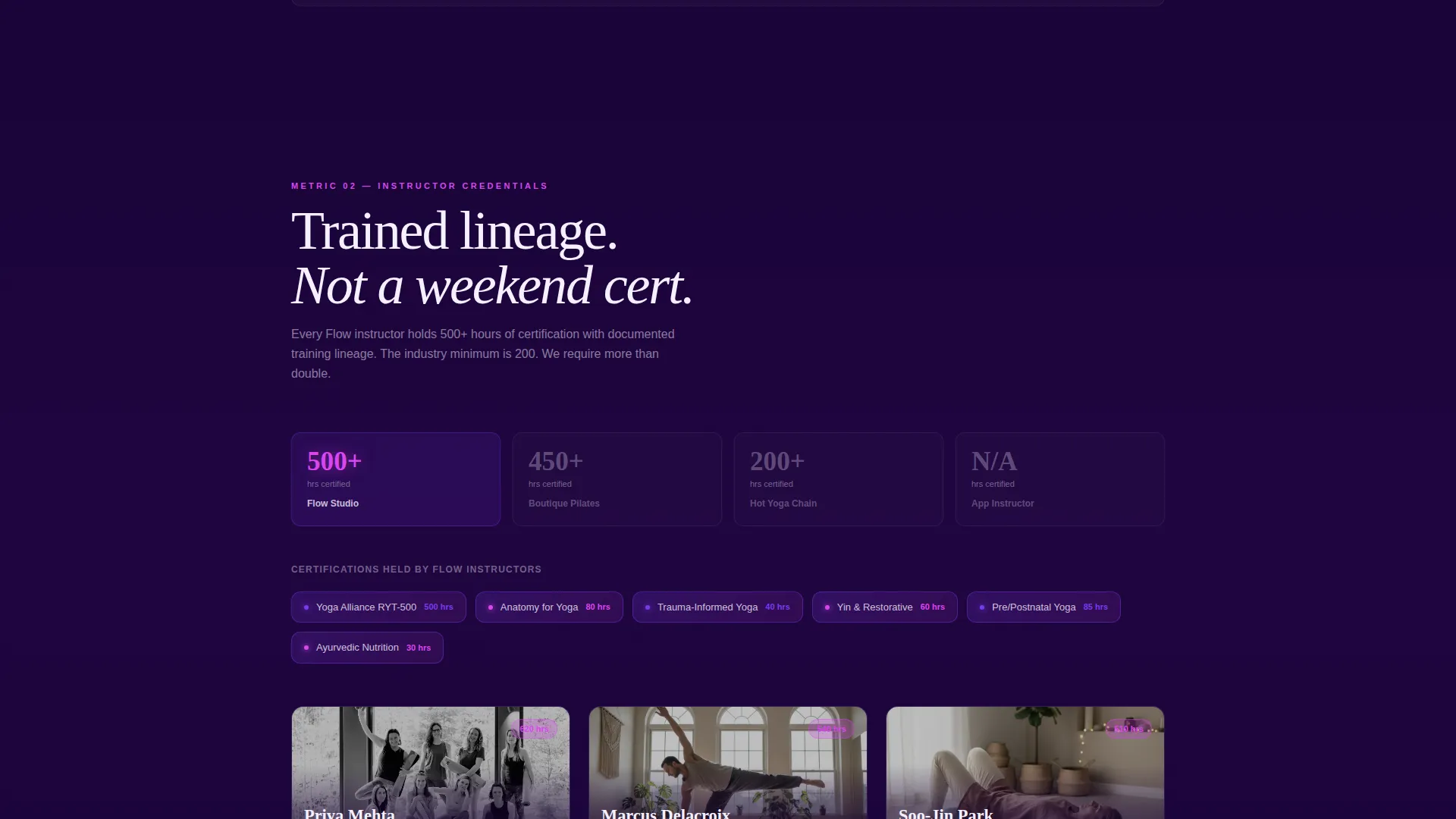
Each scroll section isolates one comparison metric and expands it into visual evidence. Class size becomes a layout showing twelve mats in a calm circle versus forty crowded into a heated room. Instructor credentials become certification logos and training lineage displays.
Monthly Cost Calculator with Slider
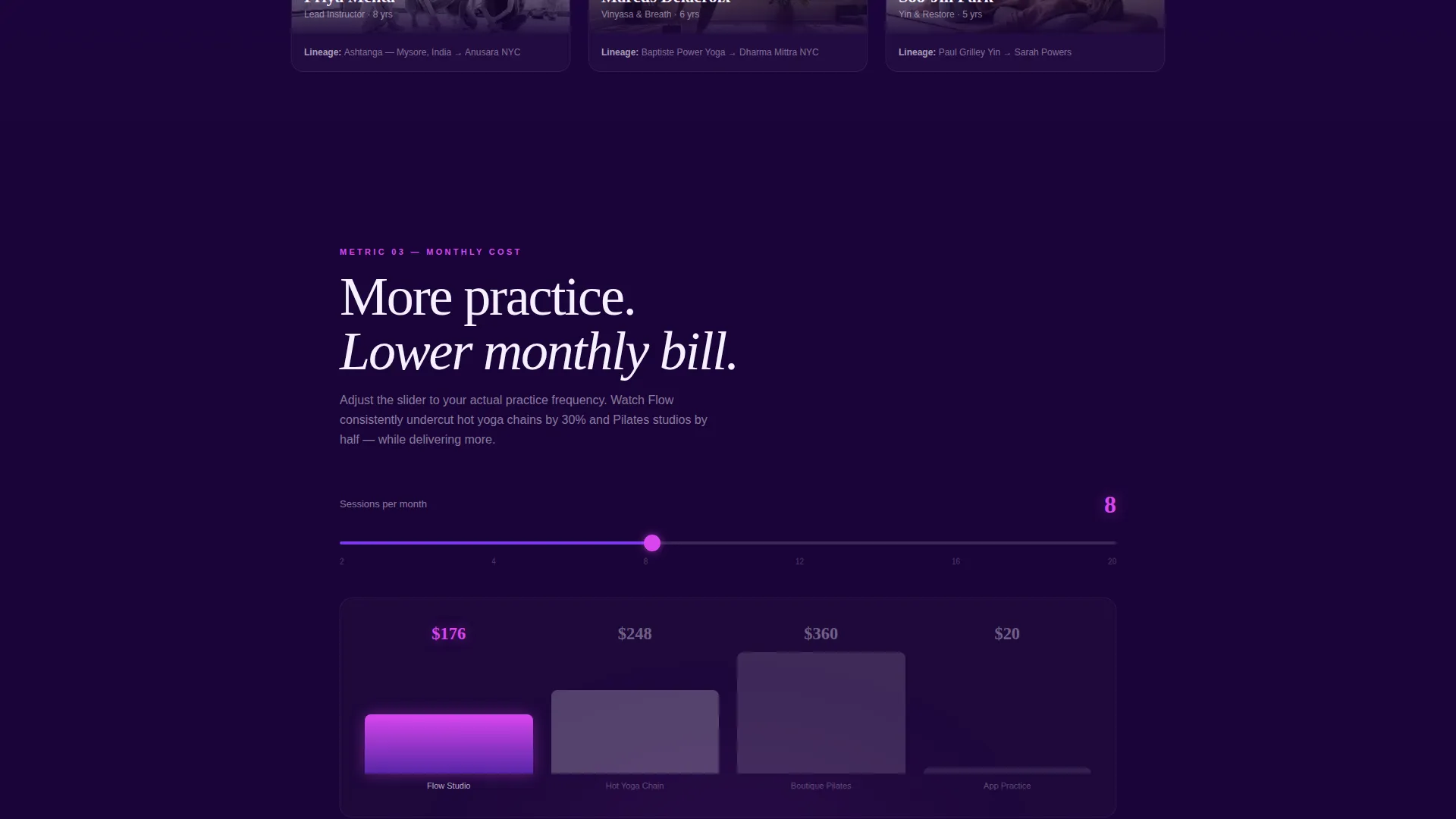
The pricing section includes an interactive slider. Visitors can adjust the monthly commitment range and watch the cost-per-session comparison update in real time, making the value case concrete and personal.
Floating Call-to-Action Bar
The "Claim Your Free Class" bar is pinned to the viewport and activates after the visitor scrolls past the third comparison row. It captures first name, email, and preferred class time via three tap-to-select buttons: Morning, Midday, and Evening.
Gated PDF Download Path
A secondary conversion option lets research-mode visitors request a downloadable studio comparison guide. The gate requires only an email address, creating a low-friction lead capture path alongside the primary booking form.
Electric Indigo Visual System
The entire page runs on a cohesive color system built from deep cosmic indigo, charged violet, warm lightning white, and kinetic magenta. The palette feels luminous and intentional, matching the energy of a studio class without relying on photography alone.
Page sections overview
| Section | Purpose |
|---|---|
| Comparison Dashboard Header | Presents studio versus. competitors at a glance |
| Class Size Breakdown | Visualizes intimate studio versus. crowded chain format |
| Instructor Credentials Display | Shows certification logos and training lineage |
| Pricing Calculator Section | Interactive slider compares monthly cost per session |
| Style Variety Row | Highlights range of class formats offered |
| Community Rating Block | Surfaces social proof as a comparable data point |
| Floating call to action Bar | Captures name, email, and preferred class time |
| PDF Download Gate | Converts research-mode visitors via email capture |
Design & branding system
The template uses a Dynamic Motion theme expressed through the Electric Indigo color system. Every color choice is intentional: depth for calm authority, neon accents for decisive action.
- Deep cosmic indigo (#2E0854) as the primary page background, creating a focused, immersive canvas
- Charged violet (#7C3AED) for interactive hover states and active table column highlights
- Warm lightning white (#F5F0FF) for all body text and card surfaces to maintain legibility against the dark background
- Kinetic magenta (#D946EF) reserved for call-to-action buttons and winning comparison checkmarks
Mobile & speed optimization
The template is structured for clean rendering on smaller screens, where most wellness-related searches begin. The tap-to-select class time buttons and the floating call-to-action bar are built with touch interaction in mind.
- The three-field form uses tap-to-select buttons that work intuitively on mobile without keyboard friction
- The comparison table adapts to a vertically scrollable layout so metric rows remain readable on narrow screens
- The floating call-to-action bar stays visible throughout the scroll on both desktop and mobile viewports
How this template helps you convert
Flow is engineered around the Comparison/Versus conversion model. Every section is ordered to build a case before the ask arrives.
- The dashboard header answers the comparison question immediately, so visitors feel informed rather than sold to from the first second on the page.
- Each scroll section layers one more data point into the argument, making the cumulative case feel rational and evidence-based rather than emotional.
- The floating call-to-action bar only appears after the third comparison row, timing the ask to the moment when the visitor has already seen enough to decide.
Other information about this template
This template was designed specifically for the yoga studio lead capture landing page use case, where the purchase decision often happens after a comparison phase rather than on impulse.
- The Spec Sheet creative direction means each section functions like a product specification, not a brand story
- The template style is a Comparison Table layout, which is rare in the yoga and wellness space and immediately signals confidence
- The header concept is a Dashboard Preview, giving the page an analytical, data-forward feel that appeals to detail-oriented visitors such as tech professionals and athletes
- The page can support both direct booking campaigns and content-led lead generation through the dual conversion paths built into its structure
Theme
Dynamic Motion
Creative direction
Spec Sheet
Color system
Electric Indigo
Style
Comparison Table
Direction
Comparison/Versus
Page Sections
Live Comparison Dashboard Header
Scroll-triggered Metric Sections
Interactive Pricing Calculator
Floating Call to Action Bar with Class Selector
Gated PDF Download Path
Electric Indigo Color System
Related questions
Can I customize the competitor columns in the comparison table?
Does the floating call to action bar work on mobile devices?
How does the pricing calculator section work?
Who is this landing page template best suited for?
What are the two conversion paths built into this template?