Expert Government Software Comparison Website Template
Dispatch is a split-screen government fleet management landing page template built for operations teams who need to justify every vehicle, every dollar, and every idle minute. It pairs a live-style fleet dashboard preview with a sharp problem-versus-solution scroll flow, moving county fleet managers and city procurement officers from spreadsheet chaos to confident decision-making.
by Rocket studio
Quick summary
Dispatch is a single-page, split-screen landing page template designed for government fleet management platforms. It opens with an interactive dashboard preview and drives visitors through a high-contrast versus-frame scroll that makes the cost of legacy fleet tools impossible to ignore. Every section is built to earn the click before it ever asks for contact details.
Who this template is for
This template is built for government operations technology teams that need to sell a complex platform to a skeptical public-sector audience. The layout and content structure speak directly to the people who feel the daily pain of managing large vehicle fleets without modern tooling.
- County fleet managers who track patrol cars, snowplows, and utility trucks across shifting spreadsheets
- City procurement officers who need clear cost-per-mile data to defend next year's vehicle budget before a council
- State department of transportation supervisors who need real-time visibility into individual unit activity and idle time
What problem this template solves
Government fleet teams typically operate with fragmented systems: phone-tag dispatching, paper maintenance logs, and surprise breakdowns that blow quarterly budgets. No single view ties vehicle location, fuel level, maintenance status, and cost reporting together. The result is avoidable inefficiency that is hard to quantify and even harder to explain to elected officials.
- Fragmented tracking forces managers to chase data across multiple tools before making a single decision
- Reactive maintenance scheduling means vehicles break down in the field instead of in the shop on schedule
- Budget reporting to council lacks the clean, comparable metrics needed to justify fleet investment
What you get with this template
You get a complete, conversion-focused landing page layout that walks a government fleet buyer from frustration to confidence in a single scroll. The structure is ready to adapt to your platform's specific metrics, vehicle types, and intake flow.
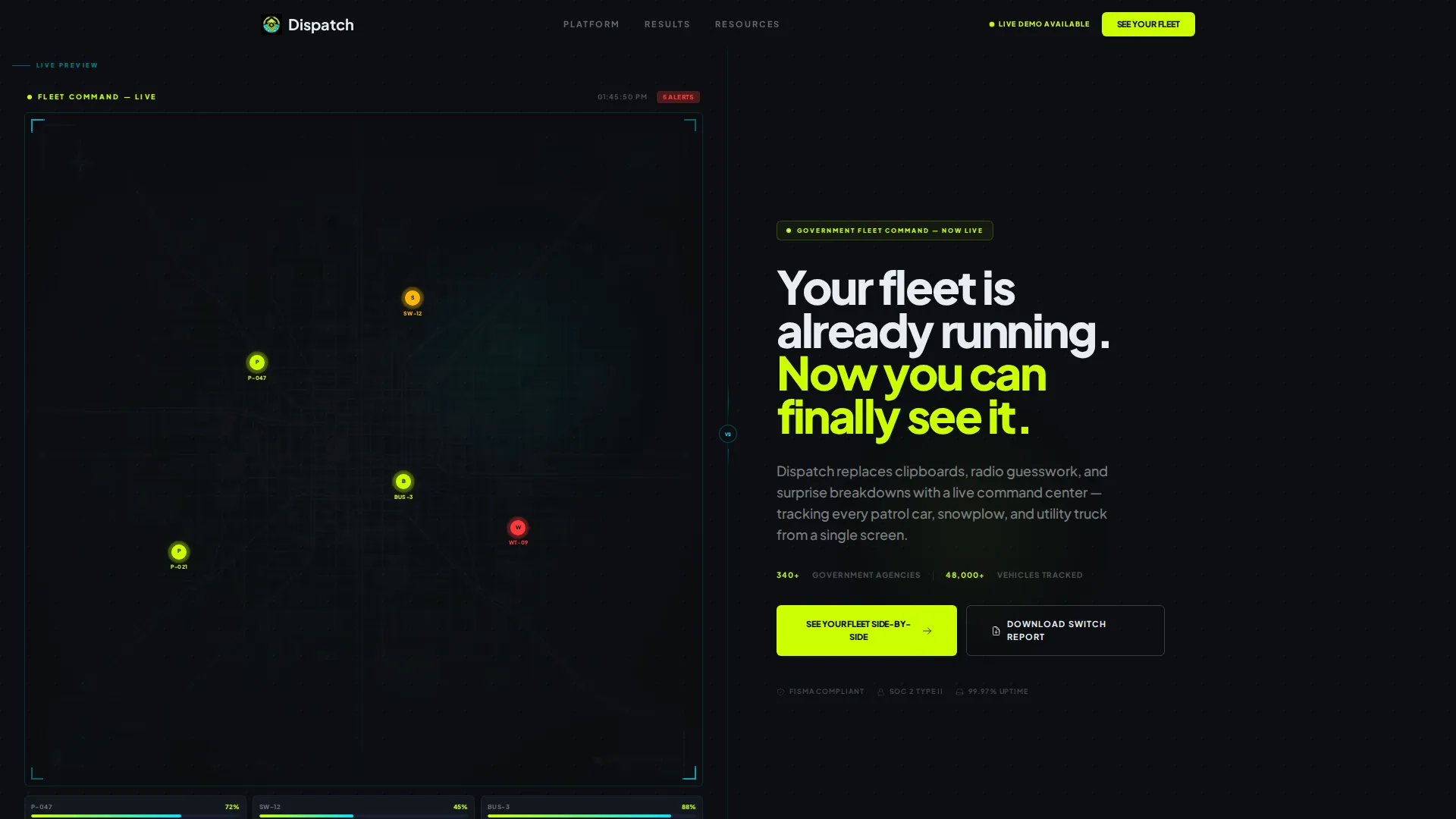
- A split-screen header with an interactive left-panel dashboard preview and a bold right-panel headline block
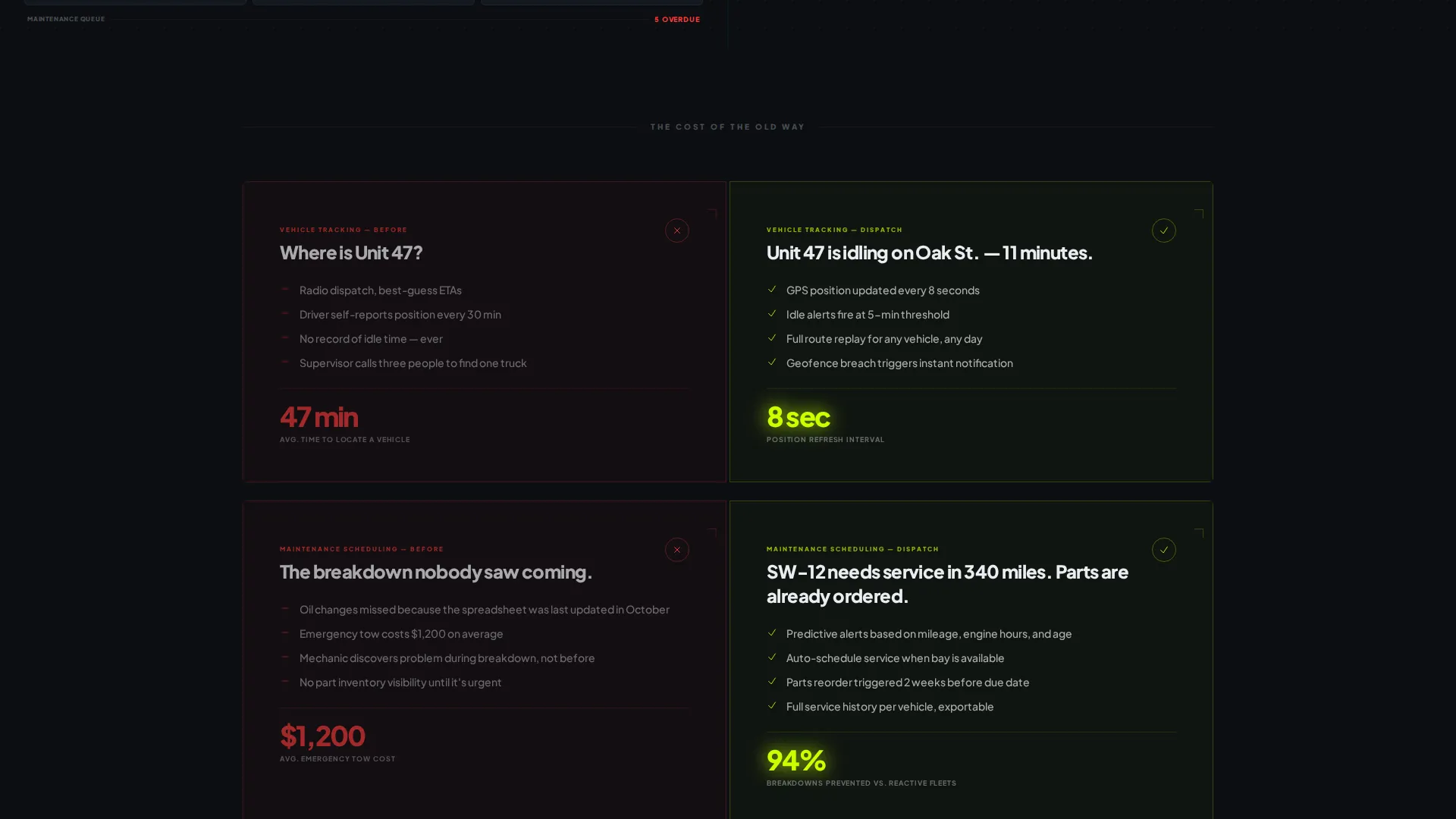
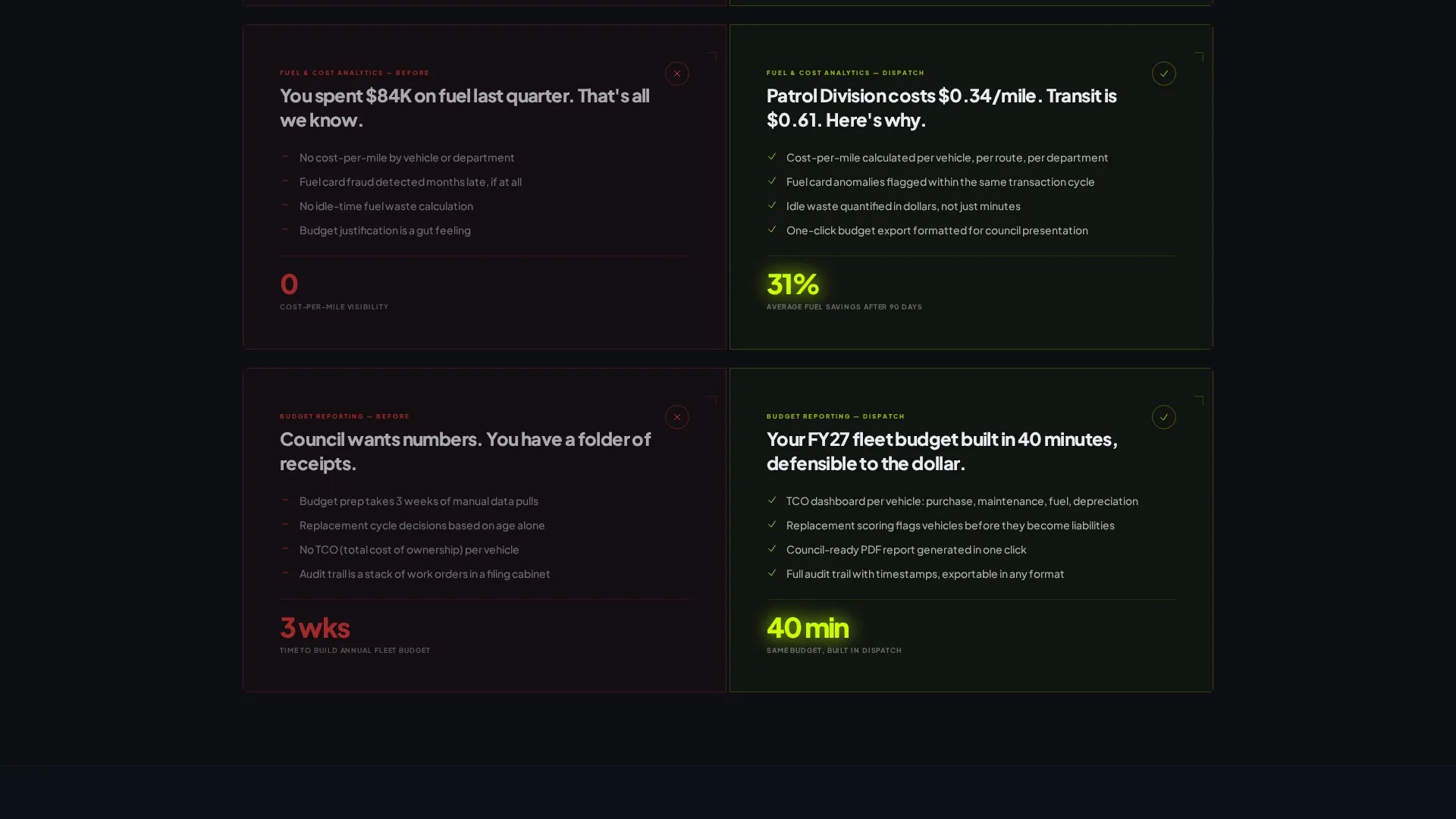
- A problem-versus-solution scroll sequence covering vehicle tracking, maintenance scheduling, fuel analytics, and budget reporting
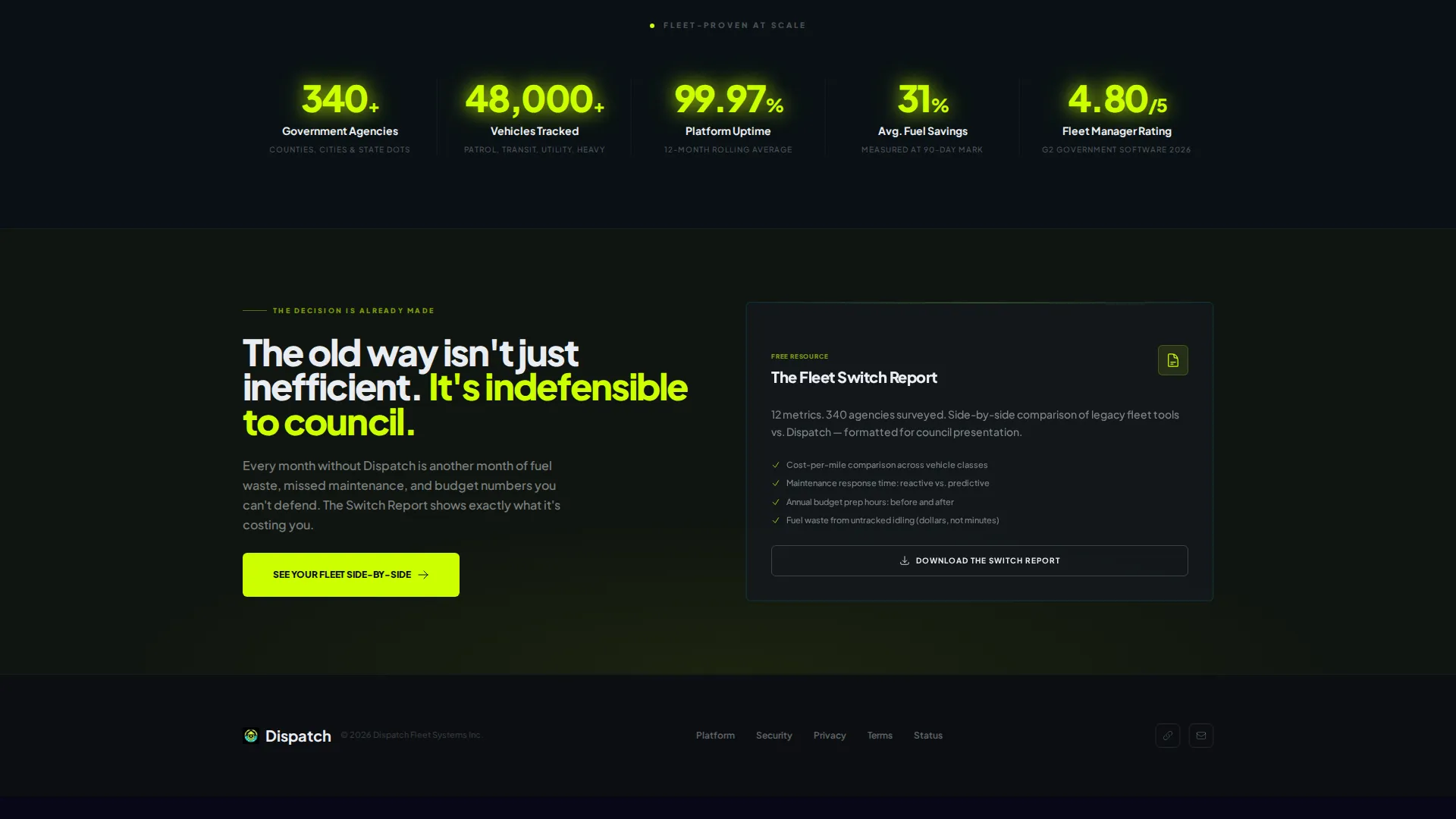
- Two conversion paths: a primary guided intake form and a secondary gated PDF download offer
Feature list
The Dispatch template ships with a set of purpose-built layout components. Each one is designed around a specific moment in the government fleet buyer's decision process.
Interactive Fleet Dashboard Preview
The left panel of the header section displays a live-style fleet dashboard. Vehicle pins move along mapped routes, fuel-level gauges tick in real time, and a maintenance-alert counter increments as visitors watch. Hovering a vehicle icon triggers a status popup showing mileage, last service date, and current assignment.
Problem-Versus-Solution Scroll Frames
Below the header, the page splits into paired versus frames. The left side of each frame is color-coded red to represent the legacy reality: clipboards, phone-tag dispatching, and surprise breakdowns. The right side is color-coded chartreuse to show the platform reality: automated alerts, predictive maintenance timelines, and real-time cost-per-mile data.
Scroll-Snap Escalation Sequence
Each scroll pair is designed to land harder than the last. The sequence moves through four escalating stakes: vehicle tracking, then maintenance scheduling, then fuel analytics, then budget reporting. The rhythm builds the case that the old way is not just inefficient but indefensible.
Guided Intake call to action Form
The primary call to action reads "See Your Fleet Side-by-Side" and opens a structured intake flow. Visitors select fleet size from a dropdown (under 50, 50 to 200, 200 to 1,000, or 1,000 and above), choose their current tracking method (spreadsheet, legacy software, or none), and submit a work email.
Gated Switch Report Download
A secondary conversion path offers "Download the Switch Report," a gated PDF comparing legacy fleet tools against the platform across twelve metrics. This path captures visitors who are not yet ready for a demo but are actively researching alternatives.
High-Contrast Heads-Up Display Visual System
The entire layout uses a dark-windshield color palette with void black backgrounds, electric chartreuse for all calls to action and live metrics, and signal cyan for route lines and map elements. Interface white handles body text and secondary labels without competing with the neon accents.
Page sections overview
| Section | Purpose |
|---|---|
| Split-Screen Header | Pairs interactive dashboard preview with bold hero headline |
| Vehicle Tracking Frame | First versus pair contrasting manual tracking with real-time pins |
| Maintenance Scheduling Frame | Second versus pair showing reactive logs versus predictive alerts |
| Fuel Analytics Frame | Third versus pair comparing manual fuel logs with cost-per-mile data |
| Budget Reporting Frame | Fourth versus pair building the council-justification case |
| Primary call to action Block | Guided intake form capturing fleet size, tracking method, and work email |
| Secondary Download Block | Gated PDF offer for the Switch Report comparison document |
Design & branding system
The visual identity follows a Startup Velocity theme paired with an Acid Digital color system. The palette is engineered to feel like a heads-up display projected onto a dark windshield at night: every metric readable at a glance, every status indicator unambiguous.
- Void black (#0B0E11) dominates all backgrounds so data and labels float visually forward
- Electric chartreuse (#CCFF00) owns every call to action, live metric, and status indicator; signal cyan (#00E5FF) marks routes, geofences, and interactive map elements
- Typography uses a tight, heavy sans-serif set at bold weights for headlines, with interface white (#EAEDF2) handling body text and secondary labels throughout
Mobile & speed optimization
The split-screen layout is structured to adapt clearly to smaller viewports. Each versus frame is built as a contained unit, which allows the left and right panels to stack vertically on narrow screens without losing the problem-solution pairing.
- The scroll-snap sequence retains its escalation rhythm on mobile, with each frame occupying the full viewport before the next pair loads
- Interactive elements such as vehicle icon hovers and dropdown intake fields are designed with touch-friendly sizing in mind
How this template helps you convert
Dispatch earns the conversion before it asks for one. The entire scroll experience is designed to make a government fleet buyer feel the specific cost of their current system, pair by pair, so the call to action feels like relief rather than a request.
- The interactive header preview demonstrates platform value immediately, letting visitors explore vehicle status data before reading a single line of pitch copy
- The four versus-frame sequence builds a cumulative, evidence-based case across tracking, maintenance, fuel, and budget reporting, so the primary call to action arrives at the moment conviction is highest
- The secondary gated download captures budget-stage researchers who need a shareable comparison document before they can bring the platform to a procurement decision
Other information about this template
Dispatch is a single-page landing page template, not a multi-page website. It is built specifically for the government software category within the broader fleet management technology space. The layout is intended for teams launching or repositioning a government fleet management platform and needing a page that speaks fluently to public-sector buyers.
- The template uses a Launch Energy creative direction, meaning the scroll pacing is designed to feel like a countdown sequence that builds urgency with each section
- The Comparison/Versus landing page direction makes Dispatch well-suited for campaigns targeting buyers who are actively evaluating alternatives to spreadsheet-based or legacy fleet tracking systems
- The header concept is classified as an Interactive Preview, a format that lets the product demonstrate its own value through simulated dashboard activity before any scroll occurs
Theme
Startup Velocity
Creative direction
Launch Energy
Color system
Acid Digital
Style
Split Screen (50/50)
Direction
Comparison/Versus
Page Sections
Interactive Fleet Dashboard Header
Problem-versus-solution Scroll Sequence
Guided Fleet Intake Form
Gated Switch Report Download
High-contrast Heads-up Display Palette
Scroll-snap Escalation Pacing
Related questions
Can I adapt this template for a private-sector fleet operation?
What does the guided intake form collect from visitors?
Is the interactive dashboard preview connected to real data?
How does the Switch Report secondary conversion path work?
What vehicle types does the template reference by default?



