Innovative Event Styling Landing Page Template
The Drape landing page template is built for trade show event decoration businesses that turn empty convention halls into immersive brand worlds. It uses a masonry gallery layout, cinematic scroll sequencing, Heritage and Story visual design, and a focused consultation form to convert exhibit managers and event planners into booked design sessions.
by Rocket studio
Quick summary
Drape is a single-page landing page template designed for trade show event decoration companies. It pairs editorial masonry display with a cinematic scroll journey to showcase immersive booth design work. The Cloud Canvas color system and Fraunces serif typography signal craft and authority. The page drives one clear action: booking a complimentary design consultation.
Who this template is for
This template is built for businesses that create high-impact trade show displays, living walls, fabric installations, and branded environments for clients who stand in front of 40,000 attendees and need to command attention. It speaks directly to the vendor side of the trade show industry.
- Set builders, floral architects, and fabrication studios offering custom trade show decoration services
- Exhibit design companies showcasing a portfolio of trade show booth work across multiple industries
- Event production businesses targeting exhibit managers, event planners, and marketing directors at Fortune 500 companies and growth-stage startups
What problem this template solves
Most trade show decoration businesses rely on PDF portfolios, generic agency sites, or outdated galleries that fail to communicate the scale and craft of their work. A static page cannot capture the feeling of pushing through heavy curtains into a fully realized brand world. Prospective clients, particularly exhibit managers sweating a Q1 keynote, need to feel the quality of the work before they ever pick up the phone.
- Flat portfolio pages fail to differentiate high-craft booth design from commodity trade show displays
- No clear conversion path exists for visitors ready to book, leaving warm leads without a next step
- Brand messaging and process storytelling are buried, making it hard for visitors to trust the team before a sales call
What you get with this template
This template delivers a fully structured landing page focused on showcasing trade show event decoration work and driving consultation bookings. Every section serves a specific role in moving a visitor from curious to confident.
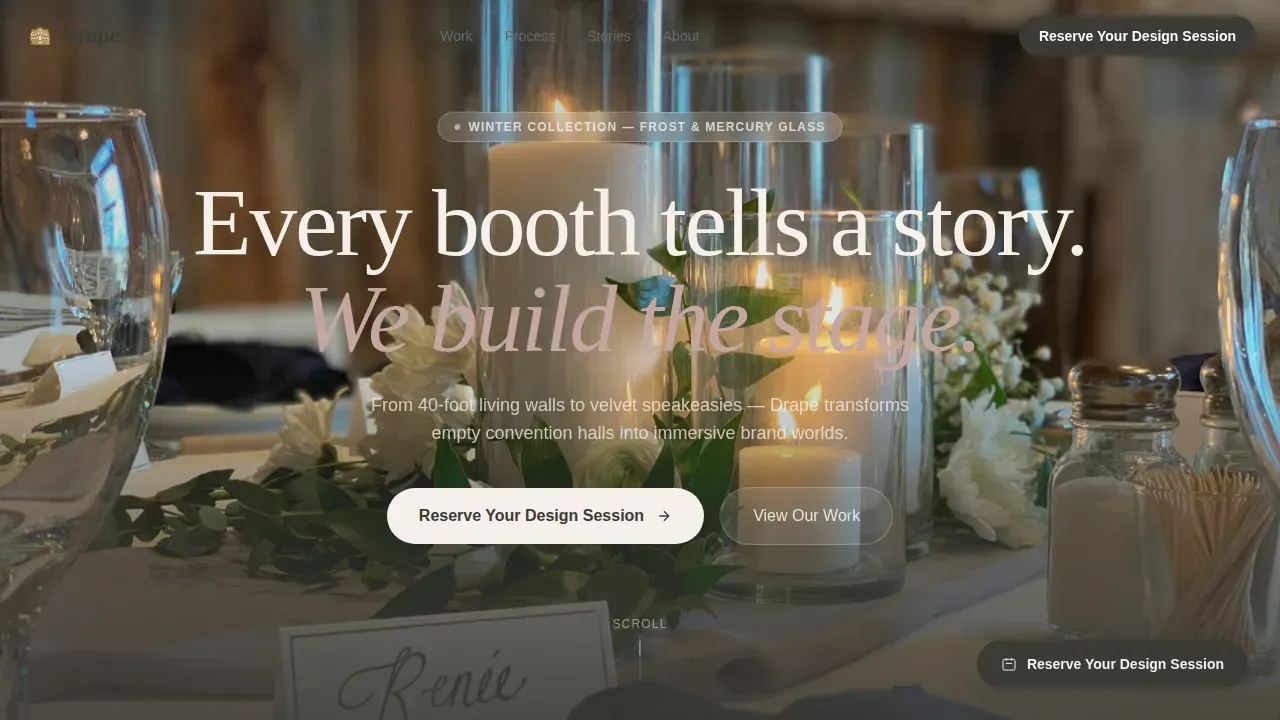
- A full-viewport hero section with a seasonal installation photograph, a serif headline fade-up, and a primary call-to-action button
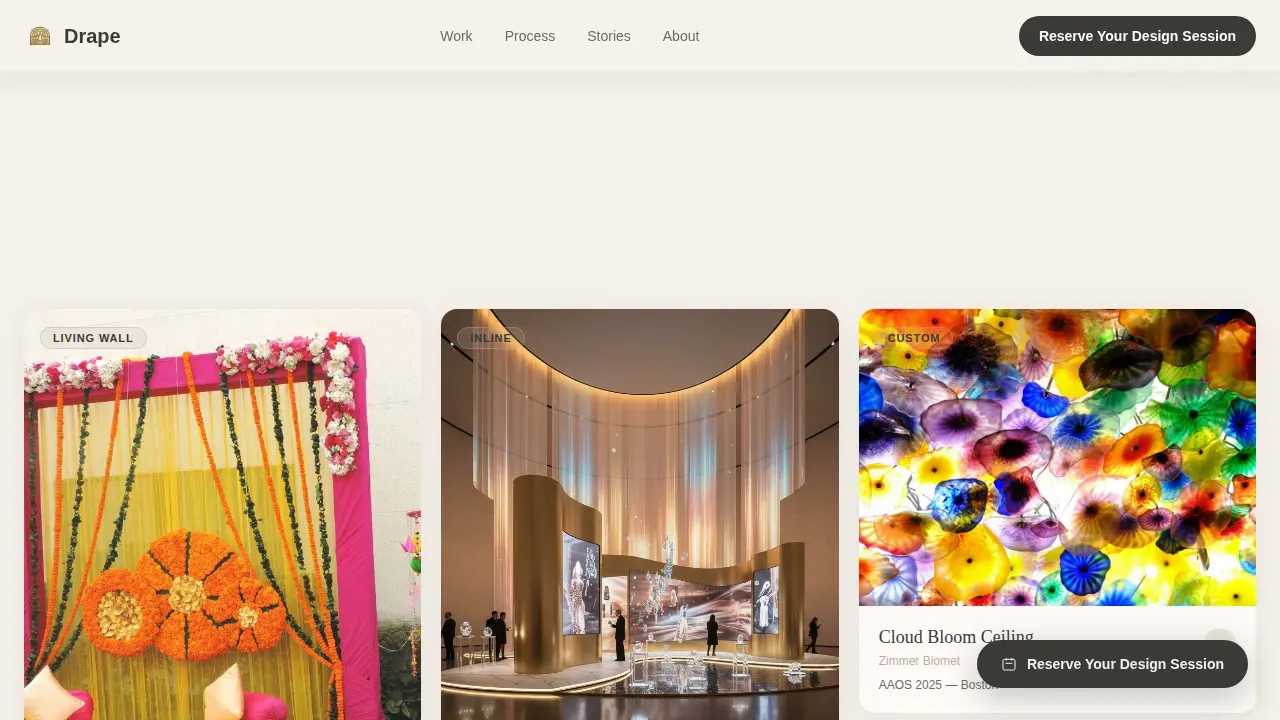
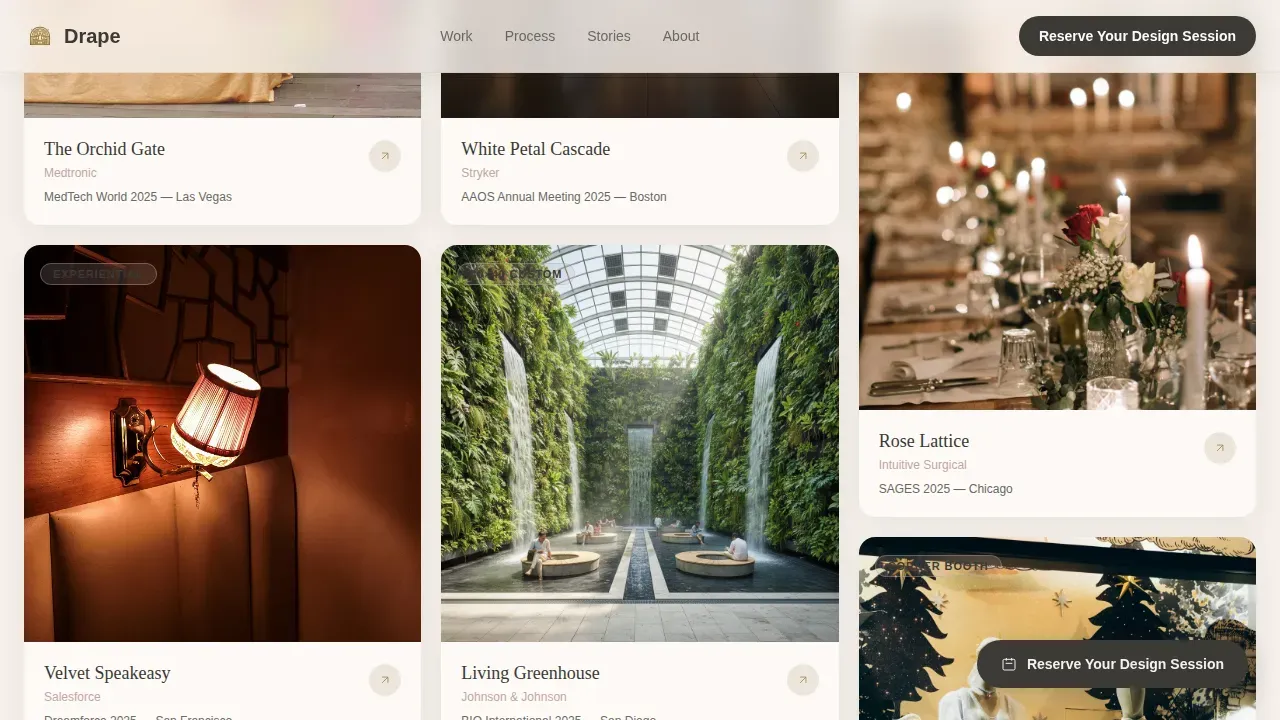
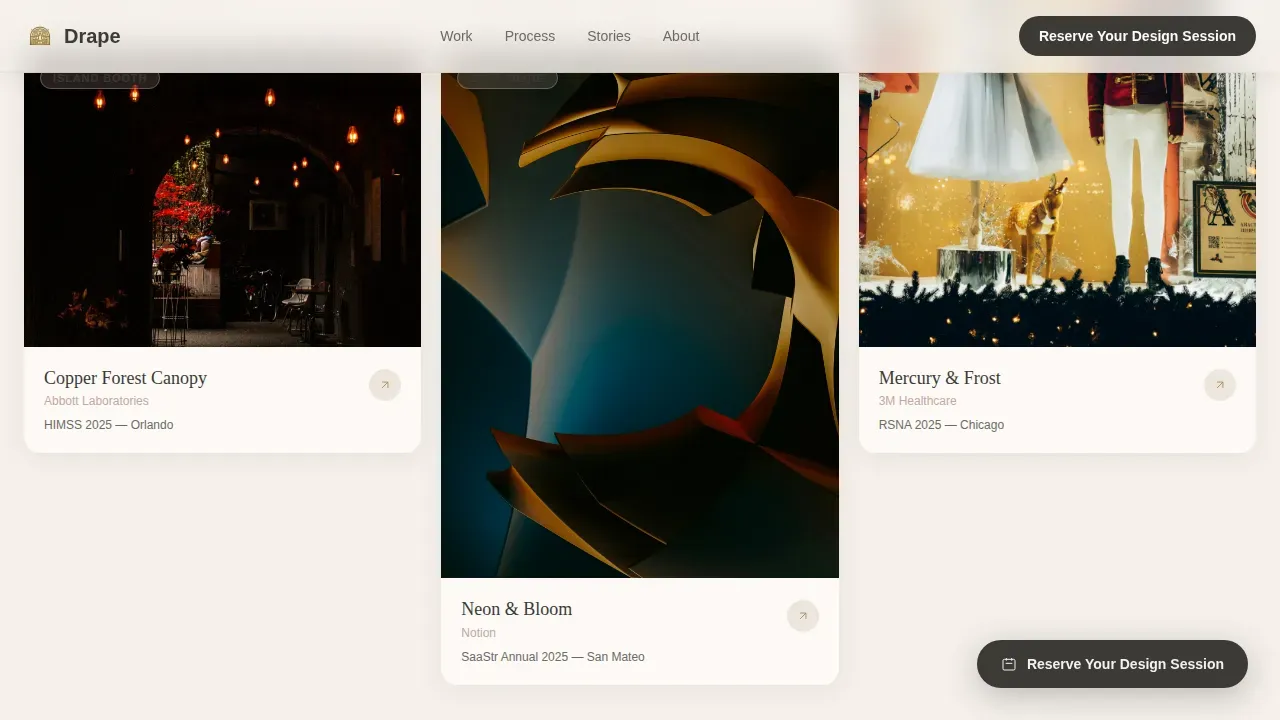
- A Pinterest-style masonry gallery that displays finished trade show booth installations in staggered editorial tiles, followed by behind-the-scenes process content including sketches, swatches, and mood boards
- A floating "Reserve Your Design Session" button that appears after the third masonry row, plus a full-width consultation form at the page base asking for event name, venue city, booth size, show dates, and a narrative open field
Feature list
This template is built around six core capabilities, each designed to support the specific goals of a trade show decoration business showcasing immersive booth environments.
Seasonal Hero with Cinematic Fade-Up
The hero section fills the full viewport with a wide installation photograph taken at golden hour. The serif headline fades up from center on load. The seasonal image rotates quarterly, so returning visitors encounter a fresh display tied to spring, summer, autumn, or winter, keeping the page feeling alive between trade shows.
Editorial Masonry Gallery
The masonry layout displays finished booth design work in staggered tiles of varying scale and proportion, creating visual density similar to a curated Pinterest board. Each tile is a different industry, a different mood, a different scale. Tab filtering allows visitors to sort the display by project type, and hover states in tarnished brass surface the booth details beneath each image.
Behind-the-Scenes Process Sequence
As visitors scroll deeper, the masonry transitions from completed trade show displays to in-progress process content: sketches pinned to corkboard, fabric swatches stapled to mood boards, time-lapse stills of a bare hall floor becoming a branded environment. This narrative-driven sequence builds trust by showcasing the craft behind every booth, not just the finished result.
Floating Consultation Call-to-Action
After the third masonry row, a floating "Reserve Your Design Session" button activates via scroll trigger. This persistent prompt captures visitors at peak engagement, exactly when they have seen enough trade show booth work to feel motivated but have not yet reached the bottom form. The float trigger is pre-configured and requires no additional setup.
Full-Width Consultation Form
The page closes with a full-width form section using the Arc Browser Split layout. The form collects event name, venue city, booth size (inline, island, or custom), show dates, and one open narrative field: "Describe the feeling you want attendees to walk away with." That final question positions the company as a creative collaborator, not a commodity vendor, and lowers resistance at the moment of submission.
Testimonials Section
Named testimonials from exhibit managers appear with company names, show names, and booth attendance metrics. This section provides social proof grounded in the real language of the trade show industry, reinforcing brand visibility and signaling experience with high-stakes events.
Page sections overview
| Section | Purpose |
|---|---|
| Hero viewport | Display seasonal installation photograph with fade-up headline and primary call-to-action |
| Masonry gallery | Showcase finished trade show booth work in staggered editorial tiles |
| Process sequence | Reveal behind-the-scenes sketches, swatches, and time-lapse stills |
| Floating call-to-action | Trigger consultation button after third masonry row on scroll |
| Testimonials block | Present named social proof with show metrics and booth callouts |
| Consultation form | Capture visitor details and narrative brief for design session booking |
Design & branding system
The Cloud Canvas color system gives this template the feel of a hand-bound production portfolio left open on a worktable. The palette is warm, heritage-editorial, and deliberately restrained so that the installation photography carries the visual weight.
- Colors: warm linen (#F5F0EB) backgrounds, heirloom charcoal (#3B3A36) for all body and headline type, dried hydrangea mauve (#C4A6A1) for accent borders and labels, tarnished brass (#A8894A) surfacing on hover states across masonry tiles and interactive elements
- Typography: Fraunces serif for all display headlines and section titles, DM Sans for body copy, navigation, form labels, and user interface elements throughout the page
- Visual tone: Heritage and Story theme, hand-crafted luxury editorial feel, warm shadows on floating cards, linen-white backgrounds with charcoal grounding all type
Mobile & speed optimization
The template is designed desktop-first, reflecting the reality that exhibit managers and agency creative directors typically review vendor options at a desk. Mobile fallback is fully structured so the page remains usable and persuasive on smaller screens without breaking the masonry layout or the form.
- Staggered masonry reveals use Intersection Observer so tiles animate into view as the visitor scrolls, keeping the display feel intact on both desktop and mobile viewports
- Scroll-linked parallax on the hero section and CSS scroll-behavior handle cinematic transitions without requiring heavy JavaScript frameworks
- The floating call-to-action button and full-width form are both responsive, maintaining their visual clarity and form validation behavior across screen sizes
How this template helps you convert
The page is structured around a single conversion goal: booking a design consultation. Every design and content decision moves the visitor one step closer to hitting submit on the consultation form.
- The seasonal hero and serif headline create an immediate emotional impression, signaling that this company builds experiences worth paying attention to, which primes the visitor to engage with the masonry gallery rather than bounce.
- The masonry-to-process scroll sequence builds layered trust: first the visitor sees finished trade show booth work that captures attention, then they see the craft and thinking behind it, shifting their mental model from "vendor" to "creative partner" before they reach the form.
- The narrative open field in the consultation form, asking visitors to describe the feeling they want attendees to walk away with, reframes the booking as a creative session rather than a sales call, directly reducing hesitation and encouraging participation at the moment of decision.
Other information about this template
This template sits at the intersection of the Wedding and Events category and the Trade Show Event Decoration niche, making it well suited for businesses that operate across both high-end event markets and the specialized world of trade shows. The design ideas embedded in its structure reflect proven principles for showcasing immersive booth environments.
- High-quality trade show backdrops anchor the masonry gallery, allowing brand messaging and logo display to stand prominently across each tile and making it easy for visitors to imagine their own brand's identity rendered at full scale
- The consultation form is built to handle complex setups: inline booths, island configurations, and fully custom trade show builds are all selectable options, so the form works across the full range of project types the company serves
- Customizable trade show display contexts are supported through the form's open narrative field, which adapts naturally to product launches, annual keynote events, medical device conference booths, and startup debut appearances at major industry events
- The template's structure supports showcasing trade show displays built with durable materials, modular design principles, and flexible configurations across multiple events, giving the company space to communicate both craftsmanship and practical reuse value
- Effective trade show design ideas embedded in the page's scroll narrative include storytelling booths that guide visitors through a brand narrative, open concept layouts that invite attendees to enter from any direction, and lounge-style environments built for meaningful conversation
- Trade show booth packages and modular kits can be highlighted within the masonry gallery tiles or testimonial callouts, allowing the company to communicate cost effective options alongside fully custom builds
- The drape immersive trade show event decoration landing page template is purpose-built for this niche and does not require adaptation for generic event or hospitality use cases
- Businesses looking to highlight interactive tech, backlit displays, digital displays, graphic panels, or aluminum frame structures in their portfolio can feature these in masonry tiles and behind-the-scenes process cards
- The page structure also supports showcasing demo station setups, literature racks, and signage components as part of a full trade show booth package, giving the company flexibility in how it presents its service range
Theme
Heritage & Story
Creative direction
Cinematic Sequence
Color system
Cloud Canvas
Direction
Event Registration
Page Sections
Seasonal Full-viewport Hero Section
Staggered Editorial Masonry Gallery
Behind-the-scenes Process Scroll
Scroll-triggered Floating Call-to-action
Narrative Consultation Form
Named Testimonials with Event Metrics
Related questions
Who is this landing page template designed for?
Can this template showcase different booth sizes and types?
What makes the consultation form different from a standard contact form?
Does the masonry gallery support both finished work and process content?
Is this template suited for businesses active across multiple trade shows per year?



