Exhibit - Immersive Tradeshow Landing Page Template
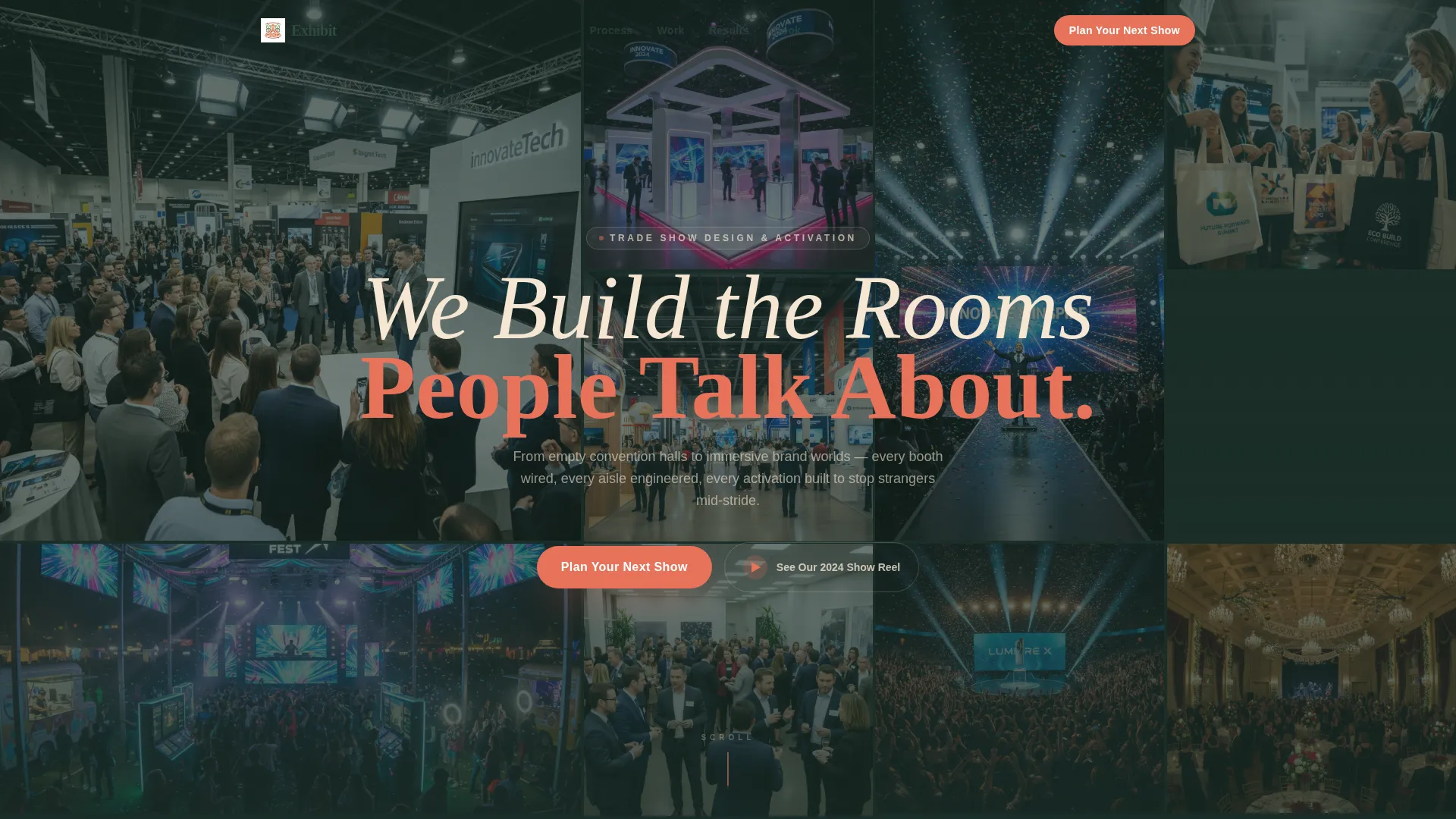
Exhibit is a storybook-style landing page built for trade show event planners who turn convention floors into unforgettable brand experiences. It guides visitors through a cinematic event lifecycle, from discovery to show day results, and drives them toward booking a strategy call. The Desert Rose color system and immersive photo mosaic header make an immediate impression.
by Rocket studio
Quick summary
Exhibit is a single-page, storybook-style landing page designed for trade show event planners. It walks visitors through the full arc of an event, from brief to booth to results, using immersive photography, chapter-style scroll sections, and a warm Desert Rose palette. The primary goal is to turn visitors into booked consultations.
Who this template is for
This template is built for event production professionals who design and execute trade show experiences at a high level. It speaks directly to the people doing the selling and the building.
- Trade show event planners working with mid-size to enterprise brand clients
- Booth design and experiential marketing agencies pitching new business
- Startup founders or brand managers preparing for a major industry conference
What problem this template solves
Most event planner websites feel like brochures. They list services but fail to convey the energy, scale, or craft behind the work. Prospective clients cannot imagine what it would feel like to walk the floor you built.
- Visitors leave without a clear sense of what the planner actually produces
- No emotional proof of quality makes it hard to justify a booking conversation
- Generic layouts do not reflect the caliber of an immersive, engineered show floor
What you get with this template
This template gives you a fully structured, visually cinematic landing page ready to present your trade show event planning services. Every section is purposefully sequenced to build confidence before the ask.
- A sixteen-tile photo grid mosaic header that fills the viewport with candid event moments
- Four full-page storybook chapters covering Discovery, Build, Show Day, and Results
- A two-step booking scheduler and a secondary email-capture path for the show reel
Feature list
This template is built around a tight set of purposeful features. Each one serves the goal of turning a curious visitor into a scheduled consultation.
Sixteen-Tile Photo Grid Mosaic Header
The header fills the entire viewport with sixteen tiles of varying sizes, each showing a different candid event moment. Tiles stagger-fade on load like a wall of monitors flickering to life, then a headline materializes across the center in bleached sand type.
Storybook Scroll with Chapter Sections
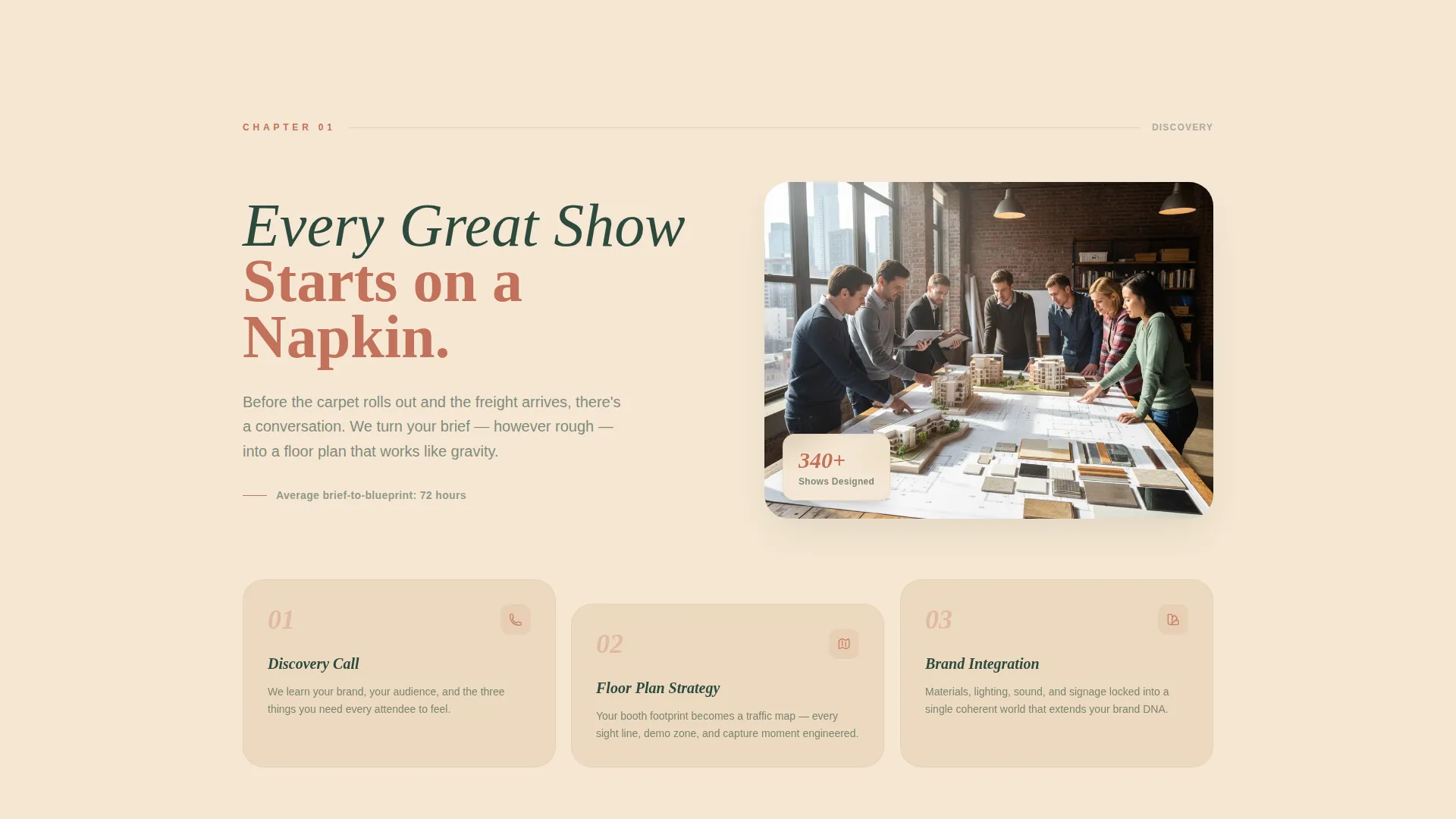
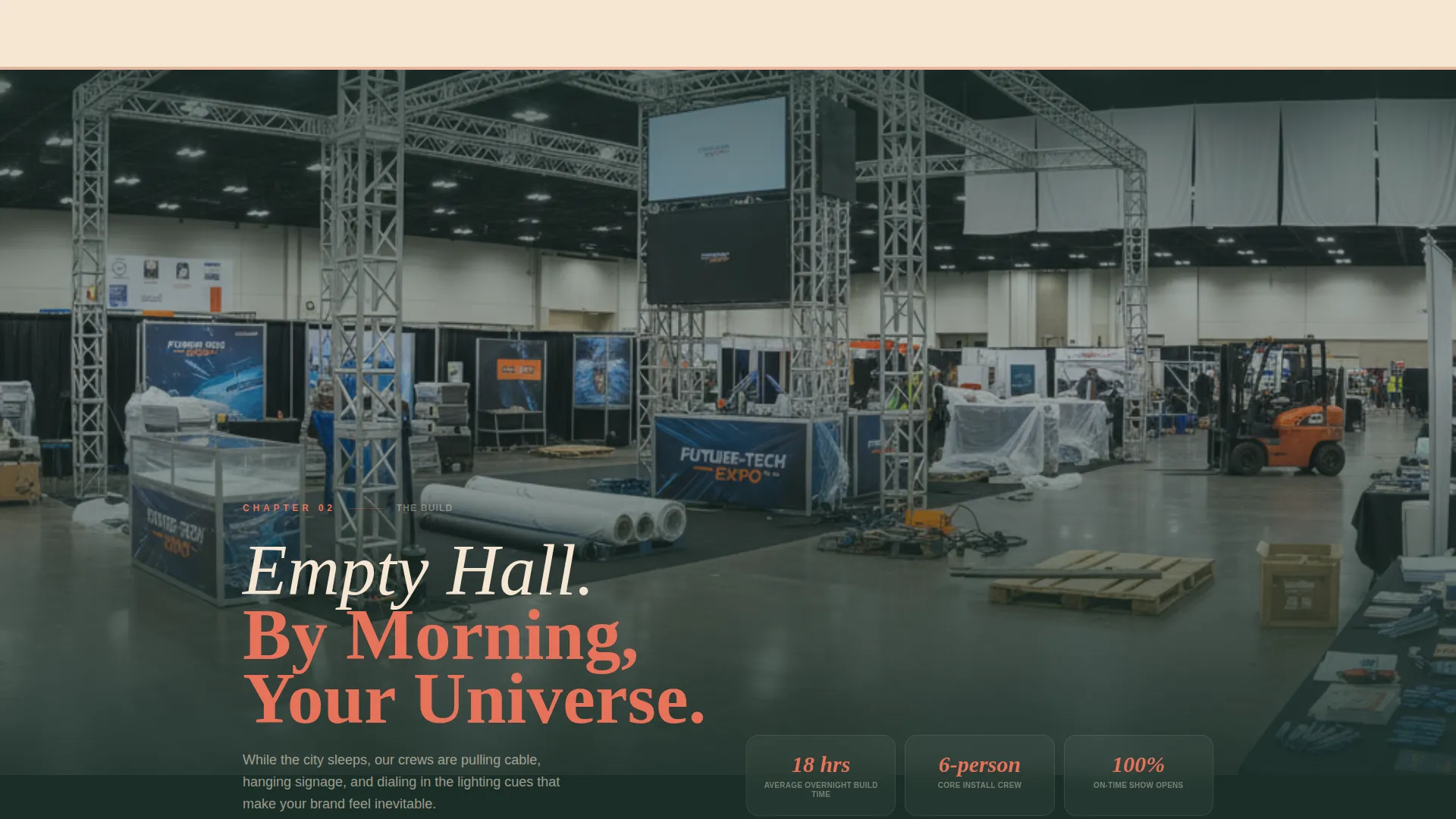
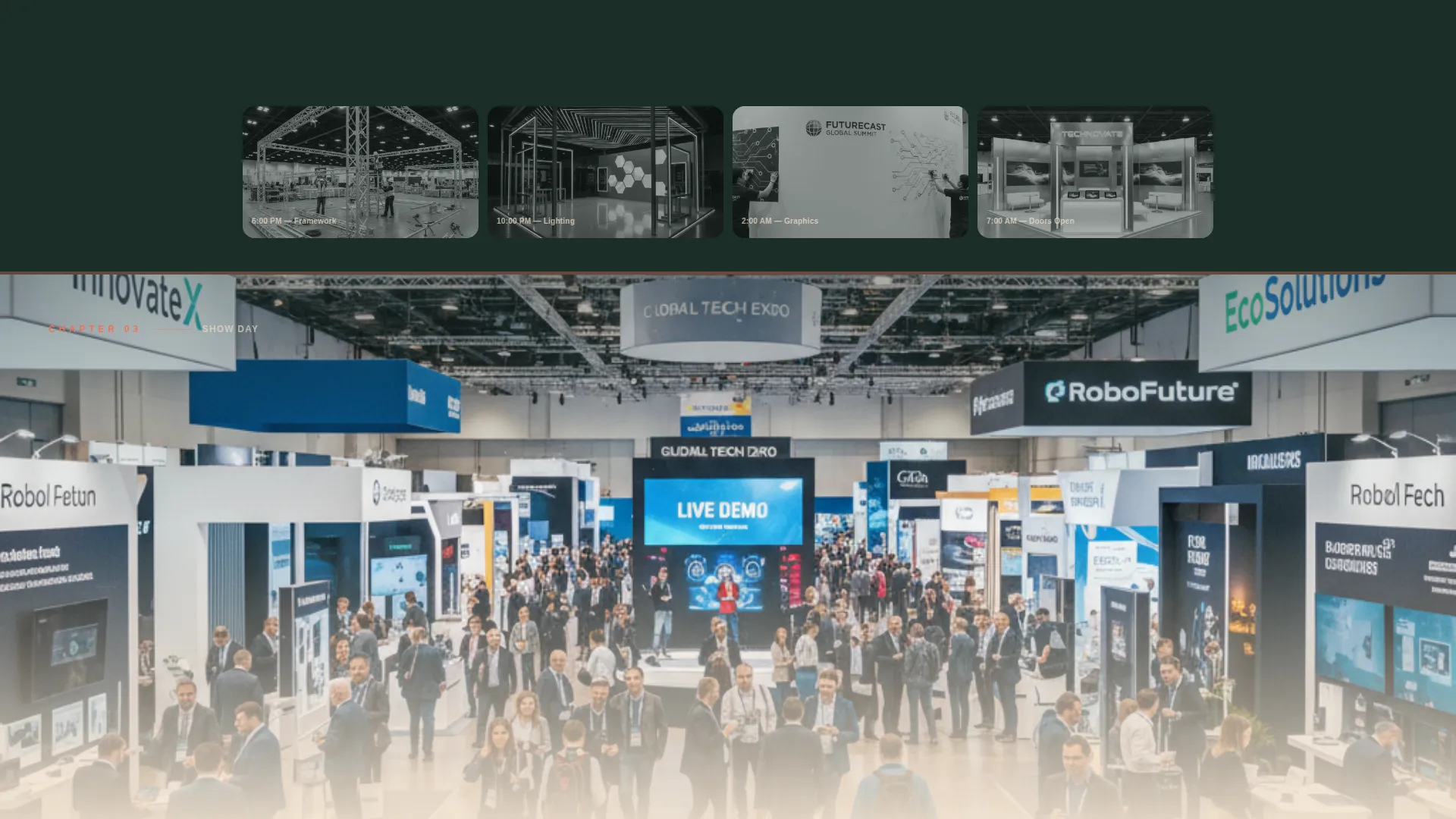
The page unfolds across four full-page chapters: Discovery, Build, Show Day, and Results. Each chapter uses its own visual treatment, from napkin sketches dissolving into 3D floor plans to time-lapse construction photography to wide-angle show-floor immersion.
Vertical Page-Wipe Transitions
Each chapter transition wipes vertically, mimicking the sensation of turning a page. The effect reinforces the storytelling arc and keeps the emotional intensity building from quiet planning toward euphoric execution.
Two-Step Booking Scheduler
The primary call to action opens a two-step scheduler. Step one collects the event name, venue city, and booth size. Step two offers a calendar integration to book a thirty-minute strategy call directly.
Secondary Show Reel Email Capture
Visitors who are not ready to book can follow a secondary path labeled "See Our 2024 Show Reel." Clicking requires an email address before unlocking a video portfolio, warming leads while they evaluate.
Floating and Anchored Call-to-Action Placement
The primary "Plan Your Next Show" button appears as a floating coral button after the second scroll section and then again as a fixed anchor at the bottom of the page. This placement catches visitors at two natural decision points.
Page sections overview
| Section | Purpose |
|---|---|
| Photo Grid Header | Fills viewport with candid event photography and staggered tile animation |
| Discovery Chapter | Shows the brief-to-floor-plan transition that starts every project |
| Build Chapter | Time-lapse photography of hall transformation into a branded environment |
| Show Day Chapter | Wide-angle immersive photography placing the visitor inside the crowd |
| Results Chapter | Oversized metrics rendered in terracotta type against a sand background |
| Booking Scheduler | Two-step form capturing event details and calendar appointment |
| Show Reel Capture | Email gate unlocking a video portfolio for leads not ready to book |
Design & branding system
The template uses a Desert Rose color system that evokes a desert reception at golden hour. Every color has a defined role, so the visual hierarchy is immediately clear without extra configuration.
- Bleached sand (#F5E6D3) dominates backgrounds, sun-warmed terracotta (#C2725A) anchors headlines and section dividers, and deep saguaro green (#2D4A3E) grounds body text
- Hot accent coral (#E8735A) is reserved exclusively for buttons and hover states, making every clickable surface feel alive and urgent
- Typography follows the warm, confident tone of the palette, with the central headline rendered in bleached sand type across the mosaic header for maximum contrast
Mobile & speed optimization
The template is built to perform well across screen sizes, keeping the immersive visual experience intact on smaller devices without losing the cinematic quality of the photography sections.
- Full-page chapter sections and the photo grid mosaic are structured to reflow cleanly on tablet and mobile viewports
- The floating call-to-action button and anchored close section remain accessible and tappable at all screen widths
How this template helps you convert
This template is designed so the work does the selling before any form appears. By the time a visitor reaches the booking step, they have already seen finished events, felt the energy of show day, and reviewed real performance metrics.
- The storybook scroll builds emotional momentum, moving visitors from curiosity to conviction across four chapters before presenting the primary call to action
- The two-path conversion model serves both ready buyers with the scheduler and skeptical leads with the show reel email capture, so no visitor leaves without a next step
Other information about this template
This template belongs to the Wedding and Events category with a specific focus on the trade show event planner niche. It is a strong fit for agencies and independent planners who want a premium presentation without building from scratch.
- The Celebration and Joy theme and Immersive Visual creative direction make this template well suited to high-energy event categories beyond trade shows, including product launches and brand activations
- The Storybook and Full-Page template style means each scroll section functions as a self-contained visual statement, which works well in pitch decks and client-facing previews
- The Desert Rose color system can be adapted to match a studio or agency brand by adjusting the terracotta and coral values while keeping the sand background for warmth
- The template is listed under the Trade Show Event subcategory and reflects a Booking and Scheduling landing-page direction, making it purpose-built for driving consultation requests
Theme
Celebration & Joy
Creative direction
Immersive Visual
Color system
Desert Rose
Style
Storybook/Full-Page
Direction
Booking/Scheduling
Page Sections
Photo Grid Mosaic Header
Four-chapter Storybook Scroll
Two-step Booking Scheduler
Show Reel Email Capture Path
Floating and Anchored Call to Action Button
Results Section with Oversized Metrics
Related questions
Who is this landing page template built for?
What does the two-step booking scheduler include?
Can I use this template if visitors are not ready to book?
What does the storybook scroll structure look like in practice?
Is this a single-page layout or a multi-page website?



