Enroll - Unlock Education Benefits Landing Page Template
The Enroll - Unlock Education Benefits landing page template is built for education benefits consultants who serve parents, HR directors, and benefits brokers. It features a live dollar-ticker hero, a persistent sidebar with a sticky call-to-action form, a low-commitment Benefits Gap Calculator, and a scroll-driven Network Effect visualization, all designed to turn curious visitors into booked consultations.
by Rocket studio
Quick summary
This is a dedicated landing page template for education benefits consultants. It combines a live-counting dollar ticker, a persistent sidebar form, and an expanding constellation visualization to guide every visitor, parent, HR leader, or broker, toward one clear next step: booking a consultation to unlock every education benefit they are entitled to.
Who this template is for
This template serves consultants whose work sits at the intersection of personal finance, HR program design, and education planning. The landing page is built to speak to three distinct roles without losing focus or clarity.
- Parents facing six-figure tuition projections who need a clear plan for 529 plans and tuition reimbursement programs
- HR directors at mid-size companies designing or rolling out employer-sponsored education stipend programs
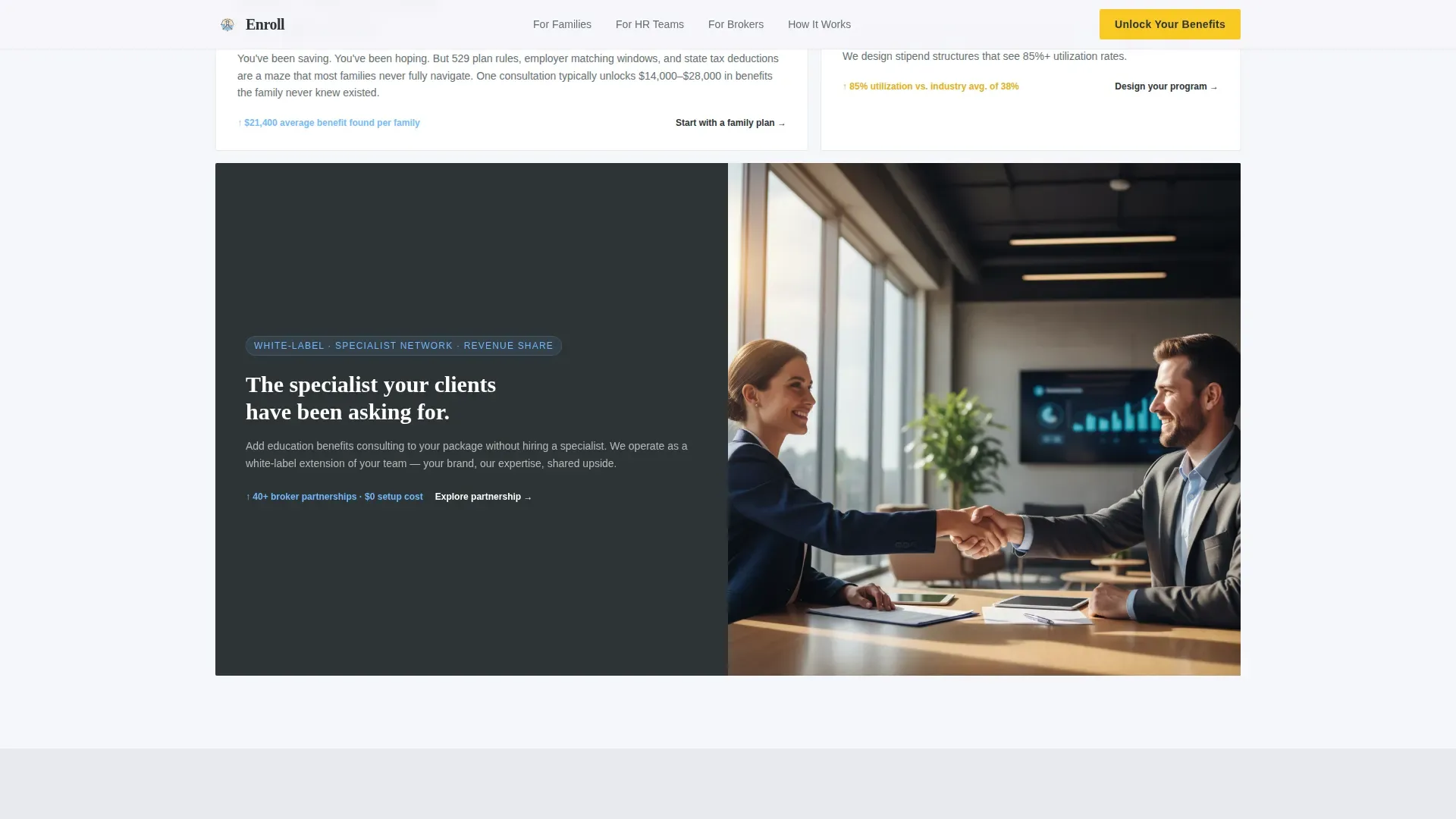
- Benefits brokers who want to white-label a specialist into their existing service packages
What problem this template solves
Navigating 529 plans, tuition reimbursement rules, and employer education benefits is genuinely complex. Most families and HR teams do not know what they are missing. A generic website page cannot communicate that expertise fast enough to earn a visitor's trust before they leave.
- Visitors arrive uncertain and leave without taking action because the value proposition is buried or unclear
- The consultant's expertise goes unrecognized because the page looks like every other professional services site
- Lead forms ask too much too soon, causing drop-off before a relationship begins
What you get with this template
This template delivers a complete, conversion-focused education landing page with every major section pre-built. You get a layout that speaks to three audience roles, builds trust through social proof, and makes the first step as easy as entering a zip code.
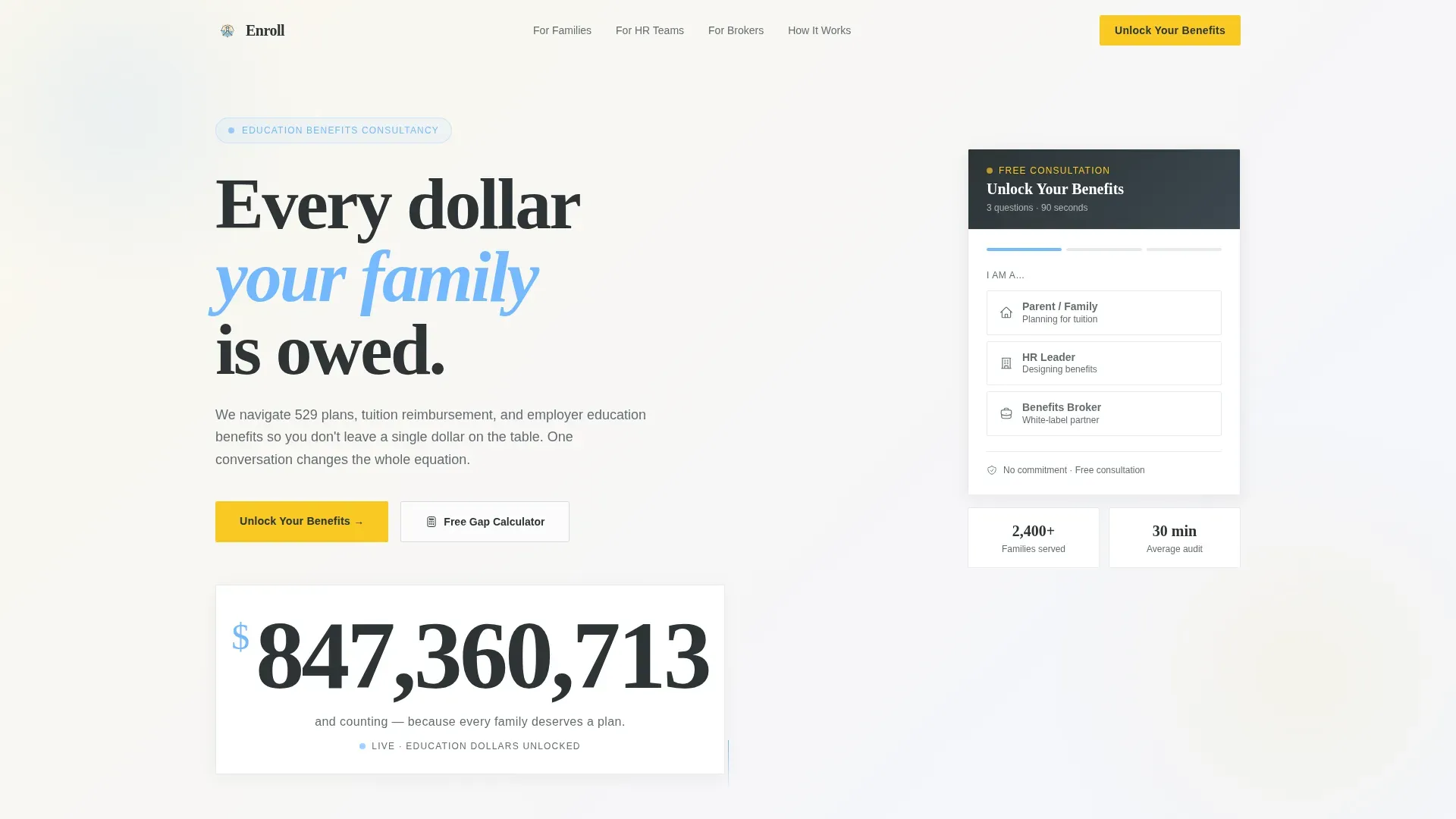
- A hero section with a live education dollars ticker, a benefit-driven headline, and a single engaging visual
- A persistent sidebar housing the primary "Unlock Your Benefits" call-to-action form with a three-question sequence
- A secondary low-commitment path through the Benefits Gap Calculator, requiring only a zip code and employer name
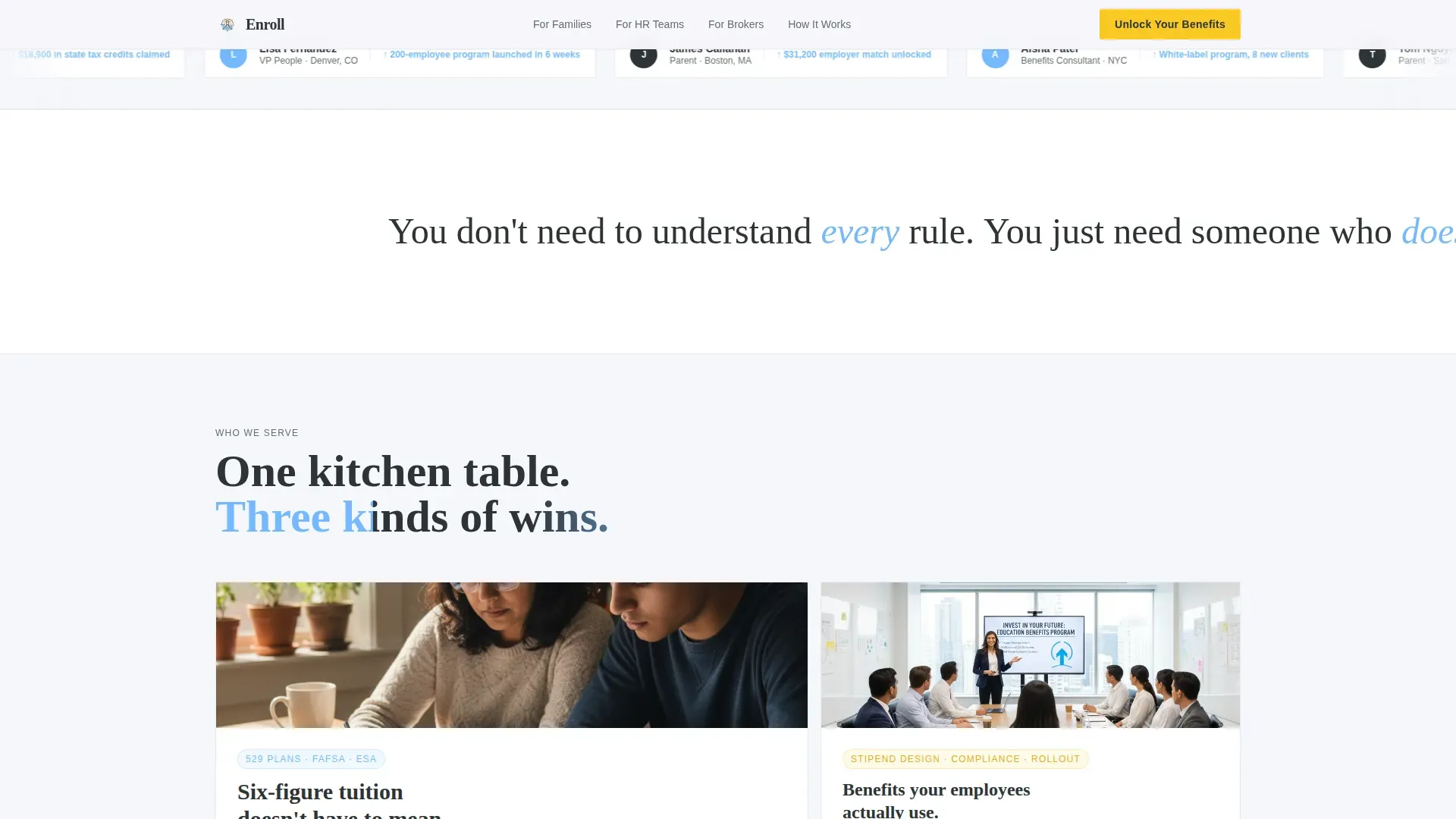
- An asymmetric three-role bento layout for the "Who It's For" section covering parents, HR leaders, and brokers
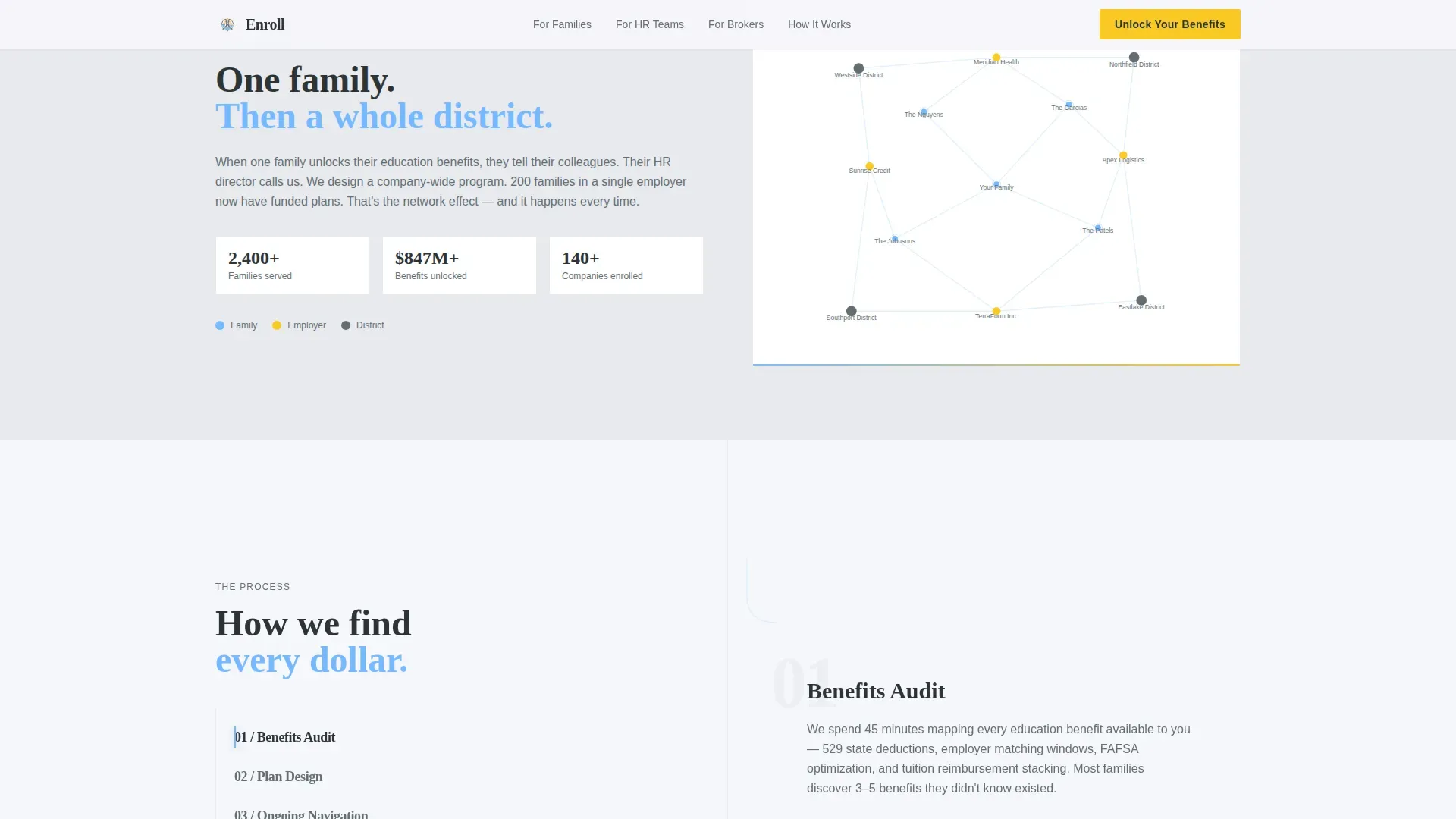
- A scroll-driven Network Effect constellation that expands as visitors move through the page
- A sticky split "How It Works" workflow section and a structured footer
Feature list
This landing page template brings together several purpose-built features. Each one is designed to focus visitor attention, build trust quickly, and reduce the effort required to take the next step.
Live Education Dollar Ticker
The hero opens with a count-up ticker showing the total education dollars unlocked for families. The number updates in real time as new consultations are booked. It acts as immediate social proof without requiring any testimonials, the figure itself is the signal.
Persistent Sidebar with Sequential Form
The sidebar stays visible across the entire page as visitors scroll. It houses a three-question lead form: role selection, student age, and a work email. Limiting the form to three essential fields keeps drop-off low and makes completing the form feel effortless.
Benefits Gap Calculator
This interactive, low-commitment tool asks only for a zip code and an employer name. It estimates unclaimed education dollars, giving hesitant visitors genuine value before they sign up. This gated content approach nurtures leads who are not yet ready for a full consultation.
Network Effect Scroll Visualization
A constellation of connected family icons fills in as visitors scroll down the page. Each section adds new nodes, showing how one consultation ripples outward from a single family to an entire company workforce to a community. The visual makes the consultant's impact tangible without a single word of explanation.
Three-Role Bento Layout
An asymmetric bento grid presents role-specific outcomes for parents, HR directors, and brokers side by side. Each panel uses short paragraphs and clear outcome descriptions so every visitor immediately recognizes their own situation and the relevant program path.
Sticky Split Workflow Section
A sticky split layout walks visitors through the step-by-step consultation process. This before-and-after structure makes it clear what changes when a professional education benefits consultant is involved versus navigating the process alone.
Page sections overview
| Section | Purpose |
|---|---|
| Hero Dollar Ticker | Displays live education dollars unlocked; creates instant social proof and captures visitor's attention |
| Benefits Gap Calculator | Low-commitment interactive tool estimating unclaimed education dollars for hesitant visitors |
| Who It's For | Asymmetric bento grid presenting role-specific outcomes for parents, HR leaders, and brokers |
| Network Effect Scroll | Constellation visualization expanding from one family to a full workforce community as visitors scroll |
| How It Works | Sticky split workflow showing the step-by-step consultation process and before-and-after outcomes |
| Site Footer | Structured footer with secondary links and supporting program description |
Design & branding system
The visual identity follows a Family First theme built on the Slate and Sky color system. Every color choice is intentional, evoking the clarity of a September morning outside a school entrance, grounded, hopeful, and quietly certain.
- Deep chalkboard slate (#2D3436) anchors the typography and headline text; soft pencil graphite (#636E72) handles supporting body copy; morning cloud white (#F5F6FA) provides open background areas
- Open-sky blue (#74B9FF) appears in accent elements including the dollar sign within the ticker, keeping the design on brand and visually cohesive
- Warm goldenrod (#F9CA24) is reserved exclusively for call-to-action buttons and active states, functioning as a contrasting color that draws the eye directly to the next action
- Display type uses Fraunces, a warm serif that feels authoritative yet approachable; body text uses DM Sans for clean, readable legibility across all screen sizes
Mobile & speed optimization
The template is built desktop-first to prioritize the sidebar companion layout, with a responsive fallback that keeps all key sections readable and functional for mobile users. A clean, minimalistic layout removes clutter so the page stays fast and scannable on any device.
- The persistent sidebar collapses into a fixed bottom bar on smaller screens, keeping the primary call-to-action visible for mobile users without obstructing content
- The Benefits Gap Calculator and lead forms are designed with minimal input fields, reducing friction for users completing forms on touch screens
- Static sections use server components to keep load times low; the ticker and calculator run as client components to maintain interactivity without slowing the entire page
How this template helps you convert
An effective education landing page should capture attention, communicate value quickly, and make the next step obvious. This template is structured to achieve that at every stage of the visitor journey.
- The live ticker and benefit-driven headline immediately communicate the value proposition in the hero section, pulling visitors in before they have time to hesitate, and placing social proof near the top of the page where it builds confidence fastest
- The three-question sidebar form limits commitment to the minimum needed, while the Benefits Gap Calculator offers downloadable resources and instant value to visitors who are not ready to book, together, these two paths ensure no visitor leaves empty-handed
- The sticky goldenrod call-to-action button stays visible as visitors scroll through every section, using a contrasting color and action-oriented language so the path to booking a consultation is always one glance away
Other information about this template
This template is built for education benefits consultants who want a professional, high-converting landing page without writing code from scratch. It is part of a broader family of education landing page templates designed to help specialists in learning, admissions, and program design present their services clearly and convert visitors into clients.
- Education landing page templates like this one help promote educational programs and consultant services effectively, giving instructors, advisors, and program leads a ready-made structure to build on
- The page design follows best practices for engaging education landing pages: benefit-driven headlines, short paragraphs, bullet points used to break up dense information, and testimonials placed near the call-to-action to build trust with learners and decision-makers alike
- No-code tools enable educators and consultants to create landing pages quickly without technical skills; this template fits that workflow, giving users a fully designed starting point they can customize to match their own program, university partnership, or broker package
- Well-structured education landing page templates often include features like course previews, instructor profiles, and outcome-focused descriptions, this template adapts those conventions for the benefits consultancy context, replacing course details with program outcomes and student work examples with real impact metrics
- The template supports marketing services across three distinct audience segments on a single dedicated landing page, making it one of the more versatile education landing page templates available for multi-audience consultancies
- Connecting the landing page to Google Analytics allows consultants to track key metrics, determine which visitor segments convert best, and use feedback to run A/B testing across form variants and headline copy
- Best-in-class education landing pages like those from well-known online learning platforms lead with outcomes rather than features, placing success stories and role-specific results front and center, this template follows that same philosophy
- The dedicated landing structure removes navigation distractions, which research into high converting landing pages suggests can lift conversion rates to 10 percent or above for focused education offers
- Online course providers and university admissions teams use dedicated landing pages to reach specific learner segments; this template applies that same focused approach to the education benefits niche
- The design supports before-and-after scenarios that illustrate the difference between navigating education benefits alone versus working with a consultant, a proven technique for engaging visitors and helping graduates, students, and HR leaders recognize the gap in their current approach
Theme
Family First
Creative direction
Network Effect
Color system
Slate & Sky
Style
Sidebar Companion
Direction
Lead Generation
Page Sections
Live Education Dollar Ticker
Persistent Sidebar Lead Form
Benefits Gap Calculator
Network Effect Constellation
Three-role Bento Grid
Sticky Split Workflow Section
Related questions
Can I customize the color system and typography?
How does the Benefits Gap Calculator work within the template?
Is this template suitable for brokers offering white-label services?
Does the sidebar form stay visible on smaller screens?
Can I connect the lead forms to my own email or booking tools?



