Compliance Learning Platform Landing Page Template
The Upskill enterprise compliance learning management landing page template is built for L&D directors and HR ops managers who need to move fast and prove results. It uses a bold 50/50 split-screen layout, a Navy Authority color system, and a sequential step-by-step guide structure to simulate the platform experience and drive qualified buyers toward a product demo.
by Rocket studio
Quick summary
This is a single-page, click-through landing page template designed for corporate learning management system platforms. It pairs a testimonial-led hero with four sequential split-screen sections that walk enterprise buyers through the exact steps of using the platform. The result feels less like a sales page and more like a guided product tour built to earn the demo click.
Who this template is for
This template is the perfect fit for learning and development teams and HR operations leaders who manage large-scale training rollouts. It speaks directly to the people responsible for making compliance deadlines stick across entire organizations.
- L&D directors overseeing 10,000-seat or larger online learning program rollouts across multiple time zones
- HR ops managers who need audit-ready course completion records before quarter-end
- Department heads tired of manually tracking which employees are certified and which have expired credentials
What problem this template solves
Enterprise training teams often struggle to communicate the value of a learning management system to skeptical buyers who are already burned by clunky, legacy management systems. The decision-maker visits a product website, skims a few bullet points, and leaves without confidence. This template fixes that.
- It simulates the platform experience before a visitor ever signs up, building trust through sequential, step-by-step storytelling
- It removes form friction entirely, focusing all energy on one outcome: the demo click
- It addresses the real pain points of managing courses at scale, from chaotic onboarding to overdue compliance flags
What you get with this template
You get a fully structured, desktop-first split-screen landing page with five content sections, a linear single-row footer, and a cohesive design system built for enterprise credibility. Every layout choice reflects the needs of buyers who expect polish and clarity.
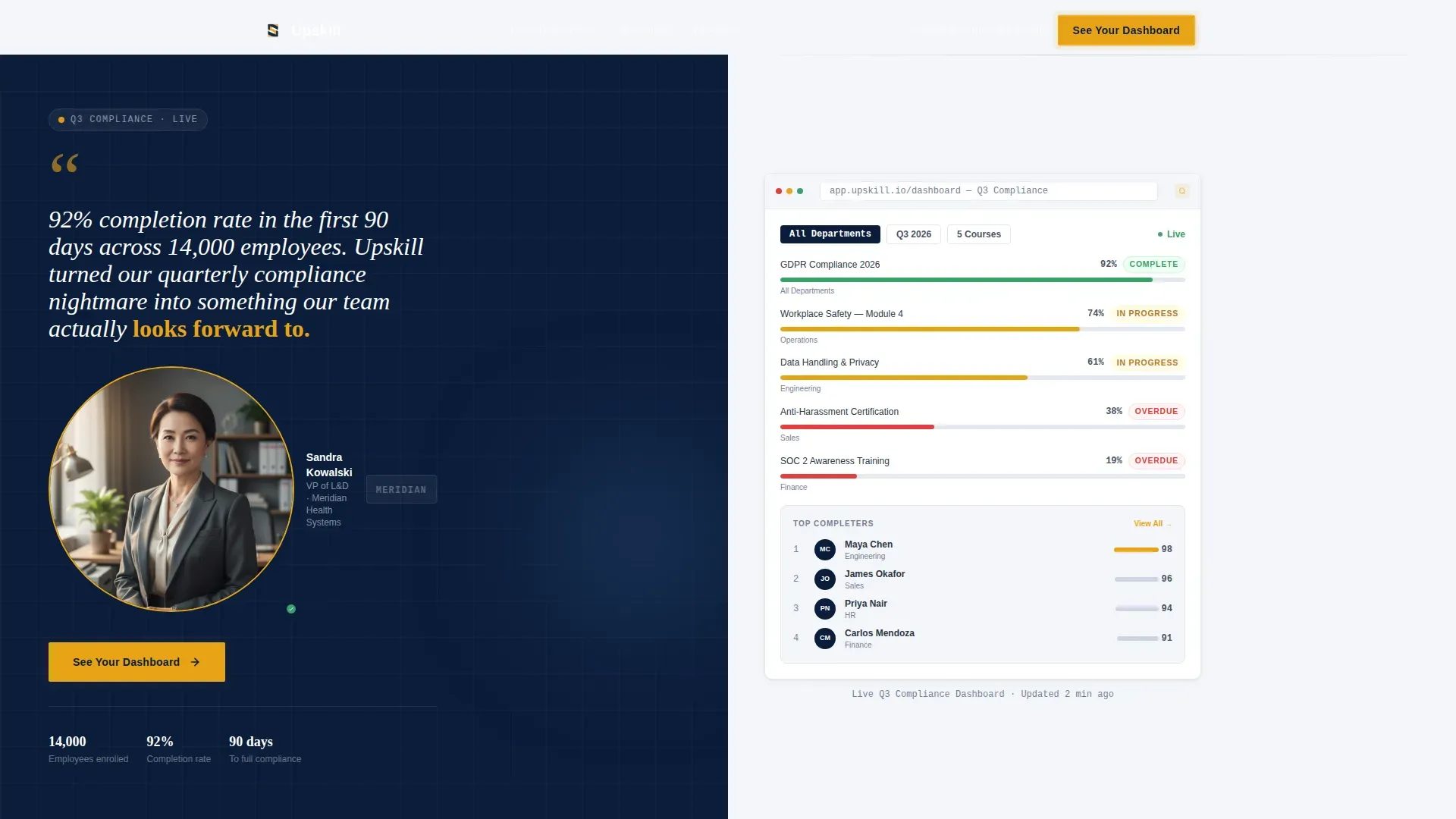
- A hero section with a named testimonial card on the left and a live dashboard screenshot on the right, designed to connect social proof with visible platform output
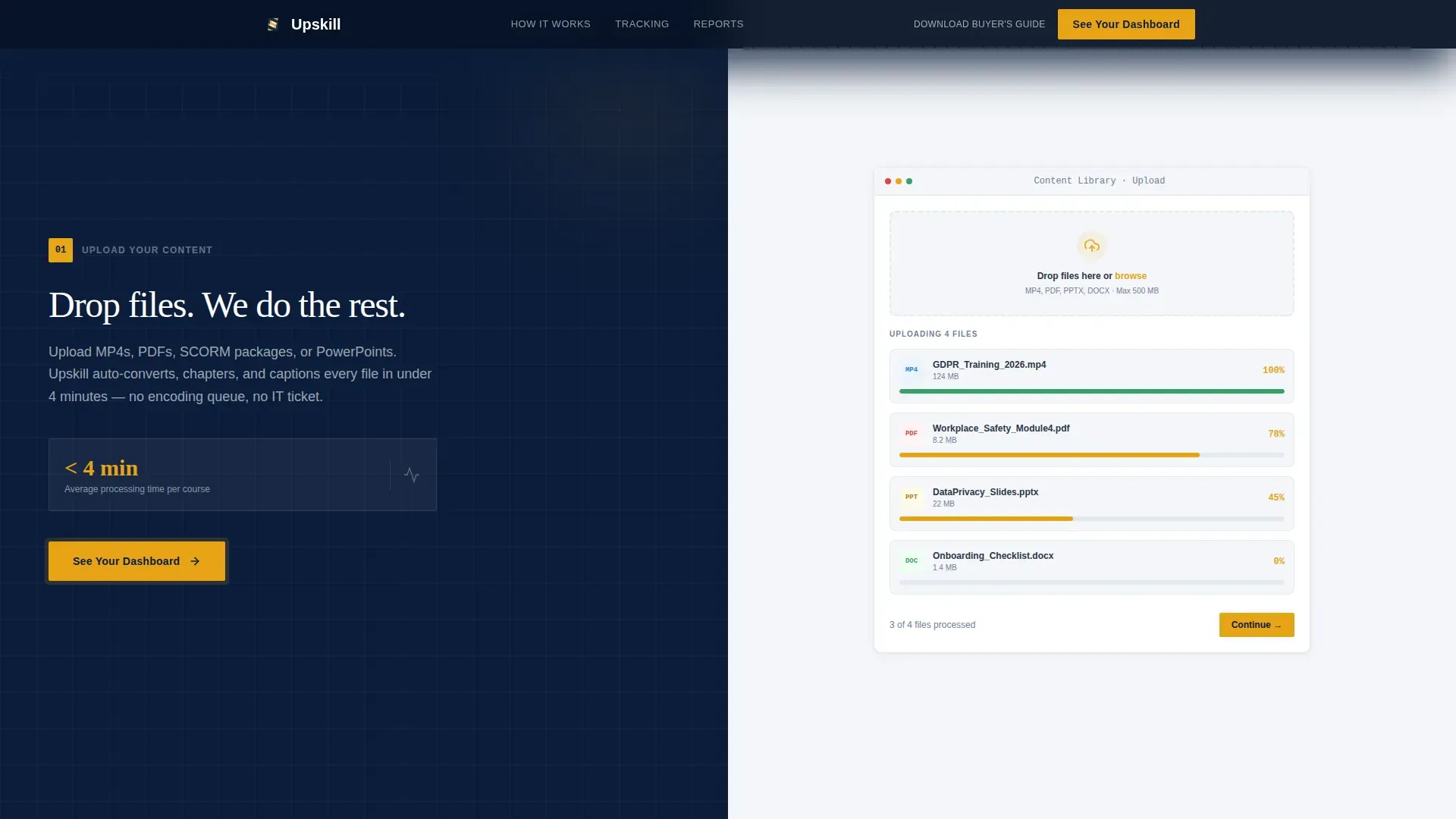
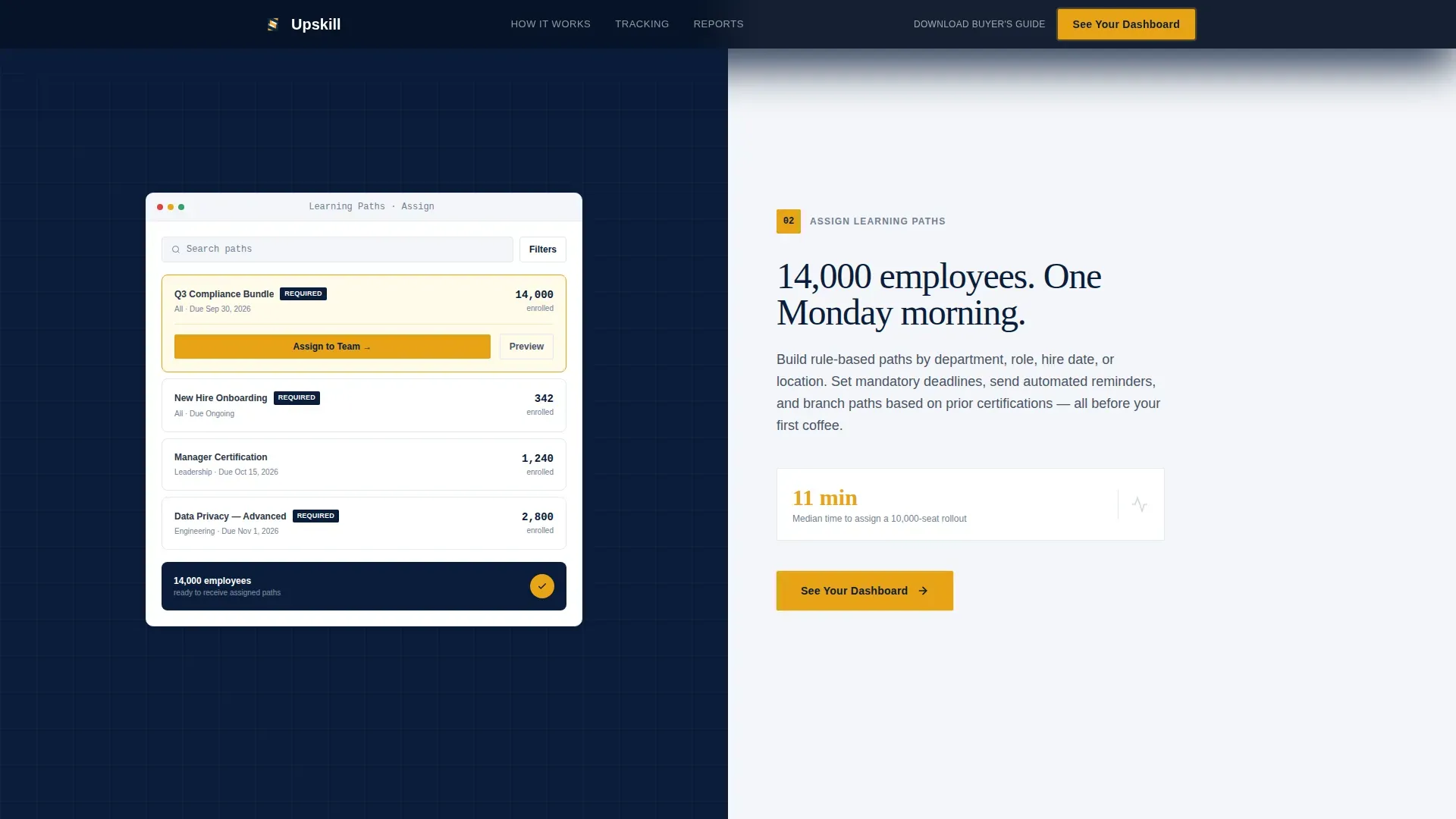
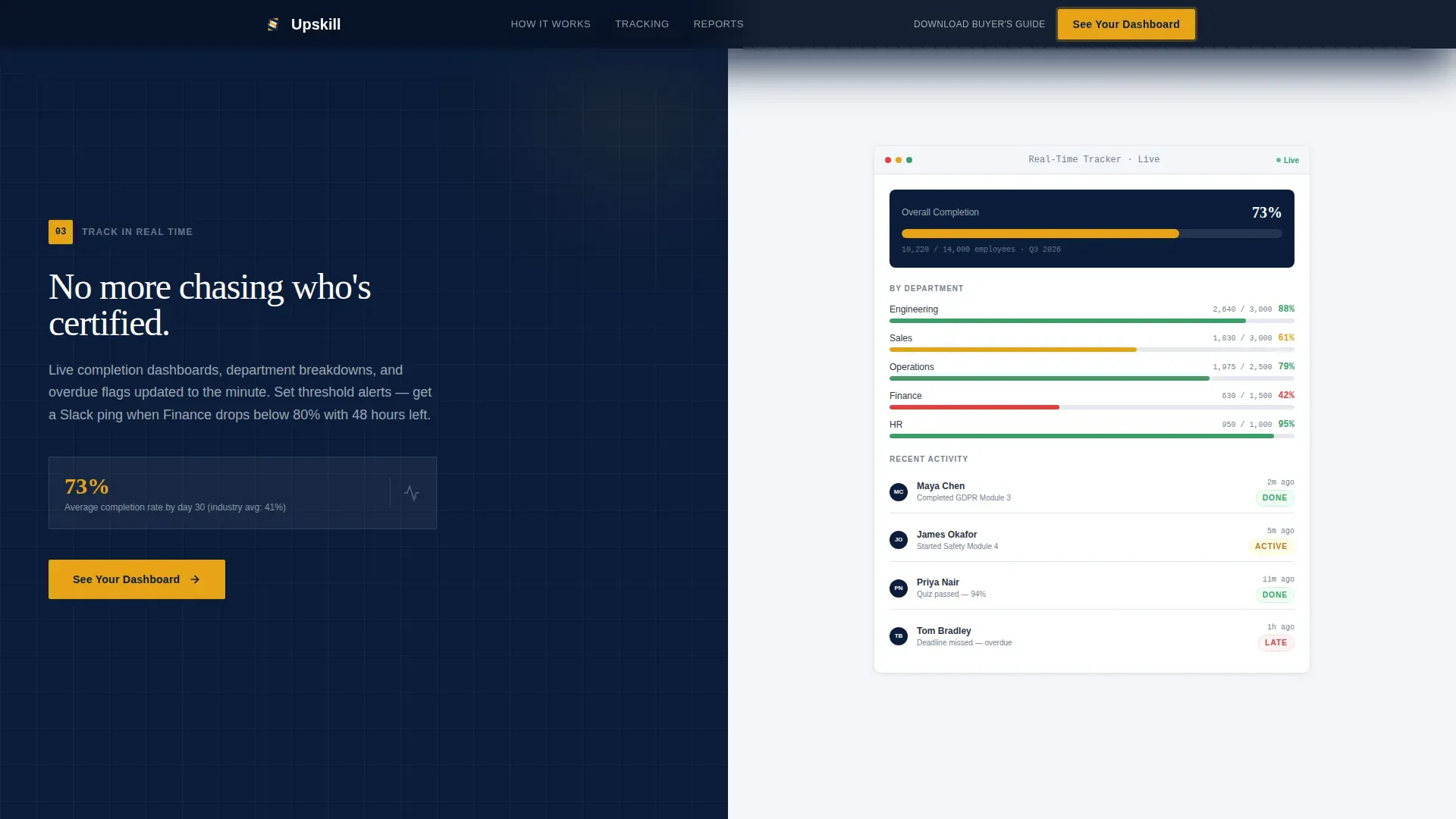
- Four sequential step sections, each with a plain-language description and a corresponding user interface visual mid-task
- Two call-to-action placements per step section plus a secondary text link for buyers still in committee
Feature list
This template ships with carefully considered components. Each one serves a specific role in the buyer journey from first impression to demo click.
50/50 Split-Screen Layouts
Every section uses a strict 50/50 split. One side carries the message; the other shows the platform in action. This structure lets learners and decision-makers process both the promise and the proof at the same time. The layouts stay consistent across all five content sections, creating a rhythm that feels intentional rather than assembled.
Testimonial Hero with Dashboard Visual
The header opens with a large-format quote from a named L&D Director, complete with a circular headshot crop and company logo. The right panel shows a live dashboard screenshot with course completion bars, overdue flags, and a leaderboard widget. This juxtaposition of human proof and platform output is one of the most effective ways to engage learners the moment they land.
Sequential Step-by-Step Guide Sections
Scrolling past the hero walks the visitor through four implementation phases: Upload Your Content, Assign Learning Paths, Track in Real Time, and Export Audit Reports. Each step carries a compelling stat alongside its user interface visual. This creative direction is ideal for teaching complex software workflows without overwhelming users.
Amber Call-to-Action System
The primary call-to-action button uses decisive amber (#E8A317) on deep navy. It reads "See Your Dashboard" and appears anchored at the bottom of each step section. A secondary text link, "Download the Enterprise Buyer's Guide," sits beneath the final call-to-action for prospects still gathering feedback from internal stakeholders.
Corporate Precision Typography
The template uses DM Sans for body copy and Fraunces as a serif for pull quotes and high-impact statements. Together, these fonts create a clear hierarchy. Body text in gunmetal gray reads like a well-formatted report, while quote typography adds authority and warmth to the testimonial panels.
Scroll-Reveal and Counter Animations
The template includes medium-level animations: scroll-reveal transitions between steps, counter animations for key stats, sticky step progress indicators, and subtle parallax effects. These interactive tools keep users engaged as they move through the page without adding unnecessary complexity.
Page sections overview
| Section | Purpose |
|---|---|
| Hero Testimonial Card | Opens with named social proof on the left and a live dashboard visual on the right to establish immediate credibility |
| Step 1: Upload Content | Shows the content upload process mid-task with a supporting stat to frame simplicity |
| Step 2: Assign Learning Paths | Demonstrates how the platform assigns course paths with a corresponding user interface visual |
| Step 3: Track in Real Time | Highlights progress tracking with live data visuals and an in-context stat |
| Step 4: Export Audit Reports | Closes the step sequence with a compliance stat, export user interface view, and the final call-to-action |
| Linear Footer Row | Delivers a clean, single-row footer with essential links in a compact, professional format |
Design & branding system
The visual identity follows a Corporate Precision theme. Every color, font, and spacing choice reflects the authority and structure that enterprise buyers expect when evaluating management systems for large organizations.
- Color system: deep command navy (#0B1D3A) for primary backgrounds, pressed-shirt white (#F4F6F9) for content panels, gunmetal gray (#4A5568) for body text, and decisive amber (#E8A317) exclusively for calls-to-action, progress indicators, and interactive highlights
- Typography: DM Sans for body copy and navigation, Fraunces serif for testimonial quotes and impact statements, maintaining a clear visual hierarchy throughout all layouts
- Brand tone: every graphic, panel, and section is designed to reflect the polish of a corner-office environment, where every detail signals that the people behind this platform run a tight ship
Mobile & speed optimization
Although this template is built desktop-first to match how L&D directors and HR ops managers actually work, it is fully responsive for mobile users. Given that 57% of web traffic is mobile, responsiveness is not optional even for B2B enterprise tools.
- Desktop-first layout with mobile-responsive breakpoints to support access across all devices without degrading the visual structure
- Server components handle static sections to minimize client-side JavaScript, keeping the page light and fast even with scroll-reveal animations and counter triggers active
- Minimal navigation design keeps users focused and prevents distraction, which is a proven factor in improving conversion rates on landing pages
How this template helps you convert
A well-designed landing page for a learning management system must do more than describe features. It must simulate confidence. This template earns the demo click by making the visitor feel like they have already used the platform before they sign up.
- The hero section states the product, the audience, and the core benefit within the first five seconds, using a real quote with real numbers to establish trust immediately
- Each step section builds on the last, guiding learners and decision-makers through the full implementation process in plain language, reducing the anxiety that comes with evaluating new enterprise tools
- Minimal navigation and a single, repeating amber call-to-action focus all buyer attention on one action, removing the friction that causes qualified traffic to leave without converting
Other information about this template
This template is a strong starting point for any elearning business or corporate training provider looking to create a high-converting online presence. It is designed to customize easily, so teams can reflect their own brand identity without rebuilding from scratch.
- Customizable options include color tokens, font choices, section copy, and call-to-action labels, so you can develop a version that fits your specific company voice and training catalog
- The page structure supports a wide variety of online courses and learning programs, from compliance training modules with quizzes and assessments to soft skills development lessons for teams at every level
- Teams can explore the template freely before committing, and the layout is ready to connect with any demo environment or download link you already have in place
- The Upskill enterprise compliance learning management landing page template is built to support organizations that want to move beyond other platforms that lack structured, outcome-focused design
- Supporting graphics, layout examples, and a content library of section templates make it straightforward to implement without a full design team
- The design communicates security and professionalism, which matters when enterprise clients are evaluating tools that will manage sensitive training records across their entire workforce
- This template can support sales and marketing teams that need a focused, professional web presence to drive qualified traffic toward a structured demo process
- Blog-style content and additional resources can link from the footer, giving returning users a clear path to deeper knowledge without cluttering the main page flow
- For organizations that want to develop a multi-channel learning presence, this page is a focused entry point that connects buyers to the broader world of the platform
Theme
Corporate Precision
Creative direction
Step-by-Step Guide
Color system
Navy Authority
Style
Split Screen (50/50)
Direction
Click-Through
Page Sections
50/50 Split-screen Section Layouts
Testimonial Hero with Live Dashboard
Sequential Step-by-step Guide Structure
Amber Call-to-action Button System
Corporate Precision Typography Pairing
Scroll-reveal Animations and Counter Triggers
Related questions
Can I customize the colors and fonts in this template?
Is this template suitable for a corporate LMS managing thousands of learners?
Does this template include a lead capture form?
What sections are included in the template?
Can this template support types of online courses beyond compliance training?



