Express Business Professional Website Template
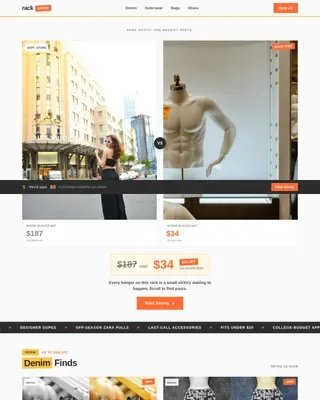
Drop is a bento grid landing page built for express fashion stores running time-sensitive sales. It combines a Before/After Slider header, live countdown timers, and real-time stock counts to turn browsing into urgency. Every tile routes directly to a product page, making the path from discovery to purchase as short as possible.
by Rocket studio
Quick summary
Drop is a single-page bento grid layout designed for fashion retailers who move inventory fast. The header splits the viewport with a draggable Before/After Slider revealing marked-down prices in real time. Countdown timers, pulsing low-stock tiles, and a sticky call-to-action bar keep every visitor focused on acting before the window closes.
Who this template is for
This template is built for fashion-forward retailers who need a high-pressure, visually striking sales page. It suits any store where timing and scarcity are central to the buying decision.
- Express clothing stores running limited-time drops or flash sales
- Boutique owners who want to move seasonal inventory quickly
- Brand operators targeting young professionals and college-age shoppers building their wardrobes
What problem this template solves
Most generic product pages let shoppers browse without any sense of urgency. Visitors take their time, leave, and often never return. Drop fixes this by making scarcity visible and immediate on every tile.
- Countdown timers and live stock counts replace vague "limited stock" copy with real numbers
- The Before/After Slider makes the discount feel earned, not assumed
- Tiered urgency across the bento grid means pressure builds naturally as visitors scroll deeper
What you get with this template
You get a fully structured, single-page bento grid landing page designed around urgency and discovery. Every visual and interactive element is built to push the visitor toward a buying decision.
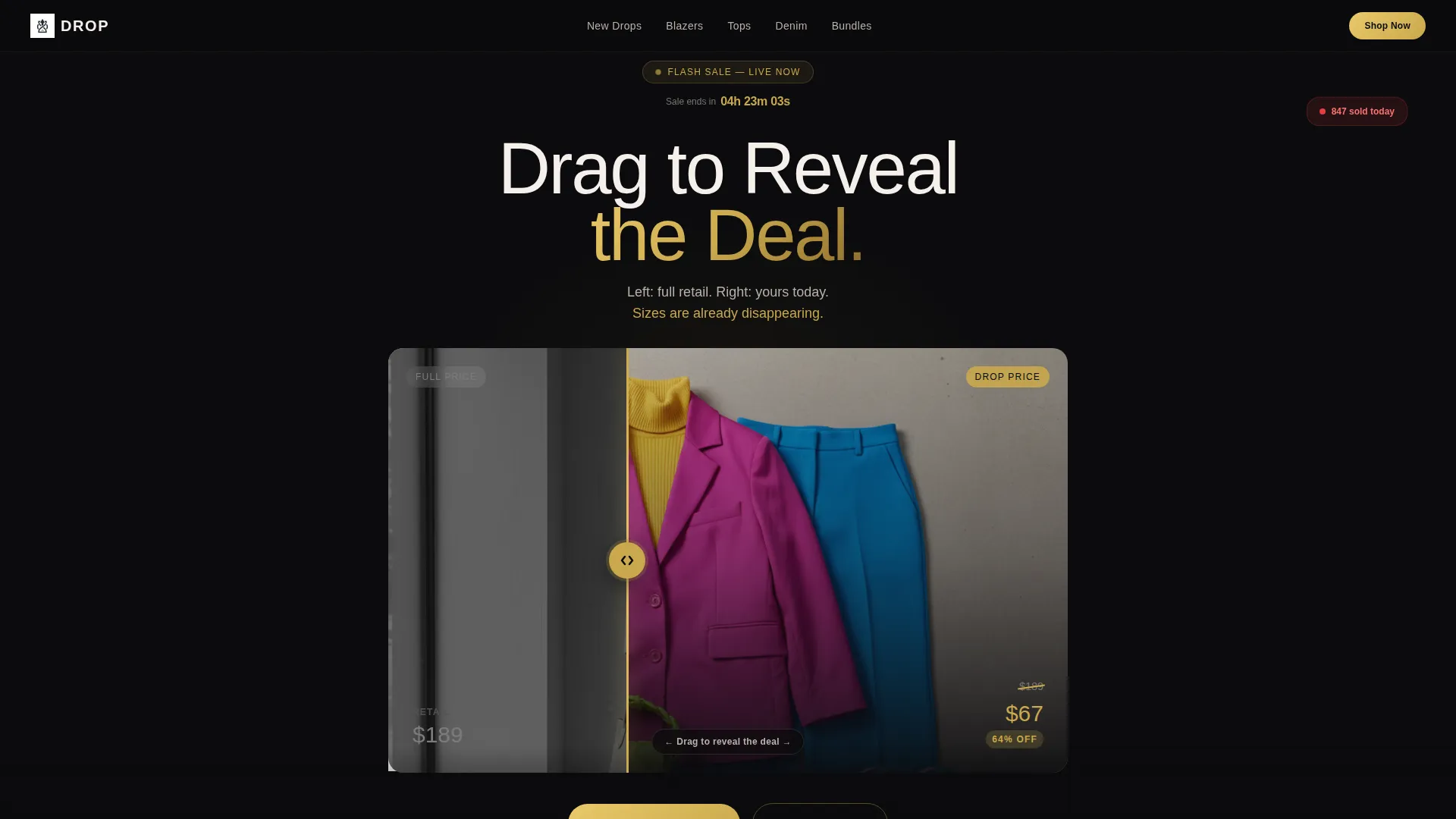
- A draggable Before/After Slider header that reveals marked-down pricing in a saturated, full-color reveal
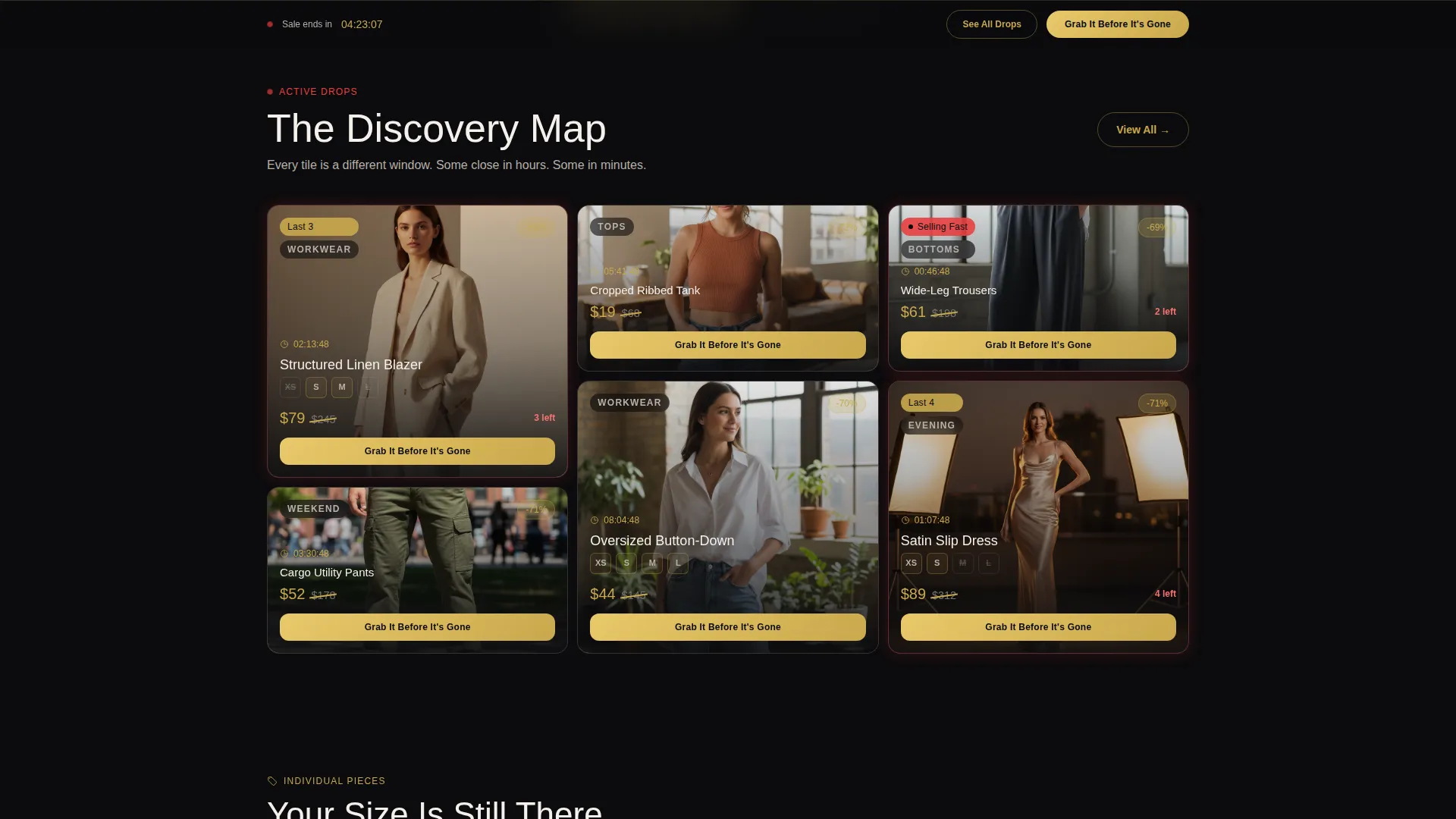
- A scrollable bento grid with unevenly sized tiles, per-card countdown clocks, and low-inventory pulse animations
- A sticky bottom bar and per-tile primary call-to-action buttons routing directly to product detail pages
Feature list
This template ships with a focused set of conversion-oriented components. Each one serves a clear role in the sale experience.
Before/After Slider Header
The header splits the viewport into two states. The left side shows full-retail styling in muted, desaturated tones. Dragging the divider to the right reveals the same outfit fully saturated, price slashed in gold. A live countdown clock sits pinned above the slider in gold numerals, already ticking when the page loads.
Bento Grid Discovery Layout
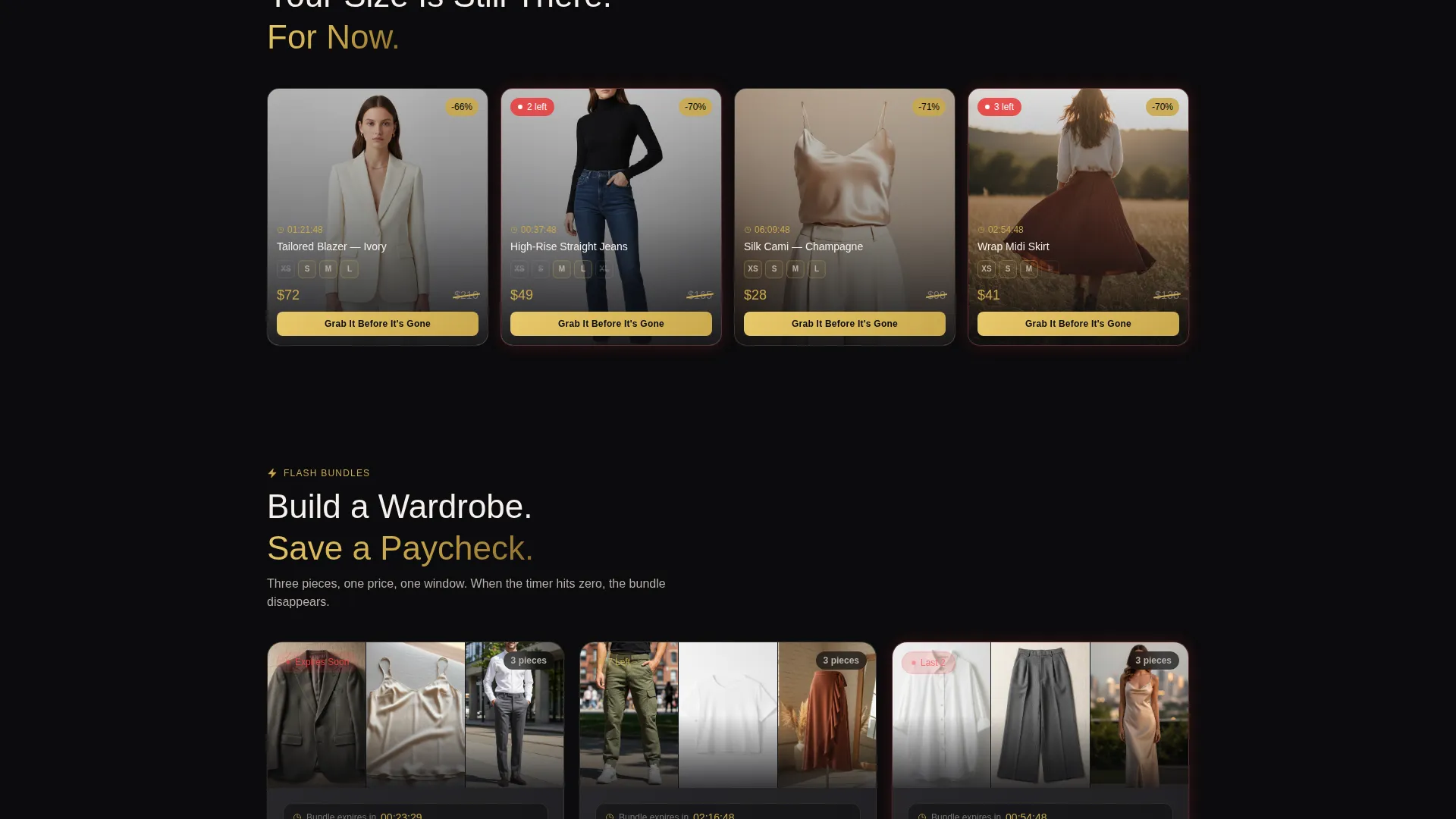
The main content area is a bento grid where tiles are sized unevenly on purpose. The eye hunts rather than scans, which slows the visitor down in the right way. As they scroll, the grid moves from curated outfits to individual pieces to flash bundles, with urgency compounding at every row.
Per-Tile Countdown Timers
Each bento tile carries its own countdown clock with a distinct expiration window. Some tiles count down hours; others count down minutes. This creates a layered sense of urgency that feels real because it is real, each card showing its own closing time.
Low-Stock Pulse Animation
When inventory on a product drops below ten units, its tile pulses subtly. This visual signal does not require any copy change. The animation itself communicates scarcity at a glance, prompting faster decisions without interrupting the browsing flow.
Primary Call-to-Action on Every Tile
Every bento tile carries a "Grab It Before It's Gone" button in gold on obsidian. When size data is available, the link routes to the product detail page with the size pre-selected. This removes friction between seeing the deal and starting the checkout.
Sticky Secondary Call-to-Action Bar
A persistent bar fixed to the bottom of the viewport carries a "See All Drops" link pointing to the full sale directory. It stays visible throughout the entire scroll, giving visitors who are not yet ready to commit a low-pressure path to keep exploring.
Page sections overview
| Section | Purpose |
|---|---|
| Live Countdown Header | Pins a gold countdown clock above the Before/After Slider to signal the sale is already closing |
| Before/After Slider | Lets visitors drag to reveal the marked-down price, making the discount feel like a personal discovery |
| Curated Outfits Grid | Opens the bento grid with full-look tiles, building style context before individual pieces appear |
| Individual Pieces Grid | Mid-scroll tiles shift to single items, each with its own timer and real-time stock count |
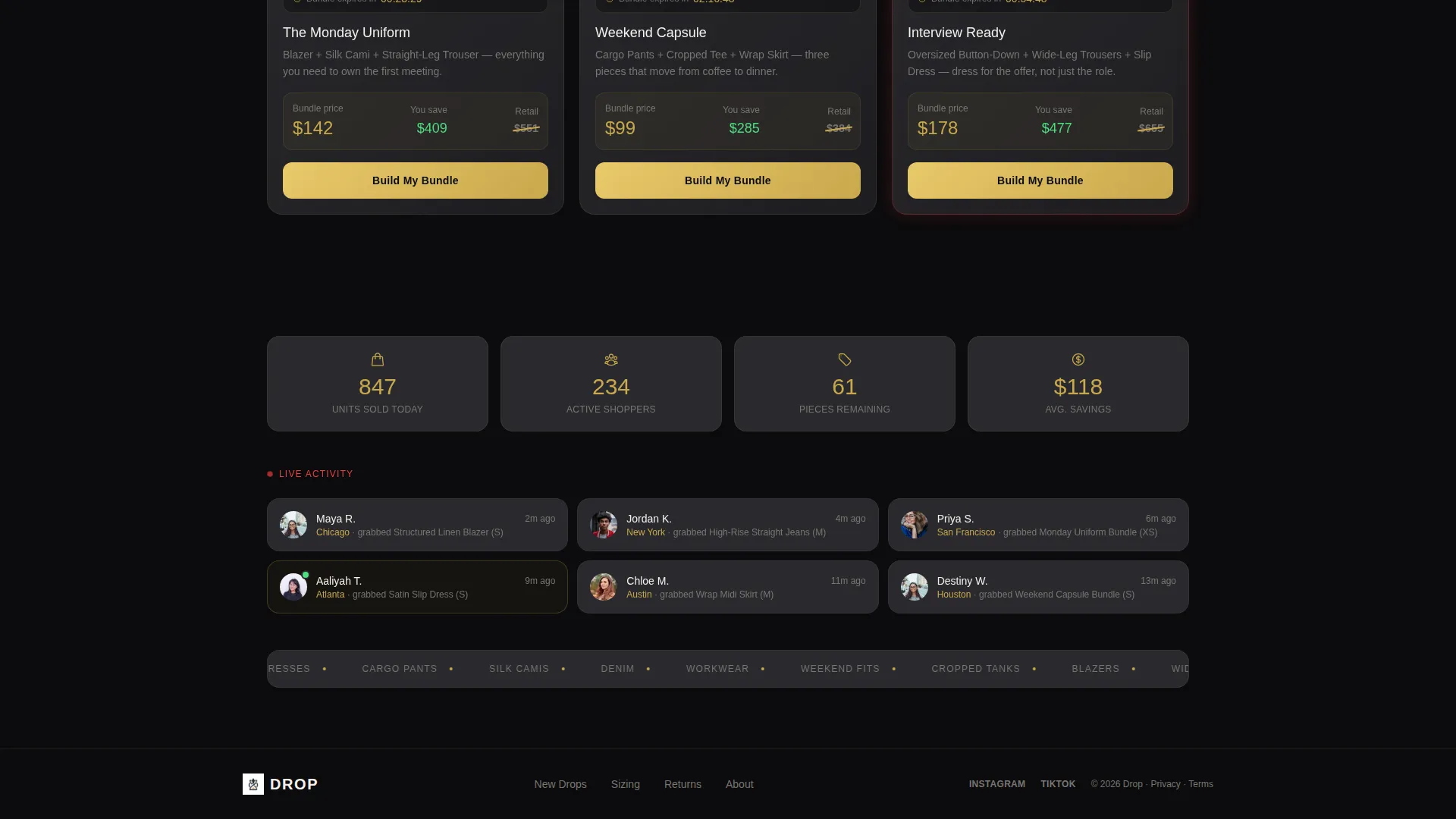
| Flash Bundles Row | Bottom-of-scroll tiles group items into time-limited bundles, maximum urgency, minimum decision time |
| Sticky Bottom Bar | Keeps the "See All Drops" secondary call-to-action visible at every scroll position |
Design & branding system
The visual identity follows a Directory and Discovery theme executed in an Obsidian and Gold color system. Every design choice references the atmosphere of a VIP back room at a sample sale, velvet-dark walls, warm spotlights, and price tags that catch the light.
- Deep obsidian black (#0B0B0D) anchors every background tile; warm charcoal (#2A2A2E) surfaces secondary cards
- Brushed gold (#C9A84C) is reserved for countdown timers, price slashes, and call-to-action text so urgency cues are always visually consistent
- Chalk white (#F5F0EB) body text breathes against the dark palette, keeping every price and label easy to read without harsh contrast
Mobile & speed optimization
The bento grid layout is structured to reflow cleanly on smaller screens. Tiles stack in a logical order that preserves the curated-to-individual-to-bundle narrative even on a single-column view.
- Countdown timers and stock count displays are sized to remain readable on mobile without enlarging the overall card
- The sticky bottom bar stays fixed on mobile viewports, keeping the secondary call-to-action reachable without scrolling back up
- The Before/After Slider is touch-friendly, allowing mobile visitors to drag the divider with a finger just as naturally as a desktop cursor
How this template helps you convert
Every element in this template is designed to shrink the gap between a visitor's first look and their decision to click through to the storefront.
- Real-time scarcity signals, live stock counts and per-tile timers, replace passive browsing with active decision-making because visitors can literally watch the numbers fall.
- The Before/After Slider puts the visitor in control of revealing the deal, creating a moment of personal discovery that makes the markdown feel earned rather than generic.
- The sticky bottom bar and per-tile primary buttons mean a committed call-to-action is always within reach, whether the visitor is at the top of the page or the very last row of the grid.
Other information about this template
Drop is designed to work as a standalone campaign page for a single sales event or drop window. It can also serve as a recurring template, swapping out tile content and resetting timers for each new drop cycle.
- The bento grid layout is well suited for retailers who curate drops by category, occasion, or price tier
- The obsidian and gold palette translates well to both fashion photography with warm tones and editorial-style flat-lay imagery
- This template sits within the Retail and E-Commerce category under Express Business, making it a natural fit for fast-turnover store concepts
Theme
Directory & Discovery
Creative direction
Limited Time
Color system
Lavender Dream
Style
Masonry/Pinterest
Direction
Quiz/Assessment
Page Sections
Before/after Slider Header
Bento Grid Discovery Layout
Per-tile Countdown Timers
Low-stock Pulse Animation
Per-tile Primary Call-to-action
Sticky Secondary Call-to-action Bar
Related questions
What type of store is this landing page built for?
Can I use this template for multiple drop events?
How does the Before/After Slider work for visitors?
What happens when a product's stock falls below ten units?
Does every tile link to a product page?