Accessibility Documentation Professional Website Template
Docblock is a bold brutalist landing page template built for technical documentation tools. It pairs a raw Markdown editor view with a rendered documentation output in a crisp split-screen layout. Designed for senior backend engineers, developer relations leads, and open-source maintainers, it communicates authority through stark monochrome contrast, oversized monospaced type, and a direct install-focused call to action.
by Rocket studio
Quick summary
Docblock is a single-page, split-screen landing page template for high contrast documentation tools. It uses a bold brutalist visual identity to make technical output look as authoritative as the systems it describes. The layout runs left-to-right: raw source on one side, finished documentation on the other. Every section earns the install before asking for it.
Who this template is for
This template speaks directly to builders who live inside documentation every day. It is not for general software products or marketing-led SaaS tools. It is built for people who care deeply about the credibility of their technical output.
- Senior backend engineers maintaining large or complex API surfaces who need their docs to look as precise as their systems
- Developer relations leads shipping public-facing documentation that must project technical authority from the first scroll
- Open-source maintainers whose README and documentation site carry the full weight of their project's first impression
What problem this template solves
Technical documentation tools often ship with landing pages that undersell their output. Generic layouts, soft gradients, and feature carousels do not communicate precision or trust. Docblock solves that mismatch directly.
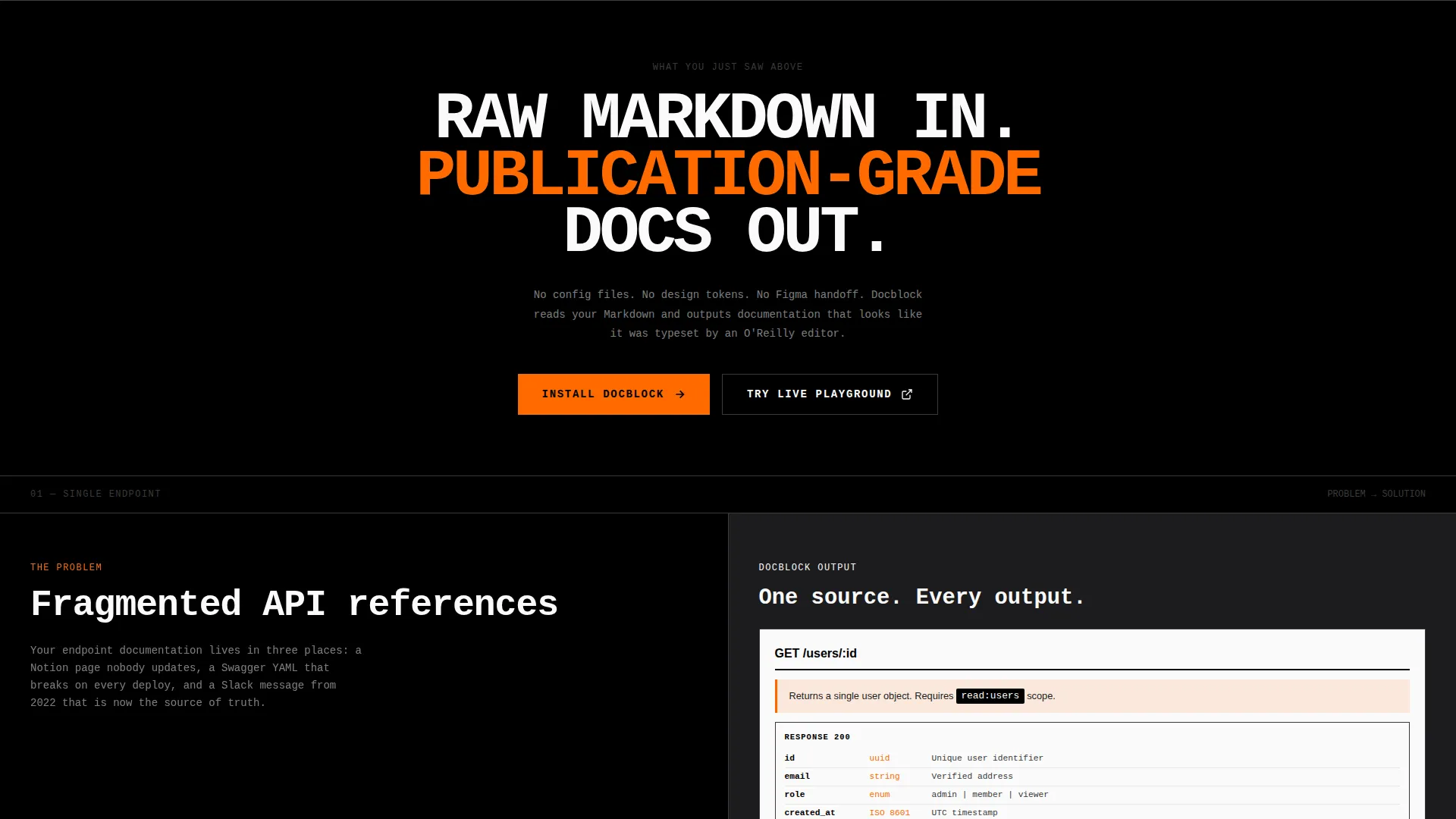
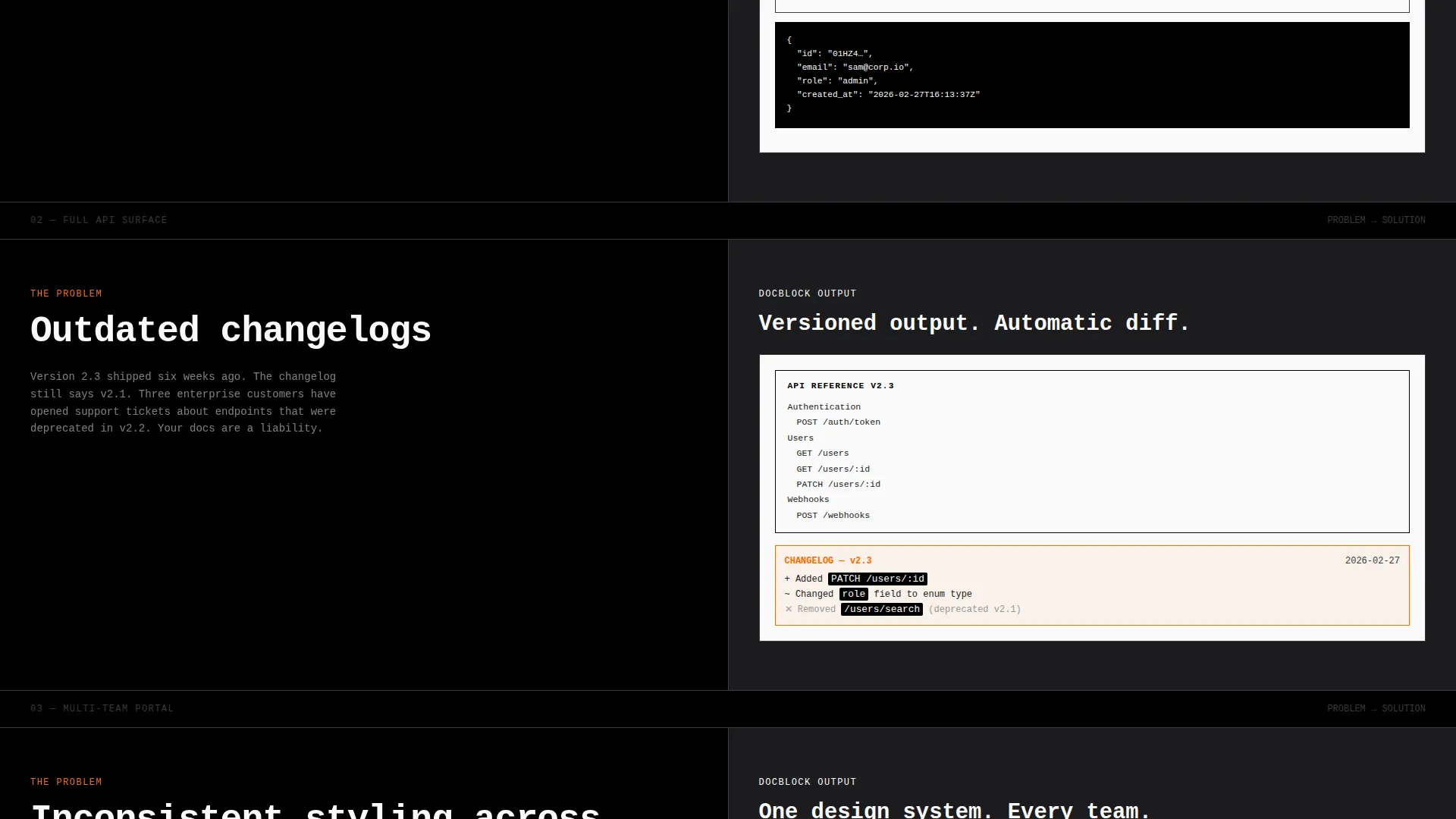
- Fragmented API references, outdated changelogs, and inconsistent styling across teams are presented as concrete problems, each paired with a live rendered solution
- The standard landing page aesthetic feels too consumer-friendly for infrastructure tools, leaving buyers unsure whether the product is serious
- Most documentation tool pages ask for the install before proving the output, which breaks trust with technical audiences who need evidence first
What you get with this template
You get a fully structured, single-page layout that demonstrates your documentation tool's output at every scroll step. The design does the persuasion through proof, not promises.
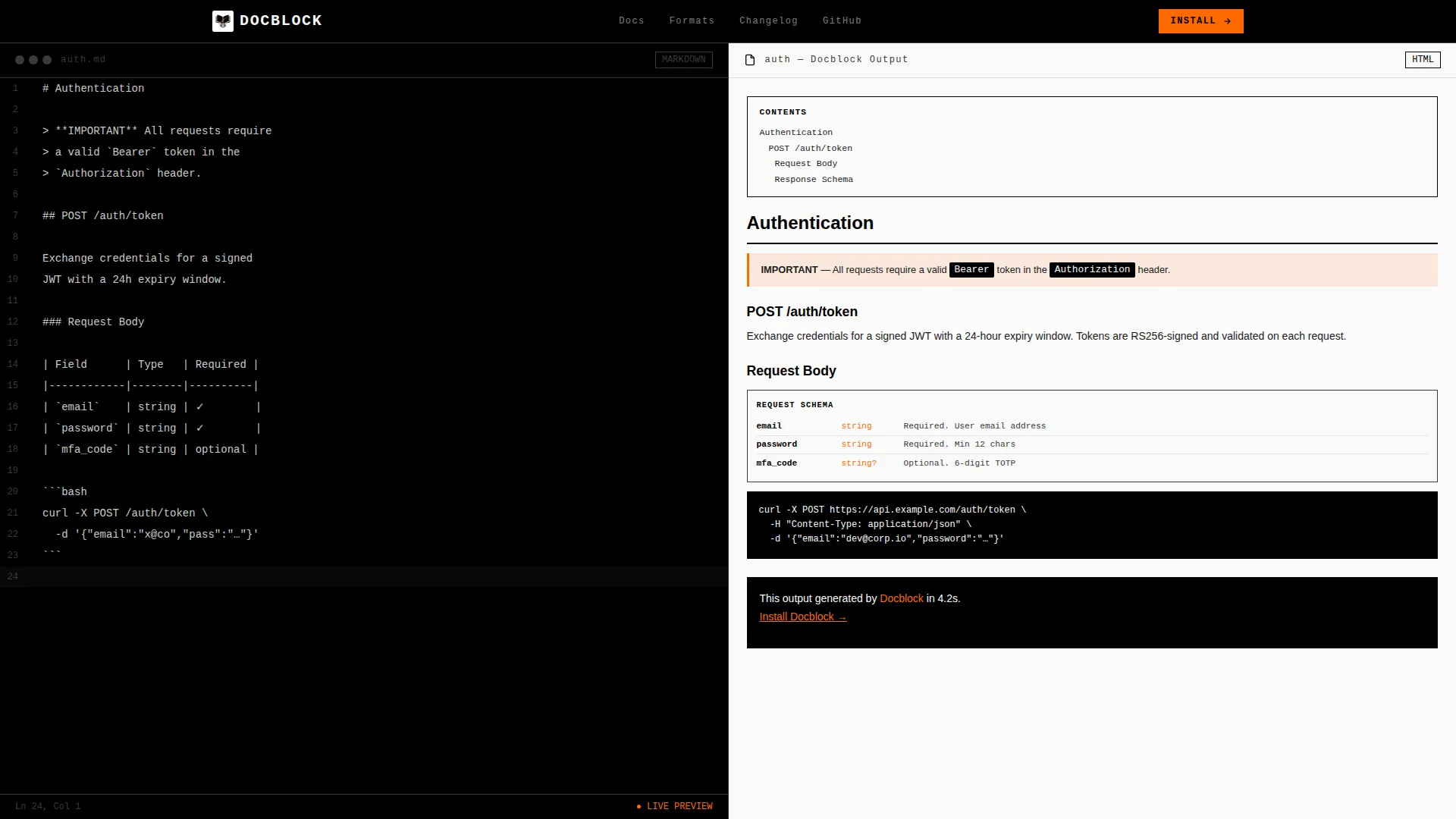
- A 50/50 split-screen header showing raw Markdown on the left and rendered documentation on the right, with a single blinking orange cursor as the only moving element
- An industry report scroll cadence that escalates evidence from a single endpoint to a full API surface to a multi-version documentation portal
- Two primary call-to-action placements, one at the fold and one after the final evidence section, each anchored by a one-line terminal install command pre-selected for copy
Feature list
This template includes a focused set of layout and design components drawn directly from the brief. Each one serves the goal of building technical credibility before asking for commitment.
Split-Screen Header with Live Editor Preview
The header divides the viewport exactly 50/50. The left half shows raw Markdown source in a monospaced editor with visible line numbers and plain white text on black. The right half renders that same Markdown as finished documentation, complete with a live table of contents, a schema diagram, and a callout box in crisp black on white.
Industry Report Scroll Cadence
Each scroll section pairs a documented problem on the left with the Docblock solution rendered live on the right. Evidence escalates deliberately: first a single endpoint, then a full API surface, then a multi-version documentation portal. This structure ensures readers see proof before they see the call to action.
Brutalist Stat Blocks
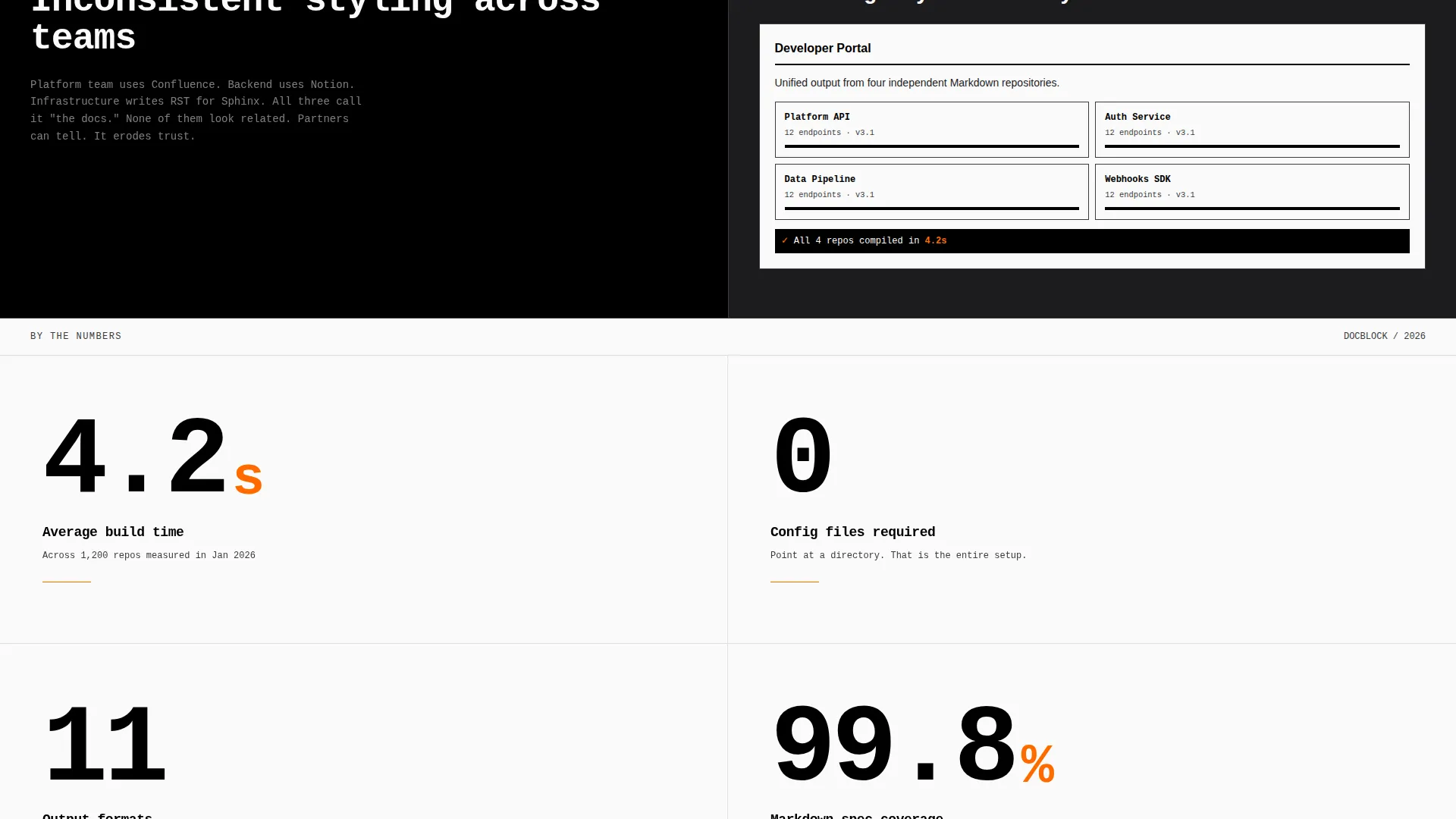
Key numbers fill half the viewport in oversized monospaced numerals, formatted like warehouse wall stencils. Examples from the brief include "4.2s average build time," "Zero config," and "11 output formats." Each stat functions as a visual anchor that reinforces confidence.
Dual Call-to-Action Placement
The primary call to action, "Install Docblock," appears twice: once at the fold and once after the final evidence section. Below each button, a one-line terminal command (npm install docblock) is pre-selected for immediate copy. A secondary path offers "Try the Live Playground" for a no-account browser sandbox.
Bold Brutalist Typography System
All type is oversized, monospaced, and tracked wide for high legibility. Headings feel like signage on a concrete facade. Body text is set for reading density without visual clutter. No decorative typefaces appear anywhere in the layout.
High Contrast Monochrome Color System
Backgrounds alternate strictly between full black and full white with no gradients. The single accent color, arc-weld orange (#FF6B00), appears only on interactive states and the blinking cursor. The palette is machinist-grade: nothing softened, nothing decorative, every element load-bearing.
Page sections overview
| Section | Purpose |
|---|---|
| Split-screen header | Show raw Markdown source beside finished rendered documentation |
| Problem data point 1 | Present fragmented API references as evidence; show Docblock solution |
| Problem data point 2 | Address outdated changelogs; render corrected output on the right |
| Problem data point 3 | Highlight inconsistent team styling; show unified documentation output |
| Brutalist stat blocks | Display key proof numbers in oversized viewport-filling numerals |
| Primary call to action fold | Deliver the "Install Docblock" button with terminal copy command |
| Evidence escalation | Progress from single endpoint to full API surface to multi-version portal |
| Final call to action section | Repeat install button and secondary "Try the Live Playground" link |
Design & branding system
The visual identity is built on raw industrial contrast. Every design decision reinforces the weight and authority of the documentation it promotes. Nothing in this template is decorative.
- Monochrome Steel color system uses absolute black (#000000), cold-rolled steel (#1C1C1E), mill-finish gray (#3A3A3C), and bare-stock white (#FAFAFA), with arc-weld orange (#FF6B00) reserved exclusively for interactive states and the blinking cursor
- Typography is entirely monospaced, oversized, and wide-tracked to carry the weight of brutalist signage at every viewport width
- Backgrounds alternate between full black and full white with no gradients, no soft overlays, and no decorative elements anywhere in the layout
Mobile & speed optimization
The split-screen layout is designed to translate cleanly to narrower viewports. The template respects how technical audiences browse on multiple devices.
- The 50/50 split-screen header collapses to a stacked single-column view on smaller screens, preserving both the editor and rendered output in sequence
- Oversized brutalist stat blocks reflow to fill the full viewport width on mobile, maintaining visual impact without horizontal scrolling
- No animations or transitions are present on load; the only moving element is the blinking orange cursor, which keeps rendering demands minimal
How this template helps you convert
Every structural decision in Docblock is built around earning the install before requesting it. The layout does not ask for commitment until it has delivered sufficient proof.
- The split-screen header immediately shows what the tool produces, giving technical visitors a concrete output to evaluate before reading a single line of marketing copy
- The industry report scroll cadence escalates evidence in stages, matching how senior engineers and developer relations professionals evaluate tools: from a narrow proof of concept to a full production-scale example
- The dual call-to-action placement, combined with a pre-selected terminal command, removes all friction at the moment of decision so visitors can act the instant they are convinced
Other information about this template
This template belongs to the Documentation and Support category, with a specific fit for high contrast documentation tools and accessibility documentation use cases. A few additional details are worth noting for buyers evaluating fit.
- The Bold Brutalist theme and Monochrome Steel color system make this template a strong match for developer tools, command-line utilities, static site generators, and any product where technical credibility is the primary selling point
- The landing page direction is App Download, meaning every structural element drives toward a direct install action rather than a lead capture or demo request flow
- The header concept is a Code Snippet split-screen, which is a distinctive and recognizable pattern for developer-audience pages and sets this template apart from standard SaaS landing page designs
- The template style is Split Screen (50/50), and the creative direction follows an Industry Report cadence, both of which are well-suited to documentation tools that need to prove output quality before requesting user action
Theme
Bold Brutalist
Creative direction
Industry Report
Color system
Monochrome Steel
Style
Split Screen (50/50)
Direction
App Download
Page Sections
Split-screen Header with Editor Preview
Escalating Evidence Scroll Layout
Brutalist Viewport-filling Stat Blocks
Dual Install-focused Call to Action
High Contrast Monochrome Color System
Oversized Monospaced Typography
Related questions
Is this template suitable for a documentation tool that targets non-technical audiences?
Can I replace the placeholder stats with my own product numbers?
Does the template include live Markdown rendering functionality?
What is the secondary call to action used for?
Is there animation or transitions built into this template?



