Dispatch - Powerful Volunteer Landing Page Template
Dispatch is a hub-and-spoke landing page template built for home services volunteer management platforms. It pairs a live-feeling interactive dashboard preview with anchor-nav spoke sections covering coordination, scheduling, tracking, and impact reporting. The design runs on a Data Command aesthetic, deep teal authority, charcoal ops backgrounds, and catalyst orange calls to action that demand action.
by Rocket studio
Quick summary
Dispatch is a single-page, anchor-nav landing page template designed for volunteer coordination platforms in the home repair space. It opens with an interactive dashboard preview, flows through four operational spoke sections, and closes every beat with a high-friction-reducing app download call to action. The visual tone is a darkened dispatch room glowing with calm authority and urgent orange sparks.
Who this template is for
This template is built for organizations that coordinate skilled volunteers across real home repair missions. If your team is still juggling sign-ups in a spreadsheet while roofs leak and cold fronts approach, this page was made for you.
- Volunteer coordinators at faith-based nonprofits managing fifty or more sign-ups at a time
- Habitat for Humanity affiliate directors running weekend build crews across multiple counties
- AmeriCorps team leads who need to document and prove impact hours to funders
What problem this template solves
Scattered volunteer data kills momentum. When skilled hands sit unassigned and urgent jobs go unfilled, the cost is measured in leaking roofs and missed weatherization windows. This template gives coordination platforms a landing page that communicates operational power before asking for a single download.
- Visitors see a working dispatch dashboard before committing, removing doubt about what the tool actually does
- Every spoke section escalates confidence by showing coordination, scheduling, tracking, and reporting in sequence
- The app download call to action arrives only after visitors have already operated the preview, earning the conversion
What you get with this template
The template delivers a complete, section-led landing page with a strong visual identity and purpose-built layout components. Every element serves the goal of moving a skeptical coordinator from curious visitor to app installer.
- An interactive header dashboard with volunteer pins, draggable assignments, job cards, and tooltip hover states
- Four anchor-nav spoke sections: Coordinate, Schedule, Track, and Report, each with its own animation or visual component
- A sticky mobile bar with paired app store badges and a desktop text-link field, both optimized for low-friction download conversion
Feature list
This template is built around a set of specific, brief-backed capabilities that work together to communicate operational credibility and drive app installs.
Interactive Dispatch Dashboard Header
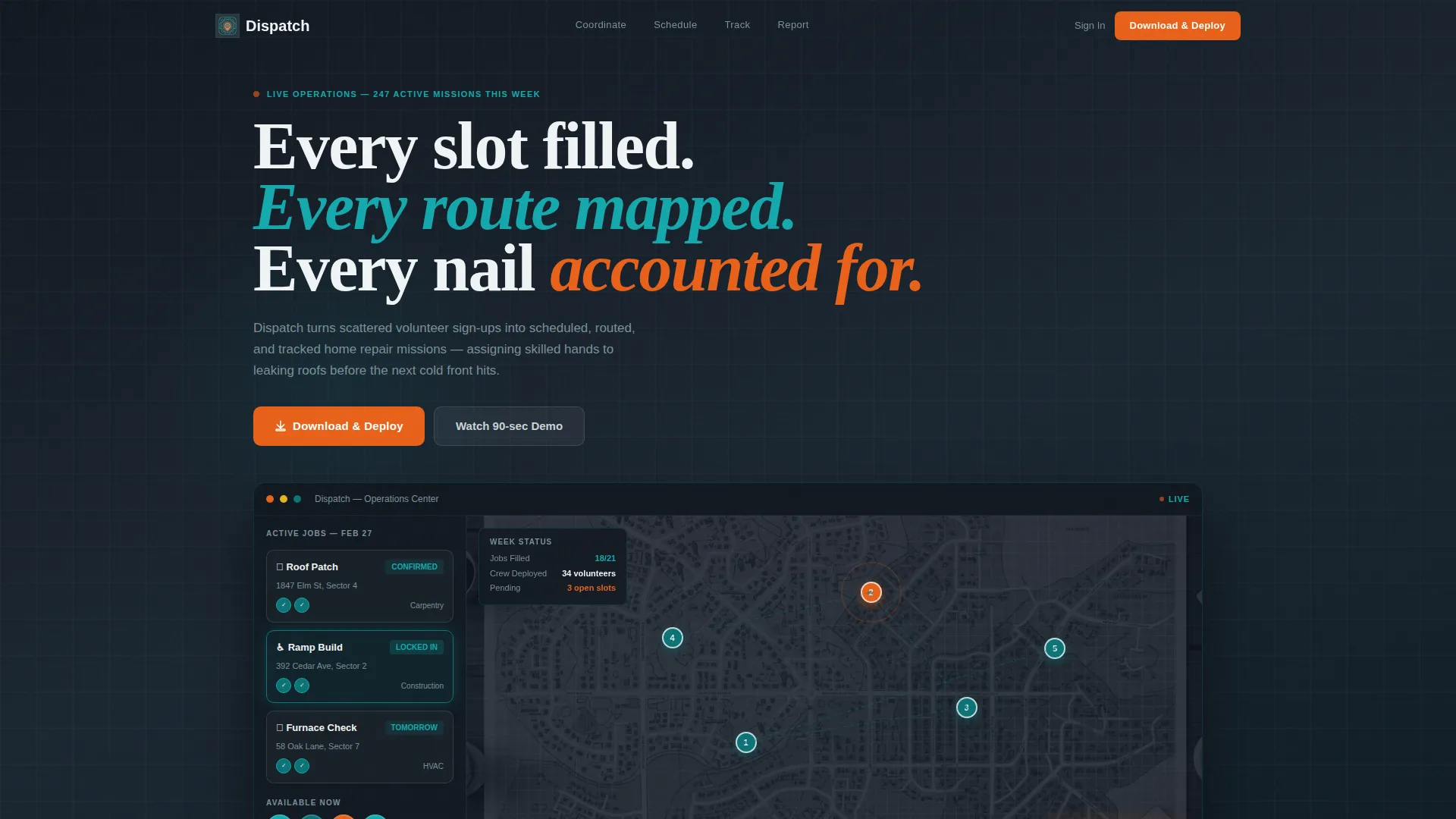
The header renders a full-viewport-width mock of the dispatch interface. It shows a neighborhood map with volunteer pins, a sidebar with three live job cards, and an animation where a volunteer avatar drags onto an open assignment. The job card flashes from orange to teal as it locks in. Visitors can hover elements to read tooltips without any static screenshot in sight.
Anchor Navigation with Four Spoke Sections
A navigation bar locks to the top of the page after the header and surfaces four labeled sections: Coordinate, Schedule, Track, and Report. Each spoke section escalates the story of operational power, guiding visitors through the full workflow in a single linear scroll.
Drag-and-Drop Crew Assembly View
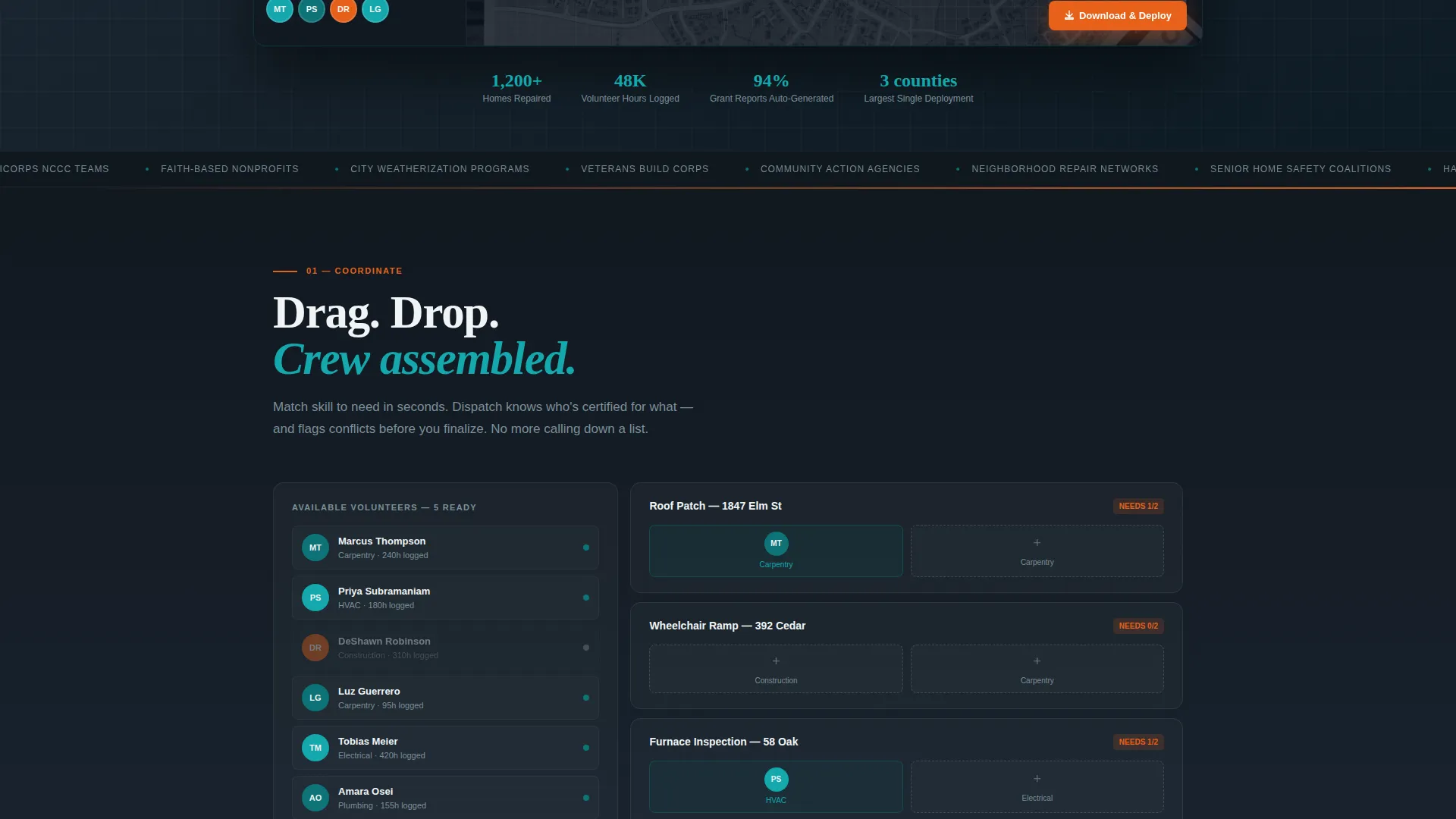
The Coordinate spoke section visualizes drag-and-drop crew assembly. It gives platform buyers a clear demonstration of how volunteer coordinators can move available people into open roles without leaving the interface.
Calendar with Weather and Daylight Overlays
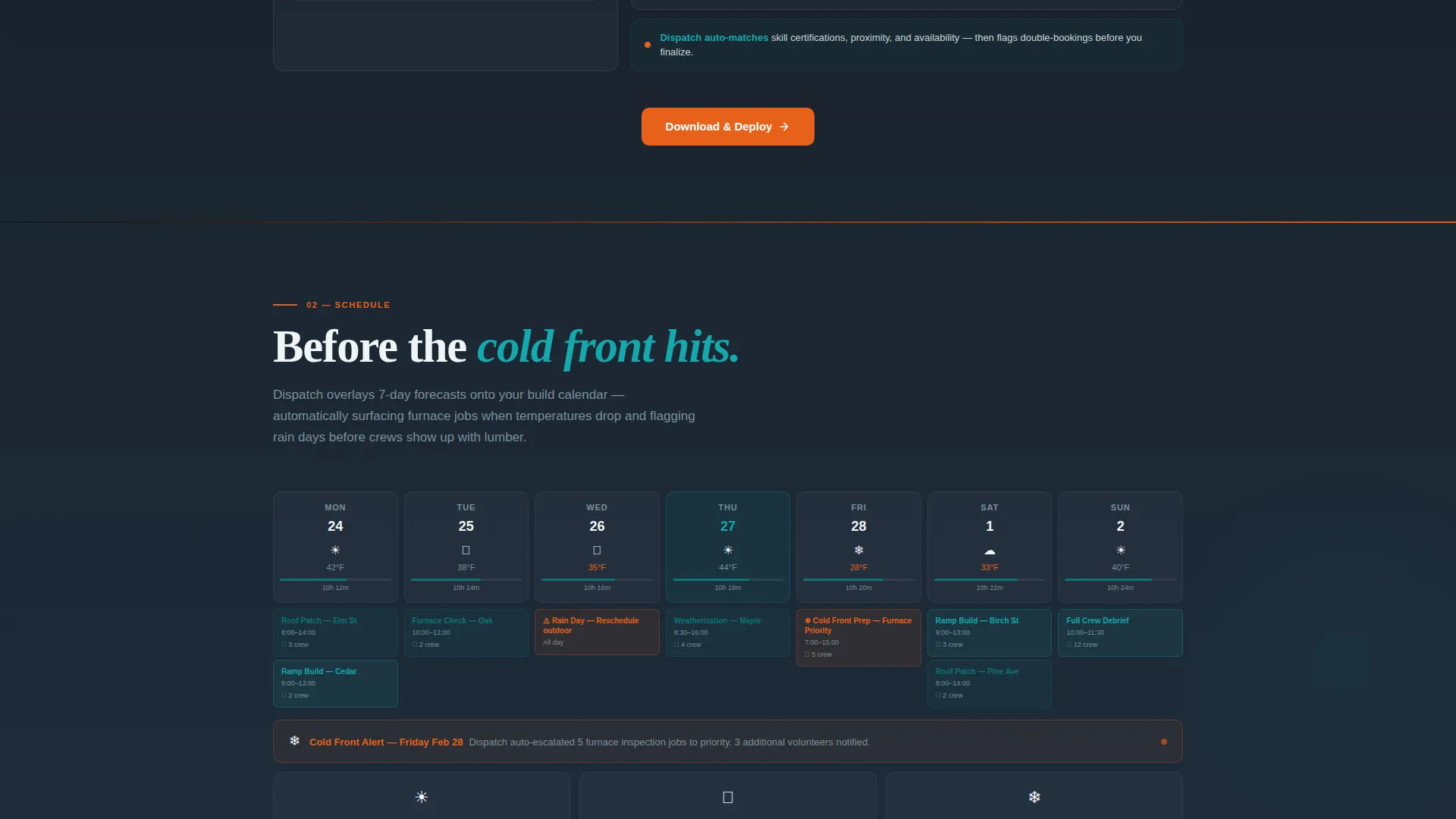
The Schedule spoke reveals a calendar view that incorporates weather overlays and daylight-hour calculations. This speaks directly to coordinators planning outdoor repair jobs where weather and working light are critical constraints.
Real-Time GPS Tracking Animation
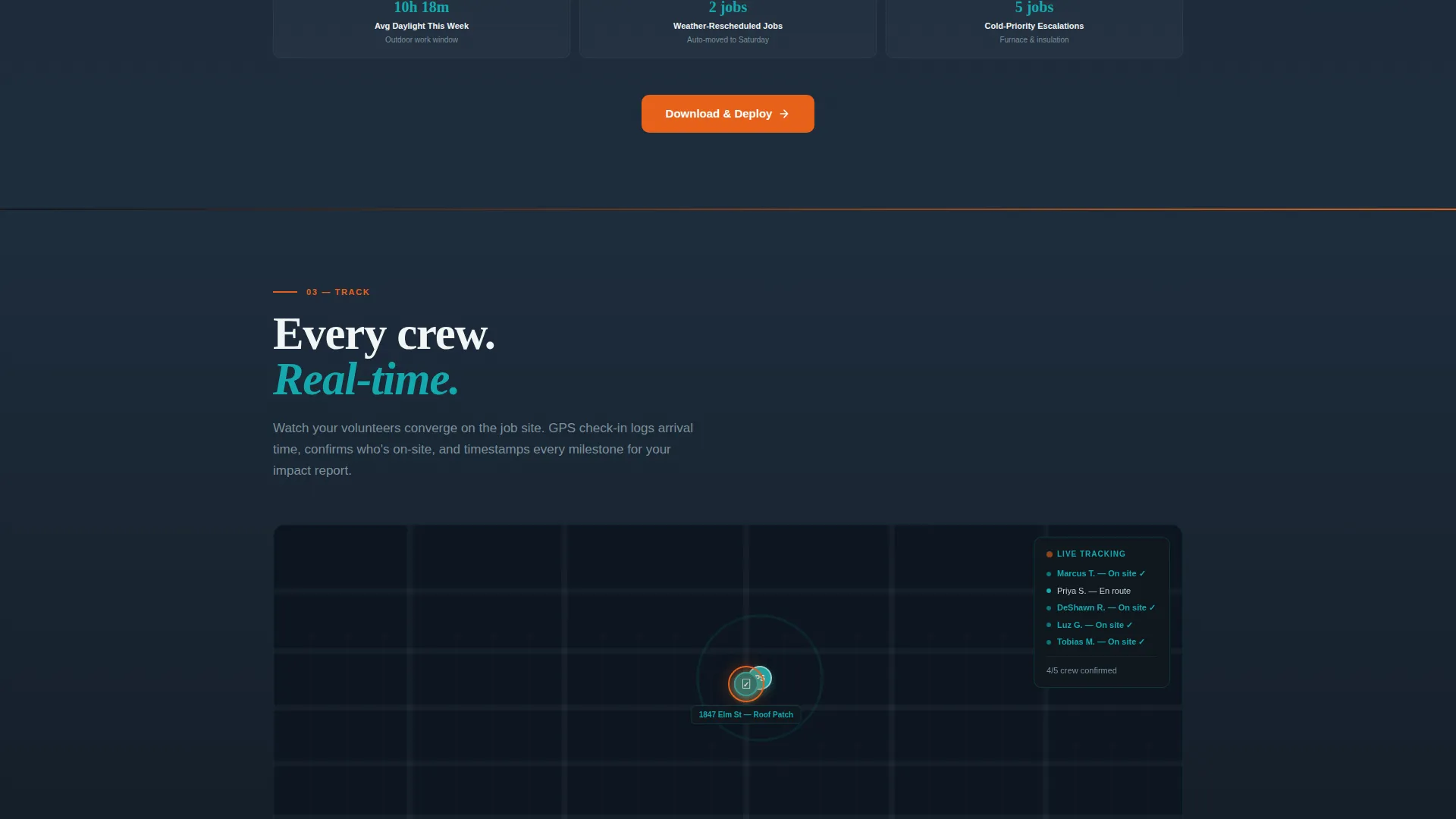
The Track spoke plays a looping animation showing real-time location dots converging on a job site. It communicates live field visibility in a way that a static screenshot simply cannot.
Auto-Generated Impact Report Preview
The Report spoke ends with an animated impact document fanning open. It shows hours served, homes completed, and materials used, the exact data points that get grant renewals approved and funders satisfied.
Page sections overview
| Section | Purpose |
|---|---|
| Interactive Dashboard Header | Immerses visitors in a live dispatch preview before any ask |
| Anchor Nav Bar | Locks four spoke links to the top for fast section access |
| Coordinate Spoke | Demonstrates drag-and-drop crew assembly workflow |
| Schedule Spoke | Shows calendar view with weather and daylight overlays |
| Track Spoke | Plays looping GPS convergence animation for field visibility |
| Report Spoke | Reveals auto-generated impact PDF to validate funder value |
| Sticky Mobile Bar | Surfaces app store badges with low-friction download prompt |
| Desktop Download Field | Captures a mobile number to text the app download link |
Design & branding system
The visual identity follows a Data Command theme powered by the Teal Catalyst color system. The palette is designed to feel like the glow of an active dispatch screen in a darkened coordination room, calm and authoritative with moments of urgent action.
- Deep operations teal (#0D7377) anchors headers, navigation states, and confirmed-status indicators across the page
- Command-dark charcoal (#1B2631) fills section backgrounds to create the live ops dashboard feeling after sundown, with signal white (#F0F4F5) reserved for card surfaces and data readouts
- Catalyst orange (#E8611A) appears exclusively on calls to action, live-status pings, and notification badges, functioning as the urgent heartbeat that punctuates every spoke section transition
Mobile & speed optimization
The template handles the mobile download journey through a dedicated sticky bar that detects device type and responds accordingly. Desktop visitors see a single phone-number input field instead. Both paths reduce conversion friction to the absolute minimum.
- The sticky bottom bar on mobile displays paired app store download badges alongside the line "Your crew is waiting"
- Desktop visitors see a single-field "Text me the link" input requiring only a mobile number, with no extra form steps
- Every spoke section closes with a "Download and Deploy" call to action in catalyst orange, reinforcing the download goal at each scroll milestone
How this template helps you convert
The conversion architecture of Dispatch is built on a single principle: let visitors operate the tool before asking them to install it. This earns trust faster than any headline claim.
- The interactive dashboard preview lets visitors hover, explore job cards, and watch an assignment lock in before any call to action appears, proving the product works before the ask is made
- Each anchor-nav spoke section adds a new layer of operational credibility, so by the time visitors reach the Report section and see the impact document fan open, the download decision feels obvious rather than pressured
- The dual-path download system, a sticky mobile bar for phone users and a text-link field for desktop visitors, meets each audience where they are and removes every possible barrier to getting the app
Other information about this template
This template is categorized under Technology and Home Services Software, making it a strong fit for platforms targeting the home services volunteer management niche. The hub-and-spoke anchor navigation structure is well suited to platforms that need to communicate multiple operational features within a single landing page without overwhelming visitors.
- The Launch Energy creative direction drives the scroll experience like a countdown to deployment day, with each section transition pulsing in catalyst orange to create a sense of urgency
- The template style is Hub and Spoke with Anchor Navigation, a layout pattern that keeps visitors oriented while surfacing deep feature detail in a logical sequence
- The header concept is classified as an Interactive Preview, meaning the page earns visitor trust through demonstration rather than declaration
- The primary call to action label is "Download and Deploy," appearing first as a floating button inside the interactive header and repeating at the close of every spoke section
Theme
Data Command
Creative direction
Launch Energy
Color system
Teal Catalyst
Style
Hub & Spoke (Anchor Nav)
Direction
App Download
Page Sections
Interactive Dispatch Dashboard Header
Hub-and-spoke Anchor Navigation
Drag-and-drop Crew Assembly Section
Weather and Daylight-aware Calendar View
Looping GPS Field Tracking Animation
Auto-generated Impact Report Preview
Related questions
Who is this landing page template designed for?
What makes the header different from a standard hero section?
Does the template support both mobile and desktop visitors?
What are the four spoke sections included in the template?
Can this template work for platforms that need to show funder impact?



