Field Service Management Landing Page Template
Dispatch is a single-page field service landing page template built for real estate operations teams. It pairs a dark, iridescent dispatch aesthetic with a Problem-to-Solution arc, a head-to-head comparison table, and an app download call to action. The result is a high-trust pitch that turns operational pain into a clear reason to download and start routing.
by Rocket studio
Quick summary
Dispatch is a comparison table landing page template designed for real estate field service management platforms. It guides visitors through a vivid before-and-after narrative, anchors the argument with an eight-row workflow comparison table, and closes with a friction-free app download call to action. The dark iridescent design feels like a live dispatch screen built for professionals who work before sunrise.
Who this template is for
This template is built for teams and platforms that coordinate field crews across large property portfolios. If your pitch needs to replace a fragmented workflow with one clear app, this page structure makes that case efficiently.
- Regional property preservation companies managing 200 or more daily work orders across foreclosure and REO portfolios
- Field service managers at mortgage servicers who need tighter inspection windows and real-time crew visibility
- Independent contractors currently toggling between multiple apps just to document and submit completed work
What problem this template solves
Field service operations suffer when dispatching relies on spreadsheets, phone calls, and manual photo uploads. The result is missed inspection windows, rejected invoices, double-dispatched crews, and compliance violations that stack up fast. This template names that chaos directly and shows the fix in the same scroll.
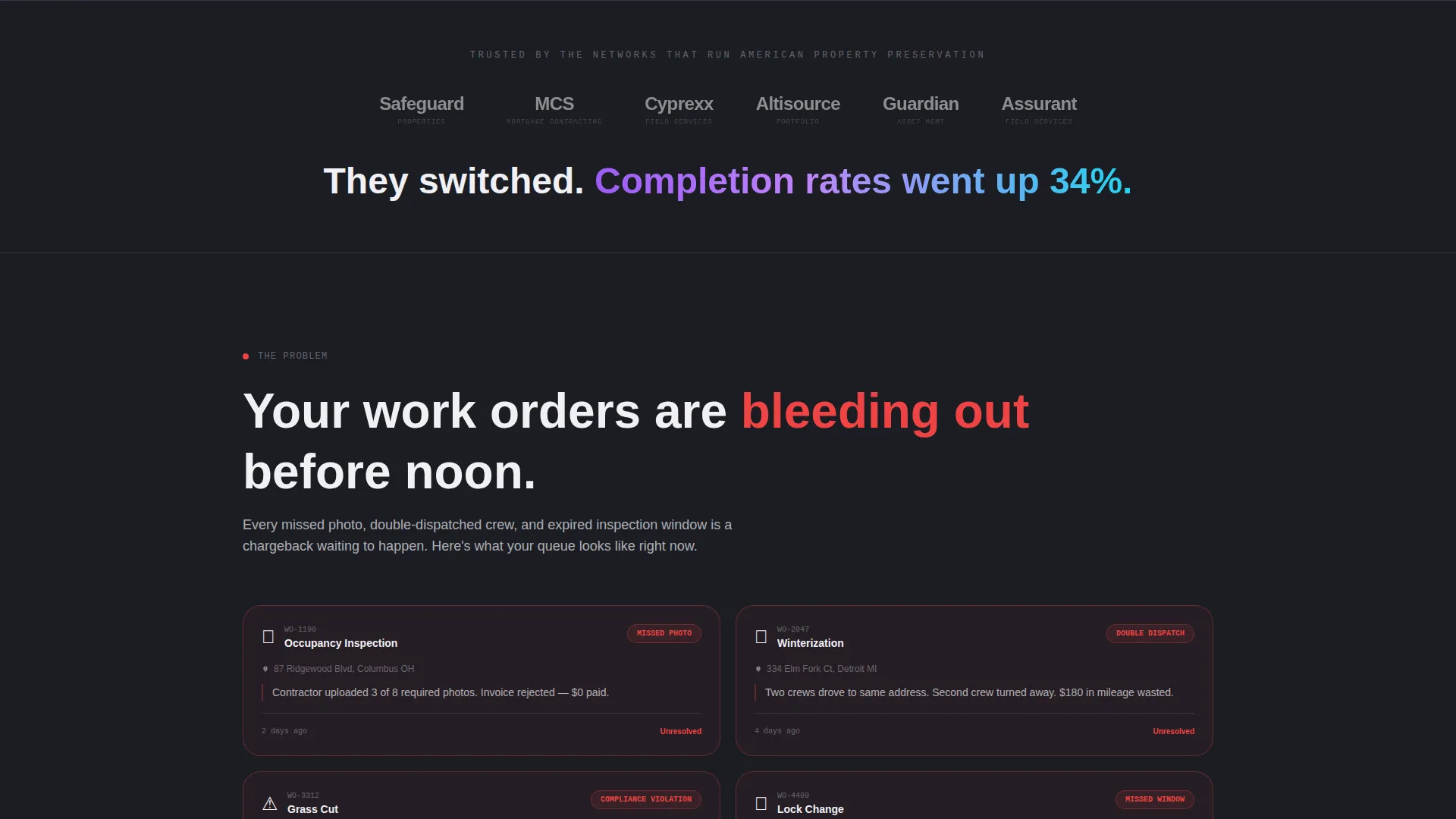
- Visitors arrive frustrated by fragmented workflows, so the page validates that pain with red-flagged work order cards before offering the solution
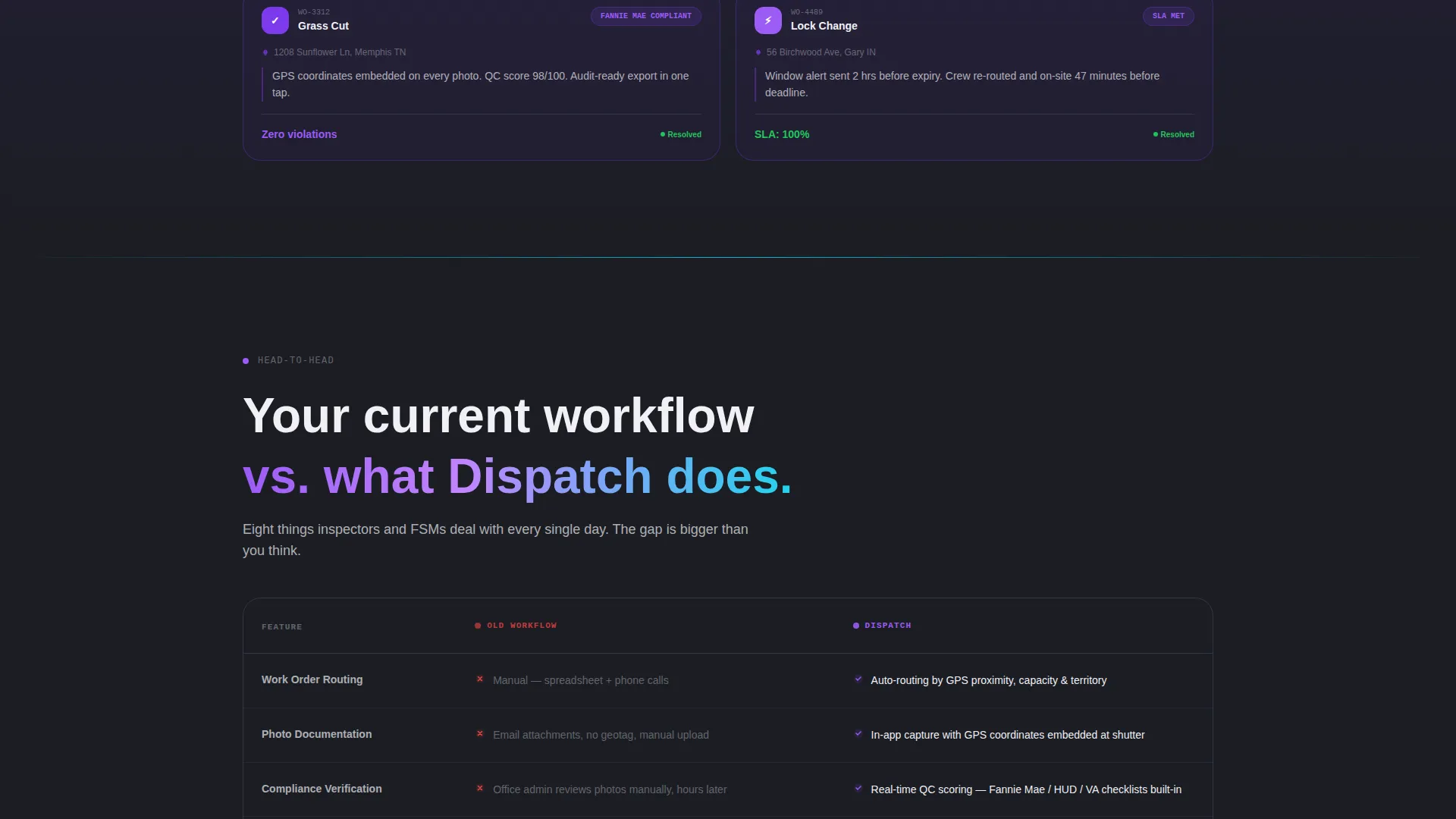
- The comparison table quantifies the gap between old processes and the platform's workflow, giving buyers a row-by-row reason to act
- The app download call to action removes the sales-call barrier entirely, letting the product pitch itself through demonstrated contrast
What you get with this template
You get a fully structured, single-page layout that carries a visitor from recognizing operational pain to downloading the app. Every section is purpose-built for the field service audience and designed to earn the conversion before asking for it.
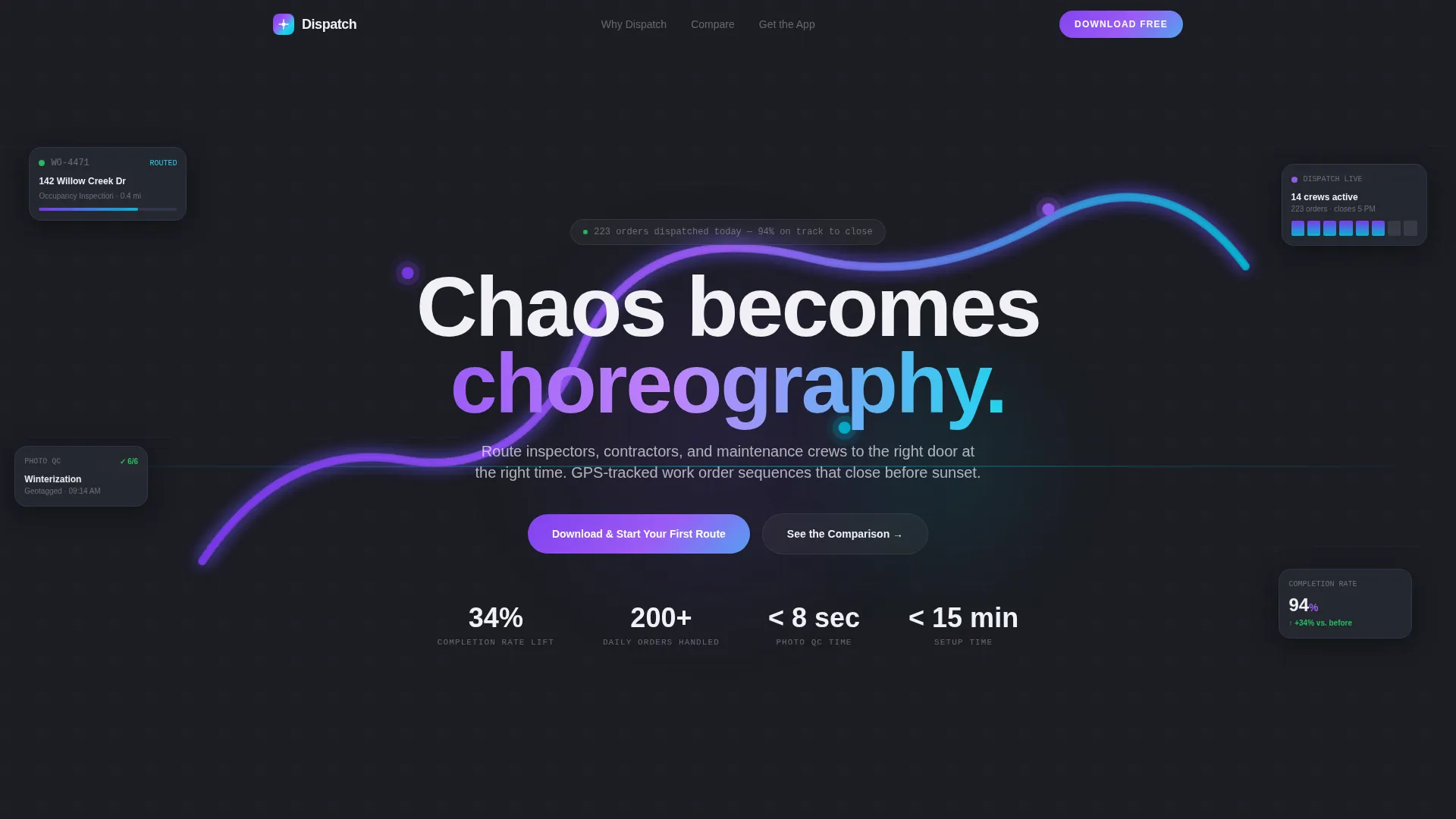
- A logo bar header with a bold social proof headline and an animated route line that signals motion and intelligence before the full interface appears
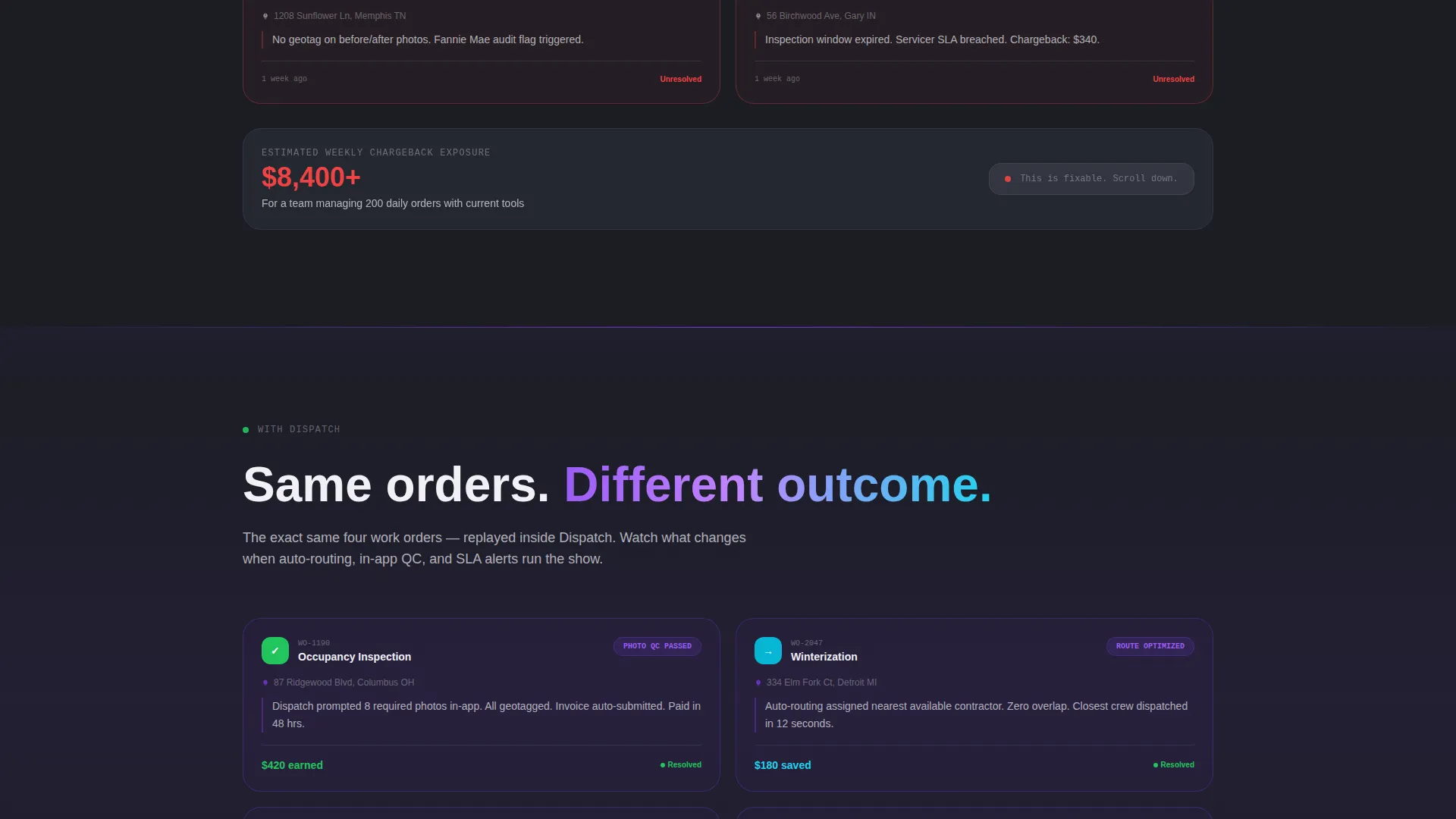
- A Problem-to-Solution arc with red-flagged problem cards that visually resolve into app-user interface solved states as the visitor scrolls
- A comparison table with eight line items, paired App Store and Google Play download badges, a secondary QR code, and a lightweight SMS trigger form
Feature list
This template packs a focused set of purposeful components, each tied directly to building trust and driving the app download.
Logo Bar with Social Proof Headline
A horizontal strip of industry-recognizable brand logos sits above the headline "They switched. Completion rates went up 34%." The bar functions as compressed social proof that establishes credibility in a single glance, before the visitor reads a single feature claim.
Animated Route Line
A single animated line traces itself across a dark map, pulsing with an iridescent violet-to-cyan gradient. It implies real-time GPS-tracked dispatch motion without revealing the full dashboard, creating curiosity and forward momentum in the visitor.
Problem-to-Solution Arc Sections
Section one presents operational failures as red-flagged work order cards: missed photos, rejected invoices, double-dispatched crews, and stacking compliance violations. A visual screen-refresh divider then replays those same scenarios as resolved states inside the app's interface.
Eight-Row Workflow Comparison Table
The comparison table anchors the middle of the page. It places the old workflow, spreadsheets, phone calls, and manual photo uploads, against the platform's workflow, auto-routing, in-app geotagged photo capture, and real-time quality control scoring, across eight specific line items that inspectors and managers actually care about.
App Download Call to Action Block
The primary call to action reads "Download and Start Your First Route" with paired App Store and Google Play badges. A secondary QR code serves desktop users heading into the field. A lightweight form collecting phone number and company name triggers an SMS download link for crews who need it pushed directly to their device.
Motion-Driven Transition Design
Cards slide, routes animate, and completion percentages tick upward as the visitor scrolls. Every transition reinforces the narrative that chaos is becoming choreography, making the scroll feel like a live operational improvement happening in real time.
Page sections overview
| Section | Purpose |
|---|---|
| Logo Bar Header | Establish credibility with recognizable industry logos and a bold social proof headline |
| Animated Route Line | Signal GPS-tracked dispatch motion with an iridescent animated map line |
| Problem Cards Section | Name operational failures visually using red-flagged work order cards |
| Screen Refresh Divider | Create a narrative pivot from chaos to resolution with a visual transition element |
| Solved States Section | Replay problem scenarios as resolved inside the app's user interface |
| Comparison Table | Quantify old versus new workflow across eight inspector-relevant line items |
| App Download Block | Drive conversions with download badges, a QR code, and an SMS trigger form |
Design & branding system
The visual identity follows a Dynamic Motion theme built around an AI Iridescent color system. The palette feels like the glow of a live dispatch screen at 5 AM: dark, alert, and precise. Every color carries operational meaning rather than decoration.
- Deep graphite (#1B1D23) as the primary background, electric violet (#7C3AED) for primary actions and data highlights, shifting cyan (#06B6D4) for secondary indicators and route lines, and pearl white (#F0F0F5) for card surfaces and readable text
- A subtle iridescent gradient bridges violet to cyan on key interface elements, signaling that something is moving in the real world every time it appears
- Motion carries every section transition: cards slide in, routes animate, and numerical indicators tick upward to reinforce the Problem-to-Solution arc visually
Mobile & speed optimization
Field technicians often check resources on their phones between jobs. This template is structured to perform cleanly on smaller screens without sacrificing the visual impact of the dispatch aesthetic.
- The comparison table layout is designed to remain readable and scannable on mobile screen widths, keeping line items clear and actionable
- The QR code and SMS form provide alternate download paths for technicians on any device, removing friction regardless of how the page is accessed
- Motion transitions are scoped to purposeful elements only, keeping the visual experience focused and avoiding unnecessary complexity on lower-powered devices
How this template helps you convert
The page earns the download by building a rational, emotional case before asking for anything. The conversion path is deliberate and sequenced.
- The logo bar and social proof headline establish immediate trust, so the visitor knows real industry players have already made the switch before reading a single feature claim.
- The Problem-to-Solution arc and comparison table let visitors quantify their own operational pain row by row, making the app feel like the obvious and immediate remedy rather than a product to evaluate.
- The frictionless download block, combining App Store and Google Play badges, a QR code, and an SMS link form, means the visitor can act the moment they decide, on any device, without navigating a sales process.
Other information about this template
This template is categorized under Technology and Real Estate Software, making it a strong fit for platforms competing in the real estate field service management space. It is built as a single landing page with a clear, linear scroll flow rather than a multi-page site.
- The template style is Comparison Table, which suits platforms that need to contrast their workflow against legacy processes in a structured, credible format
- The header concept is a Logo Bar, a pattern well suited to industries where vendor reputation and client logos carry significant purchasing weight
- The landing page direction is App Download, meaning the entire page architecture is optimized to reduce the steps between discovery and the first route started in the app
Theme
Dynamic Motion
Creative direction
Problem→Solution Arc
Color system
AI Iridescent
Style
Comparison Table
Direction
App Download
Page Sections
Logo Bar with Social Proof Headline
Animated Iridescent Route Line
Problem-to-solution Arc Layout
Eight-row Workflow Comparison Table
Multi-path App Download Block
Motion-driven Section Transitions
Related questions
Who is this landing page template designed for?
Can I customize the comparison table rows?
Do I need design experience to use this template?
What makes the app download call to action different here?
Is this template suitable for smaller regional contractors or only large enterprises?



