Deploy - Powerful Infrastructure Landing Page Template
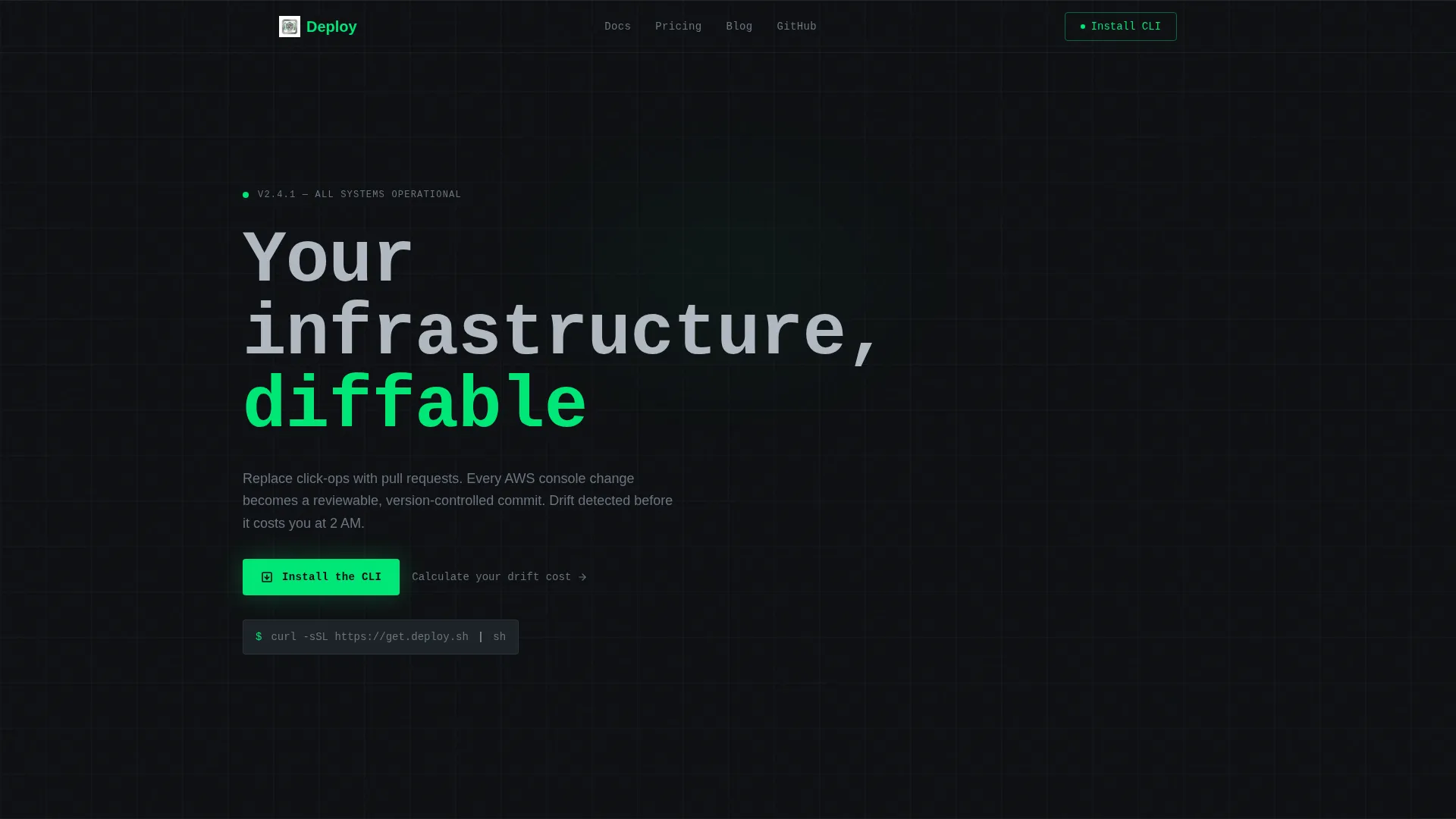
Deploy is a dashboard-style infrastructure-as-code landing page template built for developer tools that replace manual cloud configuration with pull-request-driven provisioning. It features an interactive cost and drift simulator, a monochrome terminal aesthetic, CLI install call-to-action, and a data-grid layout that keeps every section feeling like a live operations panel.
by Rocket studio
Quick summary
Deploy is a single-page landing page template designed for infrastructure-as-code platforms. It opens with a logo bar of cloud provider icons, drops visitors into an interactive drift cost calculator, and builds toward a CLI install command. The layout channels a terminal dashboard from start to finish, using a strict monochrome steel palette and monospaced typography.
Who this template is for
This template speaks directly to technical builders who manage cloud infrastructure at scale. It is not a general-purpose SaaS template, it is purpose-built for developer tools that replace console click-ops with code.
- Platform engineers dealing with configuration drift across multiple environments
- DevOps leads managing infrastructure sprawl across more than one cloud provider
- Startup engineering leads who need to make a staging or production environment fully reproducible
What problem this template solves
Hand-configured cloud environments are hard to reproduce, audit, or roll back. Teams lose hours to drift remediation, and there is rarely a clear picture of what misconfigurations are actually costing the business. This template gives an infrastructure-as-code product a landing page that speaks that language directly.
- No generic hero imagery or marketing fluff that loses technical visitors in the first five seconds
- No disconnect between the product's core promise and the page structure visitors actually experience
- No weak call-to-action that asks a platform engineer to "learn more" instead of running a command
What you get with this template
You get a fully structured, single-section-led landing page built around a dashboard and data-grid visual system. Every layout decision reinforces the product's positioning as a precise, engineer-first tool.
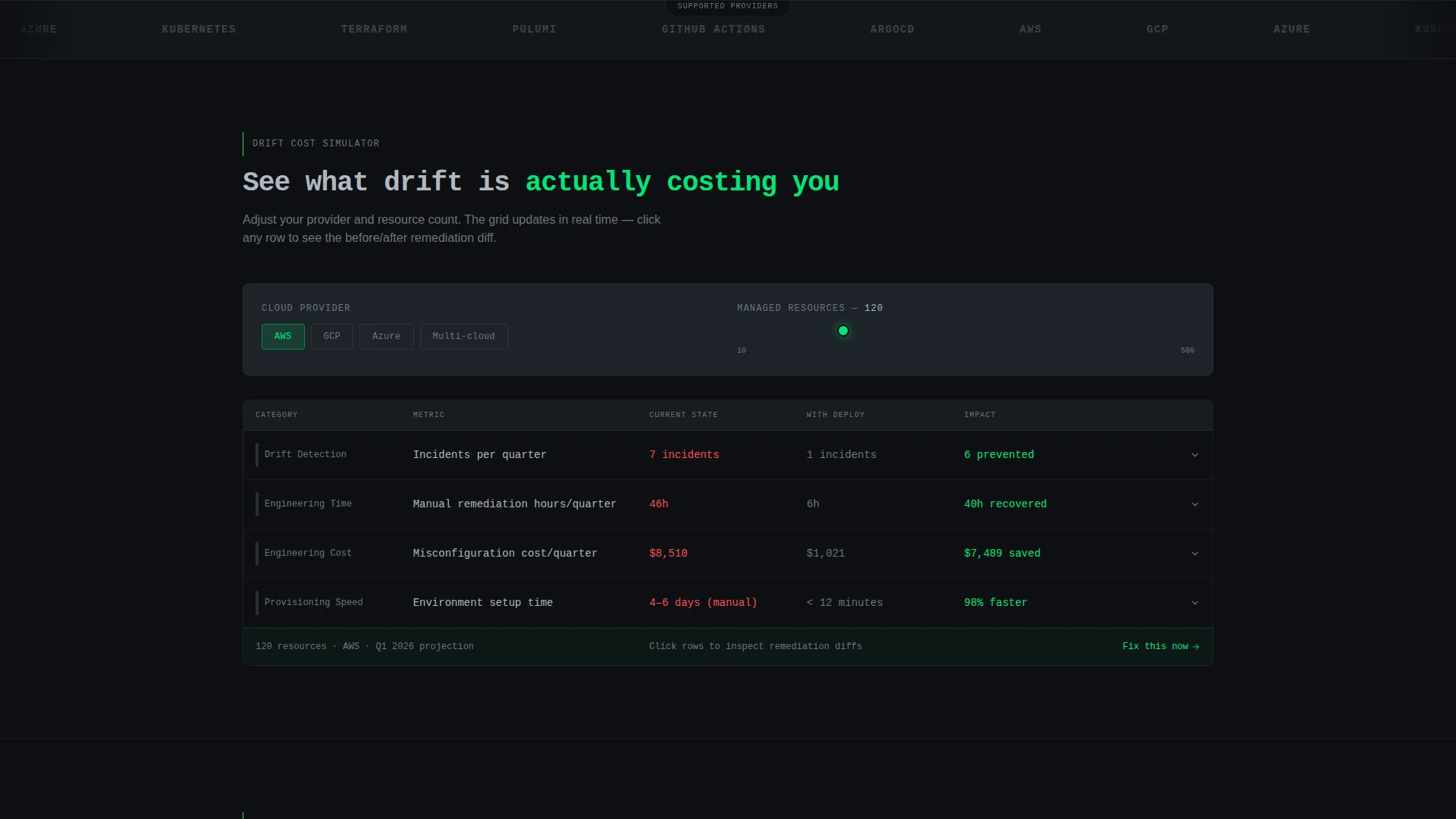
- An interactive calculator section with a provider selector, resource count slider, and a live data grid showing projected drift incidents, remediation hours, and misconfiguration cost
- A logo bar header featuring cloud and infrastructure provider icons in monochrome chromium, beneath a monospaced single-line headline
- A CLI install block with a styled terminal code snippet, platform toggles for macOS, Linux, and Docker, and a secondary browser sandbox path
Feature list
This section describes the core built-in components and layout capabilities included in the Deploy template.
Interactive Drift Cost Calculator
Visitors select their cloud provider and adjust a resource count slider. The grid instantly renders projected drift incidents per quarter, estimated remediation hours, and dollar cost from misconfigurations. Savings rows highlight in status-green, making the financial case before the visitor scrolls further.
Expandable Code Diff Rows
Each row in the calculator data grid is clickable. Clicking a row expands it into an inline code diff view, showing the before-and-after state of a real remediation scenario. This component keeps visitors engaged inside the dashboard metaphor without navigating away.
Infrastructure Logo Bar Header
The header is a slim horizontal strip of cloud and infrastructure provider logos rendered in monochrome chromium. It sits directly beneath a single-line monospaced headline. The restraint of the design signals credibility without relying on illustration or photography.
Case Study Metric Cards
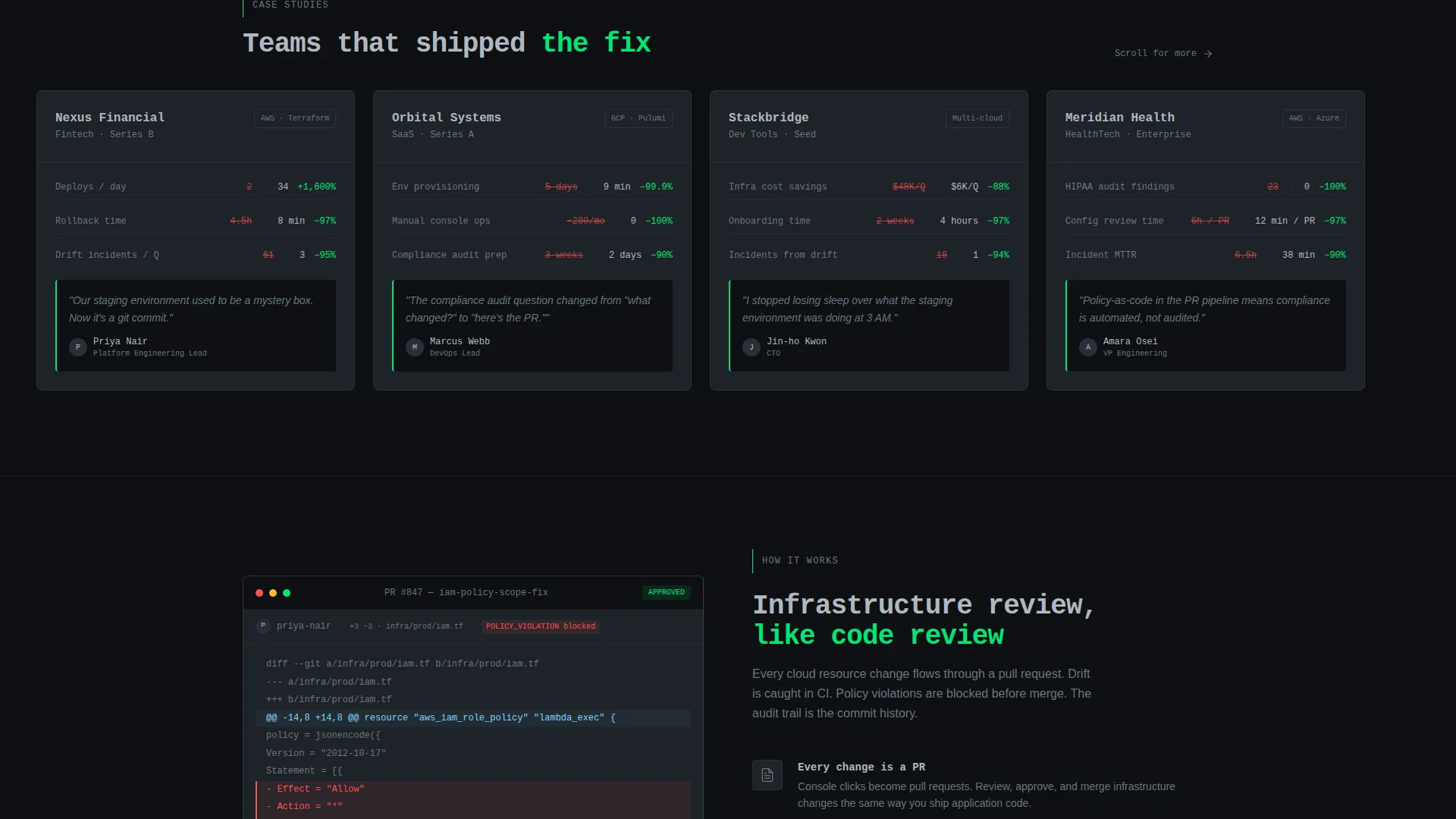
Scrolling past the calculator reveals case-study cards built in the same grid system. Each card displays a named company's deploy frequency, rollback time, and incidents prevented. The metrics are presented as data points, consistent with the dashboard layout language used throughout the page.
CLI Install Call-to-Action Block
The primary conversion block renders a styled terminal code snippet with a one-click copy-to-clipboard interaction. Platform toggles let visitors switch between macOS, Linux, and Docker install paths. A secondary link offers a browser-based sandbox option for visitors who want to explore before installing.
Persistent Dashboard Panel Layout
Every section of the page is structured as a data panel rather than a traditional content section. There are no hero images, no decorative illustrations, and no transitions that break the terminal metaphor. The scroll experience stays inside one coherent operational interface from top to bottom.
Page sections overview
| Section | Purpose |
|---|---|
| Logo Bar Header | Establishes cloud provider credibility and sets the monospaced headline |
| Drift Cost Calculator | Lets visitors simulate their own drift and remediation costs interactively |
| Code Diff Rows | Expands calculator rows to show before-and-after remediation code diffs |
| Case Study Cards | Shows real company metrics inside the same grid layout |
| CLI Install Block | Delivers the primary install command with platform toggles and clipboard copy |
| Browser Sandbox Link | Offers a secondary path for visitors not ready to install locally |
Design & branding system
The visual identity is built around a Monochrome Steel color system. Every color choice reinforces the idea of precision tooling, no warmth, no decoration, just clarity.
- Terminal black (#0D0F12) locks the background, brushed chromium (#B0B8C1) renders all body text, and status-green (#00E676) highlights active states, savings rows, and success indicators
- Card surfaces float on soft graphite (#1E2328) with 1-pixel chromium borders that define the grid skeleton
- Typography uses a monospaced typeface for headlines and code elements, reinforcing the terminal aesthetic throughout
Mobile & speed optimization
The grid layout and panel system are structured to adapt across screen sizes without losing the dashboard feel. Component-level decisions support a lean, fast-loading page.
- The calculator grid, code diff rows, and metric cards are each built as discrete panel components, making them stackable on smaller viewports
- The CLI install block and platform toggles are designed for compact display, keeping the install command legible and the copy interaction accessible at any width
How this template helps you convert
The page earns its conversion by walking visitors through their own problem before presenting the solution. By the time the install command appears, the visitor has already quantified their pain.
- The drift cost calculator personalizes the value proposition, visitors see their own projected remediation hours and misconfiguration costs before reading a single marketing claim
- The expandable code diff rows deepen trust by showing actual remediation output, moving the visitor from interest to confidence in the product's mechanics
- The CLI install block converts that confidence into immediate action, with a one-click copy command and platform-specific paths that remove any friction from the first install step
Other information about this template
This template is categorized under Technology, specifically within the Developer Tools and Infrastructure-as-Code niche. It is designed as a Startup Velocity theme with a Calculator-first creative direction, making it well-suited for early-stage infrastructure platforms that need to communicate technical depth quickly.
- The template style follows a Dashboard and Data Grid layout pattern, which is rare in standard SaaS template libraries and directly matches the mental model of the platform engineer audience
- The landing page direction targets an app download conversion goal, specifically a command-line interface installation flow rather than a sign-up form
- This template is a strong fit for infrastructure-as-code tools built on or comparable to platforms like Terraform, Pulumi, and multi-cloud provisioning workflows, where version-controlled environments and pull-request-driven deployment are core concepts

Theme
Startup Velocity
Creative direction
Calculator/Tool First
Color system
Monochrome Steel
Style
Dashboard/Data Grid
Direction
App Download
Page Sections
Interactive Drift Cost Calculator
Expandable Code Diff Rows
Infrastructure Logo Bar Header
Case Study Metric Cards
CLI Install Block with Platform Toggles
Related questions
Who is this landing page template designed for?
Can I customize the calculator inputs and data grid values?
Does the template include case study content or just the card layout?
What is the primary call-to-action format in this template?
Is this template suitable for a product that is still in early access or beta?



