Deploy - Highperformance Itservices Landing Page Template
Deploy is a dashboard-style thank-you landing page built for IT services companies. It greets converted visitors with animated live metrics, a case study teaser, an infrastructure health snapshot, and a short video tour of the Security Operations Center. The page turns a standard confirmation moment into a credibility showcase that earns the visitor's next click.
by Rocket studio
Quick summary
Deploy is a single-page thank-you template designed for IT services companies. It opens with a live-metrics header that displays uptime, response time, active endpoints, and threats blocked. From there, each section slides forward like a deployment stage completing, building momentum toward two clear calls to action.
Who this template is for
This template is built for IT services businesses that need their thank-you page to do real work after a visitor converts. It fits teams who want to prove competence immediately rather than let momentum fade on a generic confirmation screen.
- IT directors and office managers who just submitted a support ticket or consultation request
- Chief Technology Officers (CTOs) who downloaded a managed services resource and are evaluating providers
- IT services marketing teams who want every post-conversion touchpoint to reinforce trust and invite a second action
What problem this template solves
Most thank-you pages are dead ends. After a visitor converts, the page says "thanks" and stops. For IT services providers, this is a missed window to demonstrate infrastructure authority exactly when attention is highest.
- Visitors land and feel nothing after converting, wasting the credibility window that follows a sign-up
- There is no content to move a prospect closer to a deeper commitment like a live demo or onboarding call
- Generic confirmation pages give no proof of technical capability, leaving high-intent buyers with unanswered doubts
What you get with this template
You get a fully designed, single-page thank-you layout that functions like a mission-control dashboard. Every section is sequenced to build confidence and guide the visitor toward a second meaningful action.
- An animated stats header showing uptime, response time, active endpoints, and threats blocked in real time
- A case study teaser card, a live infrastructure health snapshot, and a 90-second Security Operations Center (SOC) video tour section
- Two distinct calls to action: a primary "Explore Our SOC Live" button and a secondary "Book Your Onboarding Call" banner with a calendar-date picker and timezone selector
Feature list
This template is purpose-built for IT services thank-you pages. Each feature below comes directly from the design brief.
Animated Live-Metrics Header
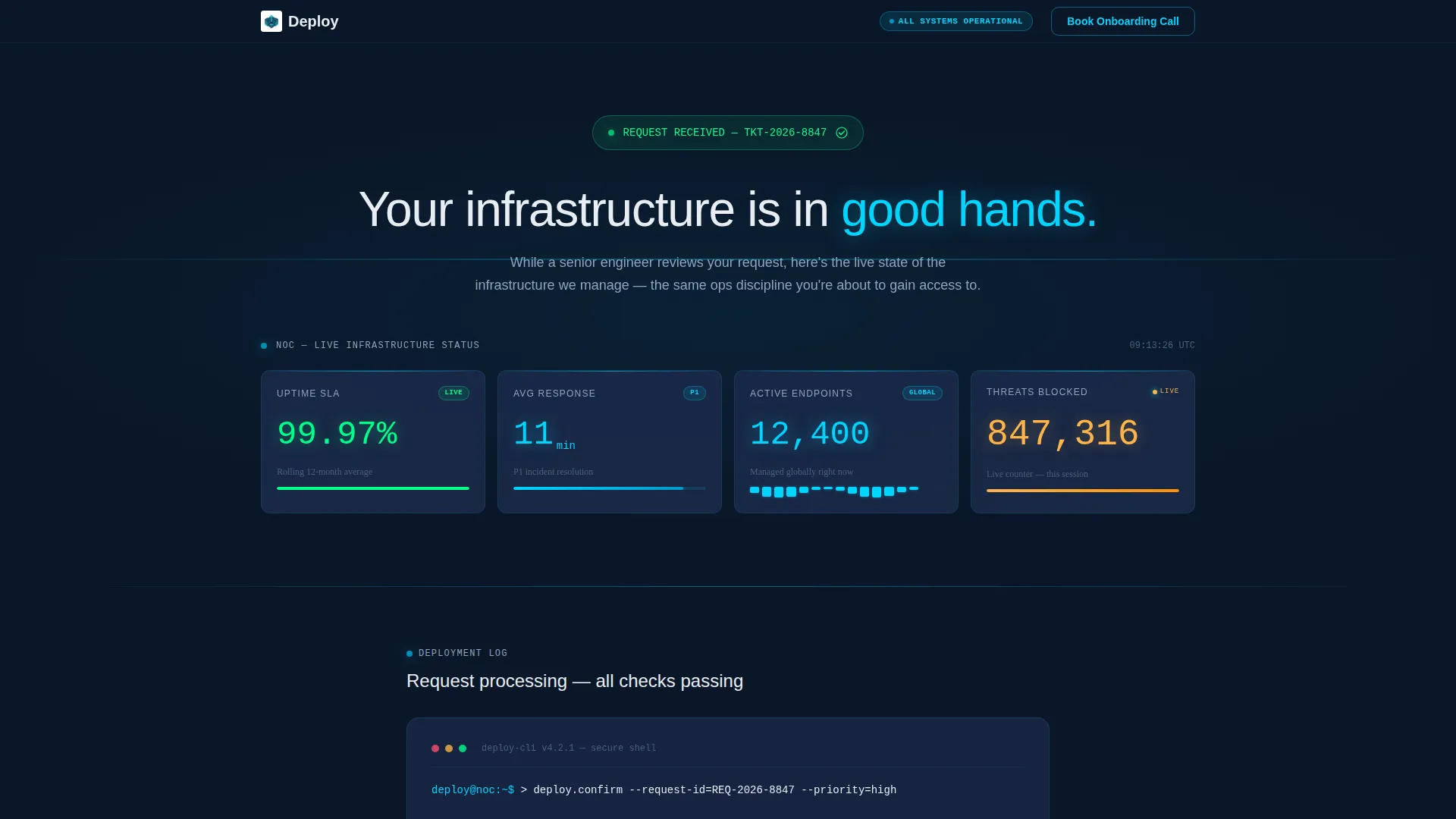
The header opens with four counters animating into their final values: uptime percentage at 99.97%, average response time at 11 minutes, active endpoints at 12,400, and a real-time threats-blocked counter. Numbers render in monospaced cyan type on frosted glass cards, separated by thin luminous dividers. It reads like a Network Operations Center (NOC) screen from across the room.
Launch Energy Scroll Sequence
Each content section reveals itself like a deployment stage completing. The confirmation message appears first, minimal and immediate, then the page accelerates forward. Case study card, infrastructure health snapshot, and SOC video tour each slide in progressively, building forward momentum instead of winding the visitor down.
Case Study Teaser Card
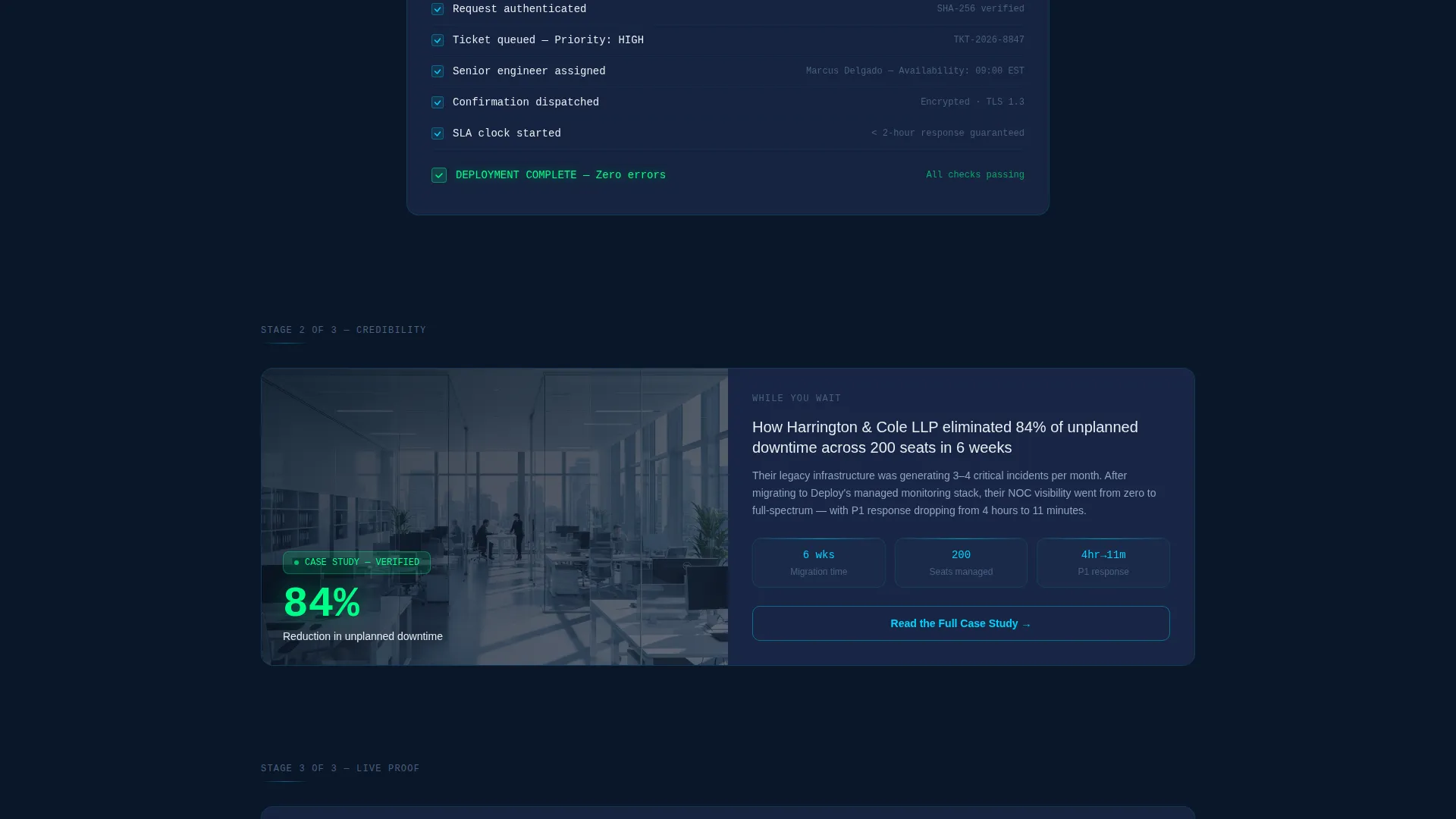
A dedicated card surfaces a concrete outcome: an 84% downtime reduction delivered for a 200-seat law firm. It appears just before the primary call to action, placing a proof point exactly where credibility is needed most before asking for a deeper commitment.
Dual Call-to-Action Layout
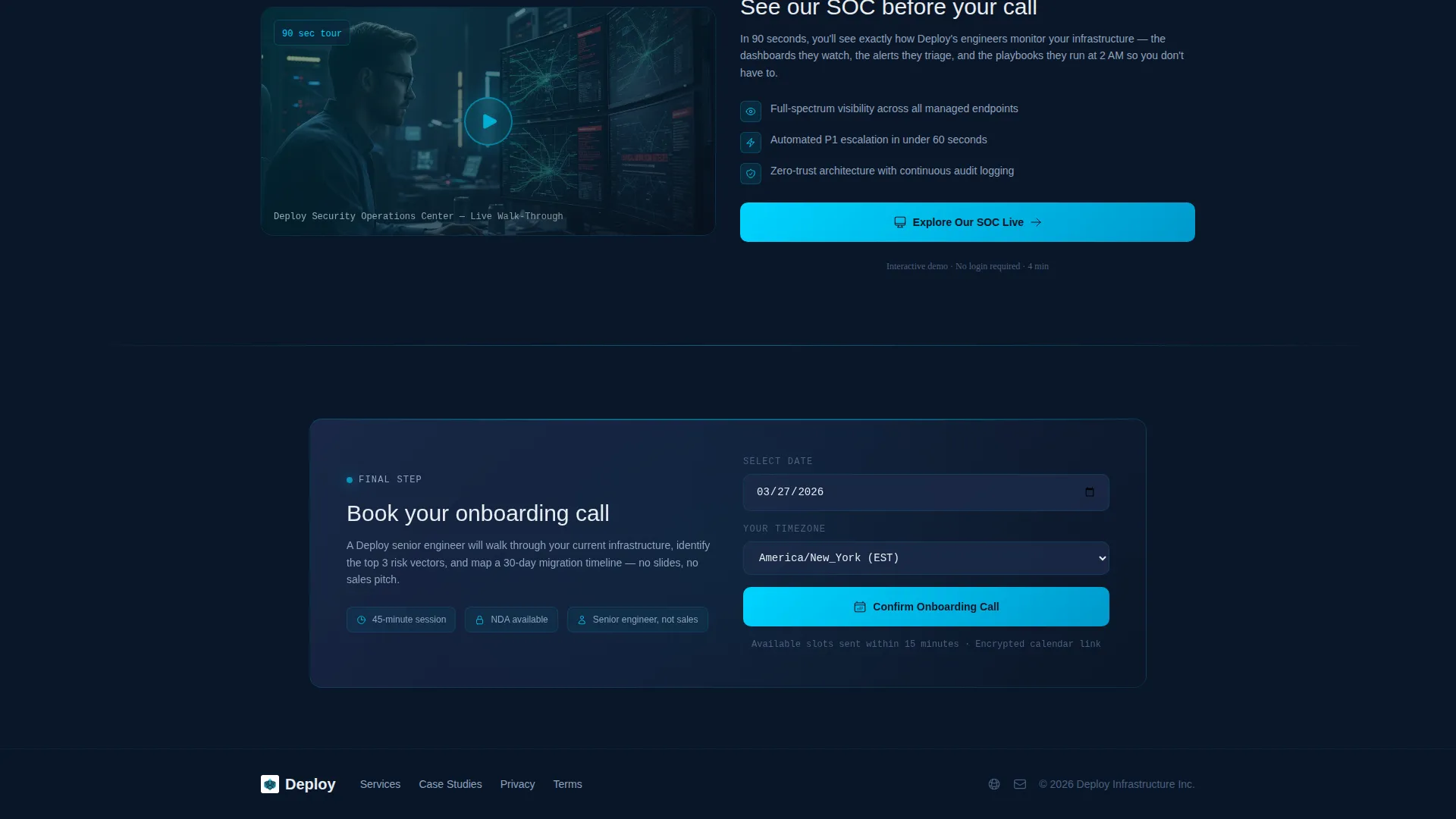
The primary call to action, "Explore Our SOC Live," links to an interactive infrastructure monitoring demo and sits directly after the case study card. The secondary call to action, "Book Your Onboarding Call," lives inside a frosted glass banner at the bottom of the page and includes a calendar-date picker and a timezone selector. No form friction is added because the visitor already converted.
SOC Video Tour Section
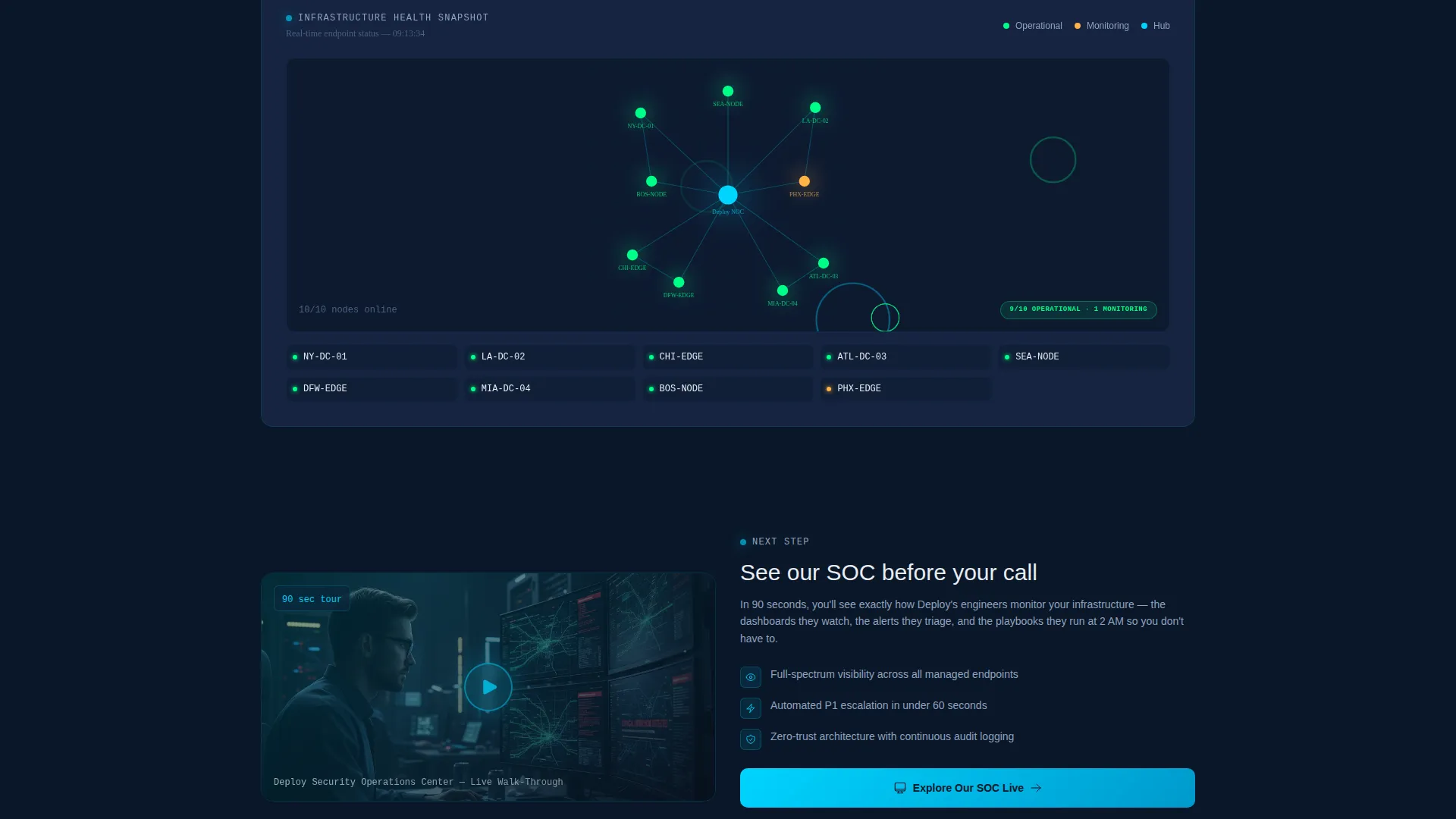
A 90-second video tour of the Security Operations Center is embedded as a dedicated page section. It gives prospects a visual inside look at the operational environment before they commit to a second meeting, reducing uncertainty at a critical decision point.
Infrastructure Health Snapshot
A live infrastructure health snapshot sits between the case study card and the video tour. It reinforces the message of active, competent monitoring and keeps the dashboard aesthetic consistent throughout the page scroll.
Page sections overview
| Section | Purpose |
|---|---|
| Stats Metrics Header | Displays animated uptime, response time, endpoints, and threats-blocked counters |
| Confirmation Message | Delivers an immediate, minimal "We received your request" acknowledgment |
| Case Study Card | Shows a concrete downtime-reduction outcome to build pre-click credibility |
| Infrastructure Health Snapshot | Visualizes active monitoring status across the network |
| SOC Video Tour | Provides a 90-second look inside the Security Operations Center |
| Primary call to action Block | Drives clicks to the interactive infrastructure monitoring demo |
| Onboarding Call Banner | Captures second-step bookings with a date picker and timezone selector |
Design & branding system
The visual identity follows a Tech Glass theme built on a Midnight Blue color system. The palette is designed to feel like peering through a translucent heads-up display (HUD) on a darkened operations floor.
- Background uses deep terminal navy (#0A1628), card surfaces use frosted glass panel blue (#1B2A4A), and active metrics and hover states use live-wire cyan (#00D4FF)
- Typography is set in system-white (#E8EDF2), with metric values rendered in monospaced cyan to separate live data from static copy visually
- Cyan pulses only on active data points; all other elements recede into deep blue to keep focus on what is live and moving
Mobile & speed optimization
The template is structured with a single-page layout that keeps the scroll path linear and focused. The dashboard aesthetic translates across screen sizes without losing its operational character.
- Frosted glass card surfaces and the metric grid adapt to narrower viewports without breaking the visual hierarchy
- The dual call-to-action layout stacks cleanly on mobile, keeping both the primary demo link and the onboarding calendar accessible without scrolling past unnecessary content
- The page avoids heavy decorative elements, relying on color and typography contrast rather than layered graphics to maintain visual density on smaller screens
How this template helps you convert
This template is designed specifically for post-conversion momentum. It assumes the visitor already said yes once and builds the case for saying yes again.
- The animated metrics header establishes technical credibility within the first three seconds of the page loading, before the visitor reads a single line of copy.
- The case study card places a specific, verifiable outcome directly before the primary call to action, so the request for a second click is backed by proof rather than assertion.
- The onboarding call banner at the bottom removes friction by pairing a calendar-date picker and timezone selector with a single clear action, making it easy to commit without filling out another form.
Other information about this template
Deploy is a strong fit for IT services companies that invest in post-conversion experience as part of their sales process. It is especially useful when the sales cycle involves multiple decision-makers who may review the confirmation page separately.
- The template style is classified as a Dashboard and Data Grid layout, making it visually distinct from standard marketing landing pages
- The Tech Glass theme and Midnight Blue color system give the page a premium, enterprise-grade aesthetic that aligns with managed services and infrastructure monitoring brands
- The creative direction is labeled Launch Energy, meaning the page is intentionally sequenced to accelerate rather than conclude after the confirmation message appears
- This template sits within the IT Services Company Thank-You Page niche and is categorized under Technology and IT Services Company Website Templates on the marketplace
Theme
Tech Glass
Creative direction
Launch Energy
Color system
Midnight Blue
Style
Dashboard/Data Grid
Direction
Click-Through
Page Sections
Animated Live-metrics Header
Launch Energy Scroll Sequence
Case Study Teaser Card
Dual Call-to-action Layout
SOC Video Tour Section
Infrastructure Health Snapshot
Related questions
Who arrives on this thank-you page?
Can I use this template without changing the metrics?
Does the page include a calendar booking feature?
What are the two calls to action on this page?
Is this template suitable for a managed services provider?



