Legal Consulting Specialist Booking Website Template
Counsel is an editorial landing page template built for legal growth consultants. It opens with a curated award badge display, moves through a client logo wall, and delivers case-study spreads with pull-quote metrics. A sapphire-toned scheduling flow captures managing partners and operations directors ready to book a confidential growth review.
by Rocket studio
Quick summary
Counsel is a single-page editorial template for legal consulting practices that engineer revenue growth for law firms. It leads with industry recognition, builds authority through client proof, and routes qualified visitors toward a confidential scheduling call or a gated benchmark download. Every section earns trust before asking for action.
Who this template is for
This template is built for consultants and advisory firms that serve law firm leadership directly. The tone, structure, and conversion flow are matched to a high-trust, high-consideration buyer.
- Managing partners at mid-size law firms watching realization rates fall while billable hours rise
- Operations directors modernizing a partnership that still relies on handshake referrals
- Practice group leaders who know their team under-markets relative to the work they produce
What problem this template solves
Legal consultants struggle to communicate authority fast enough. A generic service page loses a managing partner's attention before the first scroll. Counsel solves that by structuring every section as a progressive argument: who trusts this firm, what changed for them, and how quickly.
- No clear hierarchy of proof leaves senior buyers unconvinced before the call-to-action appears
- Scattered page layouts bury the metrics that matter most to law firm leadership
- Generic booking flows ask the wrong qualifying questions and attract poor-fit inquiries
What you get with this template
You get a complete editorial landing page designed for one purpose: converting skeptical law firm leaders into booked consultations. Every component is intentional and pre-structured.
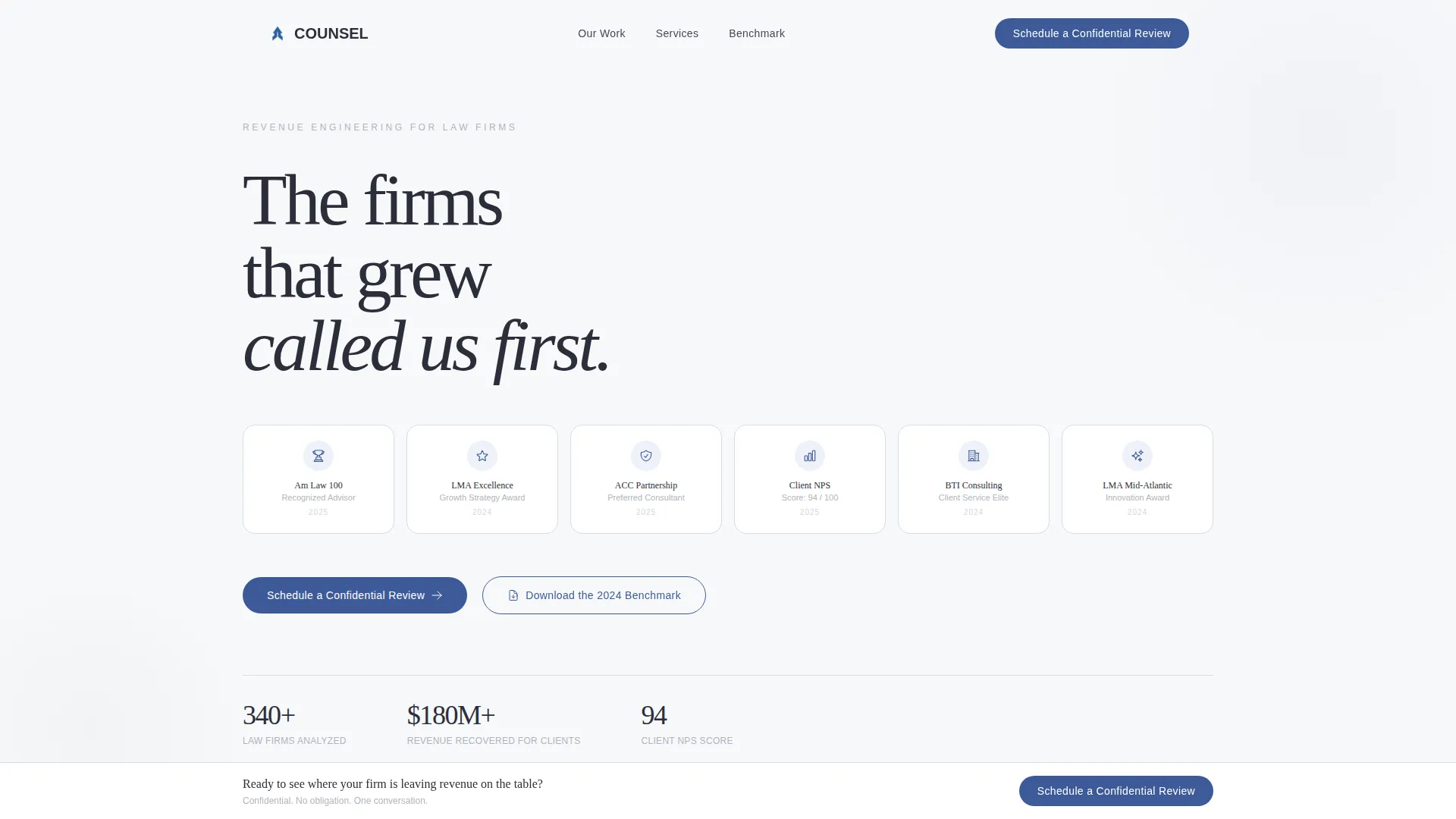
- An award badge header field displaying industry recognition marks in a monochrome editorial grid
- A scrolling client logo wall paired with escalating case-study spreads and pull-quote metrics
- A dual conversion path: a primary scheduling form and a secondary gated benchmark download
Feature list
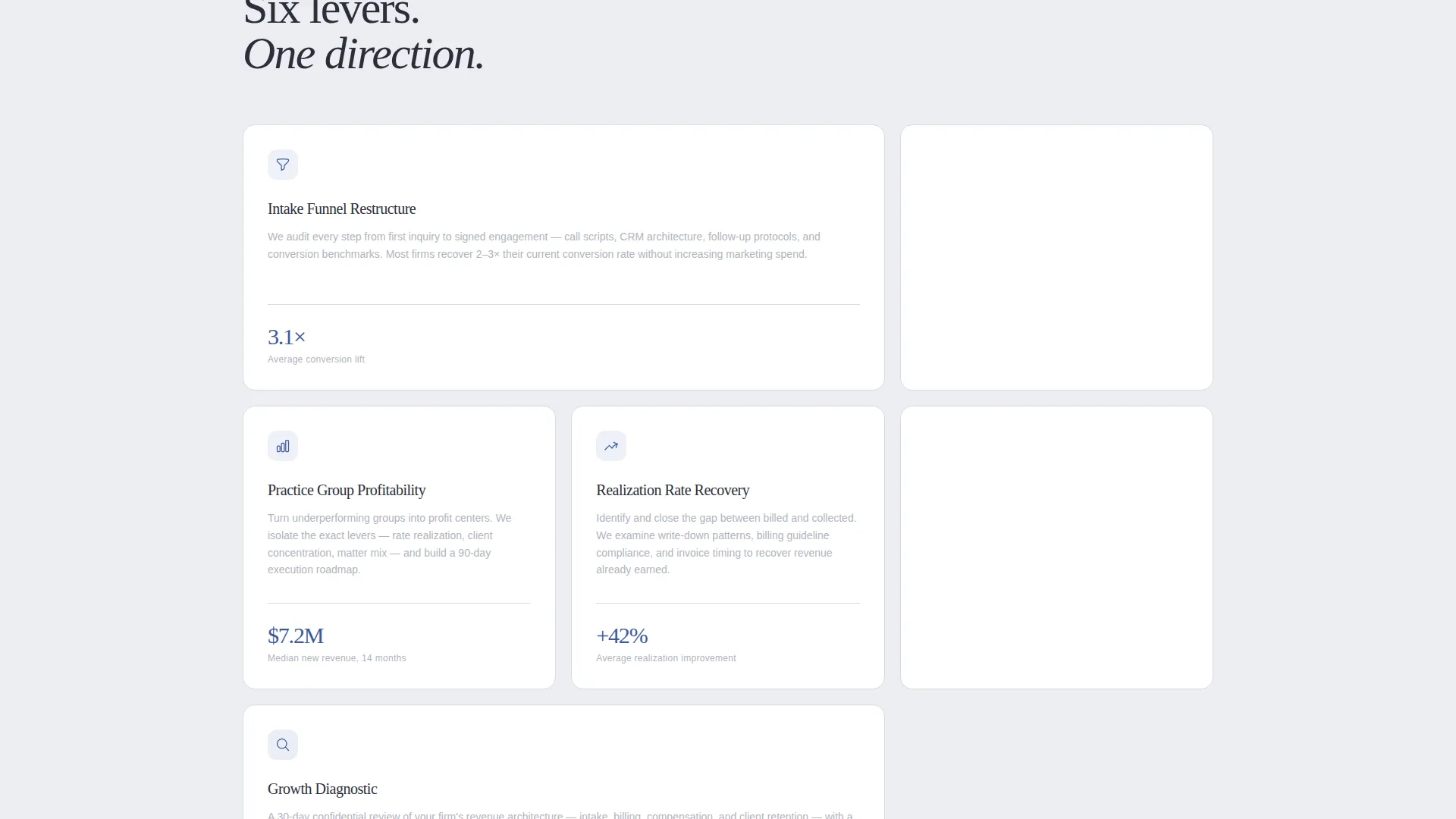
This template ships with six core components, each designed for the legal consulting context specifically.
Award Badge Header Grid
The page opens with a curated field of industry recognition badges rendered in minimal monochrome. Marks such as Am Law rankings, LMA awards, ACC partnerships, and client NPS milestones are arranged with editorial precision. The line "The firms that grew called us first" sits above them in a refined serif, replacing a hero image entirely.
Scrolling Client Logo Wall
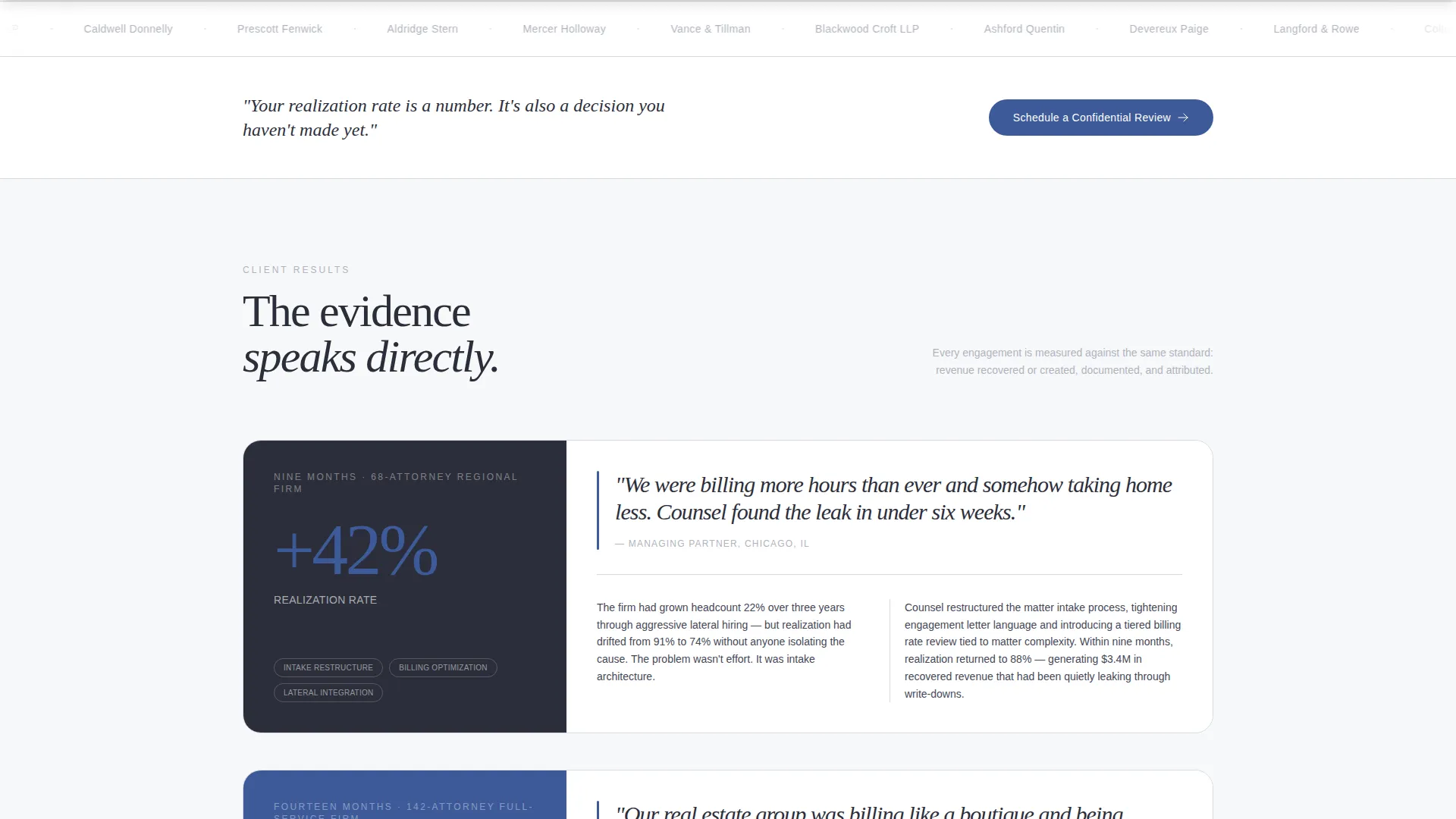
A horizontal marquee of recognizable client firm names scrolls in a slow, silent loop directly below the badge grid. The logo wall answers the first unspoken question a managing partner asks: who else trusts this firm? The competitive urgency it creates drives scroll behavior naturally.
Case Study Spreads with Pull Metrics
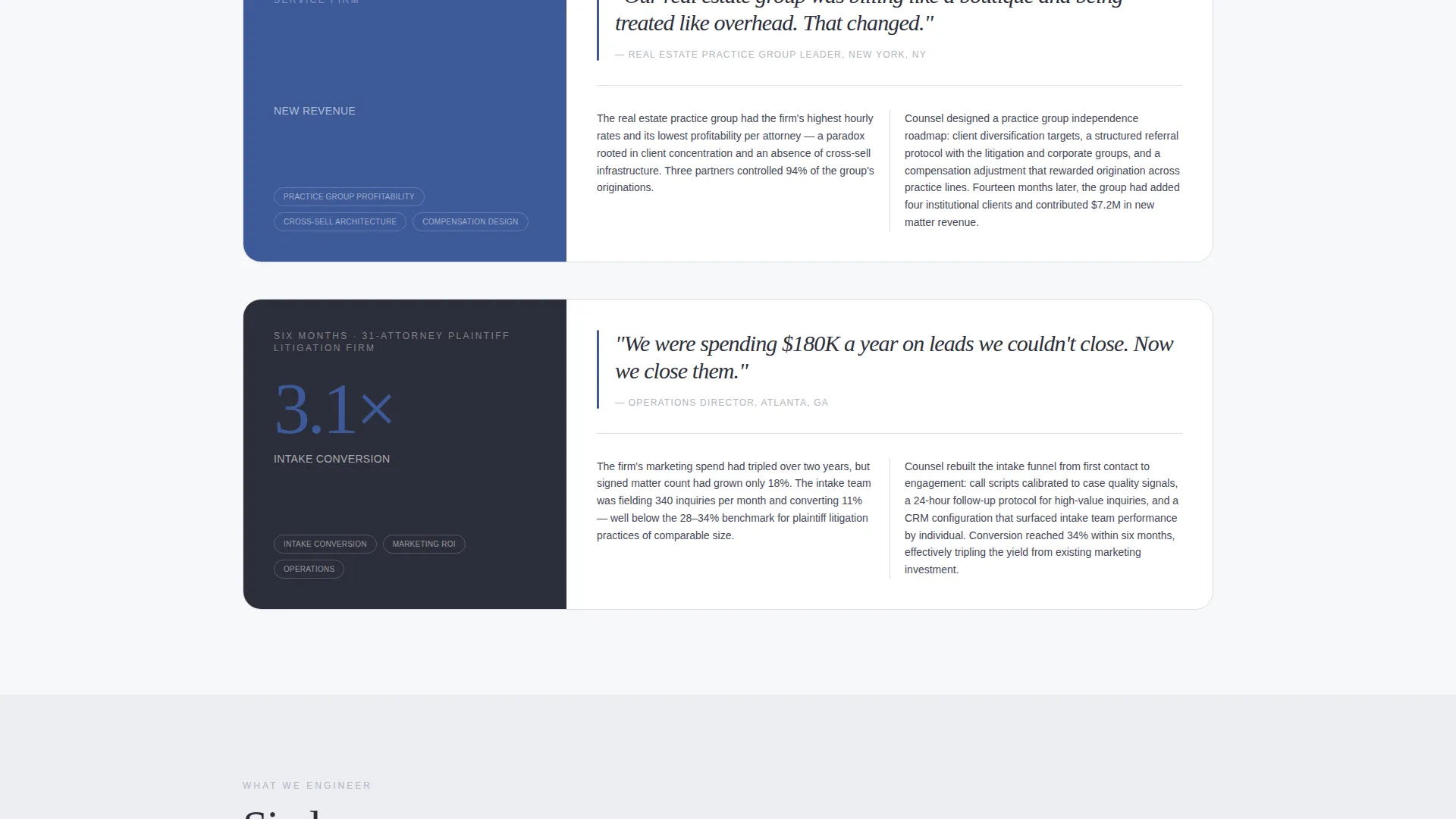
Each case study section pairs a large pull-quote metric with a short, two-column magazine-style narrative. Results like "42% increase in realization rate in nine months" anchor each story in evidence. Case studies escalate in firm size and complexity, building a cumulative argument rather than a single claim.
Primary Scheduling Call to Action
The main call to action, "Schedule a Confidential Review," appears first beneath the logo wall and again as a persistent bottom bar after the second scroll. The embedded scheduler captures firm name, attorney count, and a single qualifying dropdown covering growth bottlenecks such as intake conversion, lateral integration, practice group profitability, and client retention.
Gated Benchmark Download Path
A secondary conversion path offers the 2024 Law Firm Growth Benchmark behind an email gate. This captures senior buyers who are not yet ready to book a call but are ready to measure their firm against peers. It extends the funnel without competing with the primary scheduling flow.
Executive Suite Visual System
The Cloud Canvas color system and Executive Suite theme are applied throughout the layout. Soft white backgrounds, charcoal headlines, muted silver secondary text, and sapphire reserved for links, buttons, and pull-quote accents create a visual language that feels like a freshly printed white paper on a mahogany conference table.
Page sections overview
| Section | Purpose |
|---|---|
| Award Badge Header | Opens with editorial recognition grid and authority tagline |
| Client Logo Wall | Scrolling marquee builds competitive trust through peer recognition |
| Case Study Spreads | Pull-quote metrics and two-column narratives build evidence progressively |
| Primary Booking call to action | "Schedule a Confidential Review" prompt with qualifying intake form |
| Persistent Bottom Bar | Repeating call to action anchored after second scroll to recapture intent |
| Benchmark Download Gate | Email capture for buyers not yet ready to schedule a call |
Design & branding system
The visual identity follows an Executive Suite theme built on the Cloud Canvas color system. Every design decision reinforces the feeling of a corner office on the forty-second floor: authoritative without raising its voice, every element breathing in generous whitespace.
- Dominant background in soft cumulus white (#F7F8FA), with partner-desk charcoal (#2C2E3A) for headline type and section dividers
- Muted silver (#B0B3BE) for secondary text and rule lines, with sapphire (#3D5A99) reserved exclusively for links, buttons, and pull-quote accents
- Refined serif typography for display headings and editorial pull quotes, reinforcing the printed white-paper aesthetic
Mobile & speed optimization
The editorial layout is structured to remain readable and conversion-focused at every screen size. The booking flow and gated download path are designed to function cleanly on mobile devices used by busy firm leaders between meetings.
- The persistent bottom bar call to action is positioned to remain accessible on smaller screens without obstructing editorial content
- The scrolling logo marquee and two-column case-study spreads adapt to single-column stacking on narrow viewports
How this template helps you convert
Counsel is structured as a persuasion sequence, not a features list. Each section moves a skeptical buyer one step closer to a booked call.
- The award badge header and logo wall establish credibility in the first viewport, reducing the trust gap before any claim is made about services or results.
- The escalating case-study spreads shift the conversation from assertion to evidence, letting real metrics carry the argument through the middle of the page.
- The dual conversion path meets buyers at two stages of readiness: a direct scheduling call for those ready to act, and a benchmark download for those still evaluating.
Other information about this template
Counsel fits within a broader category of professional services landing pages designed for high-consideration B2B (business-to-business) consulting offers. A few additional details worth noting before you customize and launch:
- The qualifying dropdown inside the scheduling form includes four preset growth bottleneck options: intake conversion, lateral integration, practice group profitability, and client retention
- The template style is Editorial/Magazine, meaning layout rhythm and typographic hierarchy carry as much persuasive weight as the copy itself
- The header concept is intentionally badge-first, with no competing hero image, making it well-suited for consultants with measurable third-party recognition to display
- The creative direction follows a Logo Wall Authority approach, structuring social proof as a sequential argument rather than a decorative element
- This template is offered on a platform that supports legal consulting professionals, business development advisors, and practice management consultants
Theme
Executive Suite
Creative direction
Logo Wall Authority
Color system
Cloud Canvas
Style
Editorial/Magazine
Direction
Booking/Scheduling
Page Sections
Award Badge Header Grid
Scrolling Client Logo Wall
Case Study Spreads with Pull Metrics
Confidential Review Scheduling Form
Gated Benchmark Download Path
Executive Suite Visual System
Related questions
Can I replace the award badges with my own credentials?
What does the scheduling form ask visitors?
Do I need case study content ready before launching?
Is the benchmark download path separate from the booking flow?
Who is this landing page template designed for?



