Connect — Vibrant Workplace Culture Landing Page Template
Hearth is a single-column landing page template built for government and public sector employee engagement platforms. It uses a case study narrative flow to move HR directors, department heads, and city managers from skepticism to action. The design blends civic authority with human warmth, proving impact through real agency stories before asking for anything.
by Rocket studio
Quick summary
Hearth is a single-column landing page template designed for government and public sector employee engagement platforms. It leads with a human photograph and a compelling headline, then builds trust through escalating case study narratives. Each scroll section earns attention before making an ask, ending with a partnership-framed form that feels like raising your hand at a town hall.
Who this template is for
This template is built for organizations that serve public sector workforces and need to earn the trust of cautious, mission-driven buyers. It speaks directly to the people carrying the heaviest retention pressures in government.
- HR directors at municipal agencies managing high annual turnover rates
- State department heads watching institutional knowledge leave with every retirement
- City managers whose agency reputation is affecting their ability to recruit the next generation of public servants
What problem this template solves
Government HR buyers do not respond to generic SaaS pitch pages. They need proof of impact at their scale, voice from people who share their job title, and a form that feels like a partnership rather than a sales funnel. This template addresses all three.
- It replaces abstract product claims with real agency stories showing measurable results
- It builds credibility progressively, from a single department to a whole city to a state agency
- It reframes the call to action as a civic partnership rather than a vendor transaction
What you get with this template
You get a fully structured landing page that moves visitors through a narrative arc from problem recognition to confident action. Every section has a defined role in building trust and reducing hesitation.
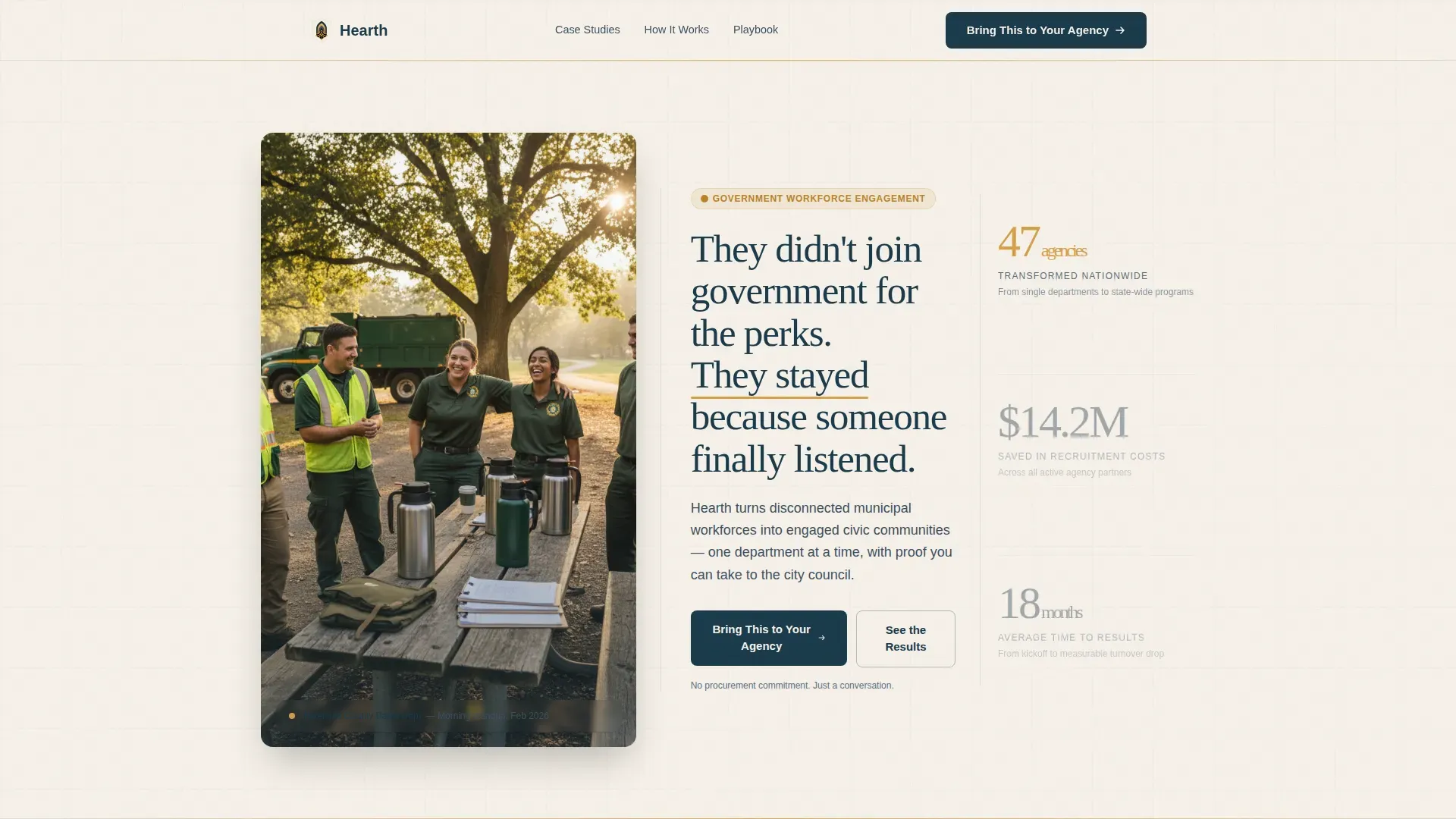
- A half-page photo header paired with a human headline and a single primary call to action
- Three escalating case study sections with pull-quote banners between them
- Two call-to-action placements and a secondary lead capture path for visitors not yet ready to commit
Feature list
This template is organized around persuasion through proof. Every built-in section serves the conversion narrative without adding clutter.
Half-Page Photo and Text Header
The header splits the viewport into a real-moment photograph on the left and the headline block on the right. The image brief calls for an authentic team scene, not a staged handshake, with supporting text and a single primary call-to-action button below the headline. No feature list, no noise.
Escalating Case Study Sections
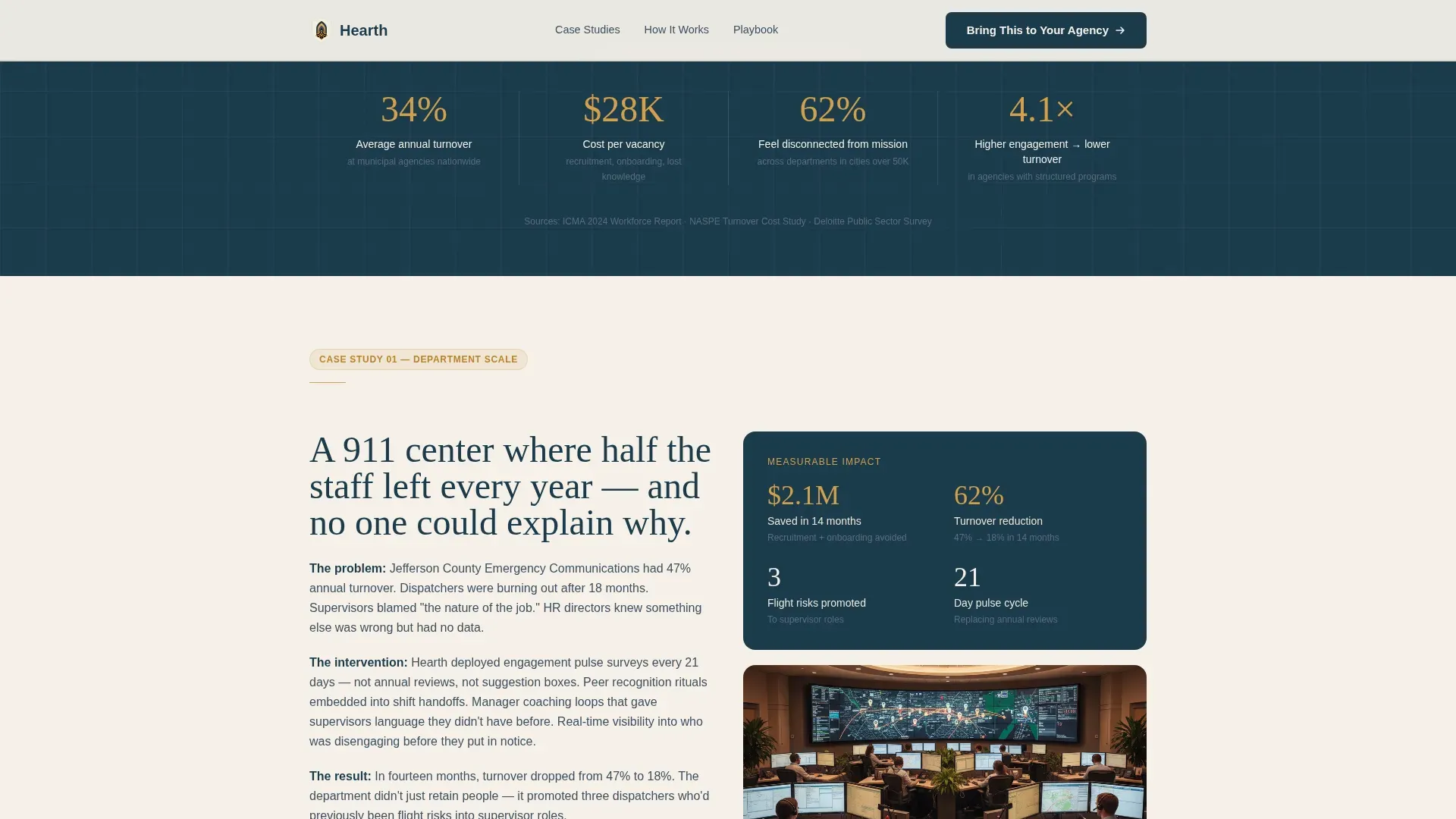
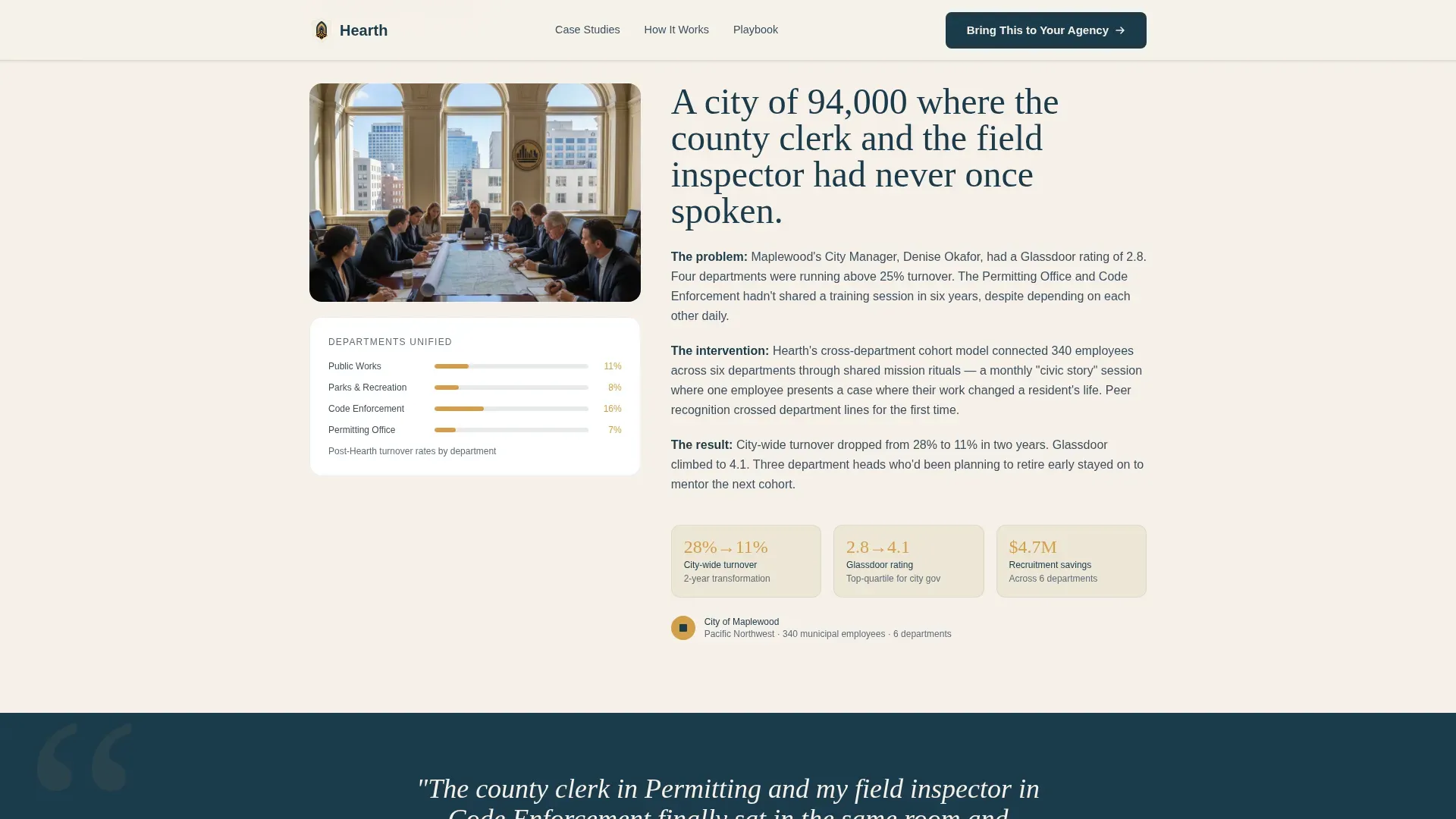
Three sequential case study blocks each follow the same narrative structure: the problem, the intervention, and the measurable result. The scale rises deliberately, from a single 911 dispatch center, to a whole city, to a state agency, so visitors recognize themselves at each level.
Pull-Quote Banner Blocks
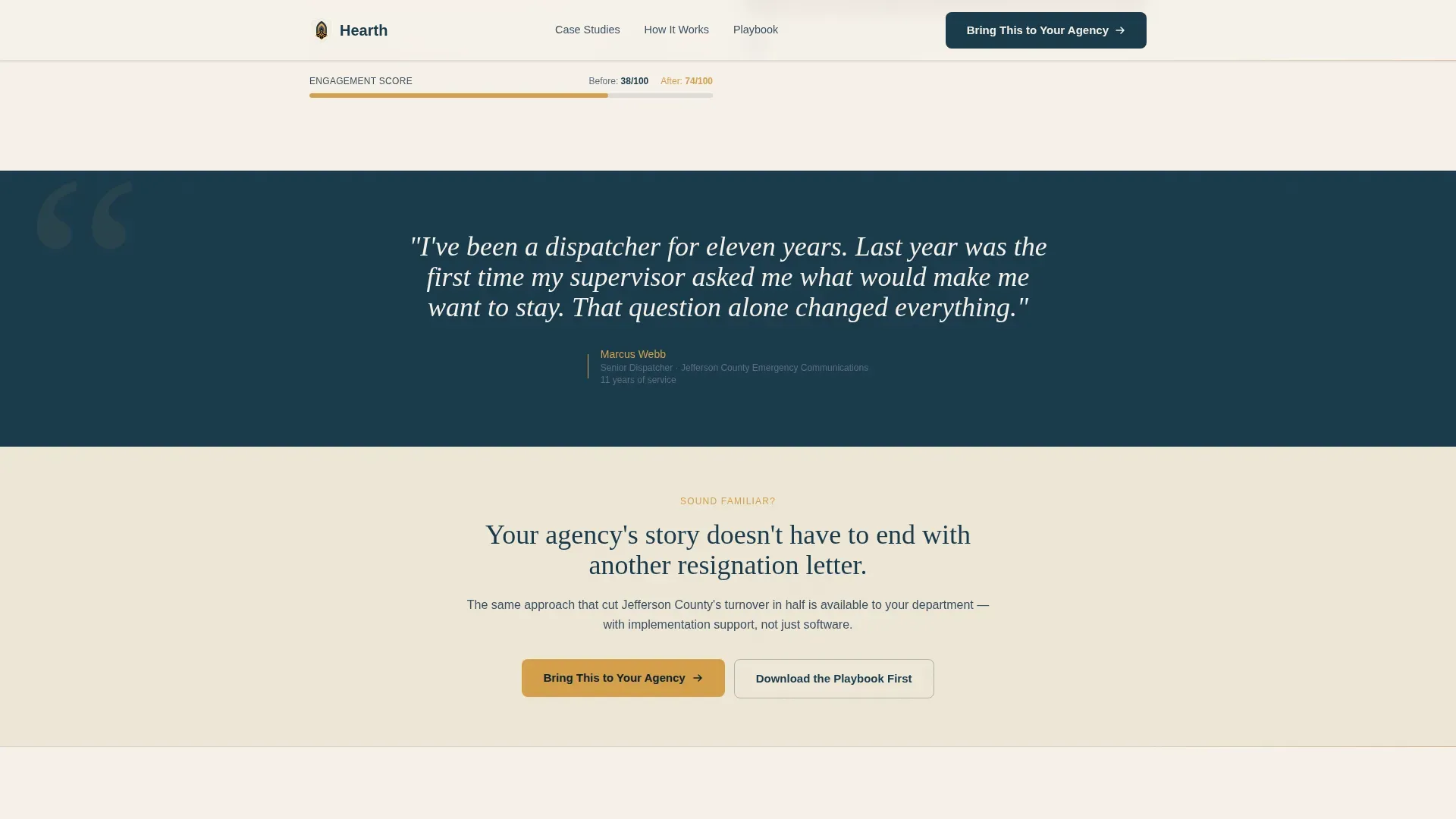
Between case studies, full-width pull-quote banners surface real voices from public servants, including their name, title, and years of service. These banners ground the data in human language and break the scroll rhythm with emotional contrast.
Partnership-Framed call to action Form
The primary form appears twice: once after the first case study and again at the bottom of the page with added context. It asks for agency name first to create identity commitment, then department size, then the visitor's role and email address.
Secondary Lead Capture Path
A lower-commitment option sits alongside the primary form, offering a downloadable resource in exchange for just an email address and agency name. This captures leads from visitors who are not yet ready to request a full partnership conversation.
Dual call to action Placement Strategy
The call to action labeled "Bring This to Your Agency" appears at two deliberate points in the page flow. The placement logic ensures the page earns the click through dollar figures and human stories before the form ever appears.
Page sections overview
| Section | Purpose |
|---|---|
| Photo Header | Opens with human proof and the primary headline |
| Headline and call to action | States the promise and invites the first action |
| Case Study One | Shows a single-department problem and result |
| Pull-Quote Banner | Grounds the data in a real public servant voice |
| First call to action Block | Offers the partnership form after initial proof |
| Case Study Two | Scales the narrative to a full city |
| Pull-Quote Banner | Adds a second voice with name and years of service |
| Case Study Three | Escalates to a state agency story |
| Final call to action Form | Repeats the partnership ask with fuller context |
| Secondary Capture | Offers the downloadable resource as an alternative |
Design & branding system
The Cloud Canvas color system gives this template a palette that feels institutional enough to earn government trust and warm enough to feel human. The visual identity follows a Community Hearth theme, evoking a well-lit public library at golden hour.
- Soft civic cream (#F5F0E8) dominates backgrounds, carrying the clean legibility of good paper stock
- Trusted slate (#3D4F5F) handles body text with quiet authority, while warm lamplight amber (#D4A04A) highlights data points and interactive elements
- Deep charter blue (#1B3A4B) anchors headlines and primary calls to action with the visual weight of something signed and sealed
Mobile & speed optimization
The single-column flow structure means this template adapts naturally to smaller screens. The layout does not rely on complex multi-column grids that collapse unpredictably on mobile devices.
- The full-width case study and pull-quote sections reflow cleanly at any viewport width
- The dual call to action placements remain accessible and legible on both desktop and mobile without layout conflicts
How this template helps you convert
Every structural decision in this template is built to reduce friction and build confidence before the ask arrives. The narrative arc does the selling so the form does not have to.
- The page leads with emotional proof in the header photograph and headline, establishing human credibility before any data appears
- Each case study section raises the stakes with real dollar figures and percentage outcomes, giving skeptical buyers the evidence they need to advocate internally
- The secondary lead capture path ensures visitors who are not ready to commit still enter the funnel, extending conversion opportunity without pressuring the primary audience
Other information about this template
This template is categorized under HR and Hiring, with a specific focus on the government and public sector HR subcategory. It is designed as a single-column flow landing page, making it straightforward to customize and publish without advanced layout knowledge.
- The template style follows a single-column flow for maximum readability and scroll momentum
- The creative direction is a case study narrative, which suits any platform that has documented agency outcomes
- The header concept is a half-page photo paired with text, a proven format for building immediate human connection
- The landing page direction is recruitment and hiring, reframed here as a civic partnership invitation rather than a traditional sales pitch
Theme
Community Hearth
Creative direction
Case Study Narrative
Color system
Cloud Canvas
Style
Single Column Flow
Direction
Recruitment/Hiring
Page Sections
Half-page Photo and Text Header
Escalating Case Study Narrative
Pull-quote Banner Blocks
Partnership-framed Call to Action Form
Secondary Lead Capture Path
Related questions
Who is this landing page template built for?
Can I adapt the case study sections for my own agency outcomes?
What makes this template different from a standard HR landing page?
How does the secondary lead capture path work?
Do I need multiple case studies to use this template effectively?



