Employee Wellness & Benefits Reviews Website Template
Hearth is a warm, split-screen recruitment landing page built for employee assistance program networks. It invites licensed therapists and counselors to join a growing clinical team through scroll-linked storytelling, dual testimonial cards, and a streamlined application form. The design blends deep aubergine, saffron, and coral to create a grounded yet energizing first impression.
by Rocket studio
Quick summary
Hearth is a single-page clinician recruitment template designed for employee assistance program networks. It leads with two real testimonial cards, then unfolds a scroll-driven "Network Effect" narrative. By the time a visitor reaches the application form, they understand the human impact they would join, not just the job they would fill.
Who this template is for
This template speaks directly to the people who keep clinical networks running and to the clinicians who power them. It works equally well for EAP platforms launching a hiring push and for HR-adjacent wellness brands looking to grow their therapist roster.
- Licensed therapists and counselors (LCSW, LPC, LMFT, PsyD, PhD) evaluating flexible clinical roles
- EAP operators and employee wellness programs recruiting qualified mental health professionals
- HR directors and benefits managers who want to present a compelling, credible network to their own leadership
What problem this template solves
Finding licensed therapists is only half the challenge. The harder part is convincing high-quality clinicians that the work is meaningful, the schedule is manageable, and the organization behind the platform is real. Most recruitment pages lead with credentials forms and skip the story entirely.
- Clinicians arrive skeptical and leave before applying because the page shows process instead of purpose
- Generic hiring templates lack the warmth and clinical credibility needed for mental health recruitment
- HR directors evaluating EAP providers need a page that signals professional depth, not just availability
What you get with this template
This template delivers a fully structured, single-page recruitment flow with five distinct content sections and a footer. Every section is built to a specific purpose, and the visual system carries consistent emotional weight from top to bottom.
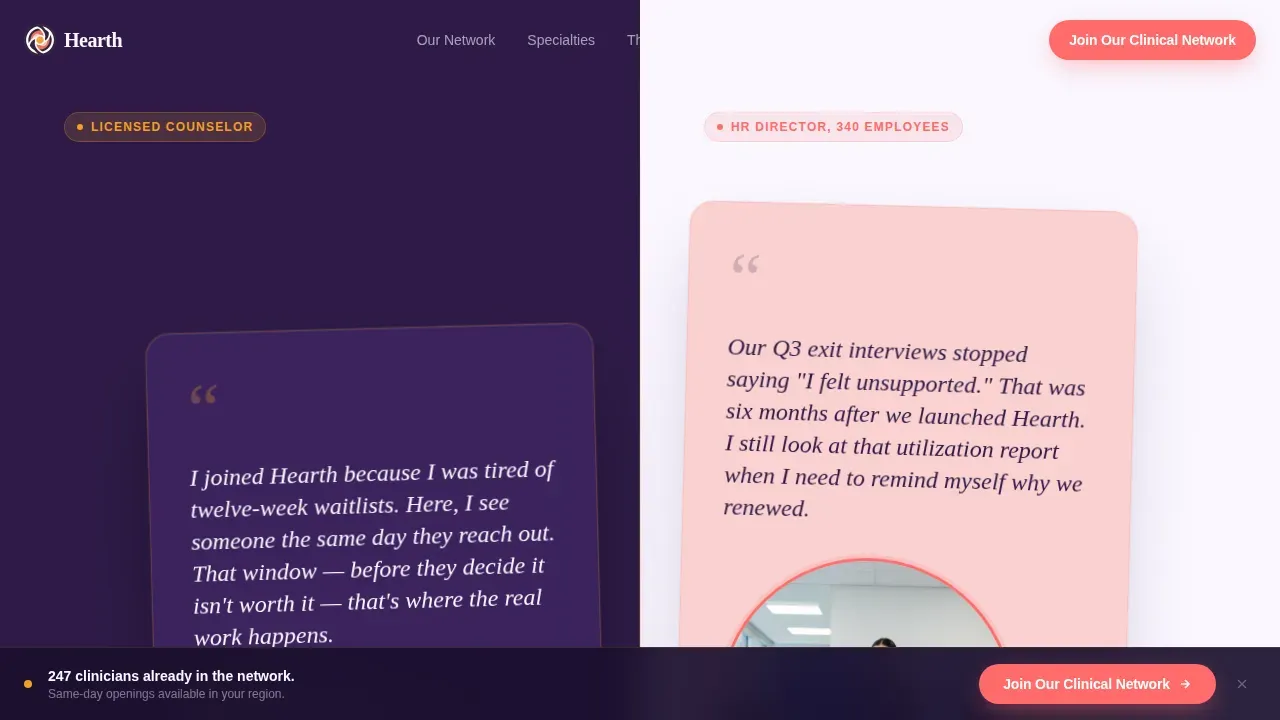
- A split-screen hero with two overlapping testimonial cards, one from a licensed counselor and one from an HR director
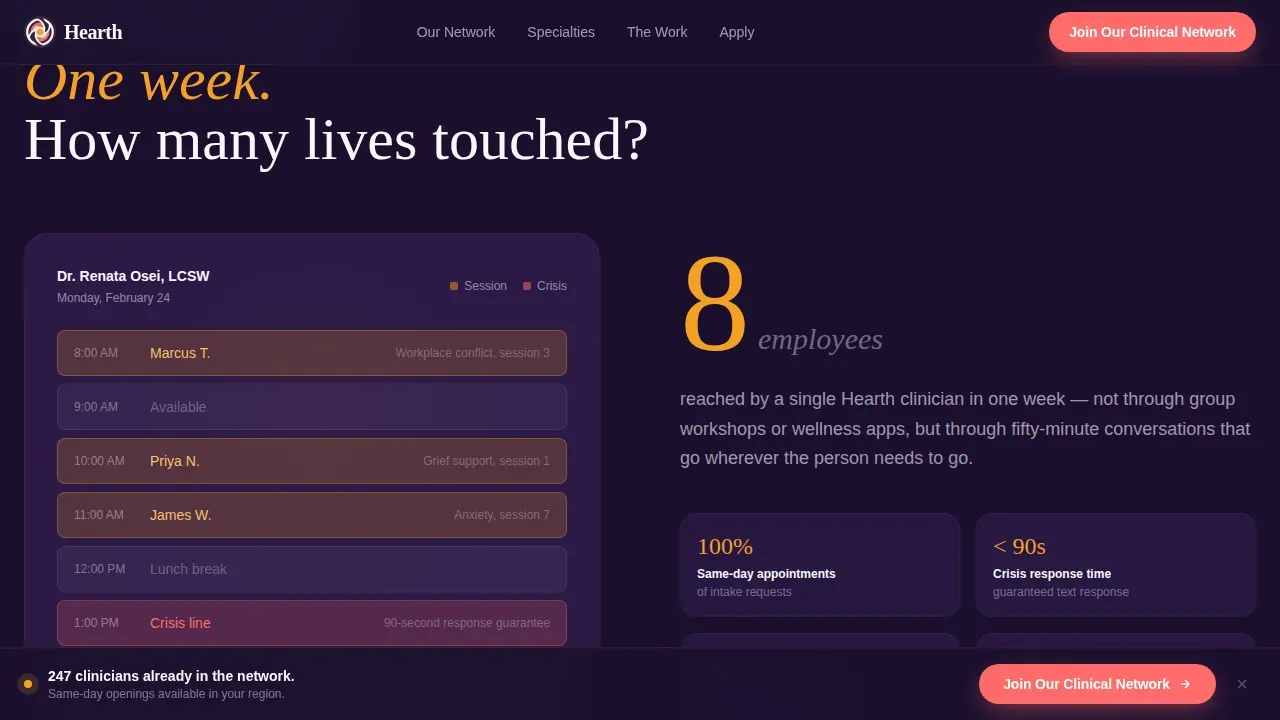
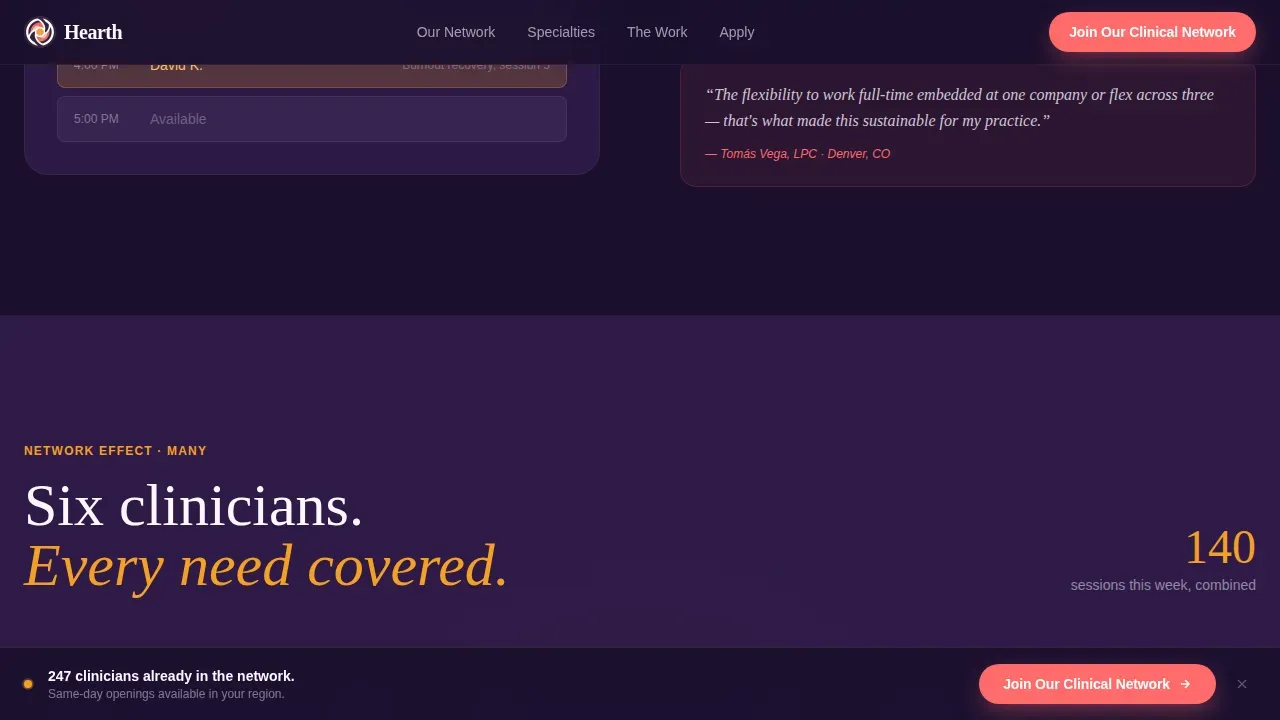
- A scroll-driven Network Effect narrative that expands from one therapist's weekly calendar to a six-specialist spoke diagram
- A modal application form with license type dropdown, state multi-select, availability preferences, and optional résumé upload
Feature list
This template ships with purposefully built components. Each one serves the recruitment goal without overcomplicating the page.
Split-Screen Testimonial Header
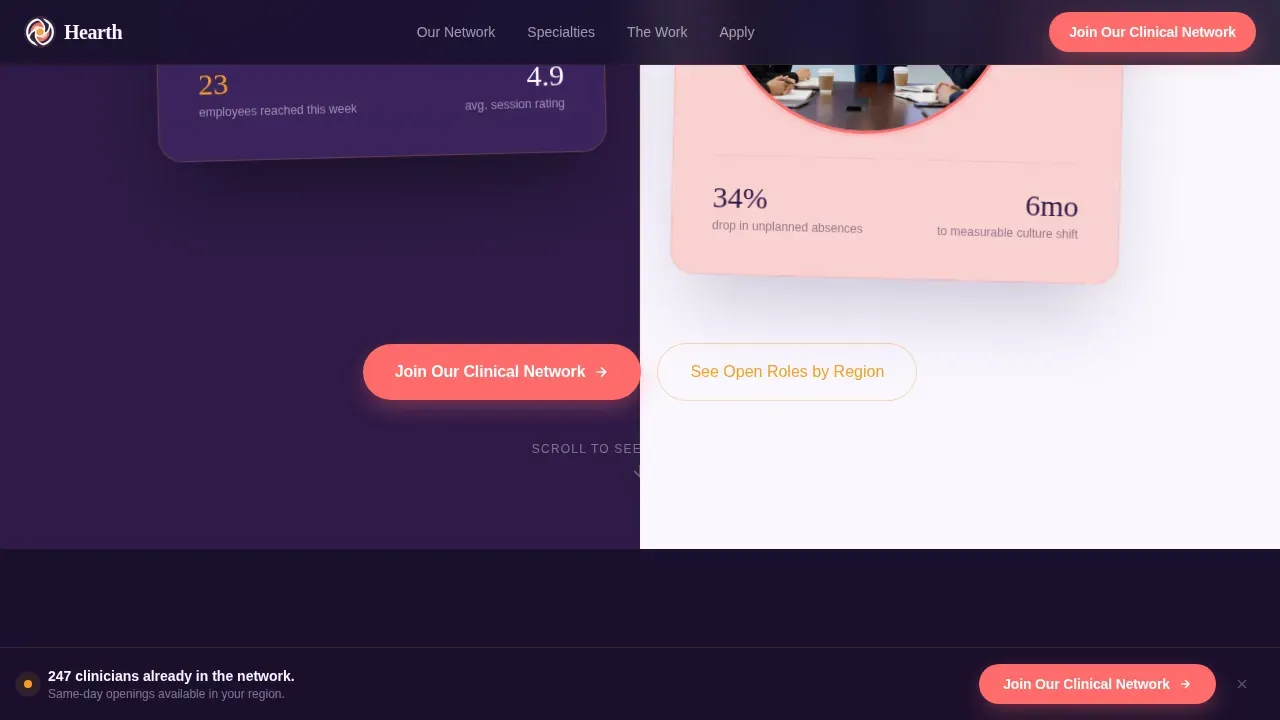
Two oversized cards sit side by side, slightly overlapping the center divide. One card carries a real quote from a licensed counselor; the other holds an HR director's account of the moment utilization data changed their mind. Typography does the heavy lifting. No stock photography is used.
Scroll-Linked Network Reveal
As the visitor scrolls, the page expands the story node by node. A single therapist's calendar view gives way to an employee impact counter, then widens to a six-specialist team with specialty cards fanning outward. Spring-physics animations and staggered reveals make the growth feel live.
Six-Specialty Spoke Diagram
A spoke layout fans out six clinical specialty cards: substance use, relationship strain, financial anxiety, grief, workplace conflict, and parenting stress. Each card is interactive on hover, giving clinicians an immediate sense of the breadth and depth of the network they would join.
Sticky Coral Call-to-Action Bar
A "Join Our Clinical Network" bar appears after the third scroll and stays visible as the visitor moves through the page. The coral button color draws attention precisely where action is needed, without interrupting the reading flow.
Streamlined Application Modal
Clicking the primary call to action opens a focused application form. Fields include license type, state of licensure, availability preference (full-time embedded, part-time flex, or crisis-only), and an optional résumé upload. A secondary link directs applicants to a filterable open-roles directory by region.
Flexibility Tier Display
A dedicated section lays out the three availability tiers clearly. Clinicians can see exactly what full-time embedded, part-time flex, and crisis-only roles look like before they apply, reducing drop-off from uncertainty.
Page sections overview
| Section | Purpose |
|---|---|
| Hero Testimonial Cards | Opens with two human voices side by side to establish trust immediately |
| Network Effect: One | Shows one therapist's weekly calendar and the employees they reached |
| Network Effect: Many | Expands to six specialists with a fanned spoke diagram of clinical areas |
| The Work | Details session format, flexibility tiers, and crisis line specifics |
| Application Form | Captures license type, state, availability, and optional résumé |
| Footer | Minimal horizontal flow layout with essential navigation links |
Design & branding system
The visual identity follows a Community Hearth theme executed through a Dopamine Pop color system. Deep aubergine anchors the left panels and navigation, while saffron, petal pink, and coral create warmth and direct attention. The result feels like unexpected brightness against something grounded and serious.
- Deep aubergine (#2E1A47) dominates backgrounds and left panels; saffron (#F4A024) highlights data points and hover states
- Petal pink (#F9D1D1) softens testimonial card surfaces and form fields; electric coral (#FF6B6B) marks every clickable action
- Typography pairs Fraunces serif headlines with DM Sans body text for a warm yet professional reading experience
Mobile & speed optimization
The template is built desktop-first to match how HR directors and hiring managers evaluate vendors at their desks. Full mobile support is included so clinicians browsing on their phones can still complete the application without friction.
- Server Components handle all static content sections for efficient initial load
- Client Components are scoped to scroll animations, the sticky bar, and the application form modal
- The split-screen layout adapts to a stacked single-column flow on smaller screens
How this template helps you convert
Hearth earns the application before it asks for credentials. The page is structured so that each scroll adds evidence of impact, making the "Join Our Clinical Network" button feel like an invitation rather than a form submission.
- The dual testimonial header leads with human voices, not job listings, so clinicians feel seen before they read a single requirement
- The expanding Network Effect narrative builds emotional buy-in across three scroll stages, compounding the sense of scale and purpose
- The sticky coral call-to-action bar keeps the primary action visible at exactly the moment a visitor feels ready to act, reducing the distance between intent and click
Other information about this template
This template is localized for the United States market. Date formatting follows MM/DD/YYYY, currency is USD, and all copy is written in American English. The animation system uses high-intensity scroll-linked reveals with spring physics for a polished, modern feel.
- Animation level is high: scroll-linked node reveals, stagger transitions, and spring physics are all built in
- Interactivity is high: sticky call-to-action bar, application form modal, and hoverable specialty spoke cards
- The secondary conversion path, "See Open Roles by Region," links to a filterable role directory for applicants who prefer to browse before committing
Theme
Community Hearth
Creative direction
Network Effect
Color system
Dopamine Pop
Style
Split Screen (50/50)
Direction
Recruitment/Hiring
Page Sections
Split-screen Testimonial Header
Scroll-linked Network Reveal
Six-specialty Spoke Diagram
Sticky Coral Call-to-action Bar
Streamlined Application Modal
Flexibility Tier Display
Related questions
Who is this landing page template designed for?
What sections are included in this template?
Can I customize the application form fields?
How does the sticky call-to-action bar work?
Is this template suitable for desktop and mobile use?



