Warehouse & Factory Construction Professional Website Template
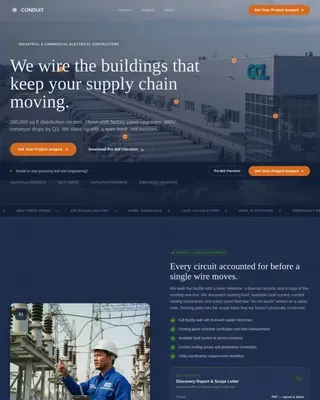
Conduit is an engineering blueprint-styled landing page template built for warehouse and factory electrical contractors. It walks facility managers and general contractors through a six-phase project process, from discovery walk to final inspection, using a zigzag alternating layout, an animated satellite map header, and a Forest Trust color system designed to earn trust before asking for commitment.
by Rocket studio
Quick summary
Conduit is a single-page template for industrial electrical contractors who serve warehouses, distribution centers, and manufacturing plants. It uses a transparent, phase-by-phase layout to show exactly how a project gets done. The visual system, animations, and section structure work together to convert facility managers and general contractors into qualified project inquiry leads.
Who this template is for
This template is built for electrical contractors who work on large commercial and industrial facilities. It speaks directly to crews handling service upgrades, panel work, and 480V distribution in demanding, deadline-driven environments.
- Electrical contractors serving facility managers dealing with outdated switchgear, OSHA citations, or expansion deadlines
- Subcontractors who need to demonstrate engineering rigor to general contractors who have been let down by previous subs
- Industrial electrical businesses ready to move qualified leads into a detailed project intake process
What problem this template solves
Facility managers and general contractors do not hand over a 200,000-square-foot job to a contractor they have not yet learned to trust. A generic services page does not close that gap. This template solves the credibility problem by showing the full scope of work before asking for any commitment.
- Buyers arrive skeptical; the transparent process layout addresses every phase of the work so the visitor understands what they are getting into
- The page earns the click before it asks for one, reducing friction for high-stakes industrial project inquiries
- Animated proof points and phase-level deliverables replace vague claims with specific, verifiable evidence of how the work gets done
What you get with this template
Conduit delivers a complete, ready-to-customize landing page structured around a six-phase project narrative. Every section has a defined role, and the visual hierarchy guides the right visitor toward the right action.
- An animated satellite map hero with pin-drop project stats, a typewriter headline, and a slow regional zoom
- A six-phase zigzag section sequence pairing real jobsite photo positions with corresponding project deliverables
- A sticky call-to-action bar, a full-width bottom call-to-action block, and a secondary email capture path for pre-bid planning visitors
Feature list
This template is built with specific interactive and structural capabilities derived directly from the project brief.
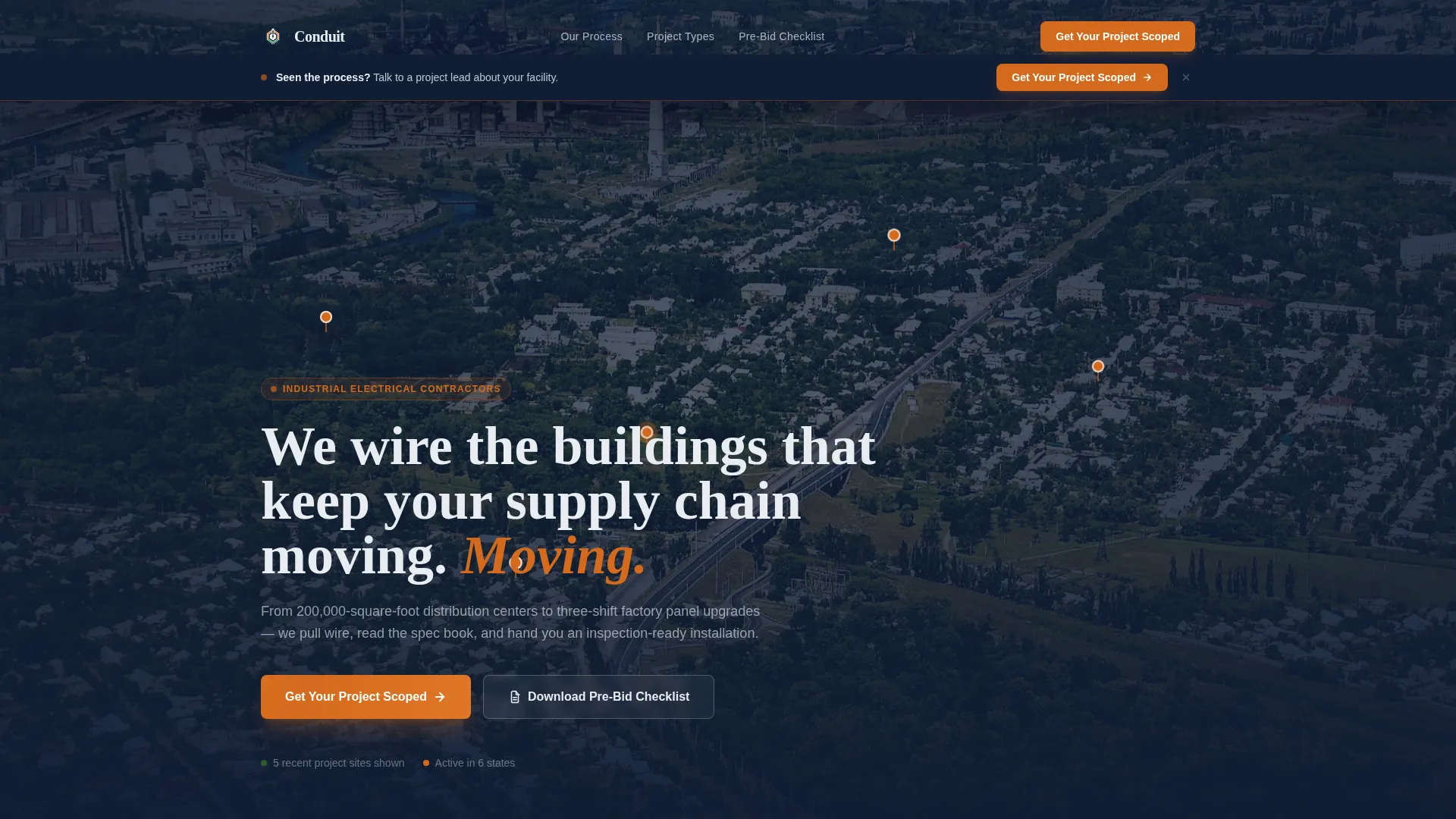
Animated Satellite Map Header
The header renders an overhead industrial corridor view with glowing orange pins that drop onto completed project sites. Each pin pulses a brief project stat, such as a service upgrade size or a turnaround time. A typewriter effect prints the headline across the bottom as the map slowly zooms toward the visitor's region.
Six-Phase Zigzag Process Layout
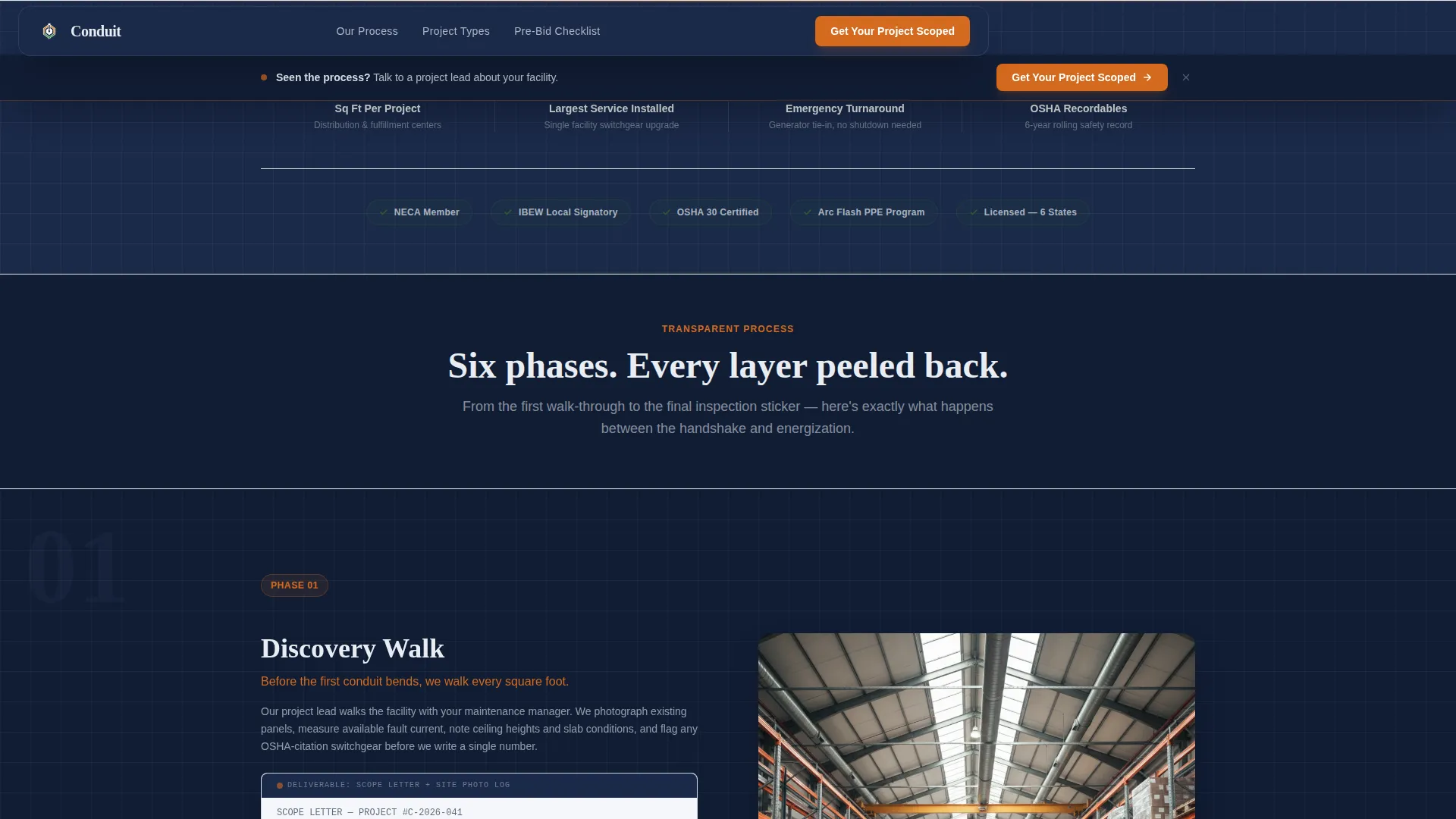
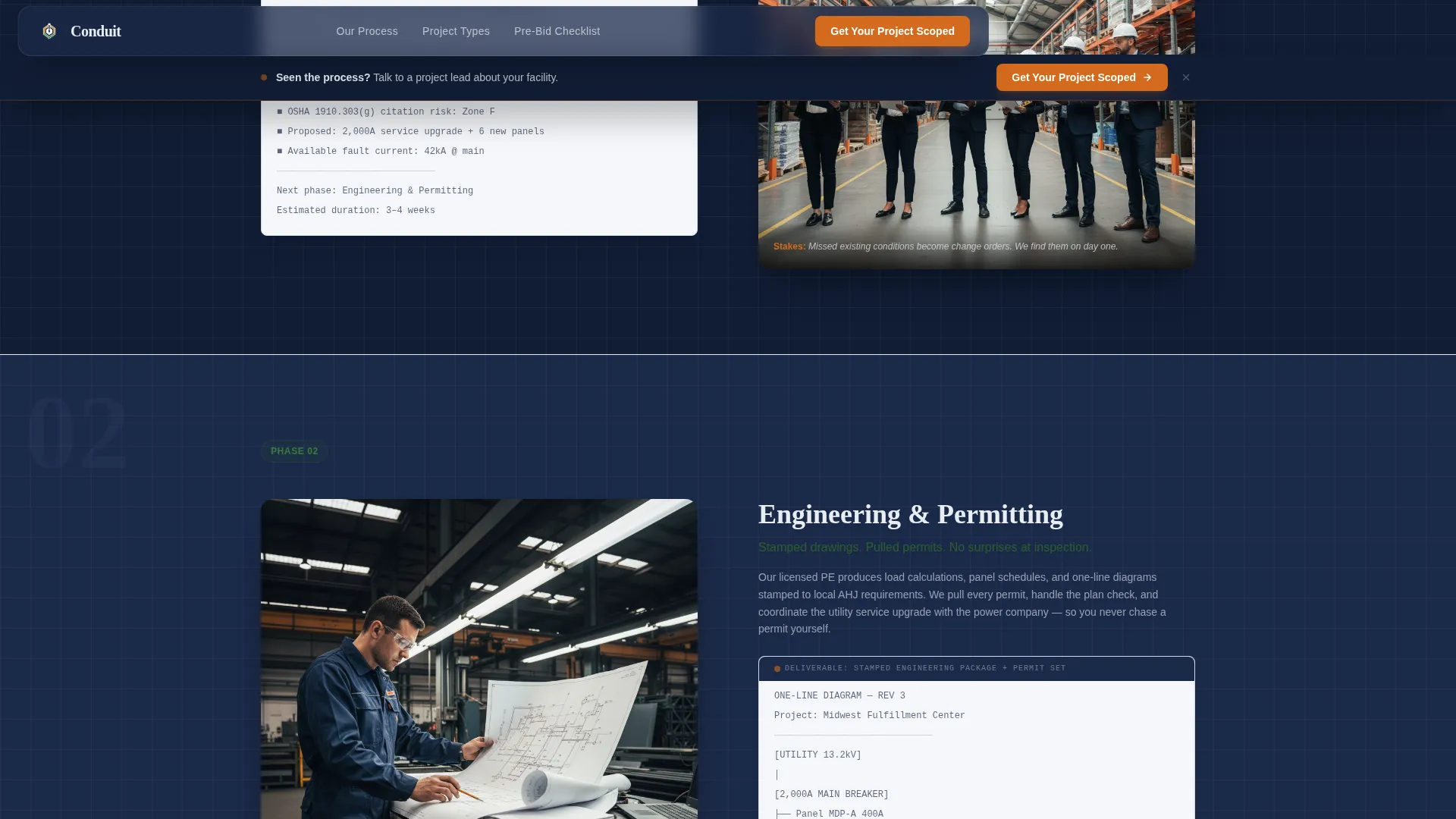
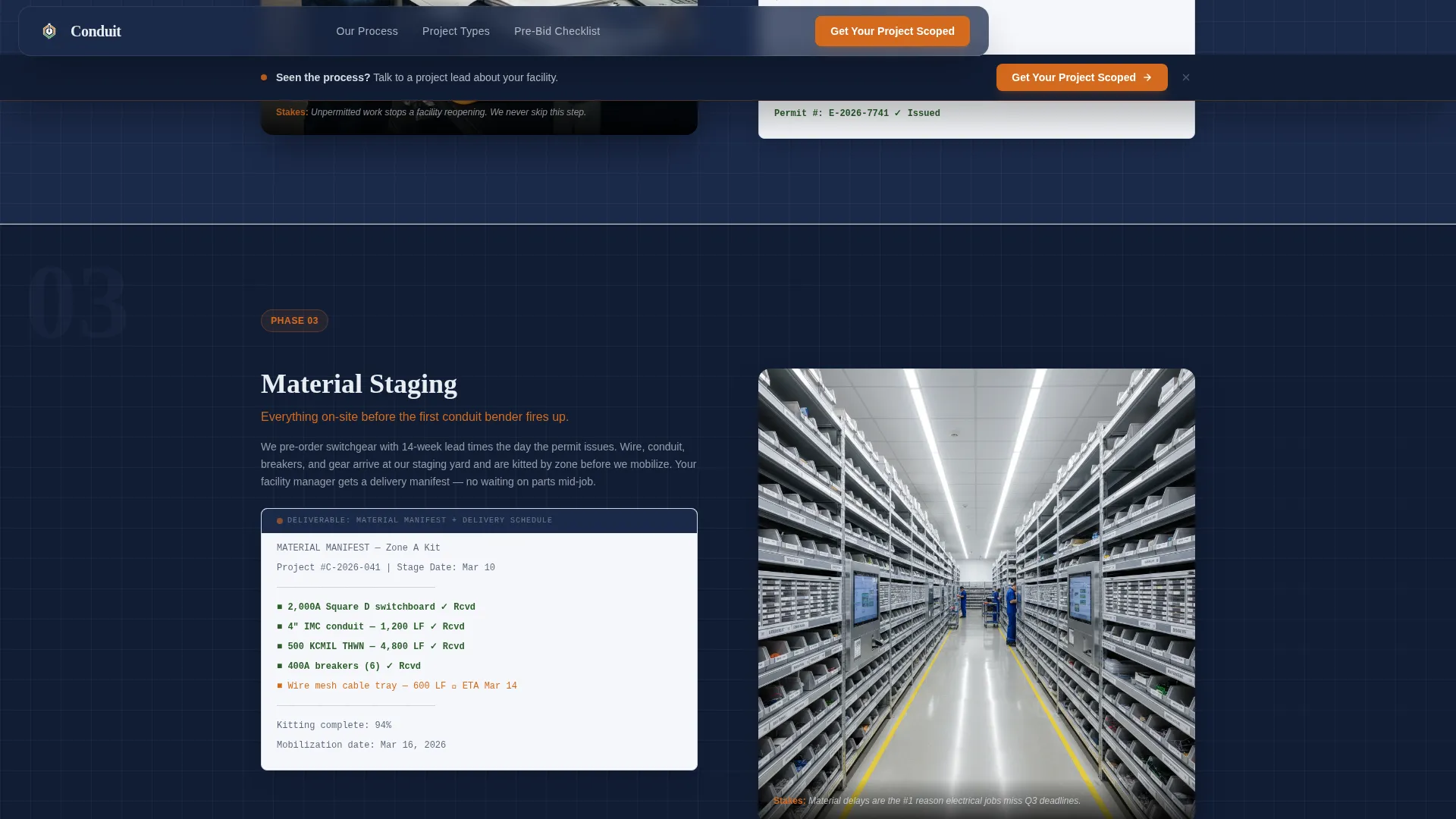
Six alternating sections walk through Discovery Walk, Engineering and Permitting, Material Staging, Rough-In, Termination and Testing, and Final Certification. Left positions show jobsite photography and right positions display the matching deliverable, such as a scope letter, a panel schedule, or a test report. Stakes and visual intensity escalate across phases to reflect the real risk of the work.
Sticky Call-to-Action Bar
After the third zigzag section, a sticky bar appears with the primary call to action: "Get Your Project Scoped." It persists as the visitor scrolls deeper into the process, staying visible at the moment the visitor has seen enough to act.
Dual Conversion Paths
The primary call-to-action routes visitors to a dedicated project intake page. A secondary path, "Download Our Pre-Bid Checklist," captures email addresses from visitors still in the planning phase. Both paths are available without competing for attention.
GSAP ScrollTrigger Animations
Section reveals, pin drops, zigzag transitions, and hover states on phase cards are all driven by GSAP ScrollTrigger. Client components handle interactive animations while static sections use server-rendered components for stability.
Forest Trust Color System
Navy (#1B2A4A) dominates section backgrounds. Evergreen (#2D5F2D) anchors trust indicators and phase completion markers. Safety orange (#D46A1E) appears only on calls to action and callout badges, preserving its urgency signal throughout the page.
Page sections overview
| Section | Purpose |
|---|---|
| Satellite Map Hero | Drops animated project pins over completed sites; prints the headline via typewriter effect |
| Stats Credentials Band | Shows scale proof: square footage served, service upgrade sizes, turnaround times |
| Phase 1: Discovery Walk | Opens the process sequence; pairs a jobsite photo with a scope letter deliverable |
| Phase 2: Engineering & Permitting | Shows the documentation layer; pairs a site photo with a panel schedule deliverable |
| Phase 3: Material Staging | Demonstrates pre-job preparation; pairs a staging photo with a materials log deliverable |
| Phase 4: Rough-In | Moves into active installation; pairs trench and wire-pull photography with a progress report |
| Phase 5: Termination & Testing | Escalates stakes; pairs energized equipment photos with a thermal scan test report |
| Phase 6: Final Certification | Closes the sequence; pairs an inspection-ready photo with a final certification deliverable |
| Sticky call to action Bar | Appears after phase three; keeps "Get Your Project Scoped" visible as the visitor scrolls |
| Trust Indicators Band | Displays certifications, safety record highlights, and client logo marks |
| Final call to action Block | Full-width section with the primary project inquiry path and secondary email capture |
| Footer | Linear single-row pattern with navigation and contact essentials |
Design & branding system
The visual identity follows an Engineering Blueprint theme. Every design choice references the physical environment of a job trailer and an industrial site, making the page feel native to the industry it serves.
- Typography uses DM Sans for body and interface text paired with Fraunces serif for display headlines, creating a precise yet authoritative reading experience
- The four-color Forest Trust palette keeps navy as the dominant background tone, green for completed-phase markers and trust signals, white for body text and diagram overlays, and orange strictly reserved for calls to action and callout badges
- Section backgrounds alternate in navy bands, giving the zigzag layout a clean rhythm that reinforces the phase-by-phase structure without visual clutter
Mobile & speed optimization
The template is designed desktop-first to match how facility managers and operations directors typically review contractor information, but it maintains full mobile support throughout.
- Static page sections use server-rendered components to keep the base page fast and stable, while GSAP-driven animations load as client components only where interactivity is needed
- The zigzag layout, sticky bar, map header, and trust band all reflow cleanly for mobile viewports, ensuring the process narrative reads correctly on any screen size
How this template helps you convert
The page is structured as a click-through landing page with a deliberate conversion sequence. It earns commitment by showing the full process before asking for anything.
- The animated header and stats band establish immediate scale credibility, so a facility manager knows within seconds that this contractor works at the right level for their project
- The six-phase zigzag builds progressive trust by pairing real jobsite evidence with documented deliverables, making the inquiry feel like a natural next step rather than a cold leap
- The sticky call-to-action bar and dual conversion paths capture visitors at different readiness levels, separating active project leads from early-stage researchers without losing either group
Other information about this template
Conduit is built for the United States market, using imperial measurements and USD-denominated project framing throughout. The template style is Zigzag/Alternating with a single-page click-through structure. It fits the Construction and Home category under the Warehouse and Factory Construction subcategory, targeting the warehouse and factory electrical contractor niche.
- The header concept is Map-Based, referencing a real industrial corridor overhead view with animated pin interactions powered by GSAP ScrollTrigger
- The creative direction is Transparent Process, meaning the scroll narrative deliberately peels back each layer of how the work gets done before asking the visitor to act
- The landing page direction is Click-Through, routing the primary call to action to a dedicated intake page rather than embedding a form on the page itself
Theme
Engineering Blueprint
Creative direction
Transparent Process
Color system
Forest Trust
Style
Zigzag/Alternating
Direction
Click-Through
Page Sections
Animated Satellite Map Header
Six-phase Zigzag Process Layout
Sticky Call-to-action Bar
Dual Conversion Paths
GSAP Scrolltrigger Animations
Forest Trust Color System
Related questions
Who is this landing page template designed for?
Does this template include a contact form on the page?
What animations does this template include?
Can I update the colors and fonts to match my brand?
How many sections does this landing page template contain?