Hotel Interactive FAQ & Personalized Stay Calculator Website Template
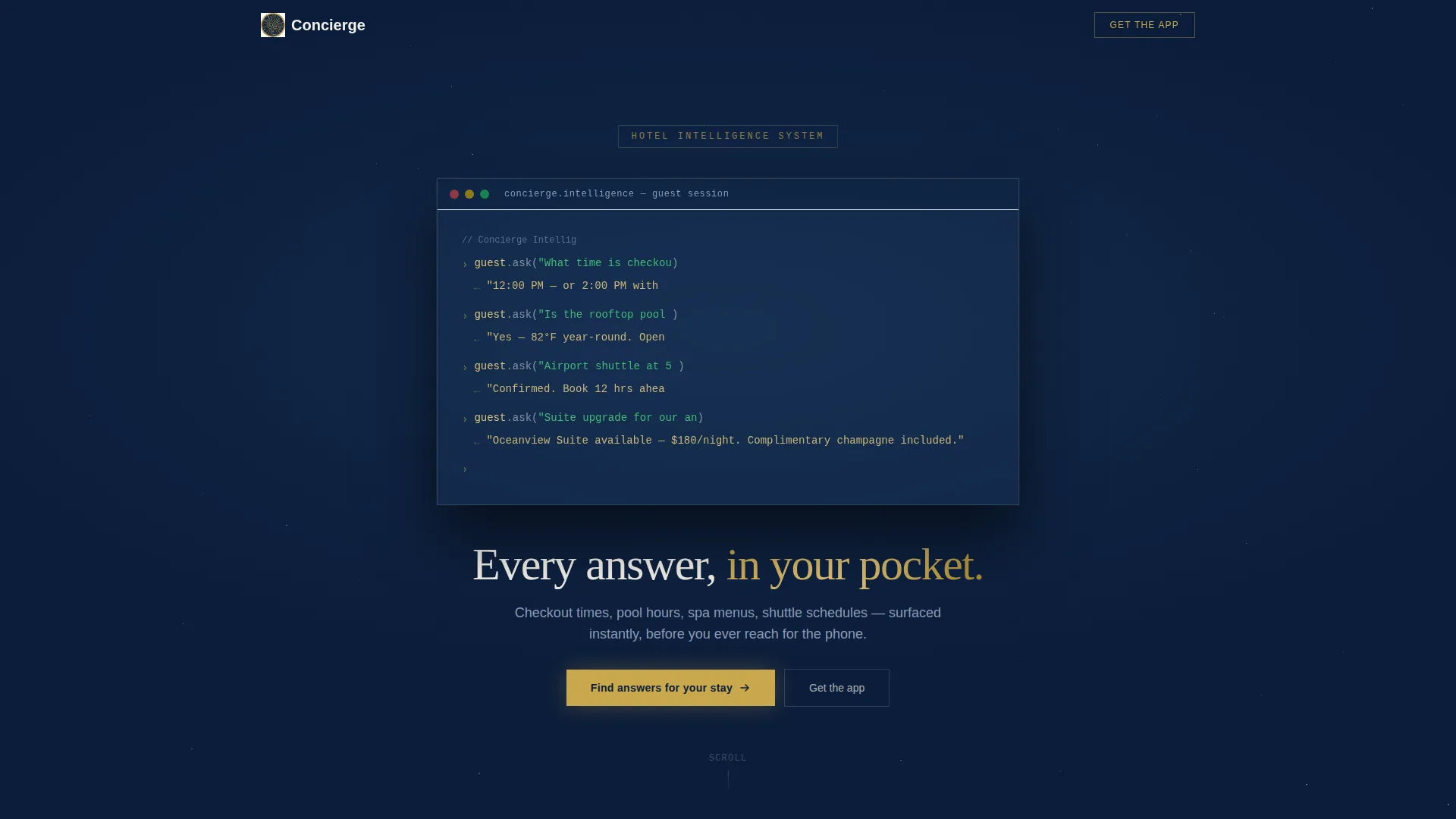
Concierge is a scroll-reveal hotel landing page template built around an interactive FAQ calculator tool. It surfaces personalized answers by room type, travel dates, and party size, then drives visitors toward an app download. The design runs on a Midnight Blue palette with brass accents, opening with an animated terminal-style code snippet that signals intelligence from the first second.
by Rocket studio
Quick summary
Concierge is a single-page, scroll-reveal hotel and resort FAQ landing page template. It opens with an animated code-snippet header, moves visitors through a personalized FAQ calculator tool, and closes with a platform-detect app download section. Every section unlocks progressively on scroll, dispensing information at exactly the right moment.
Who this template is for
This template is designed for hospitality brands that want to answer guest questions before those guests ever call the front desk. It suits properties that already have a hotel app or are ready to drive downloads from web traffic.
- Hotel and resort marketing teams launching or promoting a guest-facing app
- Property managers who want a smarter, always-on FAQ experience for their website
- Executive assistants and travel coordinators who need instant, structured answers for group bookings
What problem this template solves
Most hotel FAQ pages are static walls of text. They force guests to scroll through irrelevant information or give up and call. Late-night travelers, honeymooners comparing upgrades, and coordinators booking ten rooms at once all need fast, relevant answers without hold music.
- Guests abandon hotel websites when answers are buried or generic
- Static FAQ pages cannot filter results by room type, travel dates, or party size
- App download rates stay low when visitors have no proof of the app's value before installing
What you get with this template
You get a fully structured, single-page landing page layout ready to customize with your property's real content. The template delivers a cohesive visual system and a logical scroll sequence designed to earn trust before asking for action.
- An animated terminal-style header, a progressive scroll reveal flow, and a floating pill call-to-action button
- An interactive FAQ calculator section, categorized FAQ card panels, and a live amenity-hours widget area
- A full-width app download section with device mockups and platform-detect buttons for the App Store and Google Play
Feature list
This template is built around deliberate, sequential components that each serve a specific conversion role. Here is what each major feature does.
Animated Code-Snippet Header
The page opens with a stylized terminal interface that auto-types live conversational code lines. A brass cursor blinks against the midnight background as each line appears. A single fade-in tagline follows below the snippet.
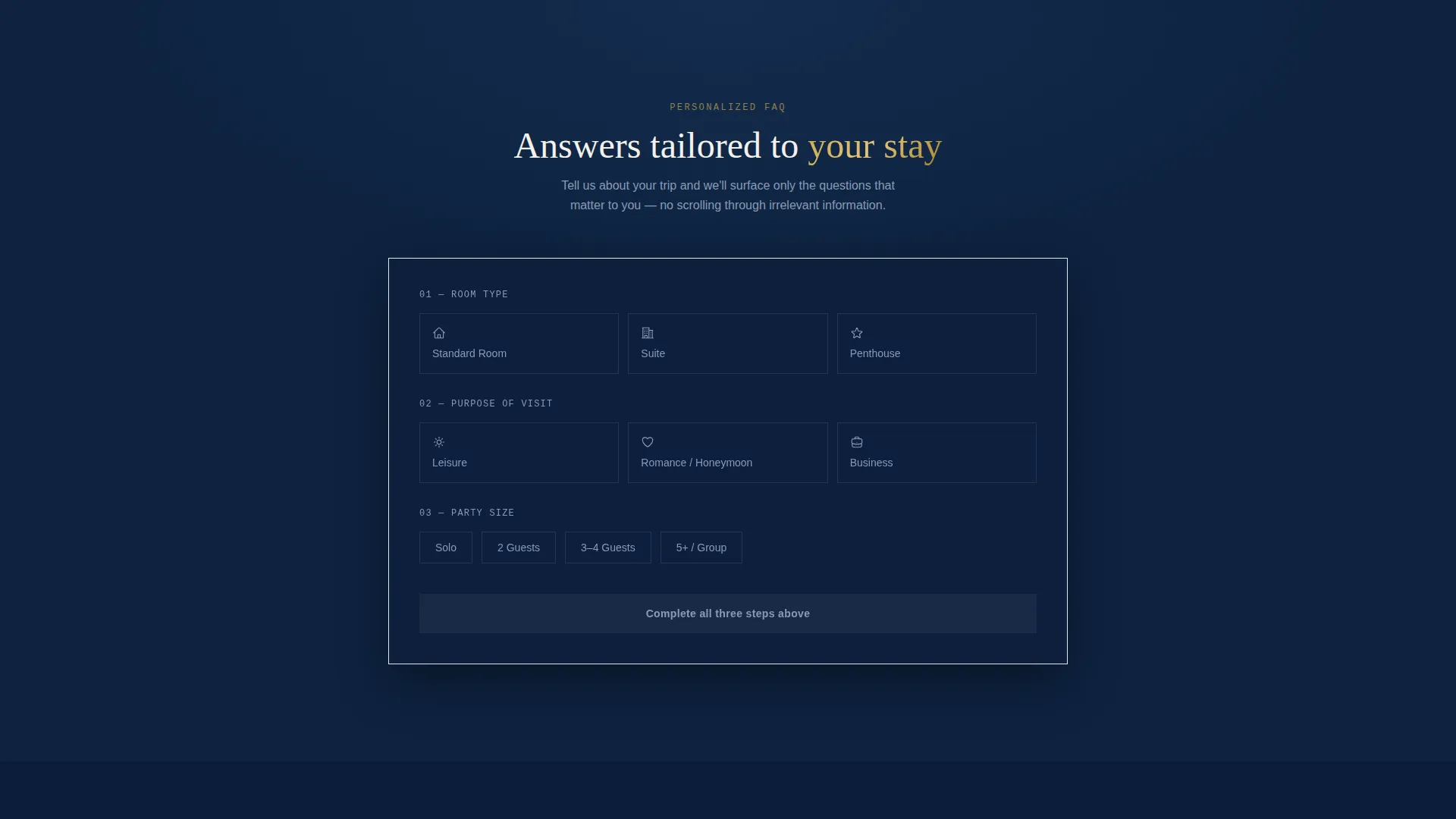
Interactive FAQ Calculator Tool
Visitors select their room type, travel dates, and party size to filter the FAQ results down to only what is relevant to their stay. This tool proves the intelligence of the hotel app before any download is requested. It is the first full section visitors reach after the header.
Progressive Scroll Reveal Layout
Each section unlocks as the visitor scrolls deeper into the page. FAQ cards slide in from alternating sides with motion-blurred entrances. The reveal pacing gives information a deliberate, curated feel rather than dumping everything at once.
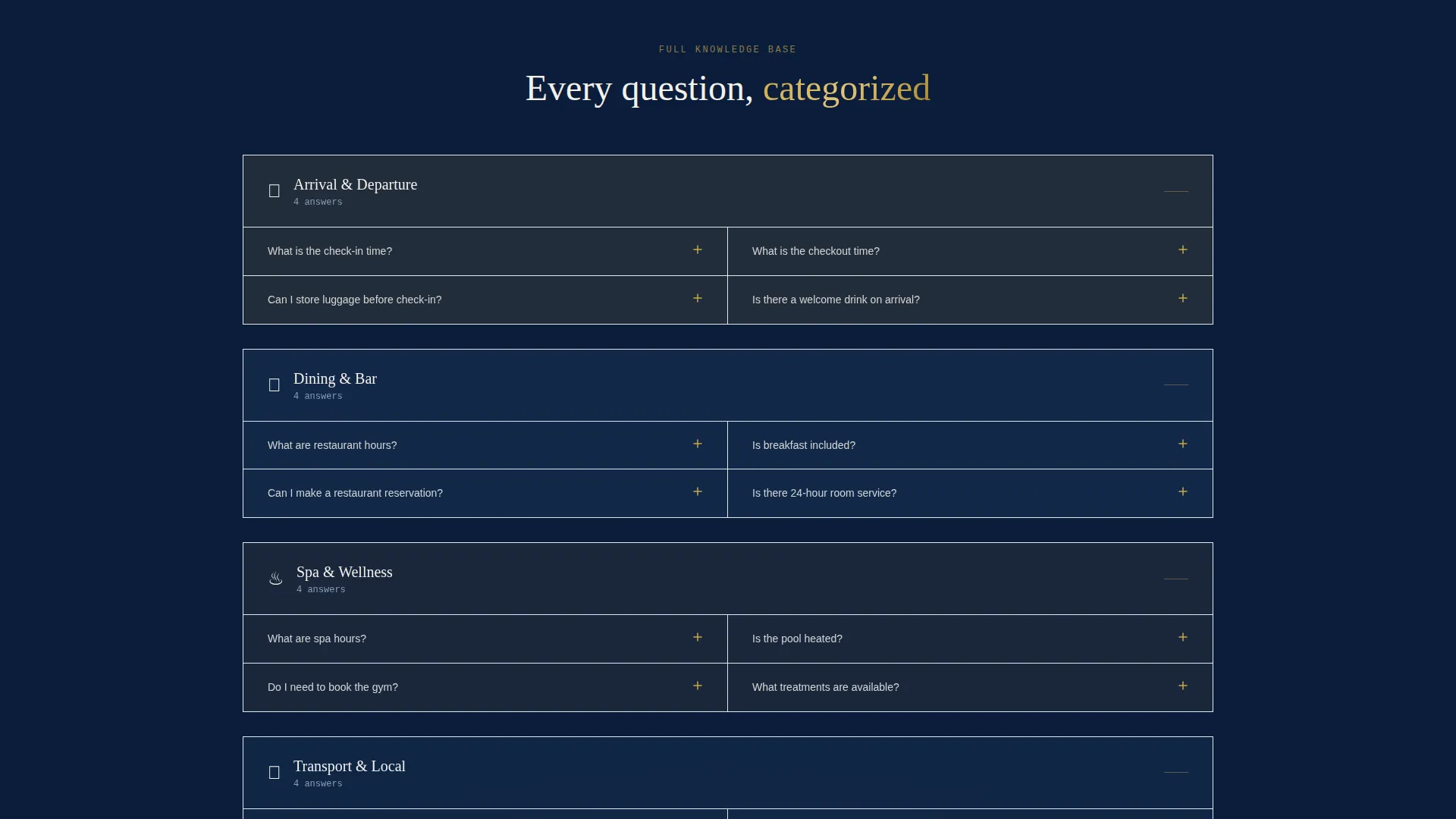
Categorized FAQ Card Panels
Answers are organized into visual card blocks grouped by topic. Cards animate in from alternating sides as visitors scroll, keeping the page dynamic and easy to navigate without overwhelming the reader.
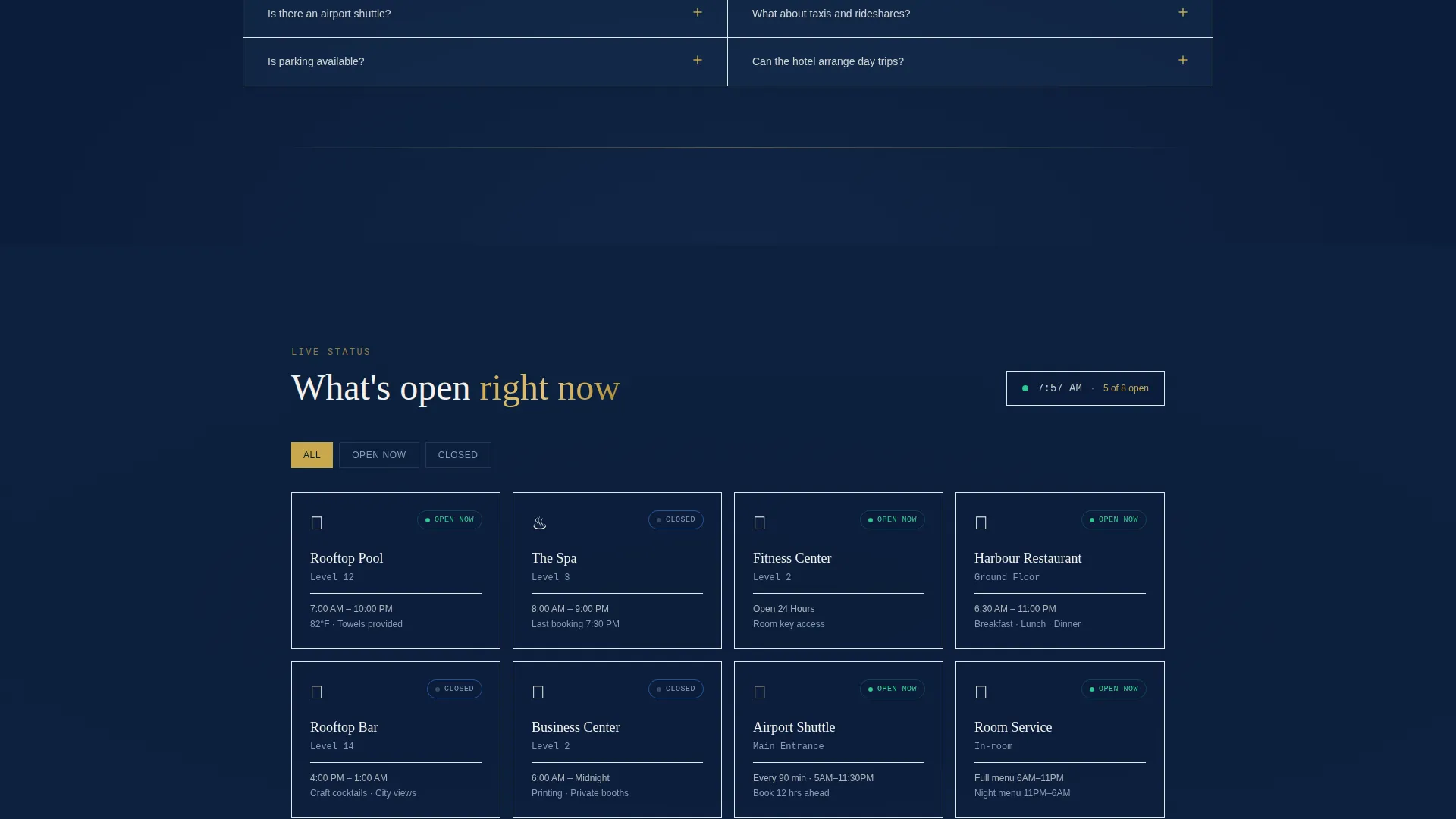
Live Amenity-Hours Widget Area
A dedicated widget section displays property hours and updates contextually based on time of day. It covers pool hours, spa menus, shuttle schedules, checkout times, and similar recurring guest questions.
App Download Section with Device Mockups
The closing section features full-width layout, device mockups showing the hotel app mid-conversation, and platform-detect buttons for App Store and Google Play. A tertiary option lets visitors enter only a phone number to receive a text download link.
Page sections overview
| Section | Purpose |
|---|---|
| Code Snippet Header | Opens the page with animated terminal-style code lines and a tagline |
| FAQ Calculator Tool | Filters FAQ answers by room type, travel dates, and party size |
| Floating Pill Button | Surfaces the primary call-to-action after the calculator section |
| Categorized FAQ Cards | Displays topic-grouped answers with alternating scroll-reveal animations |
| Amenity Hours Widget | Shows live property hours for pool, spa, shuttle, and checkout |
| App Download Section | Closes with device mockups and platform-detect download buttons |
Design & branding system
The visual identity follows a Dynamic Motion theme built on a Midnight Blue color system. Every color decision reinforces the feeling of a rooftop bar at midnight: dark water below, warm lamplight on the table, white napkins folded into sharp geometry.
- Deep midnight (#0B1D3A) as the primary page background, harbor blue (#1E3A5F) for secondary containers, and starched-linen white (#F4F1EB) for card surfaces and body text
- Polished brass (#C9A84C) reserved for interactive accents, hover states, the cursor blink in the header, and scroll-triggered animations
- Brass accents animate on scroll, giving every interaction the tactile weight of a turning door handle against a deep navy ground
Mobile & speed optimization
The template is built with a scroll-reveal interaction model that works across screen sizes. The progressive reveal structure means content loads in deliberate stages rather than all at once, which suits mobile browsing naturally.
- The interactive FAQ calculator and card panels are structured for touch-friendly interaction on smaller screens
- The app download section uses platform-detect logic to surface the correct store button based on the visitor's device, removing friction at the final conversion step
- No form fields appear anywhere on the page except the optional phone-number field for the text-a-link option, keeping the mobile experience clean and fast
How this template helps you convert
The template earns the app download by demonstrating the app's value before asking for the install. Every section is ordered to build trust progressively.
- The FAQ calculator tool delivers a personalized answer experience that mirrors what the app itself does, so visitors arrive at the download section already convinced of its usefulness.
- The floating pill call-to-action button appears immediately after the calculator, catching visitors at peak engagement before they scroll past their moment of interest.
- The full-width app download section with device mockups and a frictionless phone-number text option removes every remaining barrier between interest and install.
Other information about this template
This template sits in the Technology category under Hotel and Resort Website Templates, with a specific focus on the Hotel and Resort FAQ Page niche. It is well suited for properties investing in digital guest experience and app-led service models.
- The template style is Scroll Reveal (Progressive), the theme is Dynamic Motion, and the header concept is a Code Snippet
- The creative direction is Calculator and Tool First, meaning the interactive section leads the page narrative before any download ask
- The landing page direction is App Download, making this template a strong fit for hotel brands running paid or organic traffic campaigns tied to a guest app launch or re-engagement push
Theme
Dynamic Motion
Creative direction
Calculator/Tool First
Color system
Midnight Blue
Style
Scroll Reveal (Progressive)
Direction
App Download
Page Sections
Animated Terminal Code-snippet Header
Interactive FAQ Calculator Tool
Progressive Scroll Reveal Sections
Categorized FAQ Card Panels
Live Amenity-hours Widget Area
App Download Section with Device Mockups
Related questions
What kind of hotel brand is this template best suited for?
Can I customize the FAQ categories and amenity hours shown on the page?
Does the page include form fields for collecting guest information?
How does the scroll reveal animation work on mobile devices?
Is the animated code-snippet header difficult to adapt to my property?



