Concierge - Curated Hospitality Landing Page Template
Concierge is a curated hospitality landing page template built as a modular card grid directory. It organises hotels, restaurants, and nightlife venues by vibe, not star rating, and puts comparison tools front and centre. Three tabbed hero sections, kinetic stat counters, a sticky comparison bar, and an email capture flow make it easy for visitors to discover, evaluate, and act.
by Rocket studio
Quick summary
Concierge turns a hospitality directory into an interactive discovery experience. The template uses a tabbed hero, large animated stat counters, and a modular venue card grid to help visitors compare stays and nightlife spots in seconds. A sticky "Compare These Stays" bar activates the moment two cards are selected, keeping the conversion path visible throughout the scroll.
Who this template is for
This template is designed for teams that publish curated city guides or venue directories. It fits naturally into projects where the primary goal is helping visitors make informed decisions about where to stay, eat, or go out.
- Corporate travel managers who need to compare per-diem-friendly hotel options across a city
- Couples and leisure travellers browsing for boutique stays or anniversary-worthy venues
- Event planners scouting restaurants and nightlife spaces that photograph well and operate late
What problem this template solves
Most hospitality directory pages present lists without context. Visitors leave because they cannot compare options, trust pricing, or understand the vibe of a venue before clicking away.
- Visitors struggle to compare multiple venues side by side without a structured layout
- Pricing and review data are scattered, so confidence in the choice stays low
- There is no editorial layer to communicate what makes each venue worth booking
What you get with this template
This template delivers a complete single-page hospitality directory experience. Every section is purpose-built to move visitors from browsing to comparing to claiming a city brief.
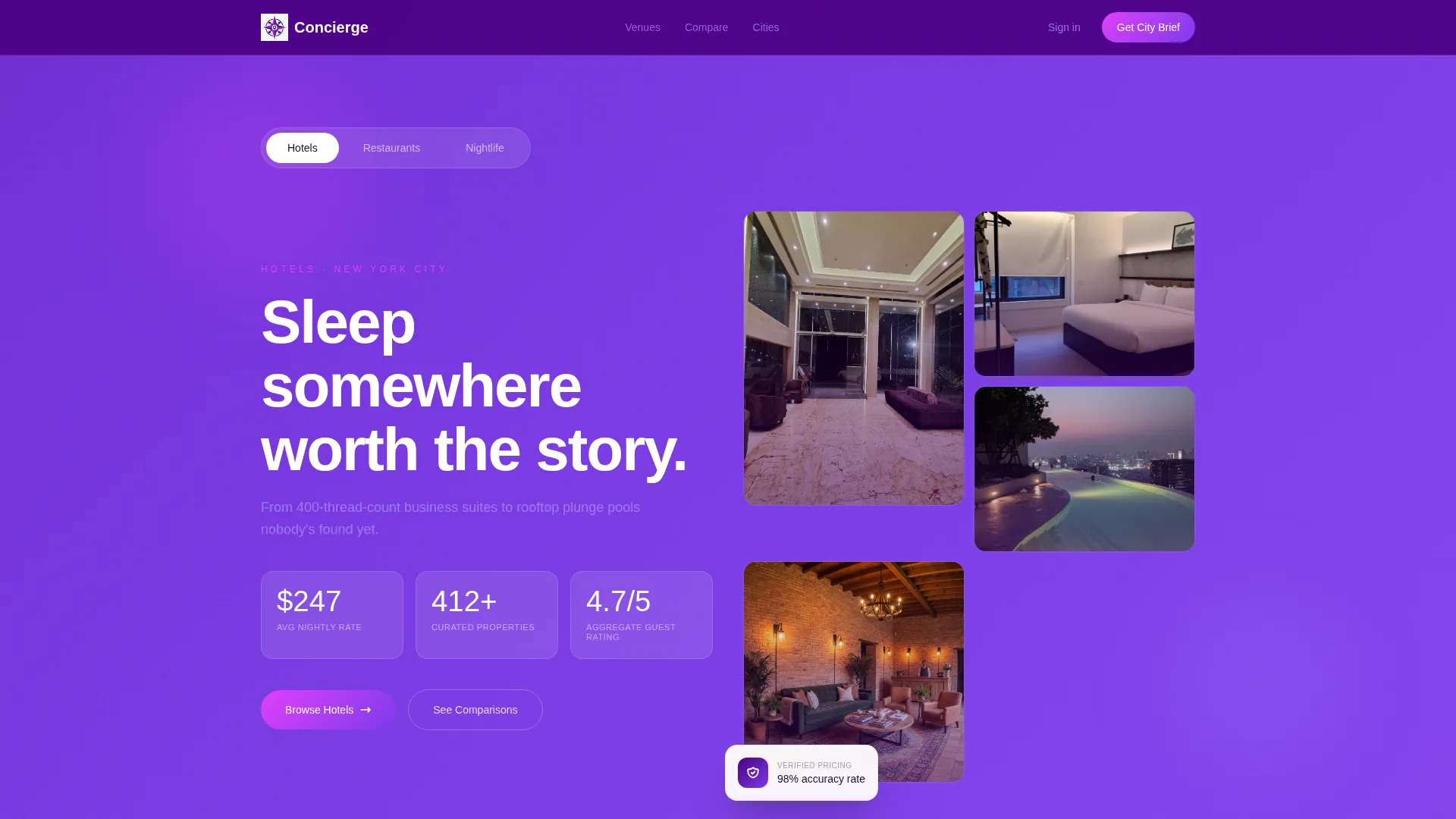
- A Feature Tab Switcher hero with three tabs, kinetic counters, and dissolving venue photography
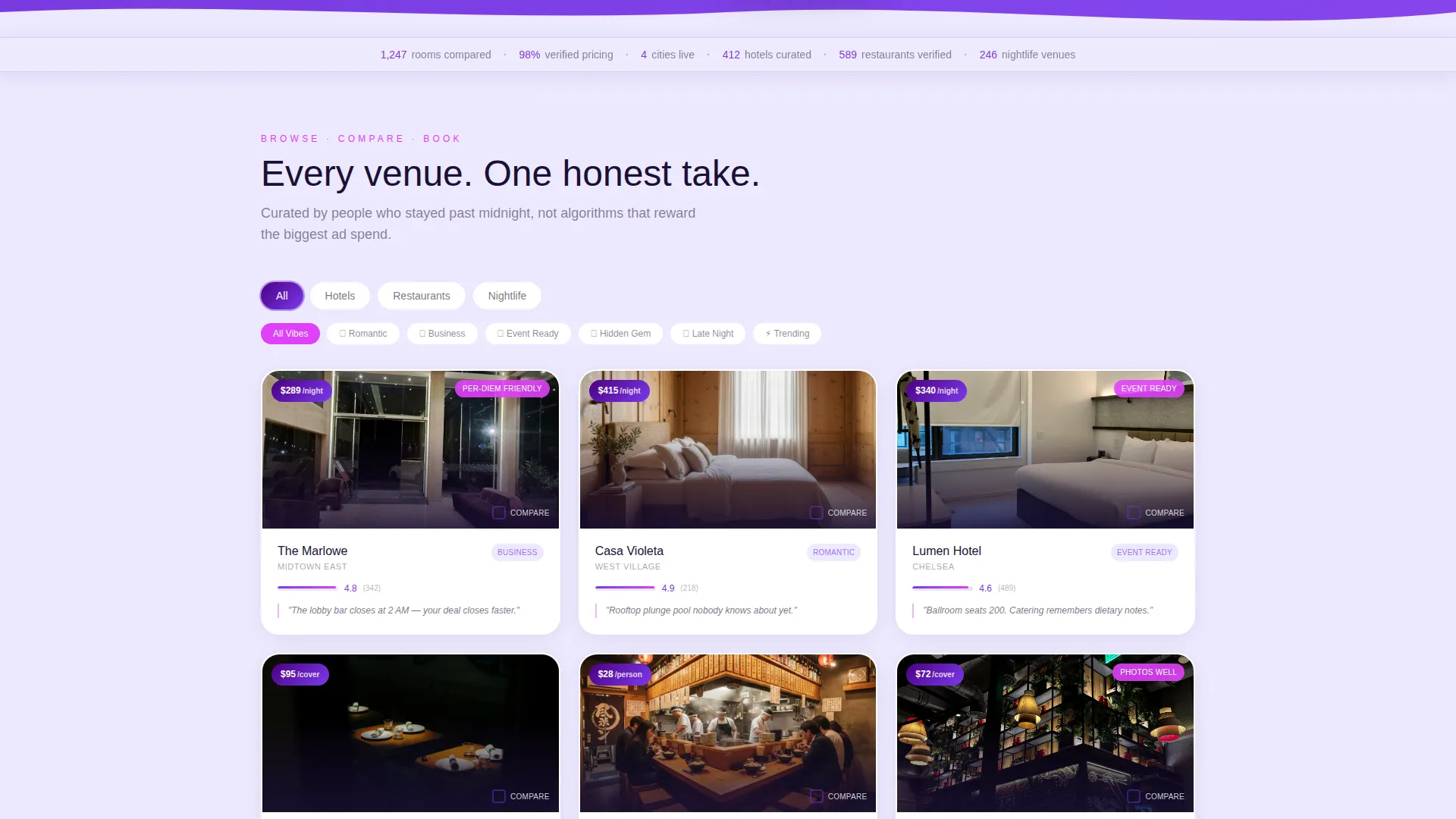
- A full modular card grid with price badges, micro-bar ratings, and editorial one-liners per venue
- A sticky comparison bar, inline comparison callout rows, and a single-field email capture module
Feature list
This template ships with six core components that work together as a cohesive discovery and comparison system.
Feature Tab Switcher Hero
The header offers three tabs: Hotels, Restaurants, and Nightlife. Each tab triggers its own hero stat cluster showing average nightly rate, total curated venues, and aggregate guest rating. Large kinetic counters tick upward on load, giving visitors instant data confidence. Behind the numbers, a slow-dissolving mosaic of venue photography shifts with each tab.
Stat Ribbon Banner
A horizontal stat ribbon sits directly below the hero and pins to the top as visitors scroll. It displays key trust figures such as rooms compared, verified pricing percentage, and cities live. This persistent data layer reinforces credibility at every scroll position.
Modular Venue Card Grid
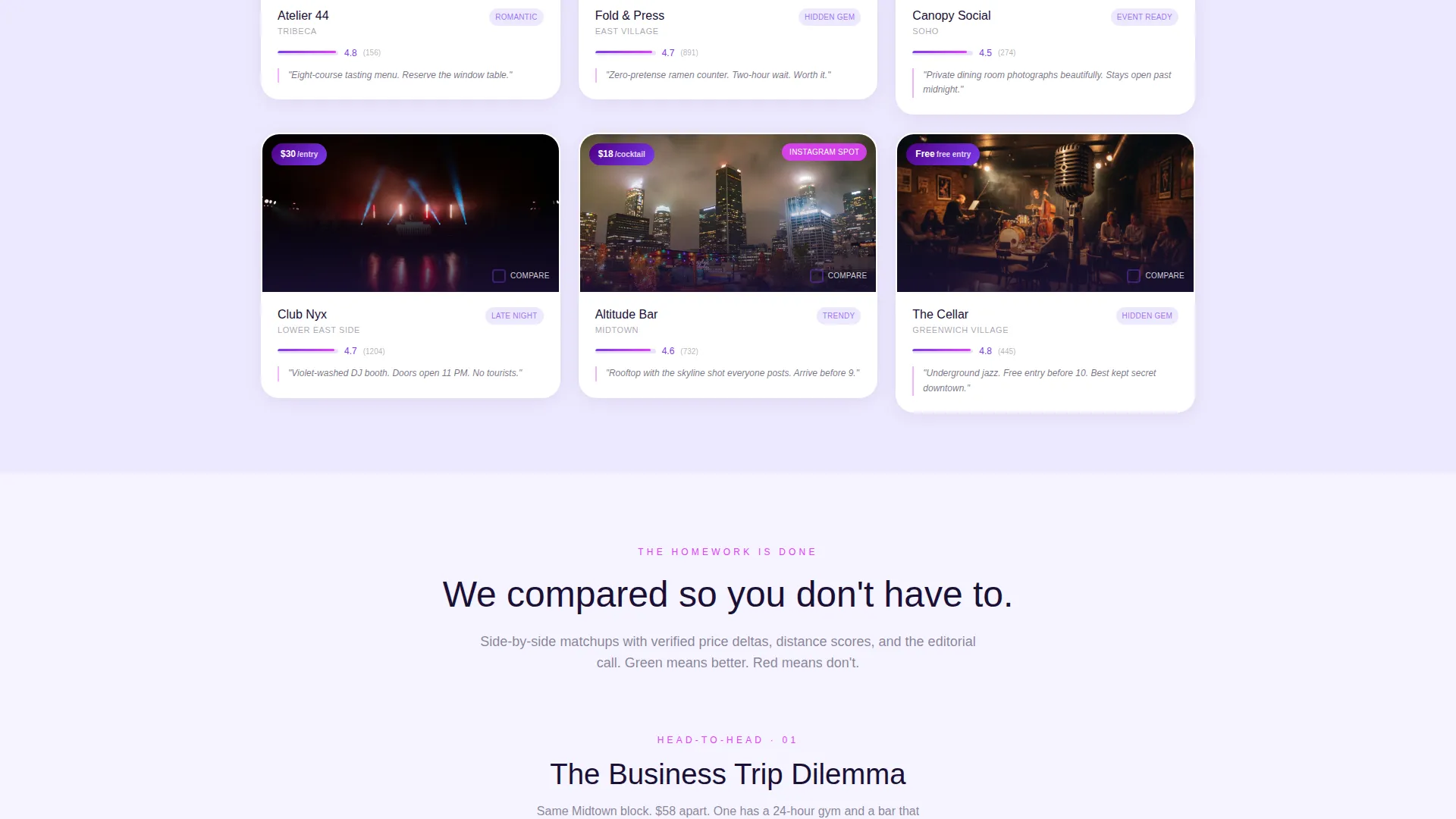
Each card shows a venue thumbnail, a price badge, a micro-bar rating, and a one-line editorial take. Cards lift subtly on hover with a magenta border glow. A quick-compare checkbox appears on hover, allowing visitors to select multiple venues for side-by-side review.
Comparison Callout Rows
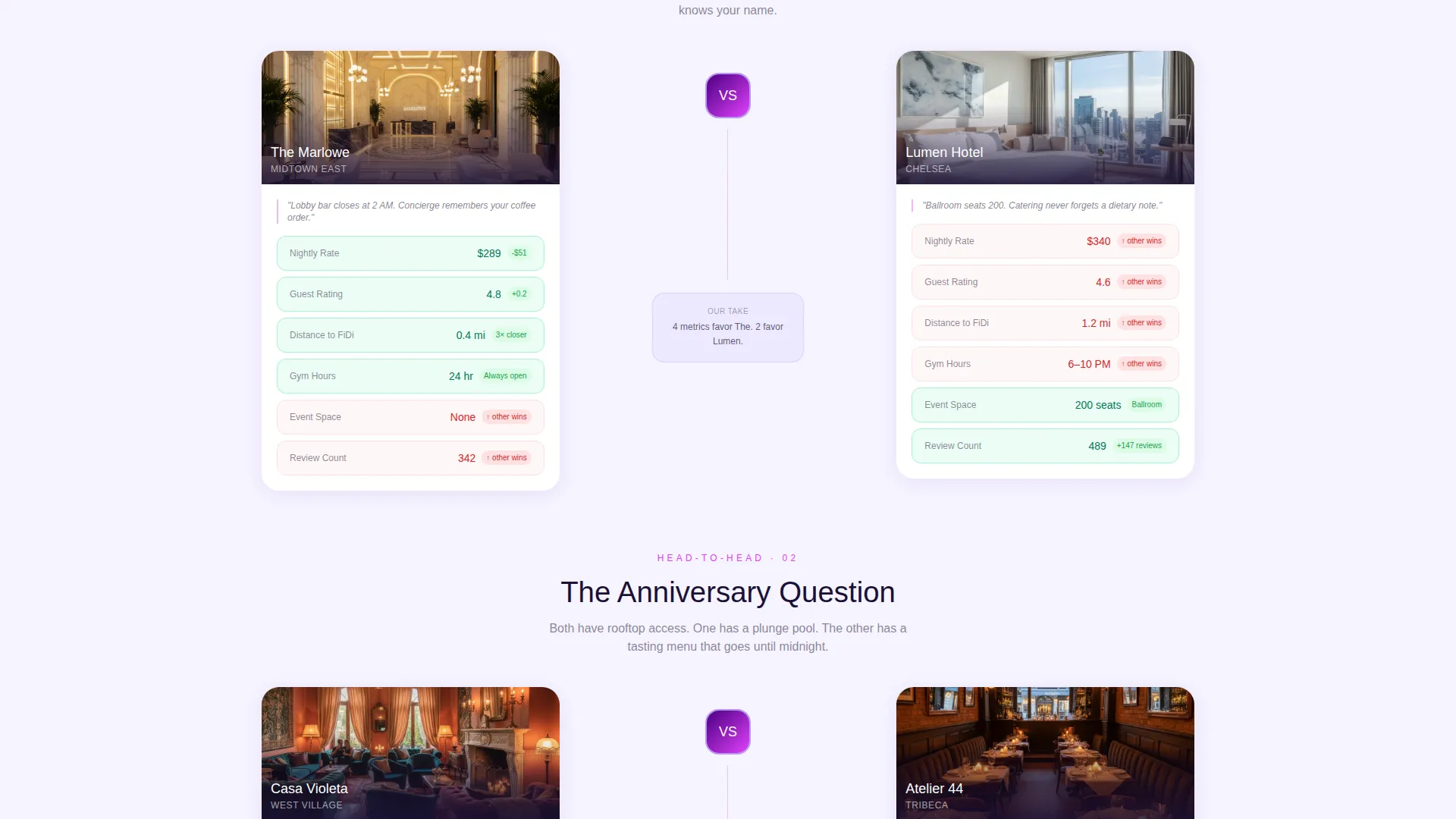
As visitors scroll deeper, the grid interleaves structured comparison rows. Each row places two venues side by side with green and red delta indicators across price, distance, and review score. This bakes the comparison architecture directly into the page layout.
Sticky Compare Bar
A sticky bottom bar activates once two or more venue cards are checked. It anchors the primary call to action, "Compare These Stays," making the conversion step impossible to miss regardless of scroll depth.
Email Capture Module
A secondary conversion path labelled "Get the Full City Brief" opens a single-field email capture. Visitors receive a PDF comparison matrix in exchange for their address. This module broadens the conversion funnel beyond immediate clicks.
Page sections overview
| Section | Purpose |
|---|---|
| Tabbed Hero Header | Introduce venue categories with kinetic stats and shifting photography |
| Sticky Stat Ribbon | Pin trust metrics to the top during scroll |
| Modular Card Grid | Display curated venues with price, rating, and editorial context |
| Comparison Callout Rows | Surface side-by-side venue matchups with delta indicators |
| Sticky Compare Bar | Anchor the primary compare call to action once cards are selected |
| Email Capture Module | Collect visitor emails in exchange for a PDF comparison brief |
Design & branding system
The Electric Indigo color system gives this template a distinctive dusk-to-neon identity. The palette moves from deep and controlled to vivid and interactive, reflecting the energy of city nightlife without sacrificing legibility.
- Core tones: deep digital indigo (#4B0082) for navigation and footer, luminous violet (#7C3AED) for interactive elements, and soft lilac mist (#EDE9FE) as the card background
- Accent and interaction: hot magenta (#E040FB) powers hover states and active filter indicators, creating instant visual feedback on every interaction
- Typography: near-black (#1A1035) body text over lilac mist ensures comfortable readability while the deep indigo frames the overall layout like a night sky
Mobile & speed optimization
The modular card grid is structured to reflow cleanly across screen sizes. The layout prioritises fast visual scanning so visitors on any device can browse and compare without friction.
- Cards are independently sized and stack naturally on smaller viewports without breaking the grid rhythm
- The sticky compare bar and stat ribbon are designed to remain visible and usable on mobile screen heights
- Kinetic counters and dissolving photography are contained within defined layout zones to avoid layout shift during load
How this template helps you convert
Every design decision in this template points toward one outcome: a visitor who compares venues and either starts a booking flow or shares their email.
- The Stats-First approach leads every scroll increment with a data point before expanding into the story, building trust before asking for action
- The comparison checkbox system and sticky call to action bar create a low-friction path from browsing to committing, making "Compare These Stays" feel like a natural next step
- The email capture module offers a tangible deliverable in the form of a PDF city brief, giving hesitant visitors a reason to stay connected without requiring an immediate booking decision
Other information about this template
This template is part of the Directory and Discovery theme family and pairs the Comparison/Versus landing page direction with a Stats-First creative approach. It is built within the Card Grid modular style, which makes individual venue sections easy to update as your city directory grows.
- The template fits the Hospitality Digital Presence subcategory and is suited to technology-forward travel and venue publishing projects
- The three-tab structure supports Hotels, Restaurants, and Nightlife out of the box, with each tab carrying its own visual and data context
- Editorial one-liners on each card give the directory a personality that pure data directories lack, helping operators differentiate their curation from generic listing platforms
Theme
Directory & Discovery
Creative direction
Stats-First Impact
Color system
Electric Indigo
Style
Card Grid (Modular)
Direction
Comparison/Versus
Page Sections
Feature Tab Switcher Hero
Sticky Stat Ribbon
Modular Venue Card Grid
Comparison Callout Rows
Sticky Compare Bar
Email Capture Module
Related questions
Who is this landing page template best suited for?
Can I customise the venue categories beyond the three default tabs?
How does the comparison feature work for visitors?
What is the Get the Full City Brief module?
Can this template support multiple cities?



