Pharmaceutical Software & SaaS Directory Website Template
Compound is a bento grid landing page built for enterprise pharmaceutical ERP platforms. It pairs dark-glass panel aesthetics with high-motion data storytelling to win VP Operations leaders, QA Directors, and Supply Chain heads. Animated counters, a stack comparison tool, and a gated industry report work together to turn complex compliance pain into a clear case for action.
by Rocket studio
Quick summary
Compound is a single-page bento grid landing page template for enterprise pharmaceutical ERP software. It targets risk-averse, VP-level buyers by leading with outcome-driven headlines, animated industry data, and an interactive stack comparison tool. Creating a landing page at this level demands clinical authority, and Compound delivers exactly that.
Who this template is for
This template is built for teams selling or presenting pharmaceutical enterprise resource planning software to mid-cap manufacturers. It speaks directly to the buyers who carry the most compliance pressure.
- VP Operations and QA Directors managing FDA 21 CFR Part 11 validation across legacy systems
- Supply Chain heads tracking cold-chain biologics with limited real-time visibility
- Product and marketing teams creating a landing page that converts cautious, senior buyers
What problem this template solves
Creating a landing page for a pharmaceutical ERP solution requires balancing technical capabilities with strict regulatory trust signals. Visitors arrive skeptical. They need evidence before they will sign up or book a demo.
- Disconnected ERP systems make compliance audits slow and expensive
- Legacy stacks cannot surface batch genealogy or yield data in a single view
- Generic website templates fail to project the authority pharma buyers expect
What you get with this template
This template gives you a fully structured, section-led landing page ready to present a unified pharmaceutical command surface. Every section is designed to guide visitors toward a conversion action.
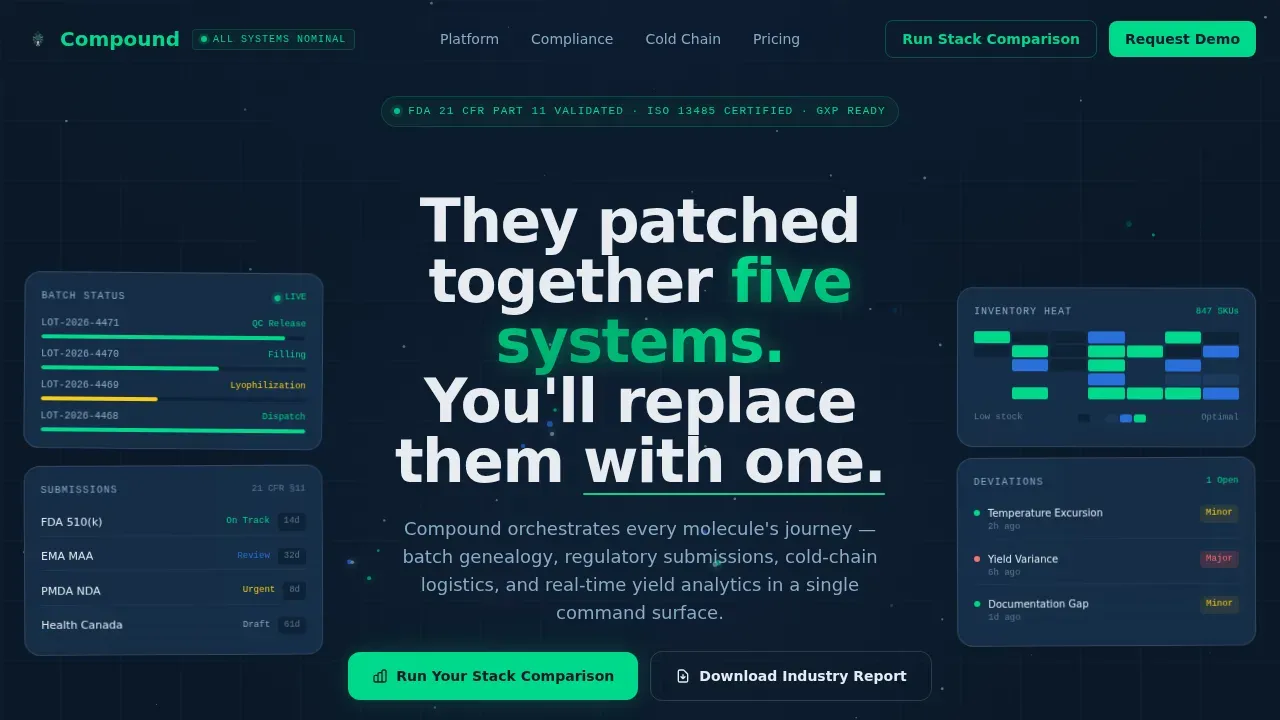
- Hero section with dark-glass bento panels, particle motion, and a bold headline
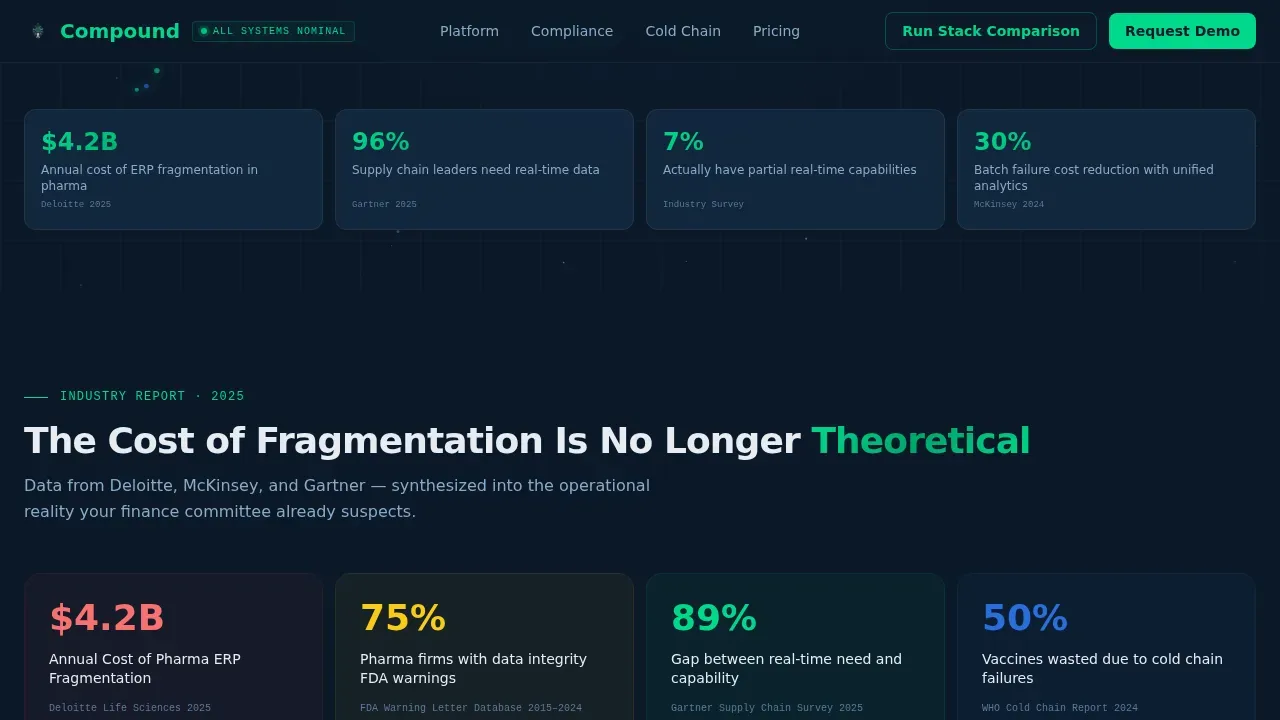
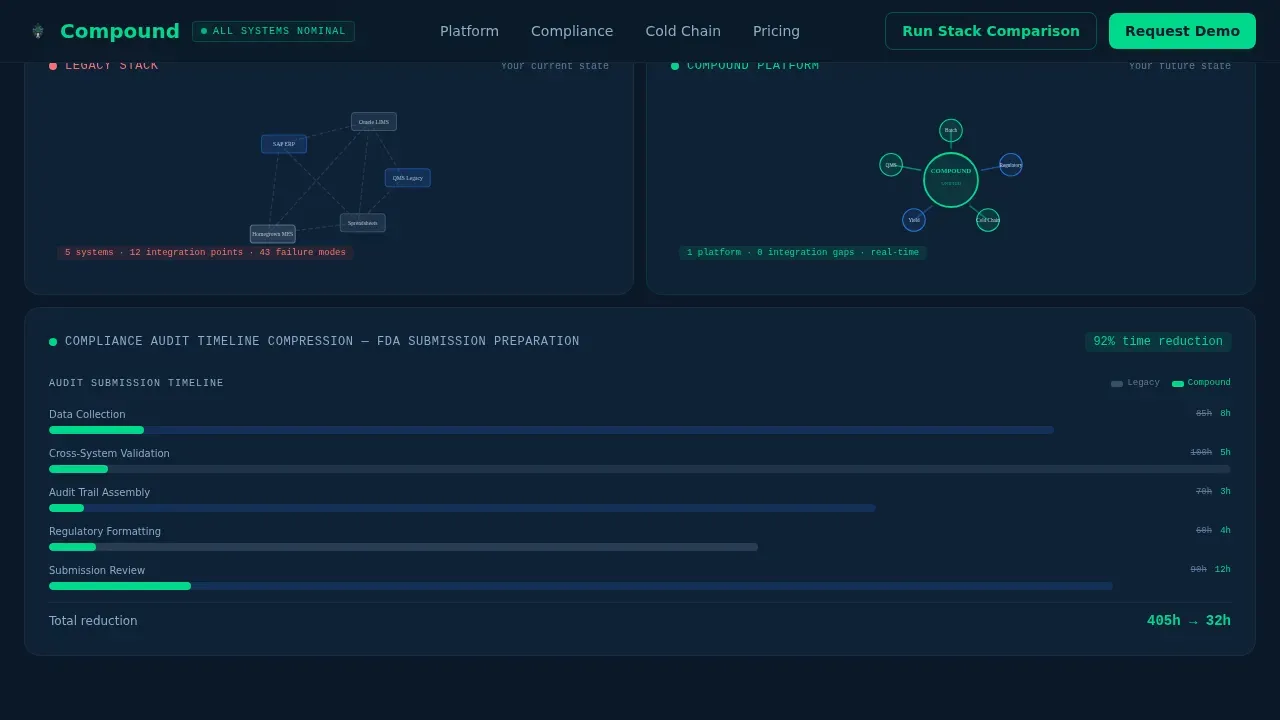
- Industry report bento rows with animated counters, architecture comparisons, and Gantt compression
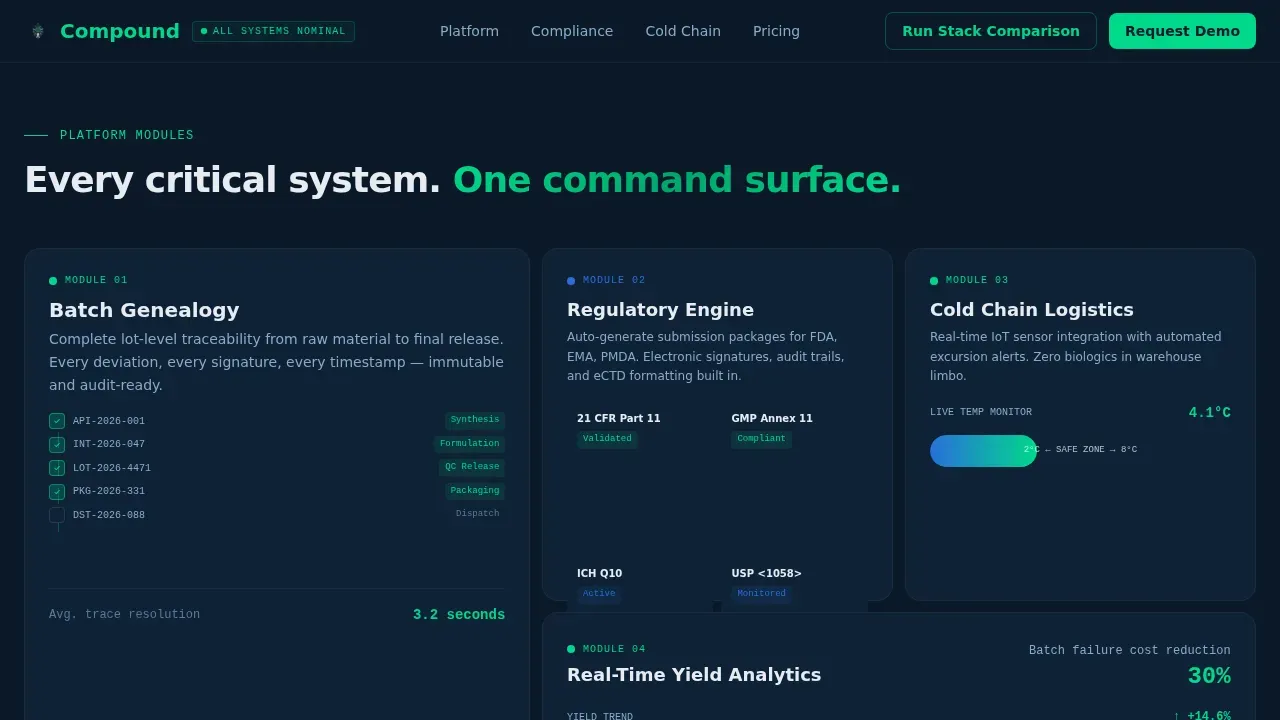
- Platform module tiles covering batch genealogy, regulatory engine, cold-chain, and yield analytics
- Social proof section with specific outcome metrics and compliance trust signals
- Interactive stack comparison tool plus a low-friction gated report download
Feature list
This landing page template includes purpose-built components that save teams weeks of design and copywriting work. Each feature below maps directly to a pharma ERP buyer's decision-making process.
Dark Glass Bento Hero Panel
The hero fills the viewport with frosted-glass bento rectangles, each showing a different live data stream: batch status, regulatory timeline, inventory heat map, and deviation tracker. A bold sans-serif headline anchors the center gap above a subtle parallax drift and particle motion canvas.
Animated Industry Report Section
Three bento rows present data like a published white paper in motion. Animated counters tick through fragmentation costs, architecture diagrams draw themselves to show bottlenecks dissolving, and a Gantt chart compresses audit timelines from weeks to hours.
Interactive Stack Comparison Tool
Visitors select their current ERP systems from a visual checklist. The tool renders a personalized gap analysis instantly in a bento summary card, showing the cost of inaction before any form appears.
Platform Module Tiles
Four dedicated bento tiles cover batch genealogy, the regulatory submission engine, cold-chain logistics, and real-time yield analytics. Each tile communicates a specific operational outcome at a glance.
Low-Friction Report Download Gate
The secondary call-to-action collects only email and company name. Keeping the form to two fields reduces drop-off and aligns with best practice: lead capture forms on landing pages should stay short to protect conversion rates.
Compliance Trust Signal Layer
Client logos, FDA and ISO compliance badges, and audit-trail callouts sit immediately below the hero. Visitors see regulatory authority before they scroll past the fold.
Page sections overview
| Section | Purpose |
|---|---|
| Hero Bento Panels | Establish authority and present headline |
| Industry Report Row | Show fragmentation cost with animated data |
| Architecture Comparison | Contrast legacy stack against unified platform |
| Gantt Compression Row | Visualize compliance timeline reduction |
| Platform Module Tiles | Showcase core ERP functionalities |
| Social Proof Metrics | Build trust with quantifiable outcomes |
| Stack Comparison Tool | Drive interactive engagement pre-form |
| Report Download Gate | Capture leads with minimal friction |
| Footer Linear Row | Close with brand and navigation links |
Design & branding system
The visual identity uses a Midnight Blue color system that feels like a manufacturing control room at full operation. Every design choice signals precision and zero ambiguity.
- Background in deep navy (#0B1929), card surfaces in steel-blue (#1B3A5C), and typography in clinical white (#E8ECF1)
- Compliance-green (#00D98B) pulses only on status indicators and interactive accents, never decoratively
- Manrope sans-serif typography gives every data point technical authority and clear hierarchy
Mobile & speed optimization
Although this landing page is desktop-first for VP and Director buyers at workstations, the template is built to remain fully responsive across devices. Pages that load slowly lose enterprise buyers before the headline lands.
- GPU-accelerated transforms keep animations smooth without blocking the main thread
- Intersection Observer triggers bento reveals only when sections enter the viewport
- Buttons are sized for easy interaction on any screen, keeping the path to sign-up clear
How this template helps you convert
Effective ERP landing pages guide visitors toward a single action. Compound structures every section to build conviction before asking for a commitment.
- The hero and industry report rows confront visitors with the real cost of fragmentation, so they arrive at the comparison tool already primed to act.
- The interactive stack comparison tool shows each visitor their own inefficiency, making the value proposition personal before any form appears.
- The two-field report download gate and the primary "Run Your Stack Comparison" call-to-action use action-oriented, contrasting button language to save the visitor from decision fatigue.
Other information about this template
This template is inspired by the design standards of industrial monitoring dashboards and the credibility of published enterprise research. It is a perfect starting point for any team that needs a persuasive, data-dense landing page without building from scratch.
- EquilibriaMeds is a thoughtfully crafted Figma landing page template tailored for medical, wellness, and supplement brands, and it shows how pharma-adjacent templates can present products in a polished, credible way
- Builders creating a simpler wellness or supplement website can look to that style of template for mission-driven hero sections with profile-visual testimonials and smooth teal palette layouts
- The Compound template saves significant production time while delivering functionalities such as animated data visualization, a comparison tool, and a gated asset form that simpler website templates cannot match
- Regular feedback from senior buyer personas should inform any A/B testing run on headlines and call-to-action copy after launch
Theme
Dynamic Motion
Creative direction
Industry Report
Color system
Midnight Blue
Style
Bento Grid
Direction
Comparison/Versus
Page Sections
Dark Glass Bento Hero Panel
Animated Industry Report Section
Interactive Stack Comparison Tool
Platform Module Tiles
Low-friction Report Download Gate
Compliance Trust Signal Layer
Related questions
Who is this landing page template designed for?
Can I customize the color system and typography?
Does the template include the interactive comparison tool logic?
What regulations does this landing page reference?
How many fields does the report download form include?



