Comply - Trusted Nonprofitcompliance Landing Page Template
Comply is a nonprofit compliance landing page template built for small firms serving food banks, youth programs, and community health clinics. It guides visitors through a five-phase compliance lifecycle using alternating zigzag panels, a scroll-linked progress bar, and an inline five-question assessment that delivers a personalized risk score and pre-fills a booking form.
by Rocket studio
Quick summary
Comply is a single-page template designed for nonprofit compliance professionals. It walks overwhelmed executive directors and volunteer treasurers through every major compliance phase, from initial formation through audit readiness. A built-in quiz scores their risk level and routes them directly to a free review booking, removing every hesitation between first visit and first call.
Who this template is for
This template is built for small compliance firms and solo practitioners who serve the nonprofit sector. It speaks directly to the people sitting across the desk from their clients, not to large consultancies with marketing teams.
- Nonprofit compliance consultants and accounting firms serving small nonprofits
- Independent advisors helping founding pastors, volunteer treasurers, and executive directors
- Service providers targeting organizations filing Form 990, managing board governance, or preparing for state renewals
What problem this template solves
Small nonprofit leaders rarely know what compliance gap will cost them their tax-exempt status until it already has. A generic services page does not help them feel understood. This template solves the trust and urgency problem at once.
- It replaces vague service lists with a clear, ordered compliance roadmap that mirrors how clients actually experience the problem
- It surfaces risk in real time through an inline quiz, so visitors self-identify their urgency before a single sales conversation begins
- It removes friction from the first step by pre-filling quiz answers into the booking form automatically
What you get with this template
You get a complete, ready-to-customize landing page built around five alternating compliance lifecycle sections and a conversion-focused inline assessment. Every design decision reinforces credibility and approachability at the same time.
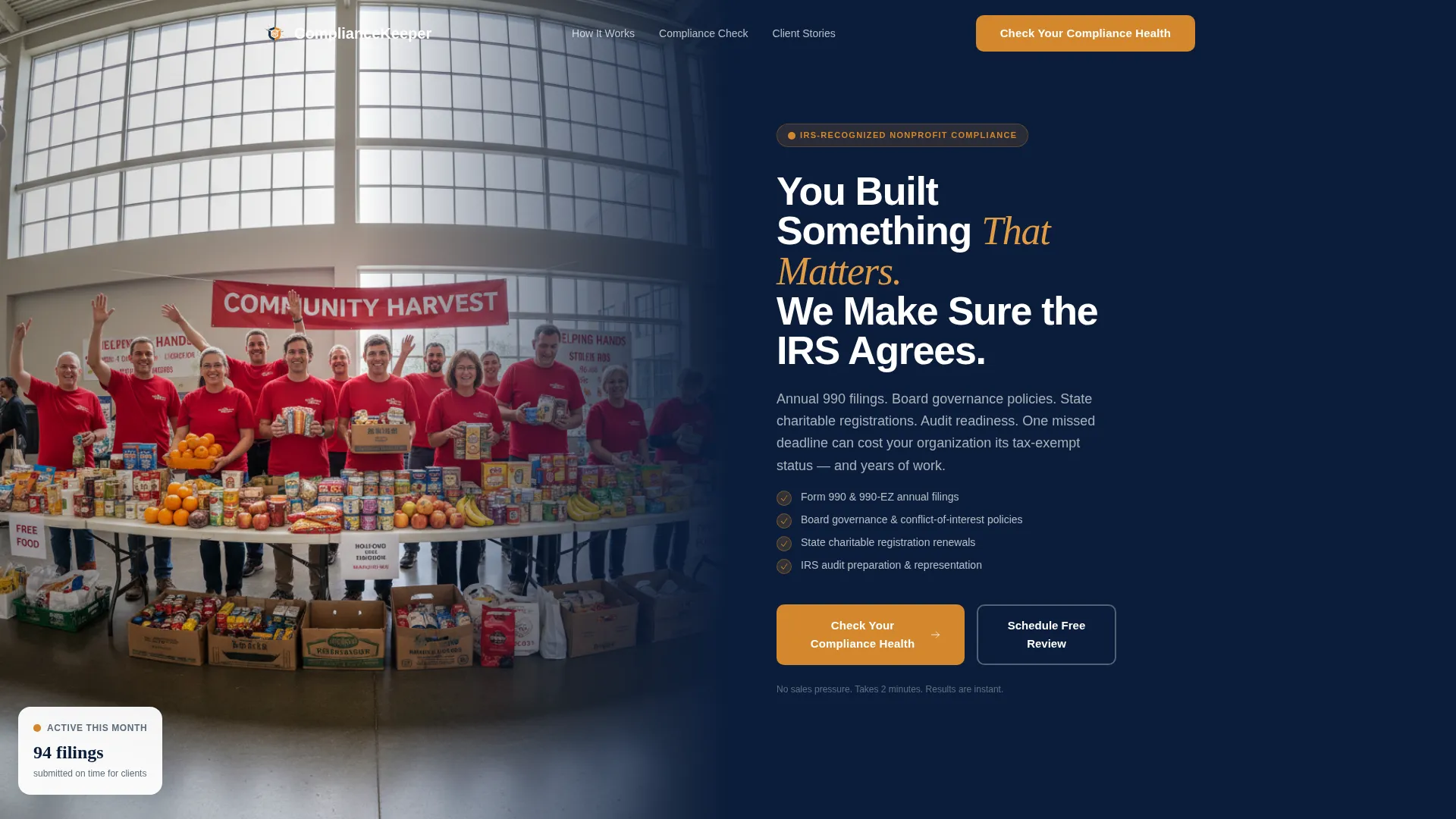
- A split hero section with a photo panel and a navy headline panel, plus an immediate quiz call to action
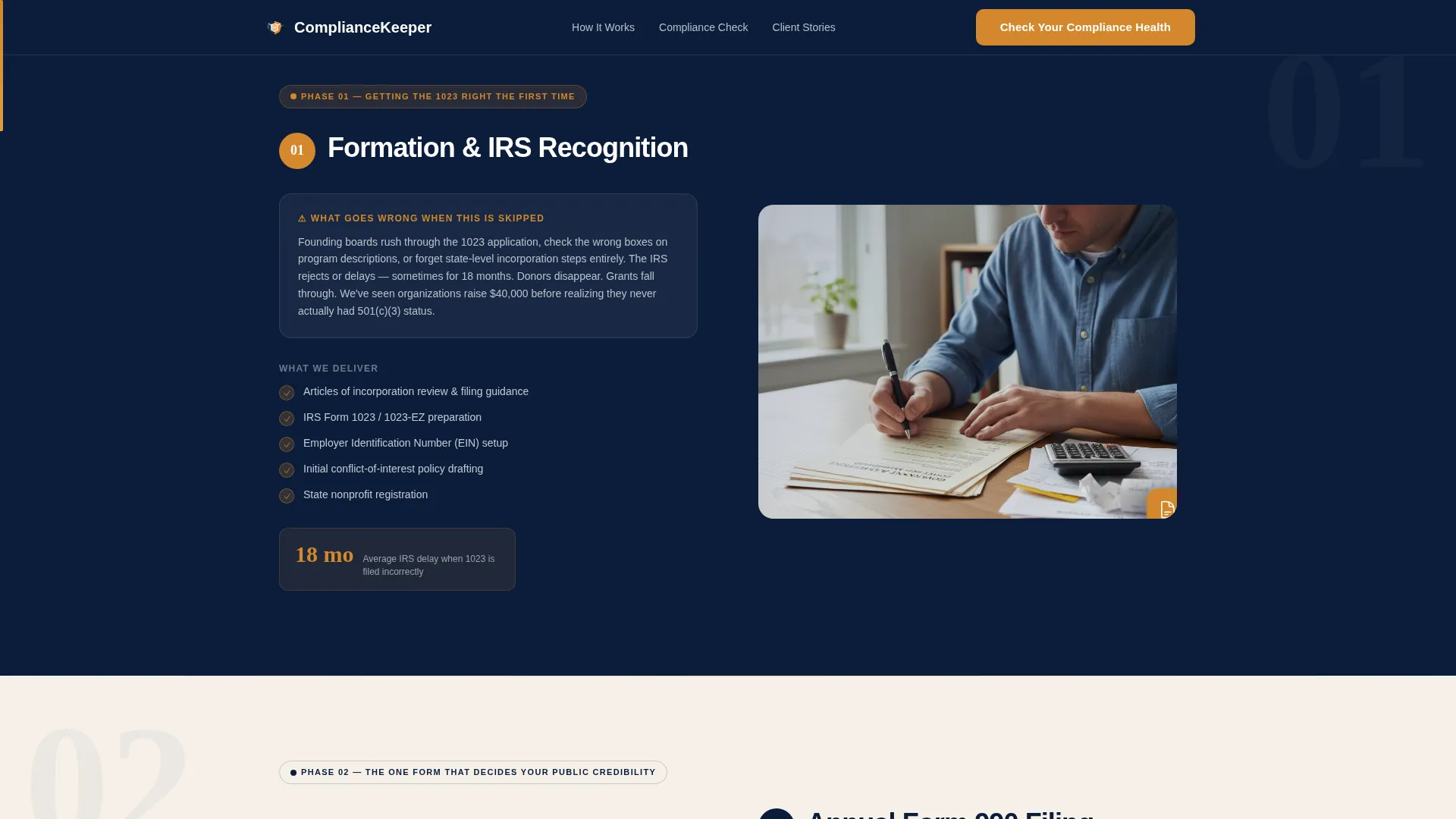
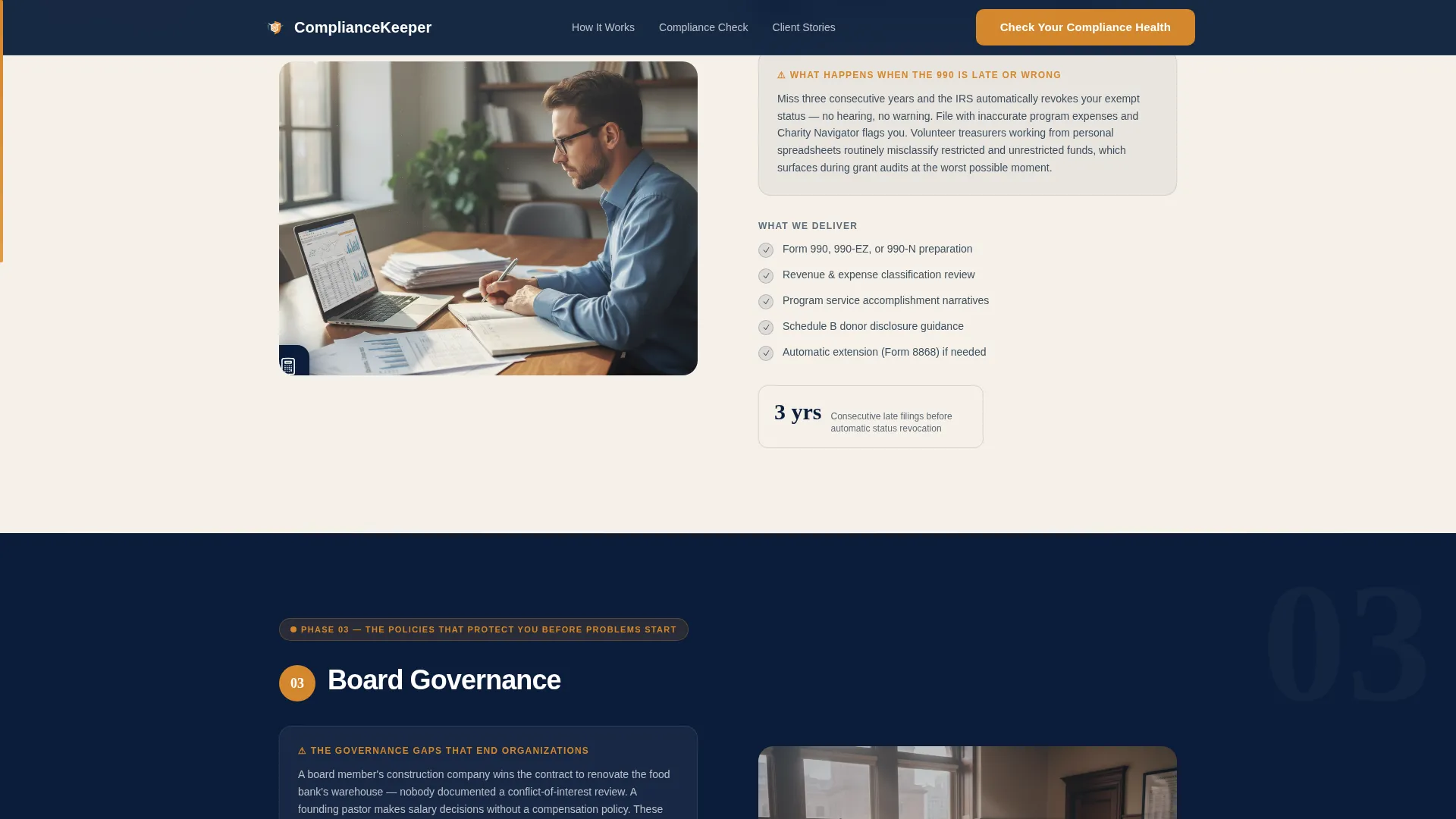
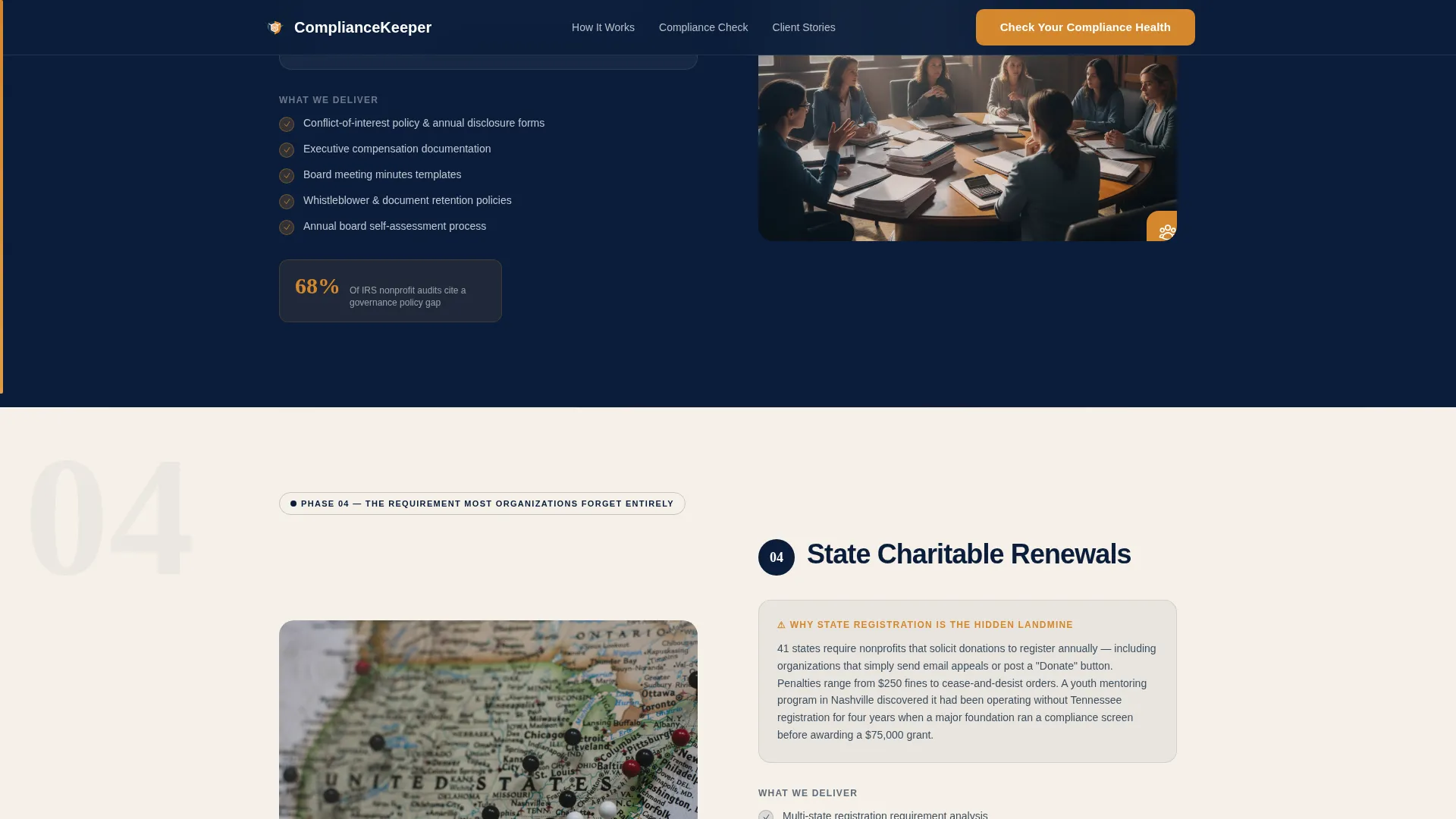
- Five zigzag alternating panels covering Formation and Form 1023, Annual 990 Filing, Board Governance, State Renewals, and Audit Preparation
- An inline five-question compliance health quiz with a scroll-linked amber progress bar, risk scoring, and a pre-filled booking form
Feature list
This section covers the core interactive and structural features built into the Comply template.
Split Cinematic Hero Section
The header divides the screen between a warm community photograph on the left and a deep navy panel on the right. The headline reads directly to the nonprofit leader. A quiz call-to-action button sits immediately below, inviting engagement before the visitor scrolls.
Five-Phase Zigzag Compliance Panels
Each alternating left-right panel covers one phase of the nonprofit compliance lifecycle. Panels pair a short narrative about what goes wrong when a step is skipped with a concrete description of what the firm delivers. The sequence covers Formation and Form 1023 application, Annual 990 Filing, Board Governance policies, State Renewals, and Audit Preparation.
Inline Compliance Health Quiz
A five-question assessment embedded directly in the page asks about organization type, founding year, 990 filing history, board size, and annual revenue range. Each answer visually advances the amber progress bar. On completion, visitors receive a green, yellow, or red risk score with a tailored next step.
Scroll-Linked Amber Progress Bar
A thin amber bar runs along the left margin of the page and fills as the visitor scrolls through the compliance phases. It turns the page itself into a visual checklist, reinforcing a sense of forward progress with every section resolved.
Sticky Bottom Call-to-Action Bar
After the third compliance section, a sticky bar appears at the bottom of the screen. It repeats the primary call to action so visitors who did not act on the hero have a second, persistent prompt to check their compliance health.
Pre-Filled Booking Form Integration
When a visitor completes the quiz and clicks "Schedule Your Free Review," their quiz answers carry forward into the booking form automatically. This eliminates re-entry friction and shortens the path from risk awareness to confirmed appointment.
Page sections overview
| Section | Purpose |
|---|---|
| Split Hero Panel | Introduce the firm and launch the quiz call to action |
| Formation and 1023 | Explain risks of skipping nonprofit formation filing |
| Annual 990 Filing | Show consequences of missed or late 990 submissions |
| Board Governance Panel | Address governance policy gaps and board compliance |
| State Renewals Section | Cover multi-state registration and renewal obligations |
| Audit Preparation Panel | Prepare visitors for financial review readiness |
| Inline Quiz Assessment | Score compliance health across five key questions |
| Social Proof Section | Build trust through nonprofit leader testimonials |
| Final Call to Action | Drive free review bookings with a clear closing prompt |
| Single-Row Footer | Provide contact and legal links in a minimal layout |
Design & branding system
The visual identity follows a Community Hearth theme. It is warm enough to feel human and structured enough to feel trustworthy. Every color has a defined role and stays in it.
- Deep charter navy (#0B1D3A) anchors section backgrounds; warm parchment (#F5F0E8) alternates across zigzag panels; steady slate (#5C6B7A) carries body text
- Hearth-ember amber (#D4872C) is reserved exclusively for buttons, the scroll-linked progress bar, and the active quiz step indicator
- Typography uses DM Sans for headings and Crimson Text as an accent serif, combining institutional clarity with an approachable, human reading experience
Mobile & speed optimization
The template is built desktop-first but includes strong mobile support so nonprofit leaders can complete the quiz from any device. Interactive components are structured to handle quiz state transitions and scroll-linked behavior efficiently.
- Static sections use server-rendered components for lightweight delivery; the quiz and scroll-linked progress bar run as client components
- Staggered reveal animations and quiz state transitions are set to medium intensity, keeping motion meaningful without slowing the experience
- The sticky call-to-action bar and inline quiz are fully functional on mobile screen sizes, ensuring the conversion path stays intact on smaller devices
How this template helps you convert
Every structural decision in this template is designed to move a hesitant nonprofit leader from passive reader to booked consultation. The page does not ask for trust. It earns it step by step.
- The compliance lifecycle panels reframe the visitor's existing anxiety as a solvable checklist, so they arrive at the quiz already primed to act rather than already deciding to leave.
- The five-question inline quiz turns passive browsing into active self-assessment. Seeing a red or yellow risk score creates genuine urgency. The pre-filled booking form then removes every remaining reason to delay.
Other information about this template
The Comply template is a strong fit for nonprofit compliance service providers who need a single page that does the work of a full discovery call before the phone ever rings. A few additional details are worth knowing before you build.
- The landing page is designed for USA-based service providers with localization set to USD and MM/DD/YYYY date format
- The footer uses a linear single-row pattern, keeping the close of the page clean and uncluttered
- Social proof is built into a dedicated testimonials section with space for names, organization types, and specific outcomes, reinforcing credibility with real-world context
- The quiz includes five answer types: organization type such as 501(c)(3), fiscal sponsorship, or religious exemption; founding year; 990 filing status; board member count; and annual revenue range
Theme
Community Hearth
Creative direction
Step-by-Step Guide
Color system
Navy Authority
Style
Zigzag/Alternating
Direction
Quiz/Assessment
Page Sections
Split Cinematic Hero with Quiz Call to Action
Five-phase Zigzag Compliance Panels
Inline Five-question Risk Assessment
Scroll-linked Amber Progress Bar
Pre-filled Booking Form
Sticky Call-to-action Bottom Bar
Related questions
Who is this landing page template designed for?
What does the inline compliance quiz do?
Can I edit the compliance phases to match my services?
Does the template include a testimonials section?
Is this template suitable for a firm focused on one nonprofit type?



