Micro-SaaS & Developer Tools Privacy Policy & Terms Website Template
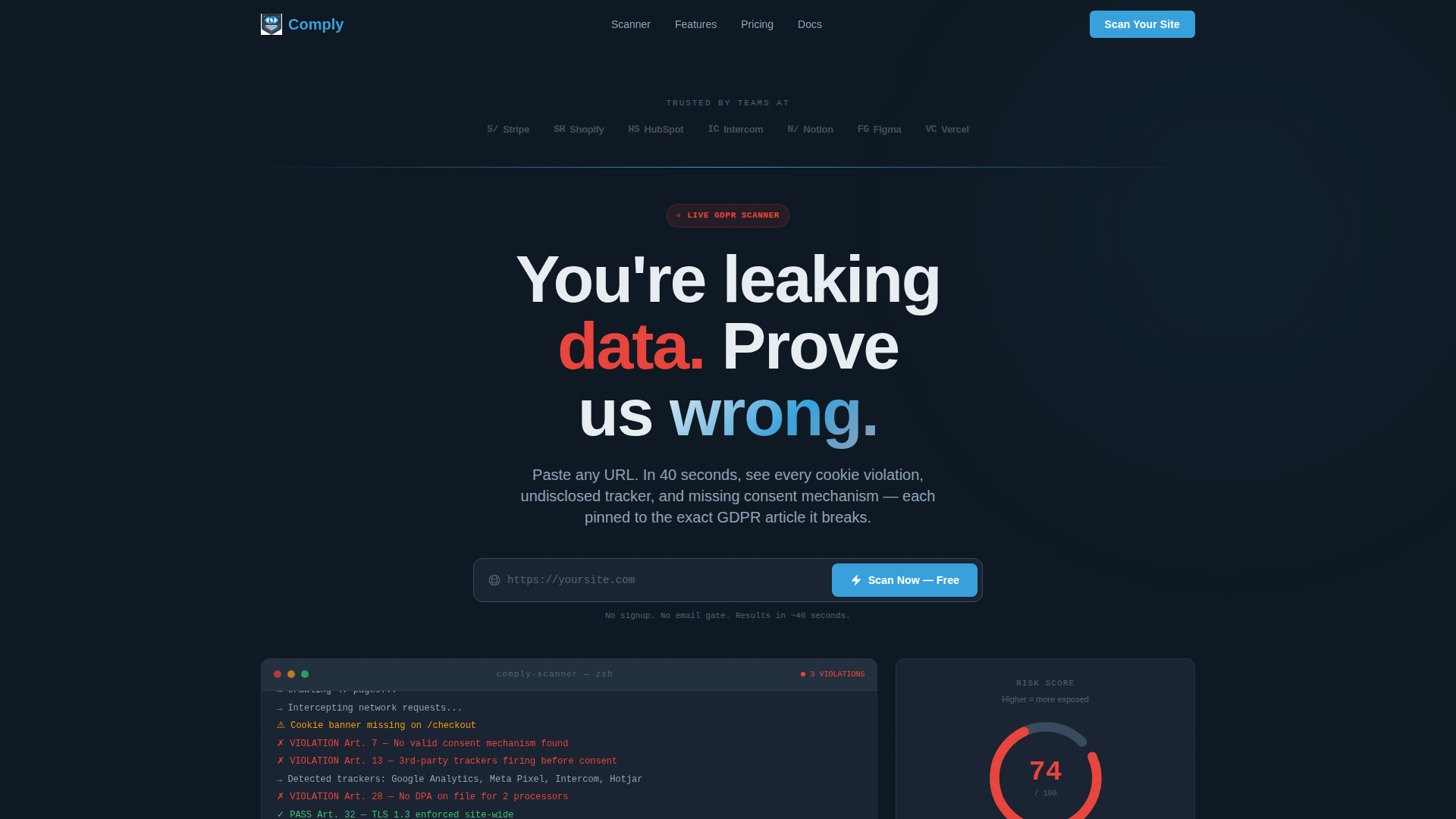
Comply is a scroll reveal landing page template built for a browser-based GDPR compliance scanner. It opens with a live URL input and progressively reveals audit results as the visitor scans their own site. The design uses a dark command-line palette with blue and red signal indicators, guiding visitors from a free one-time scan toward continuous monitoring.
by Rocket studio
Quick summary
Comply is a single-page scroll reveal template for a GDPR compliance scanner tool. Visitors enter a URL, trigger a live audit, and watch the page build itself around their own results. The dark Slate and Sky visual system keeps eyes on the data, while a sharp free-versus-paid comparison drives the upgrade decision at exactly the right scroll depth.
Who this template is for
This template speaks directly to the people closest to compliance pressure. It is built for technical founders and privacy professionals who need answers fast, not a consultant invoice.
- Startup Chief Technology Officers shipping product quickly and realizing their privacy policy has gaps
- Data Protection Officers at mid-market software-as-a-service companies managing multiple vendor agreements
- Agency founders who just signed an EU client and need to show a clean audit immediately
What problem this template solves
Most compliance tools bury the value behind a signup wall. Visitors leave before they see what the scanner actually finds. This template removes that friction entirely.
- No email gate on the initial scan, so visitors experience the product value before committing
- Scan results build progressively on screen, turning a dry audit into a high-engagement reveal
- The free-versus-paid comparison makes the upgrade path feel like a logical next step, not a sales push
What you get with this template
You get a complete scroll reveal landing page that doubles as a live product demo. Every section is designed to escalate trust and urgency as the visitor scrolls deeper.
- A live URL input field with a pulsing scan button at the top of the page
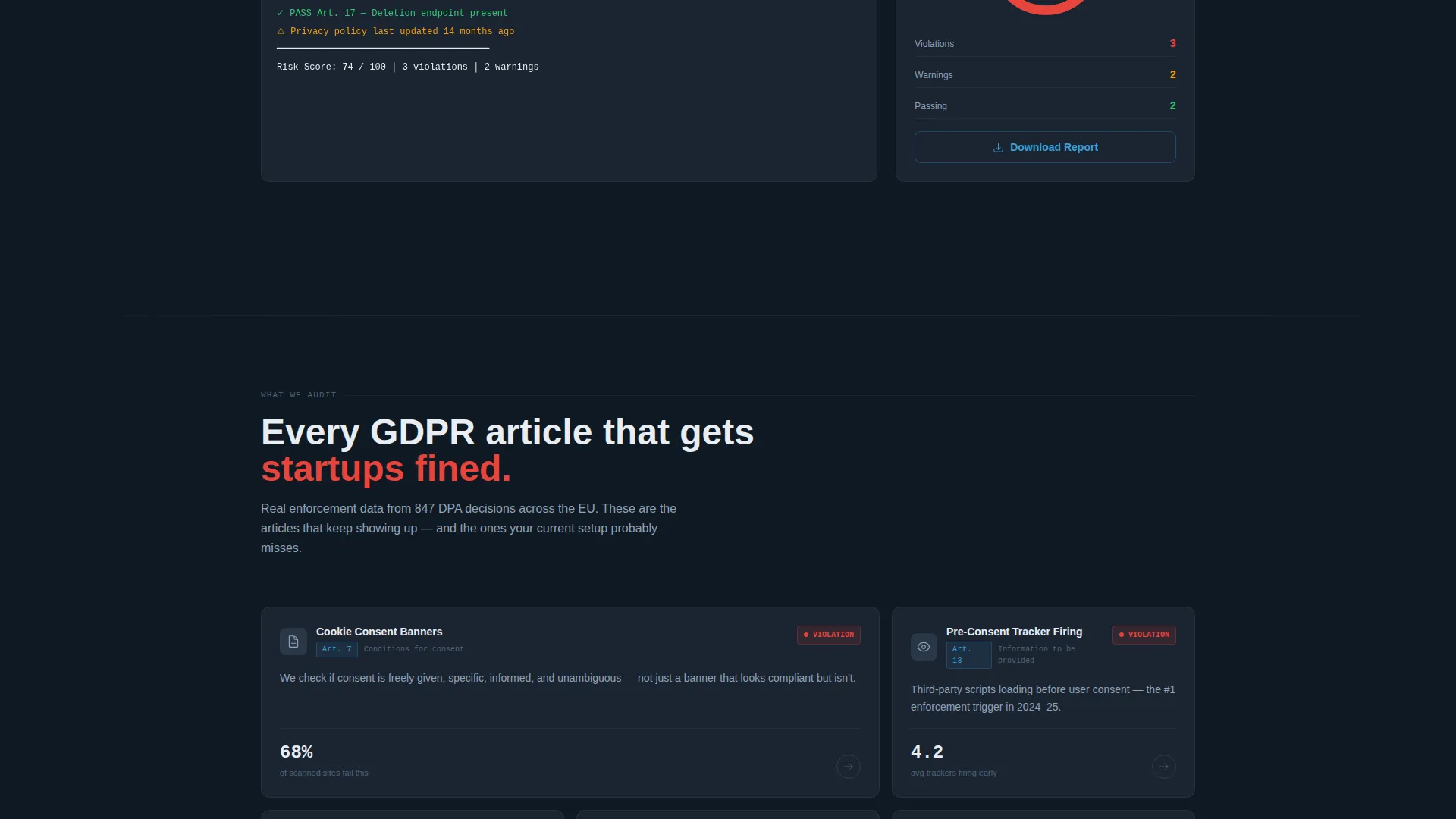
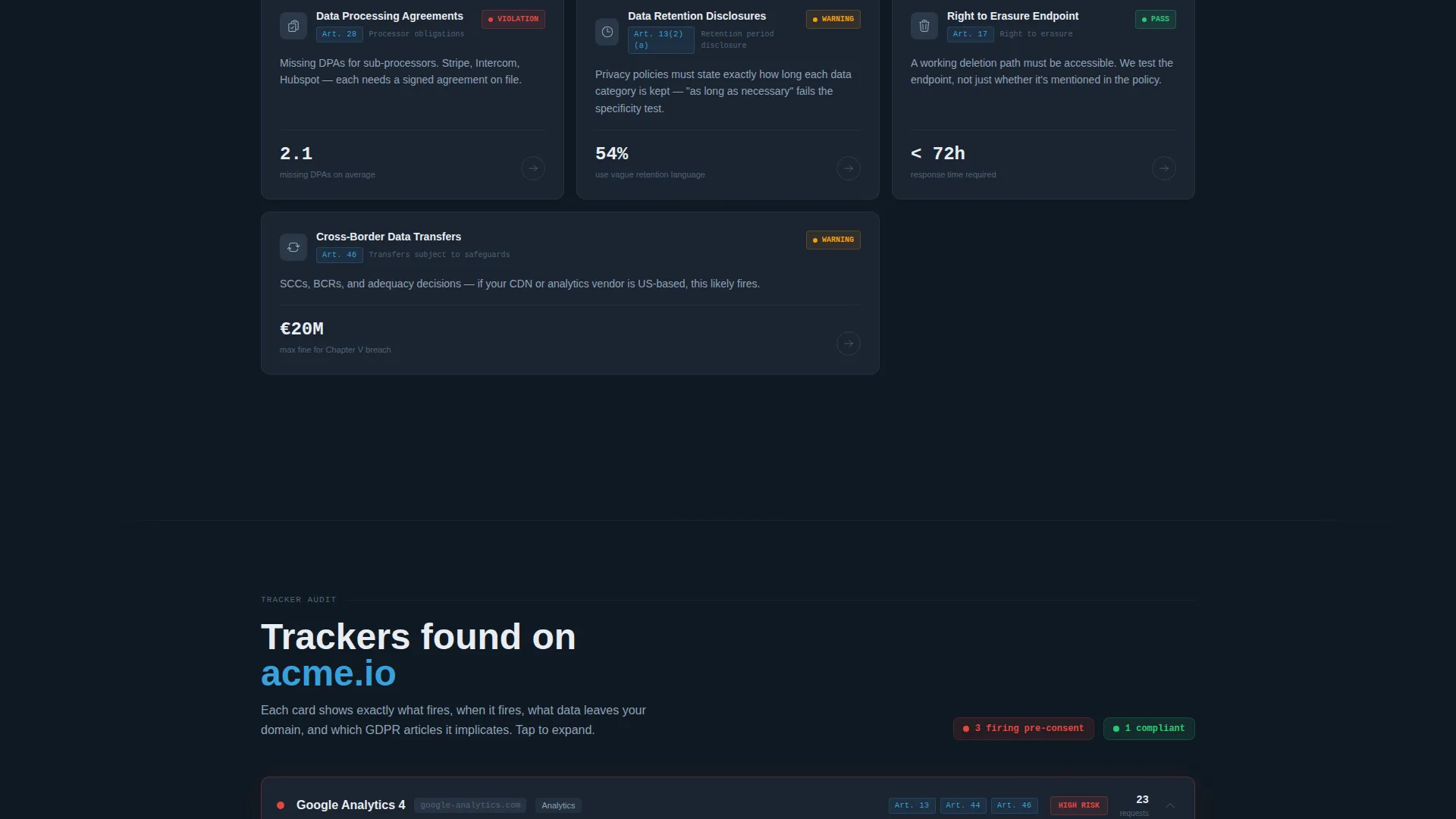
- Progressive result sections including a risk score dial, a cookie disclosure table, and expandable tracker cards
- A two-column comparison layout with toggle controls for one-time audit versus always-on protection
- A regulatory fine calculator section sourced from real enforcement data
- Dual conversion paths: a primary "Start Monitoring Free" call to action and a secondary PDF report download gated by work email
Feature list
This section details the core built-in components and functional design patterns included in the Comply template.
Live URL Scanner Input
The header section contains a prominent URL input field paired with a pulsing "Scan Now, Free" button. No signup is required to trigger the scan, removing the single biggest drop-off point for compliance tools.
Progressive Scroll Reveal Layout
Page sections appear sequentially as audit results stream in. The risk score dial animates from zero, cookie tables populate row by row, and tracker cards expand on tap. The page becomes the product demonstration.
Free versus Paid Comparison Table
A two-column teardown separates what the free one-time scan catches from what the paid continuous monitor tracks. Green checkmarks stack on the paid column. Toggle controls let visitors switch between "One-Time Audit" and "Always-On Protection" views.
Tracker Cards with Expandable Detail
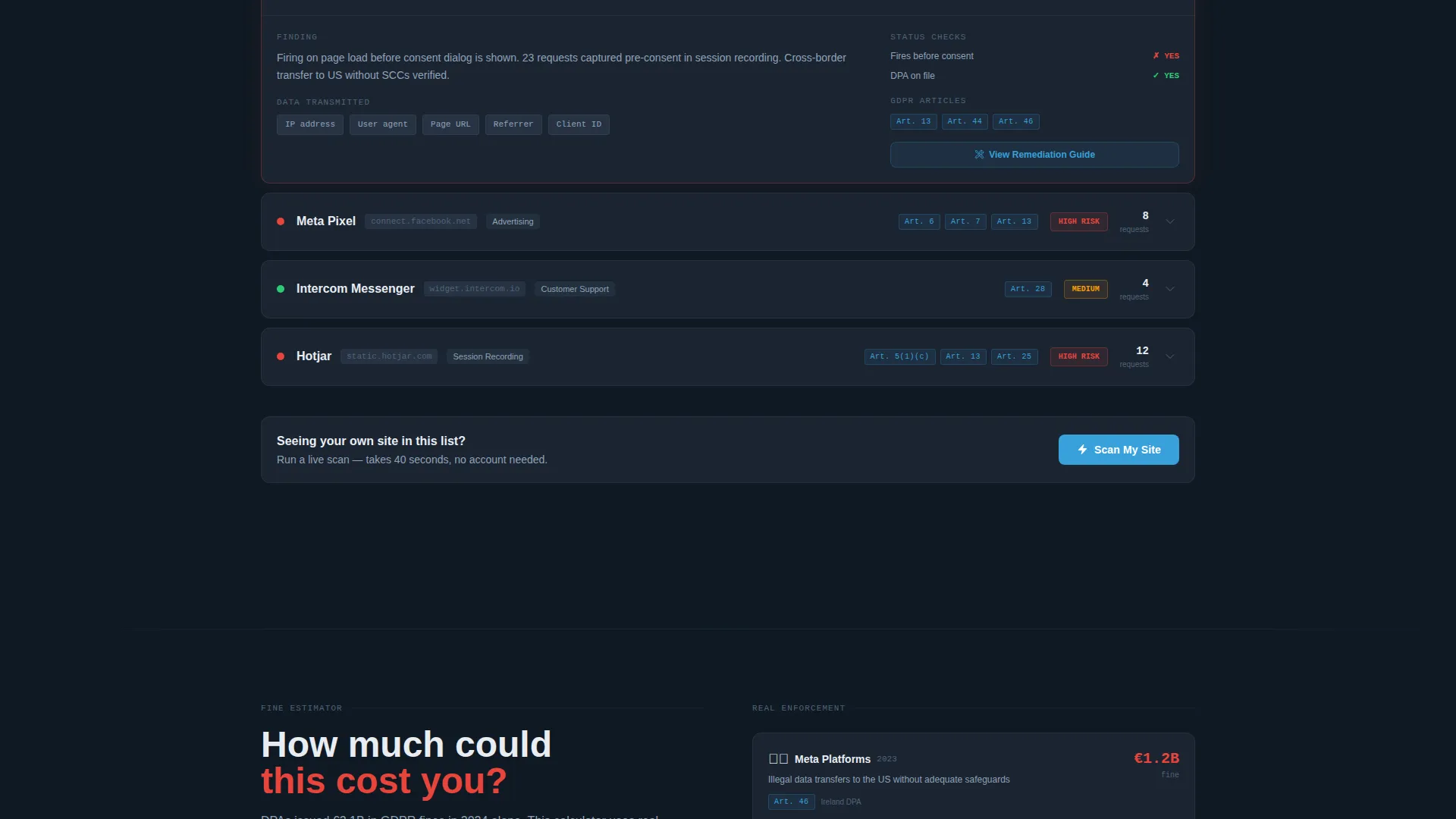
Each detected third-party tracker renders as its own card. Visitors tap to expand and see the specific General Data Protection Regulation article the tracker violates. This turns abstract compliance risk into concrete, item-level evidence.
Regulatory Fine Calculator
A dedicated section below the live audit displays potential fines calculated from real enforcement data. Seeing a number tied to their own scan result converts passive curiosity into urgent action.
Logo Bar Social Proof Header
A horizontal strip of recognizable compliance and software-as-a-service brand logos sits above the headline. It establishes credibility before the visitor has typed a single character into the scan field.
Page sections overview
| Section | Purpose |
|---|---|
| Logo Bar Header | Establish trust with recognizable brand logos above the headline |
| Scan Input Hero | Capture URL input and fire the free audit immediately |
| Risk Score Dial | Animate an overall compliance score from zero on scan completion |
| Cookie Disclosure Table | Compare cookies found on-page against cookies formally disclosed |
| Tracker Detail Cards | Show each third-party tracker with its linked GDPR article violation |
| Free versus Paid Comparison | Contrast one-time audit coverage against continuous monitoring features |
| Fine Calculator Section | Display potential regulatory fines based on the visitor's own scan data |
| Primary Monitoring call to action | Drive upgrade to continuous monitoring at peak urgency |
| PDF Report Download | Collect work email in exchange for a full downloadable audit report |
Design & branding system
The visual system is built around a dark cloud-dashboard palette that stays readable under extended use. Color assignments are strict and intentional: blue means clean, red means action required.
- Deep command-line slate (#1B2432) as the base background, with mid-gray panel (#394B5E) for card and table surfaces
- Open-sky blue (#38A1DB) reserved for interactive elements, passing indicators, and pulse animations on the scan button
- Violation red (#E8453C) used exclusively on flagged items, failed checks, and fine calculator figures to signal urgency without crying wolf
Mobile & speed optimization
The scroll reveal pattern is designed with touch interaction in mind. Tracker cards that expand on tap work as naturally on a phone screen as on a desktop monitor.
- Expandable tracker cards use tap-friendly hit areas suited to mobile viewports
- The progressive reveal sequence keeps the initial page load lightweight by staging content as results appear
- The two-column comparison layout adapts to a stacked single-column format on smaller screens
How this template helps you convert
The conversion architecture is built around the moment a visitor sees their own compliance gap. That moment of personal relevance is where both conversion paths activate.
- The free scan delivers immediate value with zero friction, building trust before any commercial offer appears on screen.
- The fine calculator section raises personal stakes by attaching a real monetary figure to the visitor's specific scan result, making the upgrade decision feel urgent rather than optional.
- The dual call-to-action system captures two distinct buyer types: visitors ready to activate continuous monitoring now, and visitors who want a PDF report to share internally before committing.
Other information about this template
The Comply template is part of the Startup Velocity theme family, which targets fast-moving technical teams who respond to tool-first interfaces over marketing-heavy layouts. The Slate and Sky color system was chosen specifically for General Data Protection Regulation tooling contexts, where credibility and clinical precision matter as much as visual appeal.
- The template style is Scroll Reveal (Progressive), meaning sections are staged and revealed sequentially rather than loaded all at once
- The header concept is a Logo Bar, using social proof from recognizable names in the compliance and software-as-a-service space to anchor trust immediately
- The landing page direction follows a Comparison/Versus model, where the free tier and paid tier are presented side by side to make the value gap undeniable
- The creative direction is Calculator and Tool First, meaning the scanner output itself drives the narrative rather than static marketing copy
Theme
Startup Velocity
Creative direction
Calculator/Tool First
Color system
Slate & Sky
Style
Scroll Reveal (Progressive)
Direction
Comparison/Versus
Page Sections
Live URL Scanner Input
Progressive Scroll Reveal Layout
Free Versus Paid Comparison Table
Expandable Tracker Violation Cards
Regulatory Fine Calculator
Logo Bar Social Proof Header
Related questions
Does a visitor need to sign up before running the free scan?
What does the free-versus-paid comparison table show?
What conversion paths does this template include?
Who is this landing page template designed for?
Can the color system be adjusted for a different brand?



