Comply - Compliance Recruitment Landing page Template
Comply is a sidebar companion landing page built for a distributed compliance consultancy recruiting senior specialists worldwide. It pairs an editorial Navy Authority color system with a Problem→Solution Arc to turn exhausted auditors and privacy engineers into applicants. The inline application drawer, sticky brass call-to-action sidebar, and filterable team directory make the hire feel as borderless as the work itself.
by Rocket studio
Quick summary
Comply is a recruitment landing page for a global, distributed compliance team. It speaks directly to senior compliance professionals tired of office life and shows them a credible alternative. The design blends authoritative editorial styling with a passport-stamp spirit, serious work, zero fixed address.
Who this template is for
This template is built for compliance-focused businesses that hire remotely. It serves teams recruiting specialists across multiple jurisdictions and time zones.
- Senior compliance analysts and former Big Four auditors considering a lifestyle change
- Privacy engineers and regulatory specialists who want async, location-independent engagements
- Distributed consultancies needing a recruitment page that earns trust before asking for an application
What problem this template solves
Many compliance professionals want to leave rigid office structures but worry about sacrificing career-defining work. A generic jobs board page does nothing to address that fear. This template meets candidates where their frustration lives, then pivots to proof.
- No compelling story to show candidates why distributed compliance work is credible
- No single page that handles both active applicants and passive pipeline leads
- No design system that feels authoritative enough for regulated-industry professionals
What you get with this template
The template delivers a full-scroll recruitment experience structured around a Problem→Solution Arc. Every section is designed to build trust progressively, from an opening testimonial through role spotlights and onto an inline application drawer.
- A sticky sidebar with a live-updating role counter and an expanding "See Open Roles" call-to-action in maritime brass
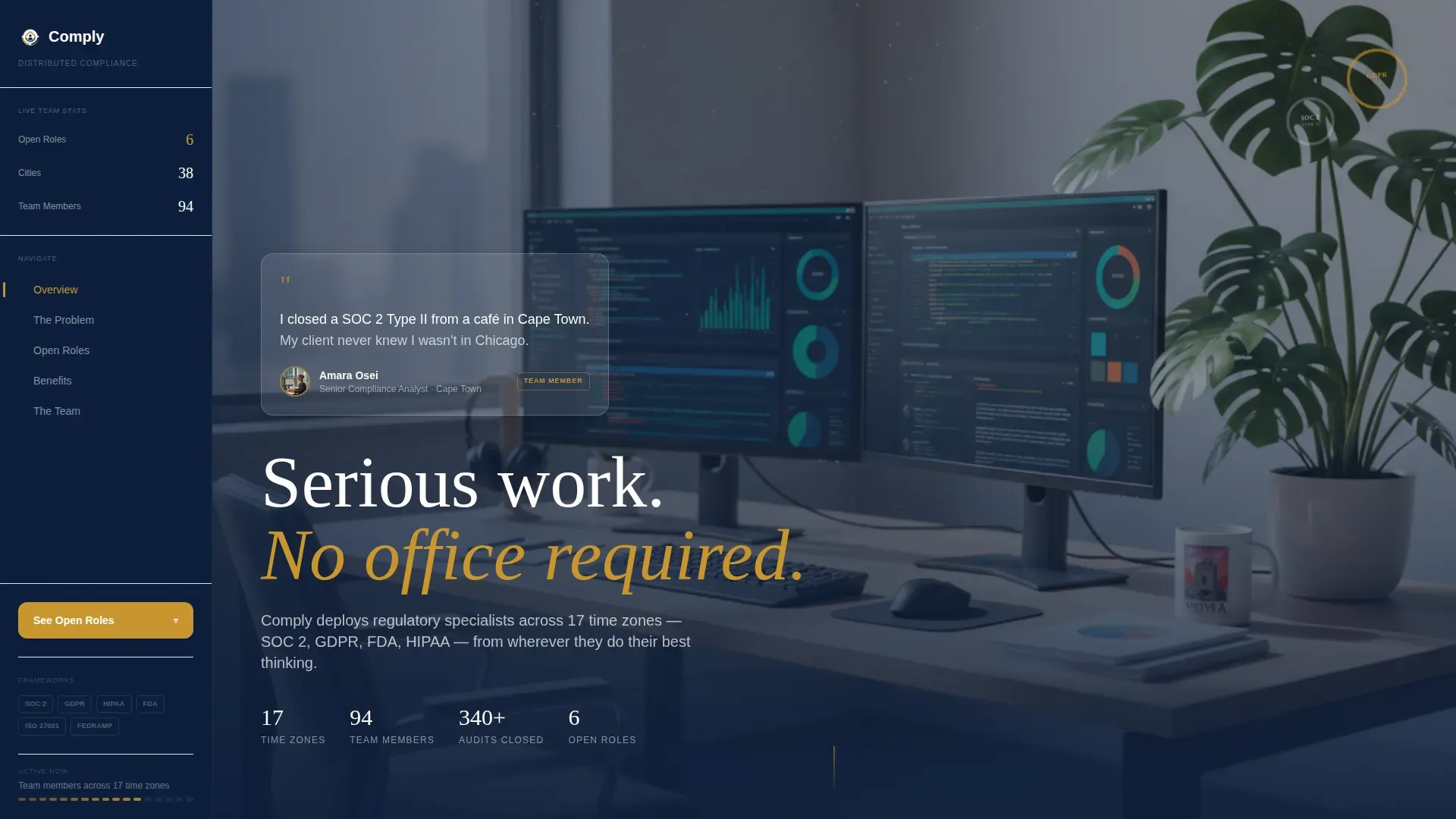
- A cinematic hero with a floating testimonial card carrying a real team-member quote, name, role, city, and portrait
- A filterable team directory, an inline application drawer, and a passive "Join the Bench" email capture path
Feature list
A paragraph introduces the features below, grounding them in what the template actually ships.
Each built-in component is designed to convert a skeptical, experienced compliance professional into either an applicant or a warm pipeline lead.
Sticky Sidebar with Expanding Call-to-Action
The persistent sidebar sits in deep admiralty navy and anchors the page at every scroll depth. The "See Open Roles" button pulses in maritime brass and expands on hover to reveal the three most urgent openings. This keeps the primary recruitment path visible without interrupting the content flow.
Floating Testimonial Card Hero
The header section uses a soft-focus workspace photograph as the background, with a floating card component pinned over it. The card carries a two-line team-member quote, their name, role, city, and a small circular portrait. The design avoids stock photography to keep the social proof feeling genuine.
Problem Arc Section Blocks
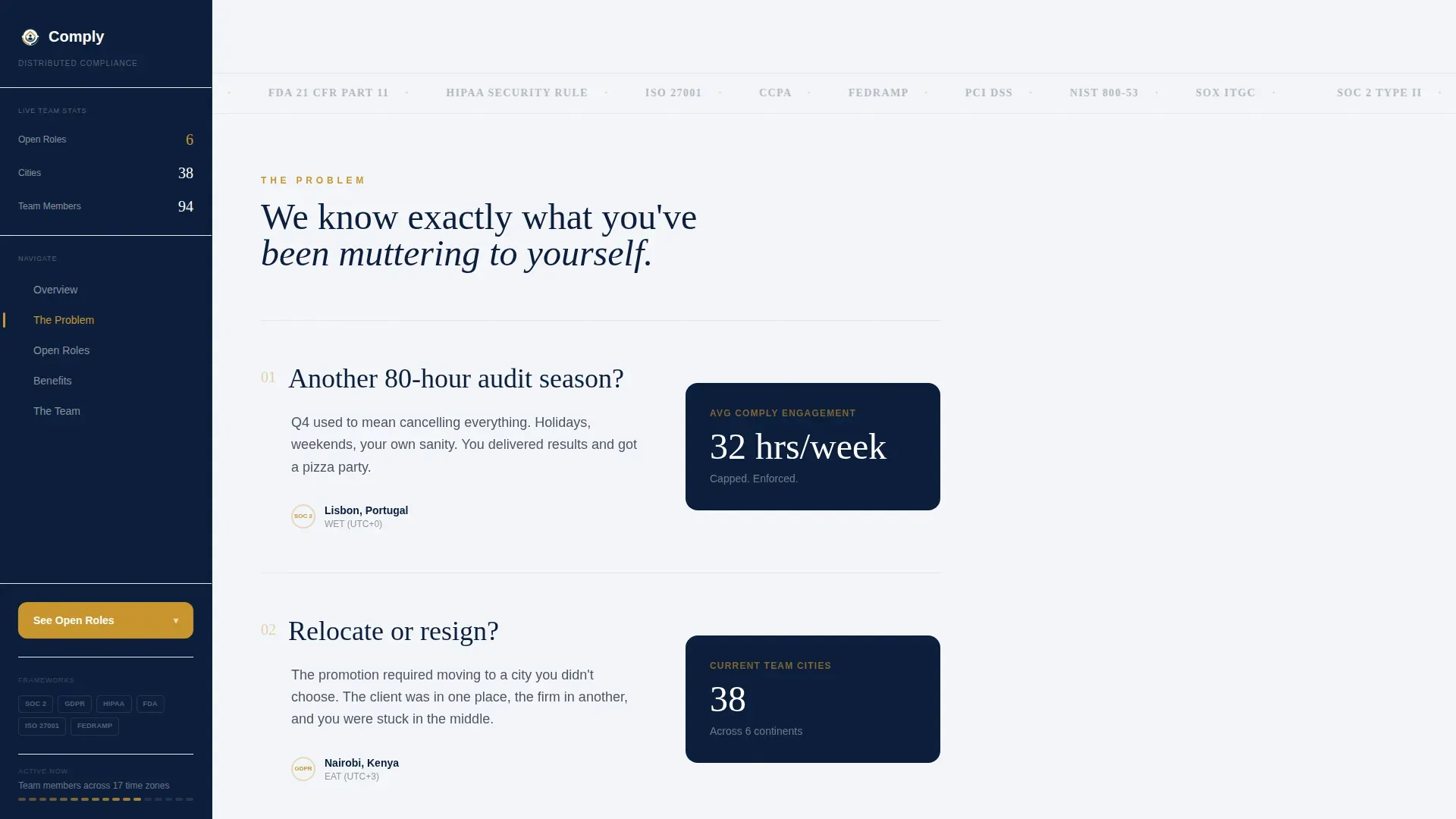
Three problem-question sections open the scroll with frank, recognizable pain points that compliance professionals actually voice. Each block sits in the main content column while the sidebar quietly updates with counters showing open roles, office-less locations, and current team size.
Role Spotlights in Bento Grid Layout
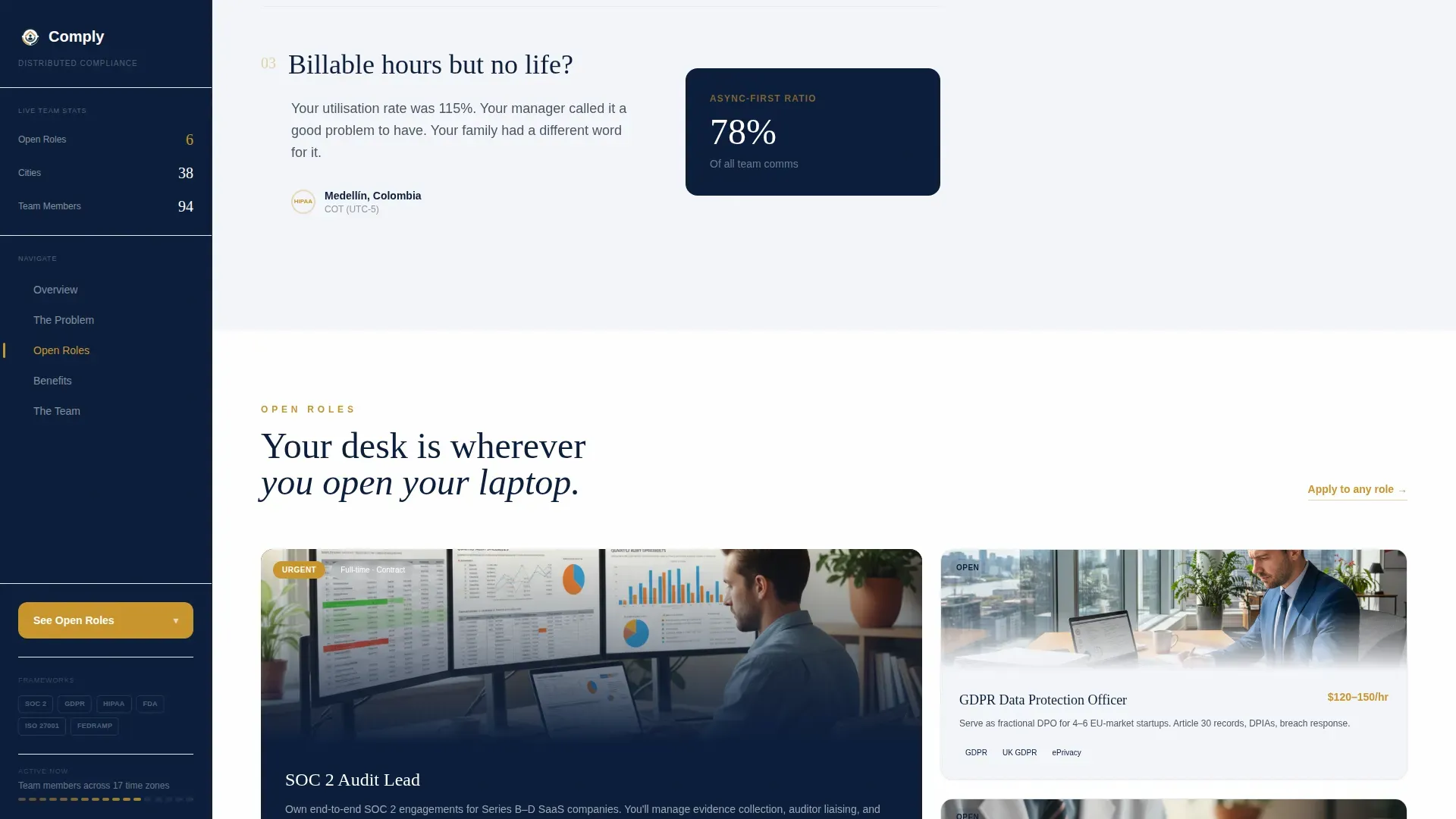
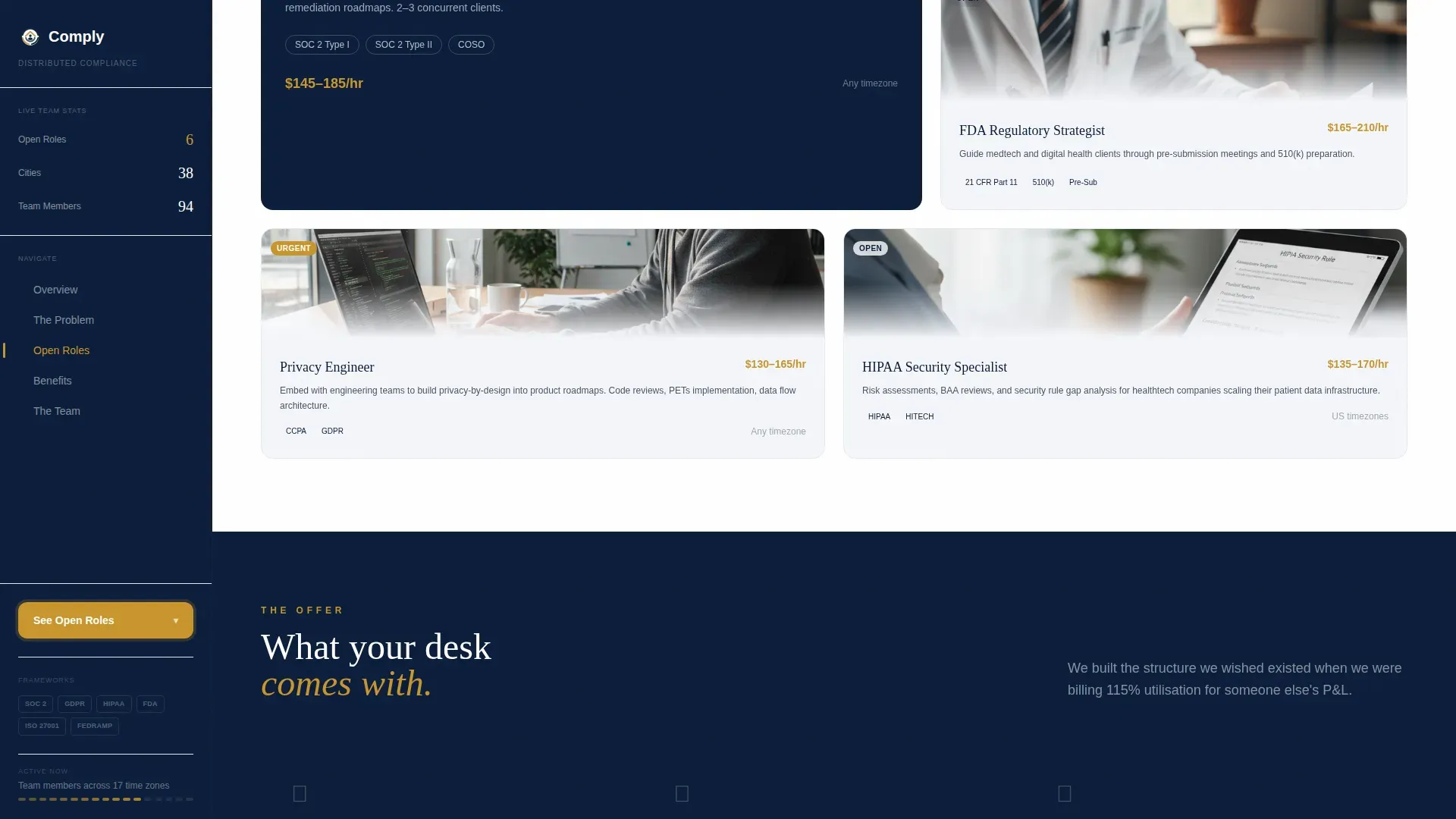
Four open specialty roles are presented in an asymmetric bento grid. Each spotlight names the framework, the engagement type, and the kind of candidate it suits. This section bridges the empathy-building problem arc and the evidence-led benefits breakdown.
Inline Application Drawer
Clicking "See Open Roles" opens a slide-in drawer without navigating away from the page. The drawer collects a name, LinkedIn profile URL, preferred time zone, and a single dropdown asking which compliance framework is the candidate's home turf. Options include SOC 2, GDPR, HIPAA, FDA, ISO 27001, and Other.
Filterable Team Directory
A living directory of current team members can be filtered by time zone, specialty, and language. Each card shows a location stamp alongside the member's area of expertise. The directory serves as the page's most tangible proof that distributed compliance work is already happening.
Page sections overview
| Section | Purpose |
|---|---|
| Hero Testimonial Card | Opens with a real team-member quote over a soft-focus compliance workspace |
| Pain Arc Blocks | Three candid problem questions anchor the visitor's frustration before the pivot |
| Sidebar Role Counter | Live-updating counters show open roles, locations, and team size |
| Role Spotlights Grid | Bento grid presents four open specialties with framework and engagement details |
| Benefits and Culture | Breaks down async-first culture, equipment stipends, and jurisdiction bonuses |
| Filterable Team Directory | Cards showing real team members, filterable by time zone, specialty, and language |
| Inline Application Drawer | Slide-in form collects name, LinkedIn URL, time zone, and framework preference |
| Join the Bench Path | Passive candidate capture via email and specialty, no full application required |
| Single-Row Footer | Linear footer pattern closes the page cleanly |
Design & branding system
The visual identity follows a Directory & Discovery theme using a Navy Authority color system. The typography pairing of Fraunces for display headings and DM Sans for body text creates an authoritative editorial feel that still reads cleanly on screen.
- Deep admiralty navy (#0B1D3A) anchors the persistent sidebar; pressed-shirt white (#F4F6FA) fills content panels; gunmetal slate (#4A5568) handles body text
- Maritime brass (#C9952D) is reserved exclusively for clickable elements, active states, and the "Apply Now" pulse to keep the call-to-action hierarchy unambiguous
- Scroll reveals, sidebar counter animations, and the drawer slide-in are set to medium animation intensity to feel purposeful without distracting experienced professionals
Mobile & speed optimization
The layout is designed desktop-first to support the sidebar companion structure. On smaller screens, the sidebar stacks responsively below the main content column, keeping the call-to-action accessible without losing the information hierarchy.
- The sidebar call-to-action remains reachable on mobile through responsive stacking rather than being hidden
- Static content sections use server components while interactive elements, the application drawer and team directory filter, are handled client-side for smooth, isolated interactivity
- The inline drawer avoids full-page navigation, so candidates stay in context on any device
How this template helps you convert
The page earns the application rather than demanding it. Every structural choice pushes the visitor forward along a trust arc that ends at a low-friction submission.
- The Problem→Solution Arc validates the candidate's frustration first, building enough trust that the call-to-action feels like a natural next step rather than a cold ask.
- The inline application drawer removes the page-jump barrier; the short field set (name, LinkedIn URL, time zone, framework dropdown) respects the professional's time and reduces drop-off.
- The "Join the Bench" passive path captures warm leads who are not ready to apply, letting the team build a pipeline from candidates who are already self-selecting by specialty.
Other information about this template
This template sits inside the HR & Hiring category under the Remote & Distributed HR subcategory, making it a strong fit for any compliance consultancy building a distributed talent model.
- The page is localized in English with USD pricing references and city callouts spanning Lisbon, Nairobi, Medellín, and Cape Town to signal genuine international reach
- The intersection match score for Remote & Distributed Compliance Service within the HR & Hiring category is 13, reflecting a tightly defined niche audience
- The template style is Sidebar Companion, meaning the persistent sidebar is a structural pillar of the layout, not an optional component
- Typography uses Fraunces as the serif display face and DM Sans as the body typeface throughout
Theme
Directory & Discovery
Creative direction
Problem→Solution Arc
Color system
Navy Authority
Style
Sidebar Companion
Direction
Recruitment/Hiring
Page Sections
Sticky Sidebar with Brass Call-to-action
Floating Testimonial Card Hero
Problem Arc Content Blocks
Asymmetric Bento Role Spotlights
Inline Application Drawer
Filterable Team Directory
Related questions
Can I edit the team directory filters to match my actual specialties?
How does the 'Join the Bench' passive candidate path work?
Does the inline application drawer replace a full applicant tracking system?
Can I replace the testimonial card quote and portrait with my own team member?
Is the sidebar visible throughout the entire page scroll?



