Comply — Authoritative Compliance Survey Landing Page Template
The Comply landing page template is built for healthcare compliance consulting firms that guide hospitals through Joint Commission, CMS Conditions of Participation, and state licensure surveys. A modular card grid introduces named domain specialists with flip interactions, a sticky call-to-action bar, and a credentials counter bar, moving compliance officers confidently toward your survey prep methodology page.
by Rocket studio
Quick summary
Comply is a card grid landing page template designed for hospital regulatory advisory firms. It introduces your bench of named compliance specialists through a modular bento-style layout, builds trust through visible credentials and facility counters, and moves compliance officers toward a detailed survey prep methodology page, no form required on this page.
Who this template is for
This template serves B2B professional services firms that deliver hands-on regulatory guidance to hospital teams. It is purpose-built for organizations where named specialists and visible credentials do the selling.
- Compliance consulting firms supporting Joint Commission (TJC) and CMS survey readiness
- Healthcare advisory practices serving compliance officers, Chief Nursing Officers (CNOs), and critical-access hospital (CAH) leadership
- Regulatory adherence consultancies that want to present different roles across a specialist bench
What problem this template solves
Hospital compliance officers face a serious challenge: regulators expect rigorous documentation, trained employees, and airtight procedures, but most facilities lack the internal resources to prepare without outside guidance. A generic website fails to communicate the depth of specialist knowledge that auditors demand. This template solves that gap.
- It replaces faceless firm branding with named consultants, credentials, and case counts that identify areas of expertise at a glance
- It structures the visitor journey so compliance matters are addressed before any ask is made
- It reduces risk by presenting social proof, counters, quotes, and specialist cards, before directing visitors to a methodology page
What you get with this template
You get a fully structured, single-page layout that can support a healthcare compliance consulting website without requiring any custom coding. The template arrives ready to customize with your team's real data, photography, and service coverage details.
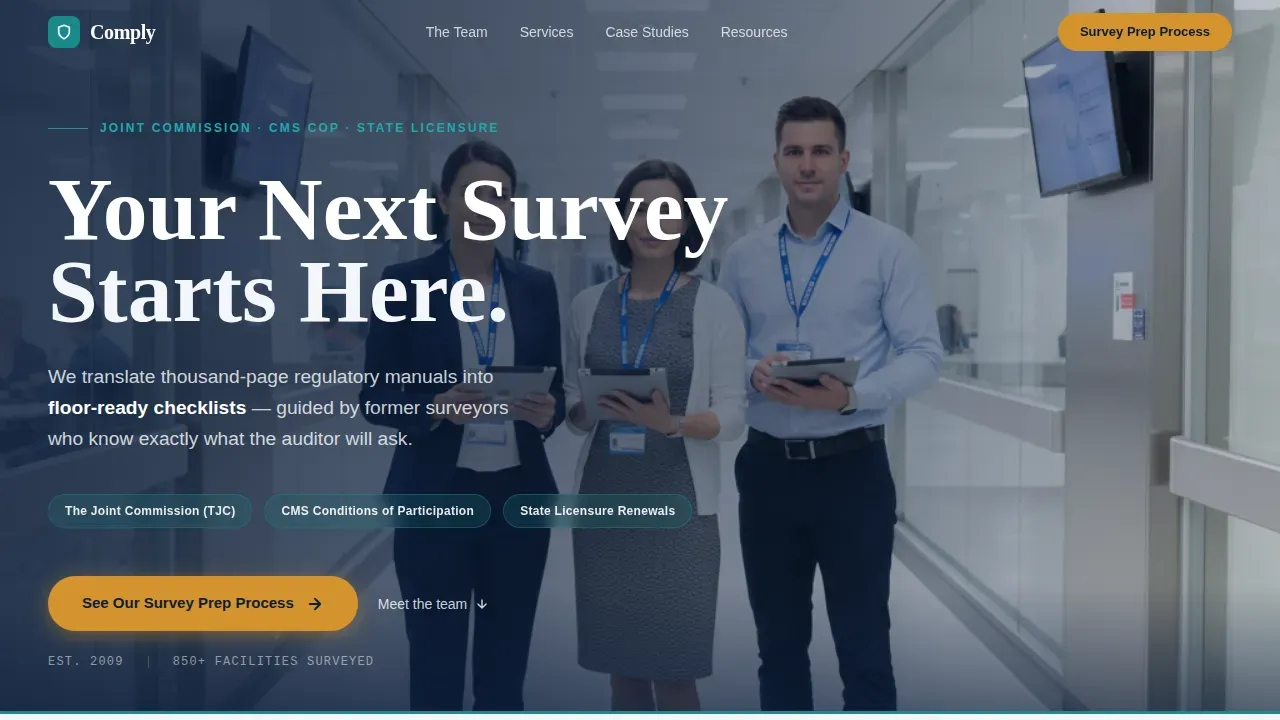
- A hero section with a wide team photo, off-center composition, and sticky bottom call-to-action bar
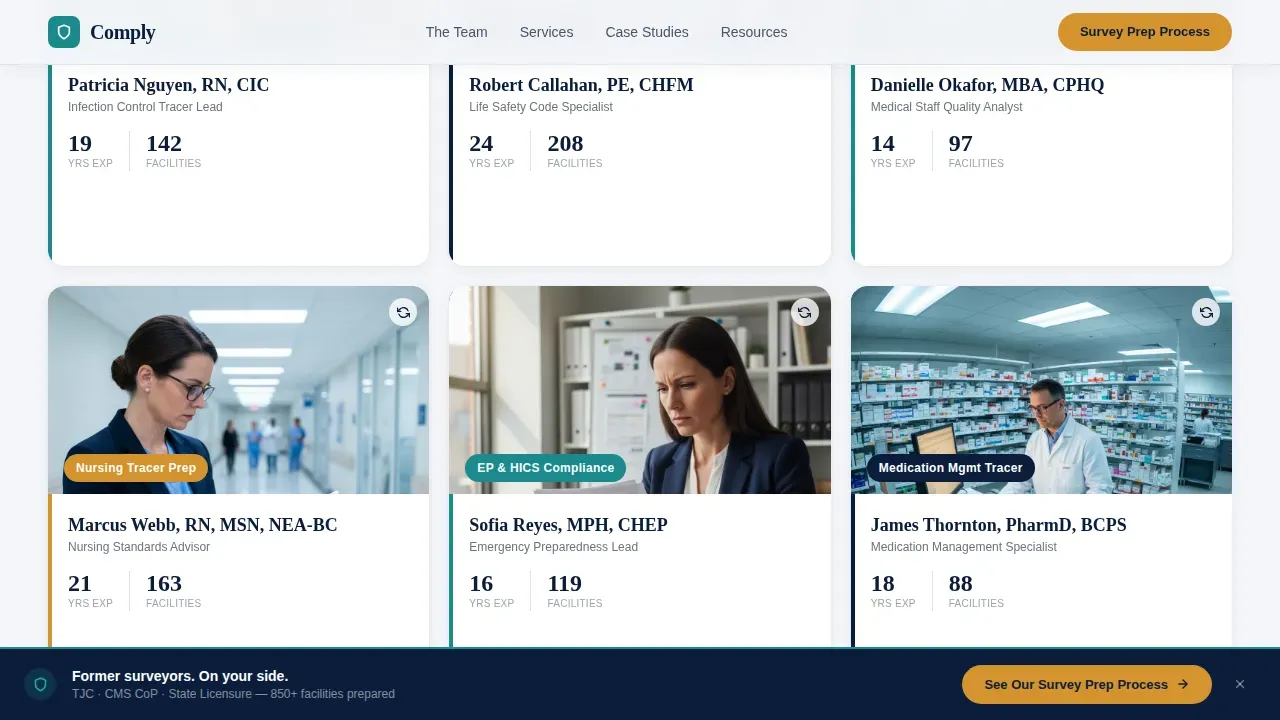
- A modular specialist card grid with flip and expand interactions revealing credentials, case counts, and consultant quotes
- A coverage grid for TJC, CMS Conditions of Participation, and state licensure service areas with urgency callouts
Feature list
This template ships with a focused set of built-in components. Each one is designed to streamline the process of creating a credible, conversion-ready compliance consulting landing page.
Modular Specialist Card Grid
Each card introduces a named domain expert alongside the service they own. Cards flip or expand to reveal credentials, case counts, and a short quote in the consultant's own voice. The cumulative effect helps visitors evaluate your team's depth across different types of survey domains before they click through.
Sticky Bottom Call-to-Action Bar
A persistent bar anchored to the bottom of the page keeps the primary call to action, "See Our Survey Prep Process", visible throughout the scroll. This enables a straightforward path to your methodology page without interrupting the credential-building narrative above it.
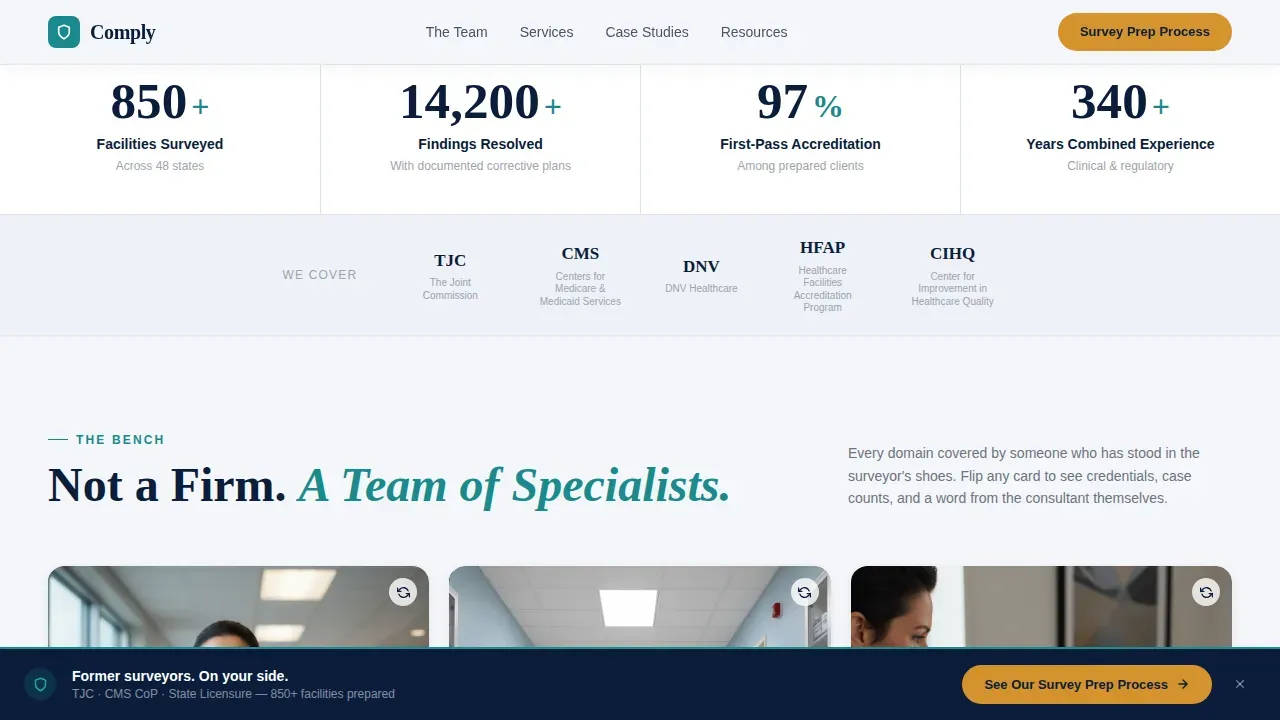
Credentials Counter Bar
A running counter section displays facilities surveyed, findings resolved, and years of combined experience. Count-up animations trigger on scroll entry. This data-driven element gives visitors critical insights into your firm's track record before they submit any inquiry.
Hero Team Photo Section
The header opens with a wide, naturally lit group shot placed in a hospital corridor. The off-center composition leaves negative space for the headline. This section sets tone immediately, composed confidence rather than corporate stiffness, and communicates that real specialists will guide each customer through their survey.
Coverage Grid with Urgency Callouts
A structured visual grid breaks down service areas across TJC, CMS Conditions of Participation, and state licensure renewals. Urgency callouts highlight relevant regulatory phase rollouts, helping compliance teams identify areas requiring immediate attention and prioritize their preparation timeline.
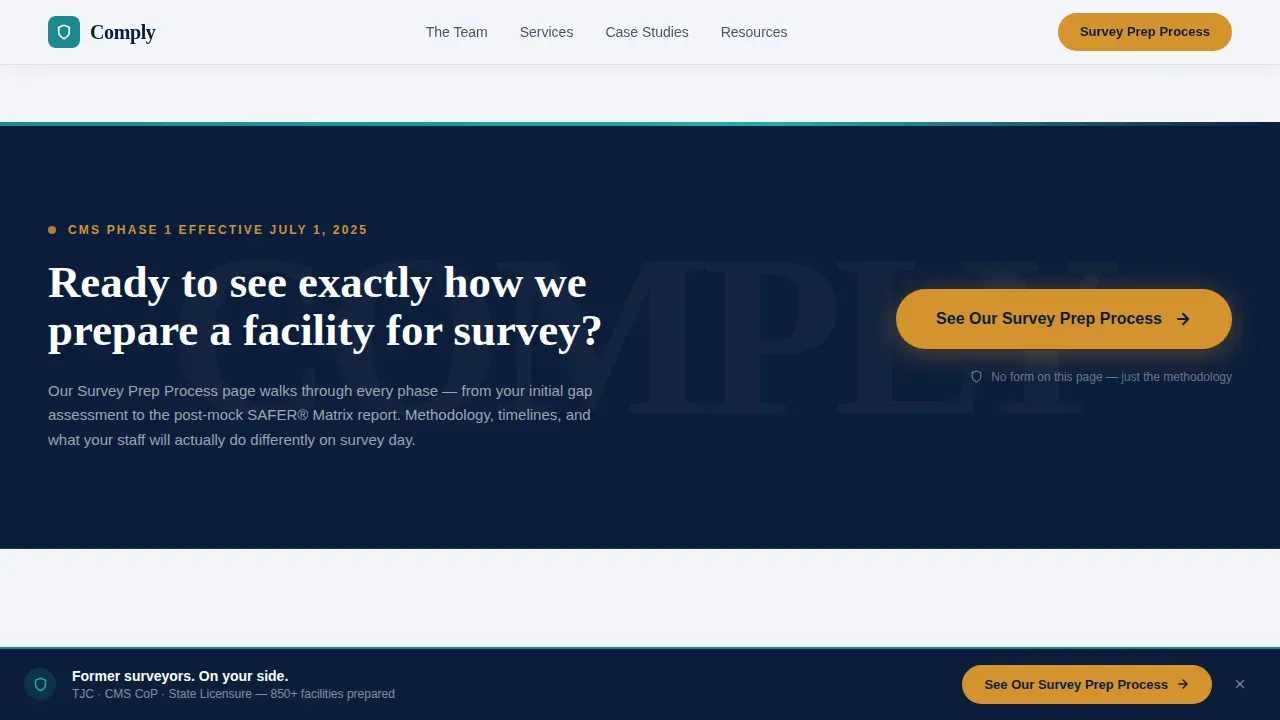
call to action Bridge Sections
Full-width callout blocks repeat after every third card cluster. This rhythm gives visitors multiple opportunities to click through at the moment their confidence peaks, rather than only at the end of the page.
Page sections overview
| Section | Purpose |
|---|---|
| Hero Team Photo | Opens with team image, headline, and sticky call to action bar |
| Credentials Counter Bar | Displays facility count, findings resolved, and experience data |
| Specialist Card Grid | Introduces named domain experts with flip and expand interactions |
| call to action Bridge Block | Full-width callout repeated after each card cluster |
| Coverage Grid | Visual breakdown of TJC, CMS, and state licensure service areas |
| Footer Linear Row | Single-row footer with navigation and contact links |
Design & branding system
The visual identity follows an Educational Guide theme using the Navy Authority color system. The palette feels like the cover of a well-worn regulatory manual, authoritative, structured, and human enough to trust.
- Deep command navy (#0B1D3A) anchors the primary layout; clinical corridor white (#F4F6F9) provides the content background; policy-highlight teal (#1B8A8D) marks accents and section dividers
- Urgent-flag amber (#D4922E) is reserved for calls to action and deadline callouts, creating a clear visual signal without overwhelming the overall structure
- Typography pairs DM Sans for body text and interface elements with Fraunces for editorial headlines, reinforcing an authoritative yet approachable reading experience
Mobile & speed optimization
The template is built desktop-first, reflecting the reality that compliance officers review documentation and prepare for audits at a desk. A solid mobile fallback ensures the layout remains functional across any device a visitor may use.
- Server Components handle the static card grid and coverage sections; Client Components manage interactive cards, counter animations, and the sticky bar
- Scroll-reveal animations with stagger effects and count-up number triggers are set to medium intensity, keeping the experience fluid without slowing the page
- The single-page structure reduces navigation overhead, letting visitors move through all compliance guidance content in one continuous scroll
How this template helps you convert
The template is designed as a click-through page. Trust is built through visible credentials, named consultants, and social proof before any ask is made. The click to your methodology page feels like a natural next step.
- The credentials counter bar and specialist cards work together to help visitors evaluate your team's depth and communicate the organization's track record, building confidence before the call to action appears
- The sticky bottom bar and repeated call to action bridge blocks ensure the primary action is always within reach, reducing the friction that compliance officers face when they are ready to move forward but cannot find the next step
Other information about this template
This template is designed for teams creating a professional website for a healthcare compliance consulting firm. No coding required to swap in your team's photography, adjust card content, or update urgency callout dates. Customization is straightforward and does not demand developer support for routine content edits.
- Survey templates built into the grid structure follow compliance documentation best practices: mandatory fields, standardized formatting, and role-based content sections that reflect different roles across your specialist bench
- The card grid supports access controls at the layout level, different template sections can be shown or hidden based on how you configure the published page, supporting usability and consistency across departments
- Feedback gathered from website visitors can be reviewed using your preferred analytics platform; the template's clean structure makes it easy to connect tracking for user feedback and reporting on visitor responses
- Compliance surveys embedded as linked resources or pop-up elements on your connected methodology page can help identify areas of improvement and capture candid employee feedback about compliance resources
- The comply authoritative survey prep compliance landing page template is particularly well-suited for firms advising on regulatory compliance across multiple facility types, helping compliance teams ensure adherence to evolving compliance standards before auditors arrive
- Google Analytics and similar data tools can be connected to the published site to gather valuable insights about visitor behavior, identify improvement opportunities, and support continuous improvement of your communication and outreach strategy
- Regular template updates are recommended to maintain regulatory adherence as compliance requirements and regulatory standards shift; the modular structure makes those updates fast and low-risk
Theme
Educational Guide
Creative direction
Team & People
Color system
Navy Authority
Style
Card Grid (Modular)
Direction
Click-Through
Page Sections
Modular Specialist Card Grid
Sticky Bottom Call-to-action Bar
Credentials Counter Bar
Hero Team Photo Section
Coverage Grid with Urgency Callouts
Repeating Call to Action Bridge Blocks
Related questions
Does this template require coding to customize?
Can I use this template if my firm covers only one regulatory body?
How does the card flip interaction work for visitors?
Is this template suitable for a small critical-access hospital advisory practice?
Can I connect analytics to track visitor responses and feedback?



