Alzheimer's Day Program Landing Page Template
Compass is a split-screen landing page template built for Alzheimer's day programs. It leads with a family caregiver review score, walks visitors through a four-step enrollment journey, and pairs each step with trust-building details. The primary call to action is a free downloadable Family Planning Guide, supported by a secondary option to schedule a quiet visit.
by Rocket studio
Quick summary
Compass is a single-page template designed for memory care day programs serving adults with Alzheimer's. It uses a 50/50 split-screen layout, a step-by-step enrollment guide, and a goldenrod-accented Cloud Canvas palette. The page leads with social proof, earns trust before asking for contact details, and ends with two clear paths: download a planning guide or book a visit.
Who this template is for
This template is built for providers who need to reach exhausted, emotionally stretched caregivers at the exact moment they are ready to ask for help. It is equally useful for program directors, outreach coordinators, and hospital discharge planners building a referral-ready resource.
- Adult day programs specializing in memory care and dementia support
- Senior living operators launching or promoting an Alzheimer's day program
- Hospital social workers and care coordinators who need a credible program reference page
What problem this template solves
Families searching for Alzheimer's day care late at night are scared and overwhelmed. A generic program page with a phone number and a stock photo does not stop that scroll. Compass is designed to replace that silence with something that feels like a calm, competent voice.
- Fear of the unknown: the step-by-step format shows exactly what enrollment looks like, removing guesswork
- Trust deficit: credentials, real photos, and a quoted family review appear before any form is shown
- Decision paralysis: two low-commitment paths (a free guide and a quiet visit) let visitors move at their own pace
What you get with this template
You get a fully structured, single-page layout ready to represent a memory care day program with warmth and authority. Every section is purposefully ordered so trust is built before any ask is made.
- A four-step enrollment journey with matching detail panels on the right column
- A review score header block and a downloadable Family Planning Guide lead capture form
- A secondary date-picker path for scheduling a quiet visit, sitting below the primary call to action
Feature list
A brief overview of the built-in components that make Compass work as a trust-first resource page for memory care day programs.
Split-Screen Enrollment Journey
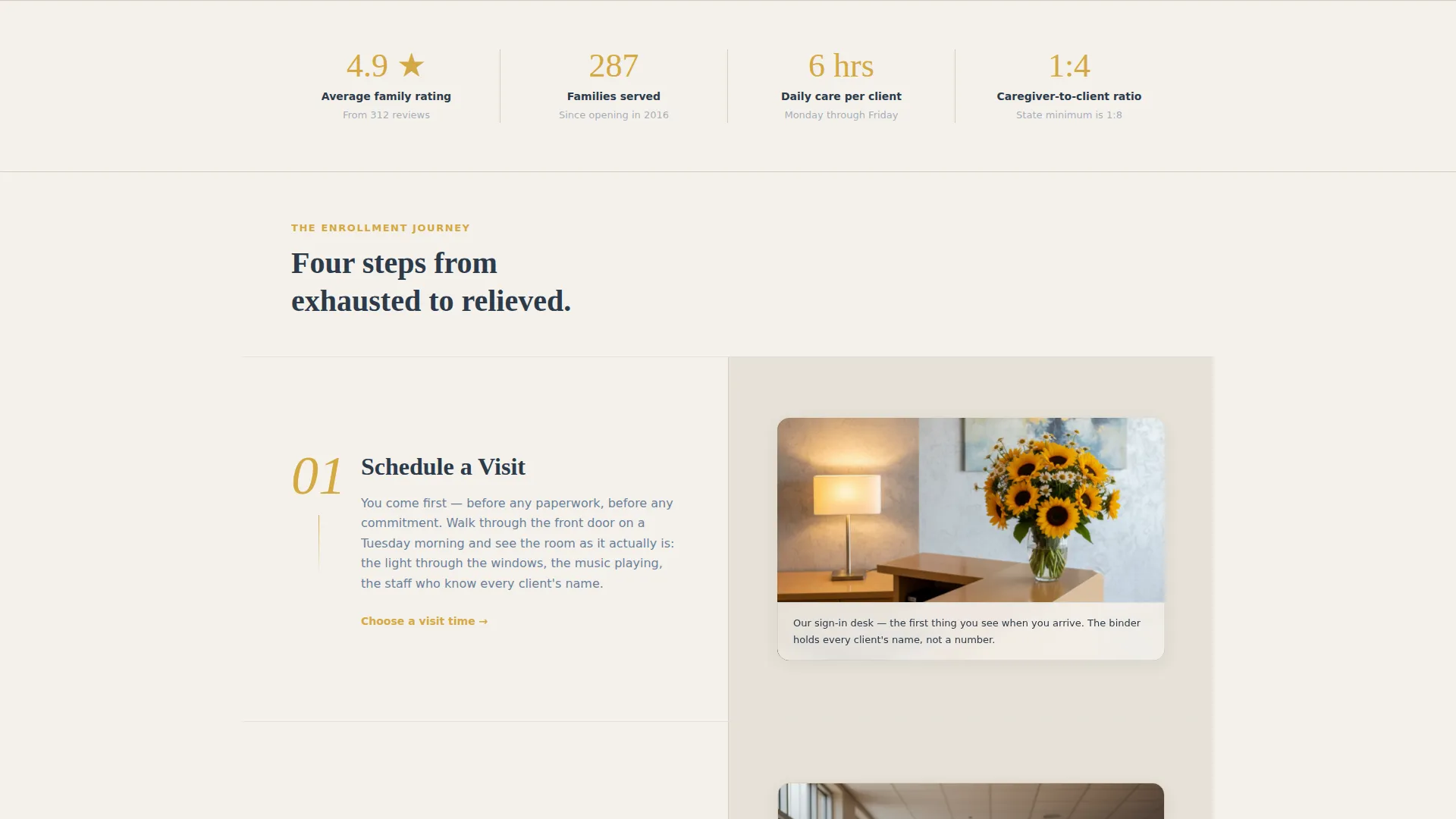
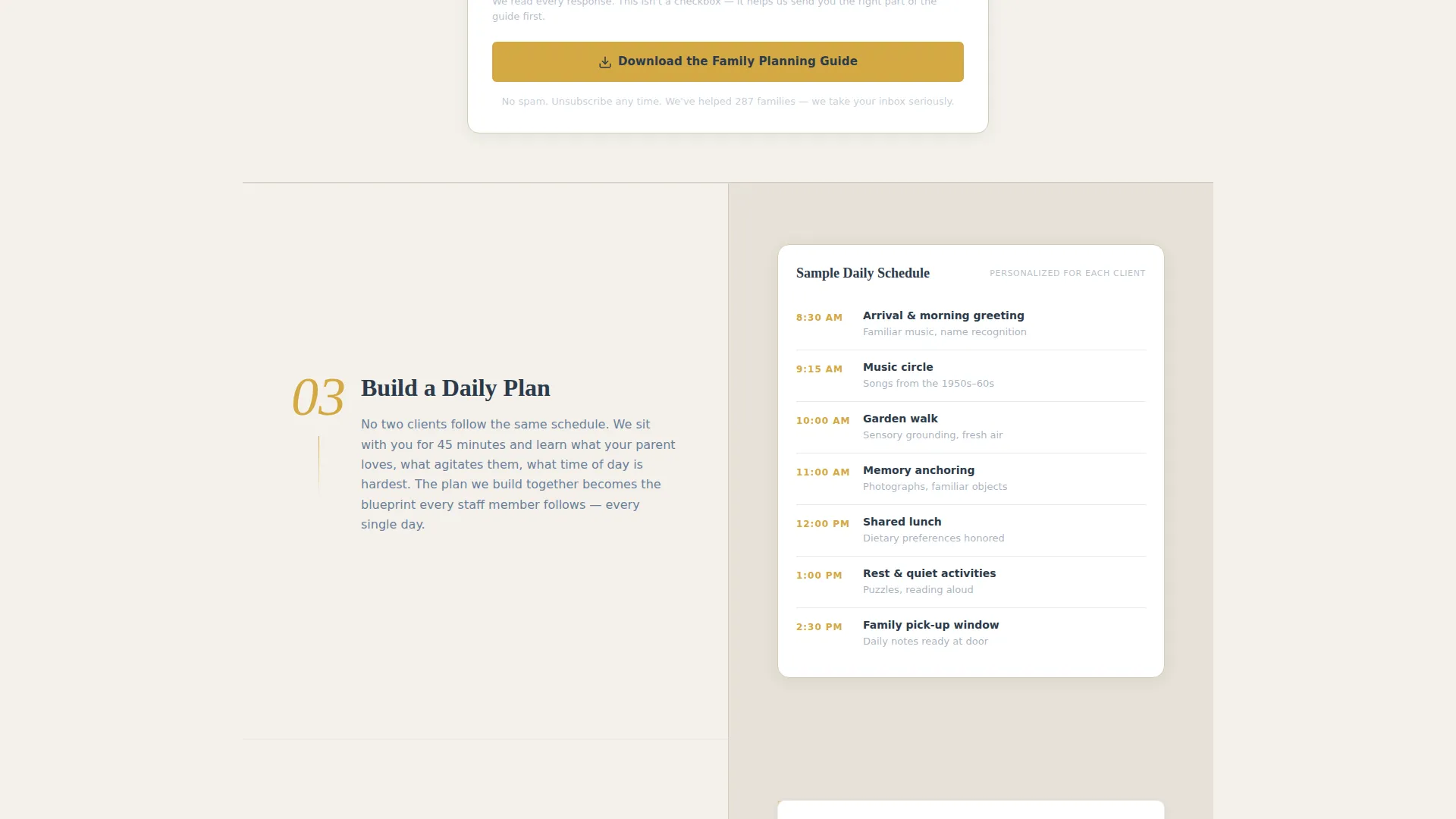
The left column presents a numbered four-step process: Schedule a Visit, Meet the Care Team, Build a Daily Plan, and First Gentle Day. The right column mirrors each step with a reassuring detail, such as a photo of the sign-in desk or a sample daily schedule with times and activity names.
Social Proof Header Block
The page opens with a large, centered 4.9-star aggregate rating rendered in goldenrod against the overcast white background. A single quoted line sits beneath it: "I stopped being afraid to go to work." A real family count follows: "287 families served since 2016."
Family Planning Guide Lead Capture
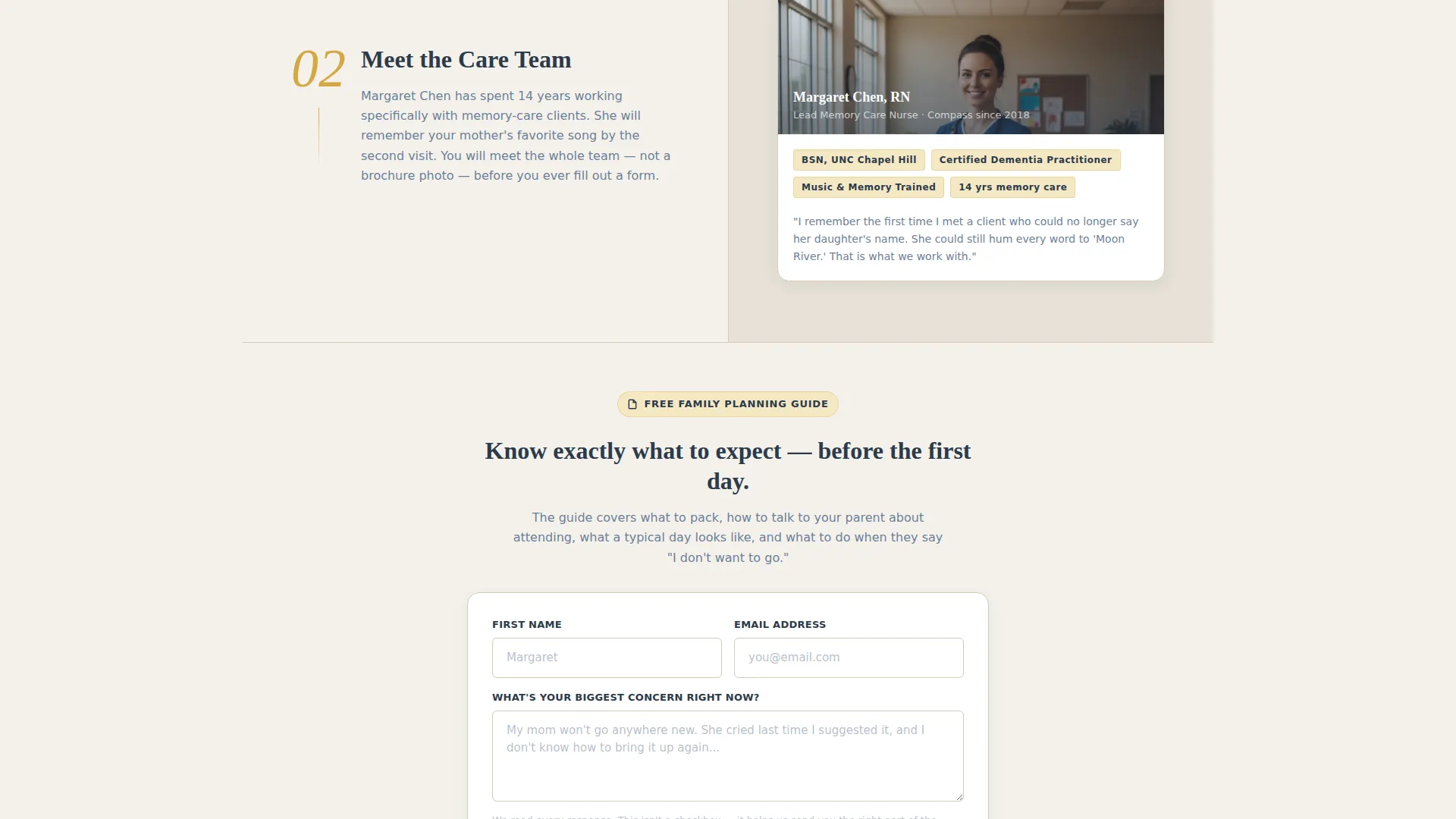
A three-field form appears after Step 2, once the visitor has already seen the care team's faces and credentials. It asks for first name, email address, and one open text question: "What's your biggest concern right now?" This doubles as emotional support and lead qualification.
Quiet Visit Scheduler
A secondary conversion path sits below the primary guide download. It uses a simple date picker so caregivers who prefer a direct next step can book a visit without filling out a longer form.
Goldenrod Step-Number Milestones
The goldenrod accent color is reserved for call-to-action buttons and step-number markers down the left column. This creates a quiet visual path that guides the eye through the enrollment story without feeling salesy or clinical.
Page sections overview
| Section | Purpose |
|---|---|
| Review Score Header | Opens with a 4.9-star rating and a quoted caregiver line to stop the scroll |
| Families Served Count | Reinforces credibility with a real program milestone below the rating |
| Step 1 Panel | Introduces the first enrollment step alongside a photo of the actual sign-in desk |
| Step 2 Panel | Shows the care team's credentials and faces to build personal trust |
| Family Guide Form | Captures name, email, and open concern after trust is established |
| Step 3 Panel | Displays a sample daily schedule with real times and activity names |
| Step 4 Panel | Shares a real family's first-day story to reduce remaining anxiety |
| Quiet Visit Scheduler | Offers a date-picker path for visitors ready to book without downloading |
Design & branding system
The Cloud Canvas color system gives this template a tone that feels like a calm, well-kept public library on a gray morning. Every color choice is deliberate: nothing shouts, and nothing feels cold.
- Backgrounds alternate between soft overcast white (#F4F1EB) and warm linen (#D6CBBA); body text is muted slate blue (#6B7F99)
- Goldenrod (#D4A843) is used exclusively for call-to-action buttons and step-number markers, making the action path visible without visual noise
- Section dividers are thin and nearly invisible, letting each content block breathe the way a calm room breathes
Mobile & speed optimization
The 50/50 split-screen layout is designed to restack cleanly on smaller screens so the step-and-detail pairing remains readable on a phone. Caregivers searching at 3 a.m. are almost certainly on a mobile device.
- The left and right columns reflow to a single vertical stack on mobile viewports
- Step numbers and goldenrod milestones remain prominent in the restacked single-column view
- The lead capture form and date picker are each kept to minimal fields so they are easy to complete on a touchscreen
How this template helps you convert
Compass is structured around the principle of trust before ask. Every section earns the next one before a form or button appears.
- The review score header stops a worried, late-night visitor mid-scroll by leading with peer validation and a real family count rather than a headline about the program itself.
- The Family Planning Guide form appears only after Step 2, once the visitor has seen the care team's credentials and faces, making the ask feel like a natural next step rather than a cold request.
Other information about this template
Compass belongs to the Civic Service theme family within the template library. Its design and content structure are calibrated for the memory care and dementia care niche within the broader elderly care and senior living category.
- The template style is Split Screen (50/50), and the creative direction follows a Step-by-Step Guide format
- The header concept is a Review Score block, and the landing page direction is Content/Resource
- The Cloud Canvas color system is a named palette available across the Civic Service theme family
- This template does not include pre-built integrations or backend systems; form handling and scheduling tools are connected by the user during setup

Theme
Civic Service
Creative direction
Step-by-Step Guide
Color system
Cloud Canvas
Style
Split Screen (50/50)
Direction
Content/Resource
Page Sections
Split-screen Step-by-step Enrollment Layout
Social Proof Review Score Header
Family Planning Guide Lead Capture Form
Quiet Visit Date Picker
Goldenrod Milestone Markers
Related questions
Can I replace the sample review score with my own program's ratings?
Does the template include the Family Planning Guide PDF?
How many steps can I add or remove from the enrollment journey?
Is this template suitable for a hospital discharge planner or referral partner?
What happens to the form submissions?