Compare - Healthcare Payroll Landing page Template
A healthcare payroll comparison landing page built for CFOs, HR directors, and practice managers at hospital networks and multi-site physician groups. It opens with a hospital search interaction, then walks visitors through an expandable comparison table showing their current payroll pain against automated resolution, row by row, shift by shift, audit finding by audit finding.
by Rocket studio
Quick summary
This is a lead generation landing page for a healthcare payroll platform. It opens with a hospital name search box, then reveals a comparison table that maps common payroll problems, split-shift errors, multi-state per diem, union differentials, against automated solutions. The page accumulates credibility as visitors scroll, then invites them to run a payroll audit.
Who this template is for
This template is built for healthcare payroll providers selling to operations and finance decision-makers at hospitals, clinics, and physician groups. It speaks directly to the people who feel the cost of payroll errors every single pay period.
- CFOs at regional hospital networks carrying open audit findings and compliance exposure
- HR directors at rural clinics still running biweekly payroll on spreadsheets
- Practice managers at multi-site physician groups who lose a full Monday to manual corrections
What problem this template solves
Healthcare payroll is structurally different from general payroll. A night-shift nurse's overtime splits across departments. A traveling surgeon's per diem crosses state lines. A union technician's differential changes at midnight. Generic payroll pages cannot communicate that complexity, and they cannot earn the trust of a CFO who has already lived through an audit. This template solves the credibility gap before the sales conversation starts.
- Visitors see their own pain reflected in the comparison table before any sales ask
- Expandable rows tell real scenario stories that confirm industry depth
- The lead form appears only after the table has done the persuasive work
What you get with this template
You get a fully structured single-page layout built around one central interaction: the comparison table. Every section supports that table, and every design choice reinforces the feeling that someone already understands the problem.
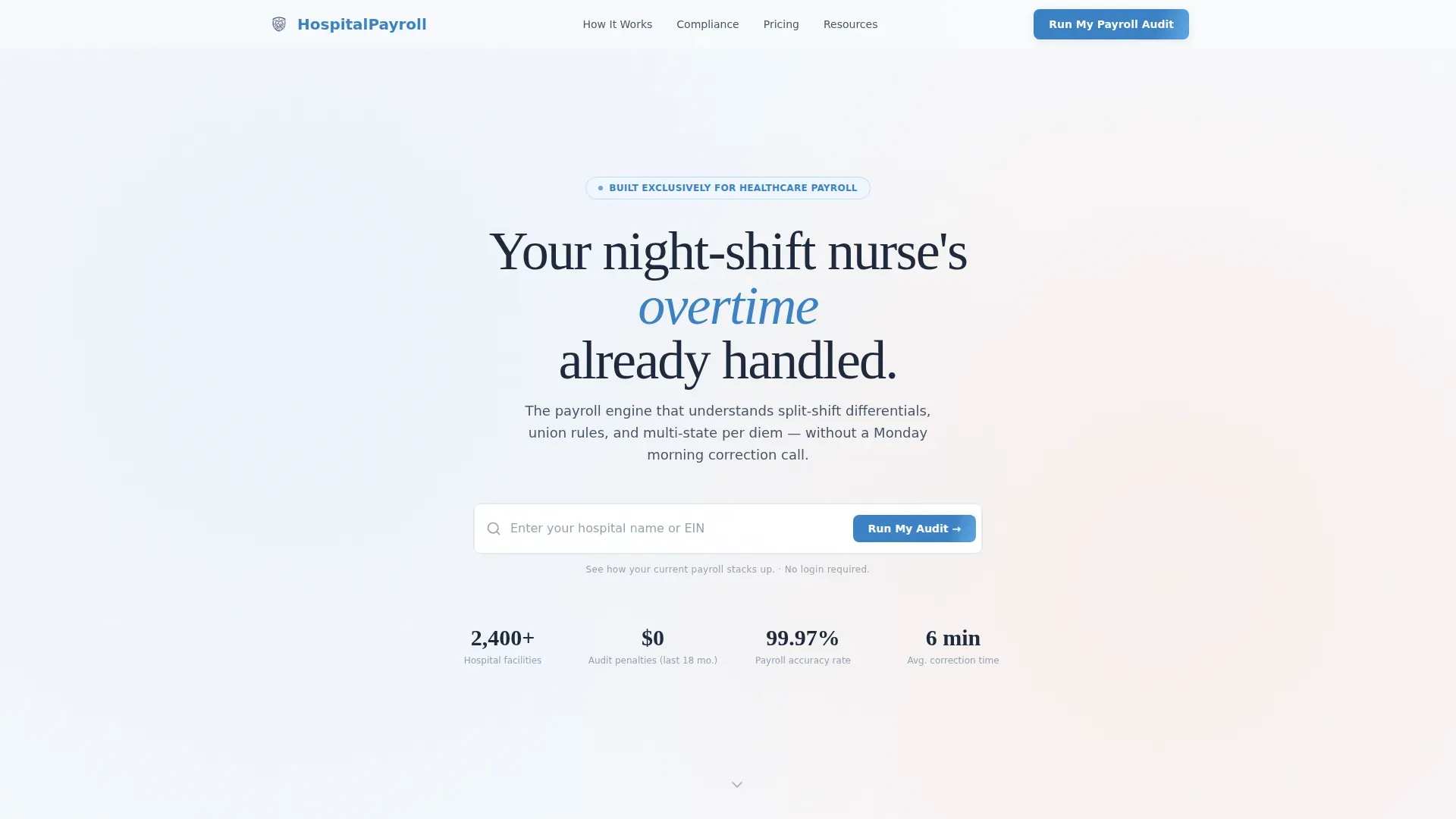
- A centered search box hero with hospital name or Employer Identification Number (EIN) input and auto-suggest dropdown
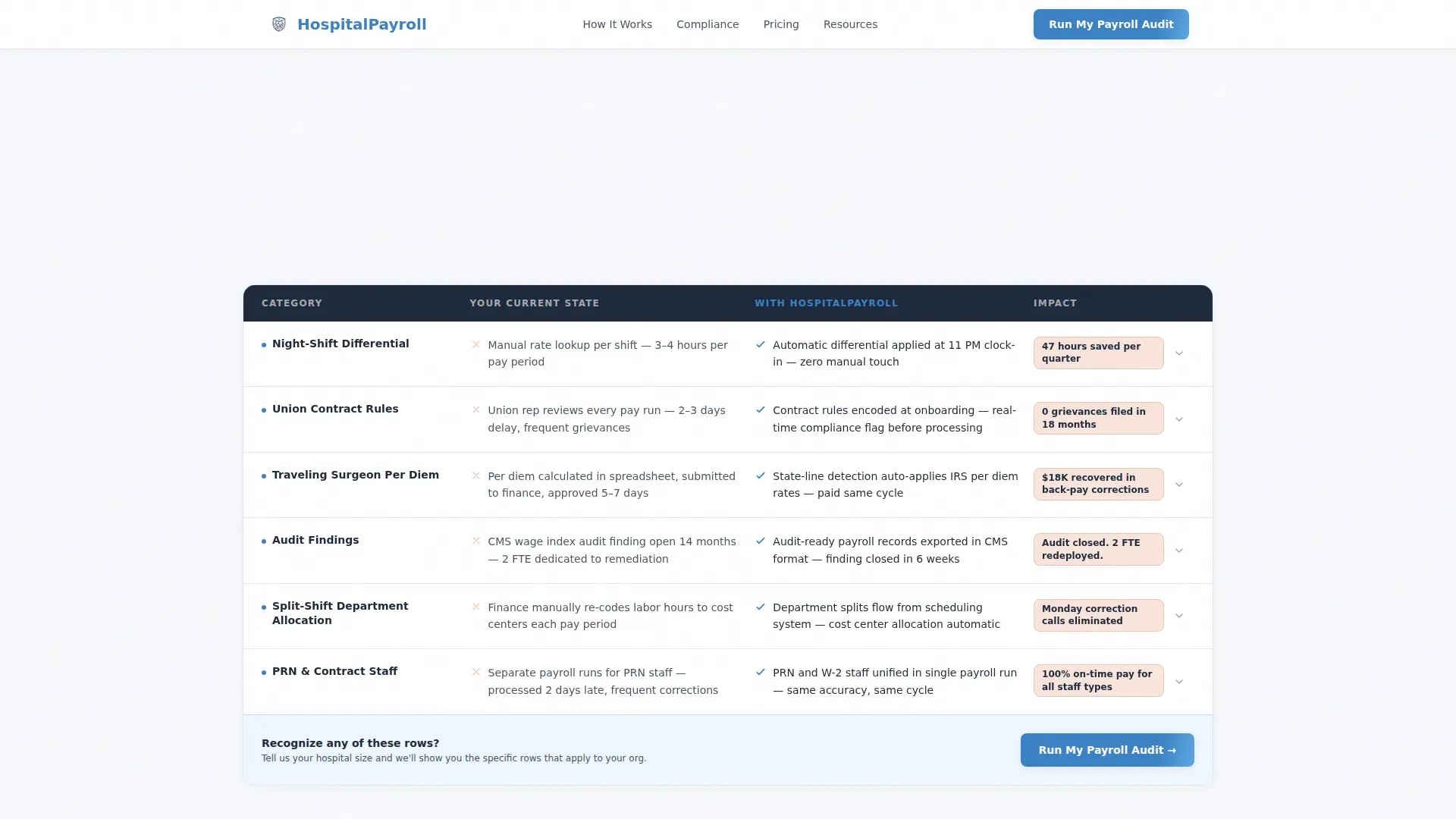
- An expandable comparison table with scroll-triggered row reveals and embedded mini-stories
- A sticky bottom call-to-action bar, a "Run My Payroll Audit" lead form, and a secondary checklist download path
Feature list
This template ships with interactive and visual components that are specific to the healthcare payroll use case and the lead generation objective.
Hospital Search Hero
The page opens with a single centered input field reading "Enter your hospital name or EIN." As a visitor types, an auto-suggest dropdown populates with real hospital system names. This immediately signals that the platform has deep industry knowledge before a single comparison row loads.
Expandable Comparison Table
The core of the page is a row-by-row comparison between a visitor's likely current state, manual processes, compliance gaps, split-shift miscalculations, and the platform's automated resolution. Each row expands with a mini-story drawn from a real healthcare setting, such as a 200-bed community hospital or a behavioral health network.
Scroll-Triggered Row Reveals
As the visitor scrolls, each table row animates into view. The effect is intentional: each new row adds weight, representing another pay period handled cleanly, another audit finding closed, another Monday the HR team did not have to fix check discrepancies by hand.
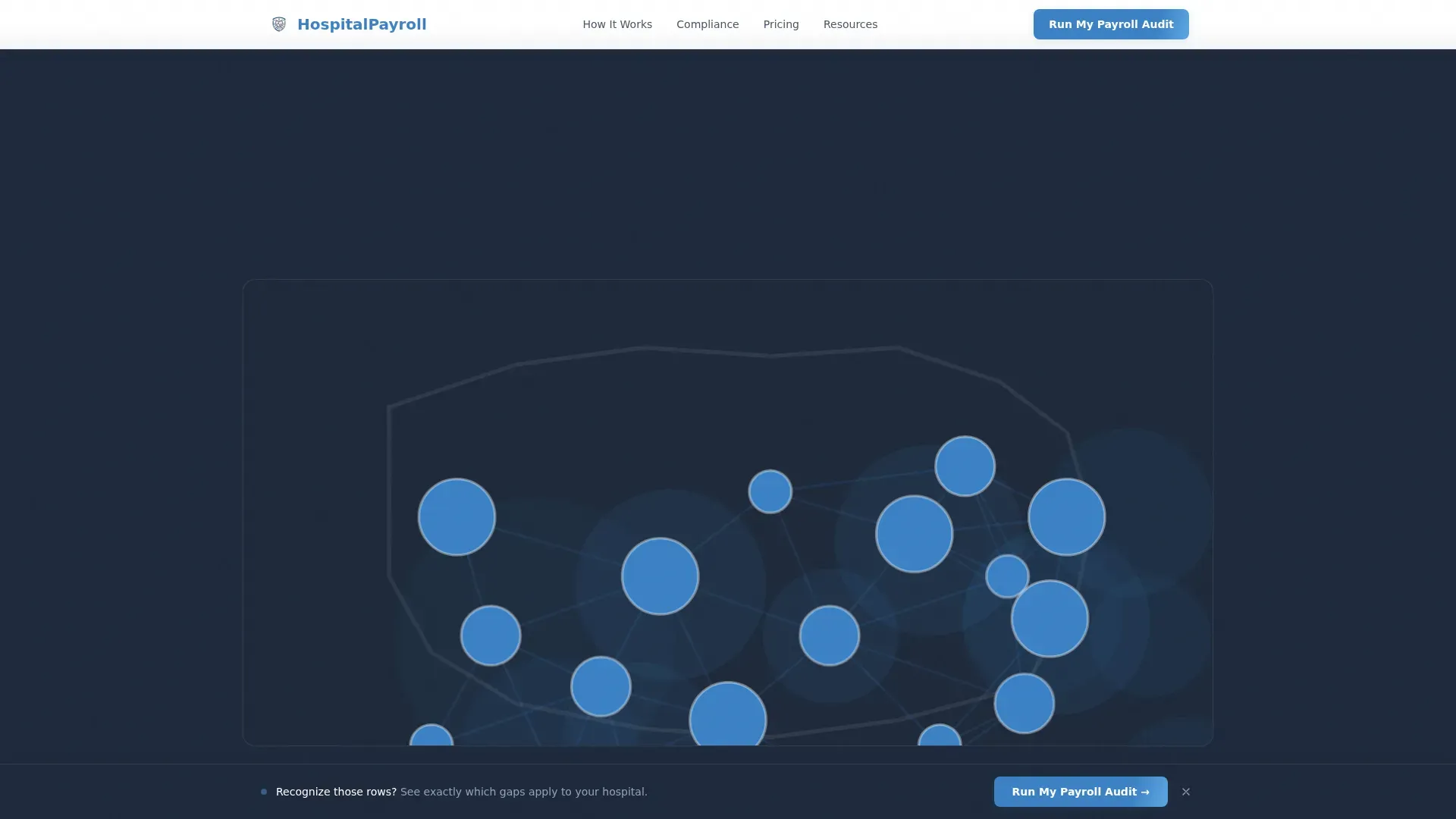
Animated Network Map
Midway through the page, a network map appears showing connected hospital systems already using the platform. Dots light up across a regional map as the visitor scrolls, building a sense of community and momentum without a single written testimonial.
Sticky Lead Capture Bar
After the third comparison row, a sticky bottom bar appears with the primary call to action: "Run My Payroll Audit." The bar stays visible as the visitor continues scrolling, keeping the next step always within reach without interrupting the table experience.
Secondary Checklist Download Path
Visitors who are not ready to speak with sales can download a Healthcare Payroll Compliance Checklist. The download form captures email address and job title, creating a nurture entry point for buyers earlier in their decision process.
Page sections overview
| Section | Purpose |
|---|---|
| Search Hero | Invite hospital name or EIN input with auto-suggest |
| Comparison Table | Show current-state pain versus automated resolution |
| Expandable Row Stories | Add scenario depth and healthcare-specific credibility |
| Network Map | Visualize connected hospital systems with animated dots |
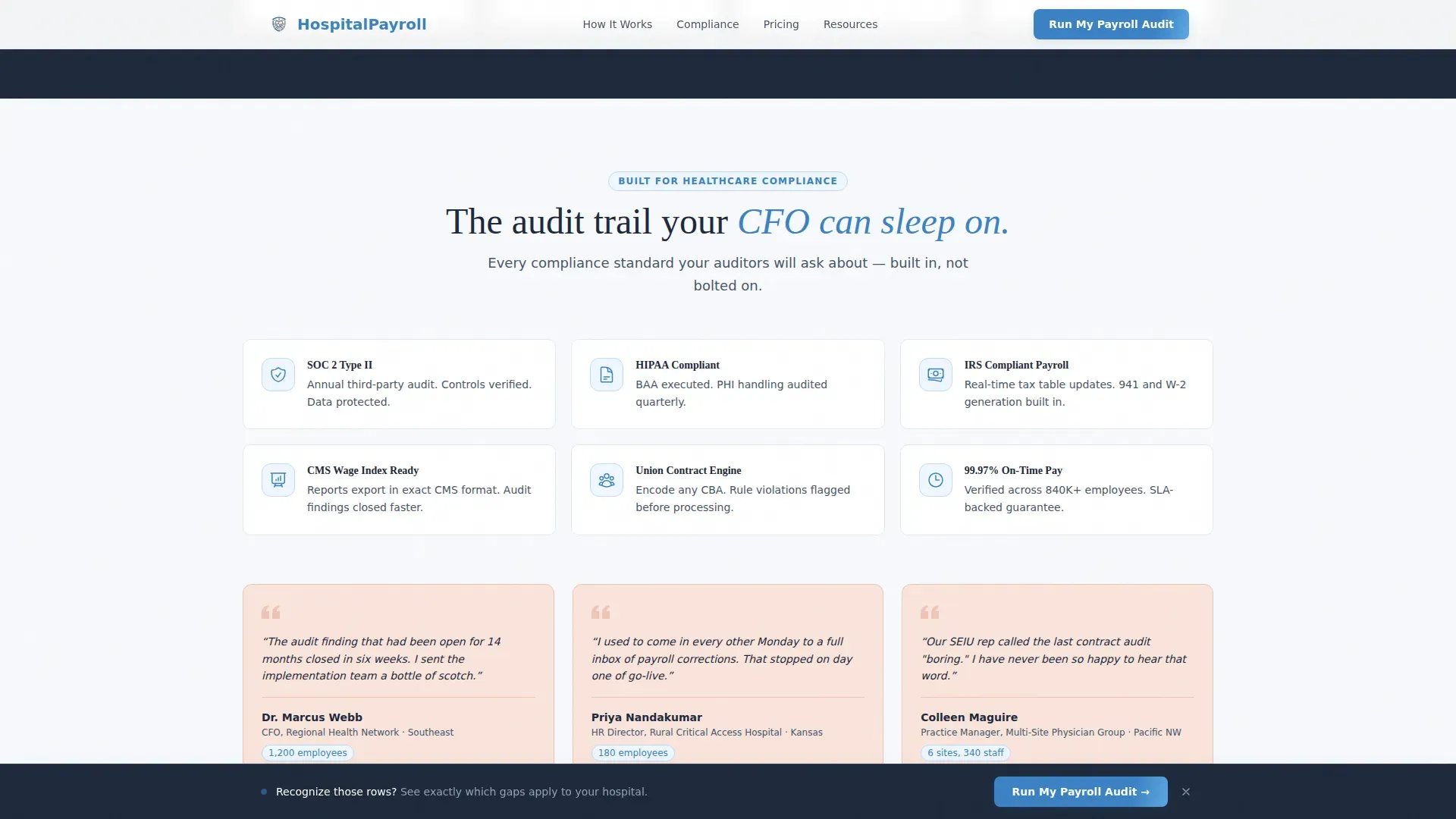
| Compliance Trust Badges | Reinforce audit protection with structured credibility signals |
| Payroll Audit Form | Capture qualified leads with a three-field form |
| Checklist Download | Nurture early-stage visitors with a secondary offer |
| Sticky call to action Bar | Keep the primary call to action visible after row three |
| Footer | Single-row linear footer with essential links |
Design & branding system
The visual identity follows a Family First theme using a Cloud Canvas color system. The palette feels like a freshly made bed in a quiet house: nothing loud, everything purposeful. Typography pairs Fraunces serif headlines with DM Sans body text, giving the page both clinical structure and human warmth.
- Cloud white (#F7F9FC) backgrounds keep the layout open and clean; slate (#475569) anchors body text and table borders
- Hearth blue (#3B82C6) marks primary buttons, active table row highlights, and the sticky call-to-action bar
- Blush (#F9E4DC) appears on callout cards and trust badges as a secondary accent, softening the compliance-heavy content
Mobile & speed optimization
The page is designed desktop-first, reflecting the reality that CFOs and HR directors interact with vendor pages during work hours on a desktop browser. The layout is structured to perform well on that primary context. Progressive enhancement ensures the interactive components load in a logical, dependency-aware order.
- No hero image means the initial page load is fast and the search interaction is immediately available
- Scroll-triggered animations and the network map use progressive enhancement, so the page remains fully usable before they activate
- The sticky call-to-action bar is designed to stay unobtrusive on larger screens while remaining accessible on tablet viewports
How this template helps you convert
This template is built around a specific conversion philosophy: show visitors their own problem before asking for anything. The comparison table does the persuasive work, and the form appears only after the visitor has seen enough to believe the platform understands their situation.
- The search interaction creates immediate personalization, signaling that the platform already knows the visitor's industry context and likely current-state payroll challenges.
- The expandable comparison table rows accumulate credibility row by row, so by the time the "Run My Payroll Audit" form appears, the visitor has already done the internal math on their own payroll risk.
- The secondary checklist download provides a low-friction path for visitors who need more time, capturing contact details for nurture without losing them from the funnel entirely.
Other information about this template
This template is purpose-built for healthcare payroll providers operating in a complex, compliance-driven sales environment. It is not a general-purpose HR software landing page. Several details reflect the specific regulatory and operational context of United States hospital payroll.
- The lead form includes a yes/no toggle asking "Are you currently under a payroll-related audit finding?", a qualifying question that helps sales teams prioritize high-urgency leads
- Employee count is captured in banded ranges (under 200, 200 to 1,000, and 1,000 and above) to allow segmentation without requiring sensitive data
- The page uses USD and United States healthcare compliance context throughout, including multi-state per diem handling and union differential language
- The footer follows a linear single-row pattern, keeping the page focused on the comparison table and conversion flow
- The template style is a Comparison Table layout with a Network Effect creative direction, meaning the page's persuasive power builds progressively as the visitor scrolls deeper
Theme
Family First
Creative direction
Network Effect
Color system
Cloud Canvas
Style
Comparison Table
Direction
Lead Generation
Page Sections
Hospital Search Hero with Auto-suggest
Expandable Comparison Table
Scroll-triggered Row Animations
Animated Regional Network Map
Sticky Payroll Audit Call to Action Bar
Dual Conversion Paths
Related questions
Who is this landing page template designed for?
What does the lead capture form ask visitors?
Is there a conversion path for visitors not ready to book a call?
How does the comparison table build trust with skeptical buyers?
What interactivity is built into this template?



