Senior Matchmaking Service Landing Page Template
Companion is an editorial-style landing page template built for a senior matchmaking service. It combines a giant centered headline, a transparent process walkthrough, real member stories, a plain-language pricing table, and a simple three-field booking form. The design uses warm linen, blush, and slate tones to feel unhurried and trustworthy for visitors over sixty and their adult children.
by Rocket studio
Quick summary
Companion is a single-page matchmaking template designed for a senior dating service that works through conversation, not algorithms. The layout guides visitors through every step of the process before asking for anything. Warm typography, a restrained color palette, and a minimal booking form make the page feel personal and unhurried from the first scroll to the last.
Who this template is for
This template is for matchmaking services and senior care providers who want to attract clients over sixty through trust, not pressure. It is also well suited for adult children searching on behalf of a parent who may not yet admit they are ready.
- Senior dating and matchmaking service operators
- Elderly care consultants offering social connection programs
- Adult children or family members searching for companionship services for a parent
What problem this template solves
Older adults considering a matchmaking service often carry a quiet mix of hope and skepticism. They have been through enough to know that vague promises and slick marketing feel hollow. This template removes that friction by showing every step of the process before asking for a commitment.
- Visitors leave pages that feel corporate, rushed, or unclear about what actually happens next
- Adult children searching on behalf of a parent need reassurance, not a hard sell
- Generic booking pages do not address the emotional weight behind this kind of decision
What you get with this template
The template delivers a full editorial landing page built around transparency and warmth. Every section is designed to answer an unspoken question before the visitor has to ask it.
- A giant centered headline section with breathing white space and a short subline
- A numbered editorial walkthrough explaining the intake call, matching philosophy, introduction format, and next steps
- Real member story profiles typeset like magazine features, with pull-quotes highlighted in blush
- A plain pricing table with no hidden tiers or asterisks
- A team section with photos styled to feel natural and approachable
- A three-field booking form and a secondary email-share path for family visitors
Feature list
This section covers the core design and functional components included in the Companion landing page template.
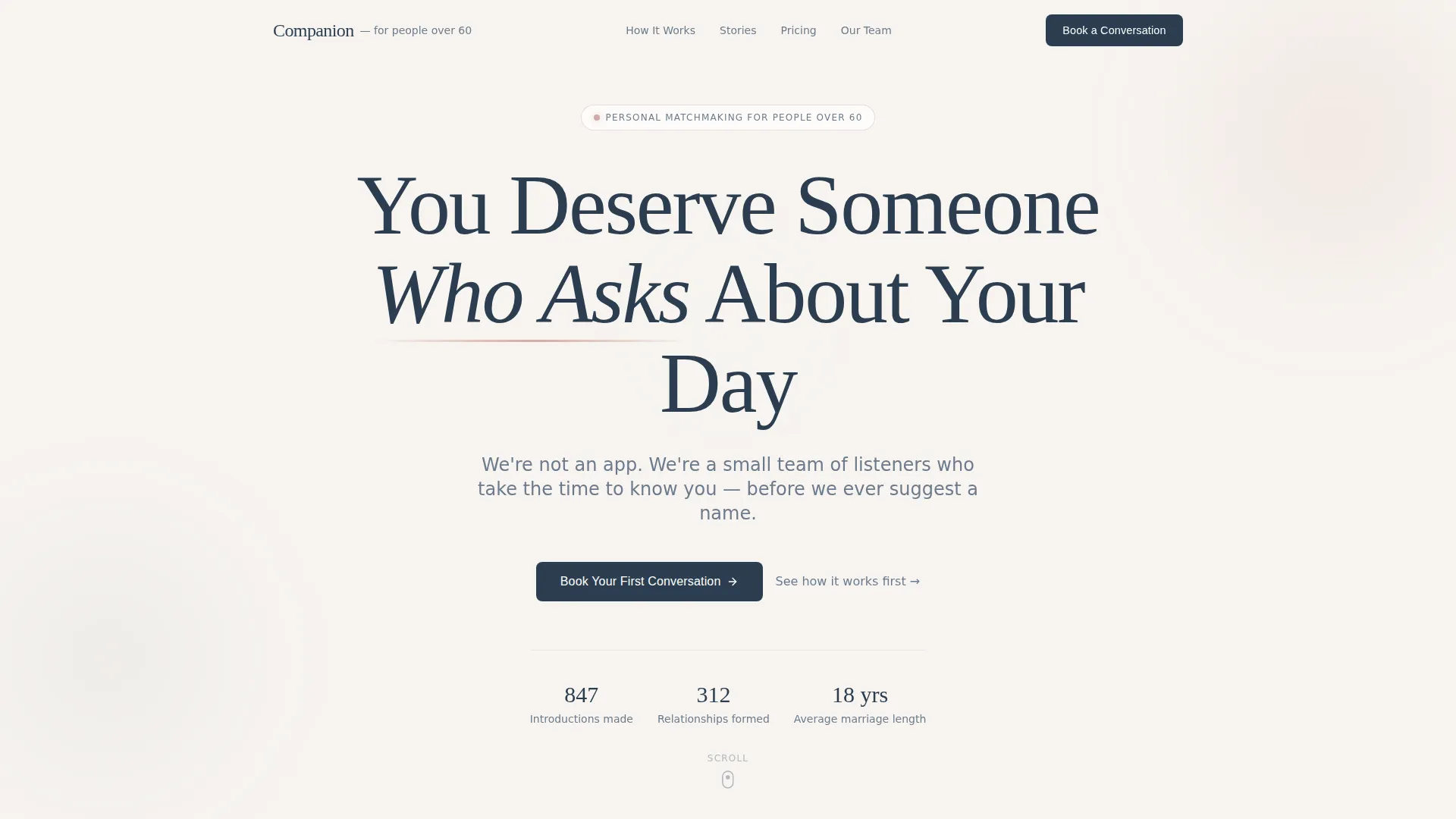
Giant Centered Headline Header
The header section places one large serif headline on a clean linen field with nothing competing for attention. A short subline sits beneath it. The restraint is intentional and signals the tone of the entire page.
Numbered Process Walkthrough
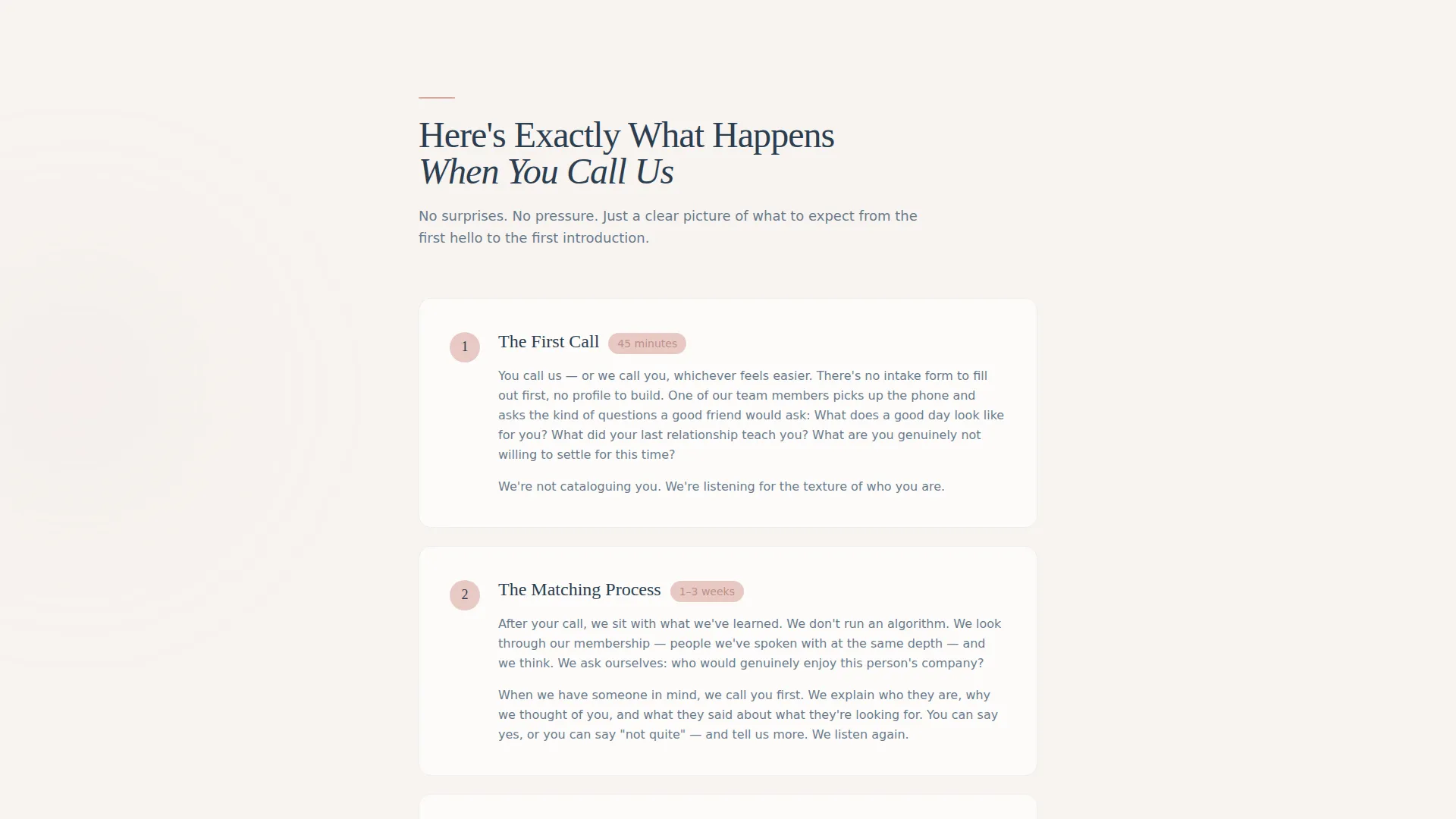
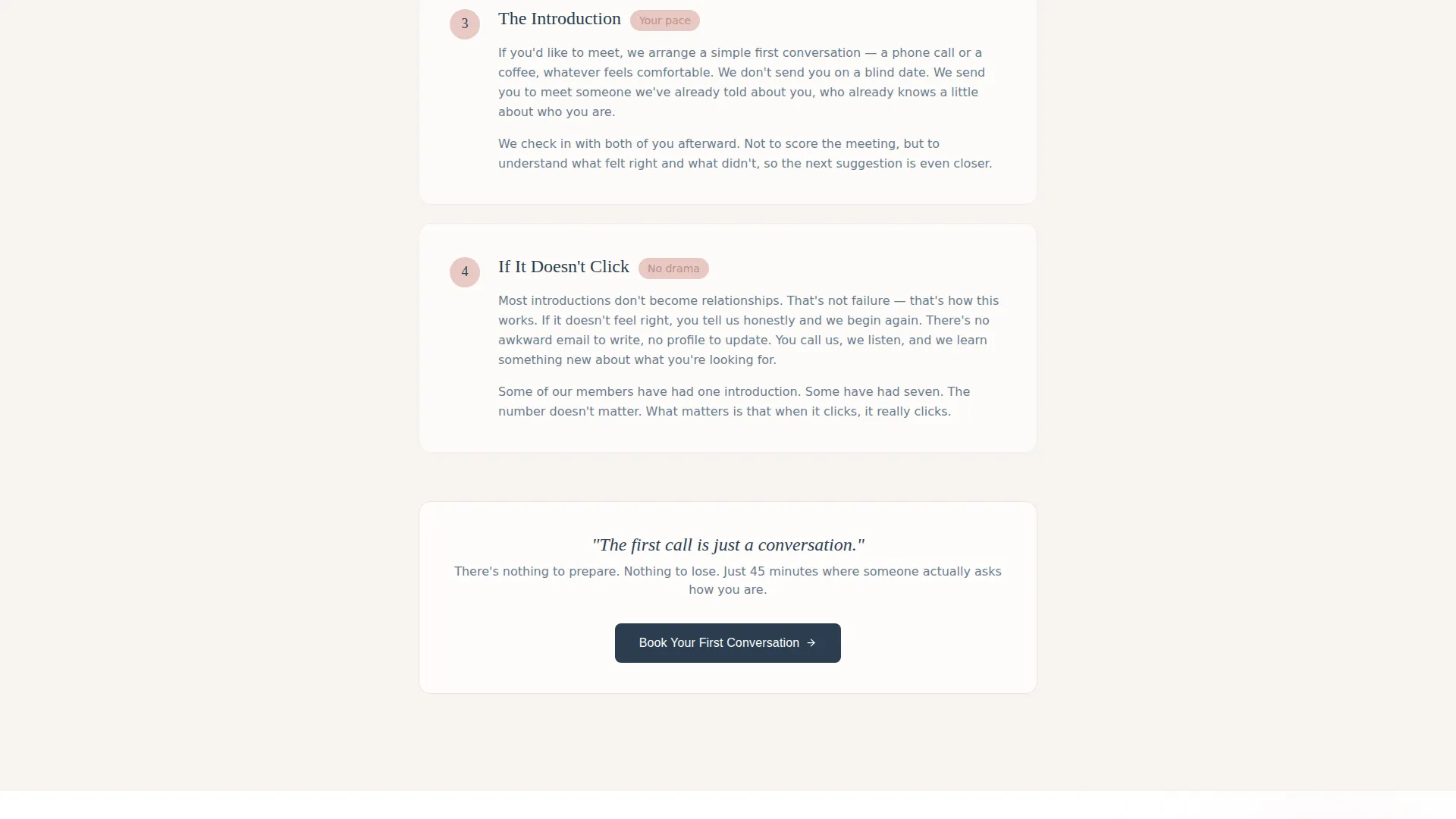
A section titled "Here's Exactly What Happens When You Call Us" walks visitors through the intake conversation, matching philosophy, introduction format, and what happens if a match does not work out. Short editorial paragraphs replace icon grids, keeping the tone conversational and clear.
Magazine-Style Member Stories
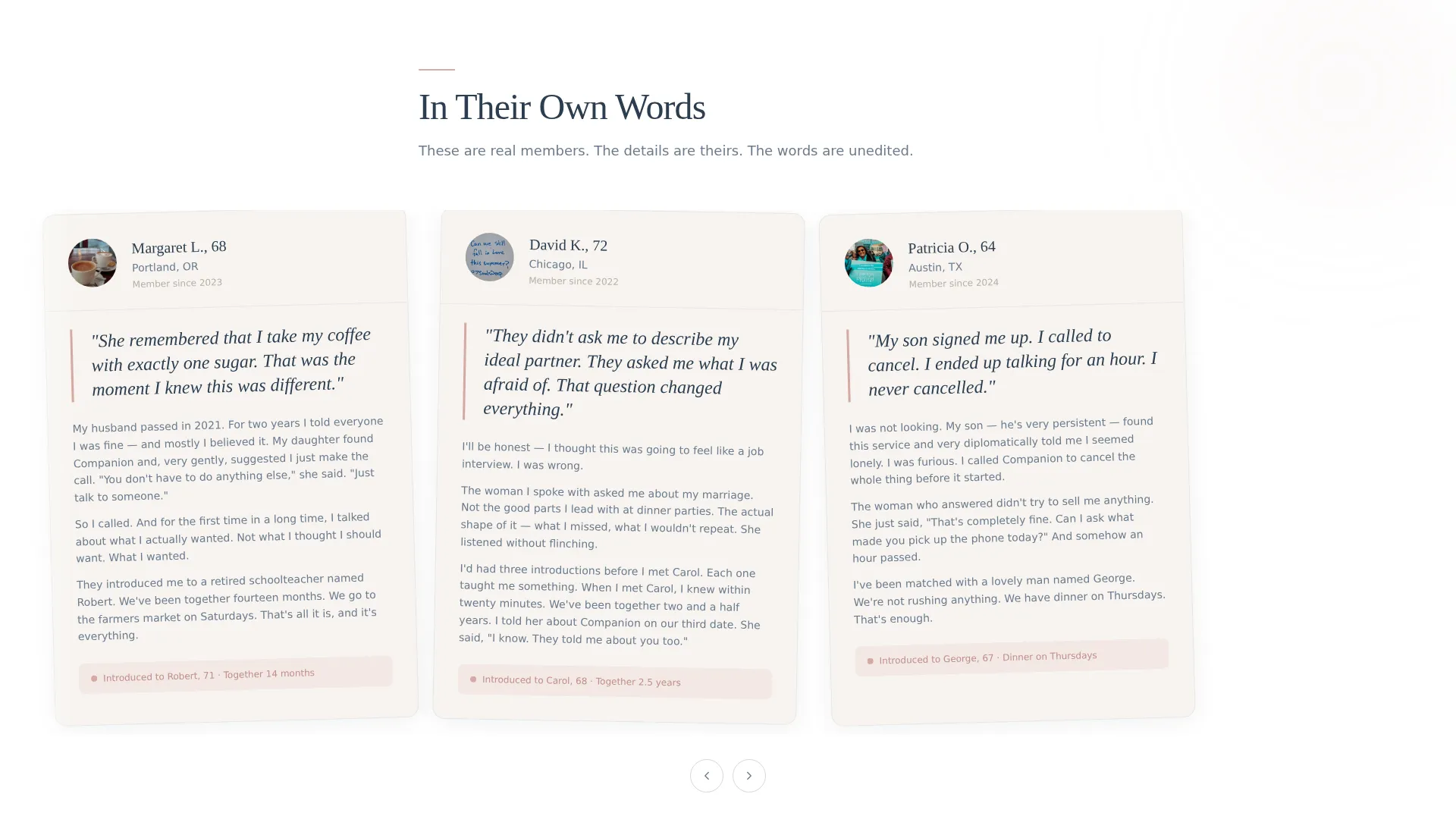
Real member stories are typeset as editorial profiles. Pull-quotes appear in warm blush to draw the eye, giving the section the feel of a trusted magazine rather than a testimonials widget.
Transparent Pricing Table
Pricing is presented in a simple, clean table with no hidden tiers or footnote asterisks. Visitors can read every option without guessing what is included.
Three-Field Booking Form
The primary call to action is "Book Your First Conversation." The form asks only for first name, phone number, and preferred time of day. Three fields, nothing more. It appears after the process walkthrough, after member stories, and once more at the close of the page.
Family Share Path
A secondary call to action reads "Send This Page to Someone You Love." A simple email-share field acknowledges that many visitors are adult children browsing on behalf of a parent, not searching for themselves.
Page sections overview
| Section | Purpose |
|---|---|
| Giant Headline Header | Opens with a single bold statement and a short subline, setting a warm and unhurried tone |
| Process Walkthrough | Numbered editorial steps explain what happens from the first call through to an introduction |
| Member Story Profiles | Editorial-style testimonials with blush pull-quotes build trust through real voices |
| Transparent Pricing Table | A simple table shows all options clearly with no hidden costs or tiers |
| Team Introduction | Approachable team photos and copy make the people behind the service feel real |
| Booking Form (primary) | Three-field form lets visitors book a first conversation quickly and without pressure |
| Family Share Path | Email-share option invites adult children to send the page to a parent |
| Closing call to action | A final "Book Your First Conversation" block gives returning scrollers a clear next step |
Design & branding system
The visual identity follows a Medical Clarity theme using the Cloud Canvas color system. The palette is warm without being sentimental and clean without feeling clinical. Every color choice reinforces the sense of calm, trustworthy care.
- Soft linen white (#F7F4F0) and white are used for all backgrounds to keep the page airy and open
- Warm blush (#D4A9A2) appears on pull-quotes and highlighted testimonials to draw quiet attention
- Gentle slate (#6B7B8D) anchors navigation and secondary text, and quiet ink (#2C3E50) grounds every headline
Mobile & speed optimization
The Companion template is built with a clean, minimal structure that keeps the layout readable on any screen size. Long editorial sections reflow naturally, and the booking form remains easy to complete on a phone.
- Single-column sections and generous line spacing keep body text legible on smaller screens
- The three-field booking form is designed to be quick to complete on a mobile device without scrolling confusion
How this template helps you convert
Every design and content decision in this template is built to reduce hesitation and move a thoughtful visitor toward booking a first conversation.
- The transparent process walkthrough answers every unspoken fear before the first call-to-action appears, so visitors arrive at the booking form already informed and reassured.
- The three-field booking form asks only for what is needed, keeping the barrier to entry as low as possible for an audience that values simplicity and respect for their time.
- The secondary family share path captures visitors who are browsing for a parent, turning a passive visit into a warm referral without any additional friction.
Other information about this template
The Companion template is part of the Editorial/Magazine template style category, making it well suited for service businesses where tone, trust, and storytelling carry more weight than product features or pricing urgency. The senior dating service niche sits within the broader Elderly Care and Senior Living category.
- The template style is editorial and magazine-inspired, prioritizing readable prose and curated visual hierarchy over dense feature lists
- It is built for the Booking and Scheduling landing page direction, meaning every section flows toward one clear action
- The Transparent Process creative direction is baked into the structure: each scroll removes one more reason to hesitate
- The Giant Headline Centered header concept is a core layout choice, not an optional variation
- This template is categorized under Senior Support Services and Senior Dating Service niches, and is appropriate for any operator in the senior companionship or senior social connection space
Theme
Medical Clarity
Creative direction
Transparent Process
Color system
Cloud Canvas
Style
Editorial/Magazine
Direction
Booking/Scheduling
Page Sections
Giant Centered Headline Header
Numbered Process Walkthrough
Magazine-style Member Profiles
Transparent Pricing Table
Minimal Three-field Booking Form
Family Email-share Path
Related questions
Who is this landing page template designed for?
What sections are included in this template?
Can I customize the colors and typography?
Why does the booking form only ask for three fields?
Is this template suitable if I am browsing on behalf of a parent?