Dog Portfolio Website Template
Cockpit is a dashboard and data grid landing page template built for aviation training and simulation facilities. It uses an Engineering Blueprint visual identity with a charcoal and amber color system, a full-bleed simulator header, and a case study narrative scroll structure. The layout drives lead generation through a sticky call to action bar, a slide-out inquiry form, and a gated spec sheet download.
by Rocket studio
Quick summary
Cockpit is a precision-built landing page template for aviation training and simulation facilities. It combines a full-bleed simulator header, scrolling case study mission briefs, and adaptive dashboard grids to communicate capability at a glance. A sticky bottom bar and slide-out form keep lead generation active throughout the page.
Who this template is for
This template is designed for organizations that sell high-stakes aviation training. The audience expects technical credibility and clear evidence of outcomes, not generic marketing copy.
- Regional airlines fast-tracking cadets through aircraft type ratings
- Corporate flight departments scheduling recurrent crew certification
- Military contract programs managing simulator hours under regulatory constraints
What problem this template solves
Aviation training facilities often struggle to communicate program depth to sophisticated buyers. A generic service page cannot convey the difference between a basic simulator rental and a structured, outcomes-driven curriculum.
- Buyers cannot evaluate capability from a standard brochure layout
- Fleet-specific and compliance-driven requirements get buried in dense text
- No clear path exists for different buyer types to self-qualify and request a plan
What you get with this template
This template delivers a complete single-page structure purpose-built for aviation training lead generation. Every section is designed to build authority and move a qualified buyer toward contact.
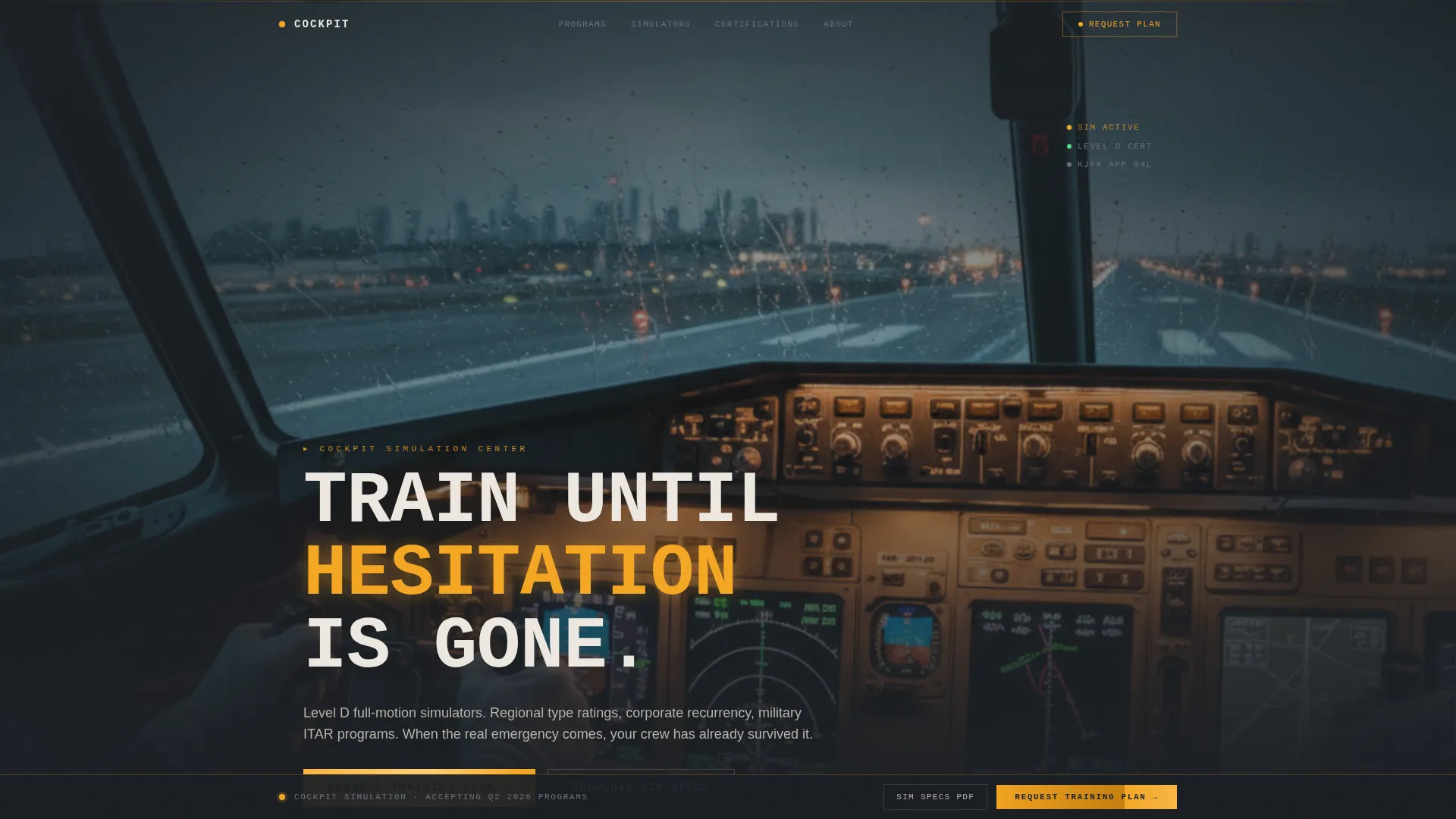
- A full-bleed Level D simulator header with delayed monospaced headline animation
- Three escalating case study sections formatted as mission briefs with data grid panels
- A sticky bottom bar call to action that activates after the first case study clears the viewport
- A slide-out lead form with fleet type dropdown, crew count field, and training window input
- A secondary gated download path for evaluators requesting simulator specification documents
Feature list
This template includes several purpose-designed components that work together to serve the aviation training sales context.
Full-Bleed Simulator Header
The header uses an immersive photo shot from inside a Level D full-motion simulator. Depth of field draws the eye to the primary flight display and the rain-soaked runway approach beyond it. A monospaced white headline fades in after a two-second delay, styled to feel like a checklist item appearing on a control display unit screen.
Escalating Case Study Narrative
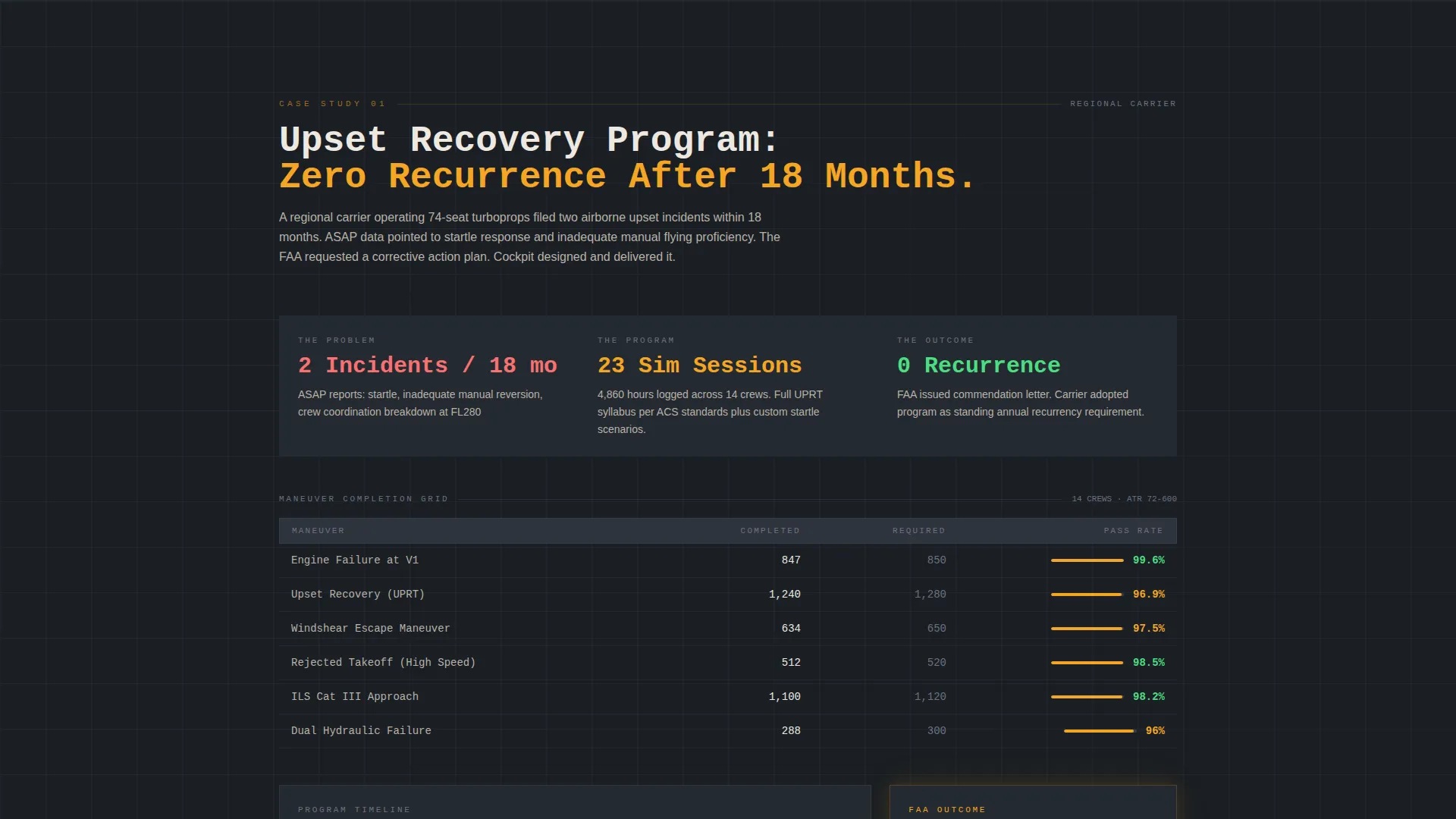
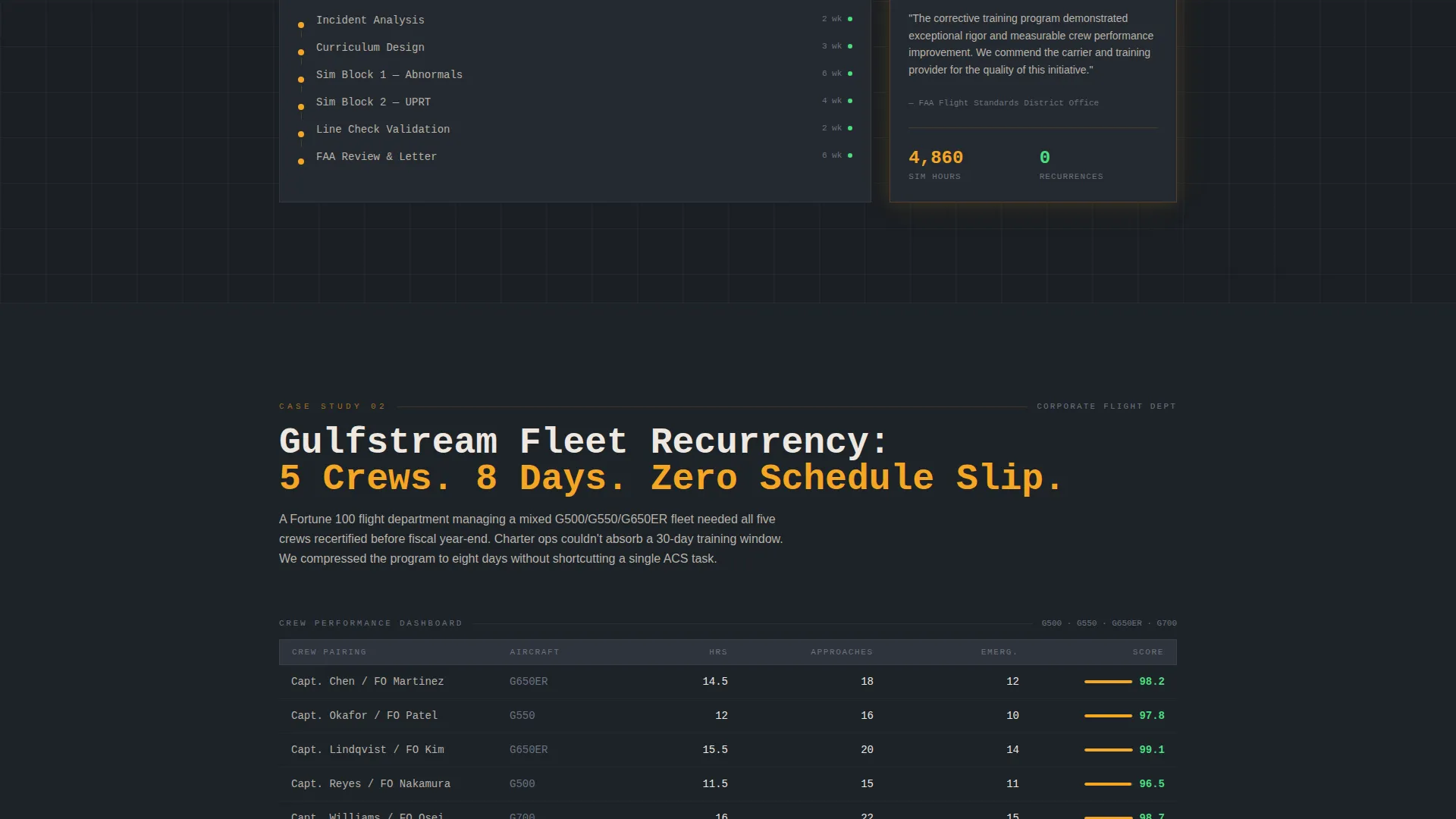
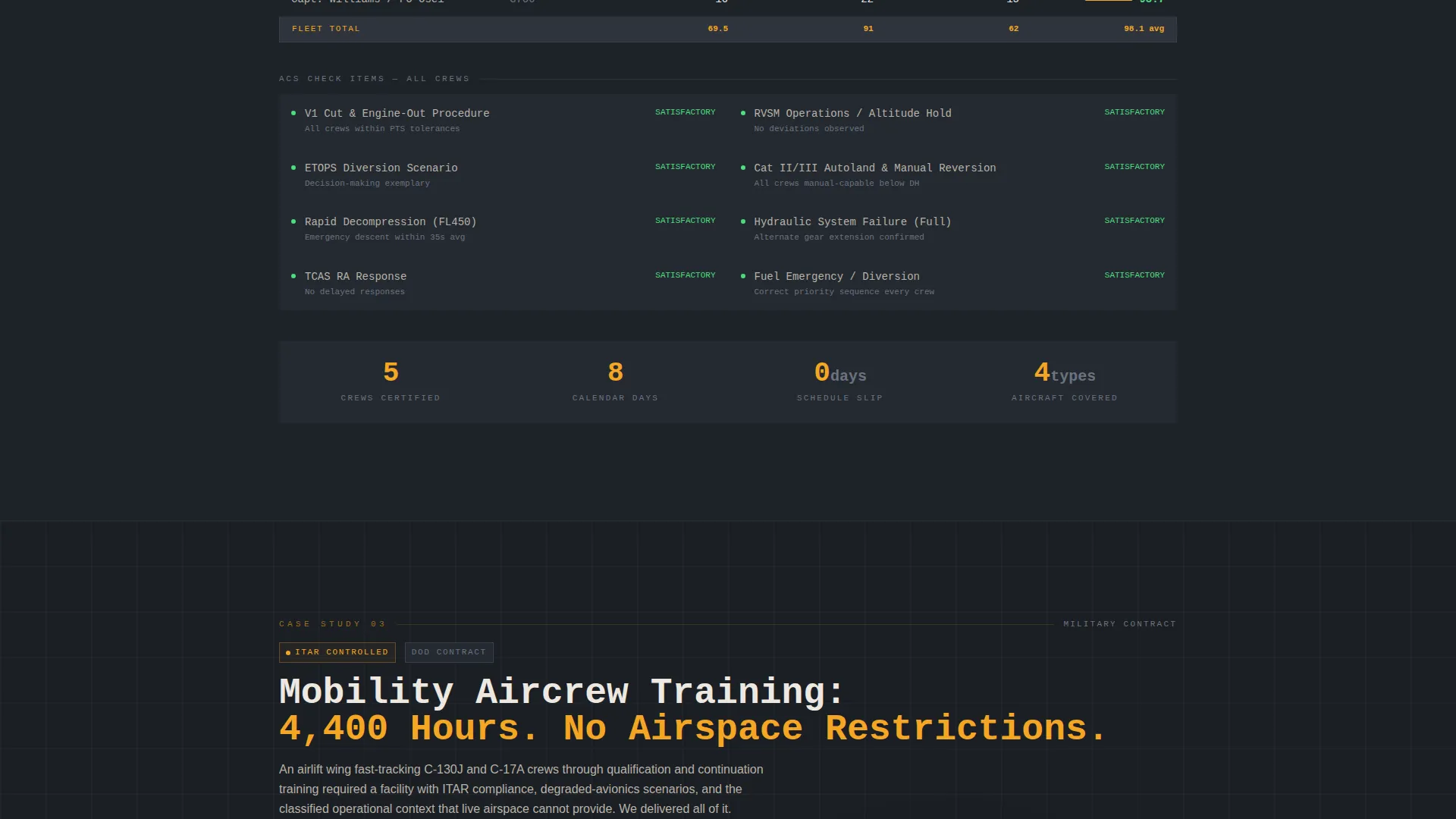
Each scroll section presents a discrete training program as a mission brief. The structure follows a problem, curriculum, and outcome arc. Cases escalate from a regional airline upset recovery program through a corporate recertification campaign to a military contract scenario, with the dashboard grid growing denser with each case to reflect increasing program complexity.
Adaptive Dashboard Data Grid
The data grid panels display logged simulator hours, completed maneuvers, and pass rates in a structured column layout. The grid adapts across case studies, adding columns and metric density as the narrative escalates, so the page itself demonstrates growing capability to the reader.
Sticky Lead Generation Bar
A persistent bottom bar activates after the first case study section scrolls out of the viewport. It anchors the primary call to action, "Request Your Training Plan," keeping conversion accessible at every stage of the page without interrupting the reading flow.
Slide-Out Inquiry Form
The lead form opens in a slide-out panel triggered from the sticky bar. It collects fleet type via a dropdown of aircraft families, number of crew to certify, and the buyer's preferred training window. The structured sequence mirrors the way a training coordinator would actually qualify a prospective client.
Gated Simulator Spec Download
A secondary conversion path offers a downloadable simulator specification document for evaluators comparing facilities. A short gate form captures name, organization, and email before delivering the document, targeting buyers who are still in the research and comparison phase.
Page sections overview
| Section | Purpose |
|---|---|
| Simulator Header | Establish immersive credibility with full-bleed photo and delayed headline |
| Regional Airline Case | Present upset recovery program as problem-curriculum-outcome mission brief |
| Corporate Case Study | Shift to Gulfstream crew recertification with adapted dashboard metrics |
| Military Contract Case | Escalate to ITAR-compliant sim hours scenario with densest data grid |
| Sticky call to action Bar | Persist lead generation prompt after first case study clears viewport |
| Slide-Out Form | Capture qualified leads via fleet type, crew count, and training window |
| Spec Sheet Gate | Offer gated PDF download for evaluators still comparing facilities |
Design & branding system
The visual identity follows an Engineering Blueprint theme that makes the entire page feel like a live instrument panel. Dark tones dominate the layout, and amber appears exclusively where the page needs the visitor's attention.
- Color system: instrument-panel black (#1B1F24), technical charcoal (#3A3F47), schematic-line gray (#6B7280), caution amber (#F5A623) for calls to action and interactive states, and parchment white (#EDE8E0) for text-heavy grid cells
- Typography uses monospaced styling for headlines and checklist-style text to reinforce the cockpit technical aesthetic
- Interactive hover states trigger amber highlight treatments, directing attention the same way an annunciator panel lights up a single critical item
Mobile & speed optimization
The template is structured to remain functional and readable at smaller viewport sizes. Dashboard grid panels reflow to single-column layouts on mobile without losing data legibility.
- The sticky bottom bar and slide-out form are designed to work within touch-based navigation patterns
- The gated download path remains accessible on mobile so evaluators on any device can capture the spec document
How this template helps you convert
The page uses a layered conversion architecture so buyers at different stages of evaluation always have a relevant next step.
- The immersive header and narrative case studies build authority before any ask is made, so the call to action arrives with earned trust rather than cold interruption.
- The sticky bar keeps "Request Your Training Plan" visible throughout the scroll, removing friction for buyers who decide mid-page without forcing the form on those who need more context.
- The gated spec sheet captures evaluators who are not yet ready to commit, turning a passive research visit into a qualified lead with a name, organization, and email address on record.
Other information about this template
This template is designed specifically for the aviation training and simulation niche within the broader aerospace and defense category. The brief covers a distinct set of buyer segments and compliance contexts worth noting.
- The template addresses International Traffic in Arms Regulations (ITAR) compliance as a selling point for military contract programs, so the layout supports this context in its case study narrative
- The page is built around a Dashboard and Data Grid template style, making it well suited to any facility that can present quantitative training outcomes
- The Engineering Blueprint theme and charcoal and amber color system are matched to the intersection context of this niche, ensuring the visual language resonates with technically trained buyers
- This template can support scenarios involving Level D full-motion simulators, which represent the highest fidelity classification used for airline pilot certification
- The three-case narrative structure naturally accommodates the three primary buyer segments described in the brief: regional airline, corporate flight department, and military contract
Theme
Engineering Blueprint
Creative direction
Case Study Narrative
Color system
Charcoal & Amber
Style
Dashboard/Data Grid
Direction
Lead Generation
Page Sections
Full-bleed Simulator Header with Delayed Headline
Mission Brief Case Study Sections
Adaptive Dashboard Grid Panels
Sticky Bottom Bar with Activation Trigger
Slide-out Lead Qualification Form
Gated Simulator Specification Download
Related questions
Can this template be adapted for a single training program instead of three case studies?
How does the fleet type dropdown work in the lead form?
Is the gated spec sheet download connected to an email delivery system?
Who is the sticky call to action bar designed for?



