Flight School Marketing Pricing Website Template
Clearance is an editorial-style landing page template built for flight school coupon and discount pages. It opens with animated deal counters, flows through category deal cards, and closes with a gated PDF download that captures email leads. The layout is clean, scan-friendly, and designed to help student pilots find savings fast, from discovery flights to checkride prep packages.
by Rocket studio
Quick summary
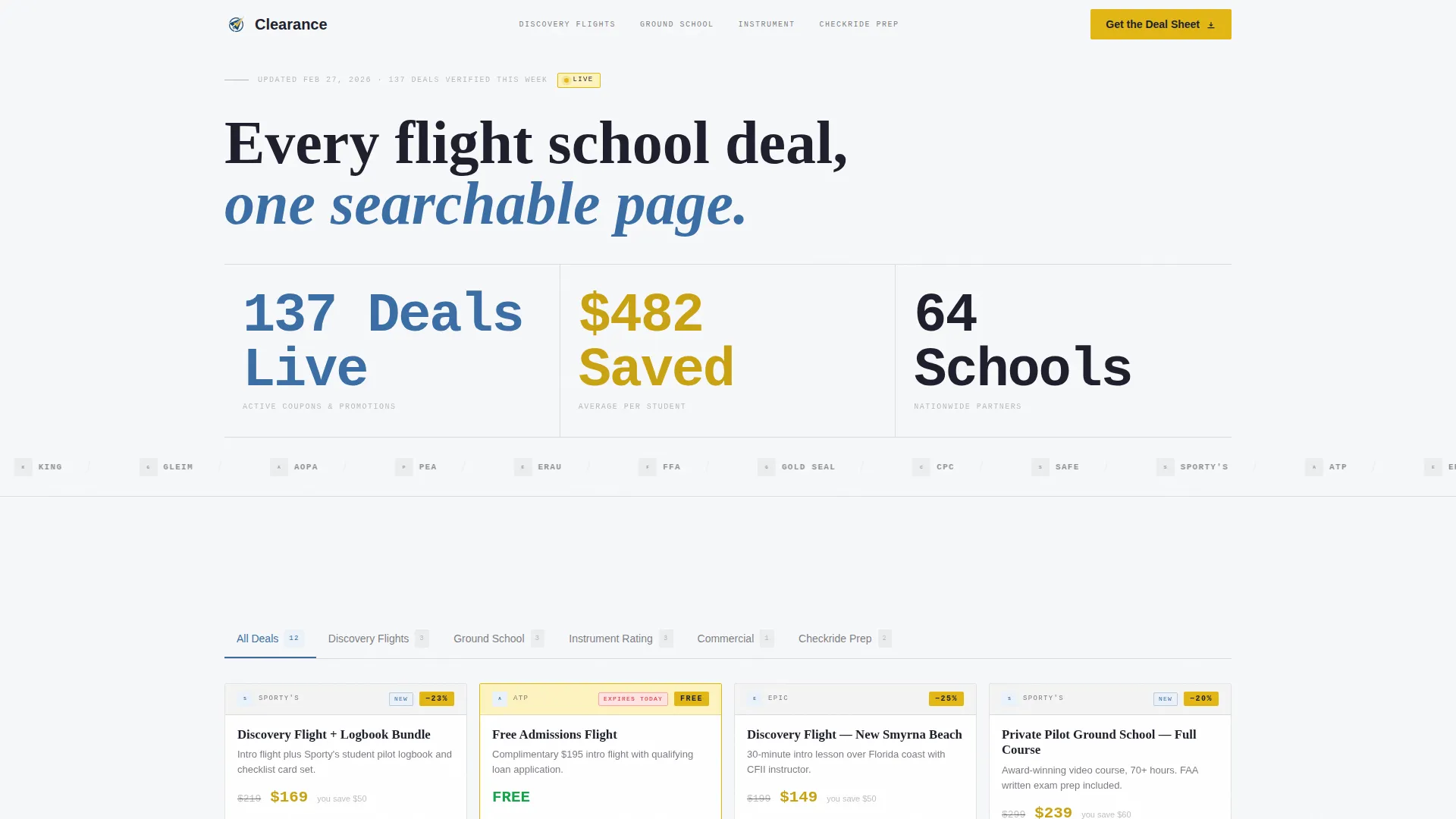
Clearance is a single-page discount hub template built for flight school marketing. It organizes active coupons, seasonal promotions, and bundle deals into one scannable page. The Stats/Metrics header builds instant trust. Category deal cards guide visitors toward the right offer. A gated "Get the Deal Sheet" call to action captures email leads while individual promo code copy keeps one-time visitors happy.
Who this template is for
This template is built for flight school marketers, aviation training networks, and independent schools that want one place to publish and promote current deals. It also works well for content publishers covering the student pilot journey.
- Flight schools promoting discovery flights, ground school packages, and rating bundles
- Aviation training hubs aggregating deals across Part 61 and Part 141 programs
- Content creators building a resource page for student pilots researching affordable training paths
What problem this template solves
Student pilots waste time chasing scattered promotions across school websites, social media, and paper flyers at the fixed-base operator. There is no single organized place to compare what is on offer right now. This template fixes that directly.
- Deals are fragmented across dozens of school websites and hard to compare at a glance
- Visitors lack a fast way to grab a promo code without filling out a long contact form
- Schools have no clean editorial format to present multiple offers without looking cluttered
What you get with this template
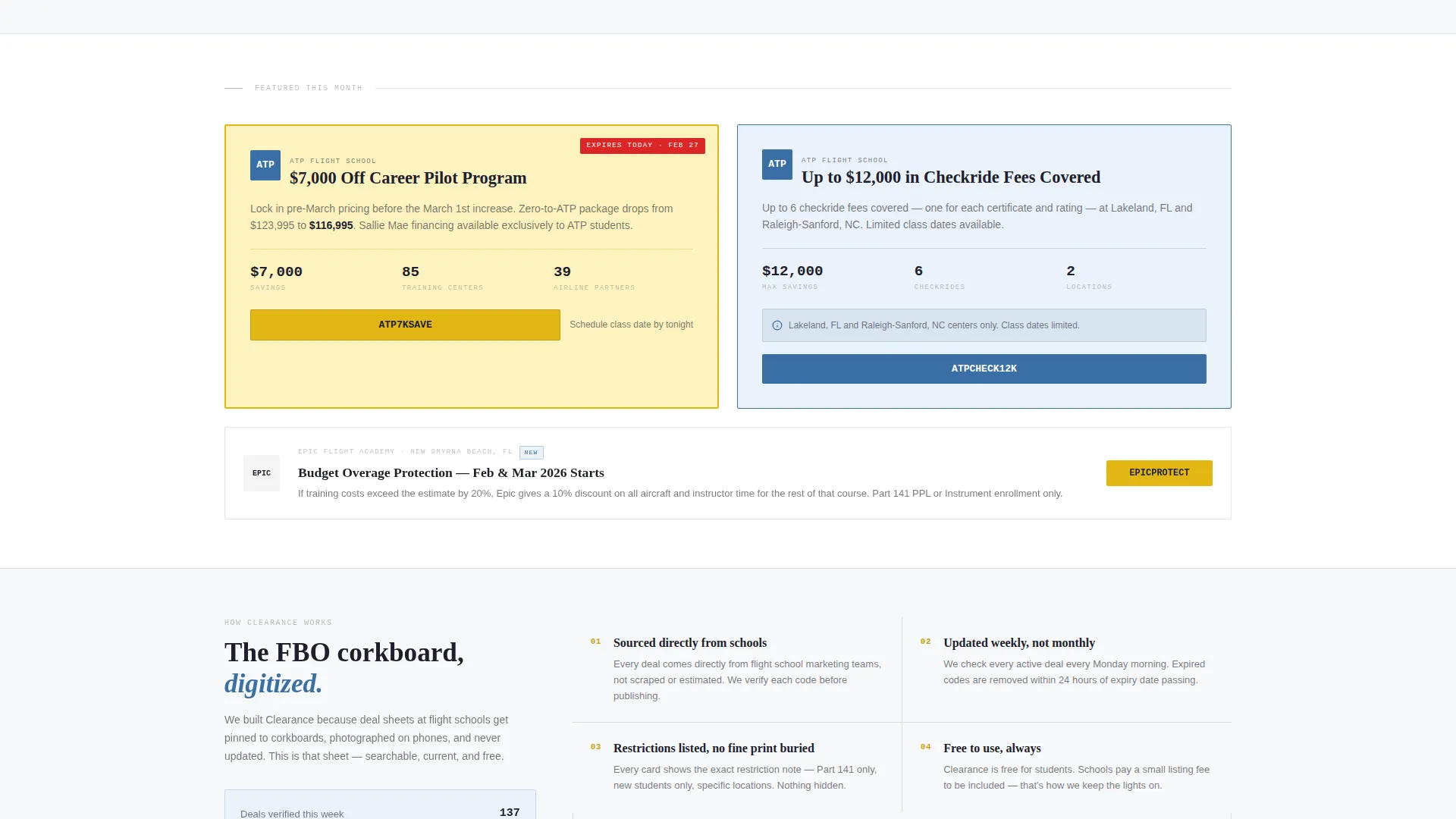
You get a fully structured editorial landing page ready to populate with real deal data. Every layout section is already defined, so the main work is swapping in your content, logos, and coupon details.
- An animated Stats/Metrics header banner with three live deal counters
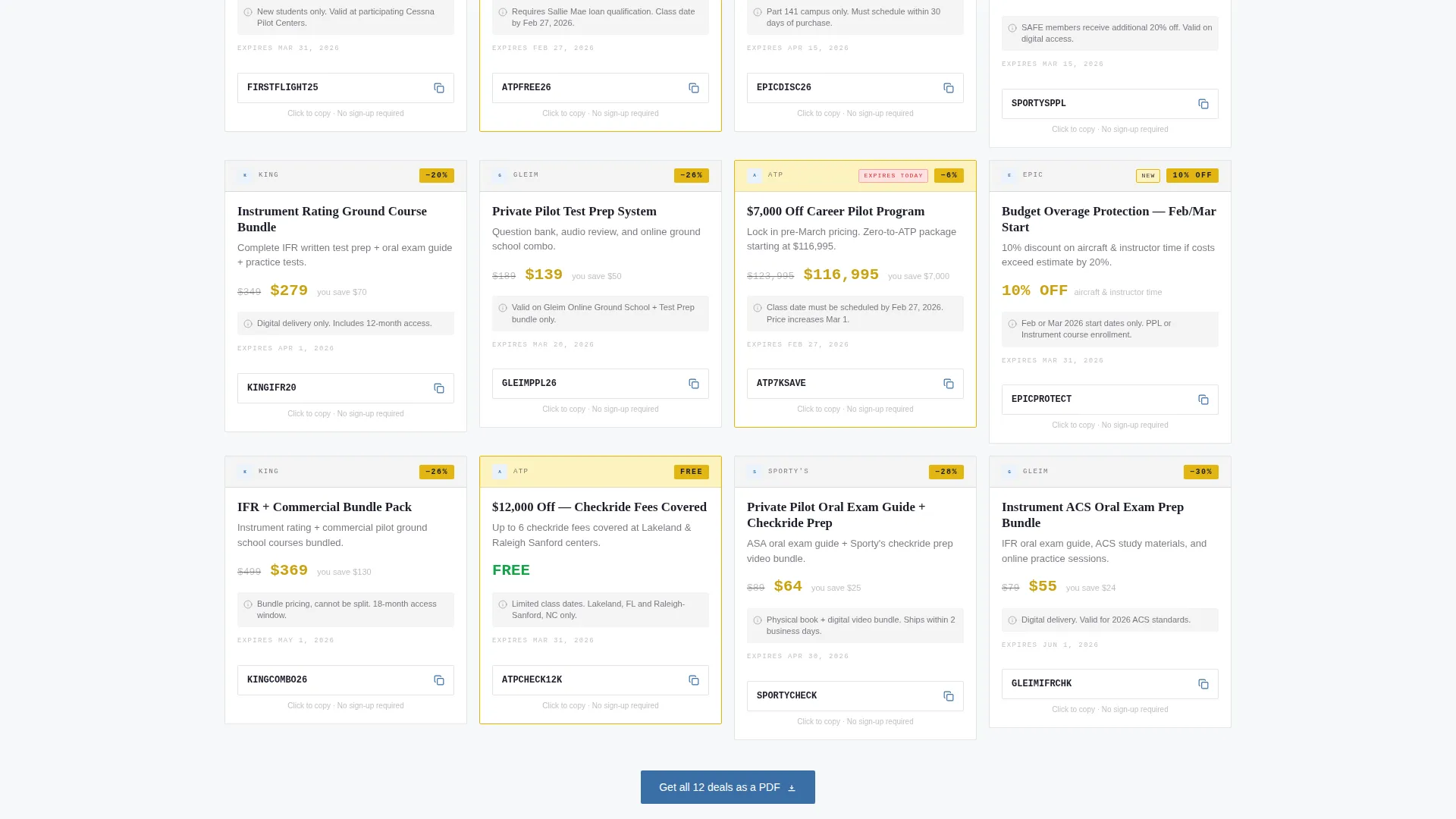
- Editorial category deal cards covering Discovery Flights, Ground School, Instrument Rating Bundles, and Checkride Prep
- A dual conversion path: a gated PDF download for email capture and one-click promo code copy for low-friction visitors
Feature list
This section covers the core built-in components that make the Clearance template functional out of the box.
Animated Stats Banner
Three oversized counters animate upward on page load, showing total active coupons, average student savings, and participating school count. Each counter is set in a condensed mono typeface against pure white, separated by thin charcoal rules for clean visual rhythm.
Scrolling Logo Wall
A horizontal logo wall of partnered flight school emblems scrolls automatically below the hero metrics. Real crests and wordmarks appear in sequence, providing immediate credibility and signaling to visitors that recognized schools are part of the network.
Editorial Category Deal Cards
Deals are organized into four columns: Discovery Flights, Ground School, Instrument Rating Bundles, and Checkride Prep. Each card displays the school logo, a struck-through original price in charcoal, the discounted price in taxiway yellow, and a one-line restriction note.
Dual Conversion Path
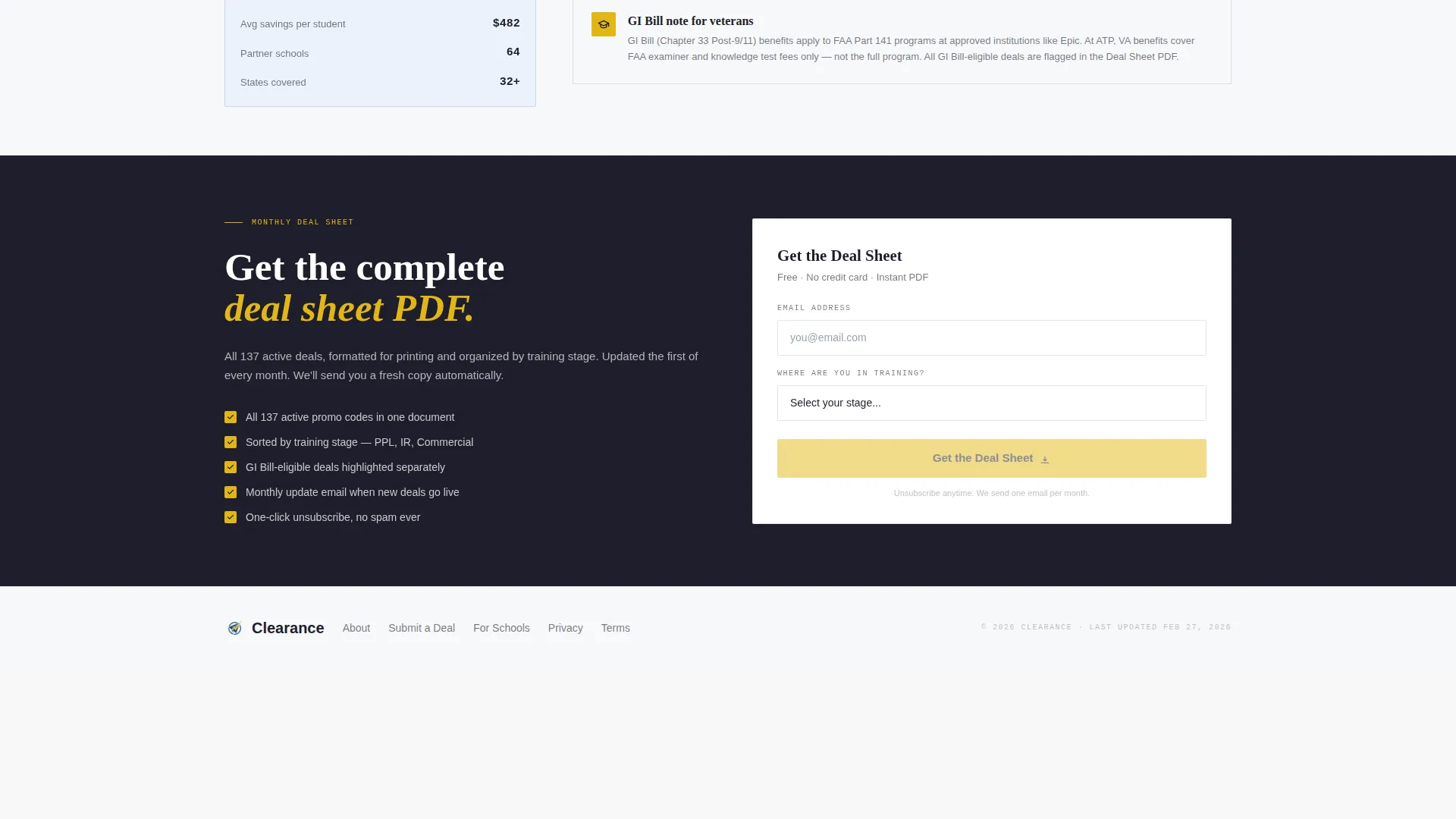
The primary call to action gates a downloadable PDF of all current coupons behind an email form with a training-stage selector (Student Pilot, Private, Instrument, Commercial). A secondary path lets visitors copy any individual promo code instantly without signing up, reducing drop-off.
Service Utility Color System
The Arctic White palette uses bright tarmac white as the dominant canvas, taxiway centerline yellow for savings callouts and percentage badges, sectional chart blue for headers and filter controls, and logbook-ink charcoal for all body text. The result is clinical, readable, and fast to scan.
Page sections overview
| Section | Purpose |
|---|---|
| Stats/Metrics Banner | Displays animated deal counters to build immediate trust |
| Scrolling Logo Wall | Shows partnered school emblems for social proof |
| Discovery Flights Cards | Lists introductory flight deals with pricing and codes |
| Ground School Cards | Presents ground school package promotions |
| Instrument Rating Bundles | Groups instrument training deals by school |
| Checkride Prep Cards | Highlights test preparation discounts and bundles |
| Deal Sheet Gate | Captures email via PDF download and training-stage selector |
Design & branding system
The template uses a Service Utility visual identity built on an Arctic White color system. Every design choice prioritizes fast reading under any lighting condition, from a hangar monitor to a phone screen.
- White (#F7F8FA) covers roughly eighty percent of the canvas, keeping the page open and fatigue-free
- Taxiway yellow (#E2B714) marks all savings callouts, percentage badges, and discount price figures
- Sectional chart blue (#3A6EA5) anchors headers and interactive filter controls, while logbook-ink charcoal (#1E1E2C) carries all body text
Mobile & speed optimization
The layout is built to be read quickly on any screen. Visitors researching deals on their phones at the airport or flight school need a page that loads and scans without friction.
- The single-page structure keeps navigation minimal and scroll flow uninterrupted on small screens
- Deal cards are organized in columns that reflow cleanly for portrait and landscape viewports
- The condensed mono typeface used in the stats banner remains legible at small sizes without sacrificing the editorial feel
How this template helps you convert
The Clearance template uses two deliberate conversion mechanics working in parallel. Neither path blocks the other, so both casual browsers and serious buyers move forward.
- The gated PDF download ("Get the Deal Sheet") collects email addresses and training-stage data, building a segmented list for monthly deal roundups and follow-up campaigns.
- The one-click promo code copy on individual deal cards removes all friction for visitors who are ready to act now, reducing abandonment before the email gate.
Other information about this template
This template fits naturally into a broader flight school marketing funnel. It works as a standalone campaign page or as a section linked from a school's main site.
- The training-stage selector (Student Pilot, Private, Instrument, Commercial) segments captured leads by certification level, making follow-up more relevant
- The editorial magazine layout mirrors the tone of trusted aviation publications, reinforcing the page's credibility as a curated resource rather than a generic coupon site
- The template style is Editorial/Magazine and the header concept is Stats/Metrics, which together create an authoritative first impression rooted in real data
- Page content is organized to serve career-changers comparing Part 61 and Part 141 programs, college students managing GI Bill benefits, and hobbyists seeking the most affordable path to a private pilot certificate
- Schools referenced in the brief as examples of logo wall participants include Sporty's, ATP Flight School, and Epic Flight Academy
Theme
Service Utility
Creative direction
Logo Wall Authority
Color system
Arctic White
Style
Editorial/Magazine
Direction
Content/Resource
Page Sections
Animated Stats/metrics Header Banner
Auto-scrolling Logo Wall
Editorial Category Deal Cards
Dual-path Conversion Design
Arctic White Service Utility Palette
Related questions
Can visitors grab a promo code without providing their email?
What does the 'Get the Deal Sheet' call to action do?
Who is this landing page template designed for?
Does the template support multiple schools or just one?
How is the color system structured in this template?



