Customs & Trade Documentation Landing Page Template
Clearance is a single-column flow landing page template built for import/export documentation services. It uses a Stats-First Impact creative direction, an isometric header illustration, and a Navy Authority color system to communicate precision and compliance authority. The layout guides freight forwarders, customs brokers, and manufacturers toward a gated resource download through a punch-then-prove scroll rhythm.
by Rocket studio
Quick summary
Clearance is a documentation-focused landing page template for customs and trade professionals. It pairs an isometric global trade header with a dark, data-command visual identity. The scroll flow delivers statistics before explanations, building credibility block by block. A compliance toolkit download and an embedded HS code lookup tool serve as the two primary conversion paths.
Who this template is for
This template is built for trade professionals who handle high-stakes import and export documentation daily. It speaks directly to the people who live inside the paperwork, not around it.
- Freight forwarders managing HS code misclassifications across multiple active shipments
- Mid-size manufacturers entering new export markets for the first time
- Customs brokers running fifty or more active entries who cannot afford a single Importer Security Filing penalty
What problem this template solves
Customs documentation is dense, error-prone, and consequential. A single misclassification can hold a shipment at port for days. Most service pages in this space lead with features. This template leads with proof.
- Visitors often leave before trusting a customs service because the page never demonstrates real fluency in their pain
- Trade professionals need trade-lane-specific clarity, not generic logistics copy
- Generic contact forms collect leads before earning them, which lowers conversion quality
What you get with this template
You get a complete single-column landing page layout purpose-built for an import/export documentation service. Every section is pre-structured around the Stats-First Impact creative direction.
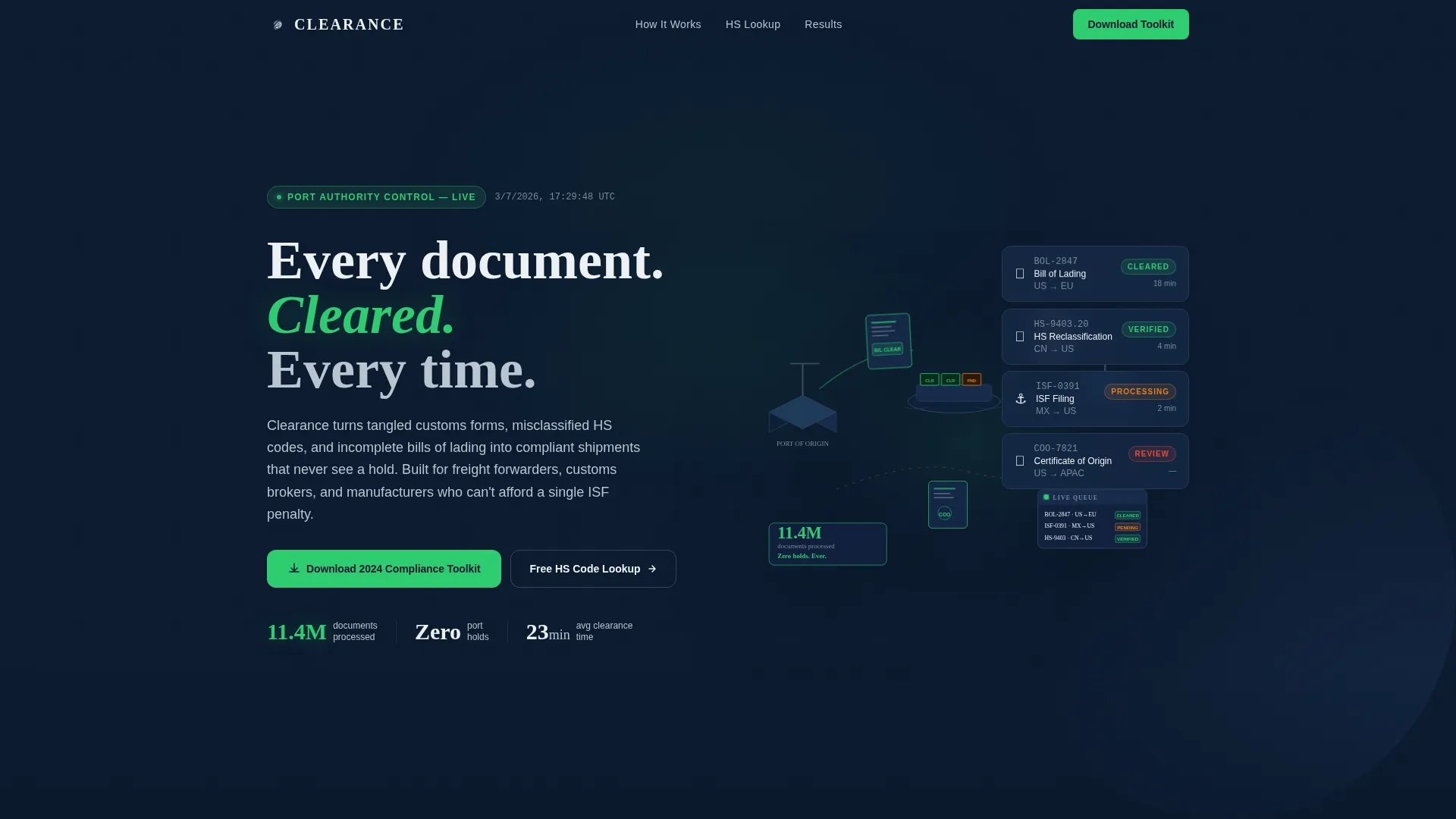
- An isometric hero illustration with animated stat overlay and container status tags in compliance-green and amber
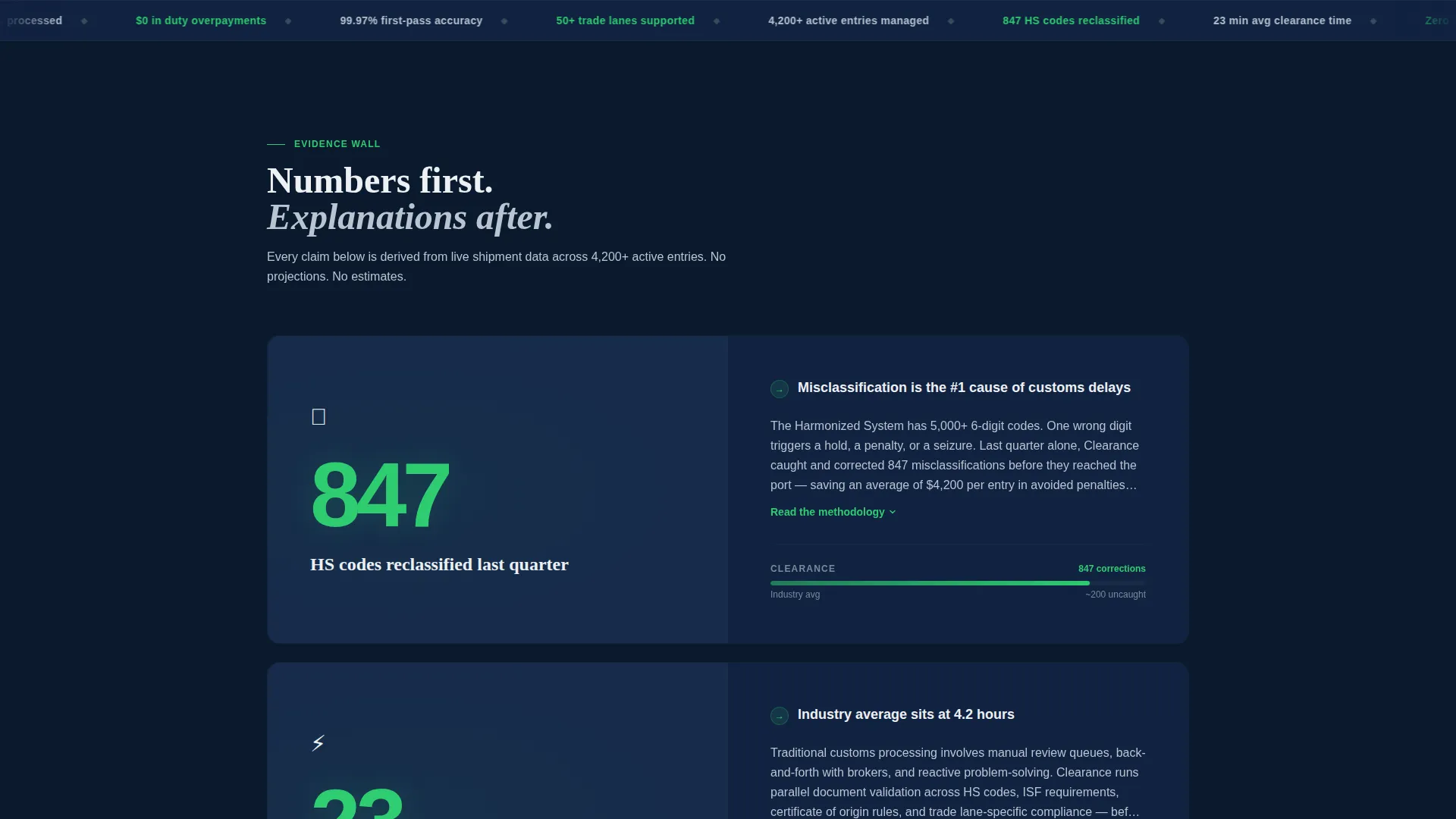
- A punch-then-prove scroll flow with three stat blocks, each followed by explanatory copy
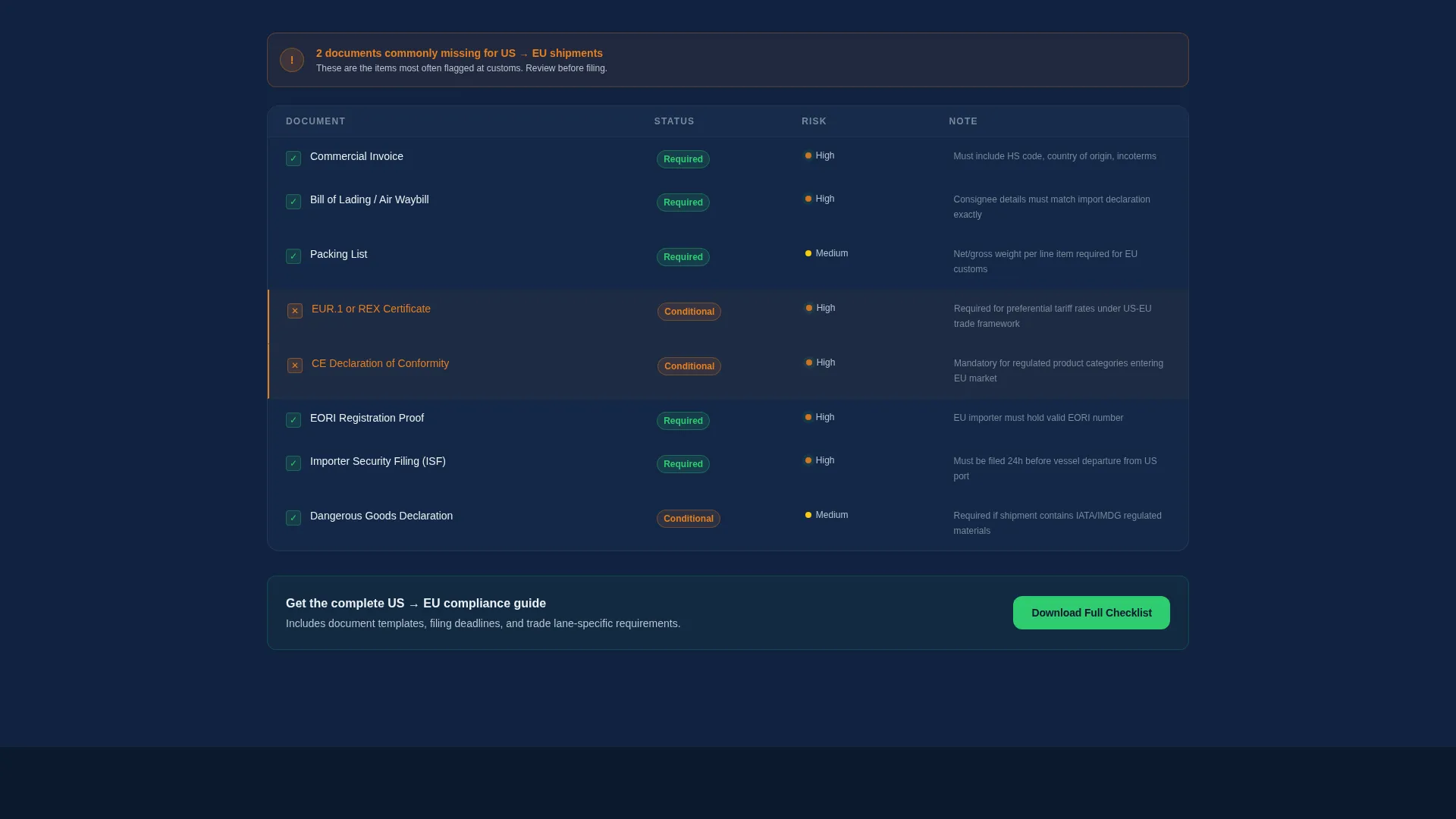
- An interactive compliance checklist filtered by trade lane, a gated toolkit download form, and an embedded HS code lookup tool
Feature list
This template includes a focused set of layout and interactive components drawn directly from the brief.
Isometric Hero with Animated Stat Overlay
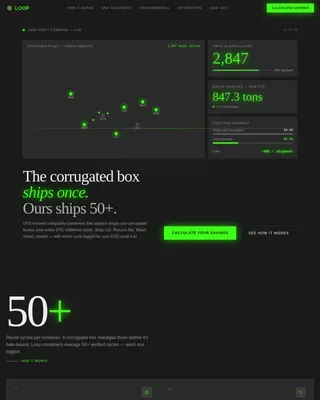
The header features a full-width isometric illustration of a global trade ecosystem. Containers move between stylized ports with floating document icons alongside them. A single animated stat fades in over the scene to open with immediate authority.
Stats-First Scroll Rhythm
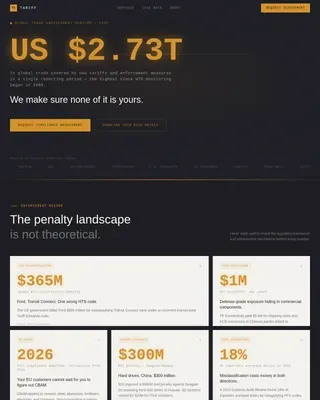
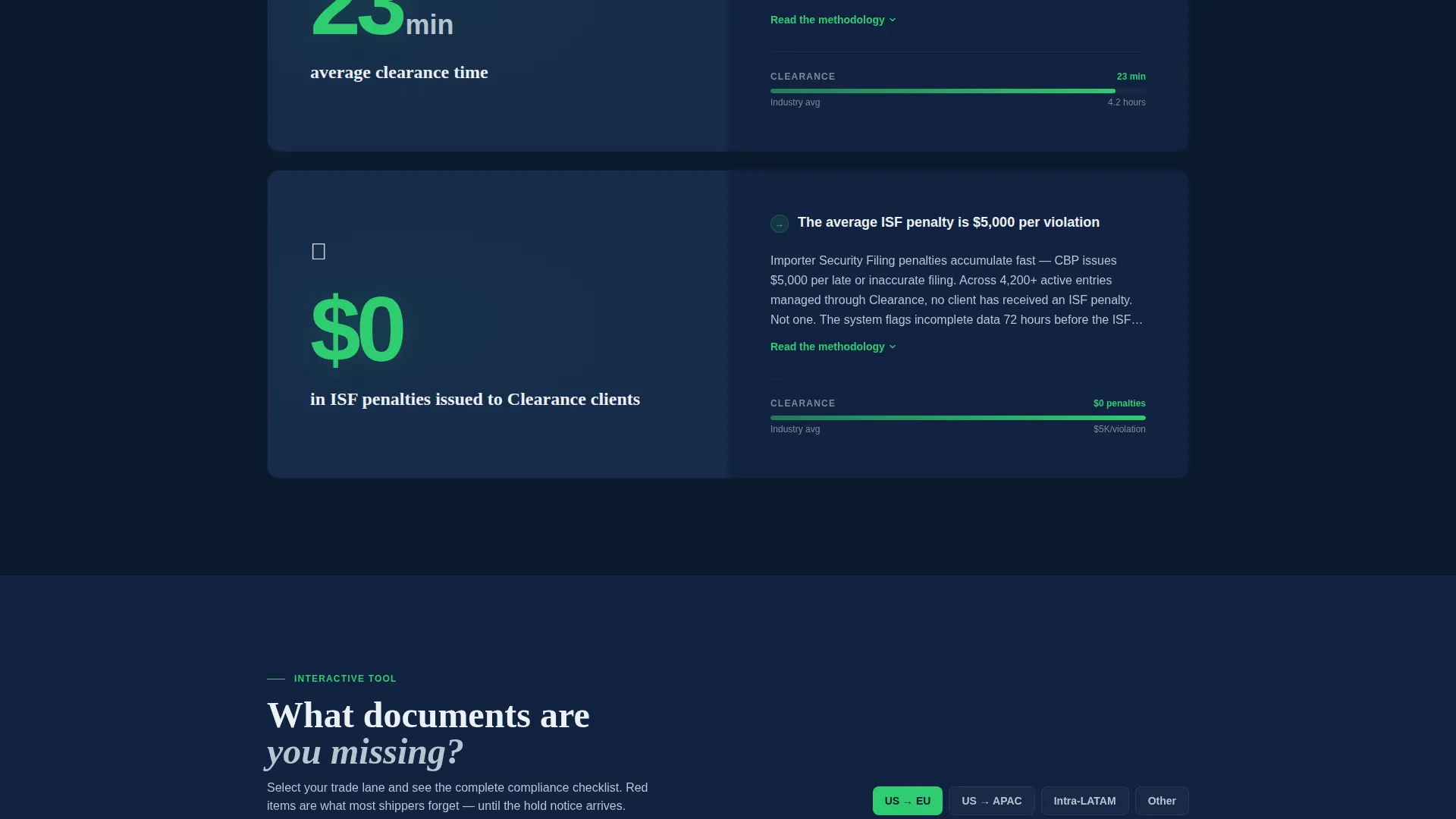
Each content section opens with a bold statistic before its supporting paragraph. The layout enforces a punch-then-prove pattern across at least three stat blocks. This structure builds an evidence wall that moves skeptical visitors toward action.
Interactive Compliance Checklist
A mid-page interactive component lets visitors select their trade lane and surface the documents they are most likely missing. It creates a personalized experience without requiring a login or backend system.
Gated Toolkit Download Form
The primary call to action triggers a short, sequenced form. Visitors select their trade lane first, then provide their email address, then their company name. This ordering helps the visitor self-qualify before submitting contact details.
Embedded HS Code Lookup Tool
A secondary conversion path sits mid-page as an embedded HS code lookup tool. It captures an email address on use, giving visitors a tangible reason to engage before the main download ask.
Navy Authority Color System
The template ships with a fully defined four-color palette. Deep navy dominates backgrounds, steel hull gray handles secondary text and dividers, manifest white breathes inside data cards, and compliance-green is reserved exclusively for verified status indicators and call-to-action states.
Page sections overview
| Section | Purpose |
|---|---|
| Isometric Hero | Opens with global trade illustration and animated stat overlay |
| First Stat Block | Delivers HS reclassification figure before explanatory paragraph |
| Second Stat Block | Presents average clearance time stat before methodology copy |
| Third Stat Block | Adds a third proof point before introducing the download offer |
| Compliance Toolkit call to action | Primary gated download form with sequenced trade-lane dropdown |
| HS Code Lookup | Embedded tool capturing email on use as secondary conversion path |
| Compliance Checklist | Interactive trade-lane filter revealing likely missing documents |
| Supporting Copy | Explanatory paragraphs paired with each stat to prove the numbers |
Design & branding system
The visual identity follows a Data Command theme that feels like a port authority control room at 0400. Dark surfaces dominate, data glows against them, and every color carries a specific role.
- Navy (#0B1A2E) owns all primary backgrounds; steel hull gray (#3A4A5C) structures dividers and secondary text; manifest white (#EDF0F4) fills data cards for breathing room
- Compliance-green (#2ECC71) appears only on verified status tags, active checklist states, and call-to-action buttons; warm amber (#E67E22) marks pending or flagged container states in the hero illustration
Mobile & speed optimization
The single-column flow layout is inherently well-suited for mobile viewports. Content stacks cleanly without requiring horizontal reflow or complex grid adjustments.
- The single-column structure means every stat block, checklist, and form reads correctly on a phone screen without layout breakage
- The isometric illustration and stat overlay are designed as contained hero components that scale within the column rather than depending on wide viewport spacing
How this template helps you convert
Clearance is built around two distinct conversion paths that earn the lead before asking for it.
- The primary path places the compliance toolkit download form after the third stat block, once the scroll has built sufficient credibility through data and explanation. The sequenced form fields filter for qualified trade lane intent before collecting an email address.
- The secondary path embeds an HS code lookup tool mid-page. Visitors get immediate utility in exchange for their email, making the second conversion feel like a service rather than a gate.
Other information about this template
This template is categorized under Logistics and Supply Chain, with a specific focus on the Customs and Trade subcategory and the Import/Export Documentation niche.
- The template style is Single Column Flow, meaning all sections stack vertically without multi-column grids or tabbed layouts
- The header concept is Isometric, which is particularly effective for abstracting invisible documentation workflows into a visual and scannable form
- The landing page direction is Content and Resource, meaning the page earns trust through education and proof before asking for contact information
- The theme is Data Command, and the creative direction is Stats-First Impact, both of which shape every structural and visual decision in the layout
Theme
Data Command
Creative direction
Stats-First Impact
Color system
Navy Authority
Style
Single Column Flow
Direction
Content/Resource
Page Sections
Isometric Hero with Animated Stat Overlay
Stats-first Scroll Rhythm
Interactive Compliance Checklist
Sequenced Gated Download Form
Embedded HS Code Lookup Tool
Navy Authority Color System
Related questions
Who is this landing page template designed for?
What are the two conversion paths included in this template?
Can I customize the trade lane options in the dropdown form?
What does the interactive compliance checklist do?
Why does the form ask for trade lane before email address?