Champion — Results-Driven Employee Benefits Landing Page Template
Advocate is a modular card grid landing page built for legal and professional benefits consultants. It guides HR directors, union negotiators, and city managers through a five-question Benefits Gap Assessment, delivers an instant visual scorecard, and converts that clarity into a booked consultation. The template blends warm Community Hearth design with vivid Dopamine Pop color to make a complex benefits conversation feel genuinely approachable.
by Rocket studio
Quick summary
Advocate is a single-page, card grid landing page designed for a legal and professional benefits consultancy. It walks visitors through a Hero's Journey narrative, from recognizing coverage gaps to booking a consultation. The five-question quiz assessment sits at the center of the experience, delivering an immediate Benefits Gap Snapshot before asking for any contact information.
Who this template is for
This template is built for benefits consultants who serve organizations in the legal and public-sector space. If your clients leave meetings still confused about their coverage, this page is designed to change that.
- HR directors and union negotiators managing benefits renewals under tight budgets
- Law firm managing partners onboarding associates who expect comprehensive perks
- City managers and school district administrators trying to retain specialized staff
What problem this template solves
Benefits conversations are dense, jargon-heavy, and easy to delay. Prospective clients often arrive at a consultant's page unsure whether they even have a problem worth addressing. This template removes that hesitation by giving real diagnostic value before asking for anything in return.
- Visitors feel interrogated by generic contact forms instead of genuinely helped
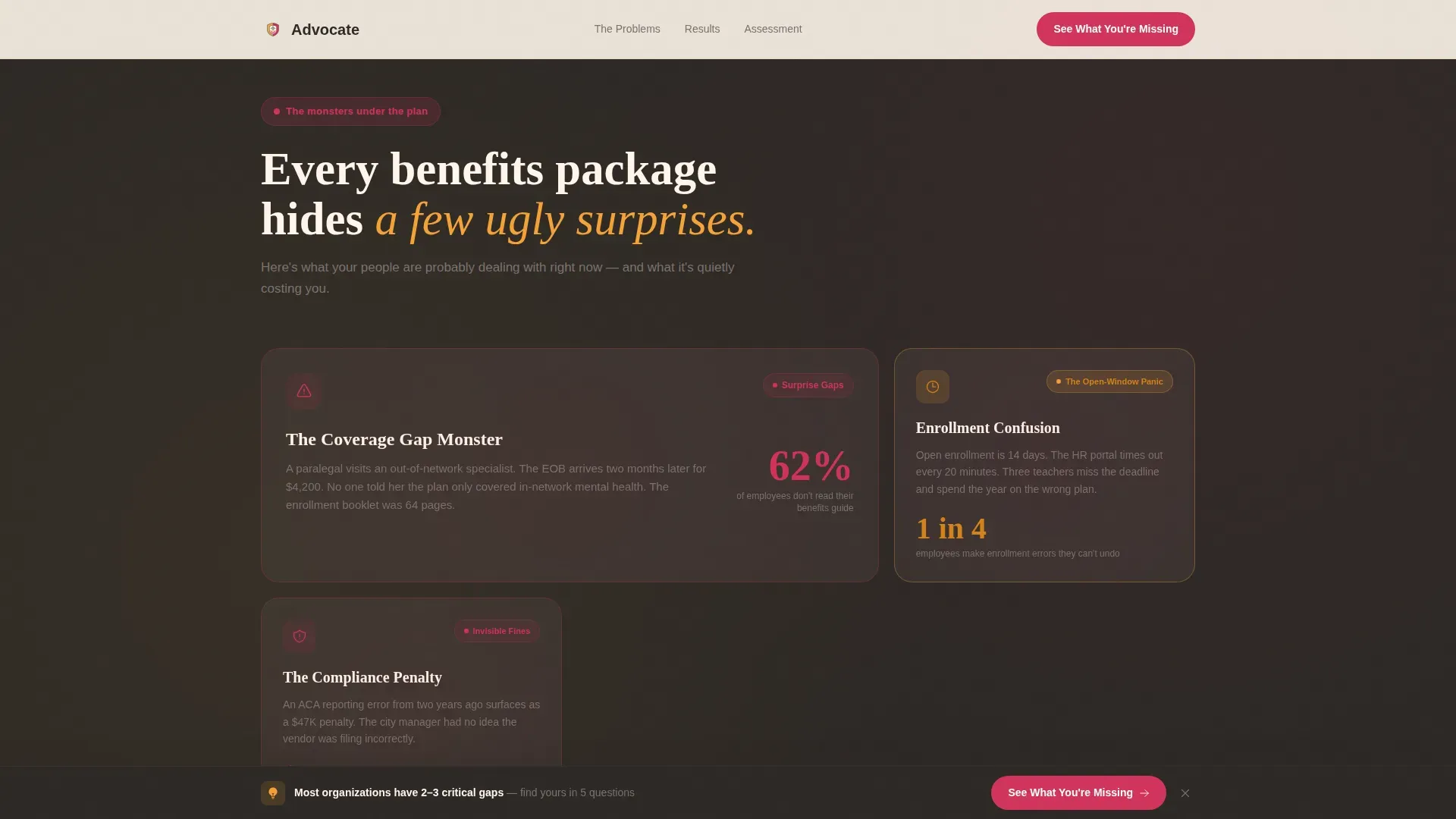
- Coverage gaps, enrollment confusion, and compliance risks stay invisible until it is too late
- Consultants struggle to differentiate their expertise from a commodity broker's price sheet
What you get with this template
The template delivers a fully structured, single-page layout that carries a visitor from first impression through qualified booking. Every section is purpose-built and sequenced deliberately.
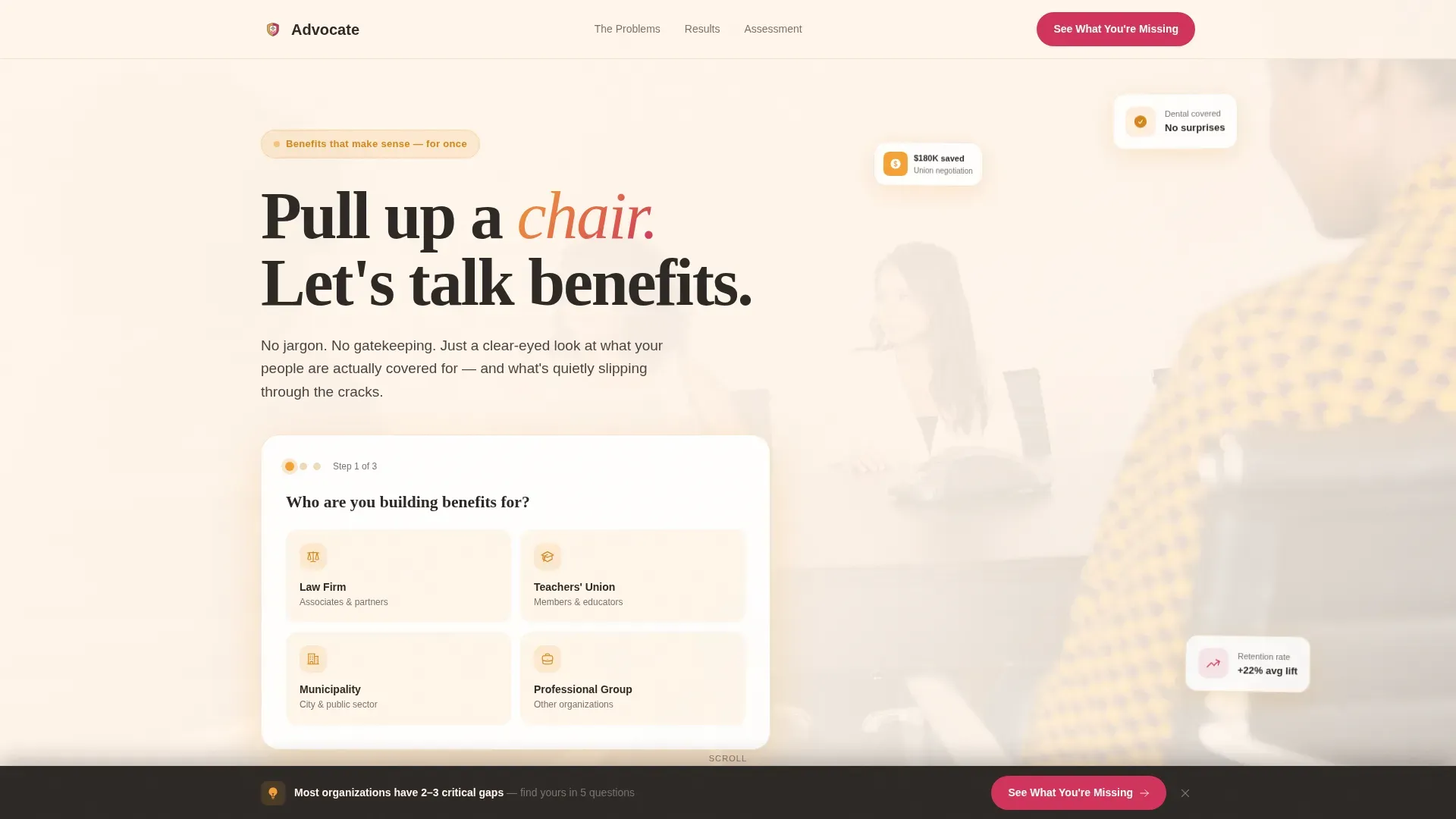
- A conversational multi-step header form with four illustrated organization-type selectors
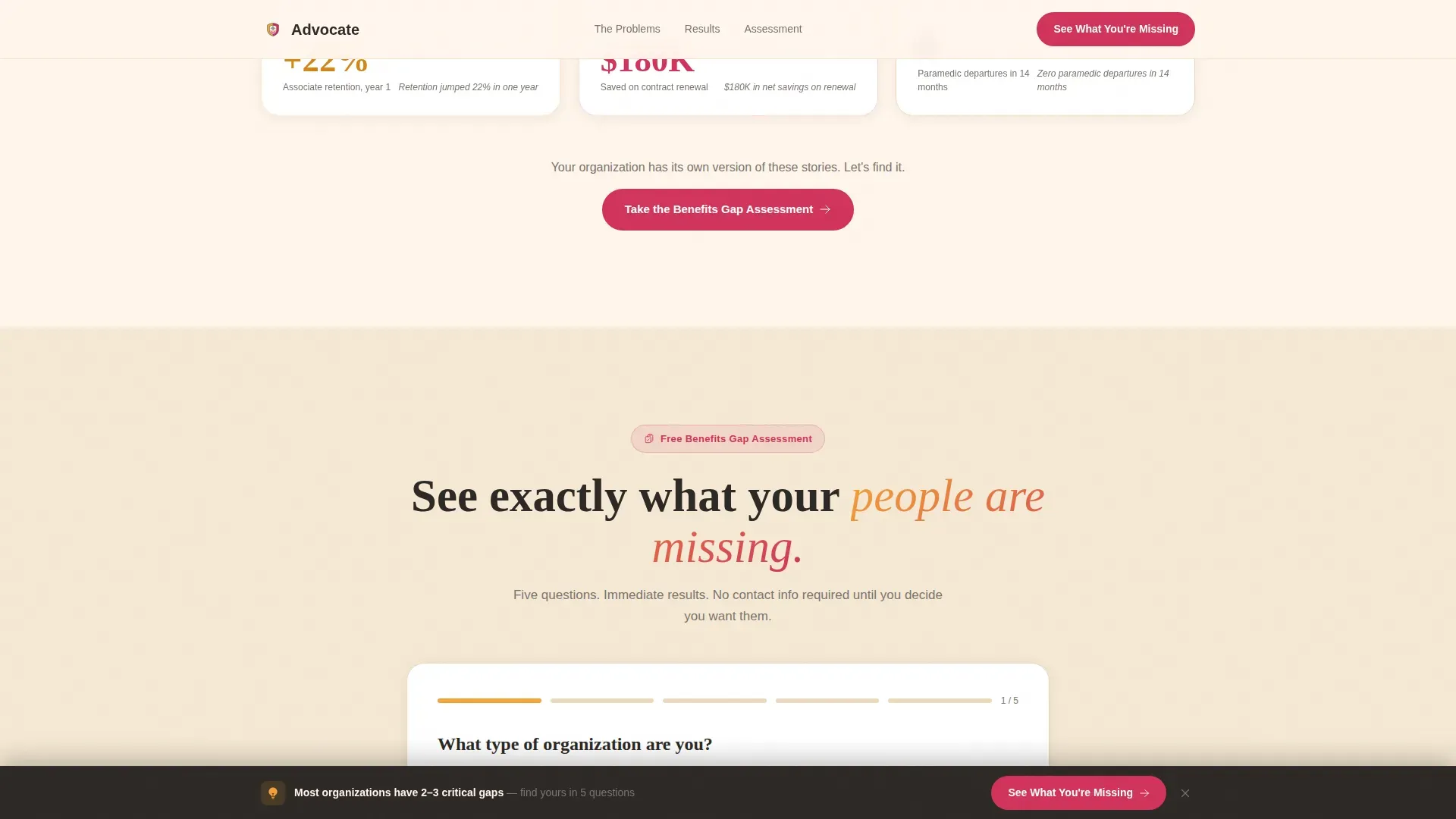
- A five-question quiz assessment that outputs a personalized Benefits Gap Snapshot scorecard
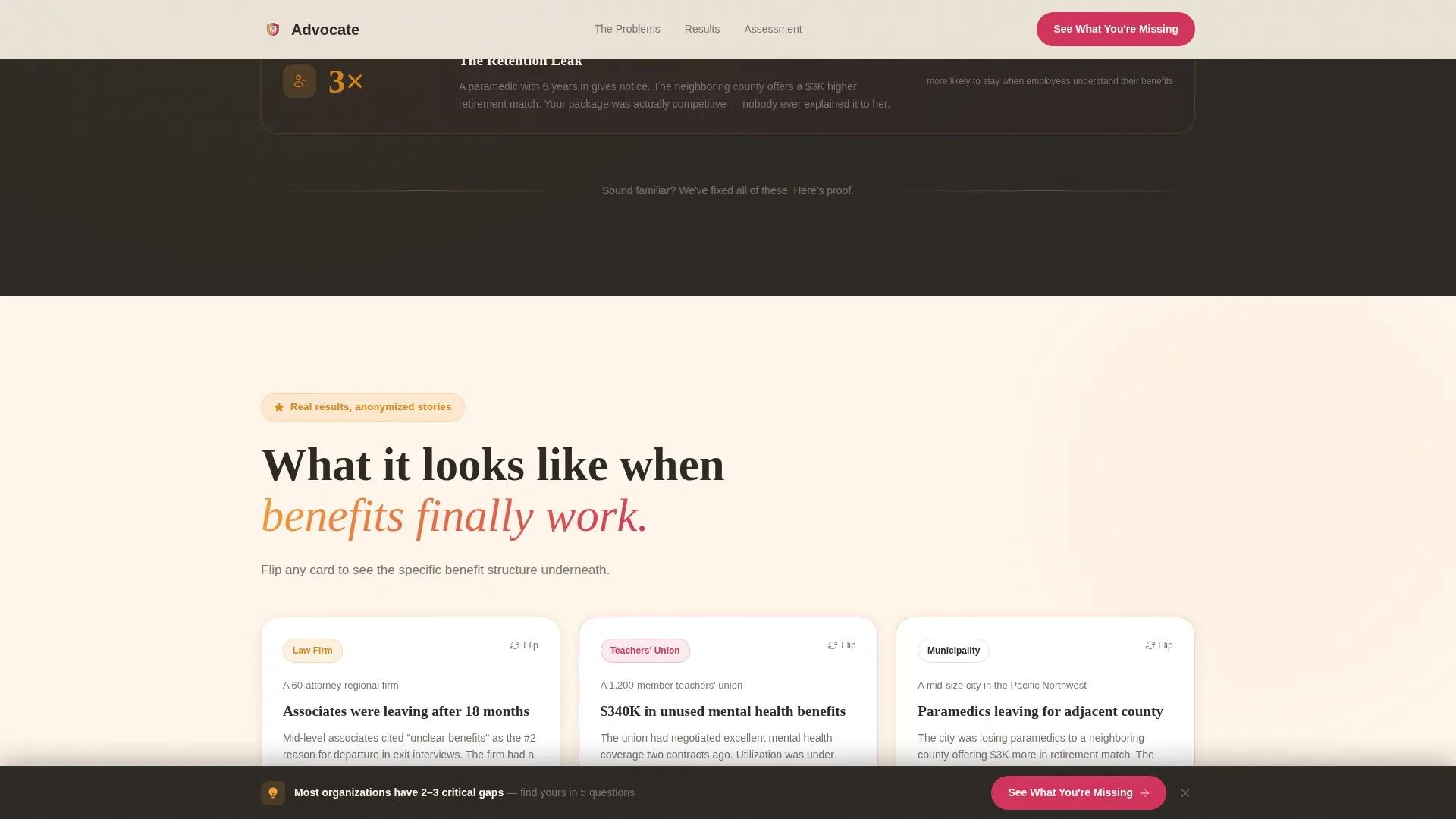
- Flippable case study cards with anonymized outcome metrics and benefit structure details
Feature list
This template is built around interactivity and narrative clarity. Each feature below is grounded directly in the source brief.
Conversational Multi-Step Header Form
The header presents three visible form steps floating over a soft-focus photograph of diverse professionals gathered around a conference table. Step one asks "Who are you building benefits for?" with illustrated icon choices for law firms, unions, municipalities, and general professional groups. It feels like a trusted advisor's first question, not a data-harvesting gate.
Five-Question Benefits Gap Assessment
The full quiz covers organization type, headcount range, current benefits pain points via multi-select, renewal timeline, and an open field asking "What keeps you up at night about your benefits?" Results appear immediately on-page as a visual scorecard with red, yellow, and green ratings across six benefit categories.
Flippable Case Study Cards
Mid-page cards present anonymized results such as a union that saved $180,000 or a law firm whose retention rate improved by 22 percent. Each card is flippable to reveal the specific benefit structure that produced that outcome, connecting proof to process in a single interaction.
Pain Point Bento Grid
The early scroll section surfaces common coverage gaps as vivid problem cards styled with magenta urgency accents. Surprise coverage gaps, enrollment confusion, and compliance penalties each get their own card in a bento-style grid layout, making abstract risks feel concrete and immediate.
Sticky "See What You're Missing" Call to Action Bar
A persistent bottom bar activates after the visitor completes step one of the header form. It anchors the primary call to action throughout the page scroll without interrupting the narrative flow.
"Book Your Table" Calendar Embed Prompt
After the scorecard is delivered, a secondary call to action invites the visitor to book a thirty-minute consultation. The email capture is framed as "Send yourself this snapshot," positioning the data exchange as a service rather than a requirement.
Page sections overview
| Section | Purpose |
|---|---|
| Hero Form Header | Starts personalized conversation with org-type selector |
| Pain Points Grid | Surfaces coverage gaps as urgent problem cards |
| Case Study Cards | Flippable proof of real anonymized outcomes |
| Benefits Gap Assessment | Five-question quiz delivering instant visual scorecard |
| Book Your Table | Calendar embed prompt and secondary consultation call to action |
| Footer | Arc Browser Split layout with tagline |
Design & branding system
The visual identity follows a Community Hearth theme executed through a Dopamine Pop color system. The palette is warm enough to relax a skeptical shop steward and vivid enough to give every card its own visual weight.
- Saffron (#F4A236) leads section headers and progress indicators; magenta (#D1345B) fires on buttons and active states; charcoal (#2D2926) grounds body text and card borders; marshmallow cream (#FFF5EB) opens breathing room between modules
- Typography pairs Fraunces serif display headings with DM Sans body text for a tone that is both authoritative and conversational
- High animation direction uses GSAP ScrollTrigger reveals, card flip transitions, quiz step animations, and scorecard fill sequences to maintain engagement across every scroll stage
Mobile & speed optimization
The template is designed desktop-first to serve HR directors working at their desks, with a solid mobile fallback for on-the-go access. Layout decisions reflect where the primary audience actually spends their working hours.
- Static sections are structured as Server Components to keep initial load lean; interactive quiz and animation layers use Client Components to isolate rendering costs
- Card grid columns and the multi-step form reflow cleanly for smaller viewports without losing the visual identity
How this template helps you convert
The conversion strategy is built on earning trust before asking for anything. Every interaction is designed to move a skeptical visitor toward a booked consultation through demonstrated value.
- The quiz delivers a personalized Benefits Gap Snapshot immediately on-page, giving visitors a concrete reason to stay and engage before any contact information is requested.
- The email capture is framed as "Send yourself this snapshot," turning data exchange into a favor rather than a barrier, which reduces friction at the moment of highest intent.
- The sticky call to action bar keeps "See What You're Missing" visible throughout the scroll, ensuring the primary prompt is never more than one tap away regardless of where the visitor pauses.
Other information about this template
This template is localized for United States audiences, uses USD pricing context where relevant, and is written in American English. It is categorized under HR and Hiring with a Legal and Professional HR subcategory focus.
- The footer uses a Pattern 7 Arc Browser Split layout with a tagline slot for brand positioning
- The card grid (modular) structure means individual sections can be reordered or removed to match a specific consultancy's service scope
- Creative direction follows a Hero's Journey arc, moving the visitor from overwhelmed newcomer to informed decision-maker across a single scroll session
Theme
Community Hearth
Creative direction
Hero's Journey
Color system
Dopamine Pop
Style
Card Grid (Modular)
Direction
Quiz/Assessment
Page Sections
Conversational Multi-step Header Form
Five-question Benefits Gap Assessment
Flippable Case Study Cards
Pain Point Bento Grid
Sticky Primary Call to Action Bar
Book Your Table Consultation Prompt
Related questions
Who is this landing page template designed for?
Does the quiz show results before asking for contact information?
Can I customize the organization-type selectors in the header form?
What case study metrics are included in the template?
Is this template suitable for a solo benefits consultant or only larger firms?



