Proven Appraiser Credentials Landing Page Template
Appraise is a single-page booking landing page built for professional real estate appraisers. It uses a split-screen layout, hard-data stat blocks, and a direct scheduling form to serve loan officers, attorneys, and homeowners who need a credible, defensible opinion of value fast. The design is authoritative, clean, and conversion-focused from the first scroll.
by Rocket studio
Quick summary
Appraise is a booking-focused landing page template for real estate appraisal firms. It opens with a commanding split-screen headline, leads every section with a hard stat, and pairs common appraisal scenarios with clear deliverables. The scheduling form is front and center, so the right visitors book immediately.
Who this template is for
This template is built for professional real estate appraisers and appraisal firms that serve time-sensitive, high-stakes clients. If your work involves lender-accepted reports and defensible opinions of value, this page communicates that authority clearly.
- Independent appraisers and certified appraisal practices taking bookings online
- Firms handling residential appraisals for mortgage lending, estate settlements, or legal proceedings
- Appraisers who want to convert cold website visitors into confirmed appointments without a sales call
What problem this template solves
Most appraisers rely on word-of-mouth or generic contact forms that make qualified clients work too hard to hire them. This template fixes that by organizing the page around the visitor's specific need and making the booking step frictionless.
- Loan officers and attorneys cannot afford to dig for pricing, timelines, or credentials on a cluttered page
- A generic web presence fails to signal the precision and compliance that lenders and courts actually require
- Without a clear scheduling path, high-intent visitors leave before they ever make contact
What you get with this template
You get a complete, ready-to-customize single-page layout built around one goal: confirmed appraisal bookings. Every section is structured to move a qualified visitor toward scheduling without distraction.
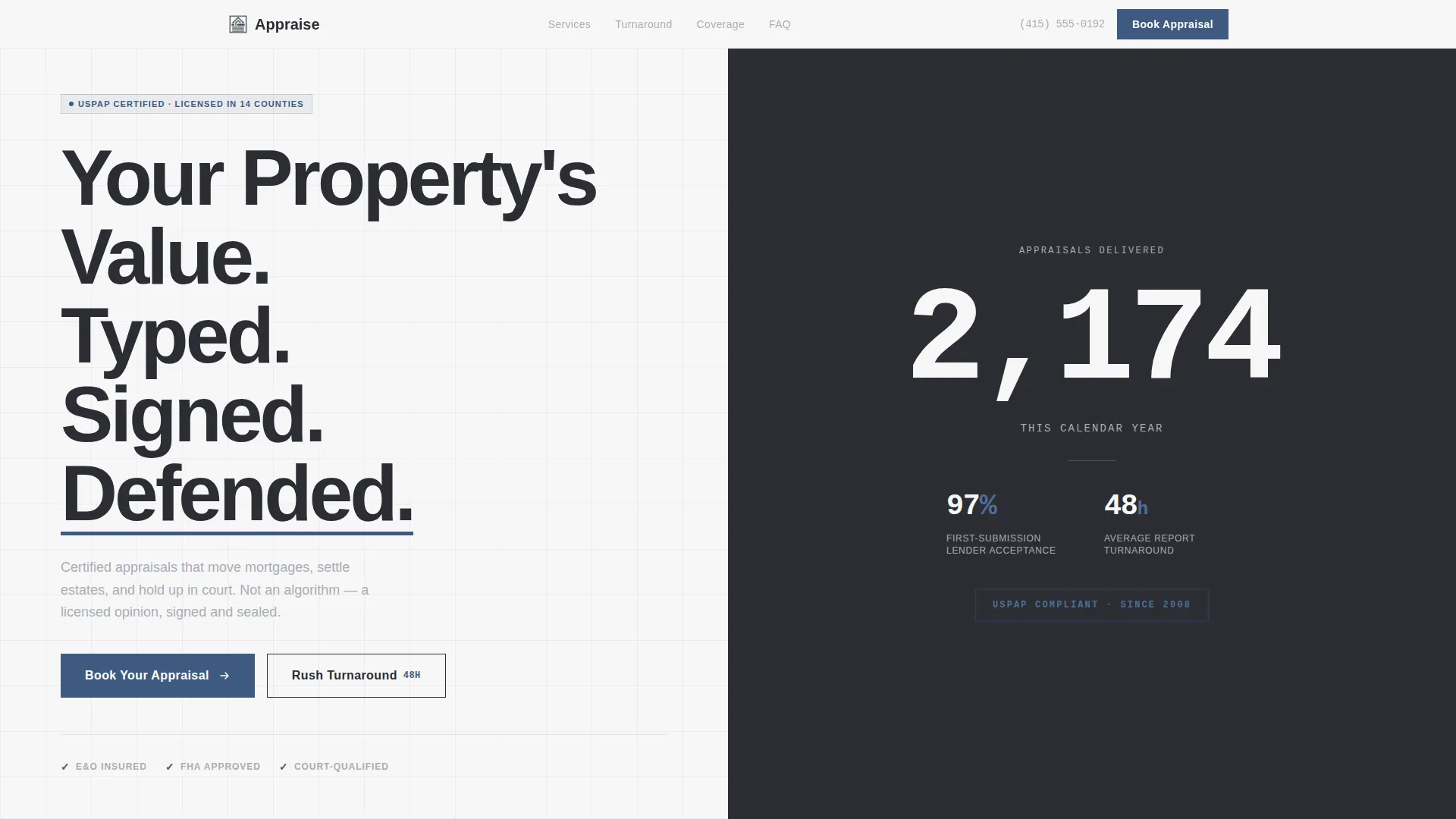
- A split-screen hero with a bold headline and oversized live stat counter on the right half
- Scenario-paired content blocks that match each appraisal purpose to its specific deliverable and timeline
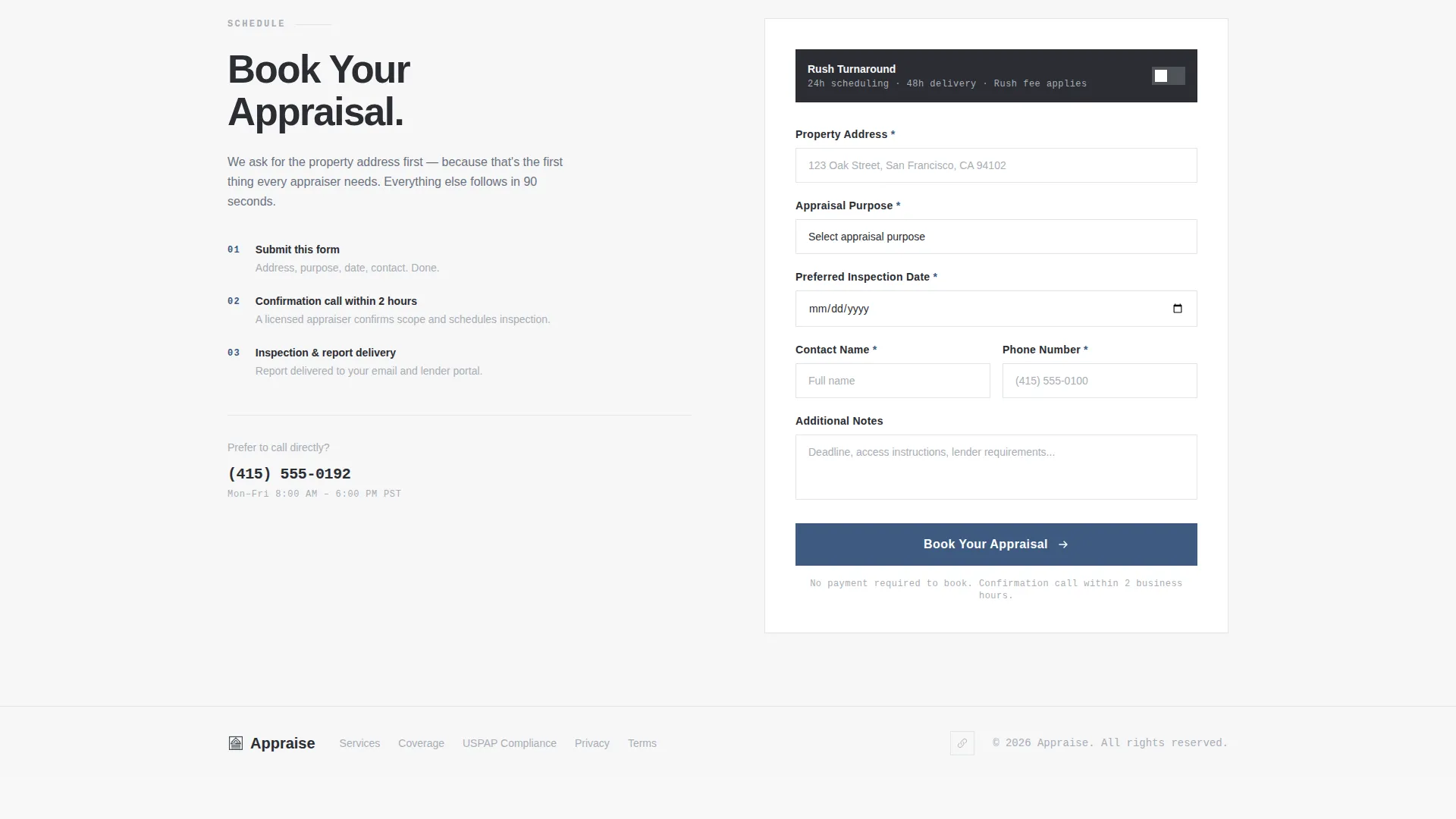
- A purpose-built booking form with address-first field order, appraisal-purpose dropdown, preferred date, and contact details
Feature list
This template ships with a tightly scoped set of components drawn directly from the brief. Each one earns its place by doing a specific conversion job.
Split-Screen Header Layout
The header divides into two equal halves. The left carries a massive, heavy sans-serif headline: "Your Property's Value. Typed. Signed. Defended." The right displays a live appraisal count with a subtle counting animation that completes before the visitor's eye settles on the number.
Stats-First Section Blocks
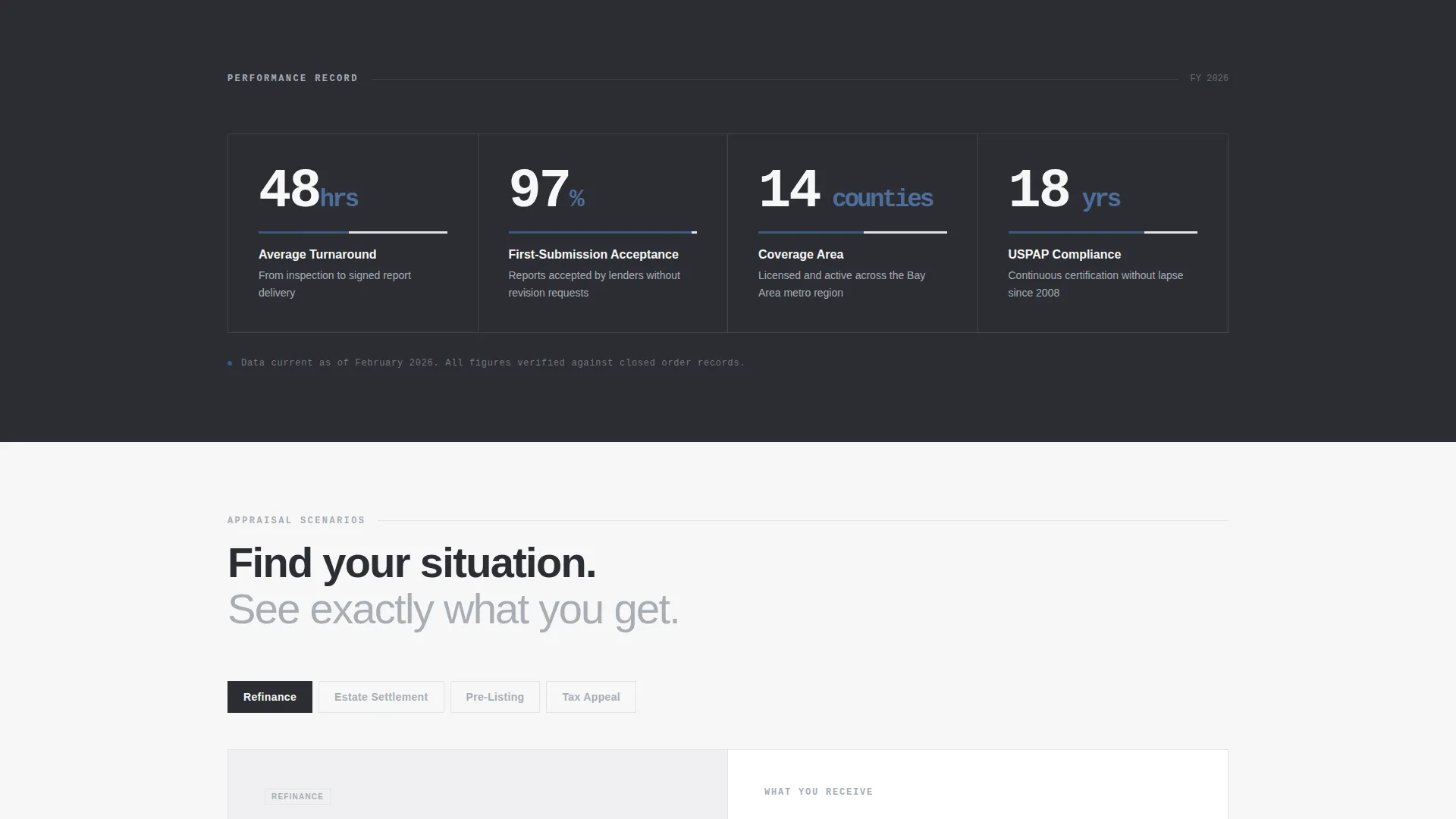
Every section below the fold opens with a hard data point before any explanatory copy. Average turnaround time, first-submission acceptance rate, counties covered, and years of compliance history each get their own prominent display before context is added.
Scenario-to-Deliverable Content Pairs
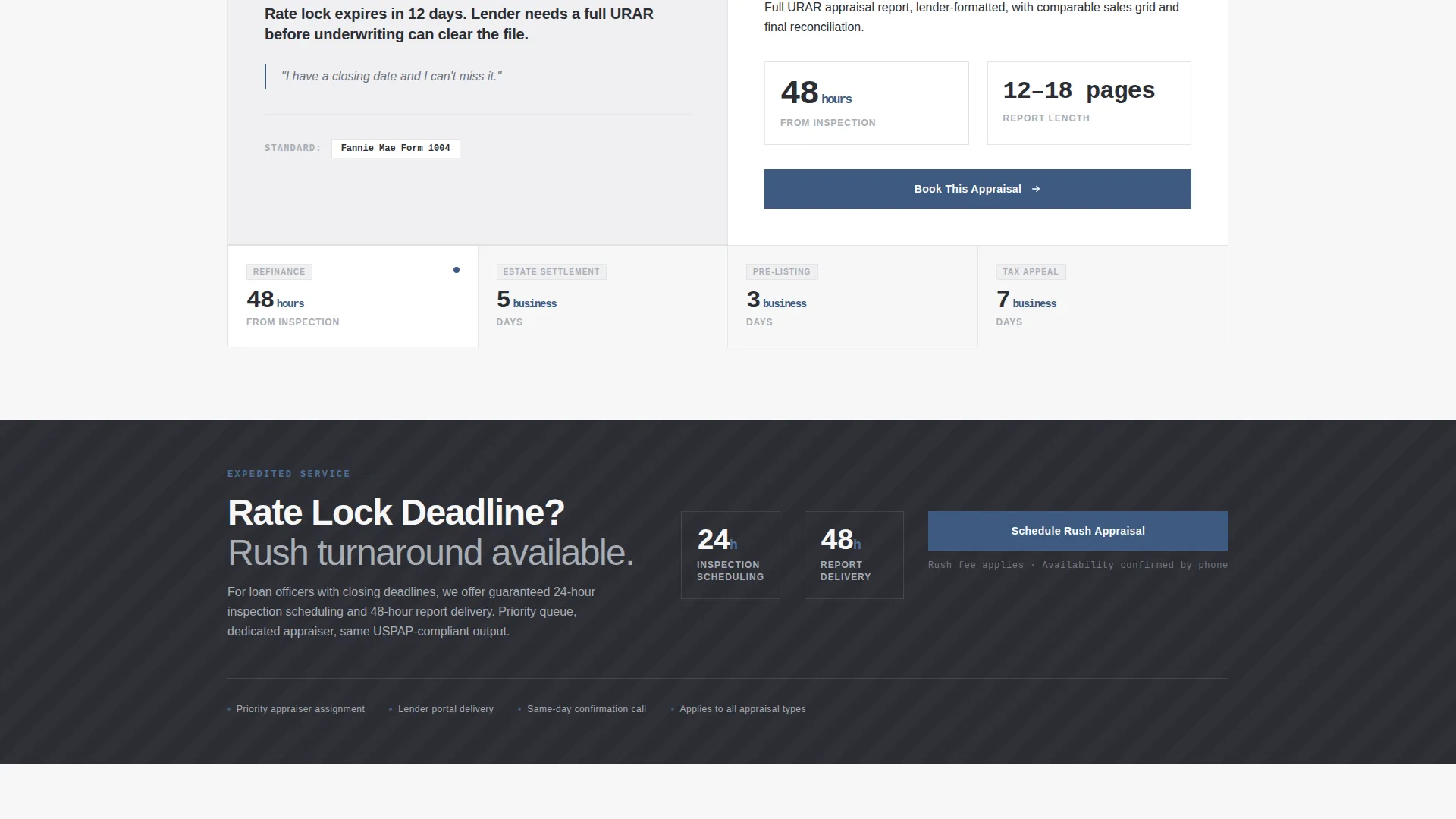
Common appraisal scenarios sit on the left of each block: refinance, estate settlement, pre-listing review, and tax appeal. The matching deliverable and timeline appear on the right. Visitors self-select their situation and see the relevant answer immediately.
Address-First Booking Form
The scheduling form opens with a property address field with autocomplete, then an appraisal-purpose dropdown, then preferred appointment date, then contact name and phone. The field order mirrors the first question every appraiser actually asks.
Pinned "Book Your Appraisal" call to action
The primary call-to-action button appears in notary-stamp blue in the header and repeats after each scenario pair. Repeat placement means a visitor is never more than one scroll from a booking prompt.
Rush Turnaround Secondary Path
A secondary link labeled "Rush Turnaround Available" branches to an expedited scheduling option. This path is specifically designed for loan officers working against a rate lock deadline.
Page sections overview
| Section | Purpose |
|---|---|
| Split-Screen Header | Hero headline and live appraisal count |
| Stats Dashboard Row | Lead each section with hard performance data |
| Scenario Pair: Refinance | Match refinance need to deliverable and timeline |
| Scenario Pair: Estate Settlement | Match estate need to deliverable and timeline |
| Scenario Pair: Tax Appeal | Match tax appeal need to deliverable and timeline |
| Scenario Pair: Pre-Listing | Match pre-listing need to deliverable and timeline |
| Booking Form Section | Address-first scheduling form with purpose dropdown |
| Rush Turnaround Path | Expedited scheduling link for urgent deadlines |
Design & branding system
The visual identity follows a Corporate Precision theme built on a Monochrome Steel palette. The result feels like a freshly printed appraisal report on a stainless steel desk: no warmth, no decoration, just weight and authority.
- Core palette: structural charcoal (#2B2D33), brushed aluminum (#A8ADB5), and paper white (#F7F7F8) for all typographic and structural elements
- Accent color: notary-stamp blue (#3D5A80) used exclusively for interactive elements and the primary call-to-action button
- Typography: heavy sans-serif with tight kerning in the headline; tabular figures in the stat display for precise numerical alignment
Mobile & speed optimization
The split-screen layout and stat blocks are structured to reflow cleanly on smaller viewports without losing the data-forward hierarchy. The template prioritizes fast perceived load so the counting animation completes before the visitor starts reading.
- The 50/50 split adapts to a stacked single-column layout on mobile without breaking headline weight or form usability
- The booking form fields maintain a logical tap order on touch devices, following the same address-first sequence
- No heavy imagery is used anywhere; the visual impact comes from typographic scale and numerical data, keeping the page lean
How this template helps you convert
The entire page is designed around one measurable outcome: a visitor filling out the booking form. Every structural decision reinforces that path.
- The stat-first layout builds trust before a single word of persuasion is read, so skeptical, professional visitors are primed to act by the time they reach the form.
- Scenario-to-deliverable pairs let loan officers, attorneys, and homeowners identify their exact need in seconds, reducing hesitation and increasing form completion.
- The repeated "Book Your Appraisal" call to action and the Rush Turnaround path serve two visitor types at once: those ready to schedule and those under urgent deadline pressure.
Other information about this template
This template sits inside the Professional Services category under the Real Estate Appraiser Online Presence subcategory. It is purpose-built for the real estate appraiser booking page niche and carries an intersection match score of 9, reflecting a high alignment between the design system, content strategy, and target use case.
- The template is classified under the Booking/Scheduling landing page direction, meaning the layout decisions prioritize form completion over content browsing
- The Stats-First Impact creative direction and Giant Headline Left header concept are matched intersection attributes that reinforce the authoritative tone throughout
- This template is suitable for appraisers operating across multiple counties who need a single page that covers diverse appraisal purposes without requiring multiple service pages
Theme
Corporate Precision
Creative direction
Stats-First Impact
Color system
Monochrome Steel
Style
Split Screen (50/50)
Direction
Booking/Scheduling
Page Sections
Split-screen Hero with Live Stat Counter
Stats-first Section Architecture
Scenario-to-deliverable Content Pairs
Address-first Booking Form
Pinned and Repeated Call to Action Button
Rush Turnaround Secondary Path
Related questions
Can I customize the stat numbers and appraisal scenarios shown on the page?
Is the booking form connected to a scheduling tool out of the box?
Who are the main visitors this landing page is designed for?
Can a solo appraiser use this template, or is it only for larger firms?
What makes this layout different from a general professional services template?



