Certify - Manufacturing Training Landing page Template
This sidebar companion landing page is built for manufacturing training providers who need to move plant managers, safety directors, and L&D coordinators from awareness to demo in a single session. It walks visitors through a five-step operator certification pathway, Assess through Audit, with a live certified-operator ticker, scroll-linked sidebar navigation, and a single click-through call to action.
by Rocket studio
Quick summary
This landing page template is purpose-built for manufacturing training providers selling compliance-driven operator certification. A live user count ticker anchors the hero. A persistent sidebar guides visitors through five sequential training phases. Every section builds toward one click: "See the Training Floor." No form friction, no ambiguity, just a clean pathway from plant problem to demo booking.
Who this template is for
This template is designed for B2B training providers operating in industrial and manufacturing environments. If your buyers are time-pressured operations professionals, this page speaks their language directly.
- Plant managers tracking OSHA audit deadlines and needing fast proof of workforce compliance
- Safety directors managing near-miss incident histories who need a credible, scalable training solution
- Learning and development coordinators onboarding large operator cohorts before a Q3 production ramp
What problem this template solves
Industrial training providers often lose qualified leads at the awareness stage. Decision-makers in manufacturing move fast and distrust lengthy forms. This template removes that friction entirely.
- Visitors struggle to understand complex multi-phase training workflows without a clear visual guide
- Standard landing pages bury the proof that implementation is fast and audit-ready
- Click-through rates suffer when calls to action are passive, buried, or appear only once on the page
What you get with this template
You get a fully structured, single-page layout that functions like an onboarding walkthrough for your product. Every section is sequenced to reduce buyer hesitation and increase demo conversions.
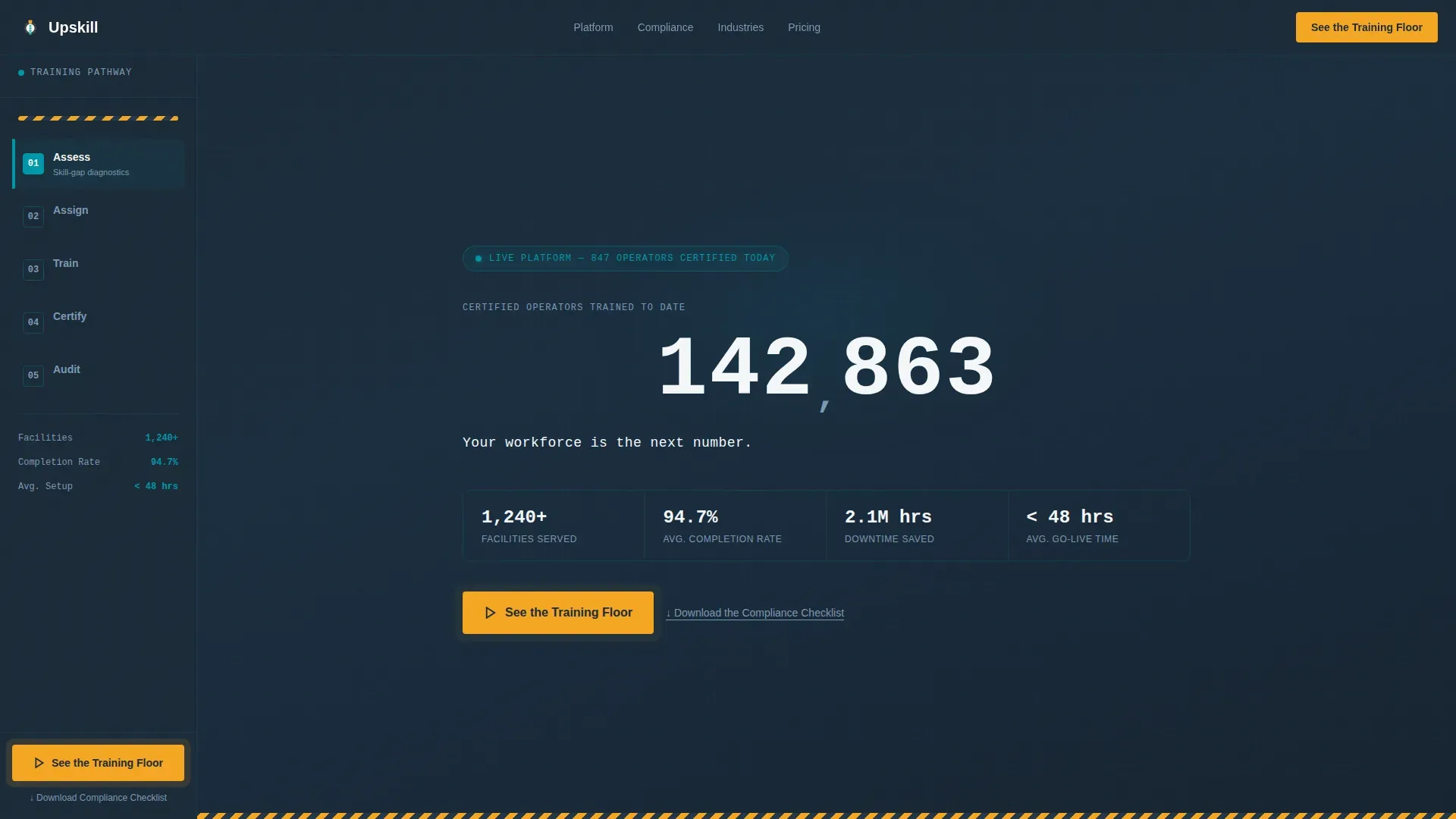
- A live-updating certified operator counter in the hero, flanked by micro-stats for facilities served, average completion rate, and hours of downtime saved
- A sticky sidebar with scroll-linked active state highlighting that tracks visitor position across all five training phases
- A persistent amber call-to-action button pinned to the sidebar base, always visible, and a secondary text link for compliance checklist lead capture
Feature list
This template includes purpose-built components matched to how industrial buyers actually evaluate training platforms.
Live Operator Count Ticker
The hero section displays a real-time counter showing total certified operators trained. The digits increment live, styled in a monospaced industrial typeface against the deep charcoal background. Micro-stats for facilities served, completion rate, and downtime saved appear alongside it.
Scroll-Linked Sidebar Navigation
A persistent sidebar mirrors the five-phase training pathway: Assess, Assign, Train, Certify, and Audit. As the visitor scrolls, the sidebar highlights the active phase automatically. It functions like a production floor map, orienting the visitor at every point in the page.
Pinned Amber Call-to-Action Button
The primary call to action, "See the Training Floor," is pinned to the sidebar base and remains visible throughout the entire scroll. It pulses in alert amber to maintain urgency without interrupting reading flow.
Secondary Lead Capture Link
A text link, "Download the Compliance Checklist," sits below the primary call to action. It targets visitors not yet ready to book a demo but willing to exchange an email for an immediate, tactical compliance resource.
Five-Phase Section Architecture
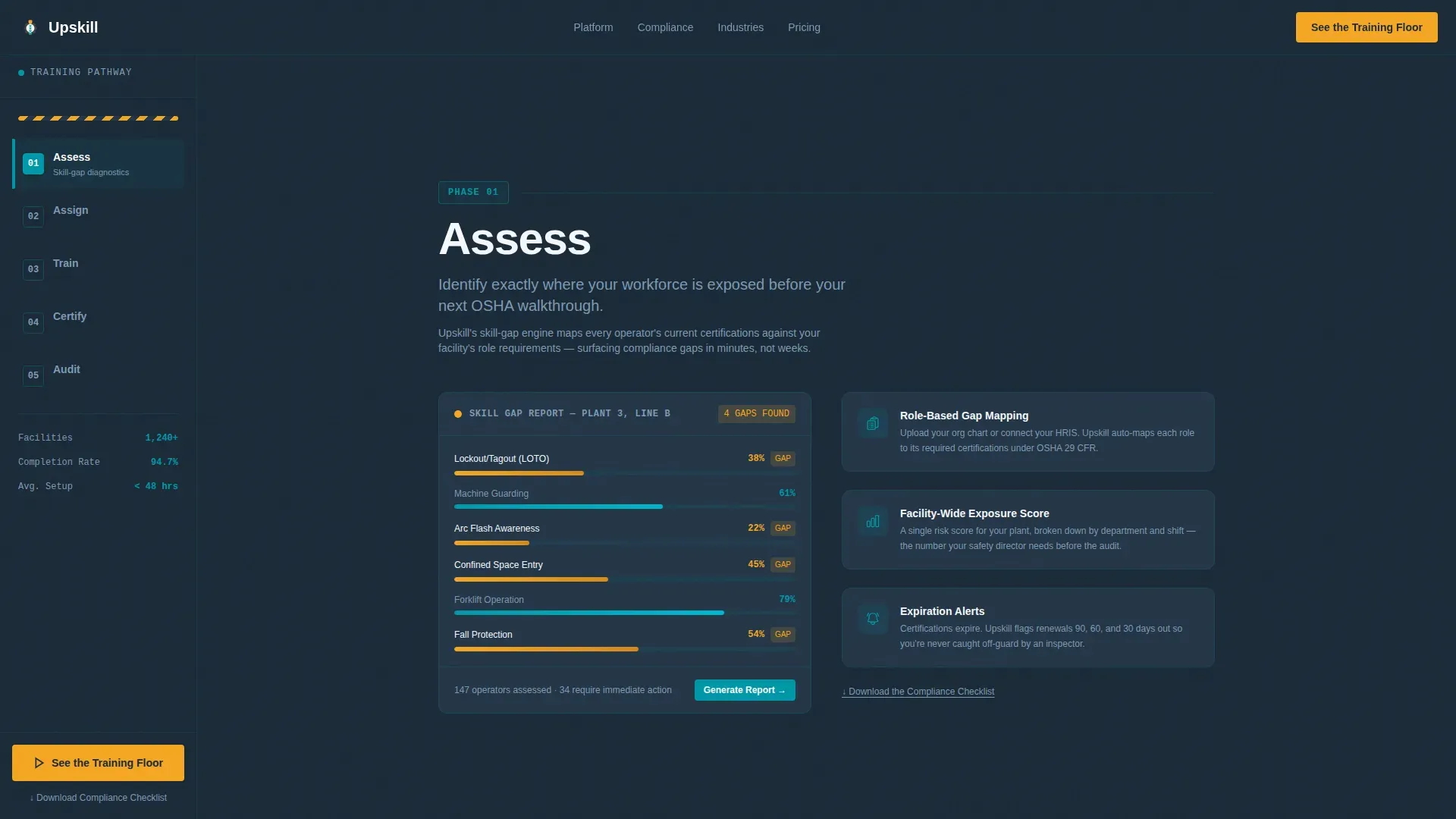
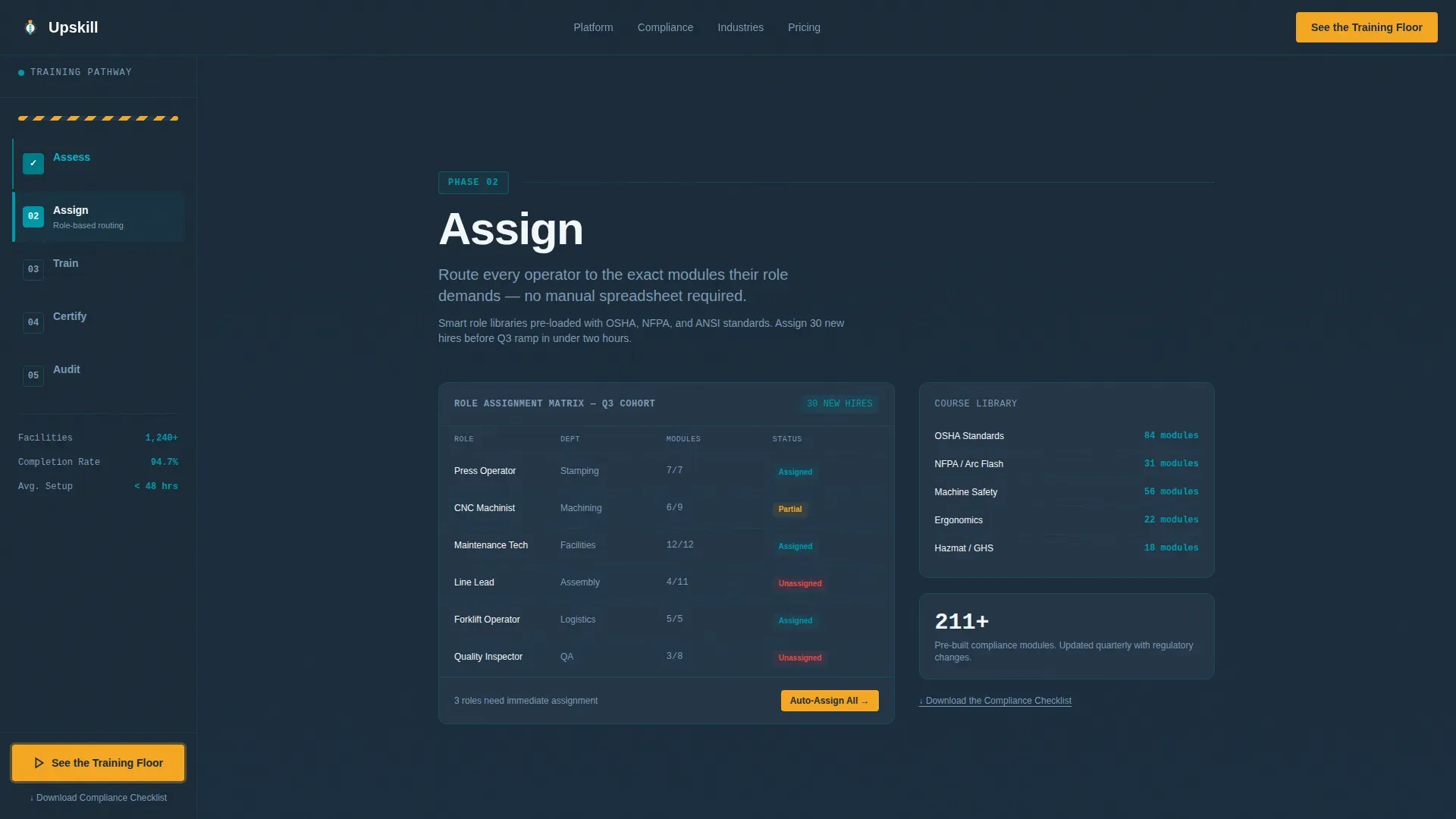
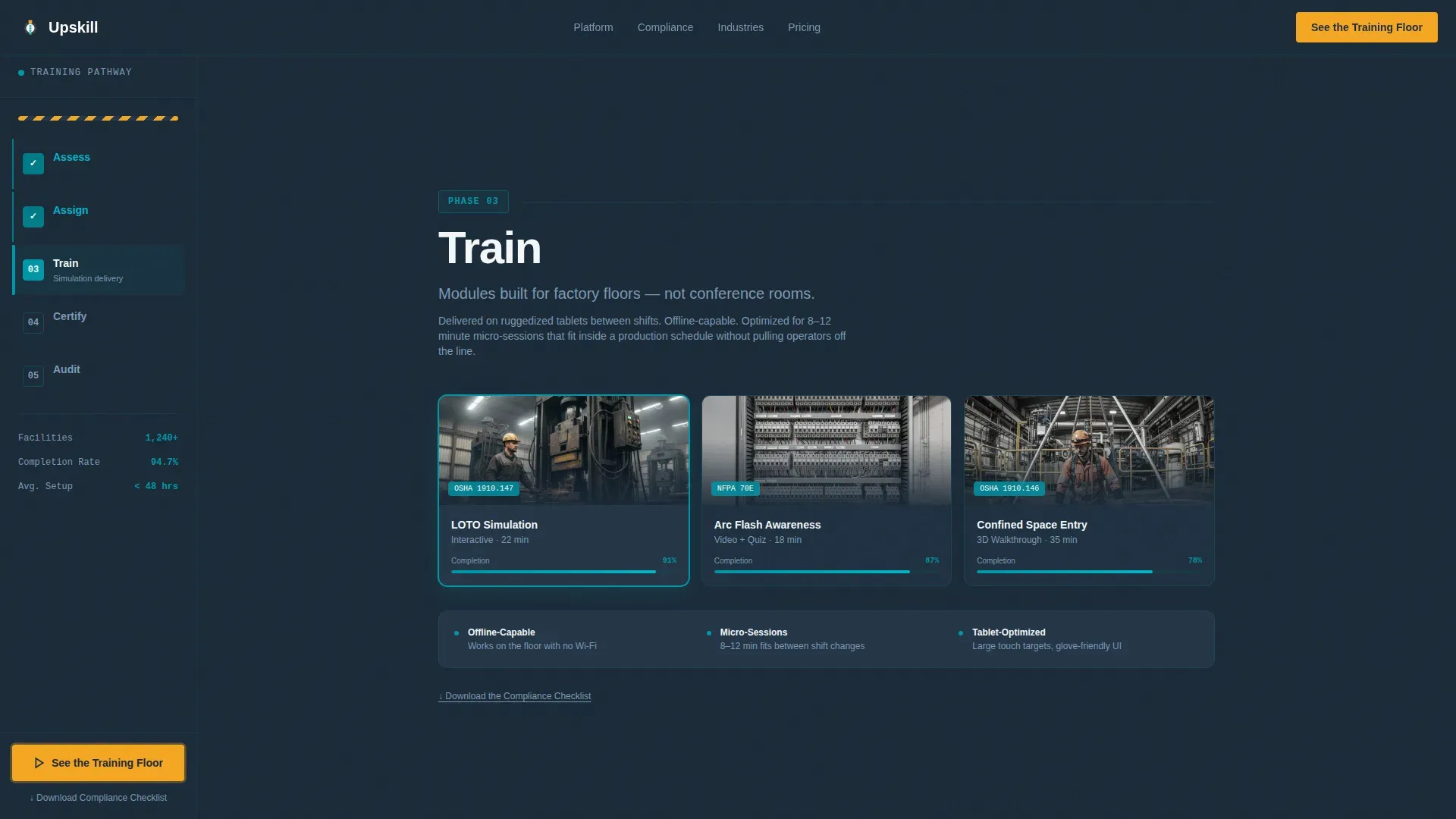
Each of the five content sections, Assess through Audit, reveals what happens at that training stage. Content includes skill-gap diagnostics, role-based course libraries, simulation screenshots, digital badge issuance, and compliance reporting dashboards.
Corporate Precision Visual System
The template applies a strict color-to-function system. Charcoal fields anchor backgrounds, teal marks progress and active states, safety white structures content panels, and amber is reserved exclusively for calls to action and urgency elements.
Page sections overview
| Section | Purpose |
|---|---|
| Hero Ticker | Display live certified operator count, micro-stats, and primary amber call to action |
| Assess Phase | Introduce skill-gap diagnostic tools and operator role mapping |
| Assign Phase | Present role-based course library and smart module routing |
| Train Phase | Show simulation screenshots and hands-on module delivery detail |
| Certify Phase | Cover digital badge issuance and credential tracking features |
| Audit Phase | Demonstrate compliance dashboard and reporting export capabilities |
| Footer | Linear single-row footer with minimal navigation |
Design & branding system
The visual identity follows a Corporate Precision theme. Every color in the palette maps to a specific function, the same way floor markings in a factory signal hazard zones and safe pathways.
- Deep shop-floor charcoal (#1B2A38) as the primary background, operational teal (#0097A7) for progress indicators and active sidebar states, and high-visibility safety white (#F4F7F9) for all content panels
- Alert amber (#F5A623) is used exclusively for calls to action and urgency cues, never for decorative purposes
- JetBrains Mono handles all counter and data display typography; DM Sans is used for body copy throughout the page
Mobile & speed optimization
This template is designed desktop-first, reflecting how plant managers and L&D coordinators typically access vendor pages on workstations and laptops. A mobile fallback is included to support tablet use on the factory floor.
- Server Components handle all static sections to minimize client-side load, while counter and scroll logic run as Client Components
- High-animation features including the counter ticker, scroll-linked sidebar highlighting, and section reveals are scoped to desktop breakpoints for optimal performance on smaller screens
How this template helps you convert
Every design and content decision on this page points toward a single conversion outcome: getting a qualified industrial buyer to click through to a platform walkthrough.
- The live operator ticker establishes immediate social proof with a credible, data-forward visual that resonates with metrics-driven plant managers
- The scroll-linked sidebar creates a guided, low-friction experience that mirrors the sequential logic of the training product itself, building trust through structural familiarity
- The always-visible amber call-to-action button removes the need for the visitor to search for next steps at any point during their scroll
Other information about this template
This template sits at the intersection of manufacturing HR, compliance technology, and B2B software-as-a-service conversion design. It was built with the specific operational context of industrial training providers in mind.
- The page is localized for English (US) audiences with USD pricing context and imperial measurement conventions built into copy framing
- Animation intensity is set to high, covering the counter ticker, scroll-linked sidebar transitions, and per-section content reveals
- The footer follows a linear single-row pattern, keeping the page exit clean and focused on the primary conversion path
Theme
Corporate Precision
Creative direction
Step-by-Step Guide
Color system
Teal Catalyst
Style
Sidebar Companion
Direction
Click-Through
Page Sections
Live Certified Operator Ticker
Scroll-linked Sidebar Navigation
Always-visible Amber Call to Action
Secondary Compliance Checklist Link
Five-phase Section Architecture
Corporate Precision Color System
Related questions
Who is the primary audience this landing page is built to convert?
Does this landing page include any forms?
What are the five training phases shown in the sidebar?
Can this template support a manufacturing training provider selling to large enterprise facilities?
What makes the call to action different from a standard button?



