Education & Literacy Nonprofit Reviews Website Template
Catalyst is a single-column landing page template built for STEM education nonprofits running community workshops. It guides parents, school counselors, and corporate sponsors from a cinematic hero section through a scrolling origin timeline, three program offerings, student testimonials, and a registration form, moving every visitor toward one confident action: reserving a seat.
by Rocket studio
Quick summary
Catalyst is a focused, single-column landing page template for STEM education nonprofits. It pairs a documentary-style origin timeline with a practical event registration flow. The design uses warm industrial visuals, a chalkboard-and-cloud color system, and scroll-triggered animations to build trust before the ask ever appears.
Who this template is for
This template is designed for youth-focused STEM organizations that run hands-on community workshops. It speaks directly to the people most likely to act on what they find.
- School counselors searching for structured summer placements for students
- Parents of curious teenagers who need proof before they commit
- Corporate social responsibility managers looking for a fundable, visitable program to support
What problem this template solves
Most nonprofit landing pages ask for something before they earn it. They lead with a form, skip the story, and leave visitors wondering whether the organization is real or worth trusting. Catalyst reverses that order.
- Visitors arrive skeptical and leave convinced, because the origin story builds credibility first
- The registration form only appears after growth stats, student quotes, and a clear program menu
- Corporate sponsors get a visible secondary path so they are never forced through a parent-focused form
What you get with this template
You get a fully structured, single-column landing page designed around one goal: getting the right person to register or sponsor. Every section has a defined job.
- A cinematic hero with a student-led headline and a sunrise-amber registration button
- A scrolling origin timeline from 2017 to the present, with count-up statistics that animate as visitors scroll
- Three program cards (Robotics, Coding, Rocketry), a corkboard testimonial section, a registration form with a sponsor path, and a streamlined footer
Feature list
This template includes purpose-built sections and interactive details grounded in the source brief. Each element earns its place.
Cinematic Hero Section
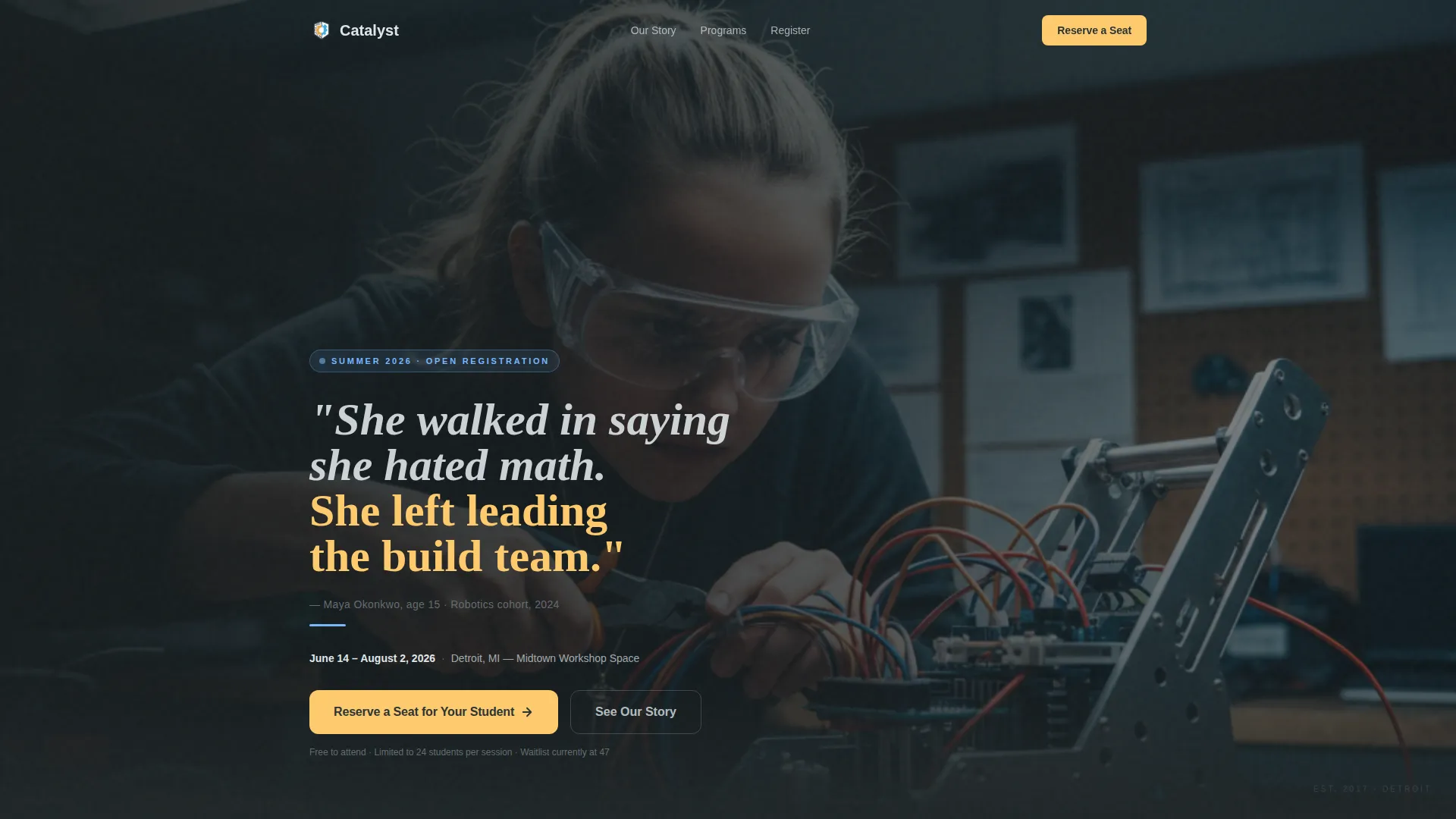
The hero uses a half-page photo-and-text layout. A teenager mid-task in safety goggles anchors the left side. A right-aligned cloud-white headline carries a real student quote. A sunrise-amber button reads "Reserve a Seat for Your Student" and sets the tone from the first scroll.
Scrolling Origin Timeline
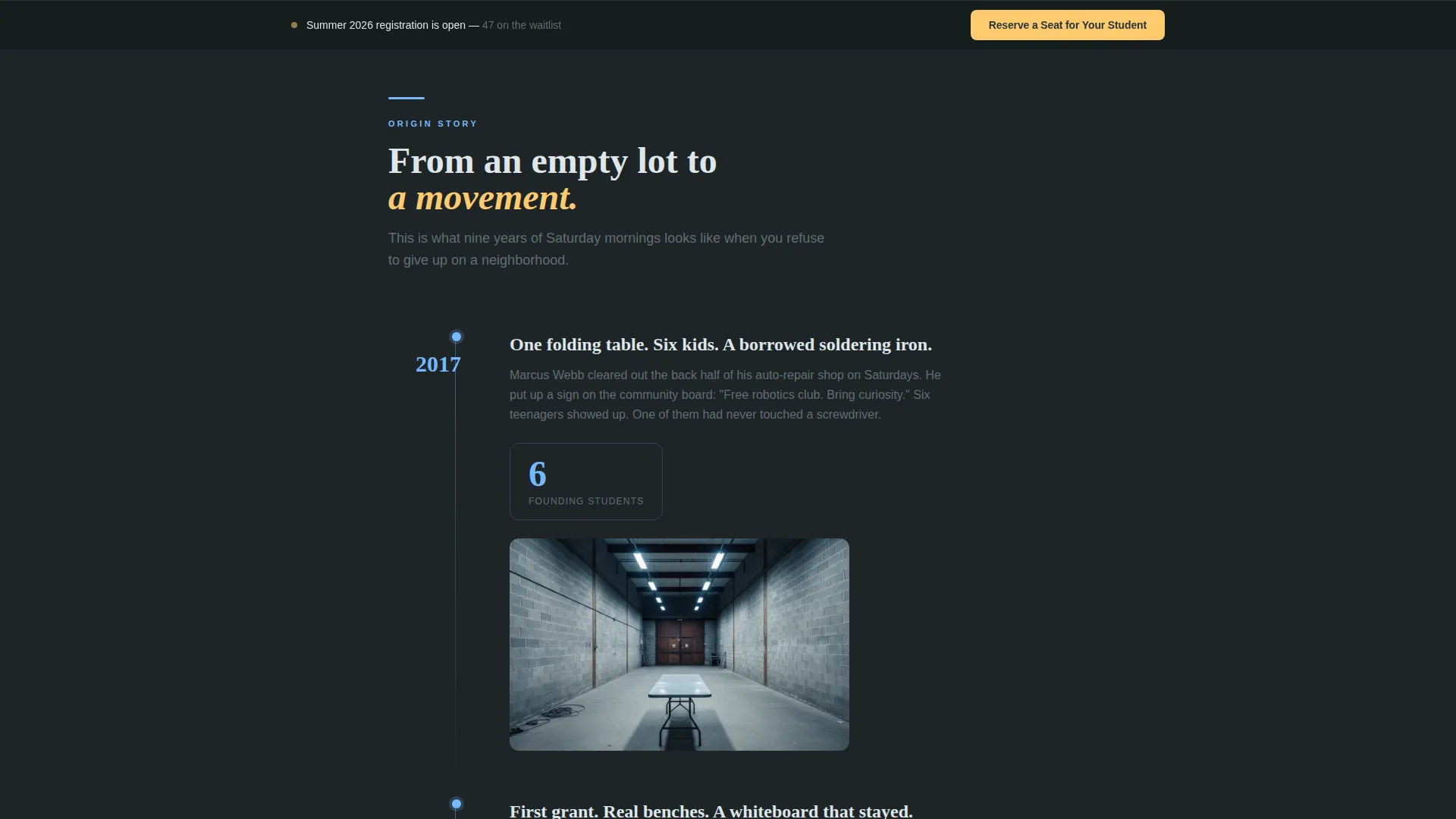
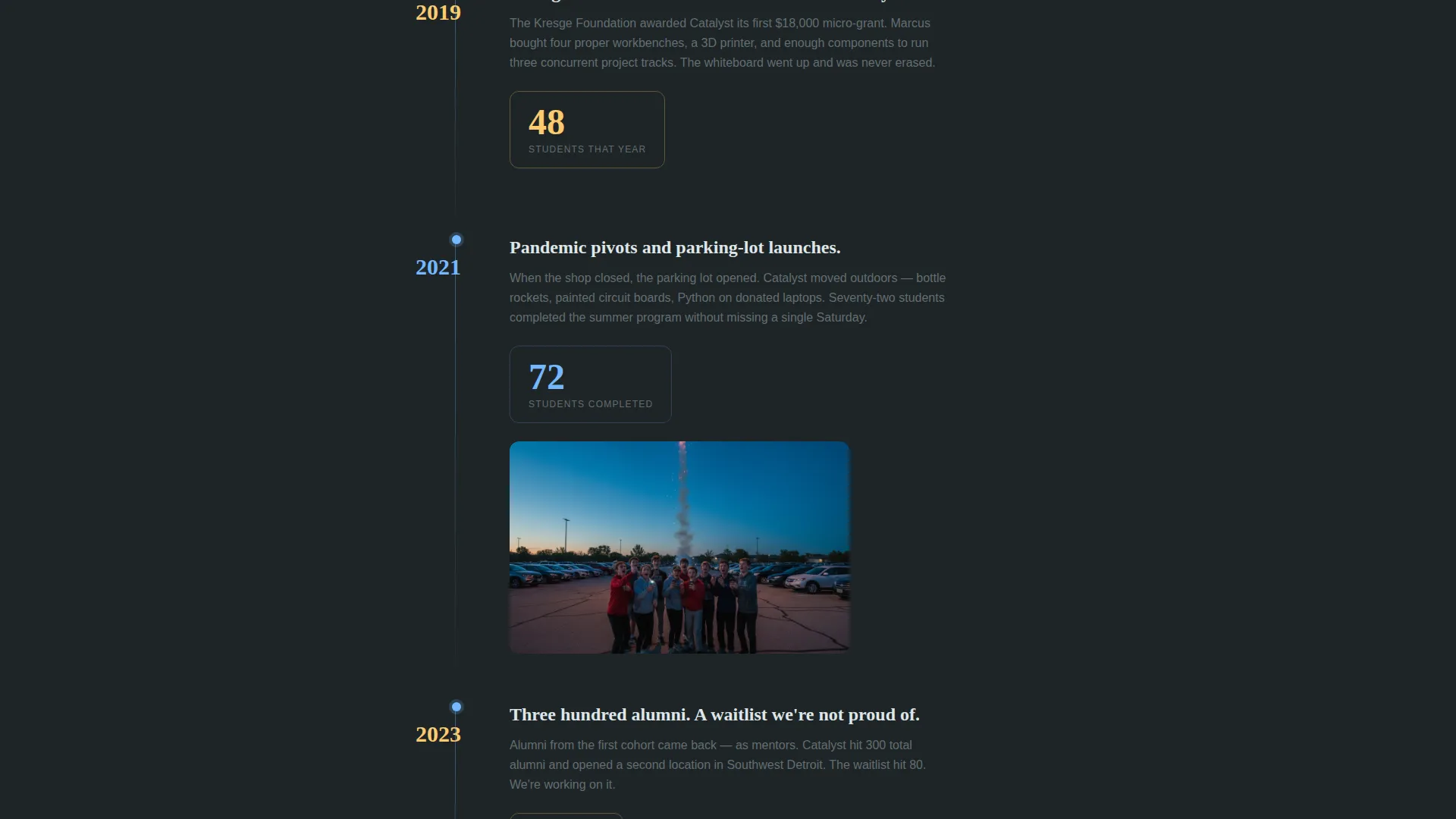
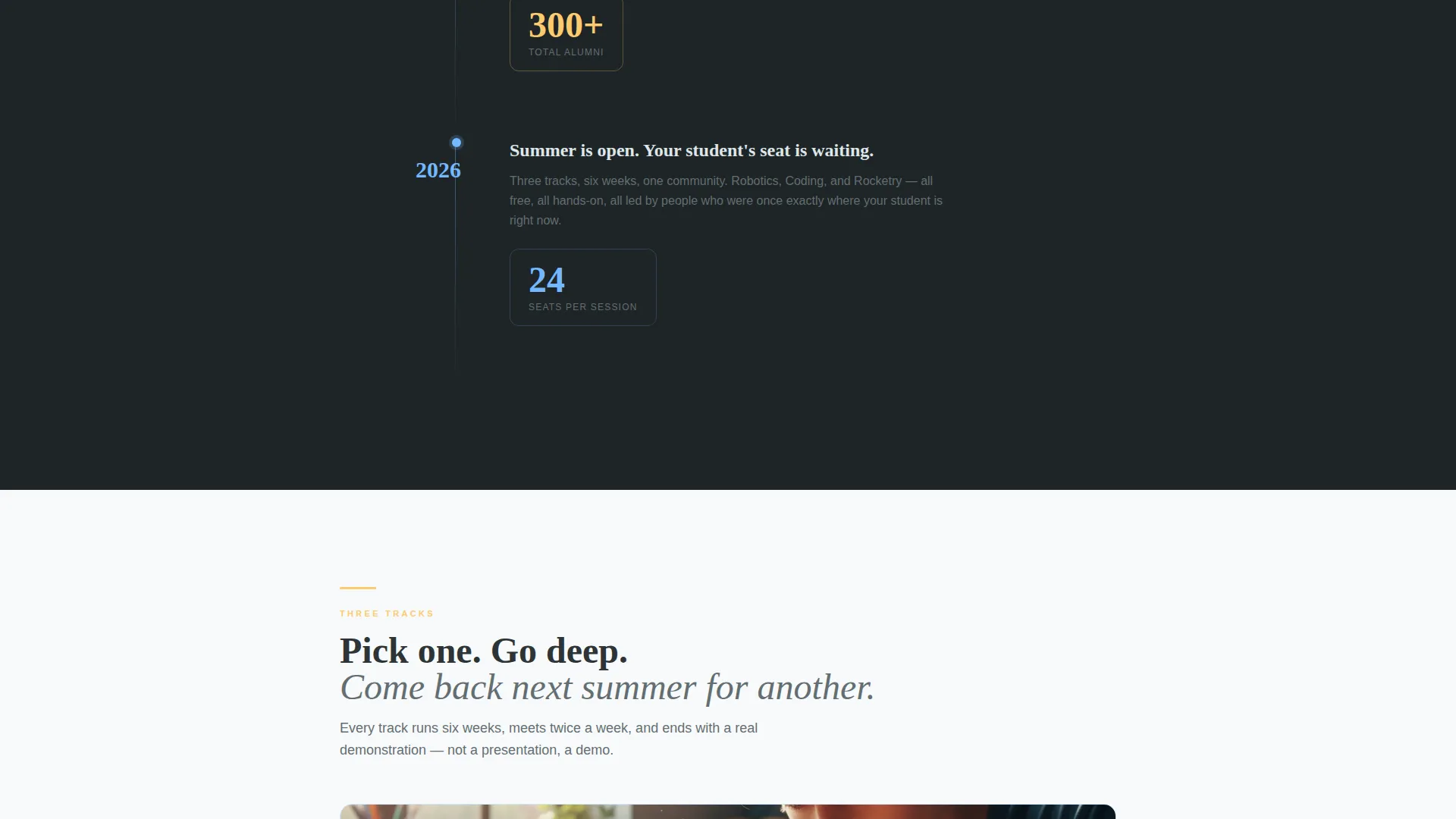
The documentary-style timeline walks visitors through the organization's growth year by year. Milestone stats count up as each year scrolls into view using IntersectionObserver-triggered animations. The sequence moves from a single folding table to 300-plus alumni, building momentum toward the registration section.
Program Bento Layout
Three programs are displayed in an asymmetric bento-style grid: Robotics, Coding, and Rocketry. Each card gives visitors a clear sense of what students actually do before they commit to a session preference in the form.
Corkboard Testimonial Section
Student quotes appear in a handwritten-style typographic treatment, pinned at slight angles like notes on a physical corkboard. The tilt effect adds tactile warmth and reinforces the garage-workshop personality of the organization.
Sticky Registration Bar
After the origin timeline, a sticky bar appears and stays visible as the visitor continues scrolling. It carries the primary call to action, keeping the registration path accessible without interrupting the content flow.
Dual-Path Registration Form
The registration form collects student first name, age, guardian email, and a session-preference dropdown (Robotics, Coding, Rocketry). A secondary sponsor path below the form reads "Sponsor a Student Seat, $75," giving corporate visitors and donors a clear, separate action to take.
Page sections overview
| Section | Purpose |
|---|---|
| Hero photo header | Introduces the program with a student image, punchy quote, date, location, and primary registration button |
| Origin story timeline | Builds trust through year-by-year growth milestones and count-up statistics |
| Programs bento grid | Presents Robotics, Coding, and Rocketry as distinct, choosable tracks |
| Student testimonials | Displays corkboard-style handwritten quotes to humanize the program's impact |
| Registration form | Collects student details and session preference; offers a sponsor path below |
| Footer row | Single-row linear footer with essential links and organization information |
Design & branding system
The visual identity follows a Healing Space theme built around a Slate and Sky color palette. The mood is warm, grounded, and quietly energizing, like the first clear hour after a rainstorm.
- Core colors: deep chalkboard (#2D3436), soft graphite (#636E72), open-sky blue (#74B9FF), and cloud-white (#DFE6E9), with sunrise amber (#FDCB6E) on buttons and pull-quotes
- Backgrounds alternate between chalk-dark and cloud-white sections to create a breathing rhythm down the page
- Typography pairs Plus Jakarta Sans for body text with Fraunces serif display headlines, and sky blue threads through links, dividers, and progress indicators throughout
Mobile & speed optimization
The template is built desktop-first, reflecting how school counselors and corporate visitors typically browse. A strong mobile fallback ensures parents searching from their phones have an equally clear path to the form.
- Scroll-reveal animations use IntersectionObserver so they fire only when sections enter the viewport
- Server Components handle static sections, keeping JavaScript minimal and page weight low
- Stagger delays on timeline and testimonial elements keep motion purposeful rather than overwhelming
How this template helps you convert
Every structural decision in Catalyst is designed to reduce hesitation and move visitors toward one clear action.
- The origin timeline places social proof (alumni count, growth stats, student quotes) before the registration form, so visitors arrive at the ask already convinced
- The sticky registration bar keeps the primary call to action visible without forcing visitors to scroll back up, reducing drop-off at the bottom of long content sections
- The dual-path form serves two distinct audiences in one place, so a corporate sponsor never feels like they are filling out a parent's form
Other information about this template
Catalyst is part of a focused set of templates built for community-driven organizations that need to prove impact before making an ask. A few additional details worth knowing:
- The template is categorized under Community and Nonprofit, with a specific fit for Education and Literacy Nonprofit use cases
- The Healing Space theme and Slate and Sky color system are a matched pairing designed to feel warm and trustworthy rather than clinical or institutional
- The Origin Story creative direction is intentional: it treats the page like a short documentary, not a brochure
- The header uses a Half-Page Photo and Text concept, balancing visual storytelling with direct, actionable copy
- The landing page direction is Event Registration, meaning every section is sequenced to build toward the form rather than distribute attention across multiple goals
Theme
Healing Space
Creative direction
Origin Story
Color system
Slate & Sky
Style
Single Column Flow
Direction
Event Registration
Page Sections
Cinematic Half-page Hero
Scroll-triggered Origin Timeline
Asymmetric Program Bento Grid
Corkboard Testimonial Display
Sticky Registration Call-to-action Bar
Dual-path Registration Form
Related questions
Can I change the workshop programs shown in the template?
Is the registration form connected to any external platform?
Can corporate sponsors use this page without filling out the parent registration flow?
How does the count-up animation on the timeline work?
Does this template suit an organization that is just getting started?



