Space & Advanced Aerospace Specialist Professional Website Template
The Precision Debris Tracking landing page template is built for orbital monitoring services operating in the aerospace and defense space. It presents a single-column flow designed to walk technical buyers through a real data pipeline, from radar intake to conjunction alerts, before a focused B2B conversion ask. The visual identity pairs deep black-green tones with bioluminescent accents for an operations-center feel.
by Rocket studio
Quick summary
This single-column landing page template serves orbital debris tracking services targeting satellite operators, space insurers, and government agencies. It guides visitors through a transparent, layer-by-layer process walkthrough before presenting a primary call to action for API documentation access. The design channels the quiet authority of a live operations center.
Who this template is for
This template is built for technically credible aerospace and defense services that need to earn trust before asking for a commitment. It speaks directly to buyers who evaluate vendors on process depth, not marketing language.
- Orbital debris monitoring networks pitching to satellite constellation operators
- Space insurance underwriters and risk analysts researching on-orbit data providers
- Government and defense agencies managing launch corridor safety and space traffic coordination
What problem this template solves
Most aerospace service pages lead with credentials and skip the process entirely. Technical buyers in this space need to understand how the system actually works before they consider integration. Generic layouts cannot carry that weight.
- Visitors leave without understanding the data pipeline, so trust never forms
- A single call to action placed too early pushes qualified prospects away before credibility is established
- Dense block copy fails engineers and analysts who scan for process logic, not taglines
What you get with this template
You get a full single-column landing page that walks visitors through each stage of an orbital debris tracking workflow, from raw sensor input to delivered alerts. Every section is purposeful and sequenced for B2B conversion.
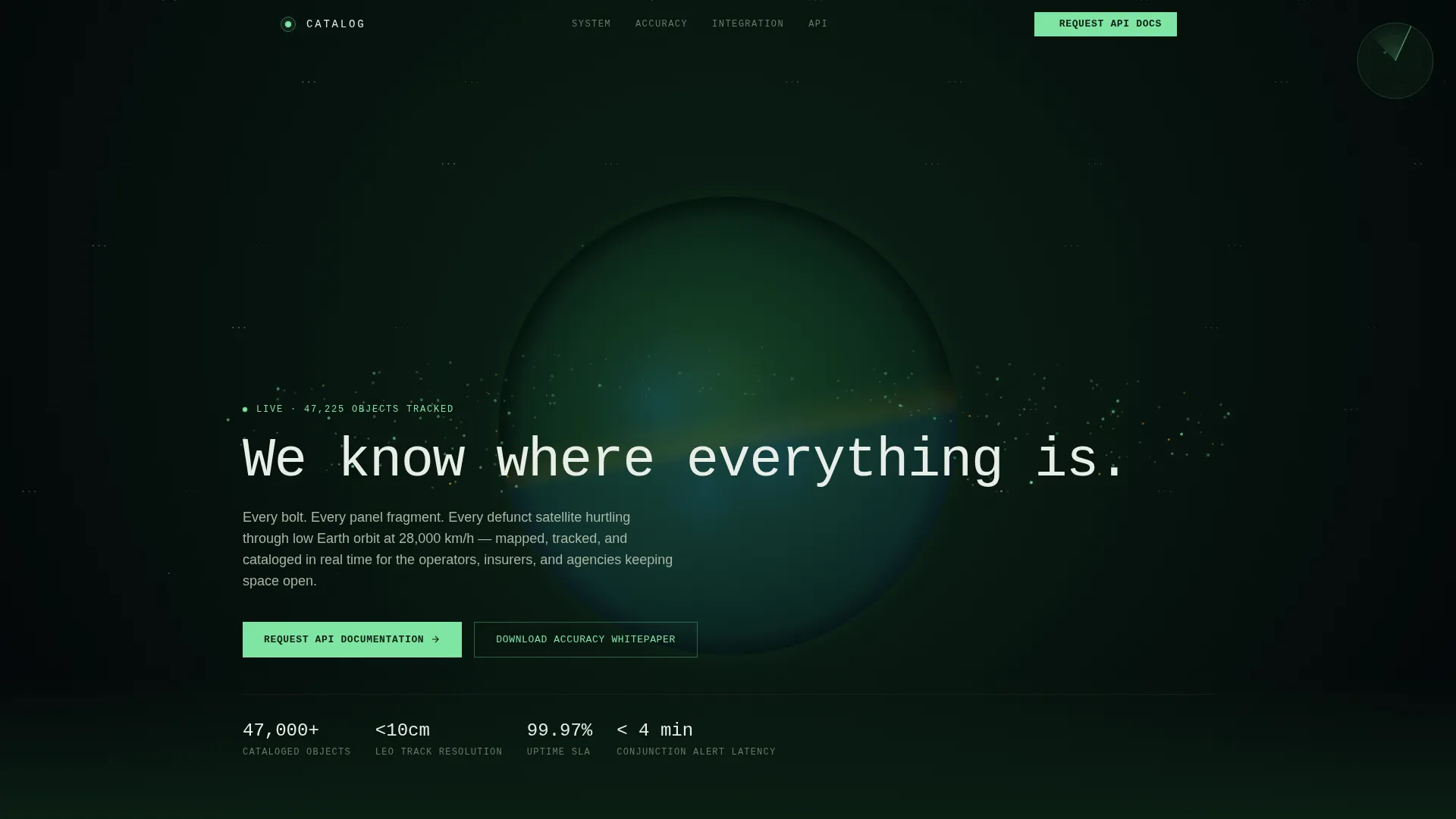
- A full-viewport panoramic header with a live object-counter and monospaced headline
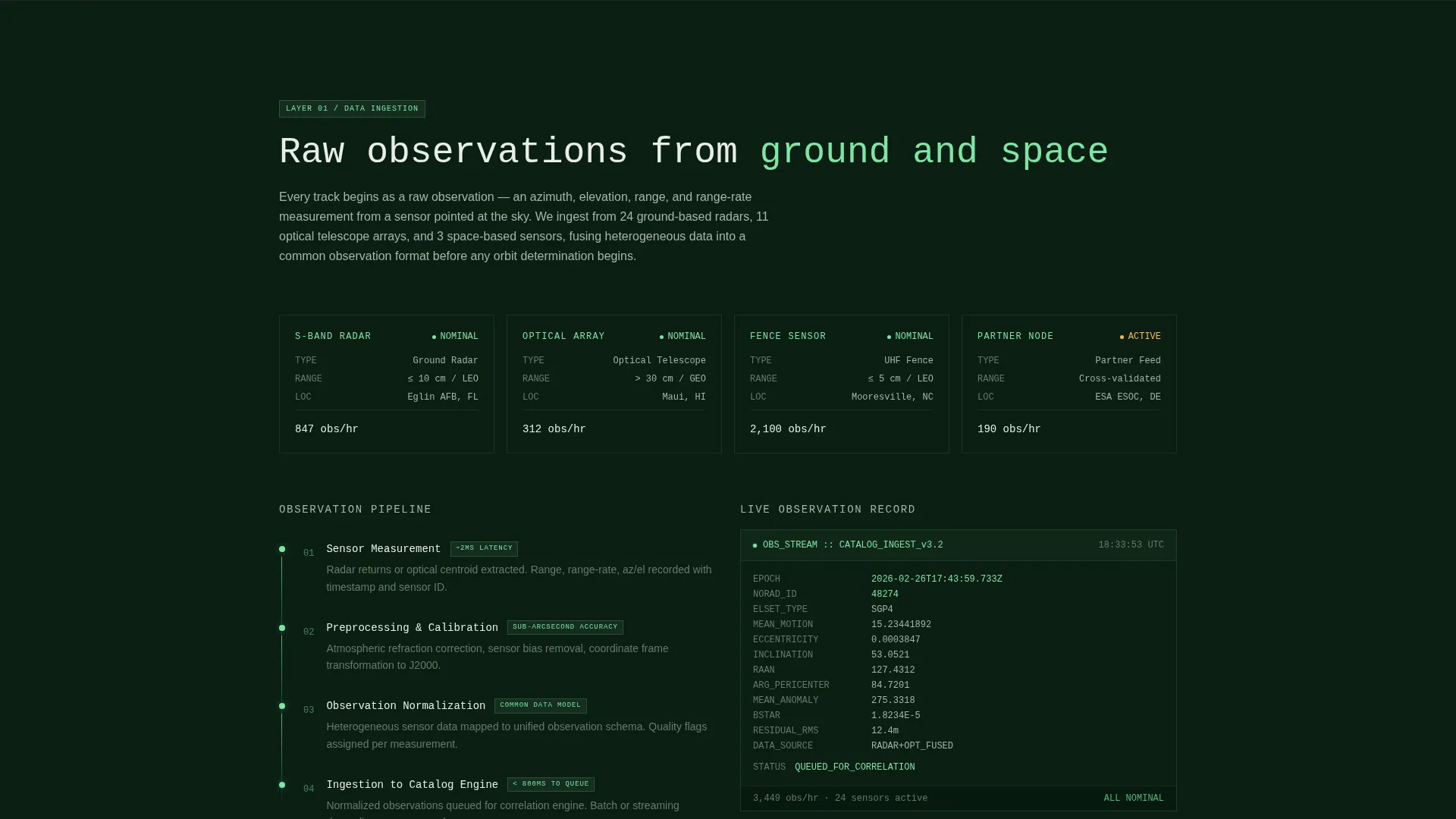
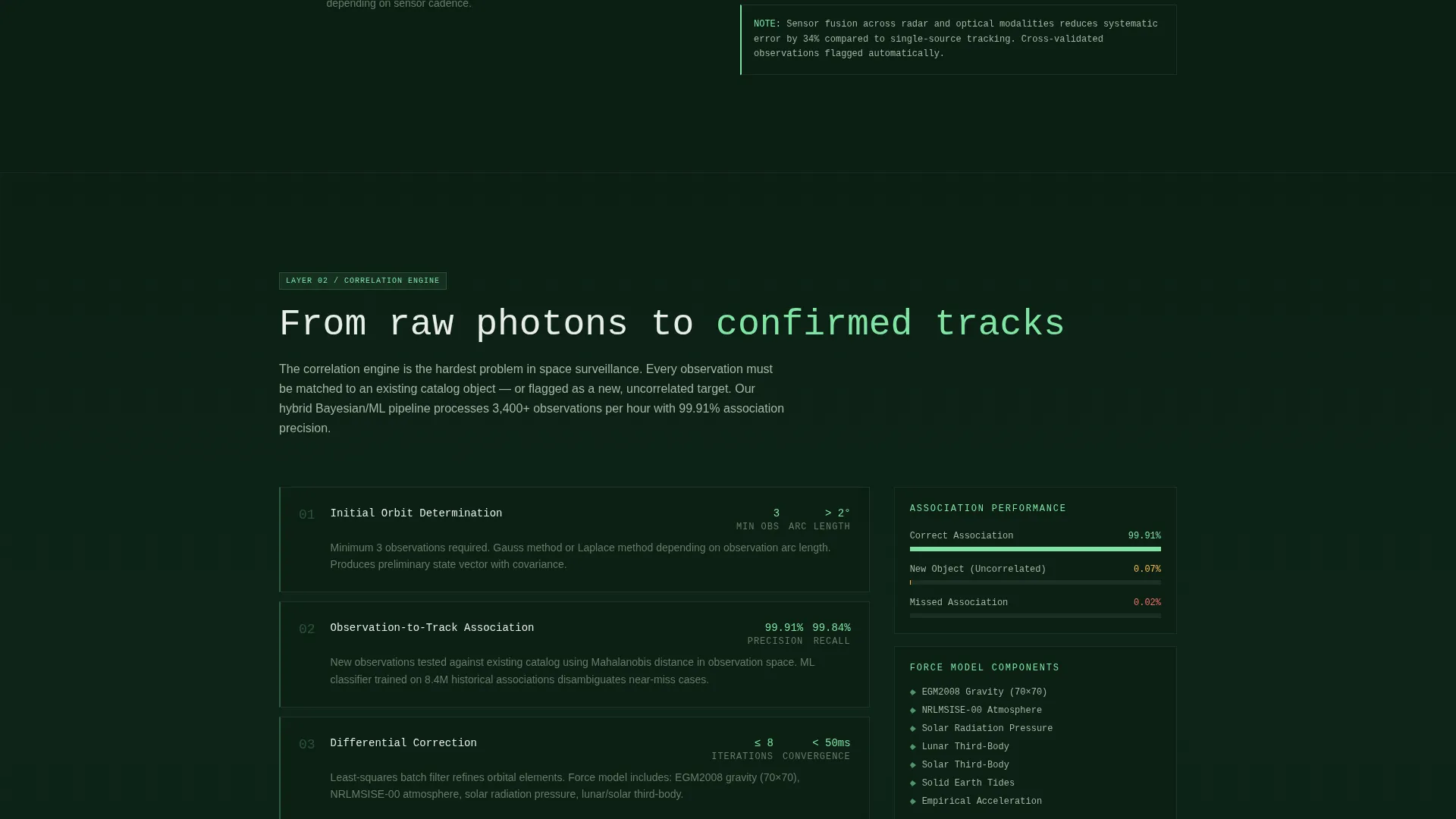
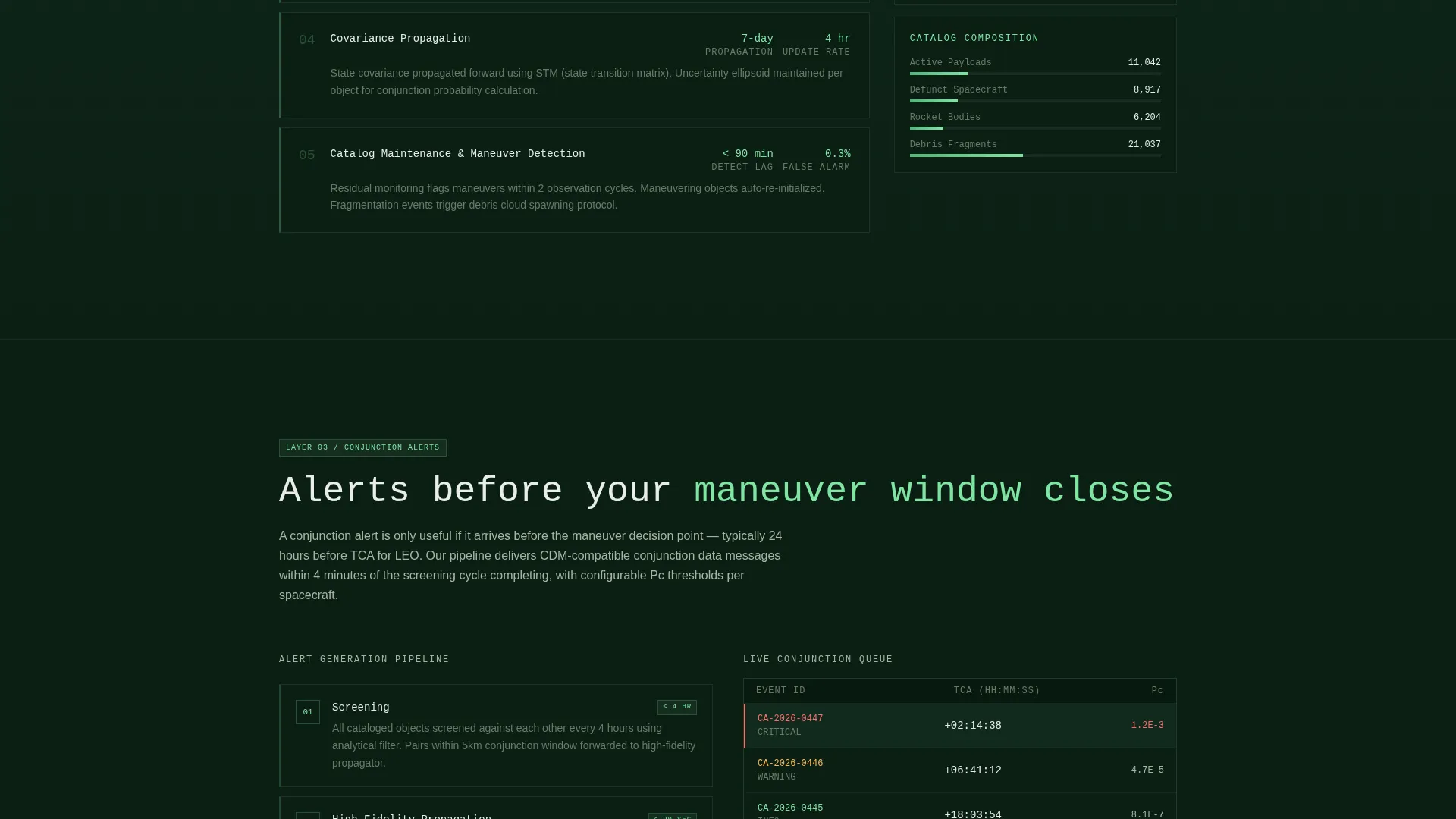
- Four sequential process sections, each with a simplified engineering-style diagram
- A dual-path conversion zone with a primary API request form and a secondary whitepaper download gate
Feature list
This template ships with a set of purposefully designed components that serve a technical B2B audience without sacrificing visual clarity.
Full-Viewport Orbital Header Band
The header stretches edge to edge, showing Earth's limb curving across the screen. A live-style object counter ticks upward in the lower-left corner, and the headline resolves in clean monospaced type. The effect reads like a live operations feed, not a stock photo.
Four-Stage Process Walkthrough
Four sequential content sections peel back the system layer by layer. Each covers one stage: raw radar and optical data intake, machine-learning track correlation, conjunction alert generation, and client-side feed integration. Simplified but engineer-recognizable diagrams accompany each stage.
Dual-Path Conversion Zone
After the process walkthrough, two conversion paths appear side by side. The primary path collects organization name, role, constellation or portfolio scope, and a work email to request API documentation. The secondary path gates a technical accuracy whitepaper behind email only, serving prospects still in evaluation.
Data Command Visual Theme
The bioluminescent accent color (#7FE5A3) is reserved for live data points, interactive highlights, and clickable elements. Every pulsing green element signals interactivity, reinforcing the operations-center atmosphere without decorative noise.
Role-Qualified Lead Form
The API request form includes a role selector with specific options: operator, insurer, agency, or other. It also rejects personal email domains, ensuring only organizational contacts enter the pipeline. This keeps lead quality high at the point of capture.
Monospaced Typography System
Headlines and data labels use monospaced typefaces throughout the page. This typographic choice aligns with terminal and command-interface conventions familiar to engineers and systems analysts, reinforcing trust through visual consistency.
Page sections overview
| Section | Purpose |
|---|---|
| Panoramic Orbital Header | Establishes live-feed authority and surfaces the tracked-object counter |
| Radar Data Intake | Explains how raw radar and optical telescope data enters the system |
| Track Correlation Engine | Shows how machine learning confirms and correlates object tracks |
| Conjunction Alert Generation | Details how proximity alerts are produced and delivered |
| Client Feed Integration | Demonstrates how operators connect the data to their own flight dynamics tools |
| Dual-Path Conversion Zone | Presents the API request form and whitepaper download as two commitment levels |
Design & branding system
The visual identity follows a Data Command theme built on the Forest Trust color system. Every color choice reinforces institutional authority while keeping the atmosphere grounded and organic.
- Deep canopy black-green (#0B1F14) for backgrounds, lichen gray (#A8B5A2) for body text, and old-growth bark (#3B2F2F) for section dividers
- Bioluminescent accent (#7FE5A3) reserved for live data highlights, interactive elements, and radar-sweep pulse effects
- Monospaced typefaces for headlines and data labels, signaling a terminal and command-interface environment throughout
Mobile & speed optimization
The single-column flow adapts naturally to smaller screens without requiring separate layout logic. Each process section stacks cleanly, and the header band scales to maintain its panoramic impact.
- Full-viewport header scales gracefully so the orbital view and live counter remain legible on mobile displays
- Single-column layout means no complex grid breakpoints or reflow issues across device sizes
- Conversion forms stack vertically on narrow screens, keeping both commitment paths visible without scrolling past them
How this template helps you convert
The conversion strategy is built on sequenced trust. The page never asks for a commitment before demonstrating exactly how the system works.
- The process walkthrough establishes deep technical credibility across four documented stages, so qualified buyers arrive at the call to action already convinced of system rigor.
- The dual-path conversion zone gives prospects two options matched to their readiness: a full API documentation request for active evaluators, and a whitepaper download for those still comparing providers.
Other information about this template
This template is categorized under Aerospace and Defense, specifically within the Space and Advanced Aerospace subcategory, targeting the orbital debris tracking niche. It is part of the Catalog template collection and uses the Single Column Flow structure with a Panoramic header concept. The creative direction is Transparent Process, meaning the page architecture itself communicates system credibility. The Partnership and B2B landing page direction means every design decision, from form field choices to call to action sequencing, is optimized for organizational buyer journeys rather than individual consumer conversions.
- Template style: Single Column Flow with a Panoramic wide header concept
- Theme: Data Command using the Forest Trust color palette
- Creative direction: Transparent Process, revealing the data pipeline section by section
- Landing page direction: Partnership and B2B, with role-qualified lead capture and a tiered conversion path
Theme
Data Command
Creative direction
Transparent Process
Color system
Forest Trust
Style
Single Column Flow
Direction
Partnership/B2B
Page Sections
Full-viewport Orbital Header Band
Four-stage Process Walkthrough
Dual-path Conversion Zone
Role-qualified Lead Form
Data Command Visual Theme
Monospaced Typography System
Related questions
Who is this landing page template designed for?
What does the page's process walkthrough actually include?
How does the dual-path conversion zone work?
Why does the API request form reject personal email addresses?
Can the color system and typography be customized?



