Space & Advanced Aerospace Professional Website Template
Capsule is a split-screen landing page template built for a civilian astronaut training program. It uses an engineering blueprint visual identity, monochrome steel tones, isometric line-art animation, and amber call-to-action accents, to guide qualified candidates through four training phases before directing them to a full application portal.
by Rocket studio
Quick summary
Capsule is a desktop-first, single-page click-through template designed for a high-stakes civilian astronaut training program. It walks visitors through four training phases using a 50/50 split-screen layout, builds credibility through engineering-grade specifications, and ends with a single call to action pointing to an eligibility questionnaire.
Who this template is for
This template is built for high-credential civilians preparing for commercial spaceflight and the organizations that train them. The design speaks directly to technically literate audiences who respond to precision and process over sales language.
- Retired fighter pilots, aerospace engineers, and tech founders on commercial spaceflight manifests
- Commercial spaceflight operators vetting payload passengers for physiological readiness
What problem this template solves
Most program pages sell an experience. This template does the opposite. It lays out a rigorous training protocol in full technical detail, so qualified candidates self-select before they ever submit an application.
- Candidates arrive at the application portal already informed, reducing unqualified inquiries
- The transparent, specification-led structure builds trust without relying on testimonials or marketing language
What you get with this template
You get a fully structured single-page layout with five distinct visual sections, each serving a specific role in the candidate journey. The design system, animation behavior, and call-to-action logic are all defined and ready to customize.
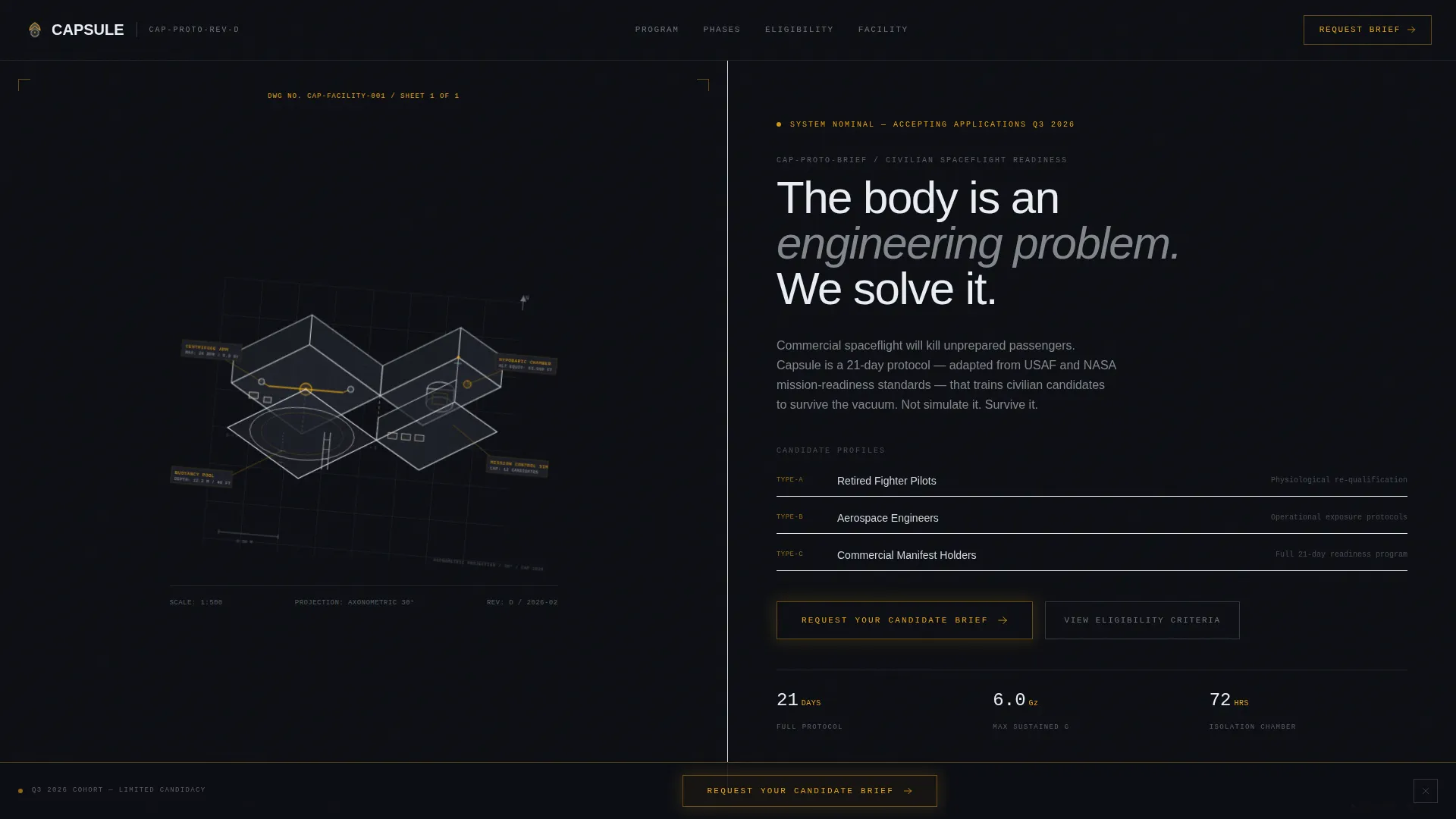
- Isometric hero section with SVG path-draw animation and slow orbital rotation
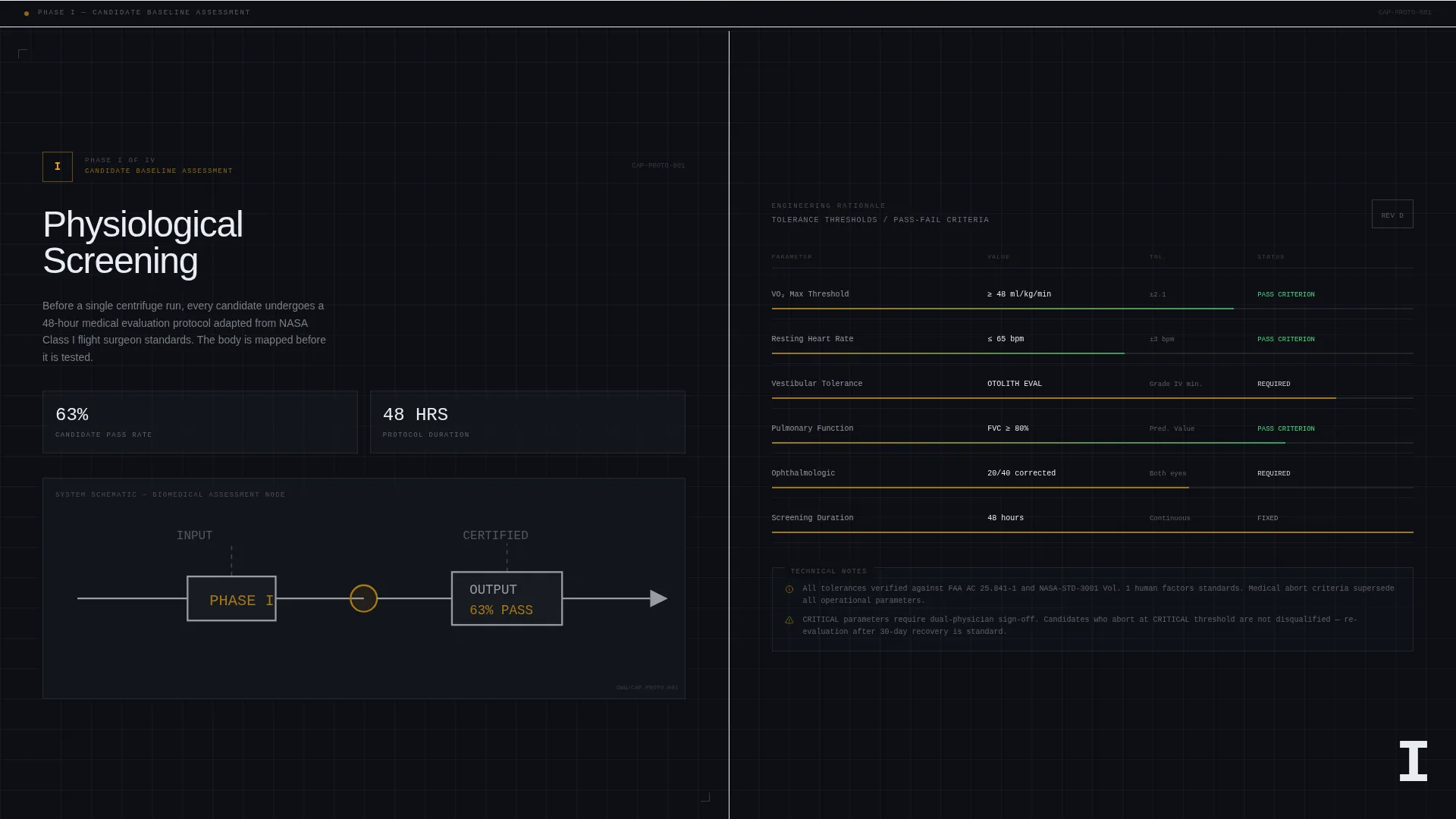
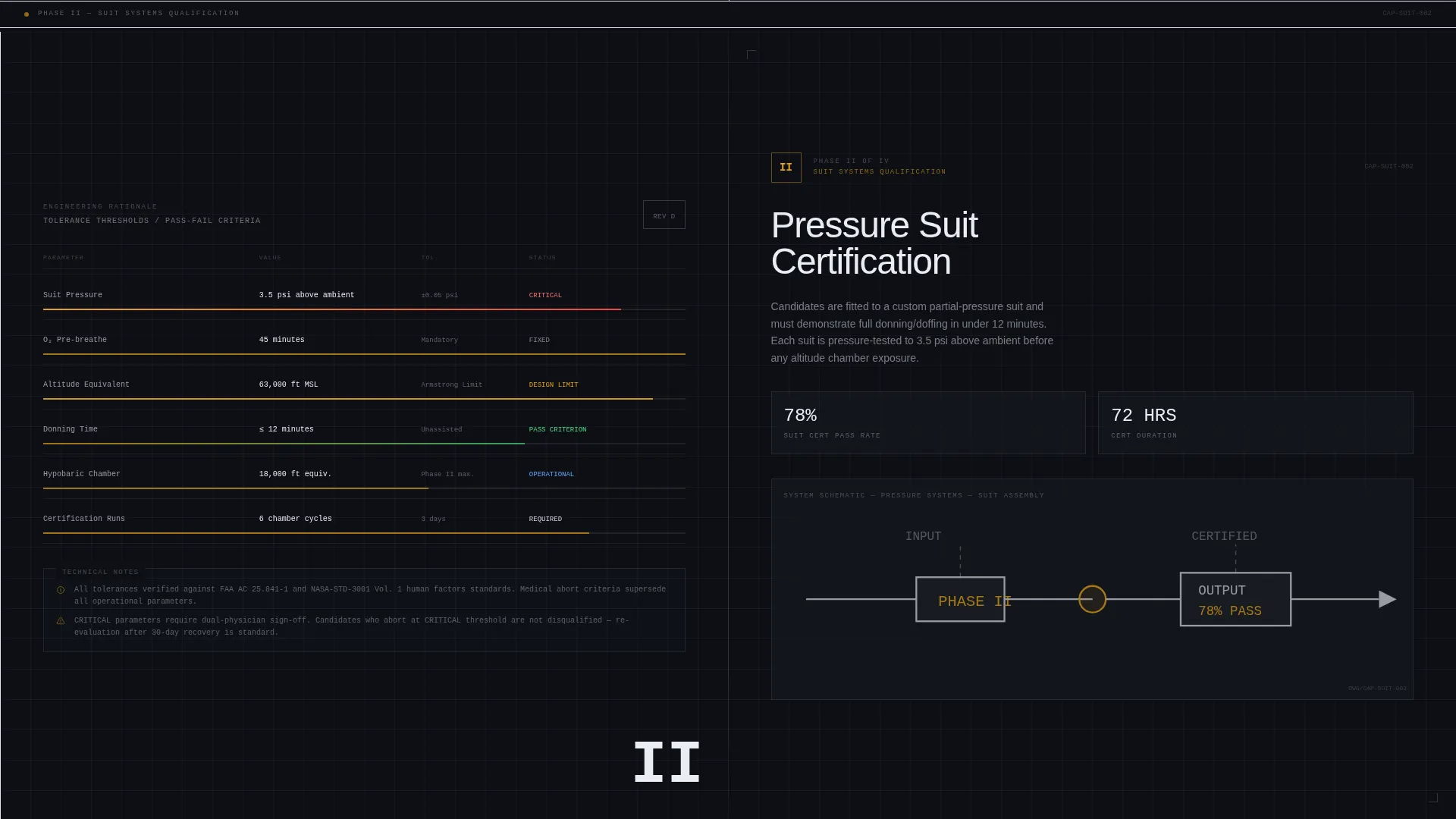
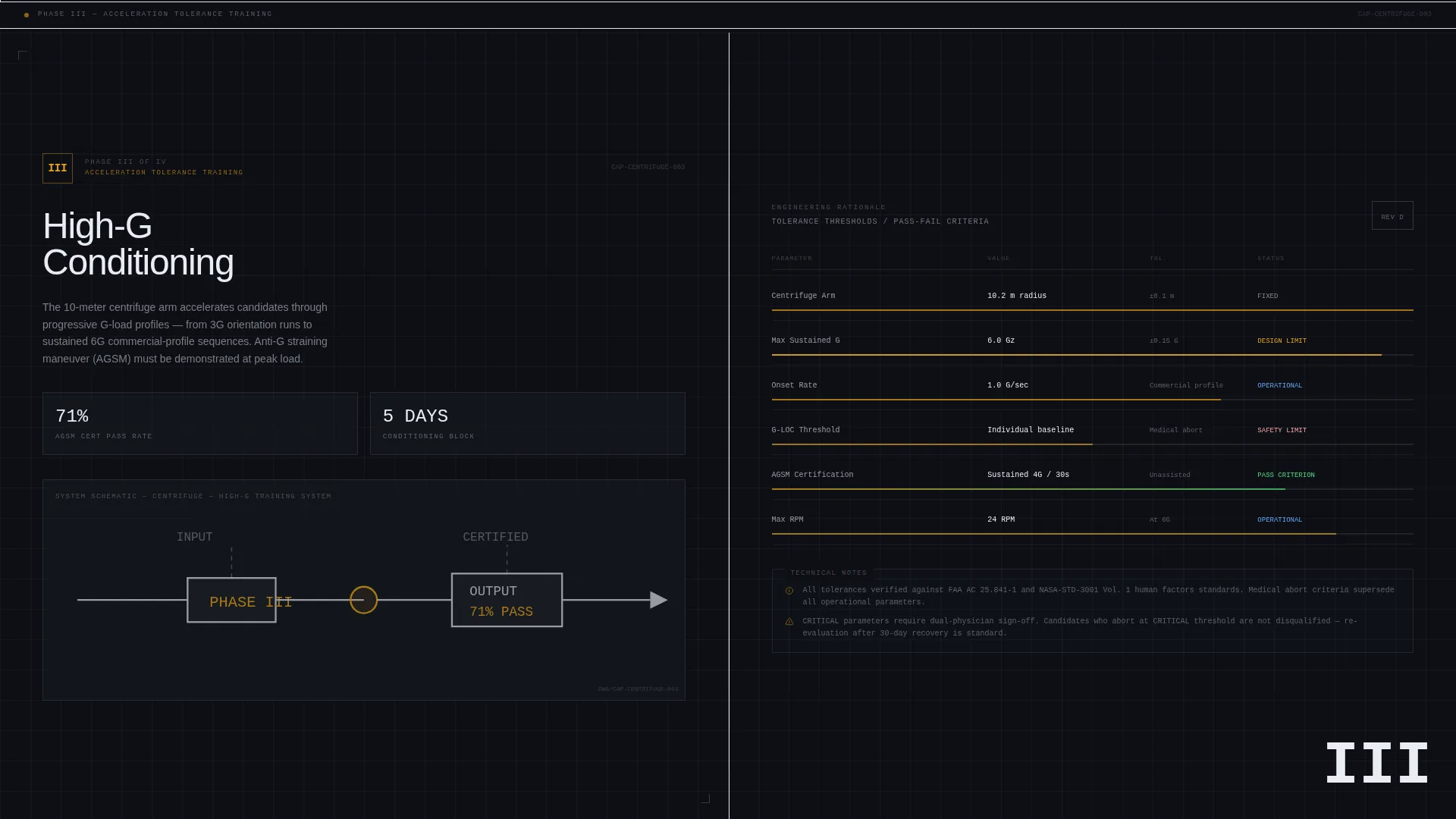
- Four scroll-linked training phase sections in a 50/50 split-screen layout
- A persistent call-to-action bar that appears after the midpoint scroll, plus a footer in a developer-minimal pattern
Feature list
This template ships with a tightly integrated set of components that reflect the engineering-blueprint theme and click-through landing page direction.
Isometric SVG Hero with Staggered Assembly
The header renders a cutaway isometric diagram of the entire training complex. Each component, centrifuge arm, hypobaric chamber, neutral buoyancy pool, and classroom module, draws itself on load using SVG path animation. Labels appear alongside each component, showing specifications such as maximum RPM, altitude equivalence, and pool depth. A slow five-degree camera drift over ten seconds gives the impression of orbiting the facility.
50/50 Split-Screen Phase Sections
Each training phase occupies a full-screen split layout. The left panel names and describes the phase. The right panel displays engineering rationale, tolerance thresholds, pass/fail criteria, hours logged, and equipment specifications. Stakes escalate across all four phases, from physiological screening through simulated extravehicular activity.
Scroll-Linked Section Reveals
Each phase section activates as the visitor scrolls into view. The reveals are powered by Intersection Observer triggers, giving each section a deliberate, briefing-room pacing that matches the technical tone of the content.
Spotlight Hover on Spec Panels
Specification panels on the right side of each split respond to hover with a spotlight effect. This draws attention to individual data points, tolerances, pass rates, equipment specs, without cluttering the layout with persistent callouts.
Persistent Call-to-Action Bar
After the visitor crosses the page midpoint, a fixed bottom bar appears with the primary call to action: "Request Your Candidate Brief." The bar uses amber on steel per the color system and stays visible for the remainder of the scroll, including the Phase IV reveal.
First-Photograph Final Reveal
The Phase IV section is the only place on the page that uses photography. A suited candidate standing inside a capsule mockup appears after all four phases of technical detail have been presented. The emotional weight of this image lands precisely because every specification before it has proven the moment is real.
Page sections overview
| Section | Purpose |
|---|---|
| Hero Blueprint | Isometric SVG facility diagram with animated assembly, component labels, and orbital drift |
| Phase I Screening | 50/50 split covering physiological screening tolerances and pass/fail criteria |
| Phase II and III | 50/50 split covering pressure suit certification and high-G conditioning specs |
| Phase IV EVA | Final split reveal with first photograph, suited candidate, and primary call to action |
| Persistent call to action Bar | Fixed bottom bar triggered at midpoint scroll with amber "Request Your Candidate Brief" button |
| Developer Minimal Footer | Clean footer section in a GitHub developer-minimal pattern |
Design & branding system
The visual identity is built around an engineering blueprint theme. Every design decision references the interior language of aerospace hardware, bare metal, etched tolerances, and instrument lighting.
- Color palette: deep bulkhead gray (#1C1F26) as the base, instrument-panel white (#EAEDF2) for body content, milled aluminum (#D2D5DA) for structural elements, and caution-stripe amber (#E8A317) reserved exclusively for interactive hotspots and call-to-action borders
- Typography: JetBrains Mono for all specification labels and data readouts, DM Sans for body copy and descriptive paragraphs
Mobile & speed optimization
The template is designed desktop-first, reflecting the workstation habits of its target audience. A mobile fallback layout is included to ensure the page remains functional across devices.
- SVG animations are structured for GPU-accelerated rendering to reduce layout strain during the staggered assembly sequence
- Intersection Observer handles all scroll-triggered reveals, keeping the page responsive without continuous scroll-event polling
How this template helps you convert
This template does not use persuasion in the traditional sense. It uses transparency. The candidate is briefed, not pitched, and the call to action arrives only after the full technical case has been made.
- The four-phase scroll structure compounds stakes progressively, so by Phase IV the visitor understands exactly what the program demands, and whether they qualify
- The persistent call-to-action bar removes friction at the moment of decision without interrupting the briefing flow, directing qualified candidates to the eligibility questionnaire on the next page
Other information about this template
This template is categorized under Aerospace and Defense, specifically within the Space and Advanced Aerospace subcategory, targeting the astronaut training program niche.
- Template style: Split Screen (50/50), desktop-first with mobile fallback
- Landing page direction: Click-through, no form on the page itself, the single call to action leads to a separate eligibility questionnaire
- Dual-unit localization: Imperial and metric measurements are both present throughout specification panels, with USD as the currency context
- Animation intensity is set to high, using SVG path-draw, staggered component assembly, scroll-linked phase reveals, and slow orbital rotation
- The intersection match score for this template's category, subcategory, and niche alignment is 13, indicating a tightly defined use-case fit
Theme
Engineering Blueprint
Creative direction
Transparent Process
Color system
Monochrome Steel
Style
Split Screen (50/50)
Direction
Click-Through
Page Sections
Isometric SVG Hero with Animated Assembly
50/50 Split-screen Phase Layout
Scroll-linked Phase Reveals
Spotlight Hover on Spec Panels
Persistent Call-to-action Bar
First-photograph Final Reveal
Related questions
Does this template include a contact form or application form?
Can I customize the training phase content and specification panels?
Is the isometric hero illustration included in the template?
Who is this landing page template designed for?
What typography does this template use?



