Cannabis Digital Presence Professional Website Template
Canopy is a bold brutalist cannabis knowledge base landing page built for professionals who need compound data fast. It features an animated molecular network header, an interactive terpene wheel, a side-by-side Certificate of Analysis comparator, and a US regulation map. A freemium conversion flow lets visitors search three times before signing up.
by Rocket studio
Quick summary
Canopy is a single-page cannabis intelligence landing page designed for dispensary buyers, extraction technicians, and compliance officers. It maps strains, terpene profiles, and cannabinoid ratios into a searchable, cross-referenced system. Every section doubles as a live product preview, letting visitors interact before they ever create an account.
Who this template is for
This template is built for cannabis industry professionals who work with data every day. It suits teams that need to compare lab results, verify compliance limits, or build strain libraries quickly and accurately.
- Dispensary buyers comparing Certificates of Analysis (COAs) across harvests
- Extraction technicians dialing in cannabinoid and solvent ratios
- Compliance officers tracking state-by-state potency caps and testing requirements
What problem this template solves
Cannabis professionals waste time hunting through PDFs, switching between tools, and manually cross-referencing lab reports. There is no single page that proves a product's intelligence before asking for a login. Canopy solves that by turning the landing page itself into the product demo.
- Visitors can search strains, filter by terpene, and compare COA data before signing up
- The freemium flow removes friction by asking only for email and role, with no credit card
- Each interactive section teaches something useful while showing the tool already works
What you get with this template
You get a fully structured single-page layout that functions as both a marketing page and a product preview. The template is built around a dashboard and data grid style, with five distinct interactive sections and a minimal developer footer.
- A brutalist dark-mode layout using void black, phosphor green accents, and slate body text
- Five interactive demo sections covering search, terpene filtering, COA comparison, and US regulation data
- A dual conversion path: freemium signup and a gated PDF download for the full terpene index
Feature list
This template ships with high-interactivity components designed for data-heavy professional audiences. Each feature below is grounded in the template brief.
Animated Molecular Network Header
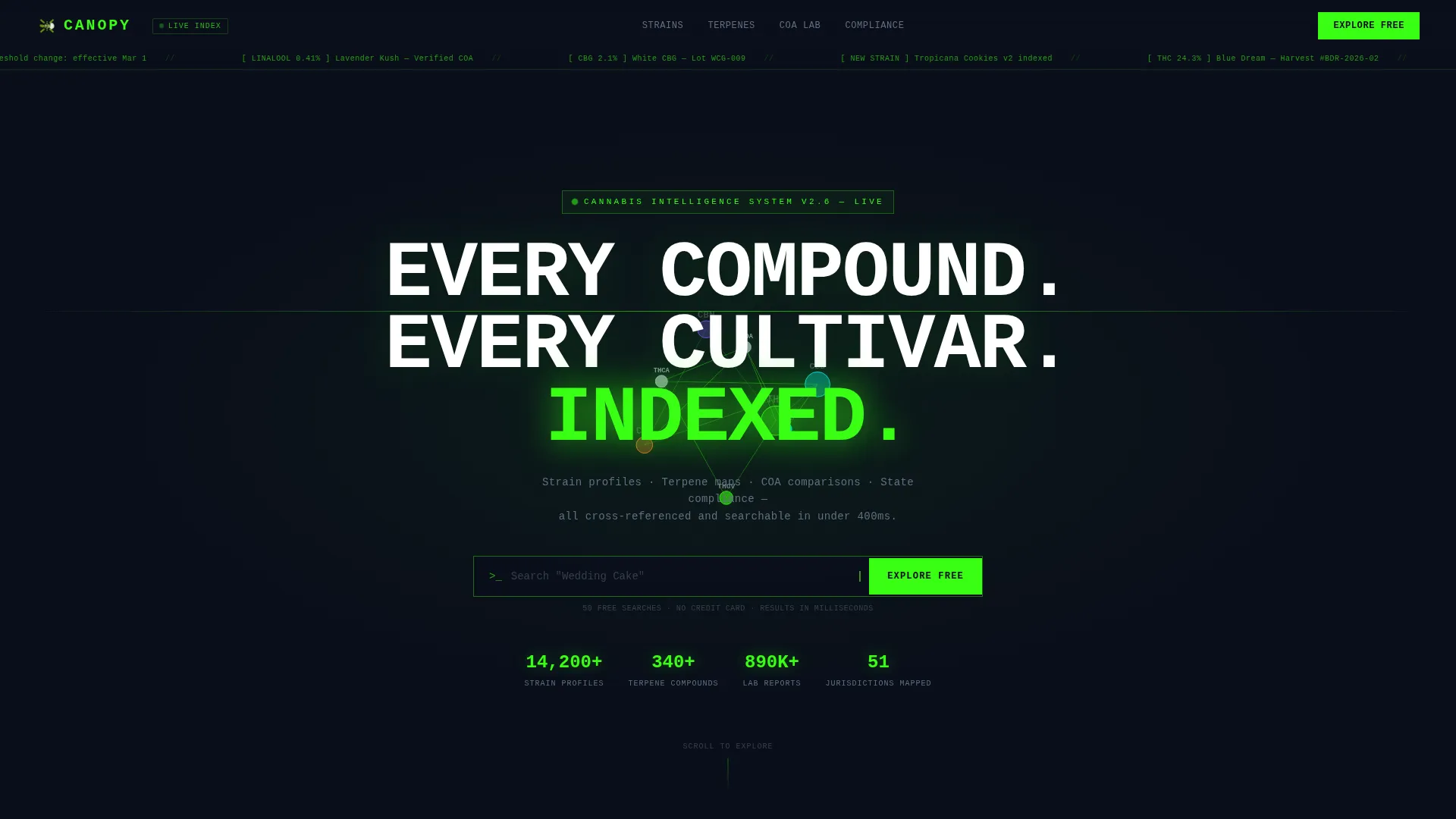
The hero section fills the full viewport with a dark void-black background and a radial phosphor green glow. A 3D molecular map of THC, CBD, CBN, and CBG nodes rotates gently on a canvas layer. A blinking cursor sits inside a centered search bar, inviting the visitor to type a strain name and watch the map rearrange in real time.
Interactive Terpene Wheel
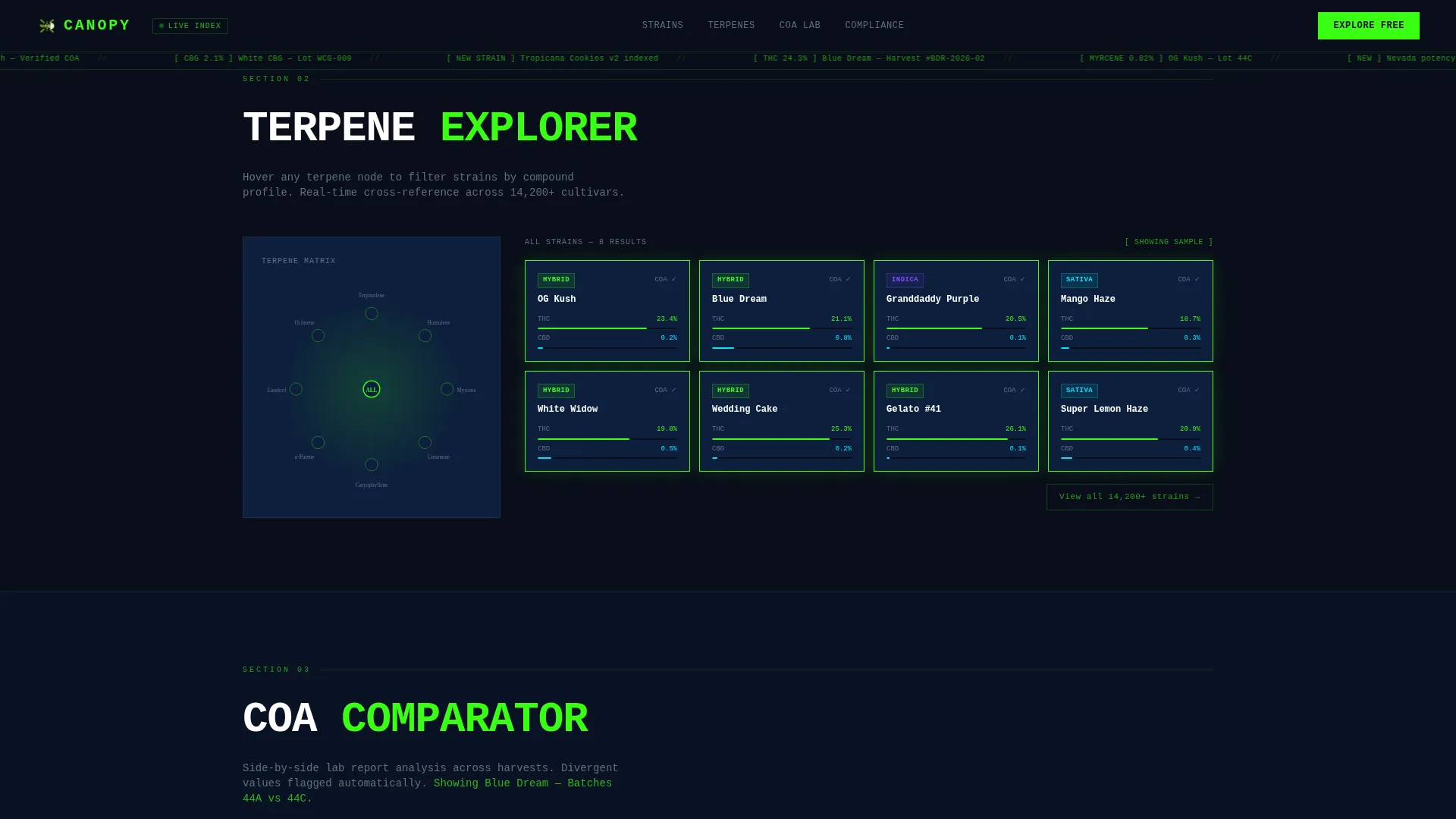
The second section renders a live terpene wheel. Hovering over a terpene such as myrcene triggers real-time strain card filtering, showing only strains that carry that compound. This turns a passive scroll into an active discovery moment.
Side-by-Side COA Comparator
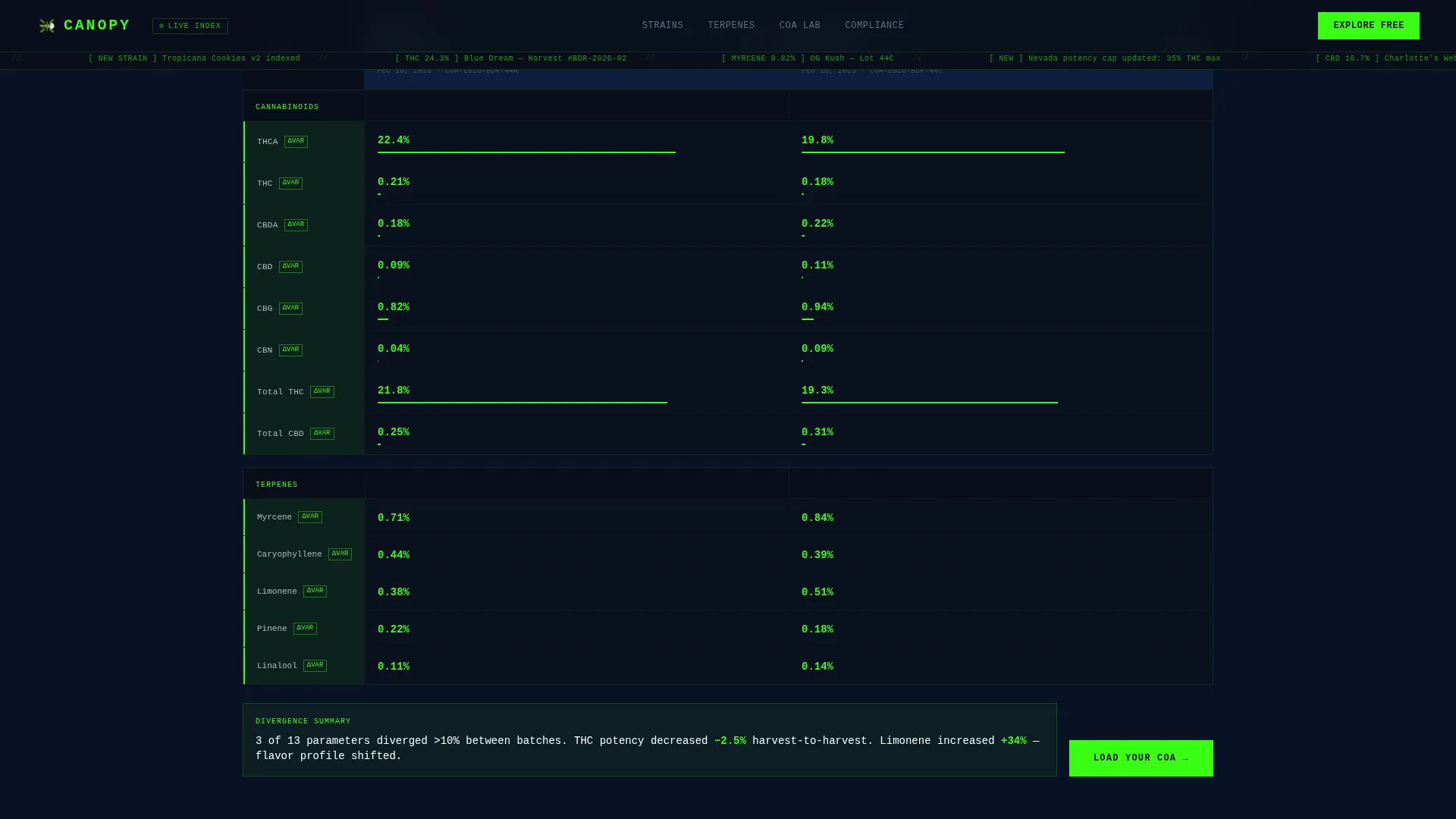
The third section loads two sample lab reports side by side. Column values that diverge are highlighted automatically, letting dispensary buyers and extraction techs spot differences without reading line by line.
US Regulation Map
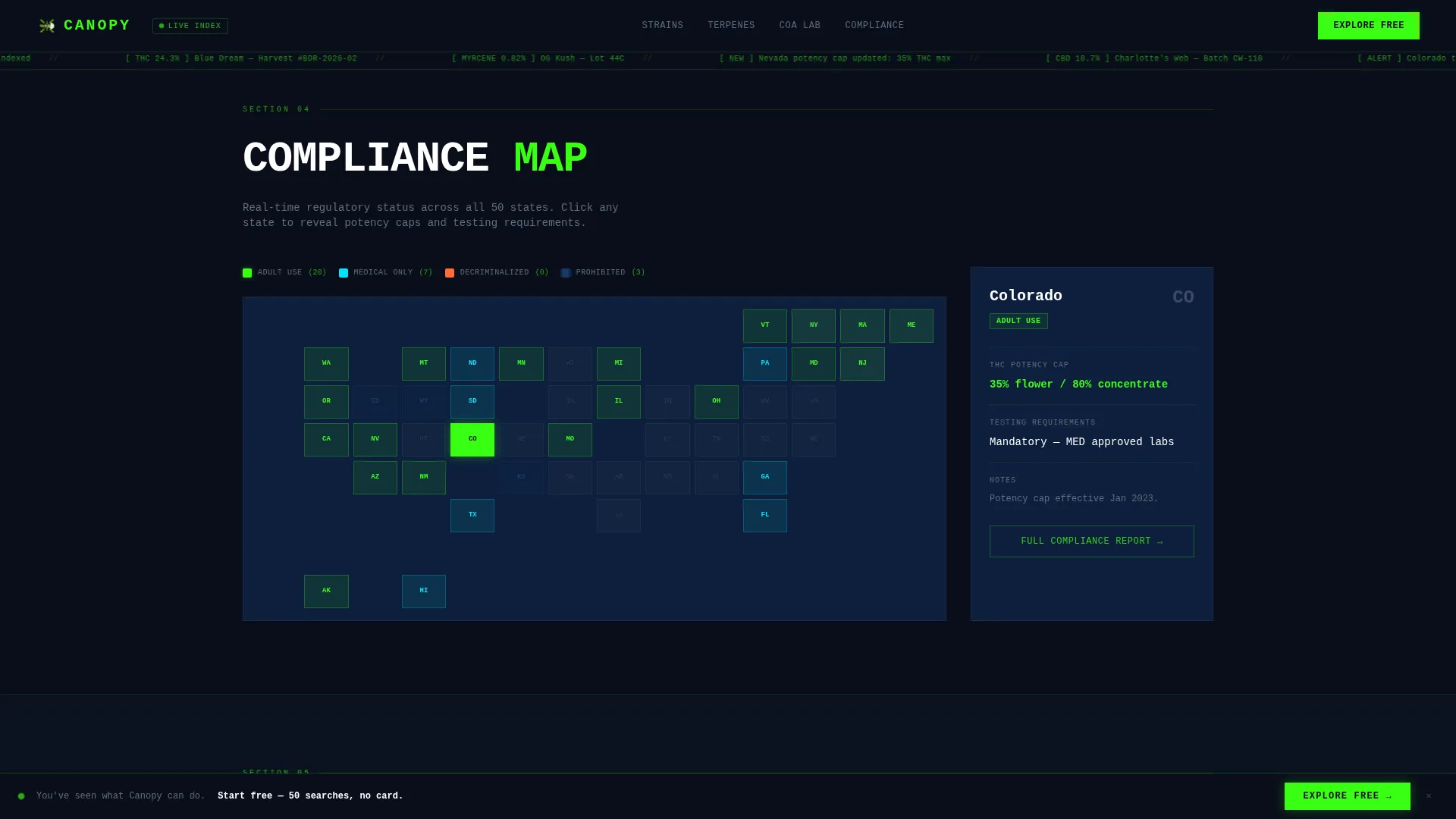
The fourth section shows a color-coded map of US states sorted by legal status. Each state is clickable and reveals its potency caps and testing requirements. Compliance officers can get state-specific answers in seconds.
Freemium and Gated Conversion Flow
The fifth section offers two paths. The primary call to action is "Explore Free - 50 Searches," requiring only email and role selection. A secondary path offers a downloadable PDF of the full terpene index for visitors who are not ready to register.
Sticky Conversion Bar
After the visitor scrolls past the second section, a sticky bottom bar appears with the same freemium call to action. This keeps the conversion prompt visible without interrupting the data experience.
Page sections overview
| Section | Purpose |
|---|---|
| Hero Search Header | Introduce the platform with an animated molecular map and a live strain search bar |
| Terpene Explorer Wheel | Let visitors filter strain cards by hovering over individual terpene nodes |
| COA Comparator Grid | Show two loaded lab reports side by side with divergent values highlighted |
| US Regulation Map | Display state legal status and reveal potency caps on click |
| Freemium Conversion Block | Capture email and role with no credit card, plus offer a gated PDF download |
| Developer Minimal Footer | Provide clean navigation links in a minimal GitHub-style footer layout |
Design & branding system
The visual language is Bold Brutalist with a clinical lab monitor aesthetic. Every design choice reinforces precision and authority without feeling decorative.
- Color system: void black (#0A0E1A) for backgrounds, deep signal blue (#0D1F3C) for panel depth, phosphor green (#39FF14) for live data accents and hover states, and cool slate (#B0BEC5) for body text and labels
- Typography: JetBrains Mono for headlines and data labels, DM Sans for body copy and secondary text
- Layout: thick brutalist borders, sharp corners, and generous negative space frame each data module like a concrete plinth
Mobile & speed optimization
Canopy is built desktop-first to match the workflow of data-heavy professional users. The layout is also structured to remain functional and readable on smaller screens.
- Responsive breakpoints ensure the COA comparator, terpene wheel, and regulation map reflow cleanly on tablet and mobile viewports
- GPU-accelerated transforms and a canvas-based molecular map keep animations smooth without degrading the layout on lower-powered devices
How this template helps you convert
Canopy earns the signup by giving value before asking for it. The conversion architecture is layered deliberately so trust builds with each section.
- The hero search bar lets visitors query a strain name immediately, with no account required, making the tool feel real from the first second.
- The terpene wheel and COA comparator provide two more interactive moments before any signup prompt appears, so visitors arrive at the conversion block already convinced.
- The dual path (freemium account or gated PDF download) means visitors with different levels of intent both have a reason to leave their email.
Other information about this template
Canopy is part of the Dashboard and Data Grid template style category, built for the Cannabis Digital Presence subcategory under the broader Technology category. It sits at the intersection of cannabis knowledge base tools and B2B software-as-a-service marketing.
- The template uses a freemium conversion direction, meaning the page is engineered to let users experience the product before committing
- Social proof elements in the brief include usage metrics such as strain count, terpene profiles indexed, and lab reports processed, alongside role-based testimonials
- The footer follows a GitHub developer minimal pattern, keeping the bottom of the page clean and professional
- Localization is English, priced in USD, with regulation data scoped to the United States
Theme
Bold Brutalist
Creative direction
Interactive Explorer
Color system
Midnight Blue
Style
Dashboard/Data Grid
Direction
Freemium/Trial
Page Sections
Animated Molecular Network Hero
Interactive Terpene Wheel
Side-by-side COA Comparator
US State Regulation Map
Dual-path Conversion Flow
Sticky Freemium Bottom Bar
Related questions
Who is this landing page template designed for?
Can visitors interact with the template before signing up?
Does the freemium signup require a credit card?
What is the secondary conversion option on this page?
Is this template suitable for mobile users?



