Construction Management SaaS Landing Page Template
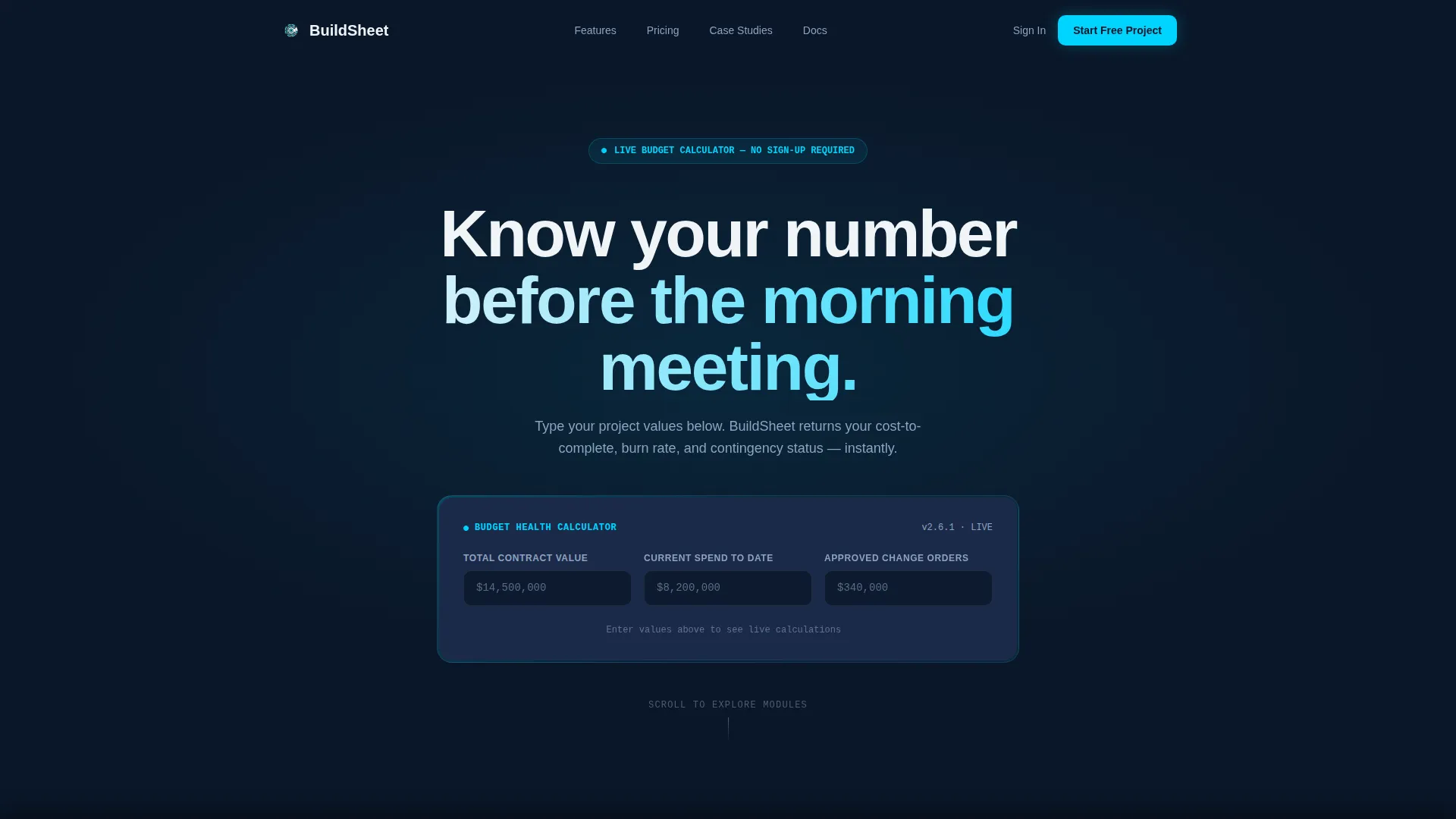
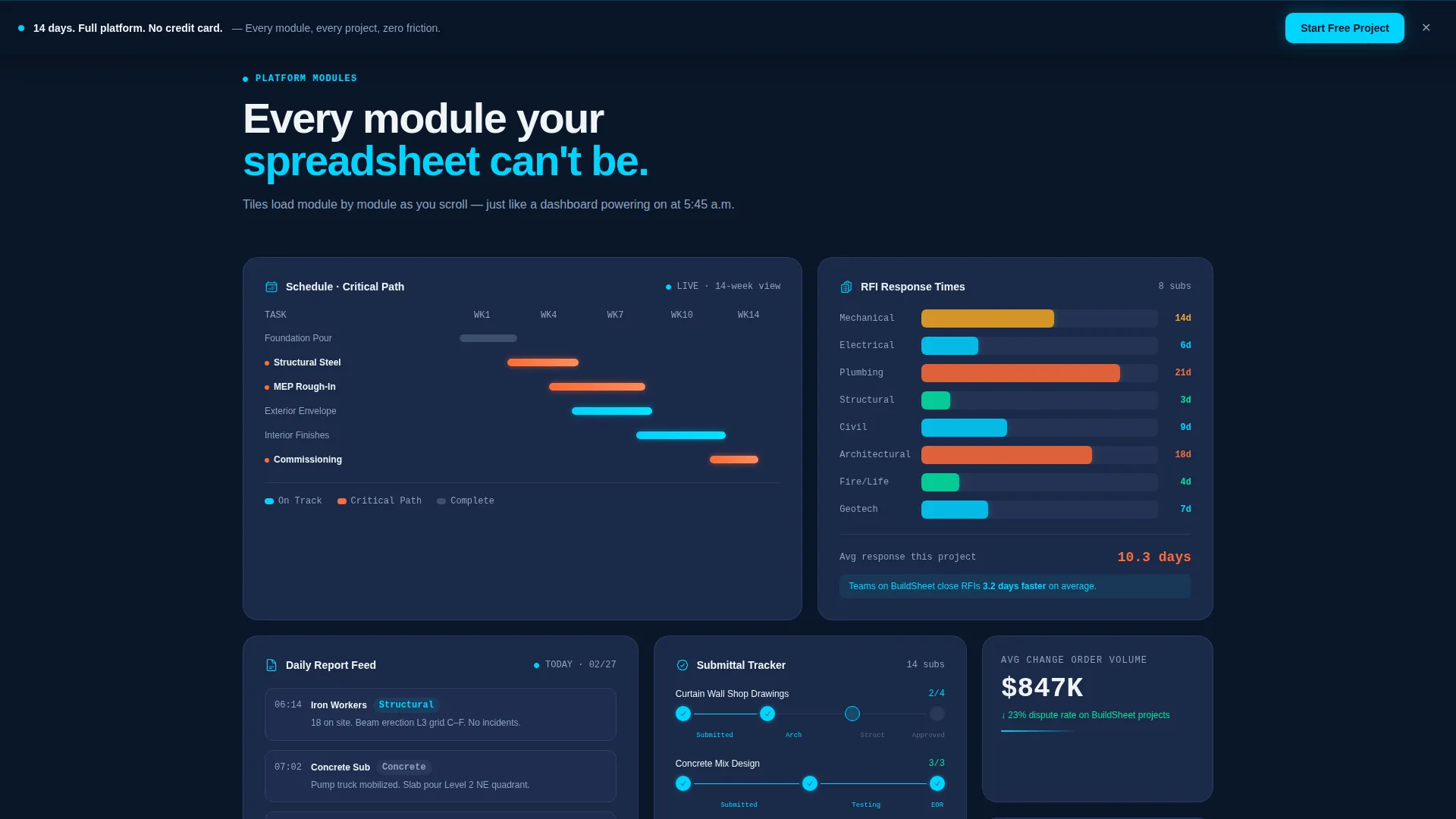
Buildsheet is a bento grid construction management landing page template built for vertical SaaS products targeting commercial contractors. It opens with a live budget health calculator as the hero, then unfolds module by module through scrollable bento tiles covering schedule tracking, RFI logs, daily reports, and submittal chains. The goal: turn a first visit into a free trial sign-up.
by Rocket studio
Quick summary
Buildsheet is a single-page template designed for construction management software products. It leads with an interactive budget health calculator, then builds the case through glowing bento grid tiles, each representing a distinct project module. The visual language draws from a dark control-room aesthetic. The conversion goal is frictionless: one form, no credit card, no sales call.
Who this template is for
This template is built for SaaS founders, product marketers, and developers shipping software to the commercial construction market. If your product manages jobsite data and you need a landing page that speaks directly to contractors, this is your starting point.
- General contractors managing commercial projects in the five-million to eighty-million dollar range
- Project engineers tracking submittals and requests for information across multiple subcontractors
- Owners' representatives who need real-time cost-to-complete visibility without picking up the phone
What problem this template solves
Construction teams waste time stitching together spreadsheets, group texts, and disconnected tools to track what should be visible at a glance. A generic SaaS landing page does not speak to that pain. Buildsheet addresses it directly by making the calculator the first interaction, so visitors see their own numbers before reading a single feature bullet.
- Removes the disconnect between a software product's real value and what a first-time visitor understands in thirty seconds
- Replaces passive screenshot-heavy layouts with an active, tool-first experience that proves competence immediately
- Closes the gap between "interesting product" and "I need to start a free project right now"
What you get with this template
The template delivers a fully structured, single-page layout ready to be customized for a construction management SaaS product. Every section is purposeful, and the visual hierarchy guides the visitor from curiosity to conversion without a hard sell.
- A dark full-bleed header with a radial cyan glow effect and an embedded interactive budget health calculator
- A scrollable bento grid section where each tile animates from a dormant dark state to a glowing active state as the visitor scrolls
- A contextual sign-up form inside the calculator result card, plus a secondary sticky call-to-action bar that appears after the third bento row
Feature list
This template includes a focused set of purpose-built components. Each one maps to a specific moment in the visitor's journey from awareness to sign-up.
Live Budget Health Calculator
The hero section contains an interactive calculator. Visitors enter total contract value, current spend, and approved change orders. The tool instantly returns projected cost-to-complete, burn rate, and a contingency warning flag. No sign-up is required to use it.
Bento Grid Module Layout
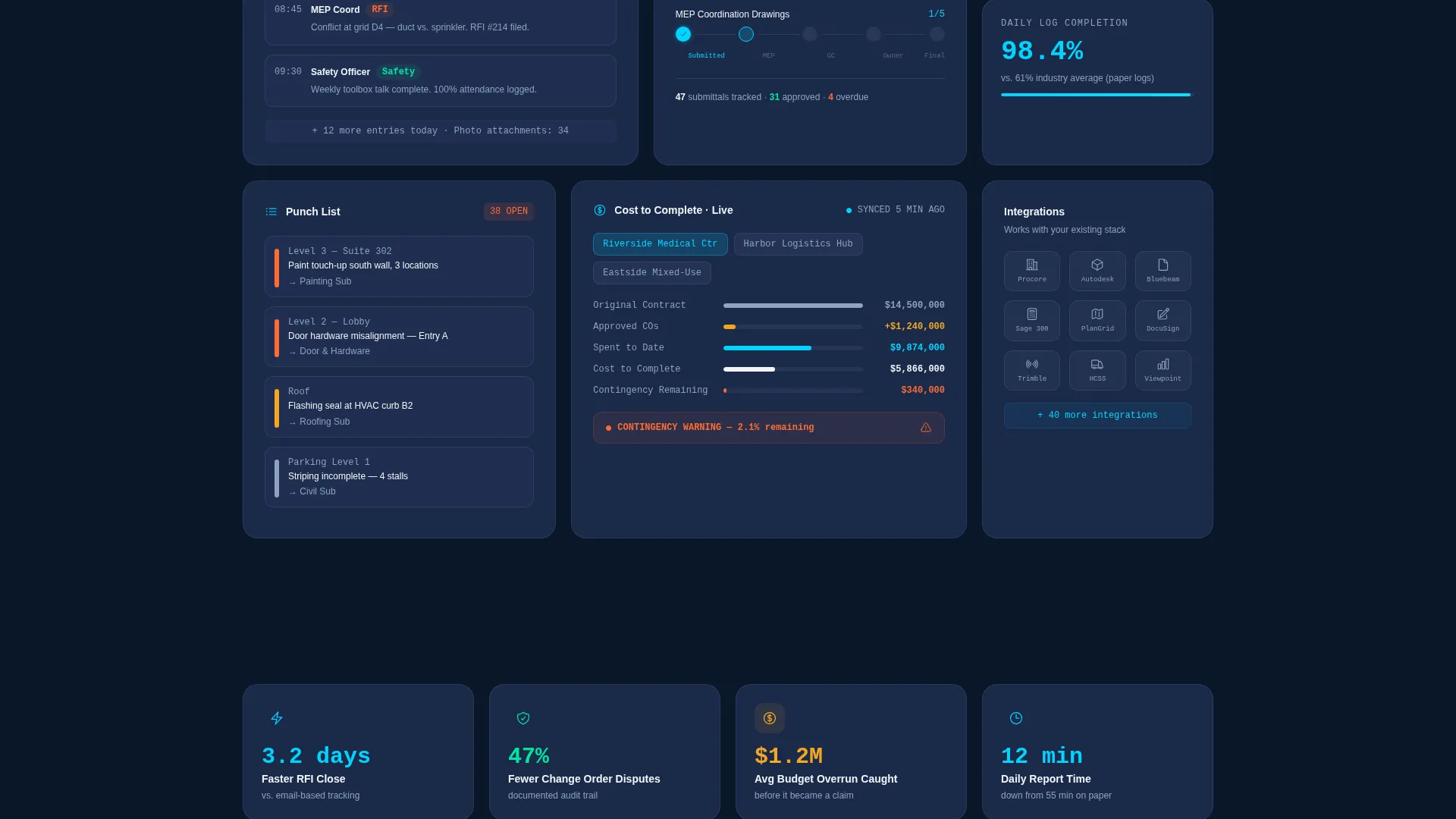
The page uses a bento grid structure below the header. Large tiles highlight flagship features such as the schedule Gantt chart with critical path, the RFI log with a response-time heatmap, the daily report feed with photo tagging, and the submittal tracker with approval chains. Smaller tiles carry integration logos and stat callouts.
Scroll-Triggered Tile Animations
As the visitor scrolls, each bento tile transitions from a dark dormant state to a glowing active state. This mimics the experience of a dashboard loading module by module, reinforcing the product's live-data narrative through the page layout itself.
Contextual In-Calculator Sign-Up
The primary call-to-action form appears inside the calculator result card, at the exact moment the visitor sees their own projected numbers. The form collects email address, company name, and number of active projects through a simple dropdown.
Sticky Conversion Bar
A secondary call-to-action bar becomes sticky after the visitor scrolls past the third bento row. It reads "14 days. Full platform. No credit card." and maintains conversion pressure without interrupting the content experience.
Stat Callout Tiles
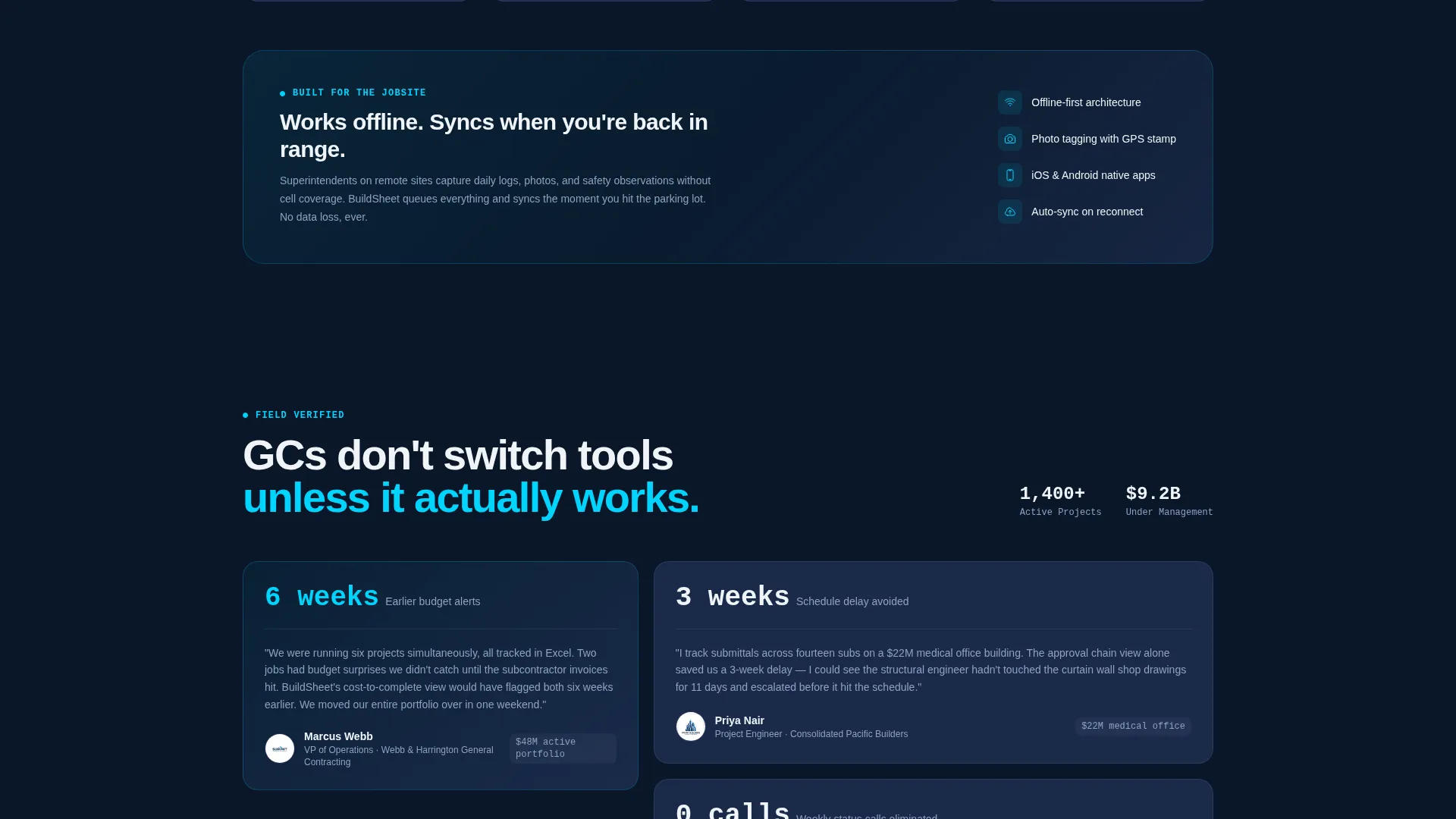
Smaller bento tiles are reserved for social-proof data points. One example from the brief: teams using the product close requests for information 3.2 days faster. These tiles keep the grid visually varied and add evidence-based credibility between feature modules.
Page sections overview
| Section | Purpose |
|---|---|
| Dark hero header | Establishes product tone and houses the live calculator |
| Budget health calculator | Drives immediate engagement with visitor's own project data |
| Calculator result card | Delivers personalized output and surfaces the primary sign-up form |
| Gantt schedule tile | Showcases schedule tracking with critical path highlighting |
| RFI log tile | Demonstrates request for information tracking with response-time heatmap |
| Daily report tile | Shows daily log feed with photo tagging capability |
| Submittal tracker tile | Displays approval chain visibility across subcontractors |
| Stat callout tiles | Reinforces credibility with specific performance data points |
| Integration logo tiles | Shows ecosystem context through smaller bento cells |
| Sticky call to action bar | Maintains conversion pressure throughout the scroll experience |
Design & branding system
The visual identity follows a Dashboard Pro theme built around a Midnight Blue color system. Every color choice is functional: deep tones recede, accent tones signal activity, and white appears only where emphasis is critical.
- Background uses deep terminal navy (#0A1628); card surfaces use structural slate (#1B2A4A); secondary text and dividers use cold steel (#8DA2C0)
- Electric signal cyan (#00D4FF) marks live-state accents, active toggles, and data highlights across tiles and the hero glow
- White (#F0F4F8) is reserved for primary type and key figures, making numbers read like runway lights against the dark palette
Mobile & speed optimization
The bento grid layout is structured to reflow cleanly across screen sizes. The template is designed with the same control-room clarity on a phone as on a widescreen monitor.
- Bento tiles are sized and spaced to stack predictably on smaller viewports without losing the visual hierarchy of large versus small cells
- The calculator interaction is touch-friendly, ensuring visitors on mobile can input their project numbers and receive results without friction
- The sticky call-to-action bar is positioned to remain readable and tappable on mobile screens throughout the scroll
How this template helps you convert
Buildsheet is built around a single conversion philosophy: prove value before asking for anything. The layout sequences every element to reduce hesitation and increase the moment a visitor decides to start a free project.
- The calculator creates a personalized result before any sign-up prompt appears, so the form feels like a logical next step rather than a cold request
- The scroll-triggered bento animations accumulate evidence tile by tile, building the case that a spreadsheet-based workflow is no longer sufficient
- The sticky bar keeps the "14 days, full platform, no credit card" offer visible throughout the page without requiring the visitor to scroll back to the top
Other information about this template
This template is categorized under Technology, specifically the Construction Vertical SaaS subcategory. It is positioned for construction management software products competing for attention from commercial project teams.
- The template style is Bento Grid, the theme is Dashboard Pro, and the creative direction is Calculator-First
- The header concept is Dark Full-Bleed with a radial glow, and the conversion direction is Freemium or Free Trial
- The Intersection Match Score for this template's niche alignment is 13, reflecting a strong fit between the template design and the construction management software market
Theme
Dashboard Pro
Creative direction
Calculator/Tool First
Color system
Midnight Blue
Style
Bento Grid
Direction
Freemium/Trial
Page Sections
Live Budget Health Calculator
Scroll-triggered Bento Grid
Contextual In-calculator Sign-up Form
Sticky Conversion Bar
Module Feature Tiles
Stat Callout and Social Proof Tiles
Related questions
Can I customize the calculator inputs and output labels?
Does the bento grid work for a product with fewer than four feature modules?
Is a demo booking or sales call required in the free trial sign-up flow?
What type of construction software product fits this template best?



